This week, Federico and John talk about how to get more out of Twitter while avoiding doom scrolling, through a combination of advanced Twitter features, third-party apps, and Shortcuts.
Read more
Here are the highlights from the Club MacStories Discord this week: Over in the Peek Performance channel we’ve set up for Apple’s upcoming event, there’s an excellent discussion going on right now regarding the evolution of the Mac over the past couple of years and the iPad Pro’s stagnation. Lachlan, one of moderators, has a...
In last Friday’s issue of MacStories Weekly, John wrote about the convenience of simple utility shortcuts on macOS. Essentially, he argued that because of the variety of ways we have to run shortcuts on macOS Monterey, triggering automations that are comprised of a handful of actions, or even just one action, is so much faster...
What happens if you try to shrink the Mac mini to fit into a much smaller form factor while keeping its thermal performance intact? Quinn Nelson tried to find out, and the results are amazing. (Link) Apple released the first trailer of its upcoming series WeCrashed, which is based on the rise and fall...
A couple of weeks ago on MacStories Unwind, I talked about my experiments with Dolphin, an amazing emulator for Nintendo GameCube and Nintendo Wii that is available on a wide variety of platforms, including Windows and macOS. As I explained, one of the best features of Dolphin is its ability to upscale the resolution of...
We’ve been keeping an eye on Tapbots’ rapid development pace for Tweetbot on iPhone and iPad over the past few months (we gave Tweetbot 6 a MacStories Selects award in December), and I continue to be impressed by how Tweetbot is growing and adding new features thanks to its new business model and Twitter’s new API.
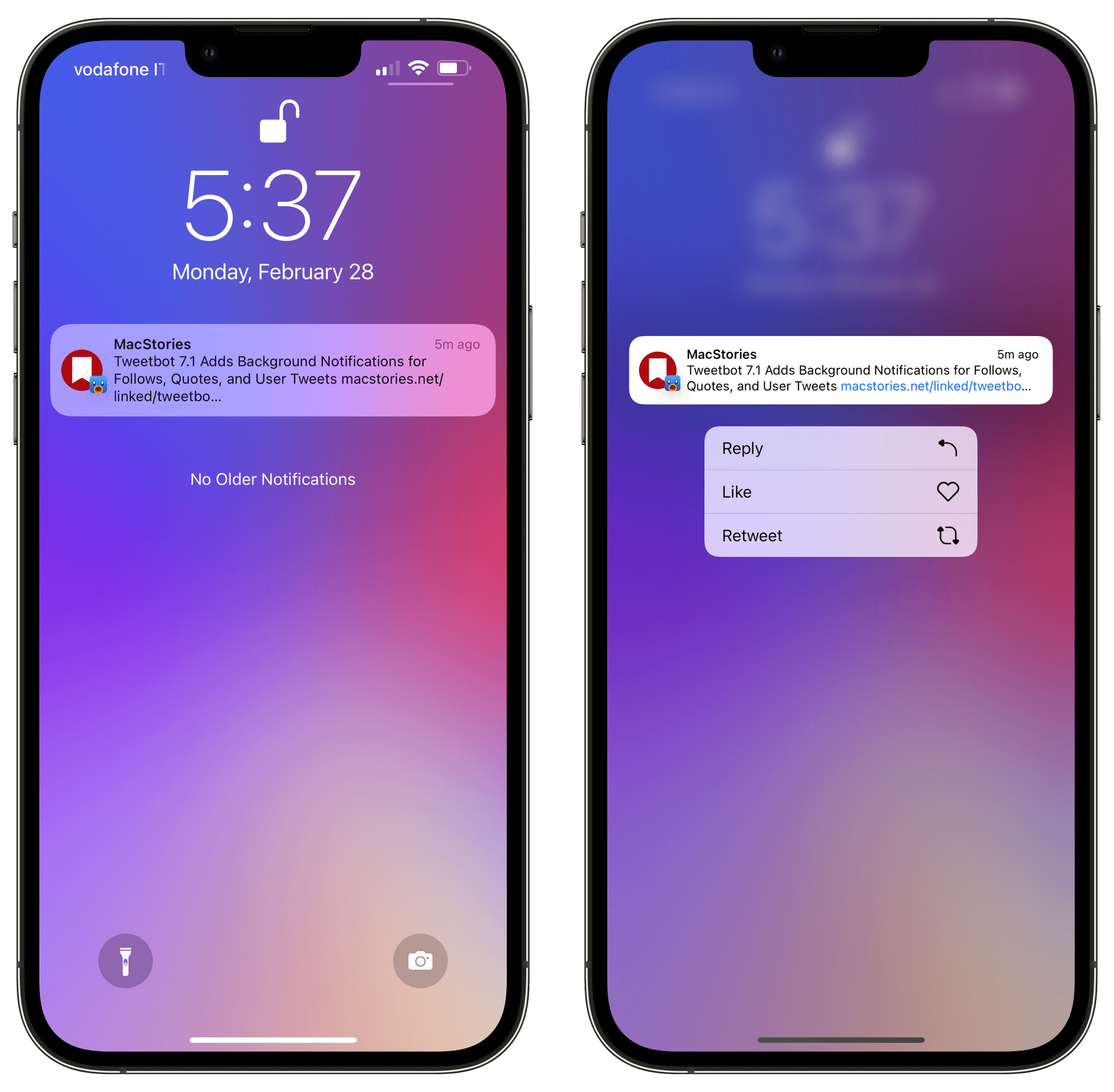
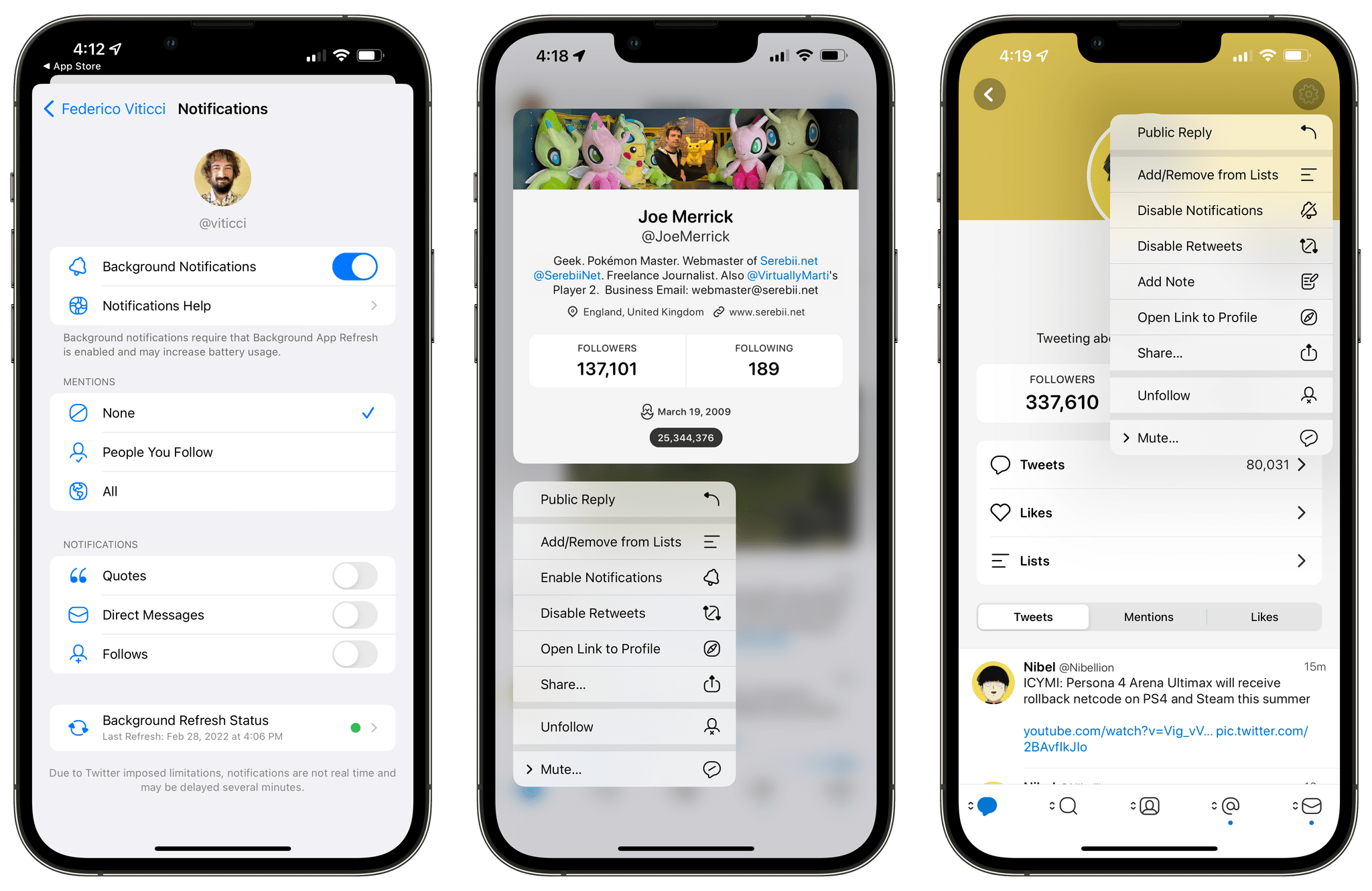
In today’s 7.1 update, Tweetbot has gained support for background notifications. These notifications, unlike push notifications, are managed by iOS/iPadOS’ background app refresh system, which comes with some benefits and limitations that Tapbots has outlined here. In terms of why this matters for users, background notifications alllow Tweetbot to support notifications for more types of activities: you can now enable notifications for new followers, people who quote one of your tweets, and – my favorite – new tweets from a specific user. The latter can be enabled on a user’s profile page (pictured below) or by long-pressing someone’s profile picture in the timeline.
Being notified when a specific user tweets was one of the features I was missing from the official Twitter app, so I’m glad Tapbots figured out a way to add it to Tweetbot. Since Tapbots’ system is based on Apple’s background app refresh technology and they can’t control the timing of notifications, Tweetbot’s version of these alerts won’t likely be as immediate as the Twitter app, but that’s fine as long as I get a list of new tweets from specific users.
I look forward to testing these notifications over the next few days. Tweetbot 7.1 is available on the App Store for iPhone and iPad; hopefully, we won’t have to wait much longer for Tweetbot 7 to arrive on macOS too.
This week, Federico and John survey the many Apple hardware rumors circulating and take a stab at predicting the new hardware we’ll see in 2022.
Read more
Here are the highlights from the Club MacStories Discord this week. Our members have been having fun with Obsidian lately: Following a request by a member, I created a simplified version of my Append to Dashboard shortcut that always inserts text at the beginning of a specific section of a note in Obsidian, without displaying...
Picture this: I was at the pharmacy a few days ago to buy some COVID self-test kits. As I was entering my debit card’s PIN code at the counter to confirm my payment, I hear my mom’s voice coming out of my iPhone, which I was holding in my left hand. “Federico….?” That was quite...



 John
John