John
John
AppStories Episode 339 - The Impact of OS Updates on Third-Party Apps
0:00
38:23
38:23
This week, Federico and John consider the impact that this year’s OS releases will have on third-party apps.

It helps you take regular breaks from your Mac to rest your eyes, without breaking your flow.
 The Impact of OS Updates on Third-Party Apps
  Interesting iOS 17 Details, Apple Watch Battery, and Radio Stations
 Here are the highlights from the Club MacStories Discord this week: Over in the dedicated iOS and iPadOS beta channel, I asked members about their favorite iOS and iPadOS 17 details so far, and received some great responses. Burim started an interesting thread about Apple Watch battery comparisons. My Ultra’s battery health is still at...
Three Changes for Productivity I’m Excited About in iOS and iPadOS 17 It’s new beta season and, as you can imagine, now that I’m back home and I’ve recovered from my WWDC trip, I’ve started really digging into the iOS and iPadOS 17 betas in preparation for my annual review later this year. I have both betas on my primary iPhone and iPad Pro, and based on...
Excellent developer-focused take on the Vision Pro by David Smith, who also tested one last week at Apple Park. I particularly liked his reasoning for why it’s important to begin understanding a new Apple platform sooner rather than later:
Another reason I want to develop for visionOS from the start is that it is the only way I know for developing what I’ll call “Platform Intuition”.
This year watchOS 10 introduced a variety of structural and design changes. What was fascinating (and quite satisfying) to see was how many of these changes were things that I was already doing in Pedometer++ (and had discussed their rationale in my Design Diary). This “simultaneous invention” was not really all that surprising, as it is the natural result of my spending years and years becoming intimately familiar with watchOS and thus having an intuition about what would work best for it.
That intuition is developed by following a platform’s development from its early stages. You have to have seen and experienced all the attempts and missteps along the way to know where the next logical step is. Waiting until a platform is mature and then starting to work on it then will let you skip all the messy parts in the middle, but also leave you with only answers to the “what” questions, not so much the “why” questions.
I want that “Platform Intuition” for visionOS and the only way I know how to attain it is to begin my journey with it from the start.
As Underscore concludes, Widgetsmith will be on visionOS from day one in 2024.
Chance Miller, writing last week at 9to5Mac, notes how Apple’s most expensive AirPods model are going to miss out on two key features announced at WWDC: Adaptive Audio (which blends Active Noise Cancelation and Transparency mode) and the new ‘Siri’ command that does not require saying ‘Hey’.
As my colleague Filipe Espósito also pointed out yesterday, the new “Siri” command is also exclusive to second-generation AirPods Pro. The same also applies to the new Faster Automatic Switching upgrade.
For context, AirPods Max are powered by two H1 chips, with one located in either ear cup. AirPods Pro 2 feature a next-generation H2 chip inside. Unsurprisingly, H1 + H1 does not equal H2.
I like my AirPods Max, but they’re over two years old at this point, and the gap between them and the second-generation AirPods Pro continues to grow.
The performance of noise cancelation is vastly superior on the AirPods Pro. I just had to travel 14+ hours back and forth between Italy and California for WWDC, so I was able to test AirPods Max on a plane for the first time since I bought them. They were fine, but I ultimately preferred using AirPods Pro because they removed more noise.
I hope Apple is working on an AirPods Max revision with support for H2, a foldable design, a new case, and support for the latest software features they just announced.
Earlier today in my Vision Pro story, I wondered about how Apple will showcase and set up the headset for customers in retail stores in the future.
For some excellent analysis on this topic, look no further than Michael Steeber’s latest issue of the Tabletops newsletter. Michael (who’s the leading expert on Apple retail stores) put together some fascinating thoughts on how Vision Pro could marketed and demoed inside the stores, as well as how the product compares to AirPods Pro and Apple Watch from a retail perspective.
Ultimately, the onus of ushering in the era of spatial computing will be on the Specialists and Creatives. The Vision Pro retail experience must be guided from end to end. Apple Stores started as a place to educate, and as technology faded to the background, customers began to intuitively understand their tools and seek out the Apple Store as a product destination. But visionOS is a fundamentally new paradigm that thrusts the role of education front and center once again.
These are just some of the many new challenges and opportunities Vision Pro will bring to Apple Stores. The dawn of spatial computing transforms far more than just the way we interact with software. This new category of device will impel Apple to reshape the retail experience around a more immersive, personalized environment. It’s an incredibly exciting moment.
Check out the concepts and details Michael posted here.
I’m going to be direct with this story. My 30-minute demo with Vision Pro last week was the most mind-blowing moment of my 14-year career covering Apple and technology. I left the demo speechless, and it took me a few days to articulate how it felt. How I felt.
It’s not just that I was impressed by it, because obviously I was. It’s that, quite simply, I was part of the future for 30 minutes – I was in it – and then I had to take it off. And once you get a taste of the future, going back to the present feels…incomplete.
I spent 30 minutes on the verge of the future. I have a few moments I want to relive.
What’s Next for Notes, Reminders, and Macs
WWDC 2023: Swift Student Challenge Winners, The MacStories Interviews
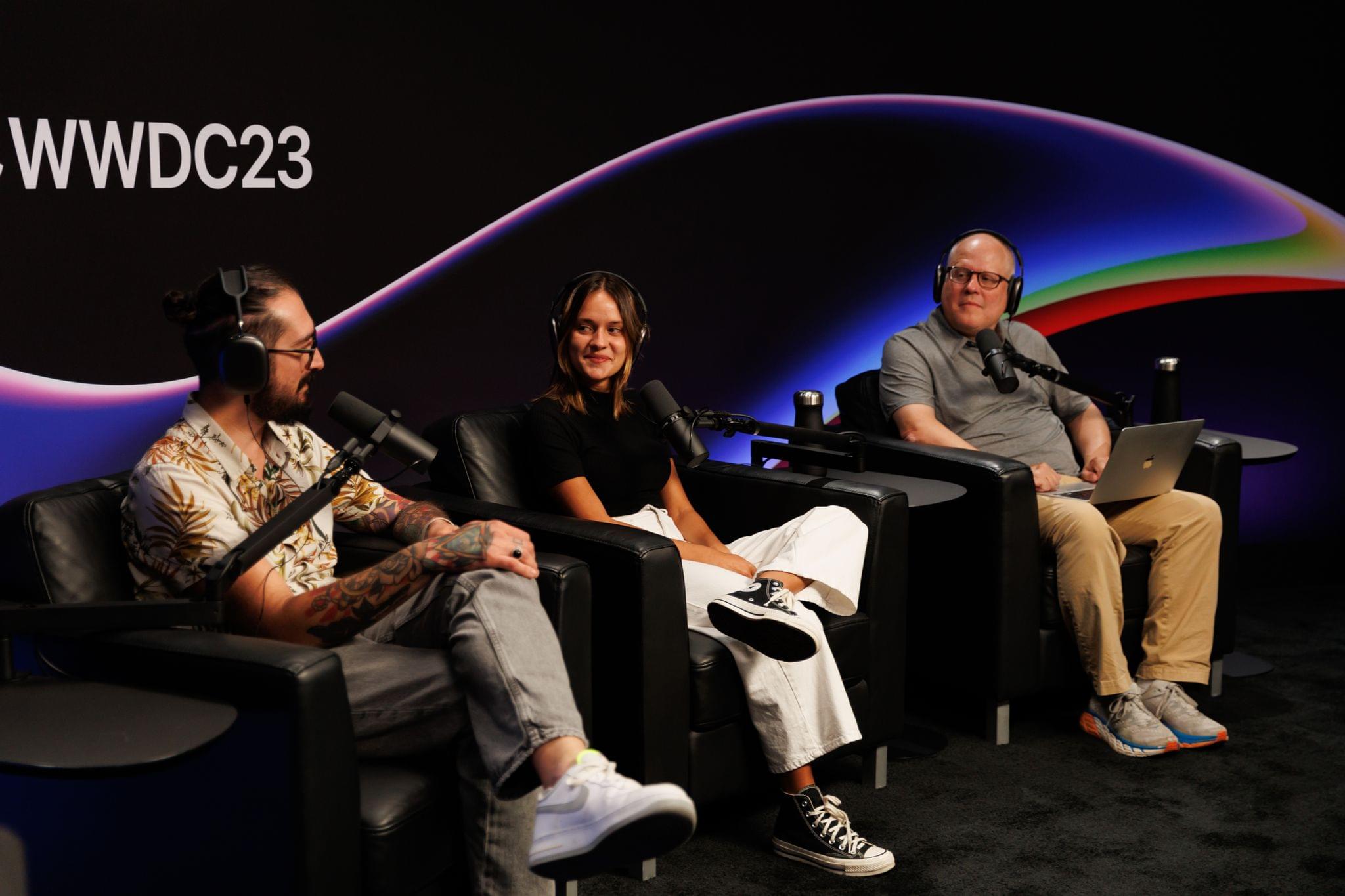
Federico and John also had the opportunity to sit down with three winners of the Swift Student Challenge in the Apple Podcasts Studio at Apple Park. It was fun and inspiring to chat with Damian Perez, Henri Bredt, and Maria Eduarda Cabral de Lucena.