

While I’ve decided to use Wispr Flow as my cross-platform dictation app (I signed up for a year of Pro membership yesterday, in fact), there are times when I want to quickly dictate an idea into my iPhone without having to go through the dance of enabling Wispr’s software keyboard, launching the app, and going...
Why is ChatGPT for Mac So Good?→
Great post by Allen Pike on the importance of a great app experience for modern LLMs, which I recently wrote about. He opens with this line, which is a new axiom I’m going to reuse extensively:
A model is only as useful as its applications.
And on ChatGPT for Mac specifically:
The app does a good job of following the platform conventions on Mac. That means buttons, text fields, and menus behave as they do in other Mac apps. While ChatGPT is imperfect on both Mac and web, both platforms have the finish you would expect from a daily-use tool.
[…]
It’s easier to get a polished app with native APIs, but at a certain scale separate apps make it hard to rapidly iterate a complex enterprise product while keeping it in sync on each platform, while also meeting your service and customer obligations. So for a consumer-facing app like ChatGPT or the no-modifier Copilot, it’s easier to go native. For companies that are, at their core, selling to enterprises, you get Electron apps.
I don’t hate Electron as much as others in our community, but I can’t deny that ChatGPT is one of the nicest AI apps for Mac I’ve used. The other is the recently updated BoltAI. And they’re both native Mac apps.
 Designing for Liquid Glass: Outstanding Indie Apps
 John
JohnThis week, Federico and John dig into some of their favorite apps that have adopted Apple’s Liquid Glass design language.
On AppStories+, it’s John’s 10th anniversary at MacStories, so he and Federico look back at the last decade.
Also available on YouTube here.
](https://cdn.macstories.net/banneras-1629219199428.png)
We deliver AppStories+ to subscribers with bonus content, ad-free, and at a high bitrate early every week.
To learn more about an AppStories+ subscription, visit our Plans page, or read the AppStories+ FAQ.

AppStories Episode 463 - Designing for Liquid Glass: Outstanding Indie Apps
0:00
26:28
26:28
The AI App Experience Matters More Than Benchmarks Now
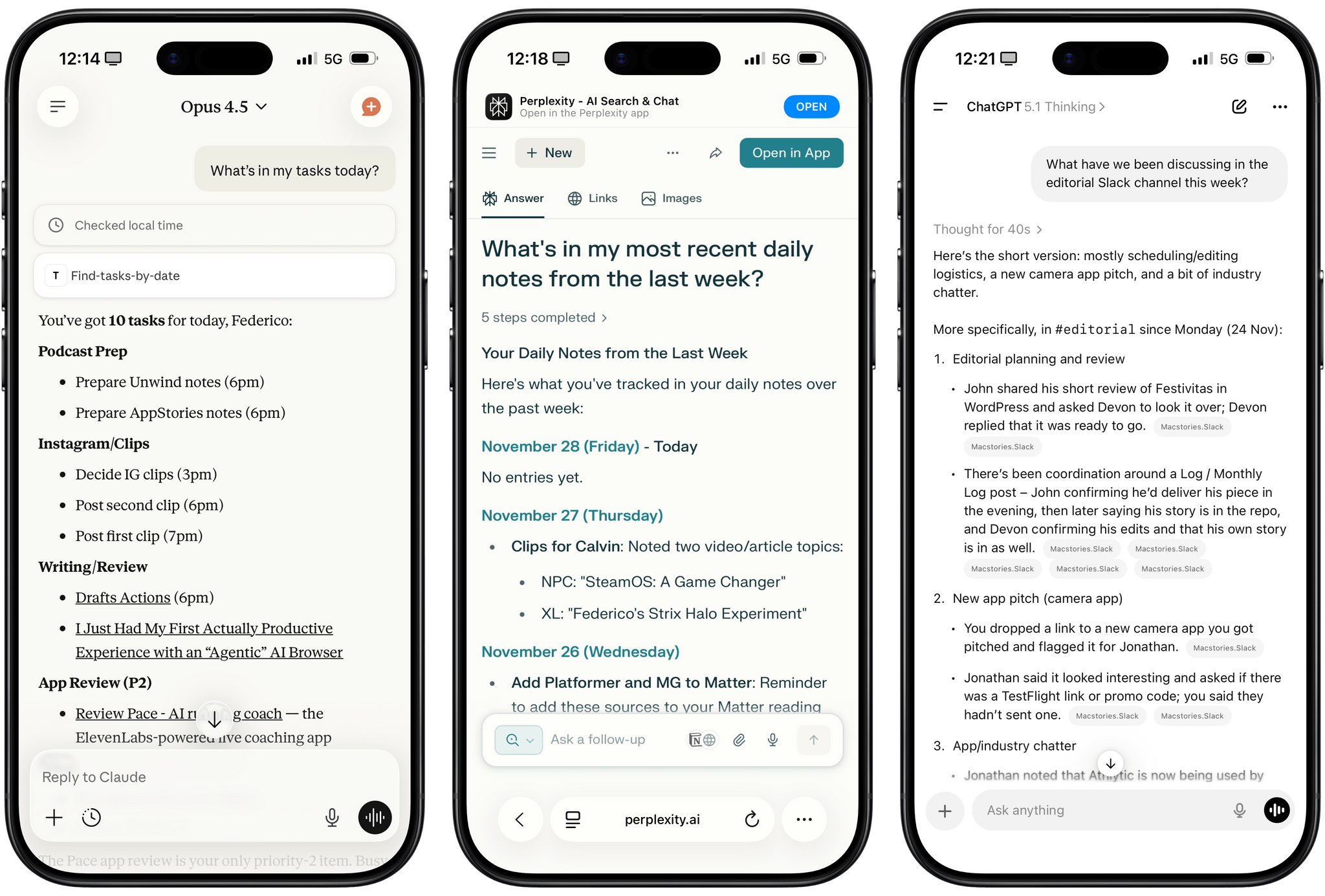
I was catching up on different articles after the release of Claude Opus 4.5 earlier this week, and this part from Simon Willison’s blog post about it stood out to me:
I’m not saying the new model isn’t an improvement on Sonnet 4.5—but I can’t say with confidence that the challenges I posed it were able to identify a meaningful difference in capabilities between the two.
This represents a growing problem for me. My favorite moments in AI are when a new model gives me the ability to do something that simply wasn’t possible before. In the past these have felt a lot more obvious, but today it’s often very difficult to find concrete examples that differentiate the new generation of models from their predecessors.
This is something that I’ve felt every few weeks (with each new model release from the major AI labs) over the past year: if you’re really plugged into this ecosystem, it can be hard to spot meaningful differences between major models on a release-by-release basis. That’s not to say that real progress in intelligence, knowledge, or tool-calling isn’t being made: benchmarks and evaluations performed by established organizations tell a clear story. At the same time, it’s also worth keeping in mind that more companies these days may be optimizing their models for benchmarks to come out on top and, more importantly, that the vast majority of folks don’t have a suite of personal benchmarks to evaluate different models for their workflows. Simon Willison thinks that people who use AI for work should create personalized test suites, which is something I’m going to consider for prompts that I use frequently. I also feel like Ethan Mollick’s advice of picking a reasoning model and checking in every few months to reassess AI progress is probably the best strategy for most people who don’t want to tweak their AI workflows every other week.

Access Extra Content and Perks
Founded in 2015, Club MacStories has delivered exclusive content every week for nearly a decade.
What started with weekly and monthly email newsletters has blossomed into a family of memberships designed for every MacStories fan.
Club MacStories: Weekly and monthly newsletters via email and the web that are brimming with apps, tips, automation workflows, longform writing, early access to the MacStories Unwind podcast, periodic giveaways, and more;
Club MacStories+: Everything that Club MacStories offers, plus an active Discord community, advanced search and custom RSS features for exploring the Club’s entire back catalog, bonus columns, and dozens of app discounts;
Club Premier: All of the above and AppStories+, an extended version of our flagship podcast that’s delivered early, ad-free, and in high-bitrate audio.
“The iPad’s Software Problem Is Permanent”→
I love my iPad Pro, but, as you know, lately I’ve been wondering about what comes after iPadOS 26. We have much better multitasking now, and key workflow limitations such as file management, audio recording, and long-running background tasks have been addressed by Apple this year. But now that the user-facing system’s foundation has been “fixed”, what about the app ecosystem?
Over at Snazzy Labs, Quinn Nelson has been wondering the same, and I highly recommend watching his video:
Quinn makes a series of strong, cogent arguments with factual evidence that show how, despite multitasking and other iPadOS 26 improvements, using apps on an iPad Pro often falls short of what can be achieved with the same apps on a Mac. There is so much I could quote from this video, but I think his final thought sums it up best:
There are still days that I reach for my $750 MacBook Air because my $2,000 iPad Pro can’t do what I need it to. Seldom is the reverse true.
I’m so happy that Apple seems to be taking iPadOS more seriously than ever this year. But now I can’t help but wonder if the iPad’s problems run deeper than windowing when it comes to getting serious work done on it.
The Ever-Changing App Store
This week, Federico and John explore current changes to the world of apps through the lens of its past evolution.
On AppStories+, we build “money’s no object” holiday wish lists for ourselves.
Also available on YouTube here.
We deliver AppStories+ to subscribers with bonus content, ad-free, and at a high bitrate early every week.
To learn more about an AppStories+ subscription, visit our Plans page, or read the AppStories+ FAQ.
AppStories Episode 462 - The Ever-Changing App Store
0:00
32:35
32:35
How I Quickly Save Text, Links, and Images to My Daily Notes in Notion
Stop me if you’ve heard this one before: I created a shortcut to quickly append content to my daily note so I don’t forget to save stuff I come across during the day, thoughts that pop into my head, or random things that John or Silvia send me. Right, we’ve been over this. What’s different...
I Finally Tested the M5 iPad Pro’s Neural-Accelerated AI, and the Hype Is Real
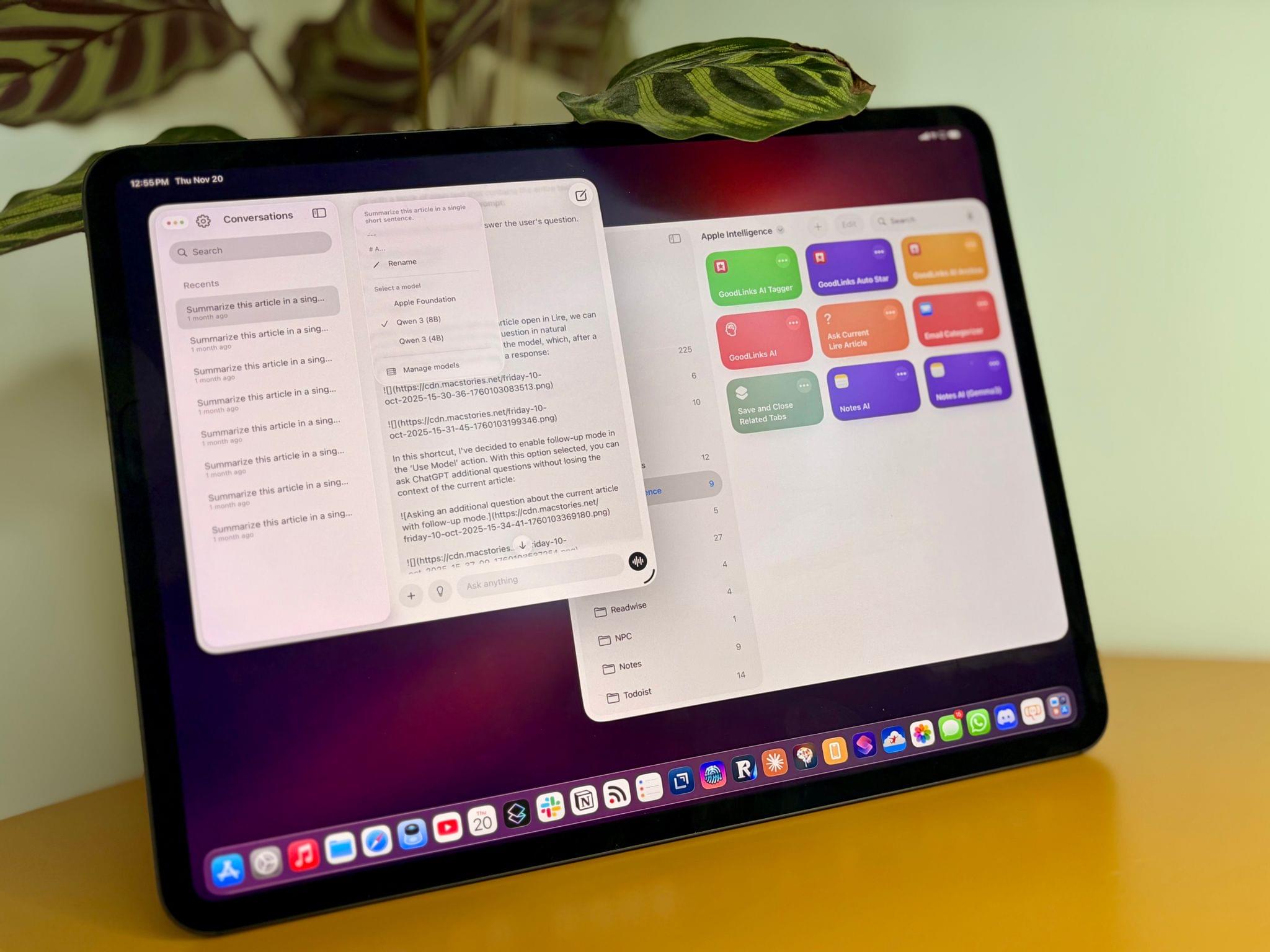
The best kind of follow-up article isn’t one that clarifies a topic that someone got wrong (although I do love that, especially when that “someone” isn’t me); it’s one that provides more context to a story that was incomplete. My M5 iPad Pro review was an incomplete narrative. As you may recall, I was unable to test Apple’s promised claims of 3.5× improvements for local AI processing thanks to the new Neural Accelerators built into the M5’s GPU. It’s not that I didn’t believe Apple’s numbers. I simply couldn’t test them myself due to the early nature of the software and the timing of my embargo.
Well, I was finally able to test local AI performance with a pre-release version of MLX optimized for M5, and let me tell you: not only is the hype real, but the numbers I got from my extensive tests over the past two weeks actually exceed Apple’s claims.
Access Extra Content and Perks
Founded in 2015, Club MacStories has delivered exclusive content every week for nearly a decade.
What started with weekly and monthly email newsletters has blossomed into a family of memberships designed for every MacStories fan.
Club MacStories: Weekly and monthly newsletters via email and the web that are brimming with apps, tips, automation workflows, longform writing, early access to the MacStories Unwind podcast, periodic giveaways, and more;
Club MacStories+: Everything that Club MacStories offers, plus an active Discord community, advanced search and custom RSS features for exploring the Club’s entire back catalog, bonus columns, and dozens of app discounts;
Club Premier: All of the above and AppStories+, an extended version of our flagship podcast that’s delivered early, ad-free, and in high-bitrate audio.
iPadOS 26.2 Beta Restores Drag and Drop Gestures for Split View and Slide Over→
Following the comeback of Slide Over in iPadOS 26.1, Apple is continuing to iterate on iPadOS 26 multitasking by restoring functionalities that had been removed from the launch version of iPadOS 26.0 in September. Yesterday, in the third developer beta of iPadOS 26.2, the company brought back drag and drop gestures to put app windows directly in Split View and Slide Over without having to interact with additional menus. To understand how these old gestures work in the context of iPadOS 26, I recommend watching this video by Chris Lawley:
As you can see, the gestures are pretty much the same ones as iPadOS 18, but the interaction is slightly different insofar as the “pull indicator” for Slide Over (re-introduced in iPadOS 26.1) now serves two purposes. That indicator now acts both as a signal that you can drop a window to instantly tile it as one half of a Split View, and it’s also a drop target to enter Slide Over right away. The design is clever, if maybe a little too hard to discover…but that’s always been the case with multitasking gestures that aren’t exposed by a menu – which is exactly why Apple is now offering plenty of options in iPadOS 26 to discover different multitasking features in different menus.
I’m glad to see Apple quickly iterate on iPadOS 26 by finding ways to blend the old multitasking system with the platform’s new windowing engine. Based on the comments I received after publishing my iPadOS 26 review, enough people were missing the simplicity of Split View and Slide Over that I think Apple’s doing the right thing in making all these multitasking systems coexist with one another.
As I argued on last week’s episode of Connected, and as Myke and Jason also elaborated on this week’s episode of Upgrade, the problem with the iPad Pro now is that we have a great foundation with iPadOS 26 and very few third-party apps that take advantage of it beyond the usual names. I suspected as much months ago, when I explained why, in a world dominated by web apps, the iPad’s next problem was going to be its app ecosystem. The web services I use on a daily basis (Slack, Notion, Claude, Superhuman, Todoist – the list goes on) simply don’t make iPad apps of the same caliber as their desktop/web counterparts. So I find myself using Safari on the iPad to get my work done these days, but, for a variety of reasons and dozens of small papercuts, Safari for iPad simply isn’t as good as Safari on the Mac.
Given how the third-party app ecosystem story for iPad is outside of Apple’s control and how most companies aren’t incentivized to make excellent native iPad apps anymore, now that multitasking has been largely “fixed” in iPadOS 26.2, I hope Apple turns its attention to something they can control: making Safari for iPad truly desktop-class and not a baby version of Safari for Mac.