


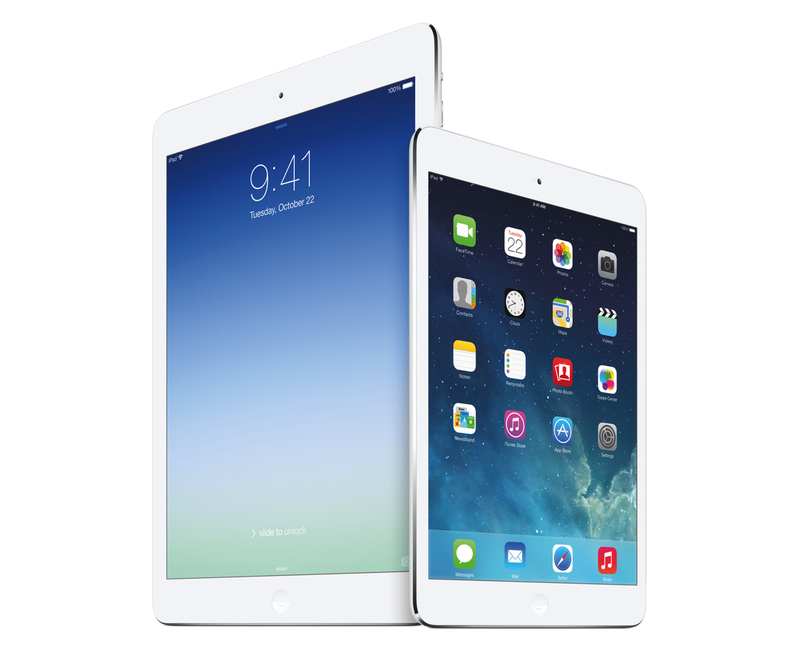
I’ve been thinking about a rumor that I’ve seen showing up in tech headlines lately – that Apple is working on a larger version of the iPad (dubbed “iPad Pro”) that is allegedly on track to be released in Fall 2014. While I haven’t been paying particular attention to rumors (with the exception of Mark Gurman’s original reporting), the idea of a larger iPad reported by the tech press thus far strikes me as an odd proposition. As someone who uses the iPad as his primary computer, I wanted to recollect past instances of this rumor and reflect upon the consequences that such device (and way of thinking) could have on the iPad line, iOS, and consumers. Read more
Second Gear Launches First Glassboard Update for iOS 7
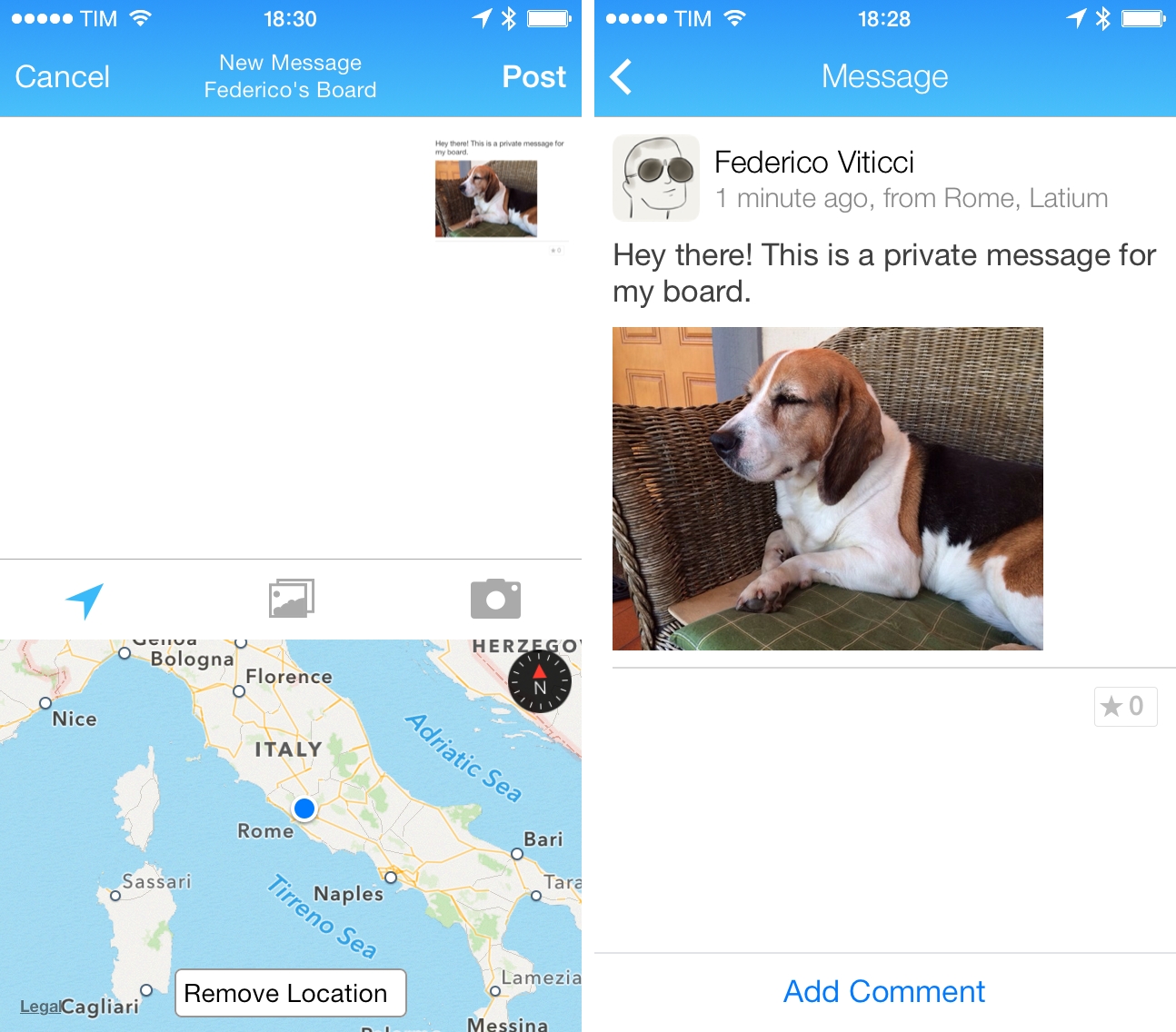
When I was beta testing Editorial in 2012, I used Glassboard every day to report feedback, send screenshots, and discuss the app’s feature set. Glassboard is a private chat for groups and small businesses that has threaded conversations, attachments, notifications for new messages on mobile devices, and other cool features such as location sharing and possibility to bookmark messages. Aside from the Editorial beta, I used Glassboard to communicate with friends in private boards, send feedback for other betas, and discuss features of MacStories. I was worried about the future of Glassboard when it was put up for sale and relived when Second Gear announced that they acquired it. I’ve always believed in the idea behind Glassboard and I wanted to see it thrive.
Glassboard’s future under Second Gear management begins today with the launch of a long overdue update to the iPhone app, which is ready for iOS 7. The app still isn’t available on the iPad, but this new version provides a solid new foundation to build upon and I’m confident that Second Gear will consider an iPad counterpart.
For those not familiar with Glassboard, the service lets you create discussion boards where you invite people. Nothing is ever shared publicly and everything is kept private with an invite-based system. People can post new messages and add comments to them, which will be grouped in a conversation. What’s unique about Glassboard is that, in the age of social networks that demand constant public activity with opt-out systems for privacy controls, Glassboard is a modern, elegant, and private forum board for groups of friends or teams. My use of Glassboard may have been limited to work-related communication, but I know of several people who rely on it to organize meet-ups or get together at conferences thanks to the service’s location sharing feature.
The new iOS app is simple and nice. There’s a sidebar where you can switch between boards and access your personal Settings; next to each board, you’ll find a gear icon to control your notification preferences and see every member of a board. The All Boards view at the top of the sidebar offers a unified view of all conversations from all boards, but you can of course open a specific board and view messages pertaining to it.
The entire app has been polished for iOS 7 but there are no major feature additions for this relaunch. I like the cleaner look and I’m a fan of the Views at the bottom of the sidebar to view all Photos and Videos and Notifications from all boards at once.
Glassboard is supported by its users. There are no ads; instead, you can pay $24.99/Year to become a Premium user, which will give you access to extras such as export options, up to 1 GB of attachments per board, and more features that Second Gear will roll out in the future. The Premium subscription is available as an In-App Purchase in today’s iOS update, or it can be unlocked on the web.
Even without new feature additions, I’m glad that Glassboard is back on iOS with a refreshed app and plans for the future. As I mentioned above, I’m looking forward to an iPad version and a redesign of the web app, which still carries the original Glassboard design.
Glassboard 3.0 is available on the App Store. I’ve had the chance to ask a few questions about Glassboard to Second Gear’s Justin Williams, and you can find the interview below. Read more
A Software World→
Great article by Robert McGinley Myers on cynicism in the tech press. I agree with every word of it.
Software is the magic that makes our devices “indistinguishable from magic”. Many of us think of it as an art form, and yet it’s a strange sort of art form. Most art forms don’t remind you to take out the recycling or help you lose fifty pounds. But the things software can do are almost limitless. Maybe tech journalists would be less cynical about the advances of technology if they wrote more about software than hardware, and more about the how than the what — how software is not only changing its shape, but changing our shape, in more ways than one. That is the real, ongoing technological revolution.
My iOS Screenshot Generation Workflow
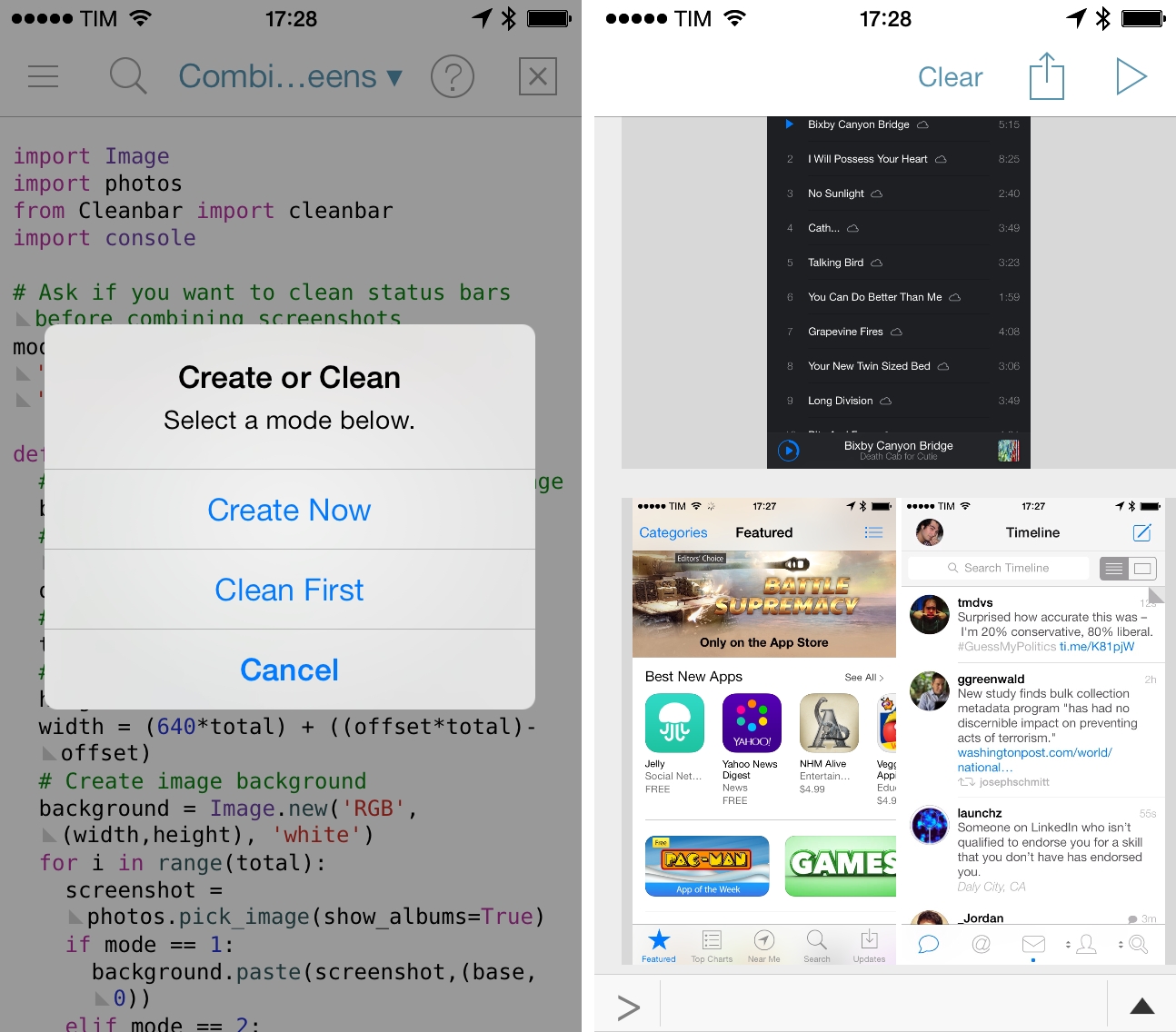
I didn’t think that complaining about iOS status bars on The Prompt would result in Dr. Drang going on a vision quest to produce better screenshots with Python. But I’m glad that I took the time to point out my dislike for messy status bars, because it led the good Doctor to work on some great scripts to automate the entire process with Python, which are compatible with Pythonista for iOS.
I waited to share my workflow for automated screenshot cleaning/generation because I wanted to see where Dr. Drang would end up with his script, Cleanbar. Now that he appears to have settled on a solution that requires standalone image files to act as partial status bar replacements, I think it’s the right time for me to share how I produce iPhone and iPad screenshots for MacStories.
The first step is to set up Cleanbar. I don’t need to repeat what Dr. Drang already explained, but to sum up: grab a black status bar, crop it to get two files similar to Drang’s, then run a script to pack those images as strings. Once set up, you’ll be able to a) use Cleanbar to clean single images picked from the Camera Roll with Pythonista and b) integrate it as cleanbar in other scripts to clean status bars programmatically.
As for my needs:
- I usually need to combine two iPhone screenshots side-by-side in a single image as you can see in most reviews on this site;
- I may or may not need to clean their status bars;
- I don’t have to combine iPad screenshots. I only need to resize them and I may or may not have to clean their status bars;
- Occasionally, I want to produce a banner with three screenshots (like this one), which can have original or cleaned status bars;
- Sometimes, I only need to clean one screenshot out of two;
- I always need to upload the final image to a Dropbox folder, which is monitored by Hazel.
And, because I’m not an animal, I wanted to automate all of this. The scripts that you’ll find below are the result of late night tweaking and lots of tests; they probably aren’t the most elegant or “Pythonic” way to handle this kind of image generation, but they work for me and they make me save several minutes every day. I haven’t been generating review screenshots manually in months, and they’re more flexible than my old workflow based on Keyboard Maestro.
Simbol for iPhone
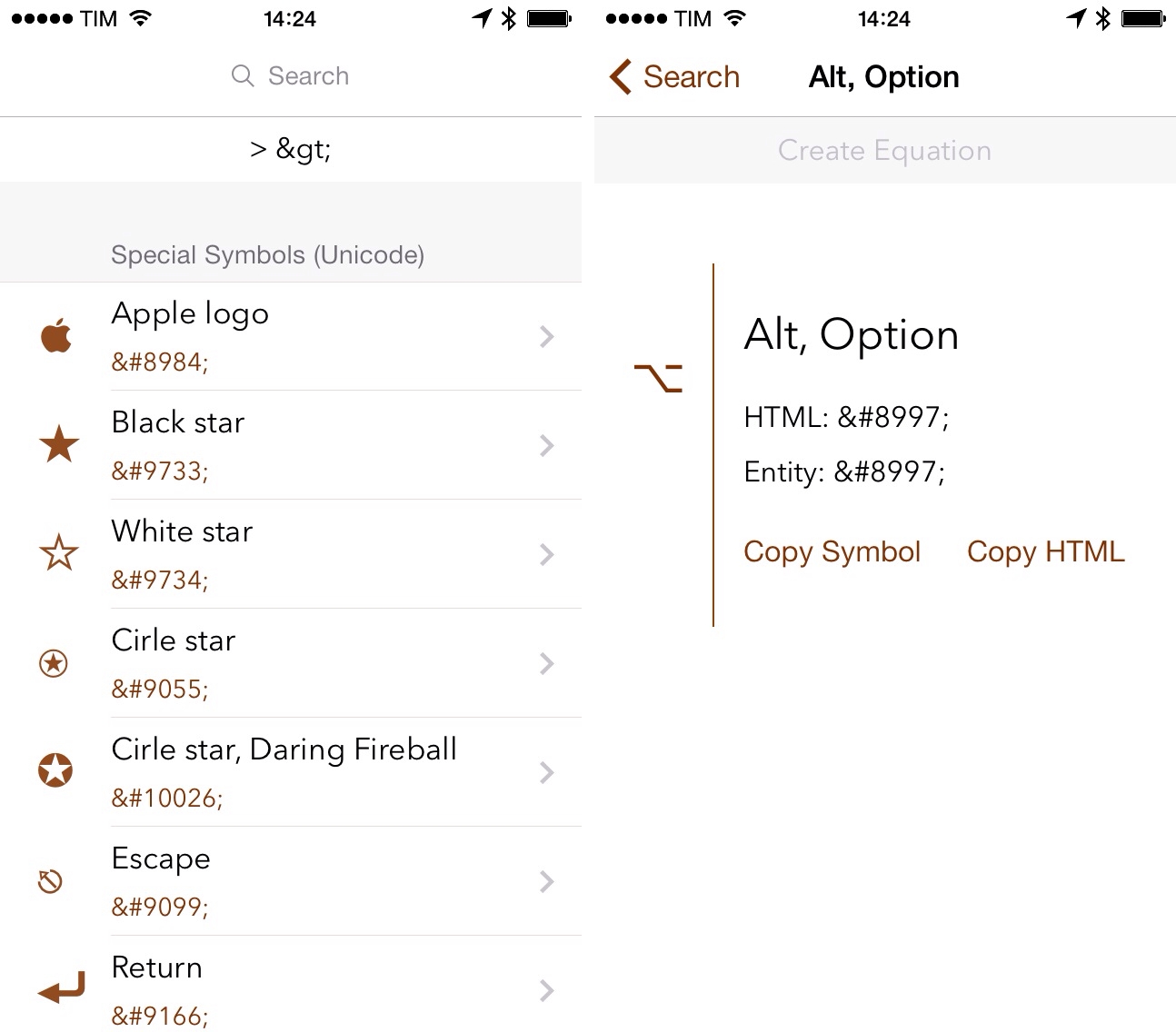
Developed by Amit Jain, Simbol is an iPhone utility to view symbols and special Unicode characters. If you ever play with URL schemes on iOS, you know how tedious it is to convert special characters to HTML codes: Simbol comes with this feature built-in, allowing you to tap on each symbol to copy its HTML or entity code (of course, you can also copy the symbols themselves).
The main screen of the app shows a list of symbols organized in categories; in this first version, categories include Special Symbols, Math Symbols, and Reserved Characters, among others. There is a search bar at the top to look for a specific character by name and you can tap & hold on each symbol to add it to a temporary holding tray for equations. Personally, I just find it handy to be able to quickly search for something like “greater than” and copy its HTML code without having to Google for it.
If I had to nitpick, I’d say that it would be nice to have Favorites, a way to launch searches from Launch Center Pro, and the possibility to hide characters in the main screen, showing only category names. Much like Apple did with albums in the Music app, you can’t view a simple list of categories because symbols will always be shown inline, which makes it hard to scroll the app’s main list if you only want to open a specific category.
Simbol is a good idea, does one thing well, and it’ll save me the time I’d spend looking for HTML codes on Google. It’s free on the App Store.
Brett Terpstra’s New Adventures→
Brett Terpstra is now an independent developer and writer:
Monday will be the start of increased focus on existing projects and attention to new ideas that have been bubbling up. I’ll be writing, including finishing my tagging book and working on the children’s book. I’ll be developing Marked (starting with the App Store version) and adding a couple of smaller apps to the App Store list. I’ll continue blogging, which brings me to a final request.
If you’ve ever played with OS X automation workflows, Automator, scripts, or TextExpander snippets, it’s likely that you used one of Brett’s tools. Brett is the developer behind Marked 2 (one of my must-have Mac apps) and I’m excited to see what he’ll do next.
Apple Airs New “Your Verse” iPad Air Commercial

Apple has today aired a new iPad Air commercial called “Your Verse Anthem” focused on the capabilities of the iPad as a device to express the creativity of the human race. The ad features voiceover by Robin Williams taken from the movie Dead Poets Society; in the clip that Apple chose, John Keating (Robin Williams) describes why people read and write poetry and how everyone can contribute a verse to the world. Interestingly, as noted by Linus Edwards, this isn’t the first time Apple has been inspired by Dead Poets Society. Read more
Save Photos As Reminders with Fantastical and Launch Center Pro
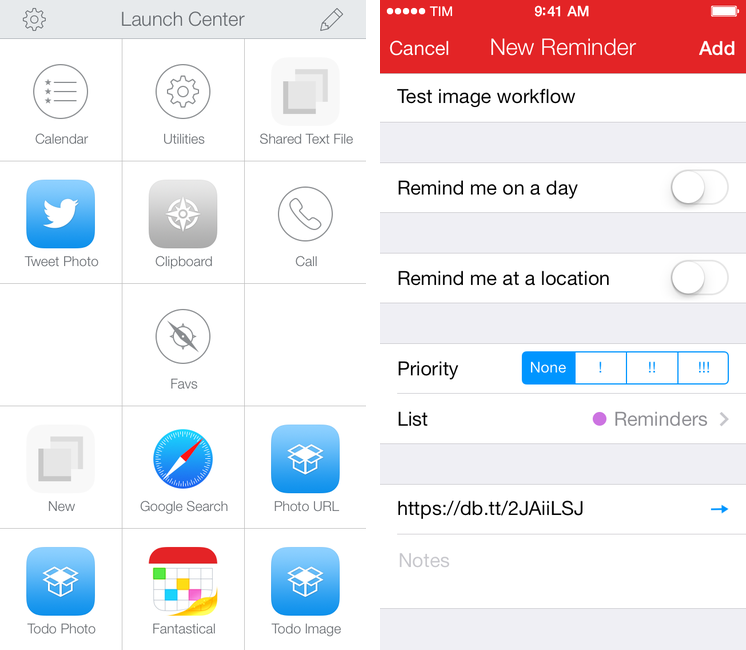
I recently realized that I wanted a way to quickly save photos or screenshots as todos, and being Fantastical 2 my todo manager (with Reminders) and Launch Center Pro the fastest way to take pictures and upload them to Dropbox, I combined them in two workflows.
I made two simple actions that mix the Launch Center Pro and Fantastical URL schemes to save a Dropbox image link as a reminder in Fantastical. You retain the ability to type natural language in a Launch Center Pro prompt, and Fantastical will also automatically recognize the URL and put it in the URL field of a reminder.
Some details worth noting about the actions:
- The first one lets you take a new photo; the second one grabs any image from the Camera Roll;
- Both actions will upload an image to Dropbox in the Photos/LCP/ folder; you can change this once you install the action;
- Fantastical is set to create a reminder for the received text through the
reminder=1flag in the URL scheme.
Getting all the encoding right was a bit tricky at first, but the actions should work without any further configuration on your end. Feel free to modify them: with my basic structure in mind, you can replace Fantastical 2 with Drafts, Dispatch, or any other app that can receive text via URL scheme. I just find it handy to be able to quickly save photos in Fantastical as tappable links, but the workflow is really up to your imagination.
You can download the actions here:
Everpix Shares Full Company Dataset→
Everpix:
Building a startup is about taking on a challenge and working countless hours on solving it. Most startups do not make it but rarely do they reveal the story behind, leaving their users often frustrated. Because we wanted the Everpix community to understand some of the dynamics in the startup world and why we had to come to such a painful ending, we worked closely with a reporter from The Verge who chronicled our last couple weeks. The resulting article generated extensive coverage and also some healthy discussions around some of our high-level metrics and financials. There was a lot more internal data we wanted to share but it wasn’t the right time or place.
With the Everpix shutdown behind us, we had the chance to put together a significant dataset covering our business from fundraising to metrics. We hope this rare and uncensored inside look at the internals of a startup will benefit the startup community.
A comprehensive dataset that includes all kinds of metrics: besides user subcriptions, revenue, and monthly costs, you’ll also find metrics for latency between freemium trials and subscription purchases, user engagement, AWS cost breakdowns, and more. It’s sad that Everpix shut down, but the data they have open-sourced will certainly help anyone who’s building out a startup and never had access to this kind of documented data before.
Don’t miss the VC pitch decks and email exchanges. One of the investors’ primary concerns was that Everpix was difficult to explain to mobile users who just want their photos to “work”, and I think they have a point there. Apple needs to get their act together and streamline the way iCloud, Photo Stream, and the Photos app work. Everpix had built an impressive technology (check out their original plans for 2014 in the presentations) and, through the data, you can get a glance at the various reasons why it didn’t work out. Sections about their propretary image analysis tools have been redacted, which makes me even more curious to know who bought the company’s core technology.
[via Bradley Chambers]