

Earlier this week, Apple released iOS and iPadOS 18.2. In addition to direct ChatGPT integration with Apple Intelligence and other AI features, the updates also come with a slew of tweaks and updates to built-in apps and other functionalities originally introduced in September. As Niléane mentioned in her story about the non-Apple Intelligence changes to...
The Strange Case of Apple Intelligence’s iPhone-only Mail Sorting Feature→
Tim Hardwick, writing for MacRumors, on a strange limitation of the Apple Intelligence rollout earlier this week:
Apple’s new Mail sorting features in iOS 18.2 are notably absent from both iPadOS 18.2 and macOS Sequoia 15.2, raising questions about the company’s rollout strategy for the email management system.
The new feature automatically sorts emails into four distinct categories: Primary, Transactions, Updates, and Promotions, with the aim of helping iPhone users better organize their inboxes. Devices that support Apple Intelligence also surface priority messages as part of the new system.
Users on iPhone who updated to iOS 18.2 have the features. However, iPad and Mac users who updated their devices with the software that Apple released concurrently with iOS 18.2 will have noticed their absence. iPhone users can easily switch between categorized and traditional list views, but iPad and Mac users are limited to the standard chronological inbox layout.
This was so odd during the beta cycle, and it continues to be the single decision I find the most perplexing in Apple’s launch strategy for Apple Intelligence.
I didn’t cover Mail’s new smart categorization feature in my story about Apple Intelligence for one simple reason: it’s not available on the device where I do most of my work, my iPad Pro. I’ve been able to test the functionality on my iPhone, and it’s good enough: iOS occasionally gets a category wrong, but (surprisingly) you can manually categorize a sender and train the system yourself.
(As an aside: can we talk about the fact that a bunch of options, including sender categorization, can only be accessed via Mail’s…Reply button? How did we end up in this situation?)
I would very much prefer to use Apple Mail instead of Spark, which offers smart inbox categorization across platforms but is nowhere as nice-looking as Mail and comes with its own set of quirks. However, as long as smart categories are exclusive to the iPhone version of Mail, Apple’s decision prevents me from incorporating the updated Mail app into my daily workflow.
Apple Intelligence in iOS 18.2: A Deep Dive into Working with Siri and ChatGPT, Together
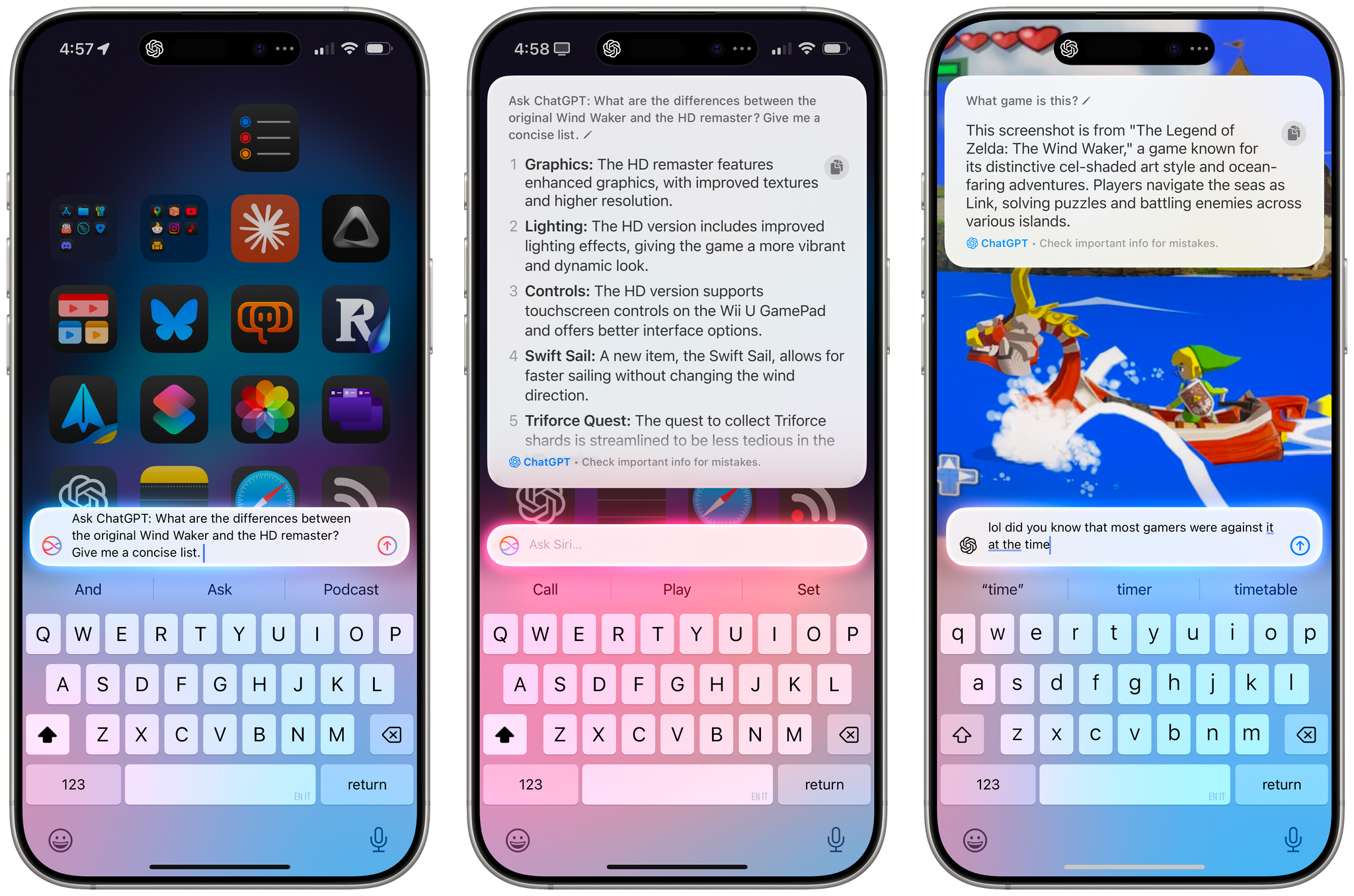
Apple is releasing iOS and iPadOS 18.2 today, and with those software updates, the company is rolling out the second wave of Apple Intelligence features as part of their previously announced roadmap that will culminate with the arrival of deeper integration between Siri and third-party apps next year.
In today’s release, users will find native integration between Siri and ChatGPT, more options in Writing Tools, a smarter Mail app with automatic message categorization, generative image creation in Image Playground, Genmoji, Visual Intelligence, and more. It’s certainly a more ambitious rollout than the somewhat disjointed debut of Apple Intelligence with iOS 18.1, and one that will garner more attention if only by virtue of Siri’s native access to OpenAI’s ChatGPT.
And yet, despite the long list of AI features in these software updates, I find myself mostly underwhelmed – if not downright annoyed – by the majority of the Apple Intelligence changes, but not for the reasons you may expect coming from me.
Some context is necessary here. As I explained in a recent episode of AppStories, I’ve embarked on a bit of a journey lately in terms of understanding the role of AI products and features in modern software. I’ve been doing a lot of research, testing, and reading about the different flavors of AI tools that we see pop up on almost a daily basis now in a rapidly changing landscape. As I discussed on the show, I’ve landed on two takeaways, at least for now:
- I’m completely uninterested in generative products that aim to produce images, video, or text to replace human creativity and input. I find products that create fake “art” sloppy, distasteful, and objectively harmful for humankind because they aim to replace the creative process with a thoughtless approximation of what it means to be creative and express one’s feelings, culture, and craft through genuine, meaningful creative work.
- I’m deeply interested in the idea of assistive and agentic AI as a means to remove busywork from people’s lives and, well, assist people in the creative process. In my opinion, this is where the more intriguing parts of the modern AI industry lie:
- agents that can perform boring tasks for humans with a higher degree of precision and faster output;
- coding assistants to put software in the hands of more people and allow programmers to tackle higher-level tasks;
- RAG-infused assistive tools that can help academics and researchers; and
- protocols that can map an LLM to external data sources such as Claude’s Model Context Protocol.
I see these tools as a natural evolution of automation and, as you can guess, that has inevitably caught my interest. The implications for the Accessibility community in this field are also something we should keep in mind.
To put it more simply, I think empowering LLMs to be “creative” with the goal of displacing artists is a mistake, and also a distraction – a glossy facade largely amounting to a party trick that gets boring fast and misses the bigger picture of how these AI tools may practically help us in the workplace, healthcare, biology, and other industries.
This is how I approached my tests with Apple Intelligence in iOS and iPadOS 18.2. For the past month, I’ve extensively used Claude to assist me with the making of advanced shortcuts, used ChatGPT’s search feature as a Google replacement, indexed the archive of my iOS reviews with NotebookLM, relied on Zapier’s Copilot to more quickly spin up web automations, and used both Sonnet 3.5 and GPT-4o to rethink my Obsidian templating system and note-taking workflow. I’ve used AI tools for real, meaningful work that revolved around me – the creative person – doing the actual work and letting software assist me. And at the same time, I tried to add Apple’s new AI features to the mix.
Perhaps it’s not “fair” to compare Apple’s newfangled efforts to products by companies that have been iterating on their LLMs and related services for the past five years, but when the biggest tech company in the world makes bold claims about their entrance into the AI space, we have to take them at face value.
It’s been an interesting exercise to see how far behind Apple is compared to OpenAI and Anthropic in terms of the sheer capabilities of their respective assistants; at the same time, I believe Apple has some serious advantages in the long term as the platform owner, with untapped potential for integrating AI more deeply within the OS and apps in a way that other AI companies won’t be able to. There are parts of Apple Intelligence in 18.2 that hint at much bigger things to come in the future that I find exciting, as well as features available today that I’ve found useful and, occasionally, even surprising.
With this context in mind, in this story you won’t see any coverage of Image Playground and Image Wand, which I believe are ridiculously primitive and perfect examples of why Apple may think they’re two years behind their competitors. Image Playground in particular produces “illustrations” that you’d be kind to call abominations; they remind me of the worst Midjourney creations from 2022. Instead, I will focus on the more assistive aspects of AI and share my experience with trying to get work done using Apple Intelligence on my iPhone and iPad alongside its integration with ChatGPT, which is the marquee addition of this release.
Let’s dive in.

Access Extra Content and Perks
Founded in 2015, Club MacStories has delivered exclusive content every week for nearly a decade.
What started with weekly and monthly email newsletters has blossomed into a family of memberships designed for every MacStories fan.
Club MacStories: Weekly and monthly newsletters via email and the web that are brimming with apps, tips, automation workflows, longform writing, early access to the MacStories Unwind podcast, periodic giveaways, and more;
Club MacStories+: Everything that Club MacStories offers, plus an active Discord community, advanced search and custom RSS features for exploring the Club’s entire back catalog, bonus columns, and dozens of app discounts;
Club Premier: All of the above and AppStories+, an extended version of our flagship podcast that’s delivered early, ad-free, and in high-bitrate audio.
 The 2024 MacStories Selects Awards
 John
John
AppStories Episode 415 - The 2024 MacStories Selects Awards
0:00
55:19
55:19
This week, Federico and John reveal the winners of the 2024 MacStories Selects Awards, which celebrate the exceptional design, innovation, and creativity of apps across the iPhone, iPad, Mac, and Apple Watch.
Assistive AI Automation Tools
Batch Renaming Files on an iPad with FileBrowser
As I teased on Bluesky earlier this week, I’m working on the next major update to my Apple Frames shortcut. Version 4.0 will be completely rebuilt from scratch and feature even more flexibility in terms of frame customization. I hope to be able to release it before the end of the year. Anyway, while I...
Apple Frames 3.3 Adds Support for iPhone 16 and 16 Pro, M4 iPad Pro, and Apple Watch Series 10 (feat. An Unexpected Technical Detour)
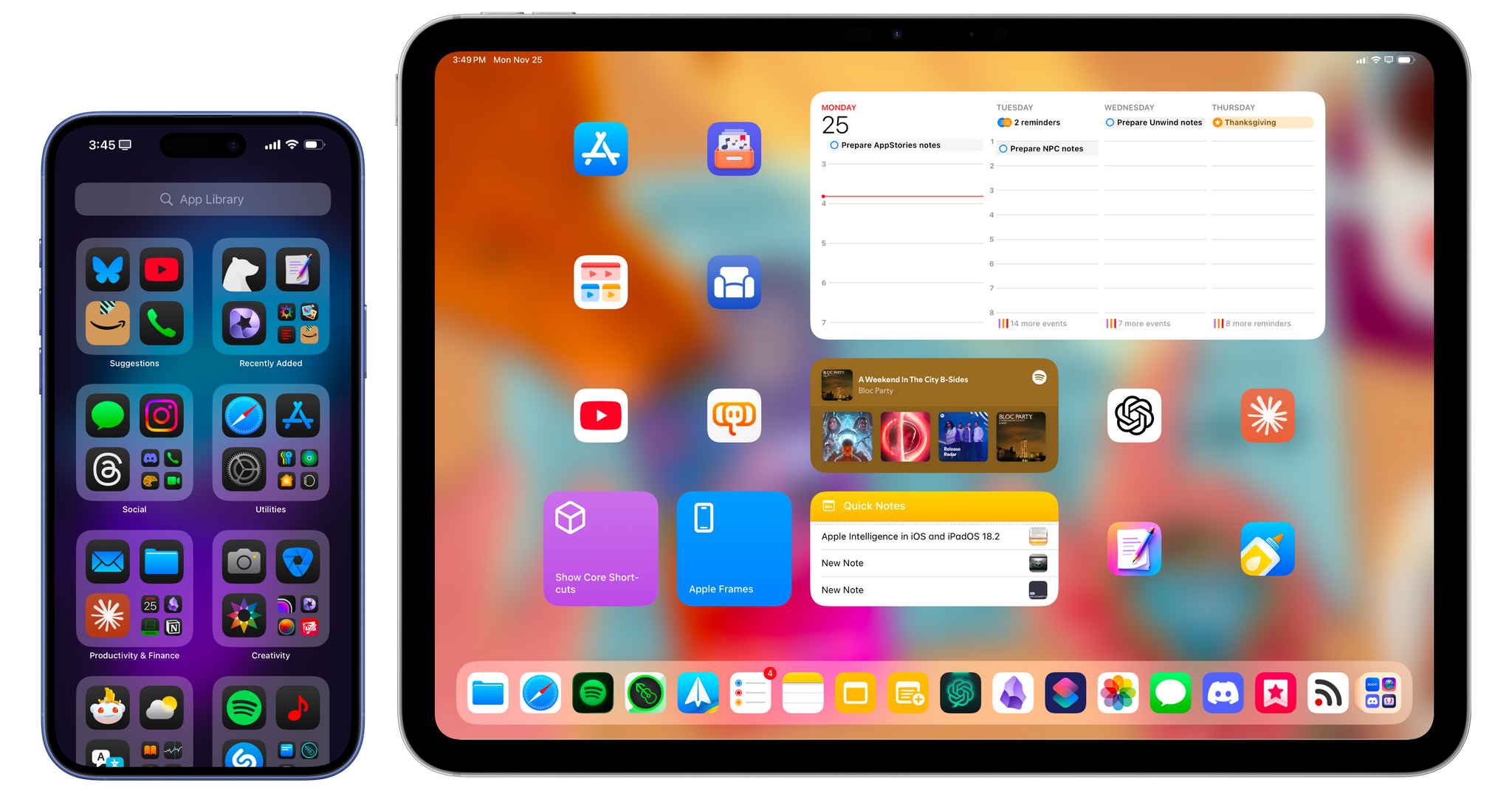
Well, this certainly took longer than expected.
Today, I’m happy to finally release version 3.3 of Apple Frames, my shortcut to put screenshots inside physical frames of Apple devices. In this new version, which is a free update for everyone, you’ll find support for all the new devices Apple released in 2024:
- 11” and 13” M4 iPad Pro
- iPhone 16 and iPhone 16 Pro lineup
- 42mm and 46mm Apple Watch Series 10
To get started with Apple Frames, simply head to the end of this post (or search for Apple Frames in the MacStories Shortcuts Archive), download the updated shortcut, and replace any older version you may have installed with it. The first time you run the shortcut, you’ll be asked to redownload the file assets necessary for Apple Frames, which is a one-time operation. Once that’s done, you can resume framing your screenshots like you’ve always done, either using the native Apple Frames menu or the advanced API that I introduced last year.
So what took this update so long? Well, if you want to know the backstory, keep on reading.
Access Extra Content and Perks
Founded in 2015, Club MacStories has delivered exclusive content every week for nearly a decade.
What started with weekly and monthly email newsletters has blossomed into a family of memberships designed for every MacStories fan.
Club MacStories: Weekly and monthly newsletters via email and the web that are brimming with apps, tips, automation workflows, longform writing, early access to the MacStories Unwind podcast, periodic giveaways, and more;
Club MacStories+: Everything that Club MacStories offers, plus an active Discord community, advanced search and custom RSS features for exploring the Club’s entire back catalog, bonus columns, and dozens of app discounts;
Club Premier: All of the above and AppStories+, an extended version of our flagship podcast that’s delivered early, ad-free, and in high-bitrate audio.
A Cavalcade of Nightmares
AppStories Episode 413 - A Cavalcade of Nightmares
0:00
01:07:18
01:07:18
This week, John is joined by his NPC: Next Portable Console co-host Brendon Bigley for a conversation about Control Ultimate Edition coming to the Mac, Bluesky, a friendly interrogation about the apps and gear Brendon uses, and more.
A Feature from 10 Years Ago Is Back – with a Twist – in My Favorite RSS Client
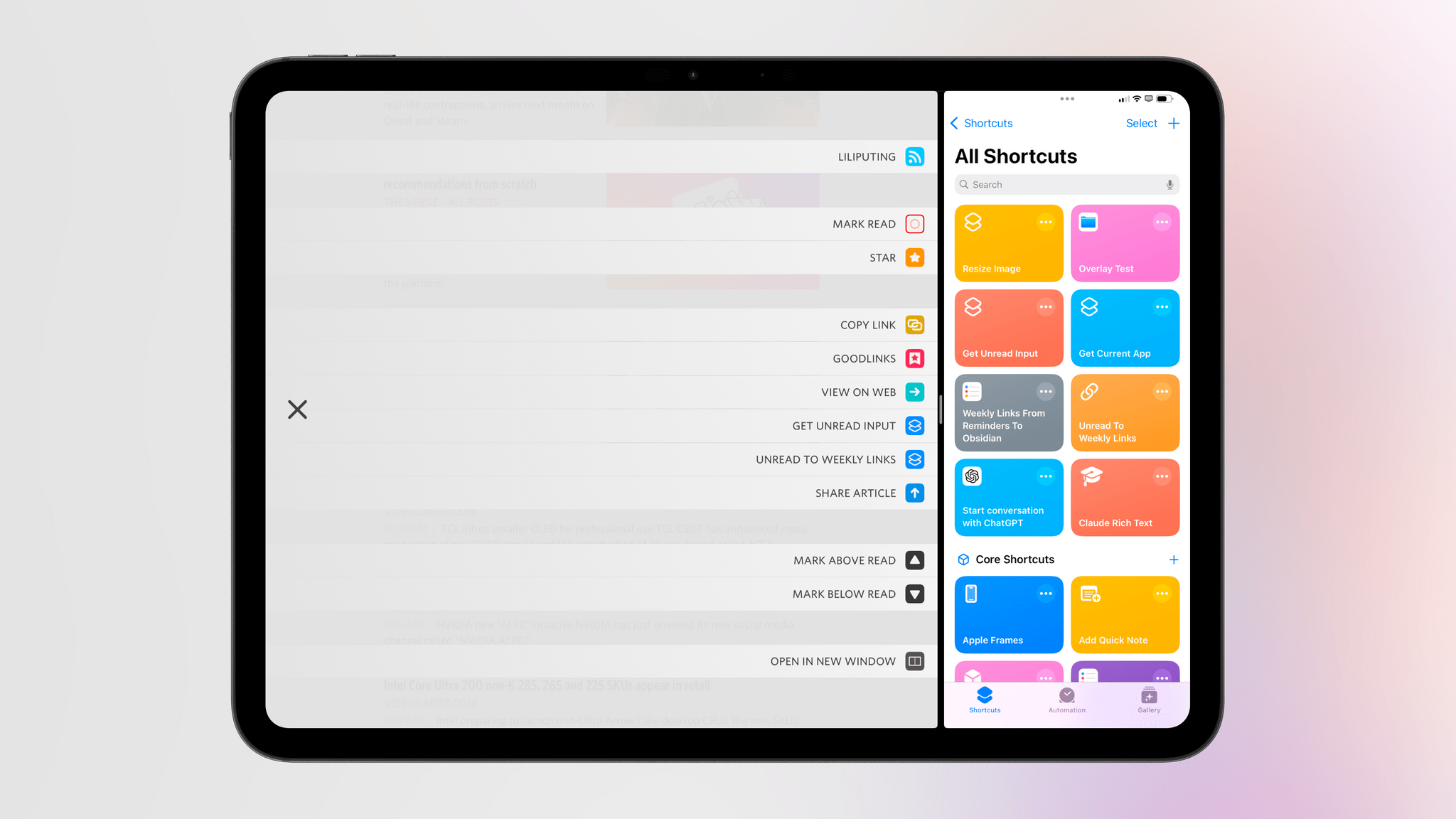
When it comes to productivity apps, especially those that have to work within the constraints of iOS and iPadOS, it’s rare these days to stumble upon a new idea that has never been tried before. With the exception of objectively new technologies such as LLMs, or unless there’s a new framework that Apple is opening up to developers, it can often feel like most ideas have been attempted before and we’re simply retreading old ground.
Let me be clear: I don’t think there’s anything inherently wrong with that. I’ve been writing about iPhone and iPad apps for over a decade now, and I believe there are dozens of design patterns and features that have undeservedly fallen out of fashion. But such is life.
Today marks the return of a very MacStories-y feature in one of my longtime favorite apps, which – thanks to this new functionality – is gaining a permanent spot on my Home Screen. Namely, the RSS client Unread now lets you create custom article actions powered by the Shortcuts app.
Access Extra Content and Perks
Founded in 2015, Club MacStories has delivered exclusive content every week for nearly a decade.
What started with weekly and monthly email newsletters has blossomed into a family of memberships designed for every MacStories fan.
Club MacStories: Weekly and monthly newsletters via email and the web that are brimming with apps, tips, automation workflows, longform writing, early access to the MacStories Unwind podcast, periodic giveaways, and more;
Club MacStories+: Everything that Club MacStories offers, plus an active Discord community, advanced search and custom RSS features for exploring the Club’s entire back catalog, bonus columns, and dozens of app discounts;
Club Premier: All of the above and AppStories+, an extended version of our flagship podcast that’s delivered early, ad-free, and in high-bitrate audio.