Federico is the founder and Editor-in-Chief of MacStories, where he writes about Apple with a focus on apps, developers, iPad, and iOS productivity. He founded MacStories in April 2009 and has been writing about Apple since. Federico is also the co-host of AppStories, a weekly podcast exploring the world of apps, Unwind, a fun exploration of media and more, and NPC: Next Portable Console, a show about portable gaming and the handheld revolution.
Federico walks through one of the biggest changes to Shortcuts in iOS 13: parameters. Afterwards, Ryan shares his experiences using Microsoft Word to write a MacStories article.
You can listen below (and find the show notes here), and don’t forget to send us questions using #AskAdapt and by tagging our Twitter account.
Apple has revealed its new emoji set, so it is time for Federico to guess their names as Stephen and Myke listen and keep score. After that, Myke shares his thoughts about his Galaxy Fold.
You can listen below (and find the show notes here).
0:00 01:45:42
Connected, Episode 265
AppStories+ Deeper into the world of apps
Sponsored by:
Squarespace: Make your next move. Enter offer code CONNECTED at checkout to get 10% off your first purchase.
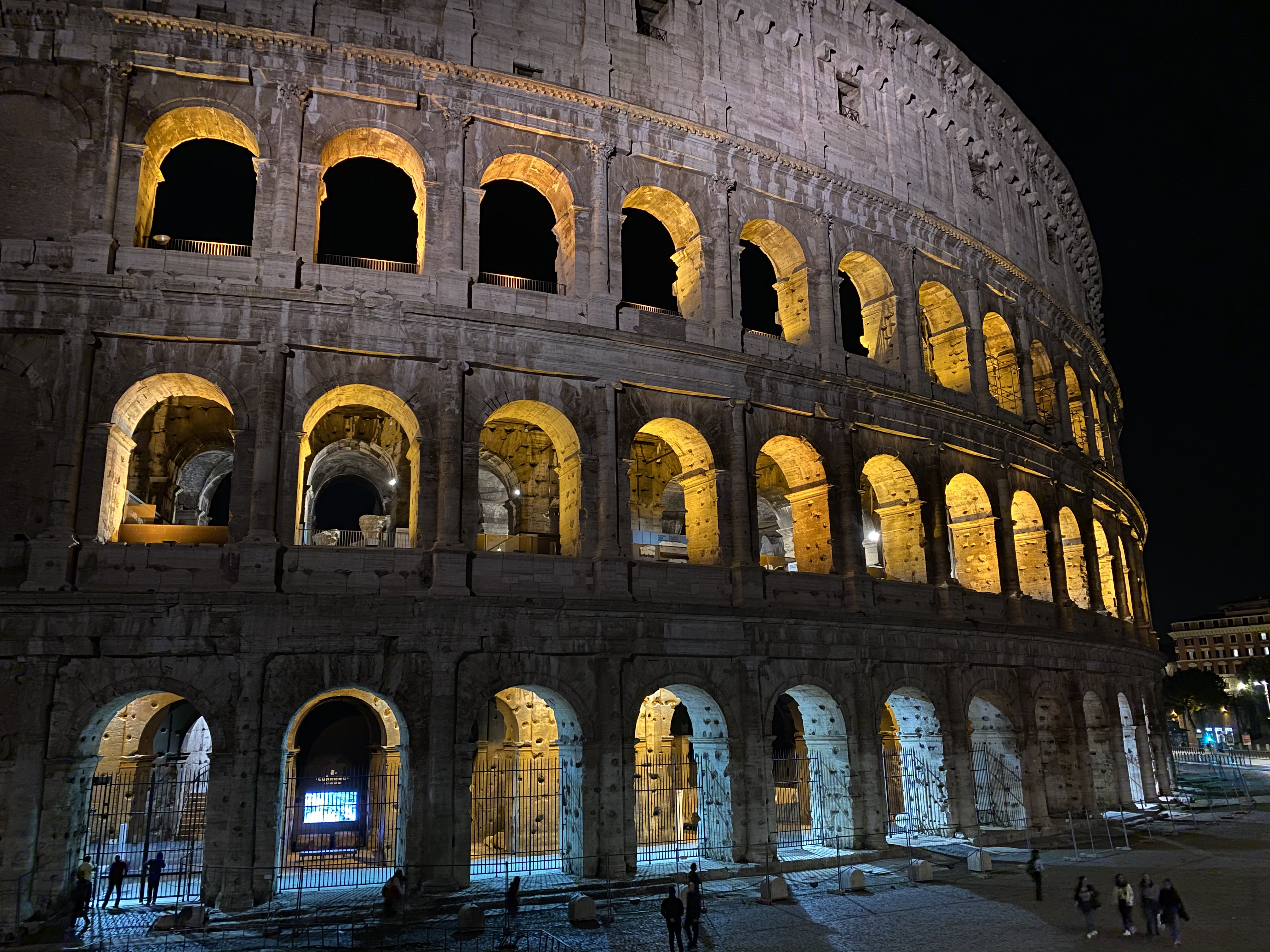
The Colosseum at night. Shot on iPhone 11 Pro using the wide lens, with night mode enabled. Unedited. Zoom in for details.
In many ways, the iPhone 11 Pro’s camera system feels like the culmination of over a decade’s worth of judicious, relentless improvements. Not only is the device’s camera the best and smartest Apple has ever shipped, but it also affords the most photographic freedom, allowing non-professional photographers like me to produce amazing shots with minimal effort.
This week, Federico and John discuss Mac Catalyst, the technology for bringing iPad apps to the Mac, and round up some of their favorite Mac Catalyst apps that have been released so far.
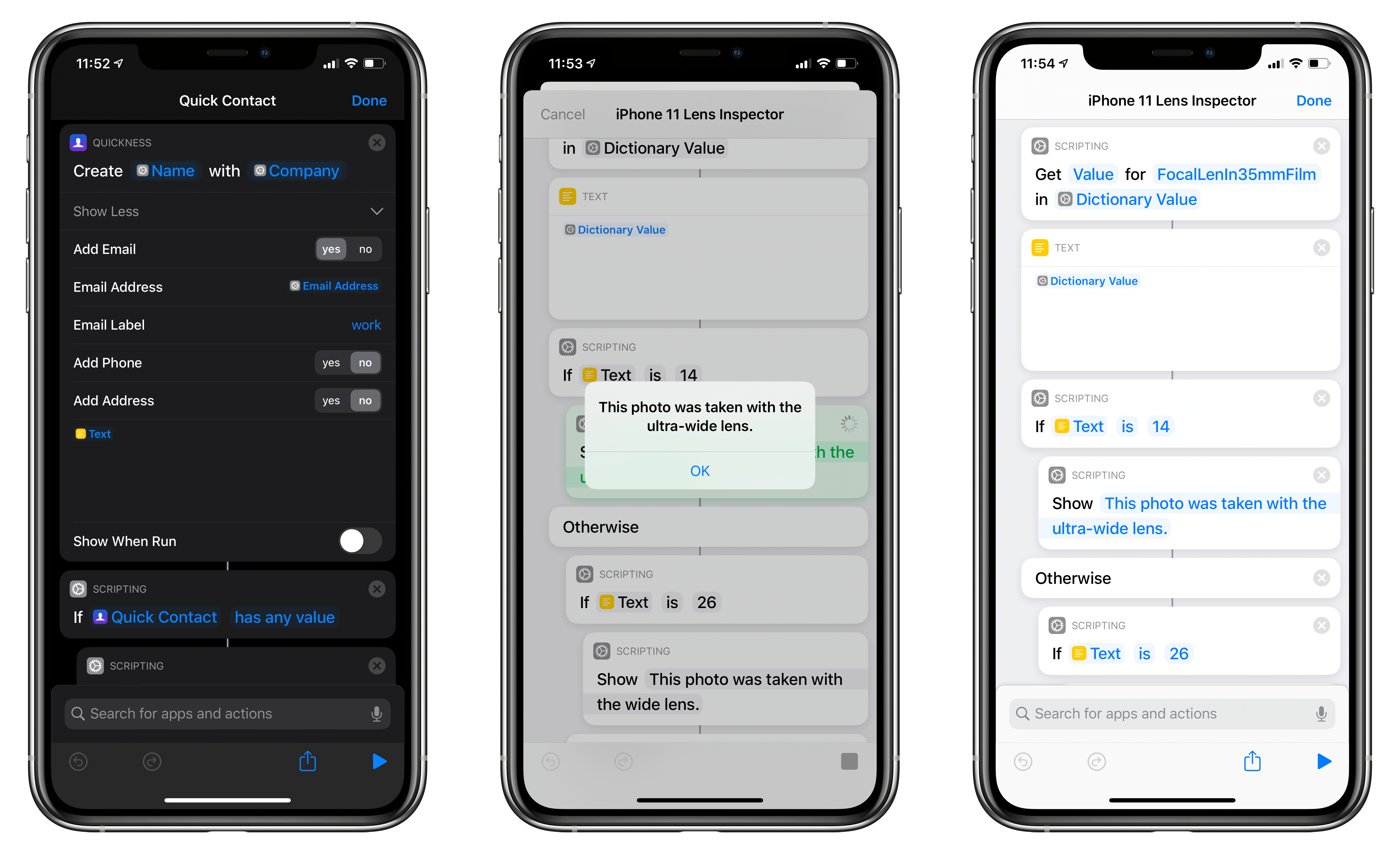
In this week’s installment of the Shortcuts Corner, I share two app-based shortcuts (for Quickness and Fiery Feeds) that I teased earlier this week, which let you create new contacts and subscribe to RSS feeds, respectively. Additionally, I’ve been working on an iPhone 11 Pro photography story, and I’ve created a shortcut that lets you double-check which camera was used to take a particular picture. Lastly, I share a preview of a shortcut to batch-convert reminders to notes, which is exclusive to Club MacStories members this week. Let’s dive in.
A few weeks ago, I realized I needed to convert a handful of reminders from a specific list in the Reminders app to individual notes in the Notes app. (For those wondering: I had saved a few things I wanted to buy on Amazon as tasks in Reminders, but I later realized I preferred...
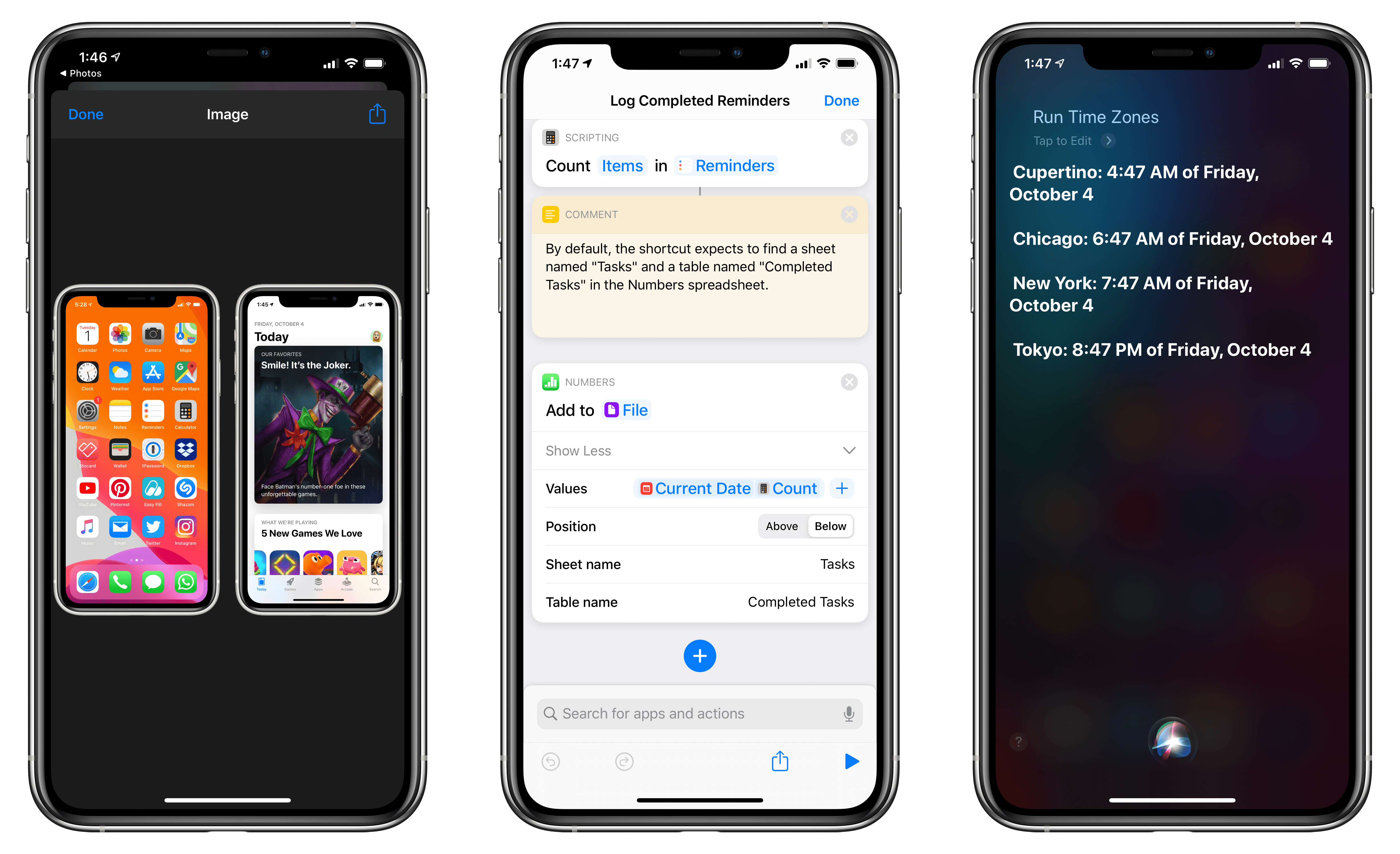
In this week’s installment of the Shortcuts Corner, I share an interesting assortment of shortcuts, from an updated version of my Apple Frames shortcut and an easy way to open the App Store’s Updates page to an automation that takes advantage of a feature in the latest Numbers update. And for Club MacStories members, I’ve prepared two shortcuts that should speed up the process of getting the current time for different cities around the world – both via the Shortcuts app and Siri. Let’s dive in.








 John
John