On this week’s episode of Adapt:
It’s been a big two weeks for iPad news. Federico and Ryan discuss the new iPad Pro and Magic Keyboard, then go deep on mouse and trackpad support and full keyboard access in iPadOS 13.4.
You can listen below (and find the show notes here), and don’t forget to send us questions using #AskAdapt and by tagging our Twitter account.
Sponsored by:
- Pingdom: Start monitoring your website performance and availability today, and get instant alerts when an outage occurs or a site transaction fails. Use offer code ADAPT to get 30% off. Offer expires on January 31, 2021.
- Sanebox: Clean up your inbox in minutes. Sign up for a two-week free trial and a $25 credit.
This week, Federico and John kick off MacStories’ celebration of the 10th anniversary of the iPad’s launch with an episode that reflects on the device’s history, its place in Apple’s product lineup, and the iPad as a modular computing device.
Read more
On this week’s episode of Connected:
The early reviews of the 2020 iPad Pro and new MacBook Air are in, and Myke treats the group with an unboxing experience. Federico asks the world for help, while Stephen is bringing joy — and pain — to the Mac community. Also, our impressions of iOS 13.4 and some media we’re enjoying while being stuck at home.
You can listen below (and find the show notes here).
Sponsored by:
- Pingdom: Start monitoring your website performance and availability today, and get instant alerts when an outage occurs or a site transaction fails. Use offer code CONNECTED to get 30% off. Offer expires on January 31, 2021.
- TextExpander, from Smile: Unlock your productivity with TextExpander. Get 20% off with your first year.
- Hover: Make a name for yourself. Get 10% off any domain name.
- Mack Weldon: Smart underwear for smart guys. Get 20% off your first order with the code WEIRDFISH.
Speaking of the design considerations that went into iPadOS’ cursor, I suggest reading Apple’s new HIG document on the dynamic/adaptive pointer:
iPadOS 13.4 introduces dynamic pointer effects and behaviors that enhance the experience of using a pointing device with iPad. As people use a pointing device, iPadOS automatically adapts the pointer to the current context, providing rich visual feedback and just the right level of precision needed to enhance productivity and simplify common tasks.
The iPadOS pointing system gives people an additional way to interact with apps and content — it doesn’t replace touch. Some people may continue to use touch only, while others may prefer to use the pointer or a combination of both. Let people choose how to interact with your app, and avoid condensing your interface or making changes that require them to use the pointer.
And this part on “pointer magnetism”:
In addition to bringing focus to elements through pointer transformations and content effects, iPadOS can also help people target an element by making the element appear to attract the pointer. People can experience this magnetic effect when they move the pointer close to an element and when they flick the pointer toward an element.
When people move the pointer close to an element, the system starts transforming the pointer’s shape as soon as it reaches an element’s hit region. Because the hit region typically extends beyond an element’s visible boundaries, the pointer begins to transform before it appears to touch the element, creating the illusion that the element is pulling the pointer toward it.
Thoughtful, detailed read (as usual per Apple’s HIG) with illustrations that help get a sense of what’s possible with pointer customization (it doesn’t look like the Keynote update with cursor support mentioned in the document is out yet). Reading this, it’s clear that Apple didn’t simply bring the Mac’s cursor to the iPad – they started from the basic idea and redesigned it around a different platform.
Jason Snell:
I want to take a moment to appreciate the delicate and whimsical animated appearance of the cursor in iPadOS 13.4, which was released today.
It’s delightful. It’s like a little cartoon character, the plucky dot who is up to any challenge, even if it means contorting itself into whatever form is required.
Consider the animation when it enters and exits an existing button. The circle oozes out into a curved rectangle, like it’s some sort of sticky blob. When it’s over the active area, the whole button tilts as if the blob is pulling it around. Move far enough, though, and the blob breaks back off of the button and returns to its traditional shape as a simple circle.
After playing around with the cursor for a few hours last week, I noted that it felt instantly natural – like it had been part of UIKit for years. Those first impressions still hold true. The iPad’s new cursor is whimsical and useful at the same time – a rare combination these days. And like all feature additions that feel “obvious” in hindsight, it’s clear that a lot of consideration went into rethinking the traditional cursor for a platform where touch control also exists.
On this week’s episode of Connected:
Apple has announced new iPad Pros with a new keyboard and trackpad case, as well as the addition of cursor support in iOS 13.4. Myke takes it for a spin as Federico waits for his download to finish. Then, a tour of Apple’s updated Macs and Stephen’s new project, Mac Madness.
You can listen below (and find the show notes here).
Sponsored by:
- Clean My Mac X: Your Mac. As good as new.
- Squarespace: Make your next move. Enter offer code CONNECTED at checkout to get 10% off your first purchase.
- Bombas: Super comfortable socks. Use this link for 20% off.
This week, Federico and John talk about how the global COVID-19 pandemic has changed the way they relax, work, and approach their days.
Read more
On this week’s episode of Adapt:
It’s time for an iPad file management primer. Federico details iCloud Drive, CloudKit, file bookmarks, open in place, file providers, the document browser, and more, then Ryan shares his spreadsheet app findings.
You can listen below (and find the show notes here), and don’t forget to send us questions using #AskAdapt and by tagging our Twitter account.
Sponsored by:
- Pingdom: Start monitoring your website performance and availability today, and get instant alerts when an outage occurs or a site transaction fails. Use offer code ADAPT to get 30% off. Offer expires on January 31, 2021.
- Sanebox: Clean up your inbox in minutes. Sign up for a two-week free trial and a $25 credit.
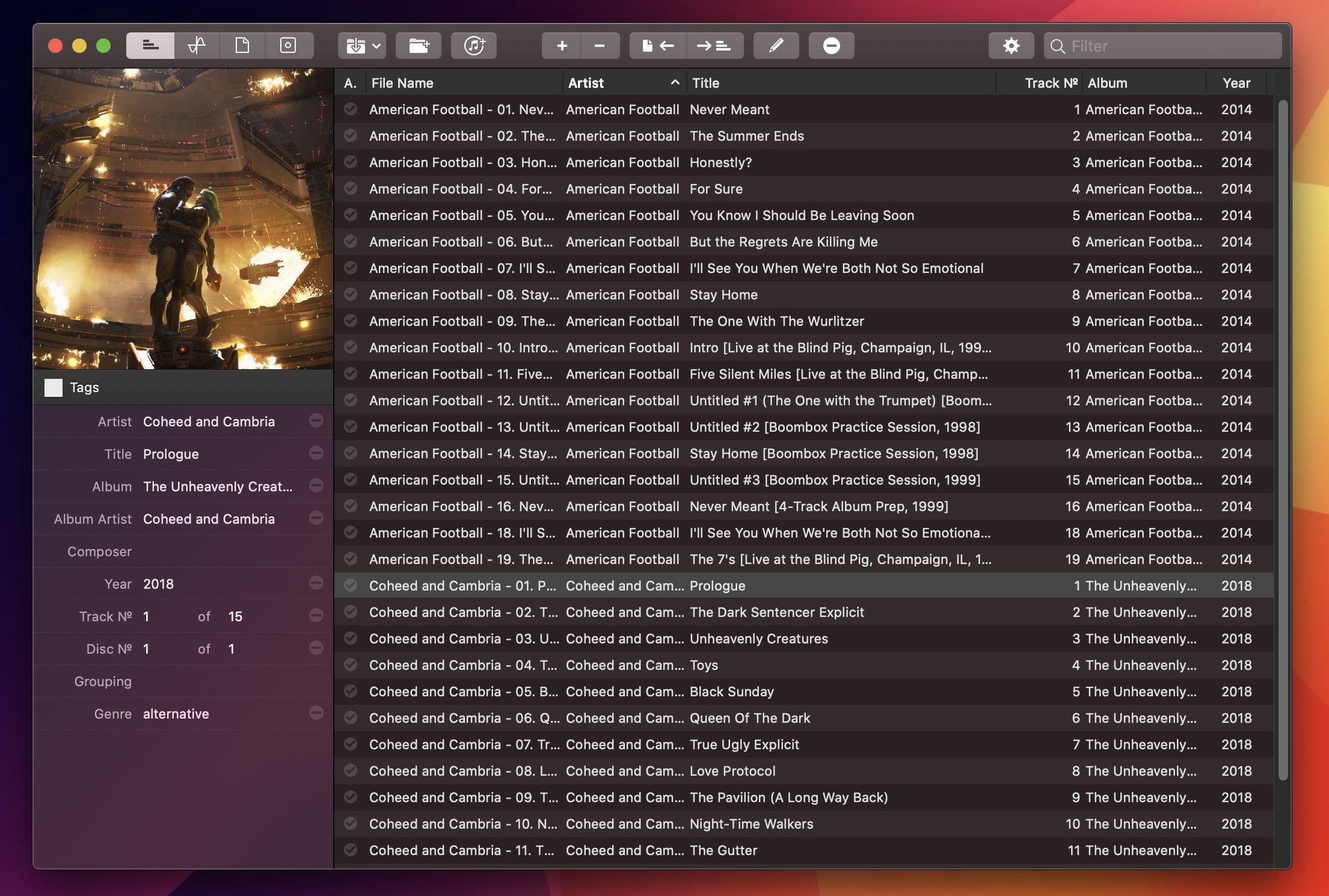
For the past year, I’ve been using a high-res Sony music player to listen to my personal music collection. I detailed the entire story in the December 2019 episode of our Club-exclusive MacStories Unplugged podcast, but in short: I still use Apple Music to stream music every day and discover new artists; however, for those times when I want to more intentionally listen to music without doing anything else, I like to sit down, put on my good Sony headphones, and try to enjoy all the sonic details of my favorite songs that wouldn’t normally be revealed by AirPods or my iPad Pro’s speakers. But this post isn’t about how I’ve been dipping my toes into the wild world of audiophiles and high-resolution music; rather, I want to highlight an excellent Mac app I’ve been using to organize and edit the metadata of the FLAC music library I’ve been assembling over the past year.
Read more









 John
John