

Forbidden Island Forbidden Island is a cooperative game where players work together to gather treasure from an island and escape before that island sinks into the ocean. Each player receives a different role, complete with a special ability unique to that role. Gameplay consists of moving around the island, represented by a number...
Google Maps Introduces Location Sharing Features

Announced today and rolling out soon to all users, Google Maps is adding two new sharing features to its iOS app.
The first feature allows for Find My Friends-style location sharing. From the app’s menu you can select ‘Share Location,’ which presents options for how long your real-time location will be shared, and who it will be shared with.
The second sharing feature is the more interesting one in my mind. It allows you to share your Google Maps trip information. Daniel Resnick provides the details:
Next time you’re on your way or running late, you can share your real-time location and trip progress from navigation as well. During your next trip, tap the “More” button on the bottom on the navigation screen, and then tap “Share trip.” When you share your trip with people, they’ll see your expected arrival time and can follow your journey as you head toward your destination. Sharing automatically ends when you arrive.
Although the two sharing features perform mostly the same function, this kind of trip-specific sharing seems the cleaner, simpler solution for many scenarios. The example of running late and wanting to provide real-time updates to those you’re meeting is a good one. In that situation, you won’t want to fiddle with choosing a specific period of time for your location to be shared – you might overestimate and need to manually turn off sharing, or underestimate and have your location stop being shared before you reach your destination. Trip-specific sharing seems like just the right solution, and it’s a feature I’m eager to try out.
Apple Announces iPhone 7 (PRODUCT)RED, New Watch Bands, and More

Alongside announcing a low-cost 9.7” iPad model, a new video app called Clips, and expanded language support for Swift Playgrounds, Apple has also introduced a special edition (PRODUCT)RED version of the iPhone 7 and 7 Plus, new Apple Watch Bands, improved storage capacities for the iPhone SE, and some new cases for iPhone.
Swift Playgrounds Gains Support for New Languages→
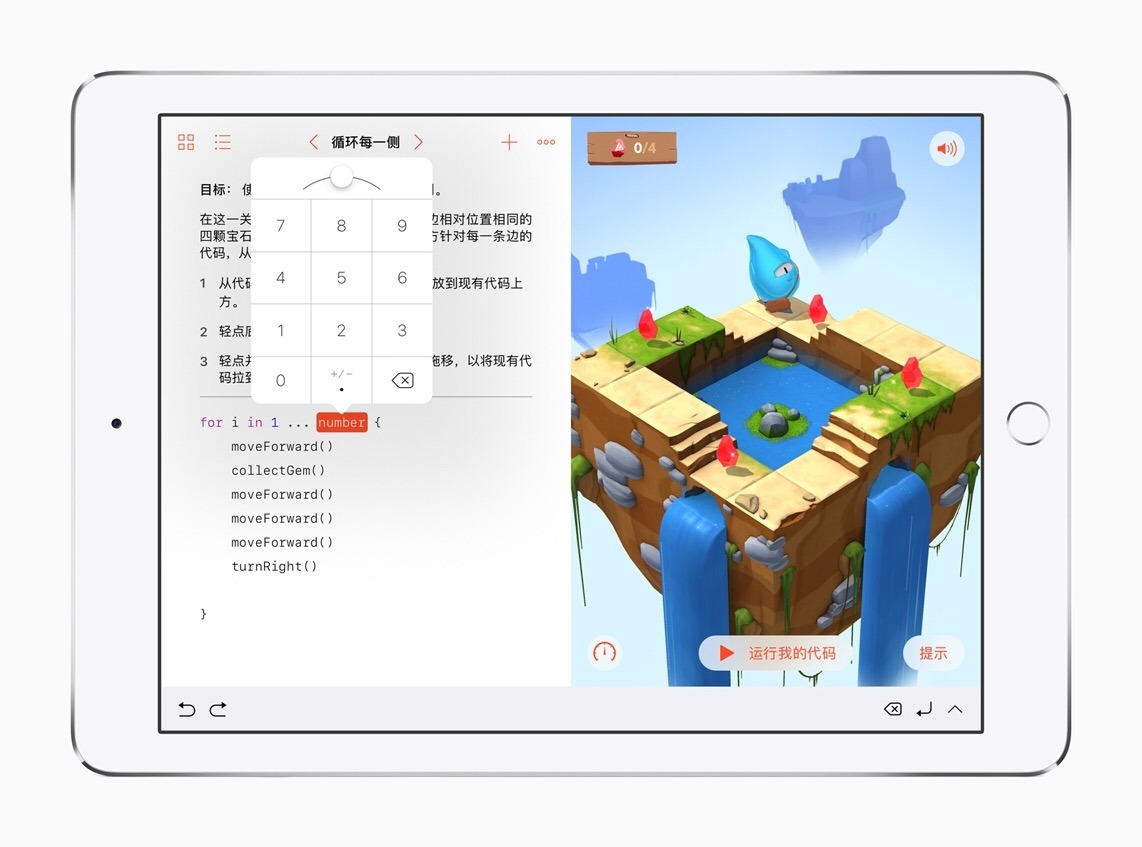
Today Apple added support for five new languages to its Swift Playgrounds app for iPad: Simplified Chinese, Japanese, French, German and Latin American Spanish.
In its announcement, Apple quoted Xiaoming Bao of Hangzhou Foreign Languages School:
“Swift Playgrounds is the perfect app to help our students learn to code, and I’m very excited students in China are now are able to use it with Simplified Chinese support…Last year, we created an optional coding class for my students to learn fundamental coding concepts using Swift Playgrounds. I had no previous experience with coding, but the engaging and easy-to-learn app, along with the comprehensive teacher guide developed by Apple, made me confident that I could inspire and facilitate my students to learn to code, and understand coding as a way of thinking that can be applied to other subjects and everyday life. Chinese language support will make the learning experience with Swift Playgrounds even easier for students.”
Swift Playgrounds is available on the App Store.
 Our Favorite Watch Apps, Vol. 1
Timepage Like Apple’s Calendar app, Timepage for Apple Watch displays your next seven days of calendar events. Timepage presents each day as a separate card, and navigation through days is handled by swiping right and left. Each card features the day’s date, which day of the week it is, the projected high temperature,...
Apple Highlights Indie Games in New Permanent Storefront
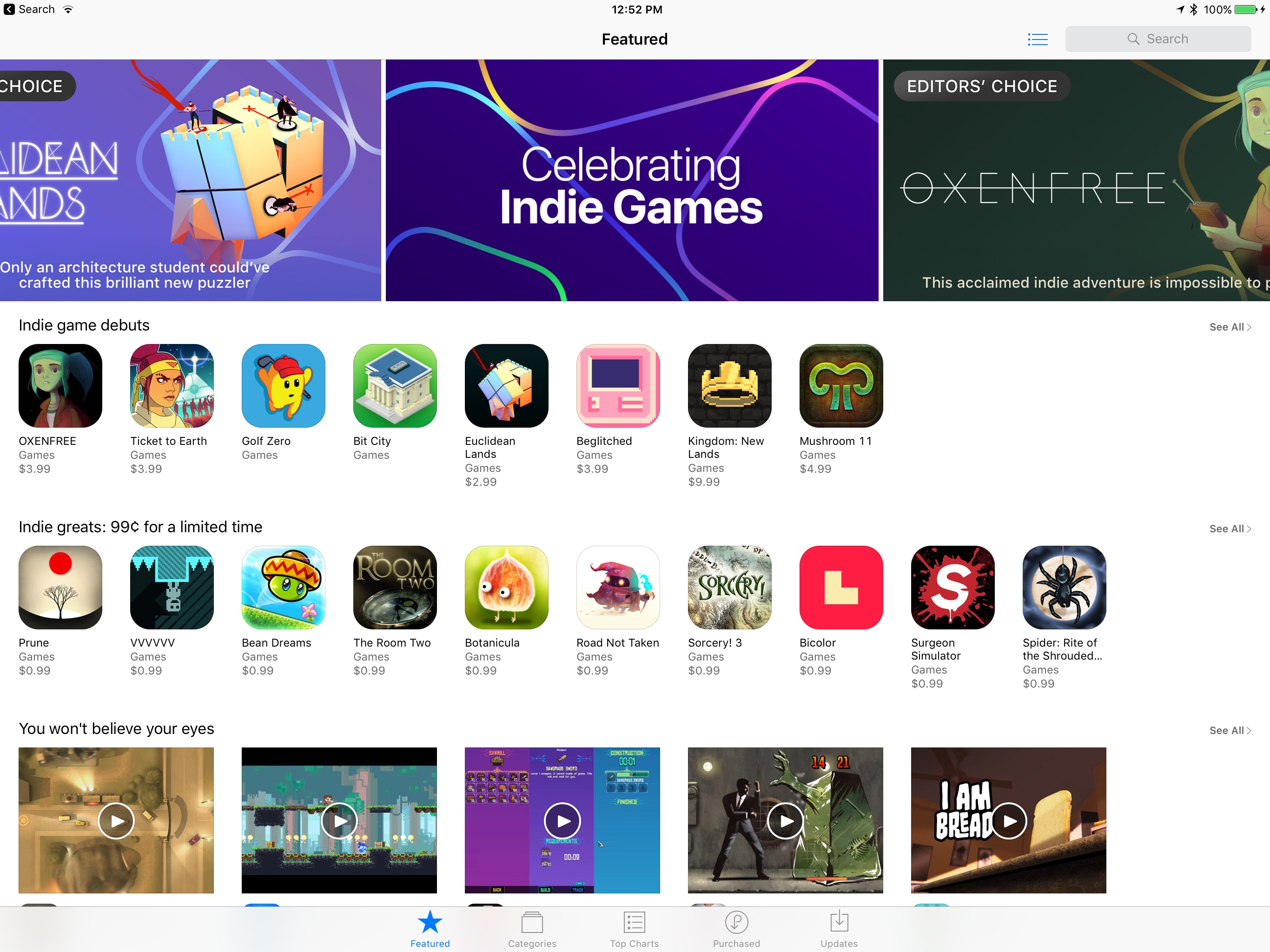
In a continuation of its current promotion of indie games, the App Store has now added a new section dedicated to featuring indie titles.
Chelsea Stark of Polygon adds:
The section kicked off today and will run indefinitely, according to Apple, featuring new games daily, along with highlighting older titles. The games are a mix of free-to-play and paid titles, all selected by the same editorial team that has been highlighting games through the App Store’s history.
The indie games section can be accessed by tapping the ‘Celebrating Indie Games’ banner at the top of the App Store. Currently it includes featured columns like:
- Our 25 favorite indie games
- Indie game debuts
- Newly discovered indies
- Indie greats: 99¢ for a limited time
- Indie games celebrate innovation…
This new dedicated hub for indie games is available on the tvOS App Store as well, highlighting the kind of quality games that are available not only on Apple’s mobile devices, but also its television platform.
Though Apple has stated that the indie games section will be a permanent fixture, it’s unclear at this point in what location it will live on. After the current indie promotion ends, will it remain as the top featured banner a while? Or in another featured banner further down on the App Store page? We’ll have to wait and see. In any case though, in an App Store that’s often dominated by big players, it’s exciting to see extra attention pointed toward indies.
Alexa Comes to the Amazon iOS App
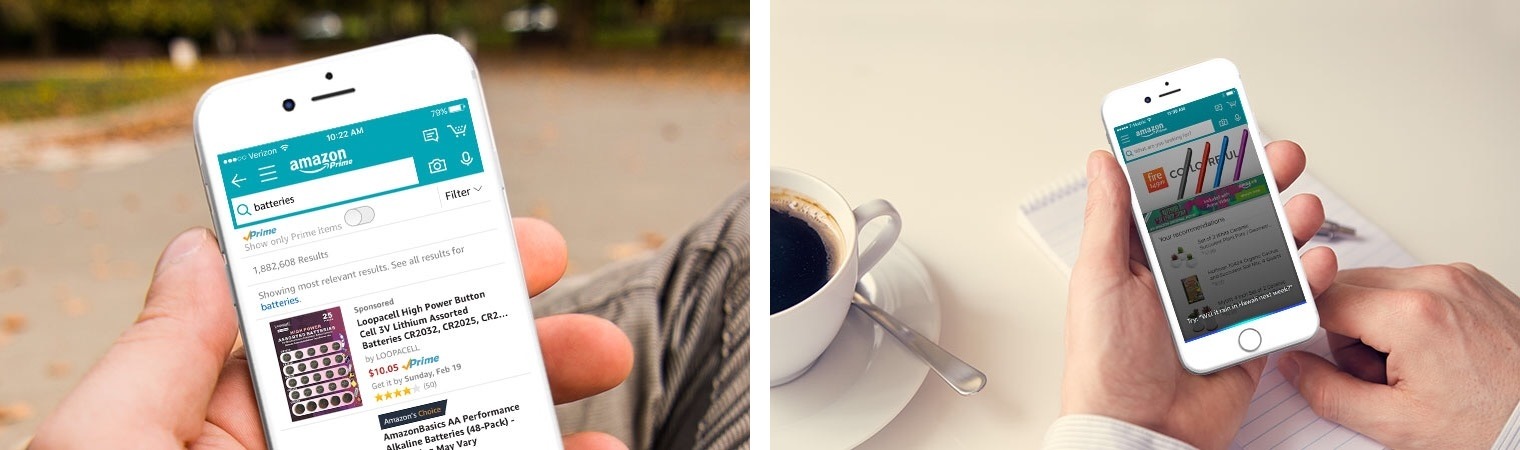
Today Amazon announced that its digital assistant, Alexa, is being integrated with its iOS shopping app.
Using the app’s current microphone button, which is available to the right of the search bar, users can make nearly any type of Alexa request. This request can consist of things you might ask of an Amazon Echo, such as playing music, turning on smart lights, checking the weather, and so on.
Both first-party and third-party skills will work from within the Amazon app. The one limitation so far, noted by Khari Johnson of VentureBeat, is that the Door Lock API is not currently available, so smart locks can’t be controlled through the app. Johnson also shares that while Alexa will be available to some users in the Amazon app today, it will be rolling out to all users over the next week.
Today’s announcement hopefully means that existing Amazon Echo users will have a solid first-party experience on iOS, something that surprisingly has not been provided by the company’s current Amazon Alexa app. It also opens up Alexa to any Amazon customer who doesn’t currently own an Echo.
Google Chrome for iOS Adds Read Later Feature
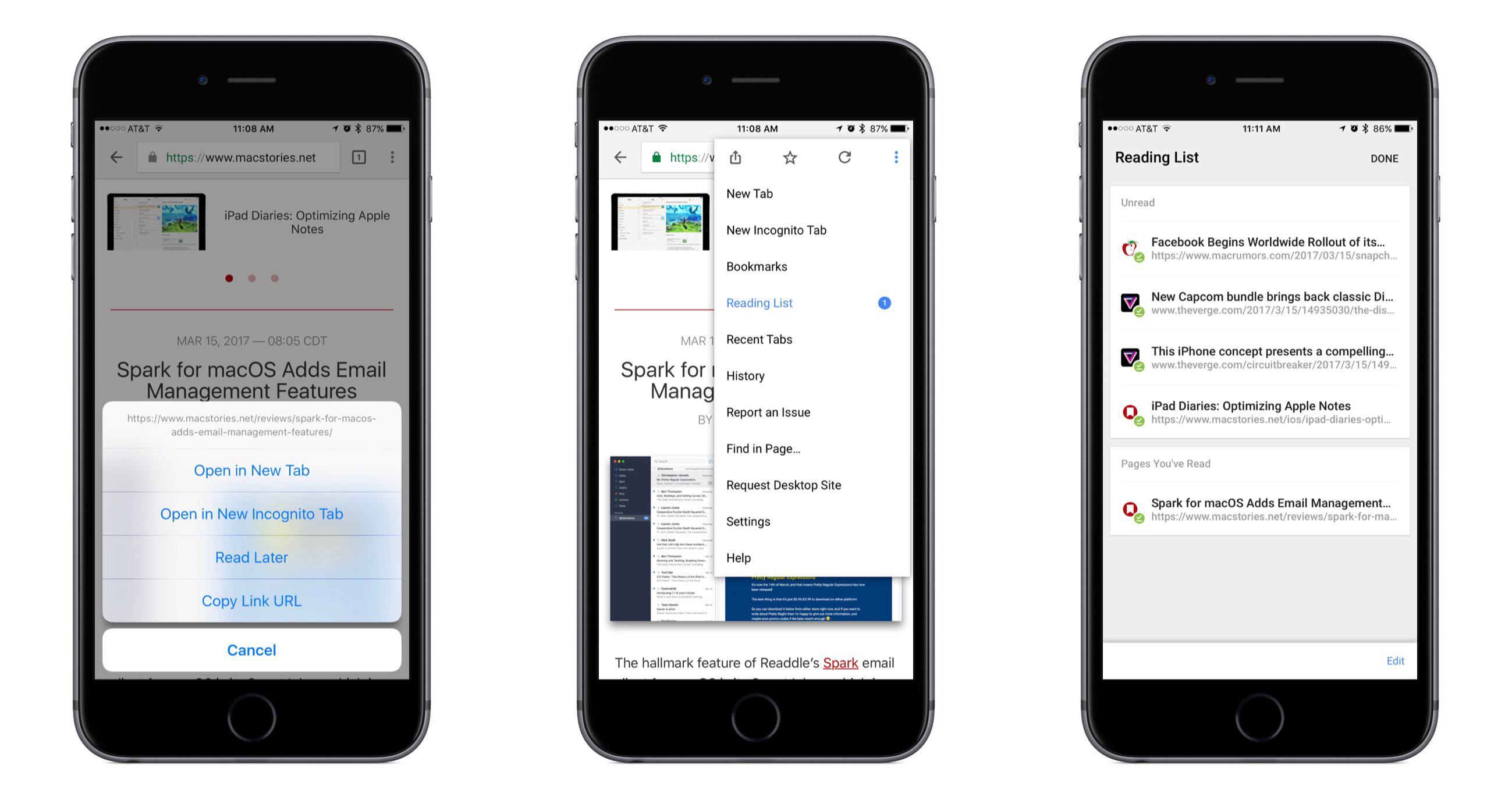
In its latest update, Google Chrome for iOS has added a native Read Later feature to quickly save articles for later consumption. From the app’s release notes:
If you find an interesting article that you want to read later, tap the Share icon and then Read Later to add the page to your Reading List. Articles on your Reading List are saved on your device so you can read them wherever you are, even when you aren’t connected to the web.
Although the release notes mention tapping the Share icon to save articles, I’ve found the quicker way to be long-pressing a link, which presents a menu that contains the ‘Read Later’ option.
In testing the offline functionality, I discovered that Chrome will not save a webpage’s full formatting for offline viewing; instead, it stores a stripped down version of the page. All of the necessary content, including images, is still preserved, but the viewing experience is not as pleasant as that of other read-later services.
Overall, although there’s nothing particularly interesting or innovative about the way Read Later works, it’s still a nice feature addition for Chrome users.
LiquidText 3.0: A Uniquely Digital PDF Experience
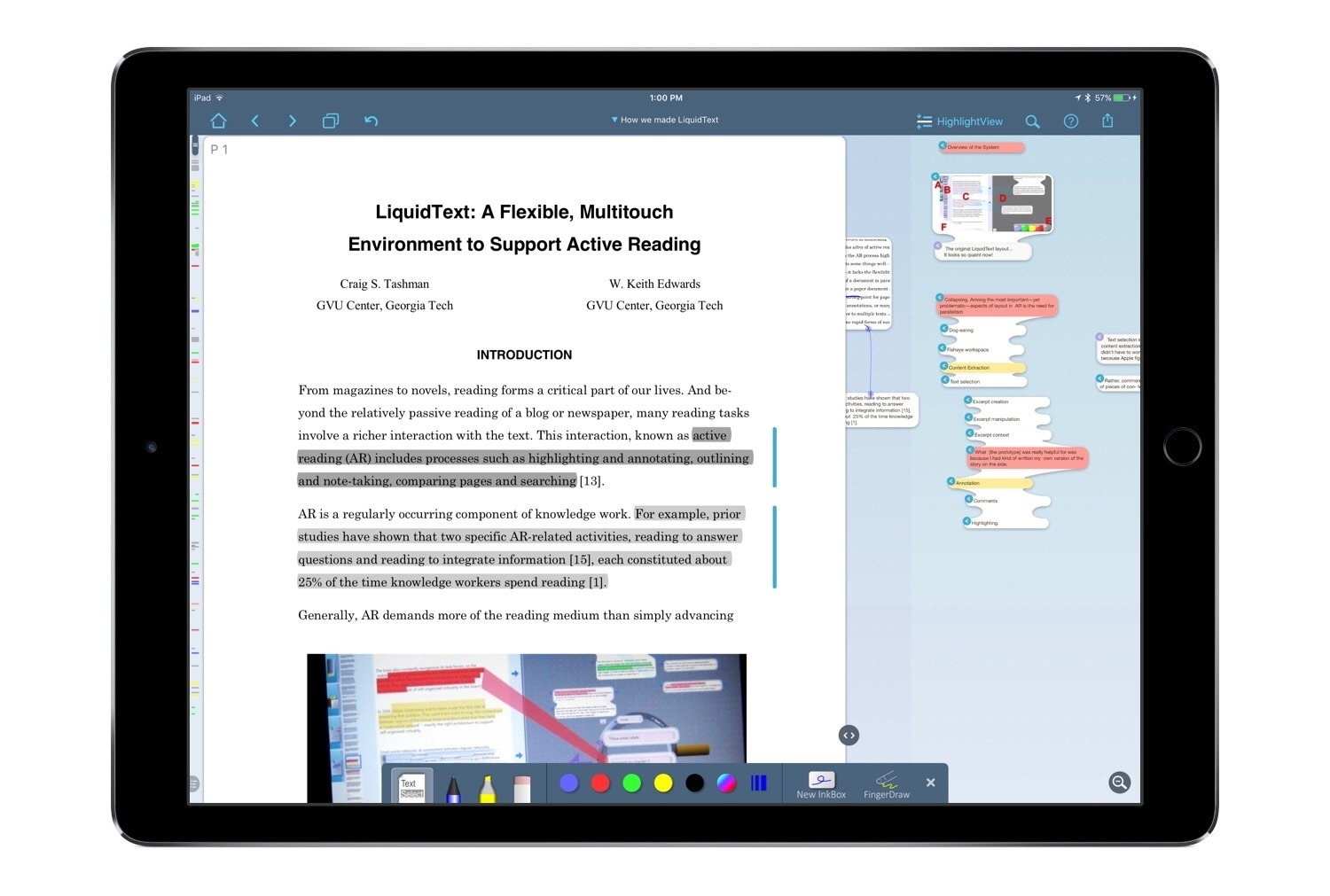
LiquidText is one of the few apps that feels uniquely built for the iPad. There is currently no desktop version available, nor iPhone version, and though that may be a negative in some ways, the positive side is that every new feature and enhancement is focused exclusively on iPad use. As a PDF reader, LiquidText has always provided tools that make its reading experience something you couldn’t get with a physical document. This is perhaps why it was recognized by Apple as the most innovative iPad app of 2015. But today, with version 3.0, LiquidText not only offers a reading experience that’s uniquely digital – it does the same with note-taking and annotation. And the Apple Pencil is a big reason for that.