

John shares his favorite Kagi search tips, Federico has advice on optimizing Shortcuts for the Launcher app and Home Screen widgets, Jonathan covers his favorite Apple and tech highlights of 2023, plus the usual Links, App Debuts, the latest happenings in the Club MacStories+ Discord community, a recap of MacStories articles, and a preview of...
 Up Next on AppStories
AppStories is off for the next two weeks on holiday break, but when it returns on January 7th and 8th, Federico and John have a classic ‘Pick 2’ episode where they each pick a couple of apps they’ve been enjoying recently....
In This Issue
This month, John has a new favorite iPhone game controller accessory and Federico has a Focus mode he can finally use....
Unwrap the Ultimate App Collection with Setapp Gift Card [Sponsor]

If you’re a MacStories reader, you probably know about Setapp. It’s a simple, effective way to discover the best apps for every task, no matter what you do. Setapp is also an amazing value. I bet you also have someone in your life who could benefit from Setapp but hasn’t tried it yet, which makes it the perfect gift this holiday season.
A Setapp gift card is the perfect way to help your loved ones get more out of their Mac and iOS devices by helping them:
- Save time
- Complete tasks
- Find the perfect solution to every digital challenge
Best of all, your Setapp gift won’t gather dust or sit in a forgotten corner of a closet. With a dedicated team that has curated a diverse collection of over 240 of the best apps available, your gift will get used and become a daily reminder of your assistance and generosity.
And right now, Setapp is spotlighting a special collection of apps: The Jolly Sleighing Toolkit includes Spark Mail, Luminar Neo, Diarly, Busy Call, and other great apps that will help users track holiday to-dos, connect with others, and spruce up their photos.
So, head on over to Setapp right now to gift your loved ones the relief of checked-off tasks and more with a Setapp gift card.
Our thanks to Setapp for sponsoring MacStories this week.
Up Next on AppStories
Next week on AppStories, Federico and John rethink the share sheet and other ways Apple’s platforms share data....
Previously, On MacStories
Stories The Case for Clipboard Managers “Reliving My Memories in Apple Vision Pro Almost Brought Me to Tears” Adding Colorful, Animated Flare to the Holiday Season with Hue’s Festavia Lights The MacStories Team Is on Threads (Again) The AirPods Pro MagSafe Charging Case with USB-C Can Now Be Purchased Separately Automation Academy: Introducing ThingsBox, an...
In This Issue
Federico shares a shortcut for saving links to GoodLinks and Things at the same time, John has some workflow tips that integrate the browser extension Markdownload with other utilities, Jonathan covers some of the OS updates from the past week that you might have missed, plus the usual Links, App Debuts, the latest happenings in...
MacStories Selects 2023: Recognizing the Best Apps of the Year
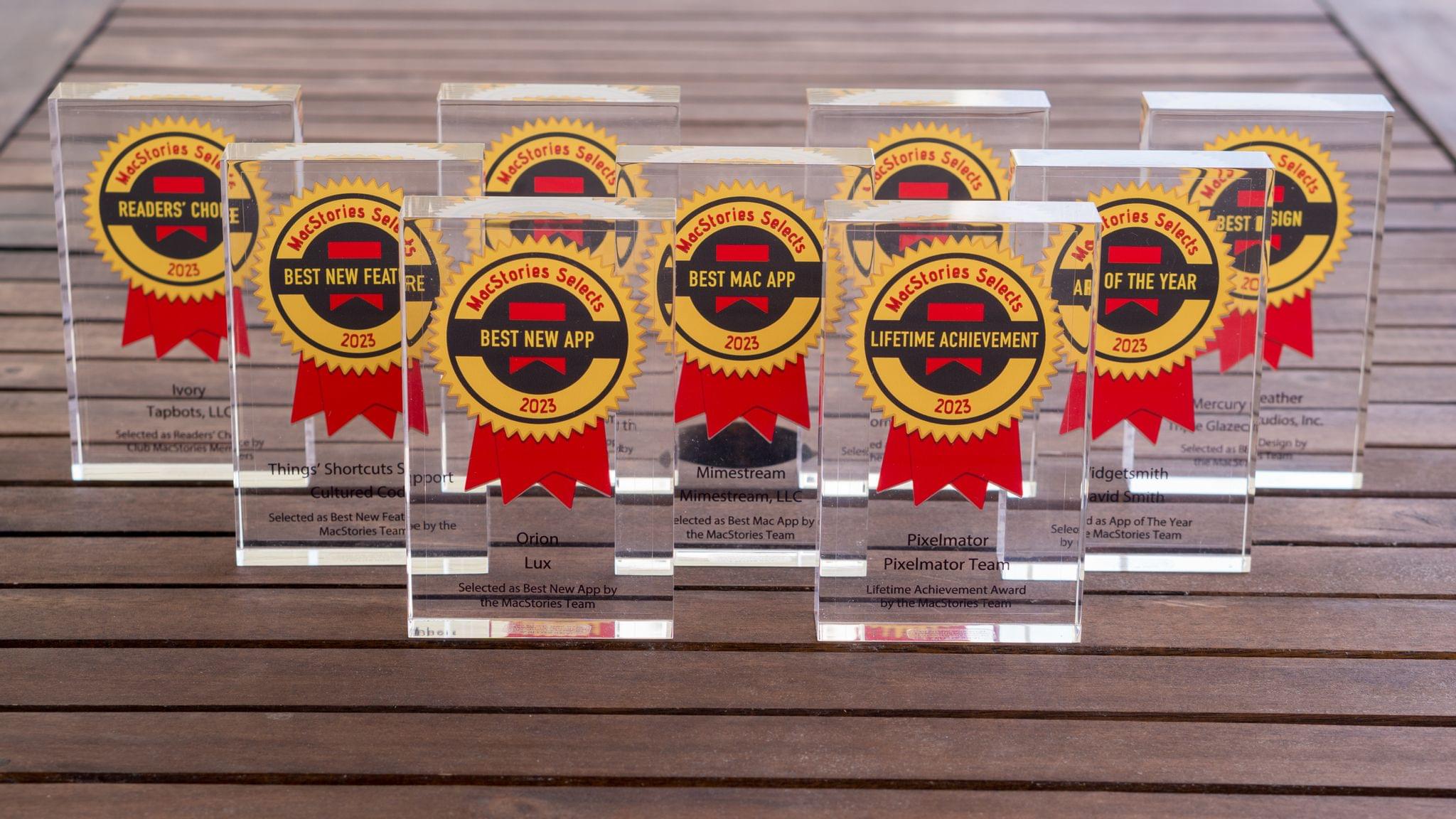
John: Every year, it seems like the MacStories Selects awards roll around faster than the last, and this year was no exception. For most people, the year begins on January 1st, but for us, WWDC marks the beginning of our year, and the MacStories Selects Awards feel like its conclusion. Plenty happens the rest of the year, but it’s these seven months that are the main event for us.
June begins with excitement about what developers will be able to do with Apple’s latest frameworks. Reconnecting with developers and meeting new people energizes and carries us through a busy summer and fall. This year marked Federico’s return to WWDC for the first time since the pandemic, and seeing so many developers together made this year’s WWDC the best in years.
2023 was an exciting year for apps. Read-later apps continued to be hot, but nothing was quite as big as interactive widgets, which brought new experiences to our Home and Lock Screens and shook up how many of us set up our devices.
Next year promises to be an even bigger year for apps with an all-new Vision Pro App Store on the way. For now, though, it’s time to pause and reflect on the many apps we tried in the year gone by and recognize the best among them.
Like last year, we’ve picked the best apps in seven categories:
- Best New App
- Best App Update
- Best New Feature
- Best Watch App
- Best Mac App
- Best Design
- App of the Year
But there’s more. Club MacStories members picked the winner of the MacStories Selects Readers’ Choice Award. Plus, as we’ve done the past couple of years, we’ve named a Lifetime Achievement Award winner that has stood the test of time and had an outsized impact on the world of apps. This year’s winner, which joins past winners PCalc and Drafts, is the subject of a special story I wrote for the occasion.
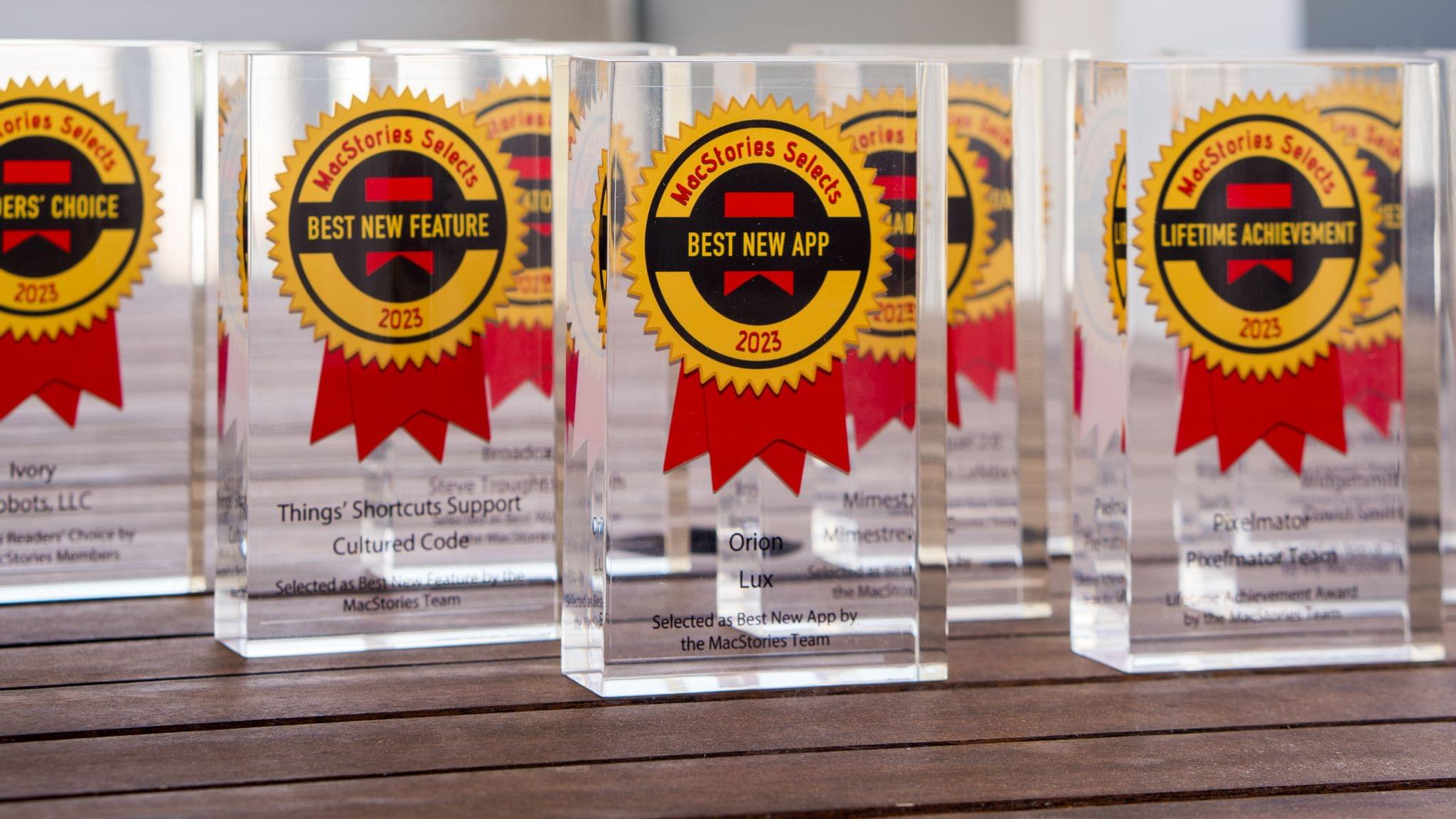
We also recorded a special episode of AppStories covering all the winners and runners-up. It’s a terrific way to learn more about this year’s apps.
You can listen to the episode below.







So with that, it’s my pleasure to introduce the 2023 MacStories Selects Awards to the MacStories community.
The Dirty Secret of OS Updates [Sponsor]

Getting OS updates installed on end user devices should be easy. After all, it’s one of the simplest yet most impactful ways that every employee can practice good security.
On top of that, every MDM solution promises that it will automate the process and install updates with no user interaction needed.
Yet in the real world, it doesn’t play out like that. Users don’t install updates and IT admins won’t force installs via forced restart.
Let’s talk about the second problem first. Sure, you could simply schedule updates for all your users, and have them restart during non-work hours. But this inevitably leads to disruptions and lost work. This, in turn, leads to users (especially executives) who simply demand to be left out of your update policy. The bottom line is: any forced restarts without user approval will lead to data loss events, and that makes them so unpopular that they are functionally unusable.
There is another class of tools that claim to get users to install updates themselves, through “nudges.” These reminders pop up with increasing frequency until users relent or the timer runs out. This is an improvement, since it involves users in the process, but users still tend to delay updating as long as possible (which for some tools can be indefinitely).
At Kolide, OS updates are the single most common issue customers want us to solve. They come to us because we have a unique (and uniquely effective) approach to device compliance.
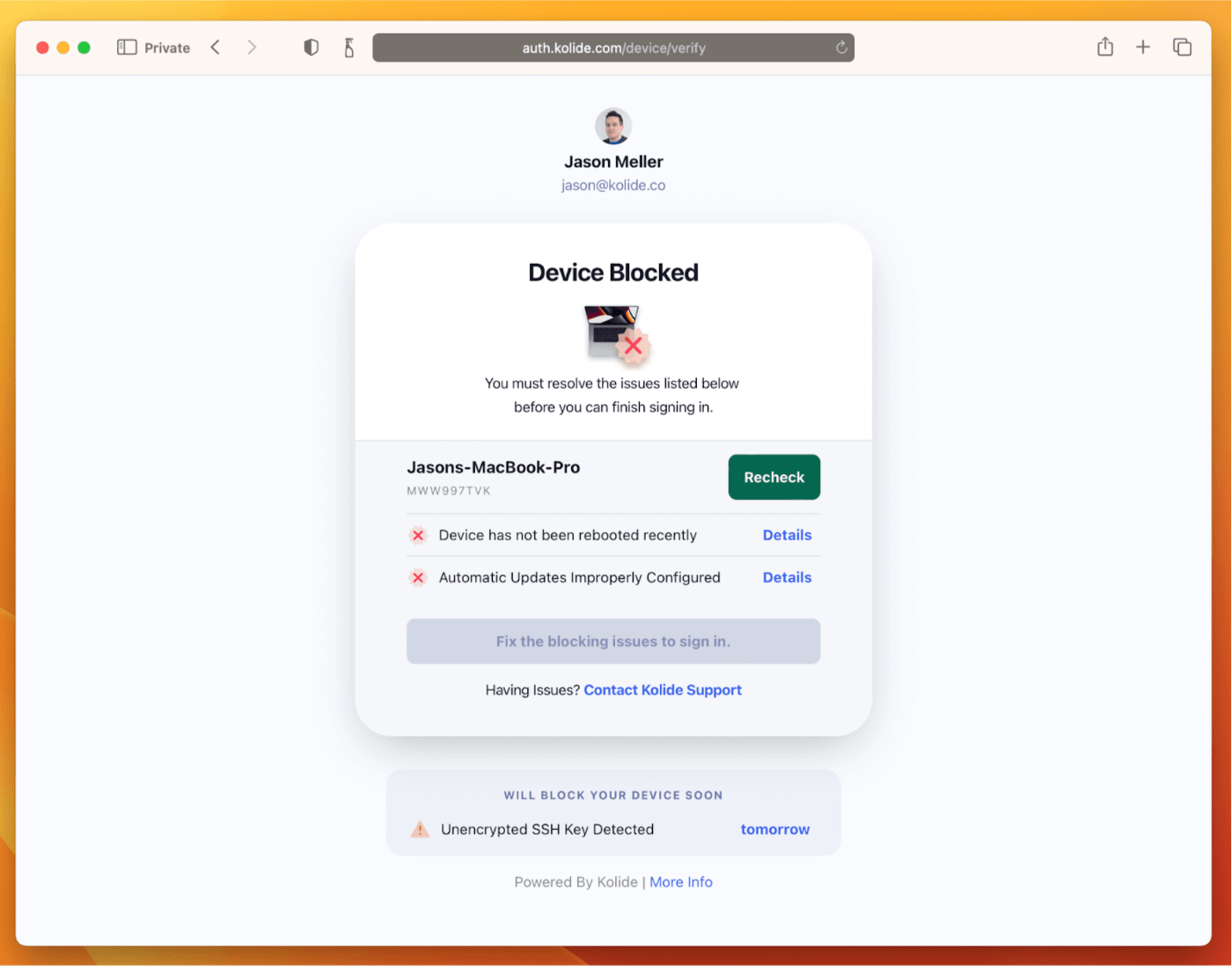
With Kolide, when a user’s device–be it Mac, Windows, Linux, or mobile–is out of compliance, we reach out to them with instructions on how to fix it.
The user chooses when to restart, but if they don’t fix the problem by a predetermined deadline, they’re unable to authenticate with Okta. (At present, Kolide is exclusive to Okta customers, but we plan to integrate with more SSO providers soon.)
If your fleet is littered with devices that stubbornly refuse to update, then consider these two principles:
- You can’t have a successful patch management policy without involving users.
- You can’t get users to install patches unless you give them both clear instructions and real consequences.
Installing OS updates is a top priority for both security and IT, and when you make it part of conditional access, you can finally get it done without massive lists of exemptions or massive piles of support tickets.
To learn more about how Kolide enforces device compliance for companies with Okta, click here to watch an on-demand demo.
Our thank to Kolide for sponsoring MacStories this week.