
Ars Technica marks the 20th anniversary of the ‘All Your Base Are Belong to Us’ meme with a look back at how it caught on before the rise of social media. (Link) The team behind Minit, the terrific 2018 black and white video game from 2018, which paid homage to early Zelda games with the...
UpNote: The Best App for Notes Writing and Organizing [Sponsor]

UpNote is an elegant and powerful note-taking app that works across multiple platforms. Designed to make it easy to take notes and stay focused, UpNote combines a beautiful interface with a fluid workflow for a refined note-taking experience.
The app works on iOS, the Mac, and Windows, with an Android version coming soon, making it the perfect solution for anyone who needs access to their notes across multiple platforms thanks to the app’s fast, reliable sync. With colorful themes and a lot of font choices, you can make UpNote your very own, organizing notes into notebooks and pinning and bookmarking notes for quick access too.
When it’s time to get your ideas down, UpNote’s focus mode eliminates distractions so you can capture your thoughts quickly and efficiently. That makes UpNote an excellent solution for all sorts of text beyond your notes. The app can be locked, which makes it perfect for journaling, for instance.
UpNote’s text editor is fully-featured, with support for rich-text, bi-directional linking, nested lists, images, attachments, tables, and code blocks. Of course, the app supports Markdown syntax too. And, when you need to use your notes elsewhere, you can export them as Markdown text or PDFs.
Now is the perfect time to try UpNote. The app includes subscription and lifetime upgrade options, and until the end of February, MacStories readers can purchase UpNote’s lifetime premium upgrade for 50% off. This is a terrific deal, so don’t delay. Go check out UpNote now and take advantage of this fantastic offer.
Our thanks to UpNote for sponsoring MacStories this week.
 Previously, On MacStories
Power-User HomeKit App Home+ 5 Adds Automation Folders, Backups, and a Fresh Design Hands-On with the Apple Store’s Insta360 ONE X2 Camera Bundle Maps Adds Accident, Hazard, and Speed Check Reporting Using the iPhone, CarPlay, and Siri to the iOS 14.5 Beta Austin Carr and Mark Gurman on Tim Cook’s Apple iOS and iPadOS 14.5...
Interesting Links
Audible announced that it is teaming up with mapping app Waze to offer its audio programming through Waze, in a somewhat unusual mashup of services. (Link) In a move that has become part of Facebook’s standard playbook, The New York Times says that the company is working on a new product that will compete with...
In This Issue
GameTrack, a collection of apps for working with screenshots and screen recordings, an update onFederico’s iPhone widget setup, a streaming music tip, MacStories Unplugged returns with a productivity parable, Boston slang, and regional Italian accents,plus the usualWeekly Q&A, Links, App Debuts,arecap of MacStories articles, and a preview of upcoming MacStories podcasts....
MacStories Unplugged
A Productivity Parable and a Tour of American and Italian Dialects In this episode, John has a productivity parable about a nail and tips for Federico about buying booze and ordering ice cream in Boston, while Federico explains the breadth of accents and dialects in Italy. Show Notes Mark Wahlberg Teaches You Boston Slang...
Up Next on MacStories’ Podcasts
Next week on AppStories, Federico and John begin a two-part miniseries about Apple’s on-going alignment of the Mac and iPad with an episode that considers what the Mac can learn from the iPad. This week on MacStories Unwind, Federico and John recap the week at MacStories including John’s review of the Insta360 ONE...
BetterTouchTool: Customize Your Input Devices [Sponsor]
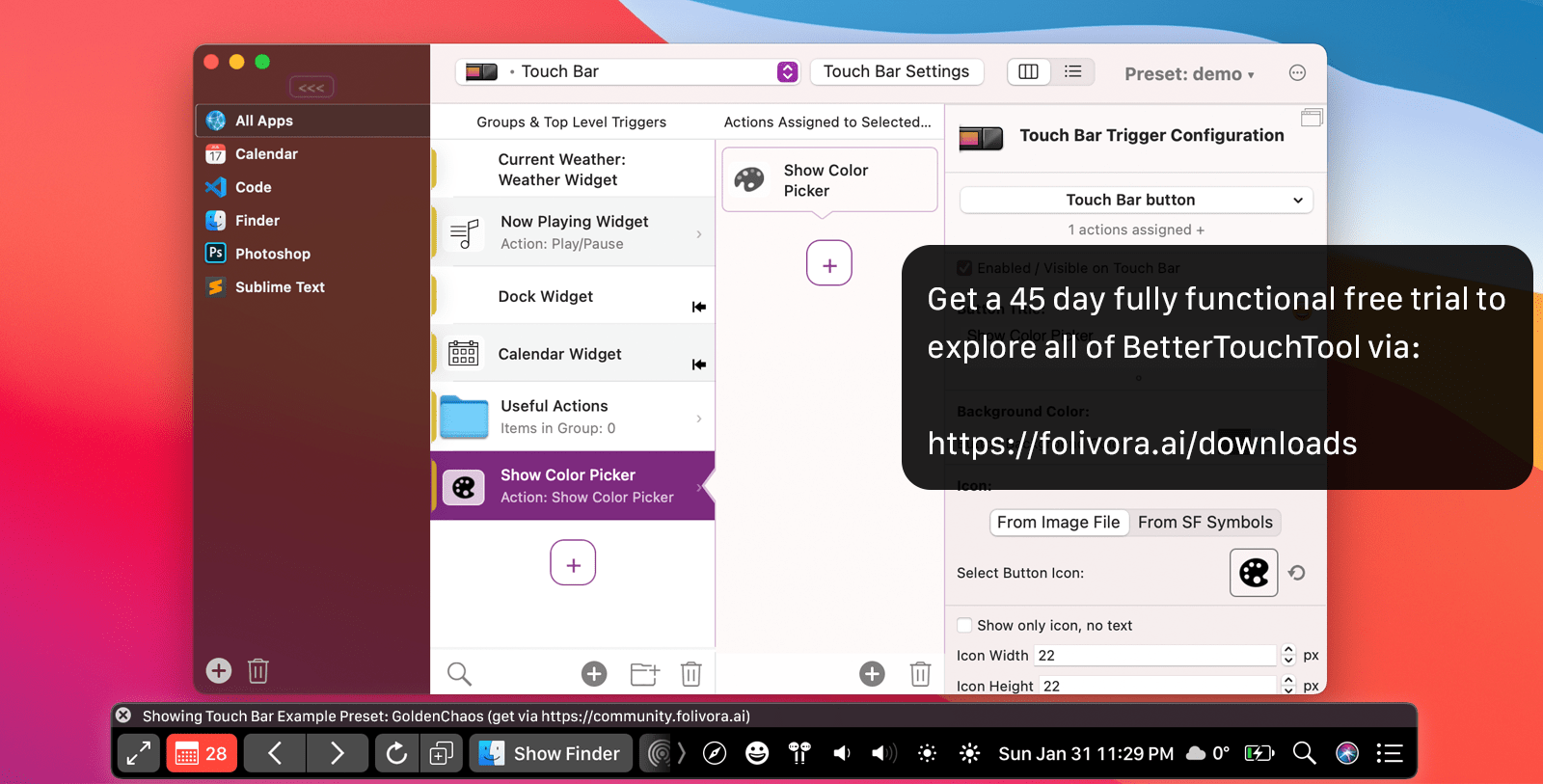
BetterTouchTool is an indispensable Mac app that has stood the test of time. The app was one of the first covered by MacStories back in November 2009. In those early days, BetterTouchTool was a simple app for adding customizable gestures to MacBook trackpads and the Magic Mouse.
Today, many things have changed in BetterTouchTool. Of course, it still allows you to configure all sorts of gestures for the Magic Trackpad and Magic Mouse. However, nowadays, the app also supports many more input devices. BTT enables full Touch Bar customization, allows users to define keyboard shortcuts, including a powerful Hyper Key, bind the buttons of mice, create custom mouse gestures, customize the Siri Remote, connect and configure MIDI devices, and more.
BetterTouchTool offers a long list of predefined actions to automate tasks on your Mac that can be assigned to any input-device trigger you choose. The app also contains some handy features like window snapping, a clipboard manager, a screenshot editor, and much more. There is even a free iOS app to remotely control your Mac and trigger actions.
The breadth of what can be accomplished with BetterTouchTool is only limited by your imagination. A great place to get started and be inspired by other BTT users is the BetterTouchTool Community at community.folivora.ai. Users have shared some fantastic BTT presets there, including some very advanced custom Touch Bar setups that you should definitely check out.
BetterTouchTool comes with a 45-day trial, after which you can choose between a license that includes all updates for 2 years and a lifetime license.
For a limited time, MacStories readers can purchase BetterTouchTool for 20% off by using the coupon code MACSTORIESBTT at checkout. So, don’t delay. Go to folivora.ai to learn more about this fantastic Mac app and take advantage of the special limited-time, 20% discount on BetterTouchTool.
Our thanks to BetterTouchTool for sponsoring MacStories this week.
MacStories Weekly Q&A and Shortcuts Requests Updated
We recently changed how the MacStories Weekly Q&A and Shortcuts Requests work behind the scenes. We wanted to alert Club members because the links to submit questions and requests found in past issues of Weekly no longer work. Instead, please use this link for Q&A and this link for Shortcuts requests. Even though we can’t...