John Voorhees

5773 posts on MacStories since November 2015

John is MacStories' Managing Editor, has been writing about Apple and apps since joining the team in 2015, and today, runs the site alongside Federico. John also co-hosts four MacStories podcasts: AppStories, which covers the world of apps, MacStories Unwind, which explores the fun differences between American and Italian culture and recommends media to listeners, Ruminate, a show about the weird web and unusual snacks, and NPC: Next Portable Console, a show about the games we take with us.

This Week's Sponsor:

LookAway

It helps you take regular breaks from your Mac to rest your eyes, without breaking your flow.


The Latest from Comfort Zone, MacStories Unwind, and Magic Rays of Light

Enjoy the latest episodes from MacStories’ family of podcasts:

Comfort Zone

Chris has a first look at a new iPad stand, Matt is ready to drop out and have some fun, and a our Coldplay challenges pushes some of the gang to their limits.


MacStories Unwind

This week, Federico questions my character before discovering the joy of audiobooks, while I have been listening to more podcasts and have a question for listeners about which TV show he should watch next.


Magic Rays of Light

Devon and Jonathan highlight the premiere of German-language medical drama Berlin ER and go immersive arctic surfing on Apple Vision Pro.

Read more


Interesting Links

Apple published new developer docs explaining how apps can integrate with Apple Intelligence’s text summarization and priority classification of emails and messages thanks to new Core Spotlight APIs in iOS 18.4 and macOS 15.4. (Link) Legendary Apple designer Susan Kare, known for creating the original Macintosh icons, has released a collection of 32 new...


Can Apple Intelligence Fulfill the Promise of Workflow?

Siri.

Siri.

As we wait for Siri to gain the features promised last June by Apple, I thought it would be worthwhile to look further into the future. I’ve been thinking beyond Siri in part because I’m skeptical that Apple will be able to pull off what was shown off last year. The technical challenge alone is...


App Debuts

Plain Text Editor The latest app by indie developer Sindre Sorhus is an extremely simplified text editor for iPhone and iPad that embraces minimalism as the core feature of the app. As the name implies, the app is a barebones window where you can type in plain text. (It’s worth noting that Plain Text...


Beyond Search: Digital Hoarding Finally Pays Off

My Markdown database of every article ever published on MacStories.

My Markdown database of every article ever published on MacStories.

The age of AI will reward digital hoarders in ways that search never has. As a computer user, I grew up on search. As a law student at the dawn of the ’90s, I cut my teeth on Westlaw and Lexis terminals. Back then, both services – enormous databases of court decisions and related materials...


How I’m Learning Japanese 14 Days In

Brendon Bigley, my co-host on NPC: Next Portable Console, is getting married soon and planning a honeymoon to Japan. Before leaving, he and his partner decided to learn Japanese together. In doing so, Brendon has done a ton of research, quizzing friends who have learned the language, and trying a long list of resources, which he’s published on Wavelengths.

I love the idea that one of the biggest steps in learning Japanese is to learn how to learn Japanese:

So there are about one million different ways to go from here, and because every person is different it means you’ll need to try a few different things to get going. Many people say the first step of learning Japanese is to learn how to learn Japanese, and I’d say that’s almost correct. The first step, once again, is to learn hiragana and katakana… second is learning how to learn Japanese.

The reason things get so wild here is that people will say that you need to start learning kanji, vocab, and grammar simultaneously and it’s not not true. Learning even the most basic grammar helps make sense of sentence structure, which enables you to discern kanji and vocab words in the context of real written language. Conversely, the more kanji and vocab you learn the easier it will become to intuitively parse new grammatical rules as they’re introduced.

Learning how to learn something is a crucial step to any new and complicated undertaking but often gets overlooked. That’s because, as Brendon points out, everyone’s path to expertise in anything is different. It pays to listen to the advice of people you trust, as he did, but it’s just as important to listen to yourself and understand how you learn.

Brendon’s story has great advice for learning anything, but in particular, it’s packed with resources for learning Japanese. There are Mac and iOS apps, web apps, Android apps, textbooks, and more. As someone who has a kid traveling around Tokyo and Kyoto right now, I immediately sent him the link. It’s a great one to file away if you’ve ever thought to yourself, “Maybe I’ll try to learn Japanese some day.”

Permalink

PicoChat or PictoChat: Can You Tell the Difference?

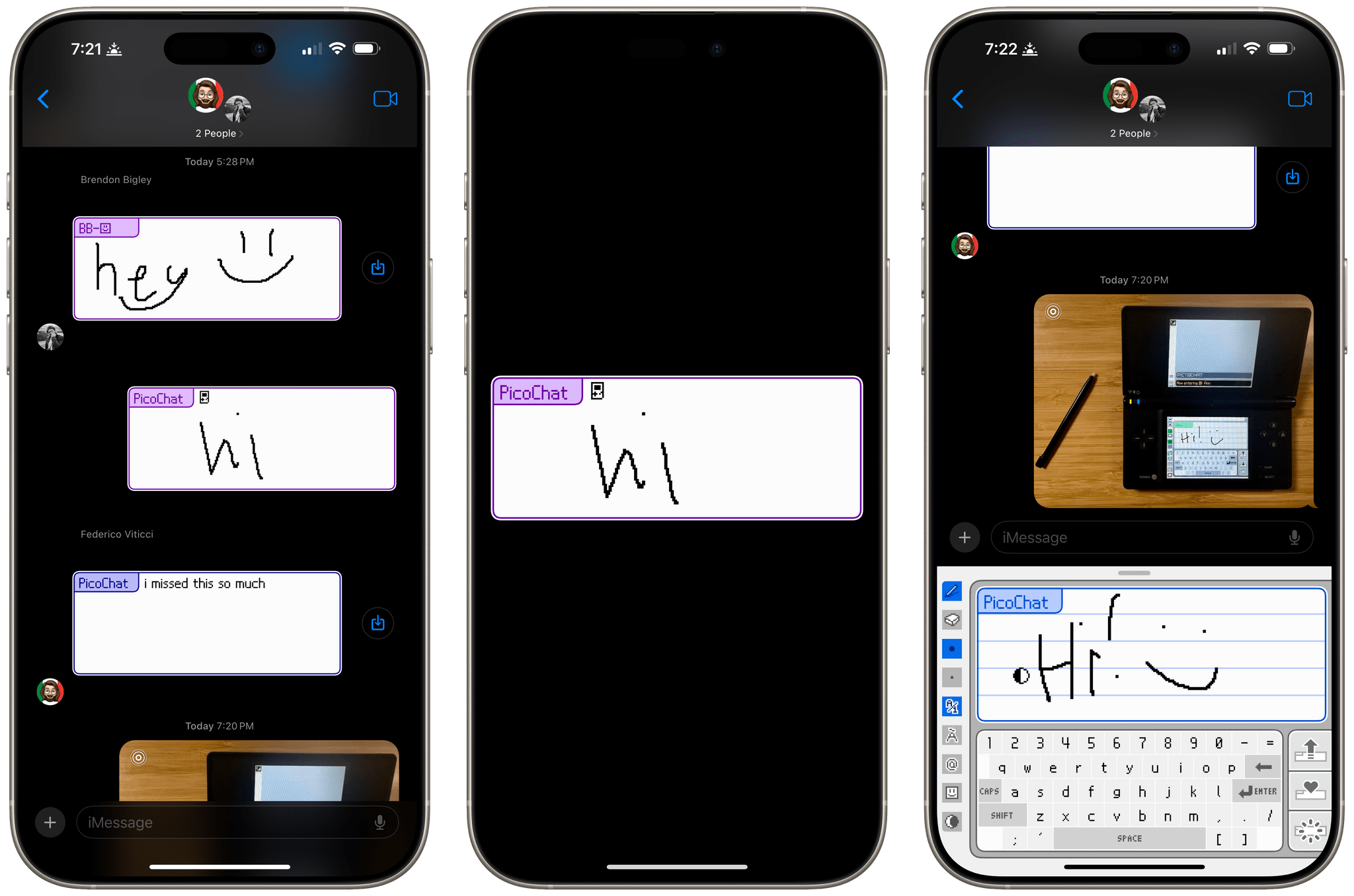
It’s been a very long time since I reviewed an iMessage app, but past issues of MacStories Weekly and this site chronicle the hundreds of iMessage apps Federico and I tried and wrote about. Today, though, I was reminded that there’s still fun to be had in what has to be Apple’s most obscure corner of the App Store because this afternoon, Brendon Bigley sent me a link to PicoChat for iMessage, a nostalgia-filled delight from developer Idrees Hassan.

PicoChat lovingly recreates the look and feel of PictoChat, a local messaging app that shipped with the Nintendo DS beginning in 2004 and later with the DS Lite and DSi. PictoChat used a short-range proprietary wireless protocol that could only extend about 65 feet, which ultimately led to its demise as smartphones with cellular connections and Wi-Fi became popular. However, for several years, it served as a short-range communications and creative outlet for a generation of kids.

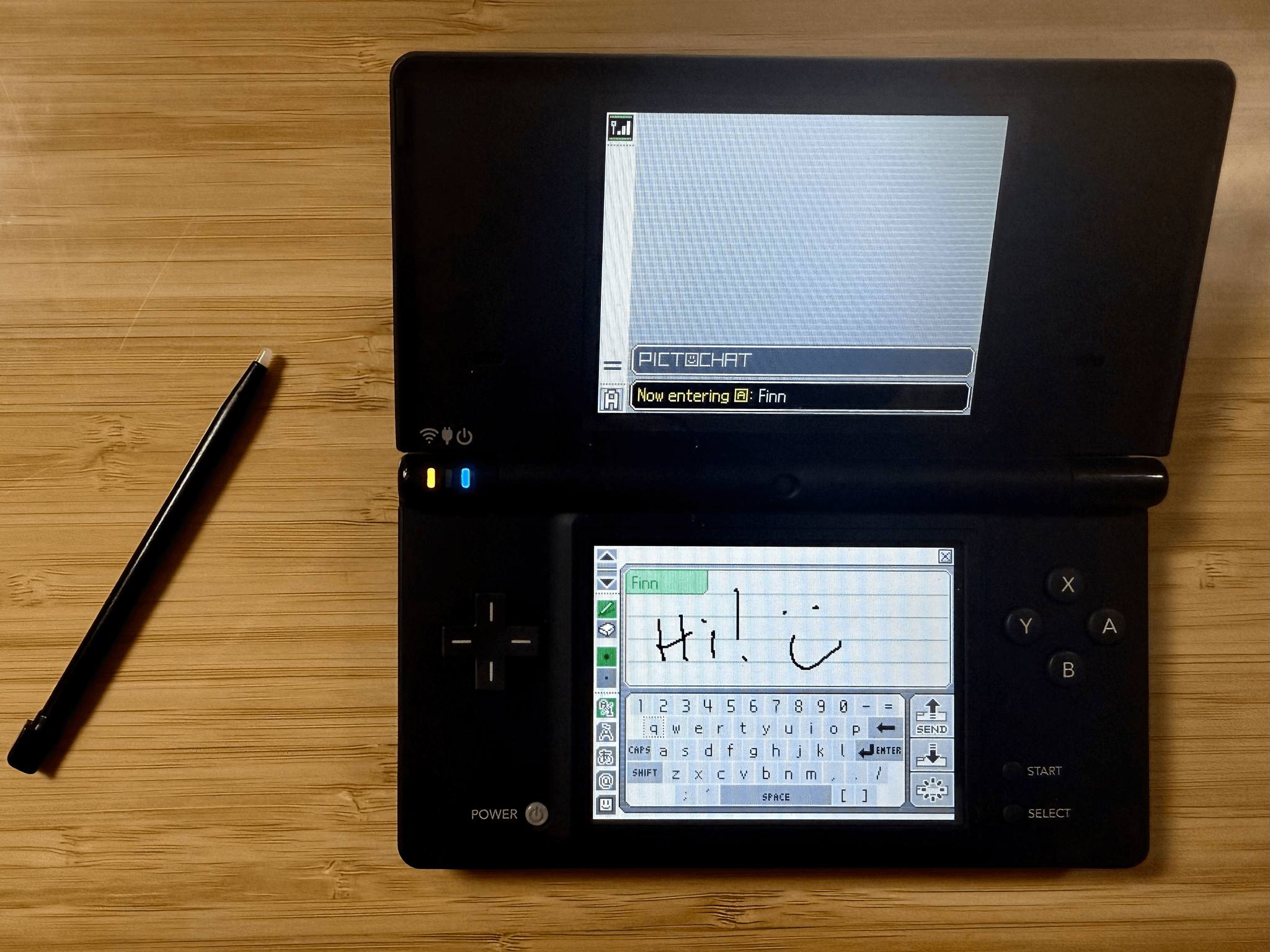
For context, here’s PictoChat running on my matte black Nintendo DSi, a model that is one of Brendon’s ‘dream devices,’ as he recently shared on NPC: Next Portable Console:

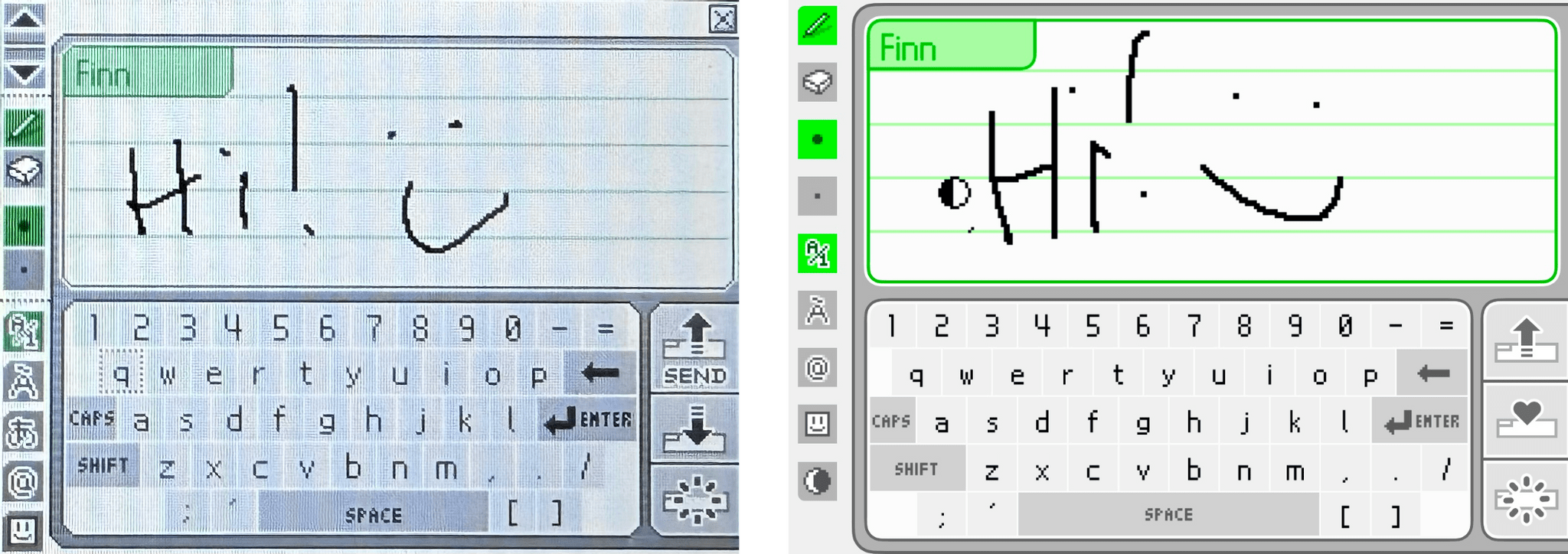
Now, here’s a close-up of the original PictoChat interface and the iMessage app side-by-side.

PictoChat on a DS (left) and the PicoChat for iMessage app (right).

PictoChat on a DS (left) and the PicoChat for iMessage app (right).

Just like the DS, the iMessage version has a teeny tiny keyboard with space above it for doodles. If it weren’t for the lower resolution of the DS’s screen, I bet most people would have a hard time telling them apart.

Getting back to Hassan’s app, it’s accessed like other iMessage apps from the Plus button in a Messages thread. Once you’re finished composing your masterpiece, the app converts it into an image and sends it like any other image is sent in Messages.

That’s it, but it’s more than enough to have sent a whole lot of Nintendo DS fans down a nostalgia-filled rabbit hole today, which was cool. Even if the DS wasn’t your thing, check out PicoChat and send some doodles to your friends and family. It’s a lot of fun.

PicoChat is available as a free download on the App Store.


Podcast Rewind: What’s Next for Apps and Hands-On with the Latest Android and Retro Handhelds

Enjoy the latest episodes from MacStories’ family of podcasts:

AppStories

This week, Federico and I make five app predictions for the next five years covering everything from App Intents and automation to the fate of the App Store.

This episode is sponsored by:

  • P – The water reminder and hydration app.

NPC: Next Portable Console

On the latest NPC, ASUS gaming phones, Retroid’s big surprise, and more Nintendo emulation drama, plus 8BitDo tries to solve the iPhone vertical controller problem, Federico weighs in on the Any Odin2 Portal, and the whole gang has nothing but love for the TrimUI Brick.

Read more


Hyperspace: Quickly Recover Mac Storage Without Deleting Files

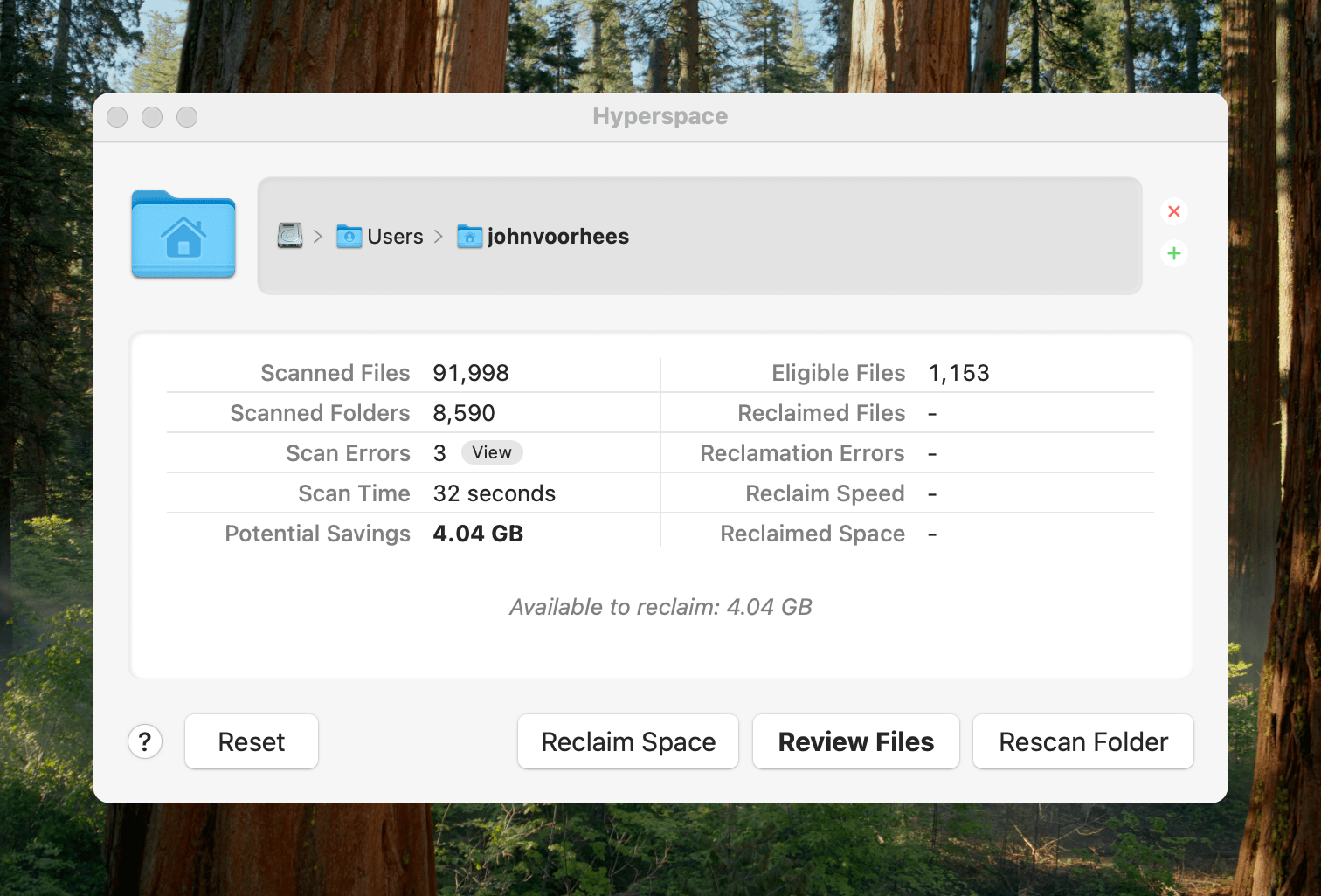
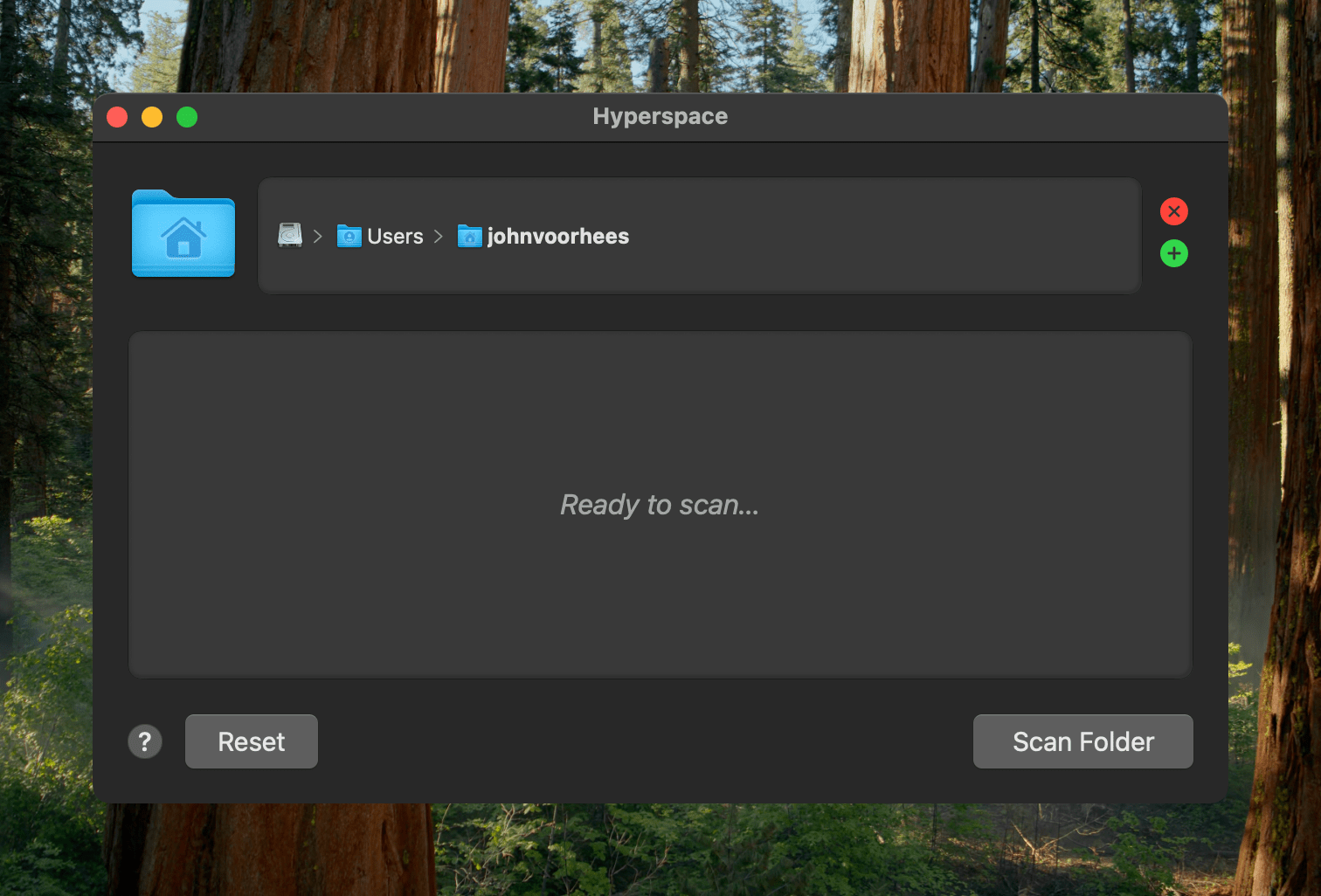
Earlier today, John Siracusa released a Mac app called Hyperspace. The app scans any folder on your Mac, identifying duplicates. When the scan is finished, you can review the results and choose whether to reclaim the unnecessary space taken up by the duplicates.

Ready to scan.

Ready to scan.

Because of the way Apple’s APFS file system works on the Mac, Hyperspace’s deduplication of files doesn’t delete or move anything. How APFS does this is complicated and explained on the app’s website if you want to learn more, but to over-simplify a bit, APFS allows Hyperspace to eliminate duplicative data without changing the location of the files or their metadata. That means it’s a non-destructive operation, allowing you to reclaim drive space at no cost to your data’s integrity.

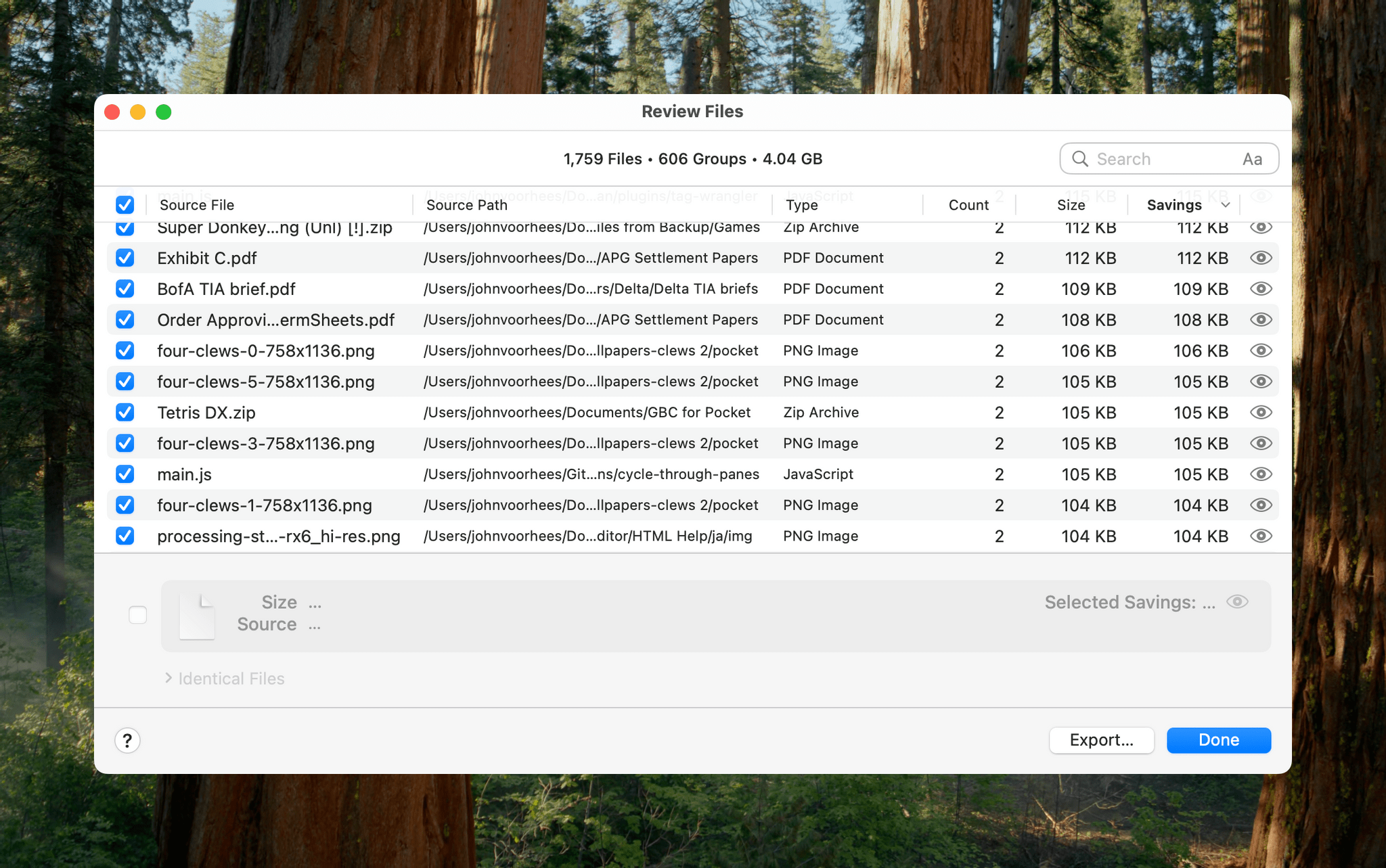
Hyperspace gives you a chance to review the files it has identified as duplicates.

Hyperspace gives you a chance to review the files it has identified as duplicates.

The app has safety measures in place so system files aren’t affected, and users can label certain folders as ‘Source’ folders that will never be altered. You also have an opportunity to review the results of Hyperspace’s scan before the app does anything to your files.

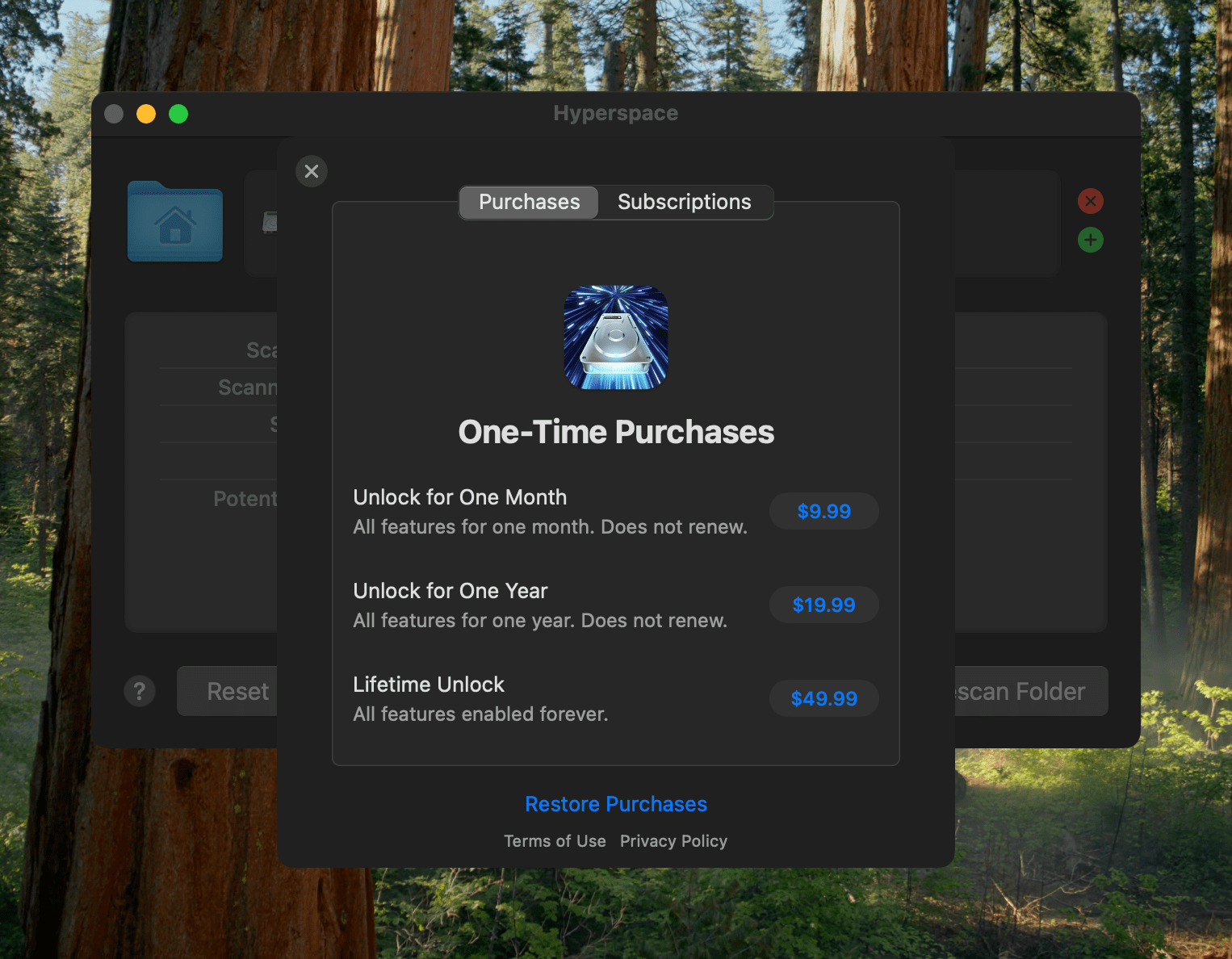
Hyperspace requires a subscription or one-time purchase to reclaim space.

Hyperspace requires a subscription or one-time purchase to reclaim space.

I took Hyperspace for a spin to see what it could find on my Mac Studio, which stores about 2.5 TB of data. The scan was impressively fast at around 30 seconds, identifying 4.04 GB of data that it could free up. That’s not a lot in the grand scheme of things, but it was also nice to know that I don’t generate a lot of duplicate files with my workflows.

Hyperspace is free to download from the Mac App Store. The free version allows you to scan the folders on your system. However, to recover space, you need to subscribe for $9.99 per month or $19.99 per year, or purchase a lifetime license for $49.99. There are also options to purchase a single month license for $9.99 or a single year for $19.99.