
GamingBuddy GamingBuddy added an iPad version this week. It’s a great addition to an already excellent app for managing your collection of videogames, keeping up with new releases, finding reviews, and more. On the iPad, there’s more room for artwork and all the app’s other content. Everything syncs with the iPhone version over iCloud,...
 WWDC Week Is Nearly Here
Next week is a big week here at MacStories. WWDC is always a lot of fun, and as always, we’ll have a lot of coverage on MacStories. Because Federico and I will be traveling to Cupertino for the event, we’ve shifted the schedule around a little. First, next week, we’ll publish MacStories Weekly on Saturday...
Apple Denied a Stay of Judge Gonzalez Rogers’ Contempt Order
Reuters reported today that the United States Court of Appeals for the Ninth District has denied Apple’s motion to stay the effect of District Judge Gonzalez Rogers’ contempt order that required the company to allow developers to link to payment processing outside the App Store. Had Apple prevailed, Judge Gonzalez Rogers’ order would have been put on hold, allowing Apple to prevent developers from linking to external payment processing. Instead, developers can continue to add external payment options to their apps, which many already have.
The burden for staying an order pending appeal is high. As the Court of Appeals explained in its order:
In deciding whether to impose a stay, we consider:
“(1) whether the stay applicant has made a strong showing that he is likely to succeed on the merits;
(2) whether the applicant will be irreparably injured absent a stay;
(3) whether issuance of the stay will substantially injure the other parties interested in the proceeding; and
(4) where the public interest lies.”
Nken v. Holder, 556 U.S. 418, 426 (2009) (quoting Hilton v. Braunskill, 481 U.S. 770, 776 (1987)).
This doesn’t mean Apple has no chance to win on appeal, but as the Ninth Circuit said quite bluntly in its order:
…we are not persuaded that a stay is appropriate.
And, given that the first factor the court decided was whether Apple is “likely to succeed on the merits,” things are not looking promising.
In a statement to 9to5Mac, an unnamed Apple spokesperson said:
We are disappointed with the decision not to stay the district court’s order, and we’ll continue to argue our case during the appeals process. As we’ve said before, we strongly disagree with the district court’s opinion. Our goal is to ensure the App Store remains an incredible opportunity for developers and a safe and trusted experience for our users.
Given that the writing is on the wall for the appeal, you can bet Apple is already looking ahead to the U.S. Supreme Court and will use the Ninth Circuit case as a dry run for that subsequent appeal.
Hand Crafted: Don’t Count Developers Out
We’re days away from WWDC, and I’m excited. As much as I enjoy a good Apple hardware event, it’s WWDC’s focus on software that I truly love. But what WWDC means to me runs much deeper than the OS updates we’ll hear about next week. Of course, Apple’s announcements are a big part of what makes WWDC a special time of the year, but for me, it’s overshadowed by the people.
I’ve been to every WWDC since 2013. That first year, I sat on the sidewalk at 3 AM on a cold pre-dawn morning. I hardly knew anyone in the Apple developer community then, but after hours in that line and attending the events surrounding the conference, I’d gotten to know a few developers.
By the time 2016 rolled around, I was writing at MacStories and interviewing developers for the site, including the founders of Workflow, which became Shortcuts. Now, they’re building Sky. After that WWDC, Federico hit the nail on the head in Issue 37 of MacStories Weekly:
…there’s something special about meeting someone you’ve known for a long time exclusively through the Internet. While I thought I knew some people and had made some special friendships through the years, getting to know them in person is different.
He’s right, and even though WWDC is much smaller than it used to be, I look forward to the chance to get to know the developers whose apps we’ve covered, meet new people, and reconnect with old friends.
What’s special about so many of the developers I’ve met over the years is how much they care about their craft. They sweat all the details. Over the years, we’ve seen many of them go from novices to the makers of apps with big, passionate followings among our readers.
We’ve also seen developers and their importance to Apple’s hardware success undervalued by the very company whose platforms they’re so dedicated to. That’s not new, but it’s gotten palpably worse as the years have worn on.
Since WWDC 2024, that trend has collided head-on with the rise of artificial intelligence. I imagine that our reaction to learning that Apple had scraped MacStories and every other website to train their LLMs was familiar to developers who have felt taken advantage of for years. That was a bitter pill to swallow, but one of the upsides of the experience is that over the past year, it’s forced me to spend a lot of time thinking about creativity, work, and our relationship with technology.
To hear the AI fans tell it, I, the developers we write about, and nearly everyone else will be out of jobs before long. Some days, that threat feels very real, and others, not so much. Still, it’s caused a lot of anxiety for a lot of people.
However, as I get ready to head to this year’s WWDC, I’m far more optimistic than I was after WWDC 2024. I don’t expect AI to replace our friends in the indie developer community; far from it. That’s because what sets a great app apart from the pack on the App Store is the care and humanity that’s poured into it. I’ve yet to see a vibe-coded app that comes anywhere close. Those apps will simply join the vast sea of mediocrity that has always made up a big part of the App Store. Instead, I expect AI will help solo developers and small teams tackle bigger problems that were once the exclusive domain of bigger teams with more resources.
I realize this all may sound like blasphemy to anyone who’s either devoted to AI or dead set against it, but I believe there’s room for AI to serve the artist instead of the other way around. So despite the challenges developers, writers, and others are facing, I’m heartened by the many excellent apps I’ve tried in the past year and look forward to meeting and reconnecting with as many of their creators as I can next week.
If you see me and Federico wandering about, stop us to say hi. We’d love to hear what you’re working on.
2025 Apple Design Awards Winners and Finalists Announced
As WWDC approaches, Apple has announced the finalists for its annual Apple Design Awards, and in a departure from recent years, the winners too.
This year, there are six categories, and each category has a winning app and game, along with four finalists. Unlike last year, there is no Spatial Computing category this year. The 2025 ADA winners and finalists are:
Delight and Fun
Winners:
Finalists:
- Lumy by Raja V
- Denim by Feel Good Tech
- Thank Goodness You’re Here! by Panic
- Prince of Persia: The Lost Crown by Ubisoft Montpellier
Innovation
Winners:
- App
- Play by Rabbit 3 Times
- Game
- PBJ — The Musical by Philipp Stollenmayer
Finalists:
- Moises by Music.AI
- Capybara by Digital Workroom Ltd
- Pawz by Bootloader Studio Holdings Private Limited
- Gears & Goo by Resolution Games AB
Interaction
Winner:
Finalists:
- iA Writer by Information Architects AG
- Mela - Recipe Manager by Silvio Rizzi
- Gears & Goo by Resolution Games AB
- Skate City: New York by Snowman
Inclusivity
Winner:
- App
- Speechify by Speechify
- Game
- Art of Fauna by Klemens Strasser
Finalists:
- Evolve by GTA Solutions
- Train Fitness by Train Fitness
- puffies. by Lykke Studios
- Land of Livia by Split Atom Labs
Social Impact
Winners:
- App
- Watch Duty by Sherwood Forestry Service
- Game
- Neva by Developer Digital
Finalists:
- Ground News by Snapwise
- Opal by Opal OS
- Ahoy! From Picardy by Daniel Jones
- Art of Fauna by Klemens Strasser
Visuals and Graphics
Winners:
- App
- Feather: Draw in 3D by Sketchsoft
- Game
- Infinity Nikki by Infold Games
Finalists:
- Vocabulary by Monkey Taps
- CellWalk by Timothy Davison
- Control Ultimate Edition by Remedy Entertainment PLC
- Neva by Developer Digital
The winners and finalists include a broad range of games and apps, including some from smaller developers including Lumy, Denim Art of Fauna, Skate City: New York, as well as titles from bigger publishers.
I’m glad that Apple has announced the finalists for the last few years. Winning an ADA is a big achievement for any developer, but it’s also nice to know who the finalists are because it’s quite an honor among the many apps that could have been chosen, too. Plus as a fan of apps, Apple’s longer finalist list always reminds me of an app or two that I haven’t tried yet. Congratulations to all of this year’s Apple Design Award winners and finalists.
 Sky and Our 2025 Shortcuts and Apple Intelligence WWDC Wishes
 Federico
This week, John shares his first impressions of Sky, the alpha AI-powered Mac automation app from the creators of Workflow and Shortcuts and then he and Federico share their Shortcuts and Apple Intelligence wishes for WWDC 2025
On AppStories+, John and Federico consider what AI means for developers and the App Store in the year ahead.
](https://cdn.macstories.net/banneras-1629219199428.png)
We deliver AppStories+ to subscribers with bonus content, ad-free, and at a high bitrate early every week.
To learn more about an AppStories+ subscription, visit our Plans page, or read the AppStories+ FAQ.

AppStories Episode 438 - Sky and Our 2025 Shortcuts and Apple Intelligence WWDC Wishes
0:00
37:54
37:54
This episode is sponsored by:
Building “The Daily Star” with Claude Sonnet and Opus 4.0
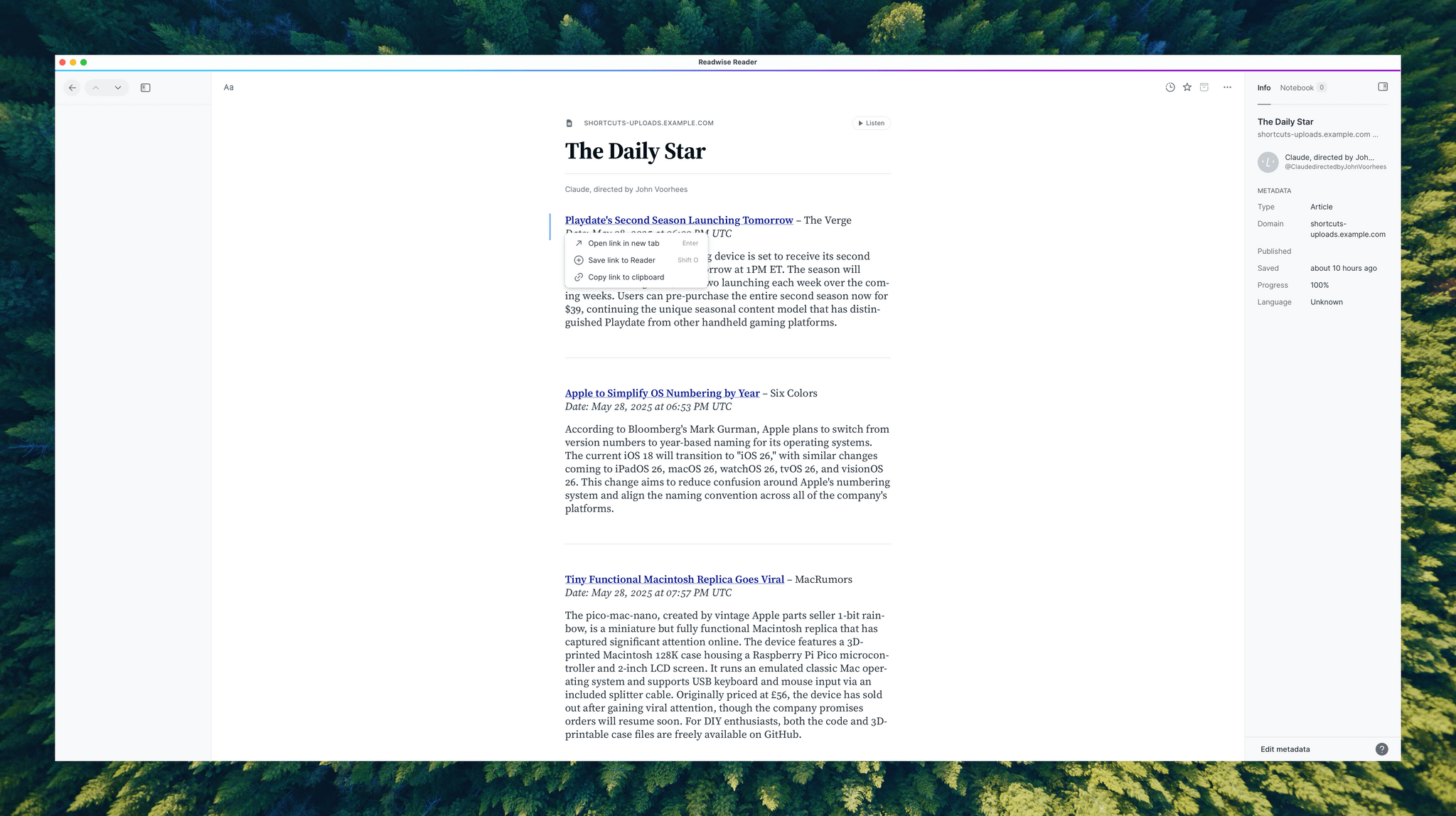
Last week was exhausting, so going into a long holiday weekend, I wanted to unwind. Naturally, I turned to automation. Weird, I know, but getting lost in automating things is the kind of absorbing task that gets my mind off of other things and doesn’t feel like work. The timing was right because I’d been...
App Debuts
Guided Meditation & Sleep Guided Meditation & Sleep is a new meditation and sleep app for the iPhone with an extensive library of content. You can download the app for free to try a selection of its 200+ meditation programs that range in length from a few minutes to 45 minutes. A subscription unlocks...
Interesting Links
Josh Miller, CEO of The Browser Company, shared a candid letter explaining why the company pivoted from Arc to their new AI-focused browser Dia. (Link) Fantastical can now automatically create calendar events from forwarded emails using AI, in a feature that seems reminiscent of Todoist’s LLM integration over email. (Link) Simon Willison released LLM...