

YouTube videos start with unskippable ads more often than not. However, with the new MacBook Pro, you can skip those pesky ads. The process is simple. Any time a YouTube video plays in Safari on the new MacBook Pro, a scrub bar appears in the Touch Bar regardless of whether the video is an...
After Retesting, Consumer Reports Recommends the MacBook Pro→
Two days ago, Apple issued a statement disputing battery life tests run on the new MacBook Pro by Consumer Reports. Based on those tests, Consumer Reports concluded it couldn’t recommend the laptop. After retesting, Consumer Reports now recommends the MacBook Pro. In a new article explaining the retesting, the publication says:
Consumer Reports has now finished retesting the battery life on Apple’s new MacBook Pro laptops, and our results show that a software update released by Apple on January 9 fixed problems we’d encountered in earlier testing.
With the updated software, the three MacBook Pros in our labs all performed well, with one model running 18.75 hours on a charge. We tested each model multiple times using the new software, following the same protocol we apply to hundreds of laptops every year.
Tony Fadell Says Teams Did Not Compete to Design the iPhone→
The conventional wisdom is that two teams competed inside Apple to build the original iPhone. One team’s design was based on the iPod, and the other’s was based on the Mac OS X. Those stories resurfaced with the tenth anniversary of the iPhone’s unveiling and a video showing what appears to be a prototype click wheel-based iPhone interface.
Tony Fadell, who was a key player in the development of the iPod and iPhone, spoke to Nilay Patel of The Verge to dispell the accepted belief that separate teams competed to design the iPhone:
So there were two different types of prototypes. There’s one, a prototype for the UI team, and typically, because UI teams are using Director — back in the day — and quickly mocking things up on a screen. One team is doing it like it’s an iPod, and another team is doing it like it was a touchscreen. The teams were working together. So it wasn’t like there were two different people trying different things. And then there was the development board prototypes where we’d rewrite the UI on the hardware to try things like touchscreen and hardware buttons. So there were two tracks in hardware and software UI development running at all times. And so the thing that you’re seeing [in that video] was just what the UI guys were doing, devoid of any hardware, doing it on a Mac.
According to Fadell, what is seen in the video is a Mac app that was later ported to an iPhone.
Terminology: A Comprehensive Research Tool for Words
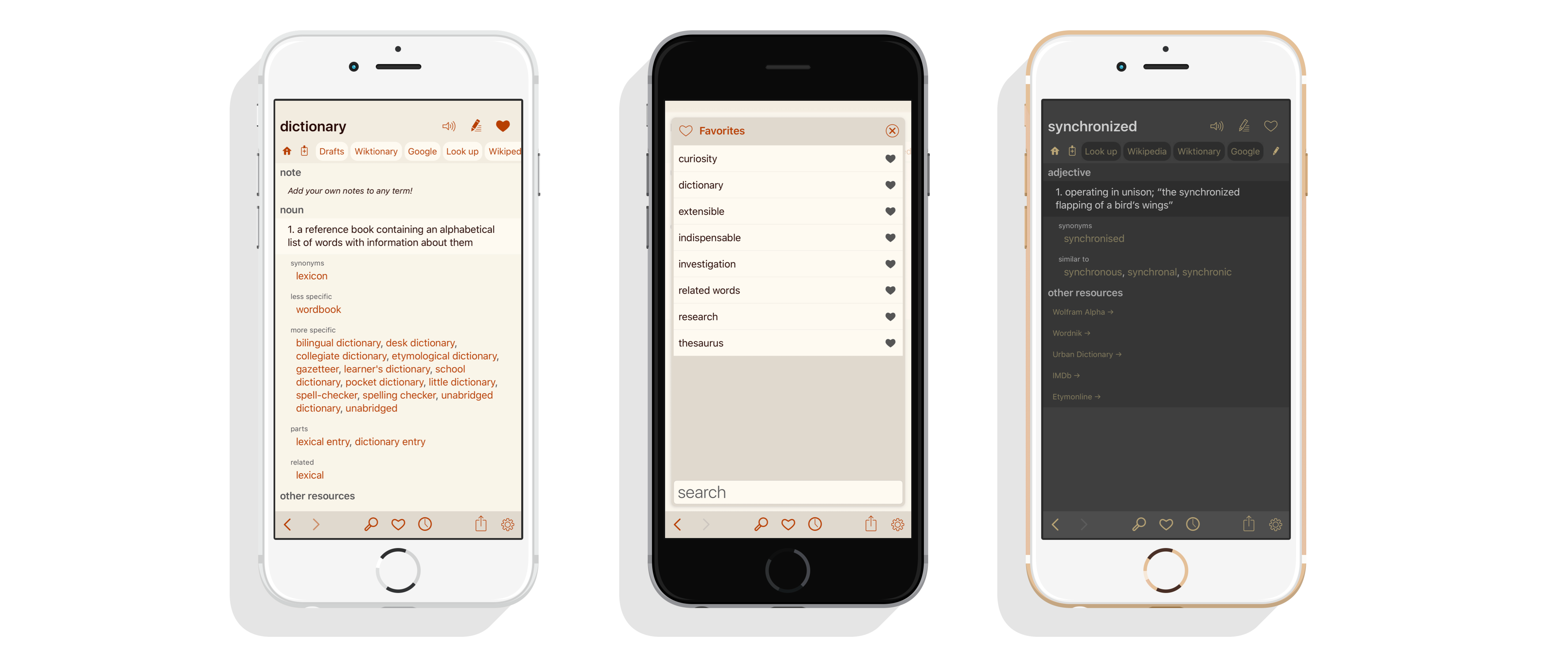
I’ve been a fan of Terminology by Agile Tortoise since it debuted in 2010. There are a lot of dictionary apps on the App Store, but most are bloated messes that foist multimedia experiences and games on me when all I want is a definition or synonym. Terminology has alway been just about words. With today’s update, the app has been redesigned from the ground up with new features that make it a must-have research tool for anyone who writes.
The Binding of Isaac: Rebirth Released on iOS
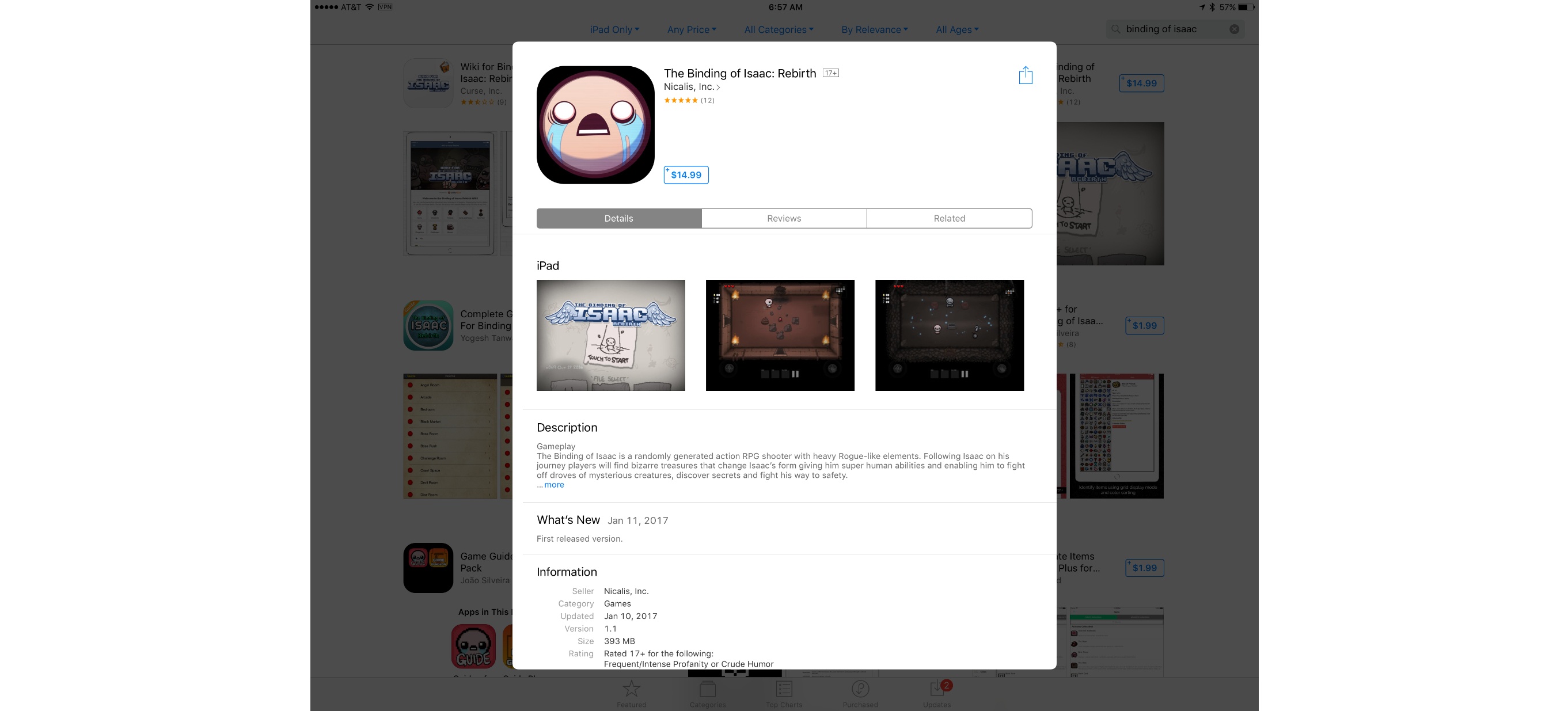
The long-anticipated iOS version of The Binding of Isaac: Rebirth is now available on the App Store roughly one year after it was rejected by Apple. Isaac is a rogue-like, dungeon crawler game that was originally released in 2014 by indie game studio Nicalis. Apple rejected the iOS version of Isaac in early 2016 for depicting violence against children. Late yesterday, the game appeared on the App Store with a 17+ rating.
Apple isn’t the first platform owner to reject Isaac. In 2012, Nintendo initially blocked Isaac from its 3DS eShop, but ultimately relented, publishing the game for the 3DS and Wii U.
The Binding of Isaac: Rebirth is available on the App Store for $14.99.
Chris Lattner Is Leaving Apple→
Update: Chris Lattner has landed at Tesla Motors according to this Tesla blog post and the following tweet from the official Tesla account:
Chris Lattner designed and built most of LLVM as a graduate student. In 2005, he joined Apple where LLVM was integrated into Apple’s developer tools. Beginning in 2010, Lattner designed and built much of Swift, which was introduced to the world by Apple at WWDC in 2014.
Today, Lattner announced on the Swift mailing list that he is leaving Apple:
Since Apple launched Swift at WWDC 2014, the Swift team has worked closely with our developer community. When we made Swift open source and launched Swift.org we put a lot of effort into defining a strong community structure. This structure has enabled Apple and the amazingly vibrant Swift community to work together to evolve Swift into a powerful, mature language powering software used by hundreds of millions of people.
I’m happy to announce that Ted Kremenek will be taking over for me as “Project Lead” for the Swift project, managing the administrative and leadership responsibility for Swift.org. This recognizes the incredible effort he has already been putting into the project, and reflects a decision I’ve made to leave Apple later this month to pursue an opportunity in another space. This decision wasn’t made lightly, and I want you all to know that I’m still completely committed to Swift. I plan to remain an active member of the Swift Core Team, as well as a contributor to the swift-evolution mailing list.
Working with many phenomenal teams at Apple to launch Swift has been a unique life experience. Apple is a truly amazing place to be able to assemble the skills, imagination, and discipline to pull something like this off. Swift is in great shape today, and Swift 4 will be a really strong release with Ted as the Project Lead.
Note that this isn’t a change to the structure - just to who sits in which role - so we don’t expect it to impact day-to-day operations in the Swift Core Team in any significant way. Ted and I wanted to let you know what is happening as a part of our commitment to keeping the structure of Swift.org transparent to our community.
Lattner’s contribution to Apple’s developer tools has been enormous. His departure is a big loss for Apple.
Apple Issues Statement Regarding Consumer Reports’ Battery Tests
Shortly before the winter holidays, Consumer Reports announced that the new MacBook Pro had failed to earn its ‘recommended’ rating due to poor battery life caused by Safari. Apple disputed the testing done by Consumer Reports and worked with it over the holidays to track down the discrepancy between its testing and Consumer Reports’ results. Today, Apple released the following statement to a handful of outlets, including iMore and The Loop:
“We appreciate the opportunity to work with Consumer Reports over the holidays to understand their battery test results,” Apple told iMore. “We learned that when testing battery life on Mac notebooks, Consumer Reports uses a hidden Safari setting for developing web sites which turns off the browser cache. This is not a setting used by customers and does not reflect real-world usage. Their use of this developer setting also triggered an obscure and intermittent bug reloading icons which created inconsistent results in their lab. After we asked Consumer Reports to run the same test using normal user settings, they told us their MacBook Pro systems consistently delivered the expected battery life. We have also fixed the bug uncovered in this test. This is the best pro notebook we’ve ever made, we respect Consumer Reports and we’re glad they decided to revisit their findings on the MacBook Pro.”
There have been reports of battery life issues with the MacBook Pro that are unrelated to Safari, but this should put the Safari issues raised by Consumer Reports to rest.
Tony Fadell Reflects on the Development of the iPhone→
Before an iPhone was lost in a bar in San Francisco, there was Tony Fadell’s moment of panic:
He’d just got off a plane, felt his pockets, and… nothing.
“I was walking through every scenario thinking about what could happen,” he told me. None of them ended well.
After two hours, relief - thanks to the efforts of a search party that didn’t know what it was trying to find.
“It fell out of my pocket and it was lodged in between the seats!”
Fadell, who was a key player in the development of the iPod, was part of the team that developed the original iPhone. In an interview with the BBC, Fadell argues that the fact that Apple started development from the perspective of the iPod that was important to the iPhone’s success because:
While competitors like Microsoft were trying to shrink the PC into a phone, Apple was looking to grow the iPod into something more sophisticated.
At the same time, focusing on the iPod’s click wheel had its downsides too:
“We were turning it into a rotary phone from the sixties,” Fadell remembered. “We were like, ‘This doesn’t work! It’s too hard to use’.”
Fortunately, another group within Apple was working on a ping-pong table-sized touchscreen that they were able to shrink down to a size that could be used for the iPhone.
The BBC’s interview with Fadell is full of interesting anecdotes about the years leading to the announcement of the iPhone and is required reading for iPhone history buffs.
More Details Revealed About Apple Music’s Carpool Karaoke→
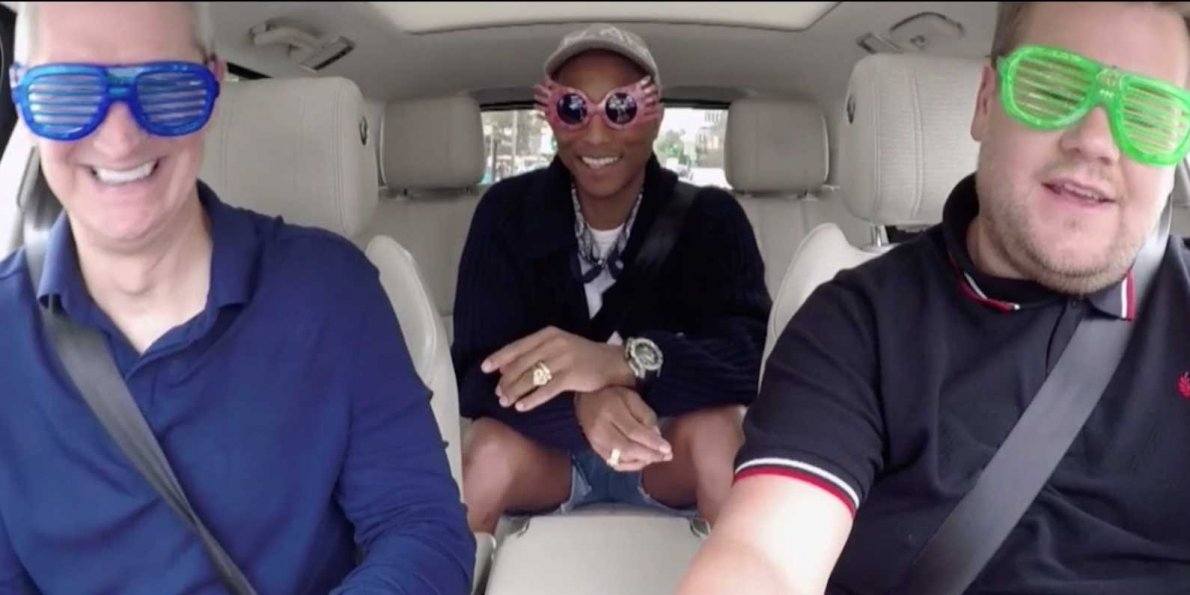
Although there isn’t a launch date yet, new details emerged about the first show slated to debut on Apple Music. Variety reports that Carpool Karaoke will air 16 half-hour episodes based on the James Corden bit from the ’Late Late Show.’ According to Variety:
the series won’t have a single host in the drivers’ seat. Instead, the trio conceived of a format that is more of an interview series than longer versions of the “Late Late Show” bit, with a different “host” for every episode.
The show will also feature an eclectic mix of interview pairings including:
more traditional musical choices like John Legend with Alicia Keys and Seth MacFarlane with Ariana Grande, but also more outside-the-box choices like Billy Eichner in the passenger seat, surrounded by the band Metallica, or former NFL star and talk show host Michael Strahan with NASCAR driver Jeff Gordon.
The Carpool Karaoke described by Variety sounds very different from the ‘Late Late Show’ segment it’s based on, which is probably a good thing considering the show is a half-hour long.