
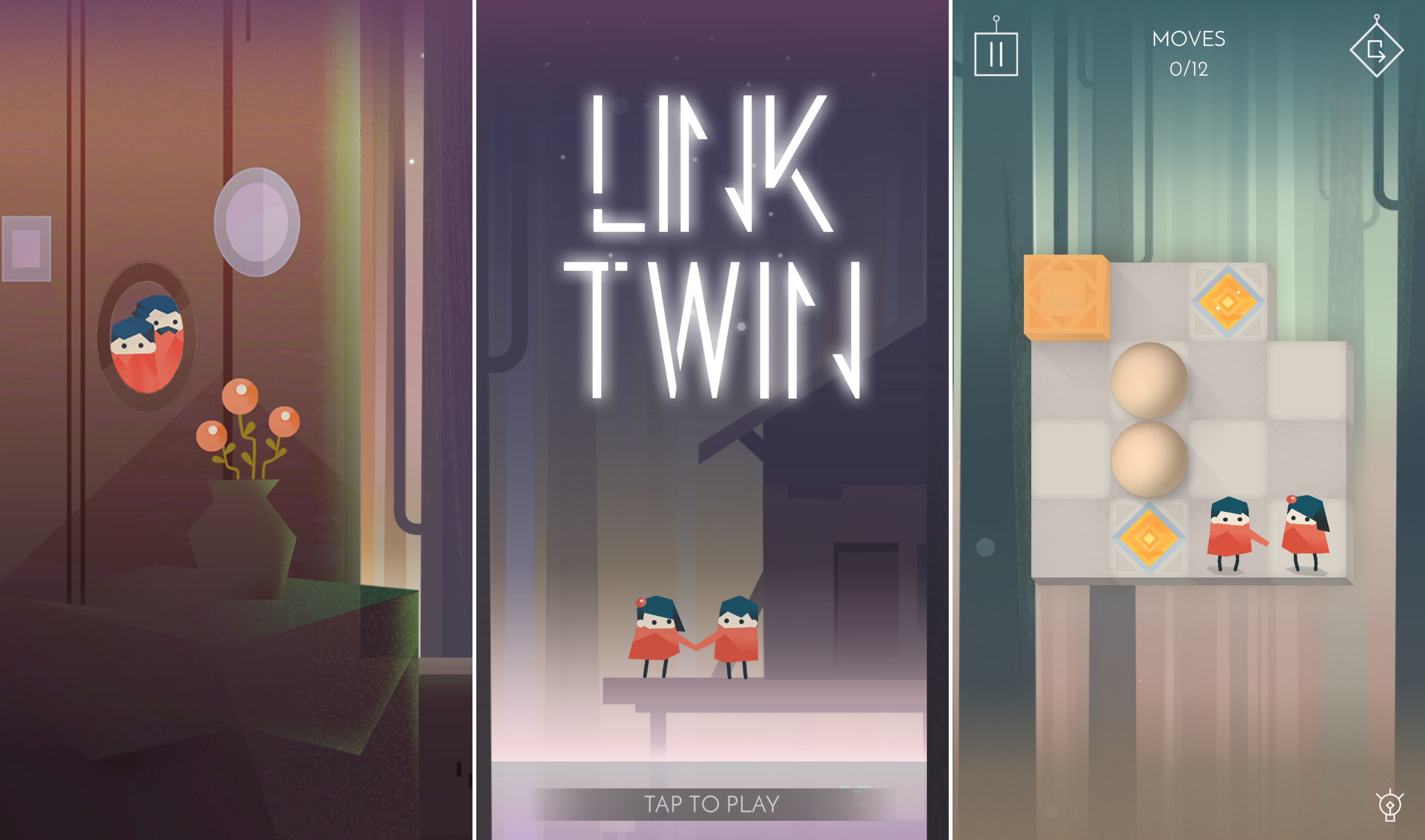
Link Twin is an atmospheric puzzle game from Bucharest-based indie development studio Lorraine that follows the story of Lily and Tom, twins in search of their lost parents. The constraint that defines the way each puzzle works is that Lily and Tom can only move through their world in tandem - moving one character forward necessitates moving both forward. It’s a simple mechanic that’s beautifully implemented through great art and sound direction combined with challenging puzzles that evolve over the course of the game to keep it intriguing.
 Alternatives to Apple’s Music App
Picky Picky, which I reviewed recently, works exceptionally well with large music collections. One way to rediscover old music is with iTunes’ Smart Playlists, which let you filter music based on a long list of criteria. Smart Playlists cannot be created on iOS, though. The best alternative I’ve found is Picky, which lets...
App Debuts
 Federico
Sorted Sorted is an elegant todo list app for iOS that is building upon some of the ideas introduced several years ago by Clear. The latest version of Sorted has brought Reminders integration so you can add tasks via Siri, a share extension and support for tappable links, a watchOS app with complications, and...
Album
Poopsy Daisy Imagine if the poop emoji and a roll of toilet paper became best friends, and you’d get this cute iMessage sticker pack. Also, I added this to the list of sentences I never thought I’d publish in my life. These stickers are both delightful and somewhat gross. Skeletons, Etc. I don’t know...
Indie Game Promotion Takes Over App Store
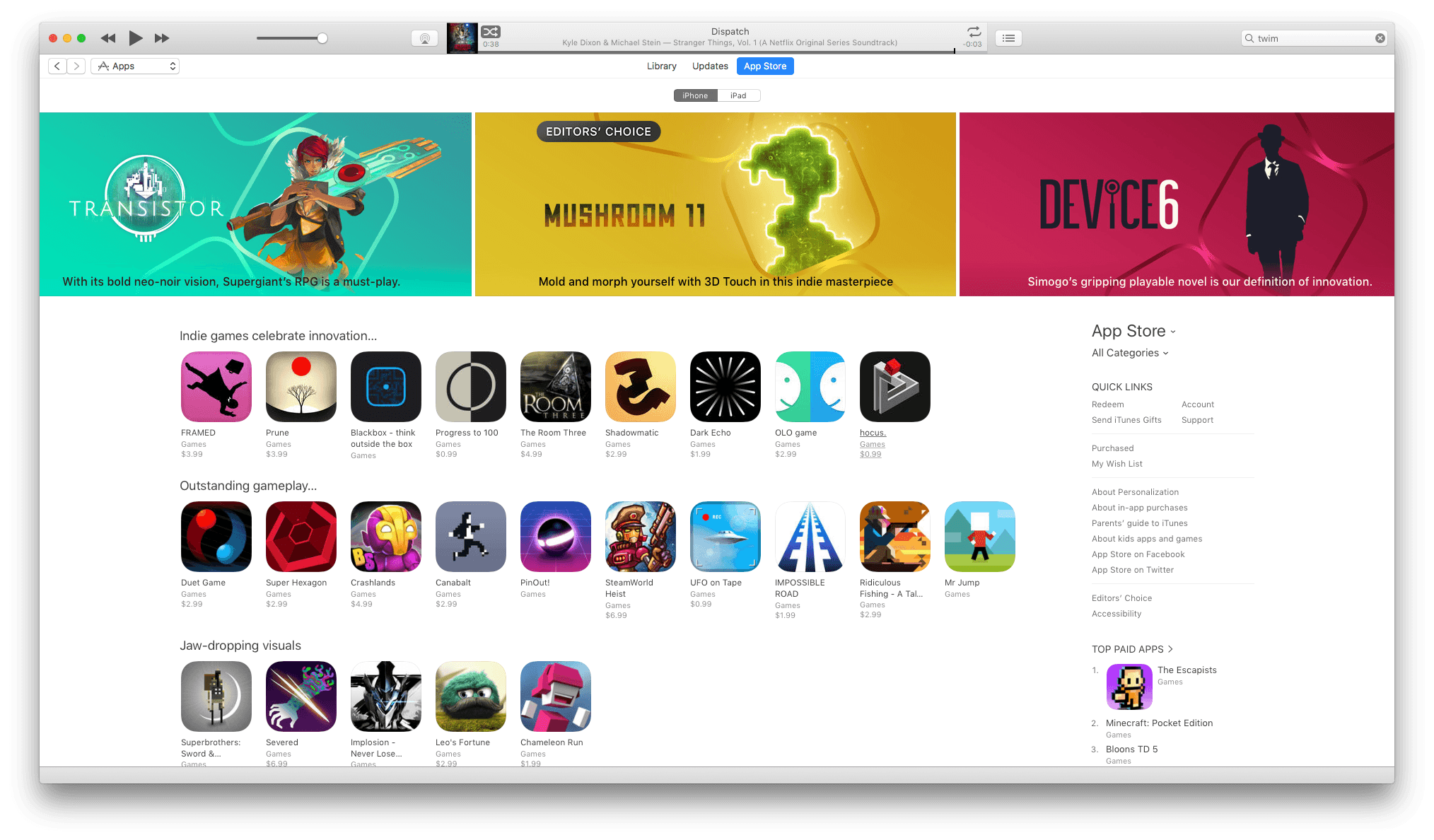
The App Store looks a little different today. If you opened it and thought you accidentally landed on the Games category page, it would be understandable. But that’s not what’s happening. Instead, Apple has launched a major promotion of the finest indie games available on iOS. According to the App Store Games Twitter account, the promotion is running for the next twelve days.
There are many classics featured: Super Hexagon, Superbrothers: Sword & Sworcery, Monument Valley, Severed, Her Story, and Space Age to name just a few standouts. In addition to indie classics, the banner across the top of the App Store is promoting Mushroom 11 a new game by Untame that looks great, though I haven’t had a chance to try it yet.
The sheer volume of games on the App Store can make the choices feel overwhelming at times. That’s why it’s great to see Apple spotlighting the very best indie games available on iOS. With 12 days to go in the promotion, I expect it will be worth revisiting Apple’s picks. There are currently some gaps in some of the categories highlighted that I expect will fill in with more games as the promotion continues.
Bumpr Expands Your Choices of Where Links Open
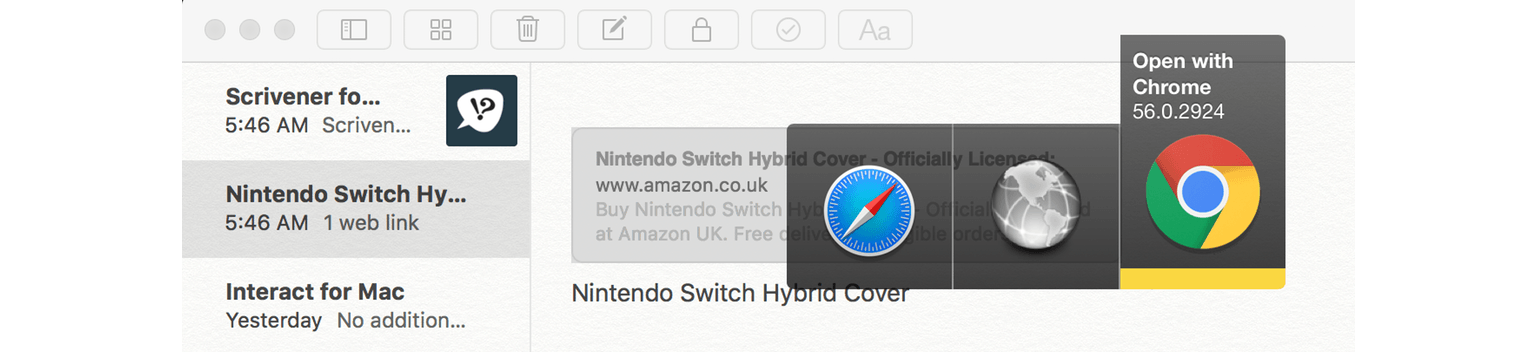
Bumpr is a clever Mac menu bar utility that is set as your default web browser and email client to give you more choice of how you open web and email links. That seems counterintuitive at first because setting a default usually means picking one app over another, but here’s how Bumpr works. Instead of opening a particular app, Bumpr intercepts the link and opens a menu of options for each of the browsers or email clients installed on you Mac depending on whether you click a web or email link.
GAget: Google Analytics Widgets and Alerts for macOS
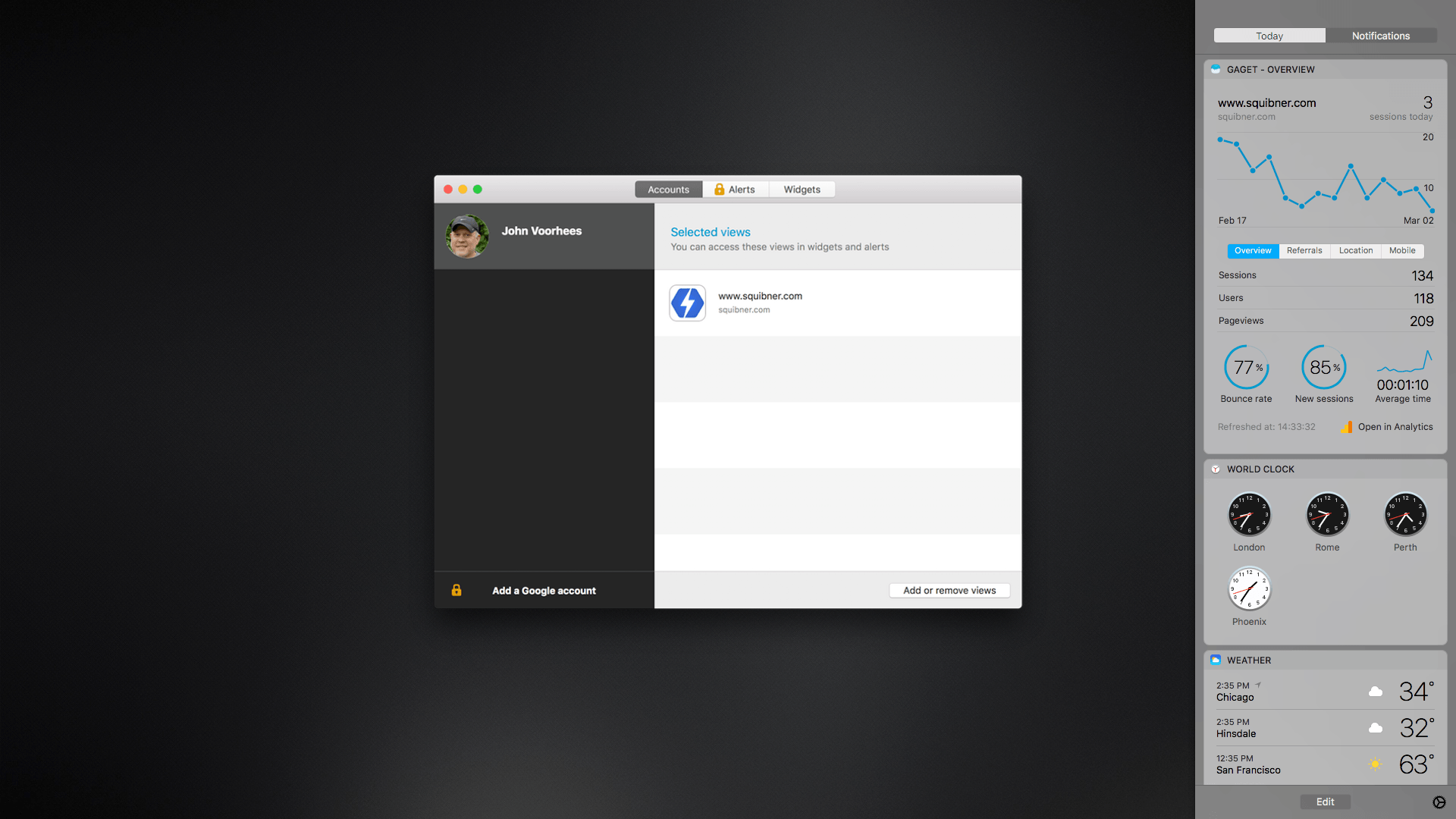
GAget is a Google Analytics app for macOS that started life as a Dashboard widget. These days, GAget resides in macOS’s Today widget panel of Notification Center. If you’ve ever used Google Analytics, you know that its web interface is complex. There’s a place for digging through Google’s many tabs of data, but when all you want are the highlights, GAget is better. It takes Google Analytics’ data and boils it down into cleanly-designed dashboard widgets and alerts that make it easy to understand what is going on with your website at a glance.
Game Day: The Escapists
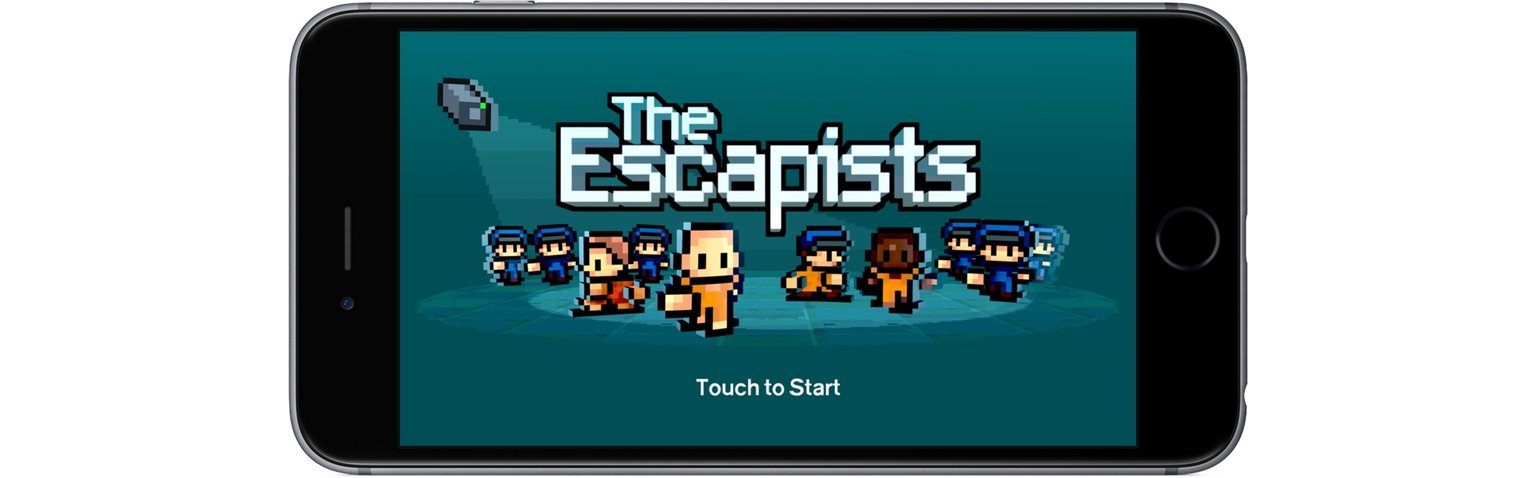
The Escapists is an award-winning indie title from Mouldy Toof Studios and Team17 that has been available on consoles and PCs since 2015. This week marked the title’s first appearance on mobile systems, though, with simultaneous releases on iOS and Android. The goal of the game is straightforward – escape from a series of prisons with varying levels of security – but there are so many complex variables at play that The Escapists is good for many hours of exploration.
Apple’s Latest iPad Pro Videos Highlight Note Taking and Decluttering


Apple released two more short ads on YouTube highlighting features of the iPad Pro. The first, called ‘take better notes’ starts, like similar recent videos, with a tweet: ‘My math notes are a mess since I’m half asleep.’ In response, the narrator explains ‘You know, iPad Pro and Apple Pencil have revolutionized the way we take notes.’ The camera cuts to someone taking notes in Notability, the note-taking app that Federico highlighted in the iPad Diaries this week. The spot concludes with the narrator pointing out that even if you fall asleep, you’re covered if you use Notability’s audio recording feature.
The second video is called ‘need less stuff,’ which emphasizes the ways the iPad Pro can cut down on clutter in your life. In response to a ‘There are way too many things on my desk’ tweet, the narrator explains that an iPad Pro can replace a scanner, a pad of paper, and laptop, using the iPad version of Procreate as the example of an app that replaces a pad of paper.
Apple continues to strike a nice balance with these videos, highlighting a couple features of the iPad Pro that set it apart from a laptop or smart phone but keeping the tone light and humorous by responding to the sort of frustrated tweets with which many people are all too familiar.