Federico
AppStories Episode 55 - iOS System Apps Wish List
0:00
31:29
31:29
Federico and John discuss their wishes for Apple’s iOS system apps.

The first alarm app for families.
 iOS System Apps Wish List
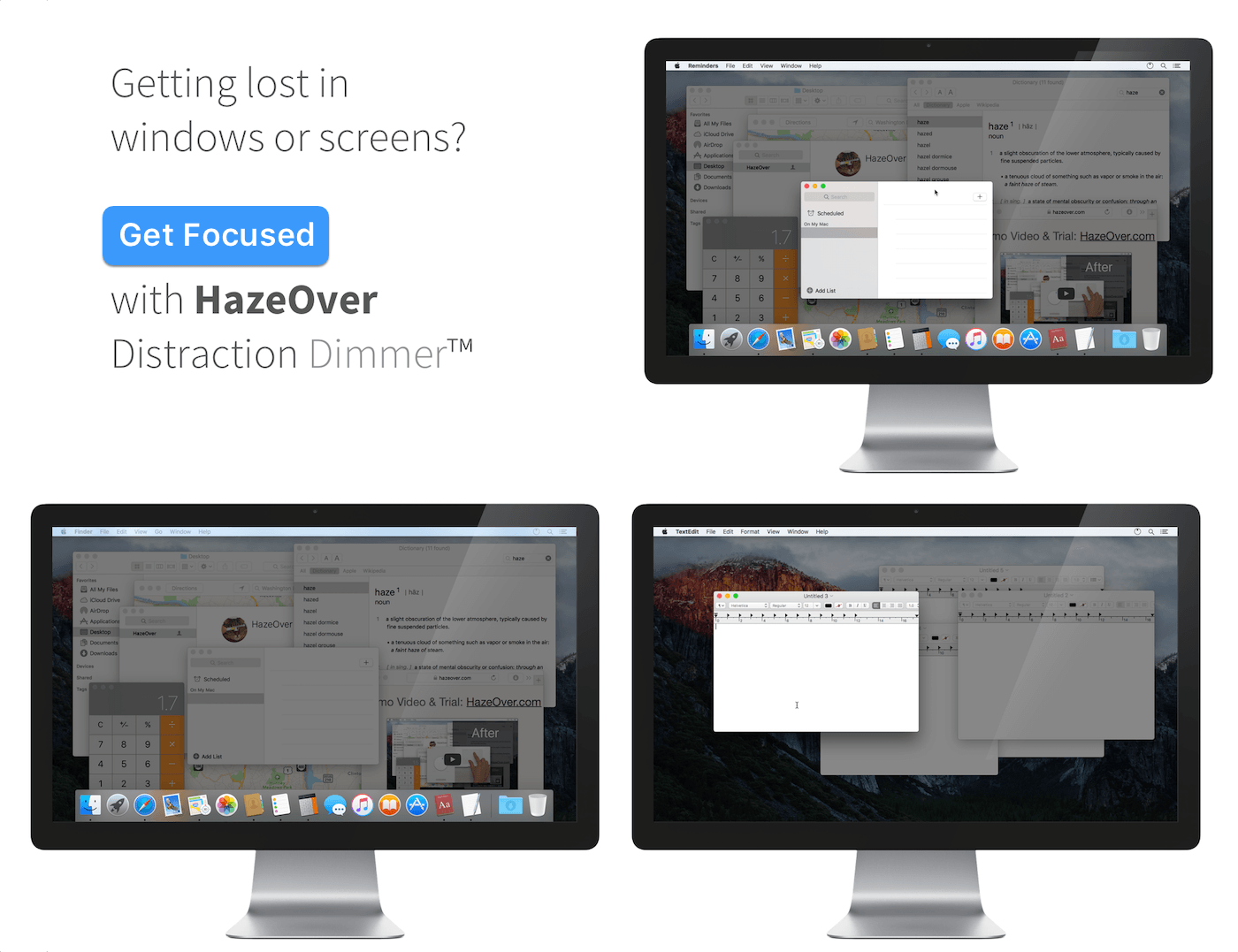
 Clear away the clutter with HazeOver for Mac. It’s the distraction dimmer that helps you concentrate on one thing at a time by reducing visual clutter on your Mac’s screen.
HazeOver dims everything on your screen except the window you’re working in, reducing mental overhead and helping you focus. How much the background is dimmed is controlled by turning a clever dimmer knob in the app’s preferences. You can set the effect to be subtle, or turn it up to really block out the clutter. Dimming can also be adjusted from your Mac’s menu bar.
When you’re working a big project, it’s easy to wind up with dozens of windows scattered across your Mac’s display. It’s handy to be able to get to those windows quickly, but they can also become a distraction making it hard to focus on the task at hand. This is an especially big problem with large displays and multi-screen setups.
With HazeOver, you don’t have to manage all those windows to eliminate distractions. Dimming the background means you can enjoy the convenience of leaving windows open, without the visual mess. Better yet, dimming is automatic, highlighting windows as you switch to them and dimming the rest.
HazeOver is also especially nice at night when it reduces the harsh glare from the background of your screen. It looks great with the dark menu bar and Dock too, bringing the long-rumored macOS dark mode closer to reality until Apple implements something at a system level.
This week only, you can eliminate distractions and get focused with HazeOver for the special price of just $4.99 on the Mac App Store. If you want to try HazeOver first, there’s a free trial available too.
Our thanks to HazeOver for sponsoring MacStories this week.
 App Debuts
 WatchDog Designed for dog owners, Watchdog is a location-based utility for iPhone that keeps track of how long you’ve been away from home, and thus how long since your dog has gone outside. Watchdog’s timer starts as soon as you leave home (using a geofence) and you can configure notifications to alert you one...
Alternatives to Apple Notes on the Mac Bear Bear is hands-down my favorite alternative to Apple’s stock Notes app on the Mac. The app is beautifully-designed and includes a great set of templates for tweaking the way the app looks. However, underneath its simple design, Bear packs a lot of power. Unlike Notes, I appreciate that I can write in...
In 2015, Apple announced plans to build a data center in Athenry, Ireland. The facility was designed to run on renewable energy like other data centers Apple operates around the globe. However, the Irish project ran into problems from the start.
According to TechCrunch, concerns about the center’s environmental impact and effect on the electrical grid slowed the project down. Then, after Apple received the approval of the Galway County Council to begin building, individual objections were lodged and the disputes wound up in the Irish courts. With the prospect of appeals that would continue to prevent it from commencing construction, Apple decided to cancel the project.
In a statement to TechCrunch, Apple said:
“We’ve been operating in Ireland since 1980 and we’re proud of the many contributions we make to the economy and job creation. In the last two years we’ve spent over €550 million with local companies and, all told, our investment and innovation supports more than 25,000 jobs up and down the country. We’re deeply committed to our employees and customers in Ireland and are expanding our operations in Cork, with a new facility for our talented team there,” the company said in a statement provided to TechCrunch. “Several years ago we applied to build a data centre at Athenry. Despite our best efforts, delays in the approval process have forced us to make other plans and we will not be able to move forward with the data centre. While disappointing, this setback will not dampen our enthusiasm for future projects in Ireland as our business continues to grow.”
A second facility in Denmark that was announced at the same time the Irish data center is nearly complete. Apple has not announced any details about its ‘other plans’ referenced in its statement to TechCrunch.
Valve has announced that during the week of May 21st, it will release Steam Link, an iOS app that allows gamers to stream Steam games over wired Ethernet or 5GHz wireless networks to an Apple TV or iOS device. The app will support the Steam Controller and MFi controllers like the Steelseries Nimbus. Although the bandwidth necessary to stream games will preclude users from streaming on mobile networks, Steam Link provides greater flexibility to gamers who would otherwise be limited to playing on Macs and Windows PCs. The app will also be available on Android devices.
Valve also announced that it will release Steam Video on iOS later this summer. Valve sells TV shows and movies, but this is the company’s first mobile solution for viewing that content. Valve says users will be able to stream videos over WiFi and LTE networks or download them to iOS devices for viewing. Like Steam Link, Valve’s video app will be available on Android too, but a firm release date has not been announced yet.
Google announced a series of new features at its Google I/O developer conference that it will add to Google Maps and the Google Lens feature of its Photos and Assistant apps in the coming weeks and months.
During the Google I/O keynote, the company demonstrated augmented reality navigation that combines a camera-view of your location with superimposed walking directions. The feature, which works with a device’s camera, can also point out landmarks and overlay other information about the surrounding environment.
Google Maps is gaining a dedicated ‘For You’ tab too. The new tab will suggest nearby businesses, restaurants, and other activities based on things you’ve rated, places you’ve visited, and other input. The same sorts of inputs will be used in Maps’ new match score, which will predict how much you will like a particular destination and is designed to help make picking between multiple destinations easier. Maps will also allow users to quickly create lists of suggested destinations, share them with friends, and vote on where to go.
Google Lens, which is incorporated into the Google Photos and Assistant apps, is also gaining new features. Much like the iOS app Prizmo Go, Lens will be able to recognize text in books and documents viewed through the camera allowing you to highlight, copy, and paste the text into other apps. Lens is adding a Style Match feature which allows users to point a camera at something and see similar items too. In a demonstration, Google pointed Lens at a lamp, which generated a list of similar lamps almost instantly.
More than ever, Google is showing what can be accomplished with the vast amount of data it can bring to bear in real-time on mobile devices. The insights that are possible may seem creepy to some people, but if used responsibly, they allow Google to provide powerful contextual information to its users.
On this week’s episode of AppStories, we pick two apps we use regularly to discuss. In this installment of Pick 2, John covers GoodNotes and how he uses it for planning and editing, and Federico explains how he and the MacStories team use Working Copy to collaborate on articles.
Sponsored by:





 Pick 2: GoodNotes and Working Copy
Federico and John pick two apps they use regularly to discuss. In this installment of Pick 2, John covers GoodNotes and how he uses it for planning and editing, and Federico explains how he and the MacStories team use Working Copy to collaborate on articles.