John Voorhees

5387 posts on MacStories since November 2015

John is MacStories' Managing Editor, has been writing about Apple and apps since joining the team in 2015, and today, runs the site alongside Federico. John also co-hosts four MacStories podcasts: AppStories, which covers the world of apps, MacStories Unwind, which explores the fun differences between American and Italian culture and recommends media to listeners, Ruminate, a show about the weird web and unusual snacks, and NPC: Next Portable Console, a show about the games we take with us.

Swift Assist, Part Deux

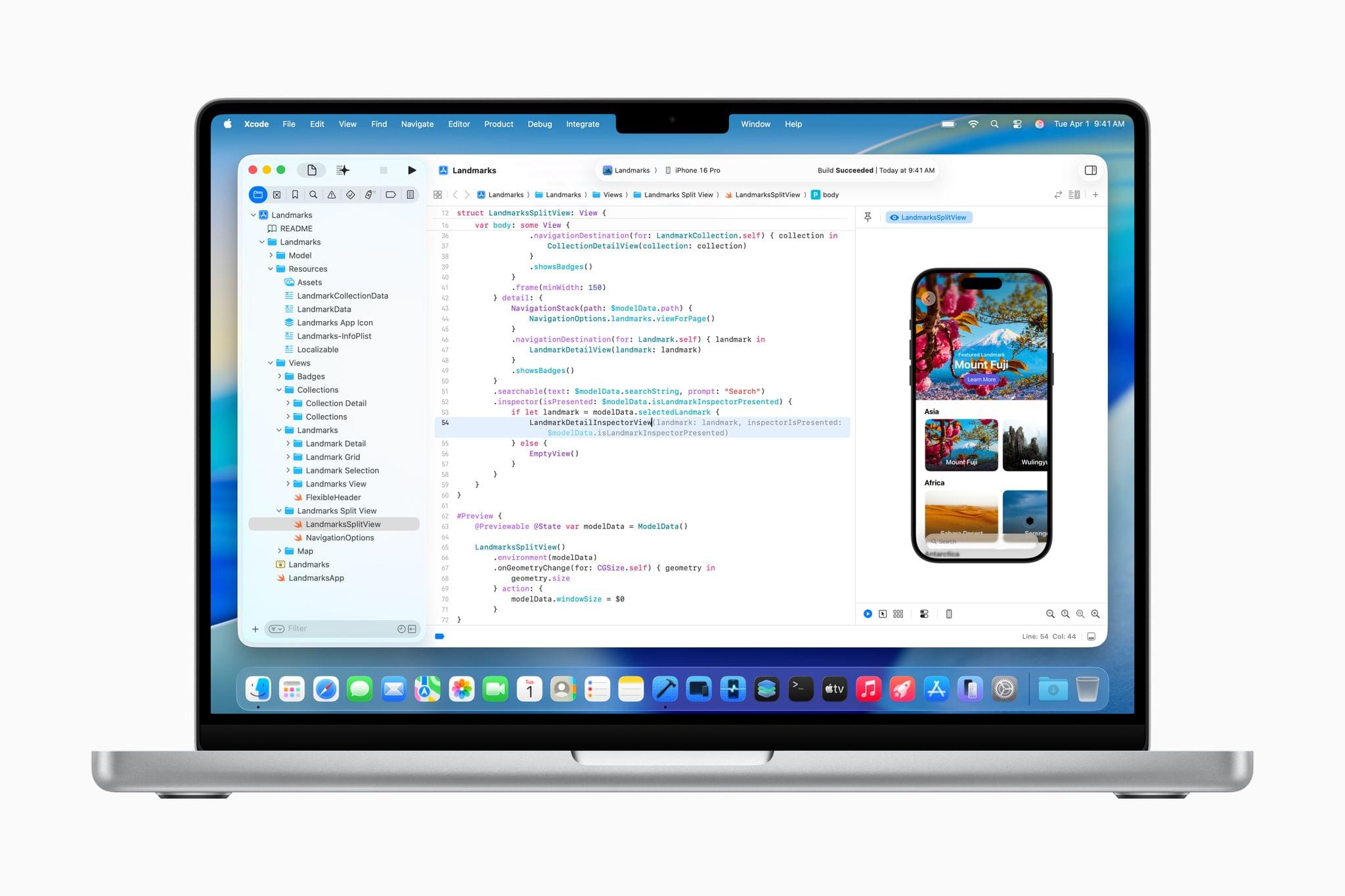
At WWDC 2024, I attended a developer tools briefing with Jason Snell, Dan Moren, and John Gruber. Later, I wrote about Swift Assist, an AI-based code generation tool that Apple was working on for Xcode.

That first iteration of Swift Assist caught my eye as promising, but I remember asking at the time whether it could modify multiple files in a project at once and being told it couldn’t. What I saw was rudimentary by 2025’s standards with things like Cursor, but I was glad to see that Apple was working on a generative tool for Xcode users.

In the months that followed, I all but forgot that briefing and story, until a wave of posts asking, “Whatever happened to Swift Assist?” started appearing on social media and blogs. John Gruber and Nick Heer picked up on the thread and came across my story, citing it as evidence that the MIA feature was real but curiously absent from any of 2024’s Xcode betas.

This year, Jason Snell and I had a mini reunion of sorts during another developer tools briefing. This time, it was just the two of us. Among the Xcode features we saw was a much more robust version of Swift Assist that, unlike in 2024, is already part of the Xcode 26 betas. Having been the only one who wrote about the feature last year, I couldn’t let the chance to document what I saw this year slip by.

Read more

Access Extra Content and Perks

Founded in 2015, Club MacStories has delivered exclusive content every week for nearly a decade.

What started with weekly and monthly email newsletters has blossomed into a family of memberships designed for every MacStories fan.

Learn more here and from our Club FAQs.

Club MacStories: Weekly and monthly newsletters via email and the web that are brimming with apps, tips, automation workflows, longform writing, early access to the MacStories Unwind podcast, periodic giveaways, and more;

Club MacStories+: Everything that Club MacStories offers, plus an active Discord community, advanced search and custom RSS features for exploring the Club’s entire back catalog, bonus columns, and dozens of app discounts;

Club Premier: All of the above and AppStories+, an extended version of our flagship podcast that’s delivered early, ad-free, and in high-bitrate audio.

Learn more here and from our Club FAQs.


Logitech’s Flip Folio: A Modular iPad Keyboard for Occasional Typing

Shortly before WWDC, Logitech sent me their brand new Flip Folio case/keyboard combo to test. It’s a cleverly designed iPad case that’s a bit heavy but has a lot of other things going for it, like a very stable kickstand and an excellent travel keyboard. The Flip Folio is also more affordable than the Apple Magic Keyboard, which I expect will make it an attractive option for many iPad users.

Read more

Access Extra Content and Perks

Founded in 2015, Club MacStories has delivered exclusive content every week for nearly a decade.

What started with weekly and monthly email newsletters has blossomed into a family of memberships designed for every MacStories fan.

Learn more here and from our Club FAQs.

Club MacStories: Weekly and monthly newsletters via email and the web that are brimming with apps, tips, automation workflows, longform writing, early access to the MacStories Unwind podcast, periodic giveaways, and more;

Club MacStories+: Everything that Club MacStories offers, plus an active Discord community, advanced search and custom RSS features for exploring the Club’s entire back catalog, bonus columns, and dozens of app discounts;

Club Premier: All of the above and AppStories+, an extended version of our flagship podcast that’s delivered early, ad-free, and in high-bitrate audio.

Learn more here and from our Club FAQs.


Hands-On: How Apple’s New Speech APIs Outpace Whisper for Lightning-Fast Transcription

Late last Tuesday night, after watching F1: The Movie at the Steve Jobs Theater, I was driving back from dropping Federico off at his hotel when I got a text:

Can you pick me up?

It was from my son Finn, who had spent the evening nearby and was stalking me in Find My. Of course, I swung by and picked him up, and we headed back to our hotel in Cupertino.

On the way, Finn filled me in on a new class in Apple’s Speech framework called SpeechAnalyzer and its SpeechTranscriber module. Both the class and module are part of Apple’s OS betas that were released to developers last week at WWDC. My ears perked up immediately when he told me that he’d tested SpeechAnalyzer and SpeechTranscriber and was impressed with how fast and accurate they were.

It’s still early days for these technologies, but I’m here to tell you that their speed alone is a game changer for anyone who uses voice transcription to create text from lectures, podcasts, YouTube videos, and more. That’s something I do multiple times every week for AppStories, NPC, and Unwind, generating transcripts that I upload to YouTube because the site’s built-in transcription isn’t very good.

What’s frustrated me with other tools is how slow they are. Most are built on Whisper, OpenAI’s open source speech-to-text model, which was released in 2022. It’s cheap at under a penny per one million tokens, but isn’t fast, which is frustrating when you’re in the final steps of a YouTube workflow.

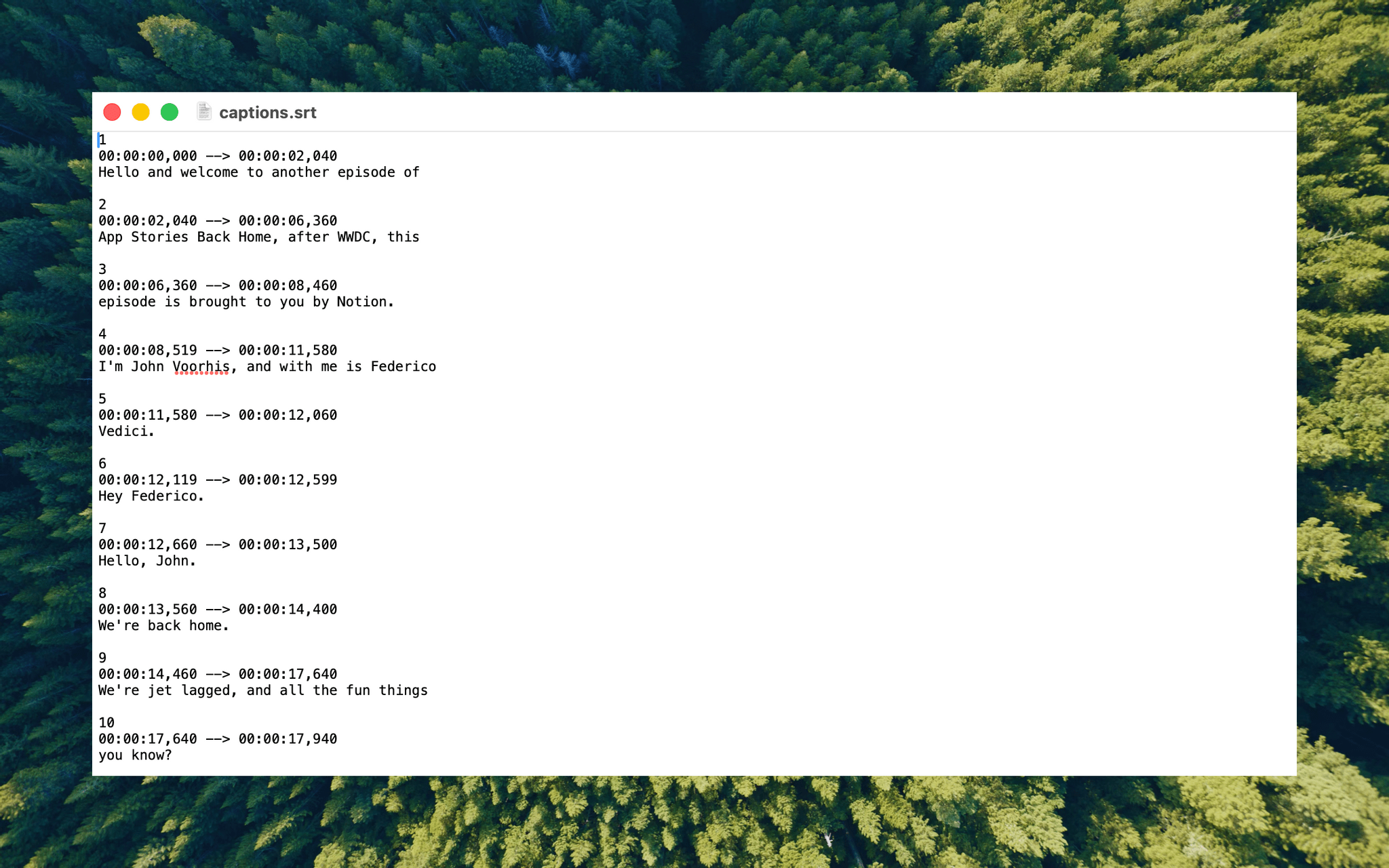
An SRT file generated by Yap.

An SRT file generated by Yap.

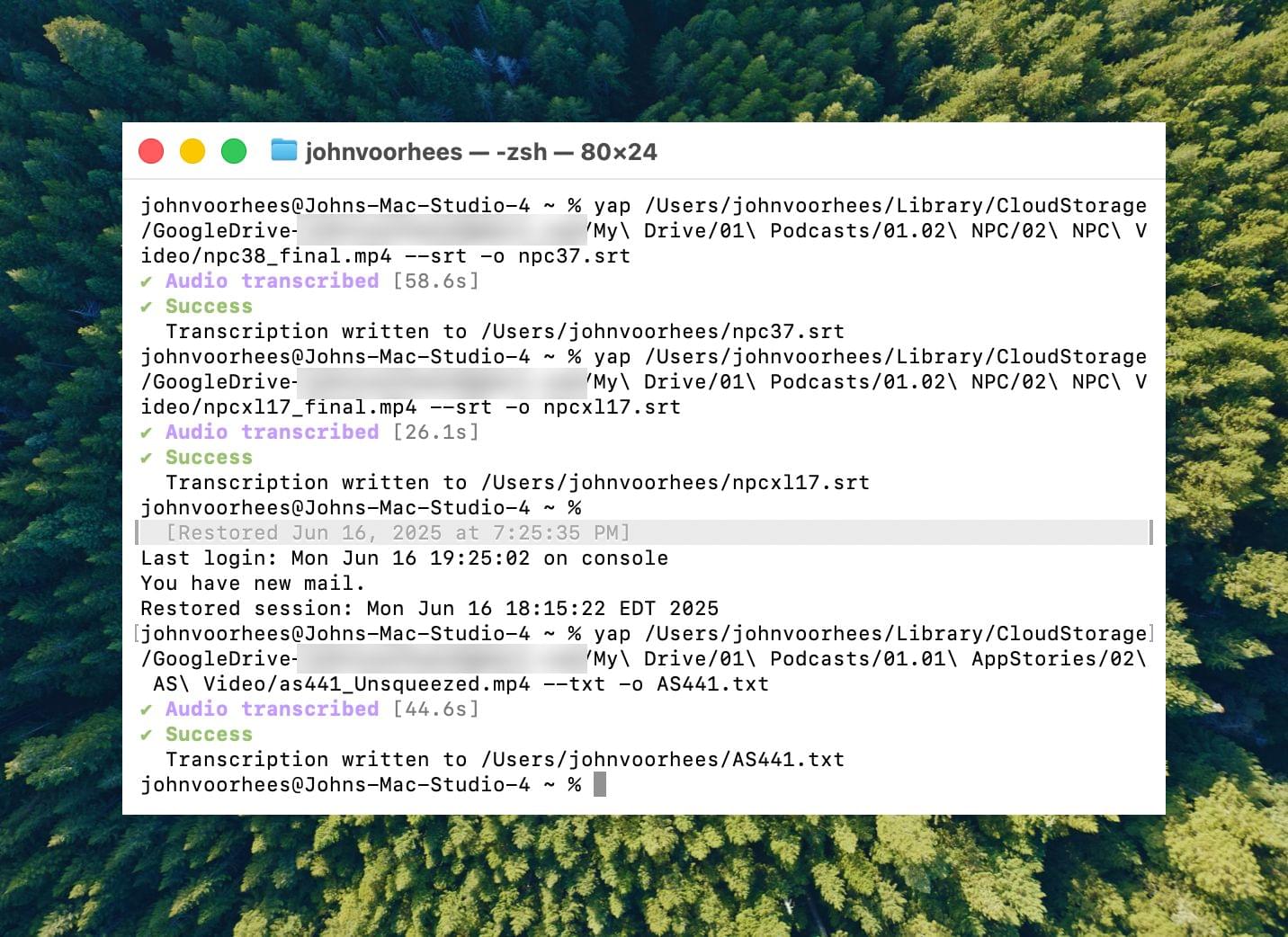
I asked Finn what it would take to build a command line tool to transcribe video and audio files with SpeechAnalyzer and SpeechTranscriber. He figured it would only take about 10 minutes, and he wasn’t far off. In the end, it took me longer to get around to installing macOS Tahoe after WWDC than it took Finn to build Yap, a simple command line utility that takes audio and video files as input and outputs SRT- and TXT-formatted transcripts.

Yesterday, I finally took the Tahoe plunge and immediately installed Yap. I grabbed the 7GB 4K video version of AppStories episode 441, which is about 34 minutes long, and ran it through Yap. It took just 45 seconds to generate an SRT file. Here’s Yap ripping through nearly 20% of an episode of NPC in 10 seconds:

Replay

Next, I ran the same file through VidCap and MacWhisper, using its V2 Large and V3 Turbo models. Here’s how each app and model did:

App Transcripiton Time
Yap 0:45
MacWhisper (Large V3 Turbo) 1:41
VidCap 1:55
MacWhisper (Large V2) 3:55

All three transcription workflows had similar trouble with last names and words like “AppStories,” which LLMs tend to separate into two words instead of camel casing. That’s easily fixed by running a set of find and replace rules, although I’d love to feed those corrections back into the model itself for future transcriptions.

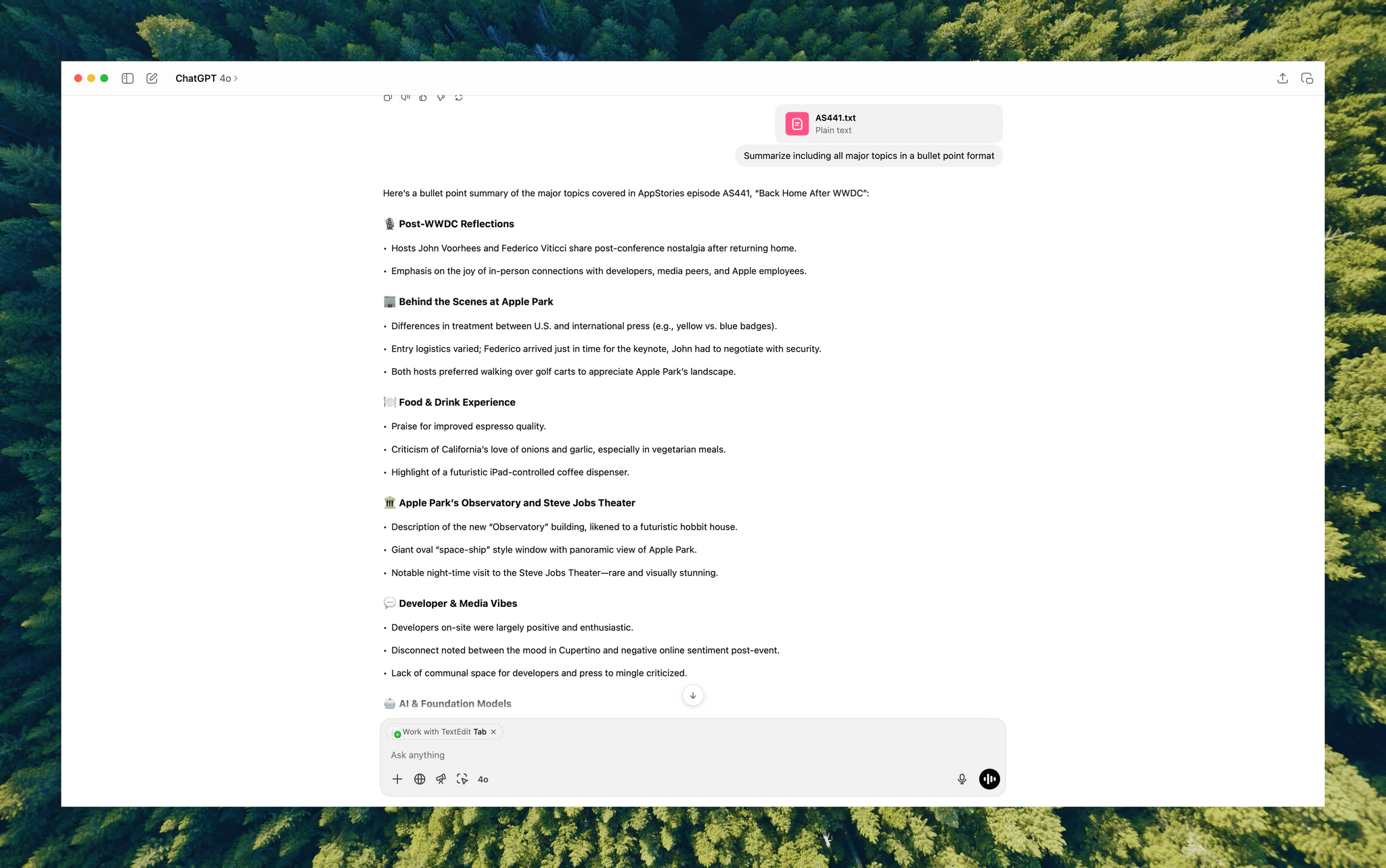
Once transcribed, a video can be used to generate additional formats like outlines.

Once transcribed, a video can be used to generate additional formats like outlines.

What stood out above all else was Yap’s speed. By harnessing SpeechAnalyzer and SpeechTranscriber on-device, the command line tool tore through the 7GB video file a full 2.2× faster than MacWhisper’s Large V3 Turbo model, with no noticeable difference in transcription quality.

At first blush, the difference between 0:45 and 1:41 may seem insignificant, and it arguably is, but those are the results for just one 34-minute video. Extrapolate that to running Yap against the hours of Apple Developer videos released on YouTube with the help of yt-dlp, and suddenly, you’re talking about a significant amount of time. Like all automation, picking up a 2.2× speed gain one video or audio clip at a time, multiple times each week, adds up quickly.

Whether you’re producing video for YouTube and need subtitles, generating transcripts to summarize lectures at school, or doing something else, SpeechAnalyzer and SpeechTranscriber – available across the iPhone, iPad, Mac, and Vision Pro – mark a significant leap forward in transcription speed without compromising on quality. I fully expect this combination to replace Whisper as the default transcription model for transcription apps on Apple platforms.

To test Apple’s new model, install the macOS Tahoe beta, which currently requires an Apple developer account, and then install Yap from its GitHub page.

Access Extra Content and Perks

Founded in 2015, Club MacStories has delivered exclusive content every week for nearly a decade.

What started with weekly and monthly email newsletters has blossomed into a family of memberships designed for every MacStories fan.

Learn more here and from our Club FAQs.

Club MacStories: Weekly and monthly newsletters via email and the web that are brimming with apps, tips, automation workflows, longform writing, early access to the MacStories Unwind podcast, periodic giveaways, and more;

Club MacStories+: Everything that Club MacStories offers, plus an active Discord community, advanced search and custom RSS features for exploring the Club’s entire back catalog, bonus columns, and dozens of app discounts;

Club Premier: All of the above and AppStories+, an extended version of our flagship podcast that’s delivered early, ad-free, and in high-bitrate audio.

Learn more here and from our Club FAQs.


A Behind the Scenes Peek at WWDC Week

This week, Federico and John catch listeners up on their whirlwind WWDC week, which was chaotic in the best possible way.

On AppStories+, Federico and John get excited about what the WWDC announcements say about the direction of automation on Apple’s platforms.


We deliver AppStories+ to subscribers with bonus content, ad-free, and at a high bitrate early every week.

To learn more about an AppStories+ subscription, visit our Plans page, or read the AppStories+ FAQ.


AppStories+ Deeper into the world of apps

AppStories Episode 441 - A Behind the Scenes Peek at WWDC Week

0:00
34:22

AppStories+ Deeper into the world of apps

This episode is sponsored by:

  • Notion – Try the powerful, easy-to-use Notion AI today.

Read more


App Debuts

Unread The latest version of Unread offers a solution for users of Pocket, which is shutting down soon. The RSS reader can now import Pocket libraries. Imported articles will include their title, URL, and date based on the export of your Pocket library. It’s a great solution for anyone with a large library of...


Five Smaller OS Updates I’m Looking Forward to

WWDC was a blast this year, and obviously, new features like iPadOS windowing and Spotlight on the Mac are at the top of my list of favorite new features. However, there were a lot of small updates announced that I’m excited to try starting this weekend, so I figured I’d share a handful of them...


Interesting Links

I spent a lot of my flight home after WWDC combing through hundreds of unread RSS articles looking for interesting tidbits about macOS Tahoe in anticipation of my review this fall. Today, I thought I’d share a handful of the most interesting links I found. At Engadget, Steve Dent digs into Metal 4 and...


WWDC 2025: A First Look at Everything Apple Announced

For our second WWDC episode of AppStories, Federico and John dig into the details they’ve learned about what was announced by Apple this week at WWDC 2025.


We deliver AppStories+ to subscribers with bonus content, ad-free, and at a high bitrate early every week.

To learn more about an AppStories+ subscription, visit our Plans page, or read the AppStories+ FAQ.


AppStories+ Deeper into the world of apps

AppStories Episode 440 - WWDC 2025: A First Look at Everything Apple Announced

0:00
57:14

AppStories+ Deeper into the world of apps

This episode is sponsored by:

  • Clic for Sonos – No lag. No hassle. Just Clic..
  • Elements – A truly modern, drag-and-drop website builder for macOS.

Read more


WWDC 2025: The AppStories Interviews with Apple Design Award Winners

For their first WWDC 2025 AppStories episode, Federico and John interview finalists and winners of the Apple Design Award.


We deliver AppStories+ to subscribers with bonus content, ad-free, and at a high bitrate early every week.

To learn more about an AppStories+ subscription, visit our Plans page, or read the AppStories+ FAQ.


AppStories+ Deeper into the world of apps

AppStories Episode 439 - WWDC 2025: The AppStories Interviews with Apple Design Award Winners

0:00
58:16

AppStories+ Deeper into the world of apps

This episode is sponsored by:

Read more