 Federico
AppStories Episode 247 - Everything New in iOS and iPadOS 15.1
0:00
32:24
32:24
This week, Federico and John dig into SharePlay and the other changes released last week with iOS and iPadOS 15.1.


 Everything New in iOS and iPadOS 15.1
  What Should Be Next for macOS Monterey
My Favorite XL Widgets
App Debuts
Interesting Links
What Should Be Next for macOS Monterey
My Favorite XL Widgets
App Debuts
Interesting Links






Sponsored by: Daylite – It’s Monterey Ready!
This week on MacStories Unwind:
](https://cdn.macstories.net/_adm5040-min-horizon-noise_final-2-1635430810671.jpg)
Source: austinmann.com
Pro photographer Austin Mann has been testing a new MacBook Pro M1 Max with 64GB RAM and an 8TB SSD in Arizona. As always, his review includes beautiful images that required substantial computer power to create. After running the highest-end version of the MacBook Pro through its paces, Mann came away impressed by the laptop’s fast charging and power efficiency, as well as its overall performance:
In summary, the most impressive performance from the new MacBook Pro M1 Max wasn’t just speed (it was about twice as fast), but it was insanely efficient in how it managed both its power and heat, which matters as much or more than pure speed.
Mann’s review does an excellent job capturing how the new MacBook Pros work as a package. It’s not just that they are power efficient or fast, but the combination of multiple advances that has enabled such a substantial leap forward over previous models.
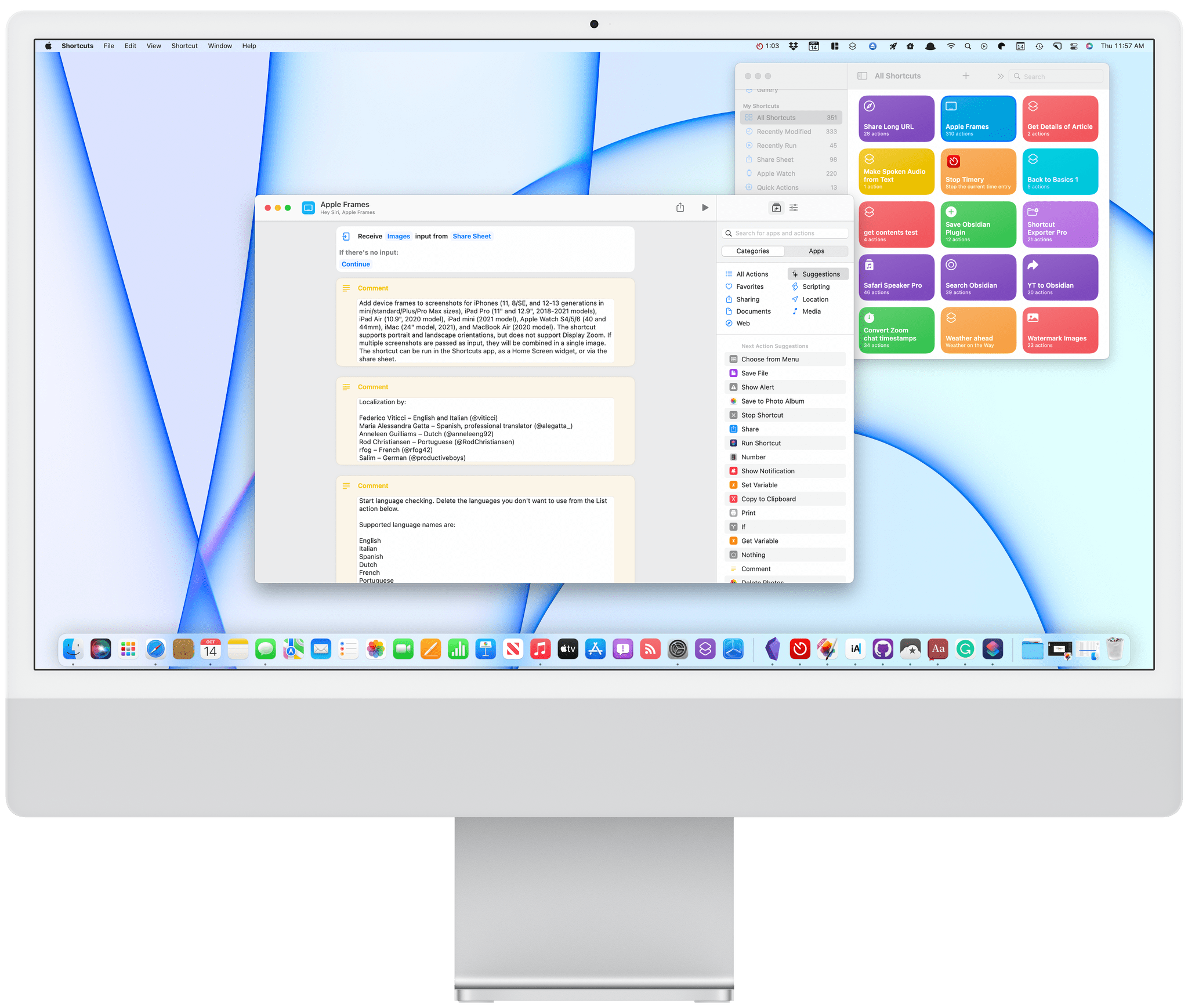
One of the strengths of Shortcuts on the Mac is that it isn’t limited by the way an app is built. That’s reflected in the first wave of apps I’ve tried that support Shortcuts. There’s an excellent mix of apps built with everything from AppKit and Mac Catalyst, as well as apps available on and off the Mac App Store.
As I explained in my Monterey review, Shortcuts is still rough around the edges, but that’s not to say its unusable. If you go into it with reasonable expectations, start off simple, and are patient, there’s a lot that can be accomplished. That’s especially true now because there is a long list of third-party apps that have added support for Shortcuts on the Mac. Apple added a lot of built-in system actions that it brought over from Automator, with which you can build some interesting shortcuts, but the diversity of options has grown exponentially with the release of updated third-party apps.
To get you started, I’ve rounded up some of the most interesting Shortcuts integrations I’ve found so far. Some of these will be familiar if you’ve used these apps’ counterparts on the iPhone or iPad, but many are brand new to any platform, while others are Mac-exclusive. It’s early days for Shortcuts on the Mac, and I’m sure we’ll see even more of our favorite apps jump on board, which we’ll continue to cover here and for Club MacStories members.
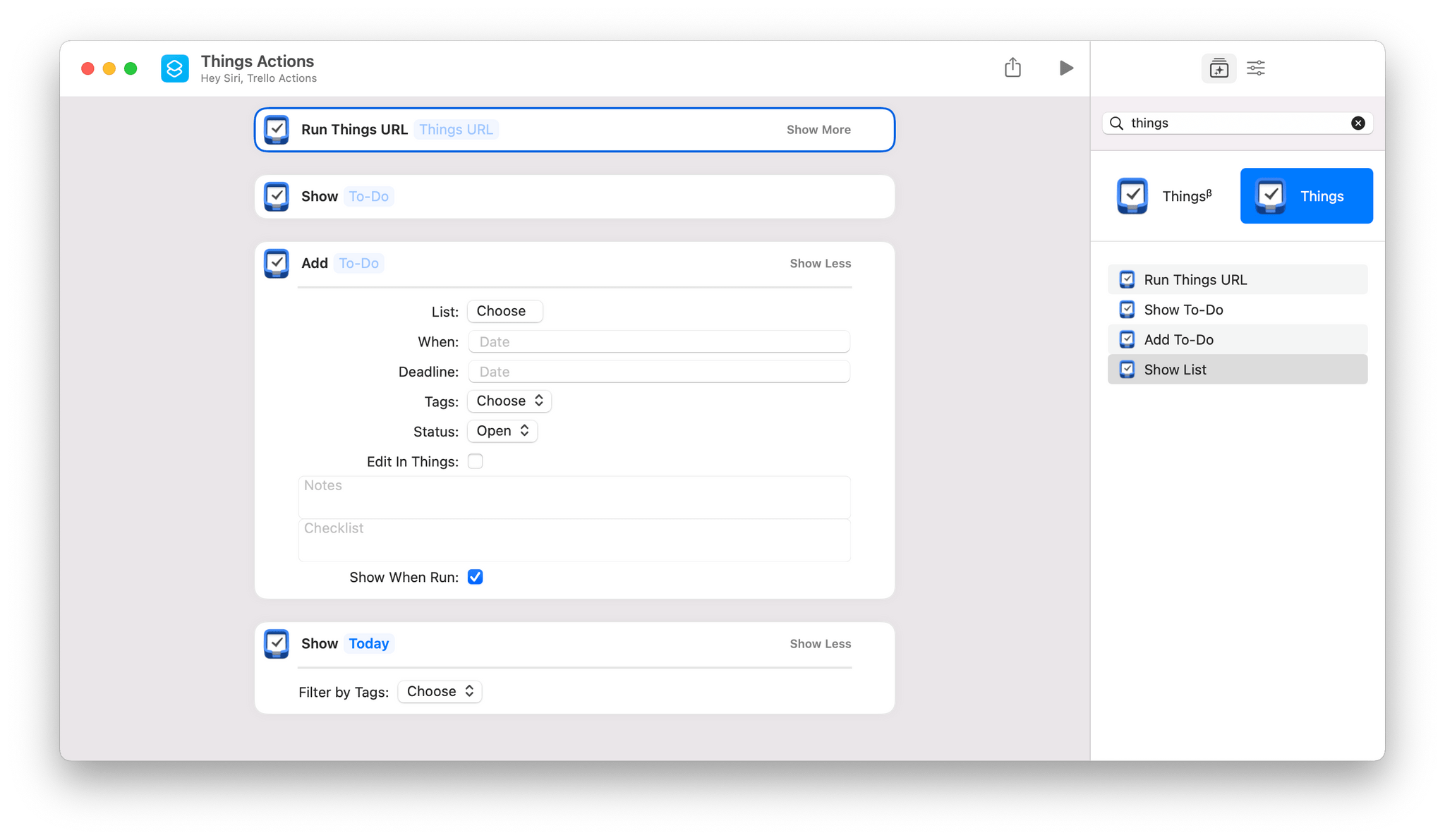
Things offers the same set of four Shortcuts actions that you’ll find on iOS and iPadOS:
The two most notable actions are Add To-Do and Run Things URL. Add To-Do includes parameters to add a task to a particular list, with a start date and deadline, tags, a status, notes, and a checklist. There’s also a toggle to open the task in Things to process it further in-app.
Run Things URL is a fantastic power-user action that takes advantage of Things’ URL scheme, which the action runs in the background. Things’ support website has one of the best explanations of its URL scheme of any app I’ve used, allowing you to fill in a web form to construct the URL you need.
This week on AppStories, we dive into John’s review of macOS Monterey and what it means for users and the future of the platform.
On AppStories+, John explains how he and Silvia helped James Thomson and Jason Snell pull off a prank on Relay FM’s Connected.
On AppStories+, John explains how he and Silvia helped James Thomson and Jason Snell pull off a prank on Relay FM’s Connected.
We deliver AppStories+ to subscribers with bonus content, ad-free, and at a high bitrate early every week.
To learn more about the benefits included with an AppStories+ subscription, visit our Plans page, or read the AppStories+ FAQ.
](https://cdn.macstories.net/banneras-1629219199428.png)