John Voorhees

5429 posts on MacStories since November 2015

John is MacStories' Managing Editor, has been writing about Apple and apps since joining the team in 2015, and today, runs the site alongside Federico. John also co-hosts four MacStories podcasts: AppStories, which covers the world of apps, MacStories Unwind, which explores the fun differences between American and Italian culture and recommends media to listeners, Ruminate, a show about the weird web and unusual snacks, and NPC: Next Portable Console, a show about the games we take with us.

Apple Releases Behind the Mac: Skywalker Sound

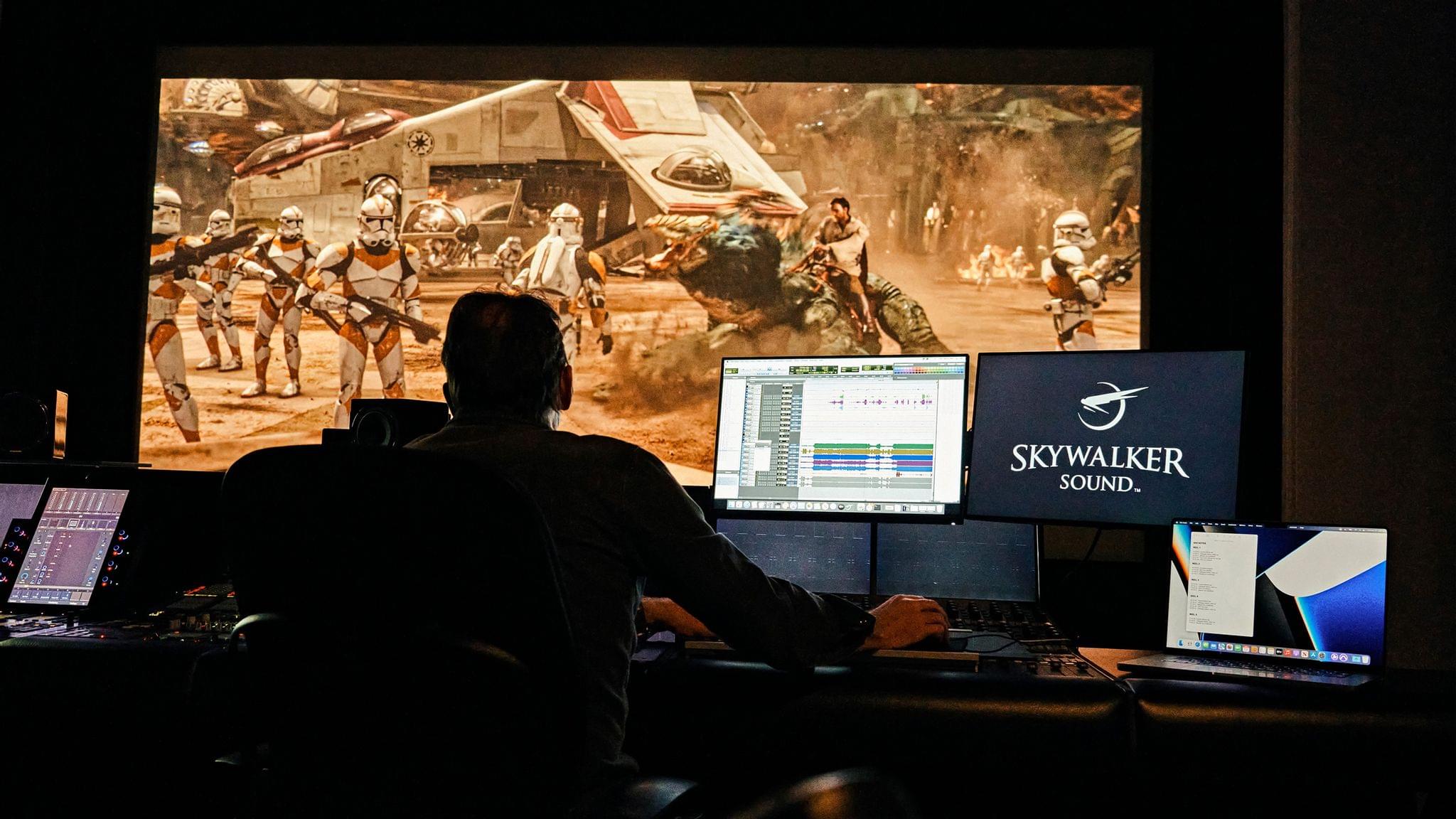
To mark Star Wars Day, Apple released a special Behind the Mac video featuring the sound designers of Skywalker Sound, who rely heavily on Apple devices. The film, which runs just under 17 minutes, is a fascinating look at how the Skywalker Sound team captures and mixes real-world sounds that they transform into otherworldly sound effects for the Star Wars movies and other films.

The Behind the Mac video, which is currently featured on Apple’s homepage, focuses on Skywalker Sound’s production process from start to finish. Behind the scenes, the group’s mixing and editing are backed by a lot of Apple hardware. Sound editor Ryan Frias is featured in the video touring Skywalker Sound’s central machine room, which is filled with racks of Mac Pros. According to Apple’s press release:

With the power of approximately 130 Mac Pro racks, as well as 50 iMac, 50 MacBook Pro, and 50 Mac mini computers running Pro Tools as their main audio application, along with a fleet of iPad, iPhone, and Apple TV devices, Skywalker is advancing sound artistry and reshaping the industry.

That’s a lot of gear, but the video’s primary focus is on the creative process of the professionals at Skywalker Sound, who have been pushing the boundaries of sound design for many years. If you enjoy getting a behind-the-scenes look at creative people doing cutting-edge work, I recommend checking out Behind the Mac: Skywalker Sound.


AppStories, Episode 272 – Gaming on Apple Platforms

This week on AppStories, we revisit the state of gaming on Apple’s platforms, considering hardware, OS support, services, and the games themselves.

Sponsored by:

  • Pillow – Sleeping better, made simple.
  • Sourcegraph – Universal Code Search. Move fast, even in big codebases. Try it now.
  • Instabug – Empower mobile teams to monitor, prioritize, and debug performance and stability issues and ship better mobile apps.

On AppStories+, we highlight some of the late-beta-cycle Shortcuts bugs we’ve encountered and consider the tenuousness of Twitter’s existence.

We deliver AppStories+ to subscribers with bonus content, ad-free, and at a high bitrate early every week.

To learn more about the benefits included with an AppStories+ subscription, visit our Plans page, or read the AppStories+ FAQ.

Permalink

The iOS App Icon Book: The MacStories Review

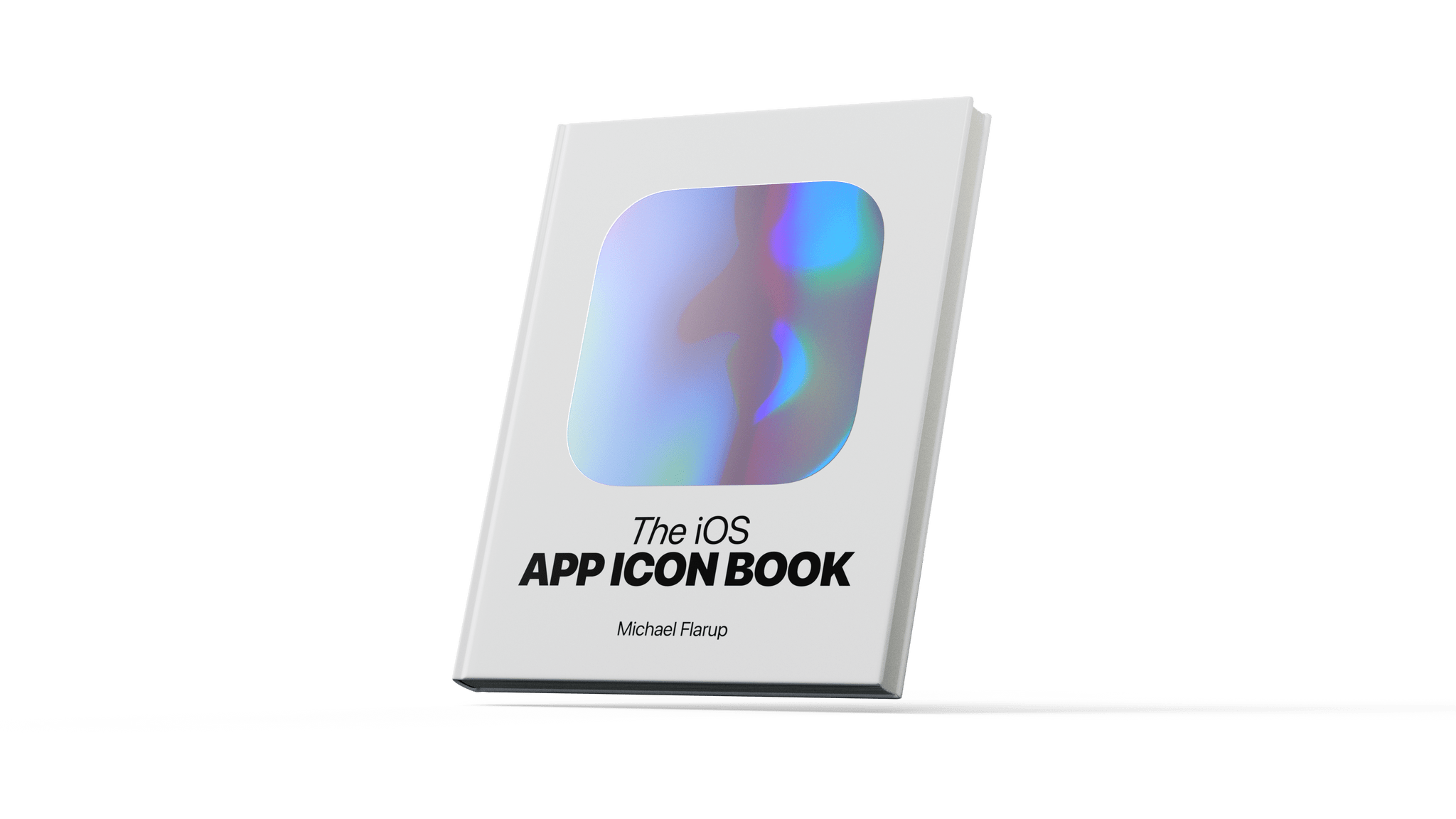
I’ve eagerly awaited The iOS App Icon Book by Michael Flarup ever since it was first announced in 2018. The book sits dead center among topics that are at the heart of MacStories: apps, app preservation, and design. As a result, my expectations were high, and I’m happy to report that it doesn’t disappoint. If you care about apps, you’ll love The iOS App Icon Book.

The cover of The iOS App Icon Book sets the tone with a large iridescent squircle, the shape that defines every app icon. It’s the canvas on which every app icon is created. The squircle has become iconic in its own right, creating a consistent thread that ties disparate designs together into a coherent whole. The shimmering foil used for the book’s squircle is an excellent touch that hints at the colorful variety of icons between its convers.

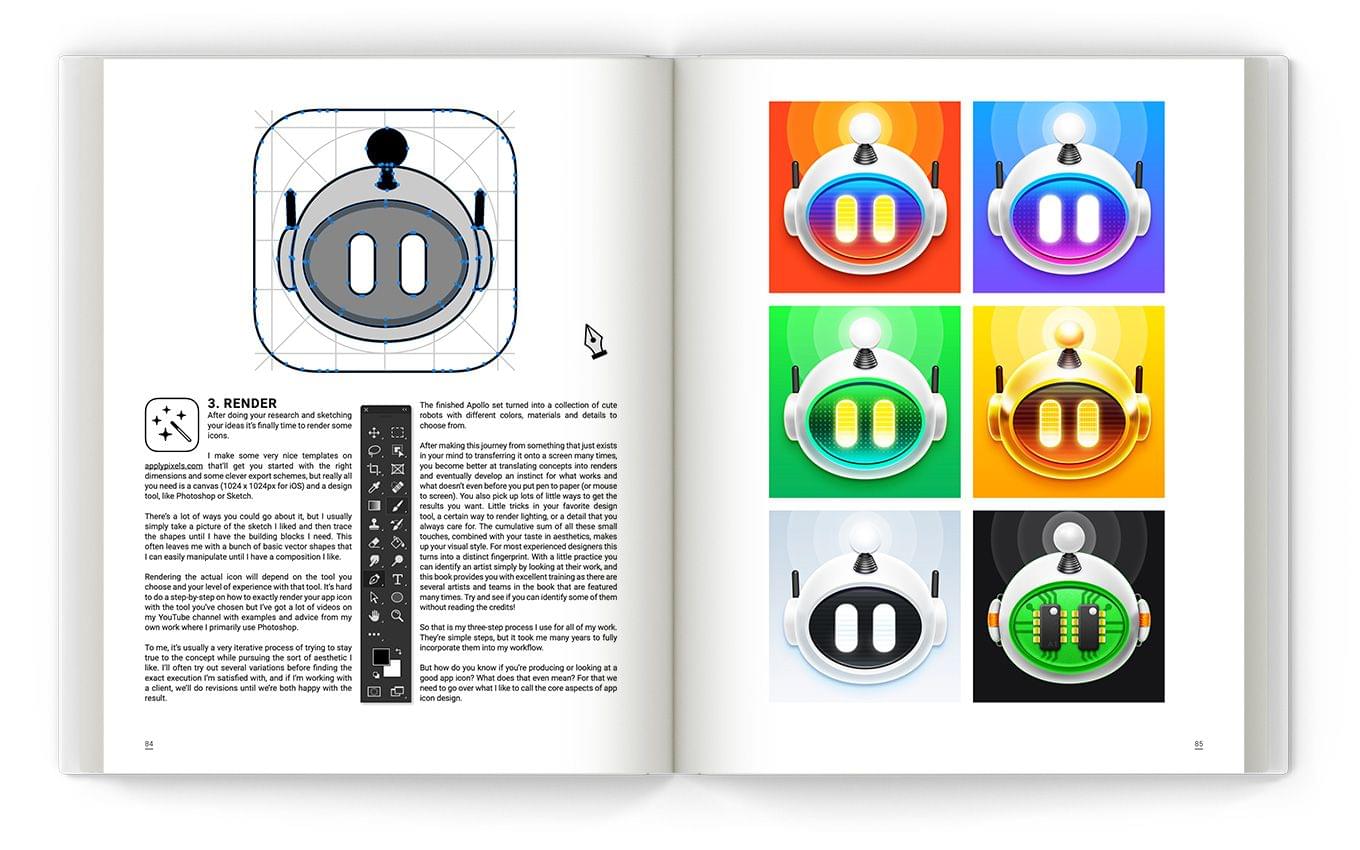
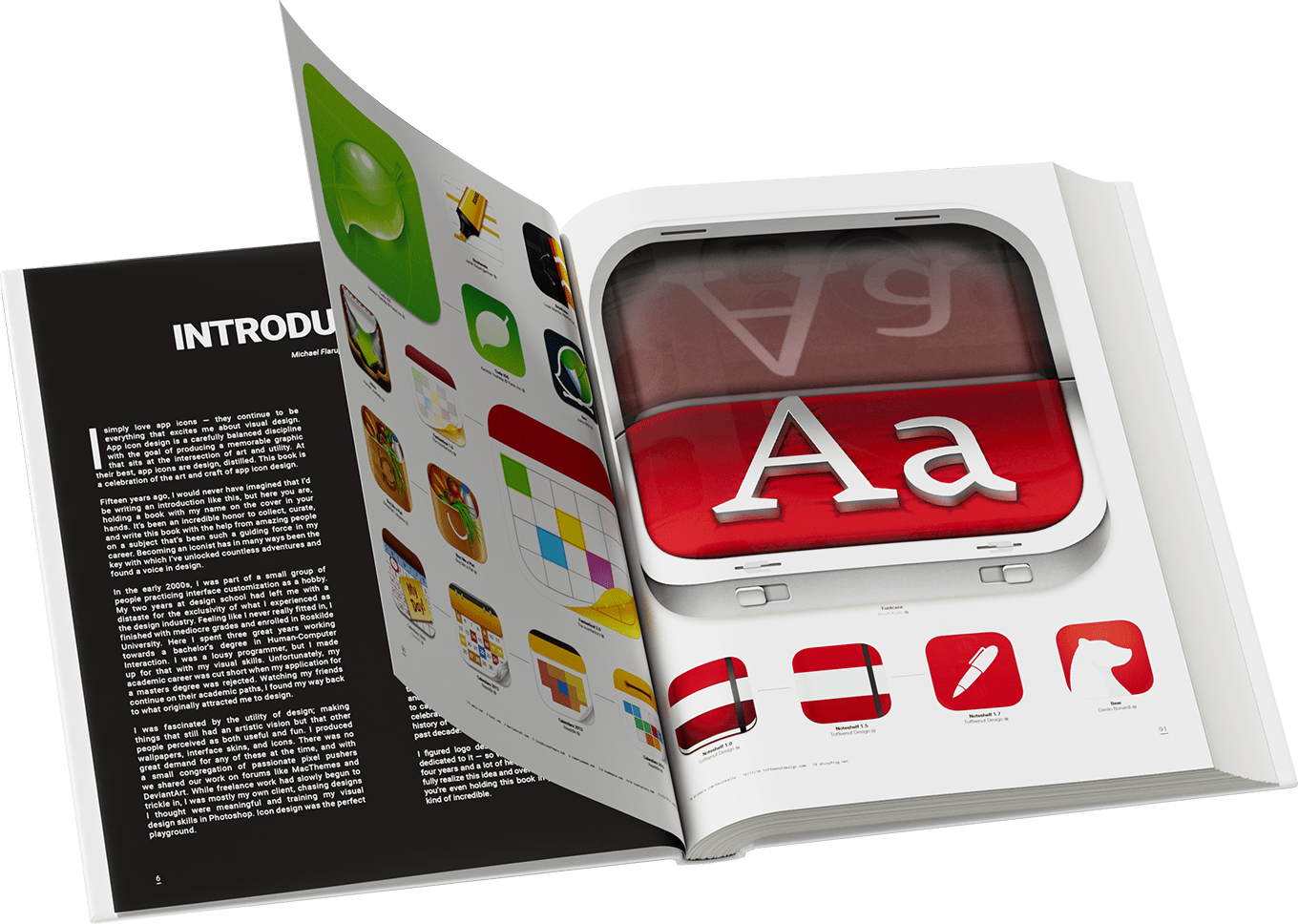
The iOS App Icon Book is an art book at its core. The book’s pages are packed with icons of varying sizes, but the book also features essays by Flarup, a foreward by Bjango’s Marc Edwards, a history of iOS iconography by Jim Nielsen, and profiles of a dozen designers and design studios. The focus of the book lies firmly on the icons themselves, but I’m glad the essays and profiles were included. The essays provide an outlet for anyone who happens upon The iOS App Icon Book and wants to know more about the history and design of icons, while the profiles put a face to some of the artwork on its pages.

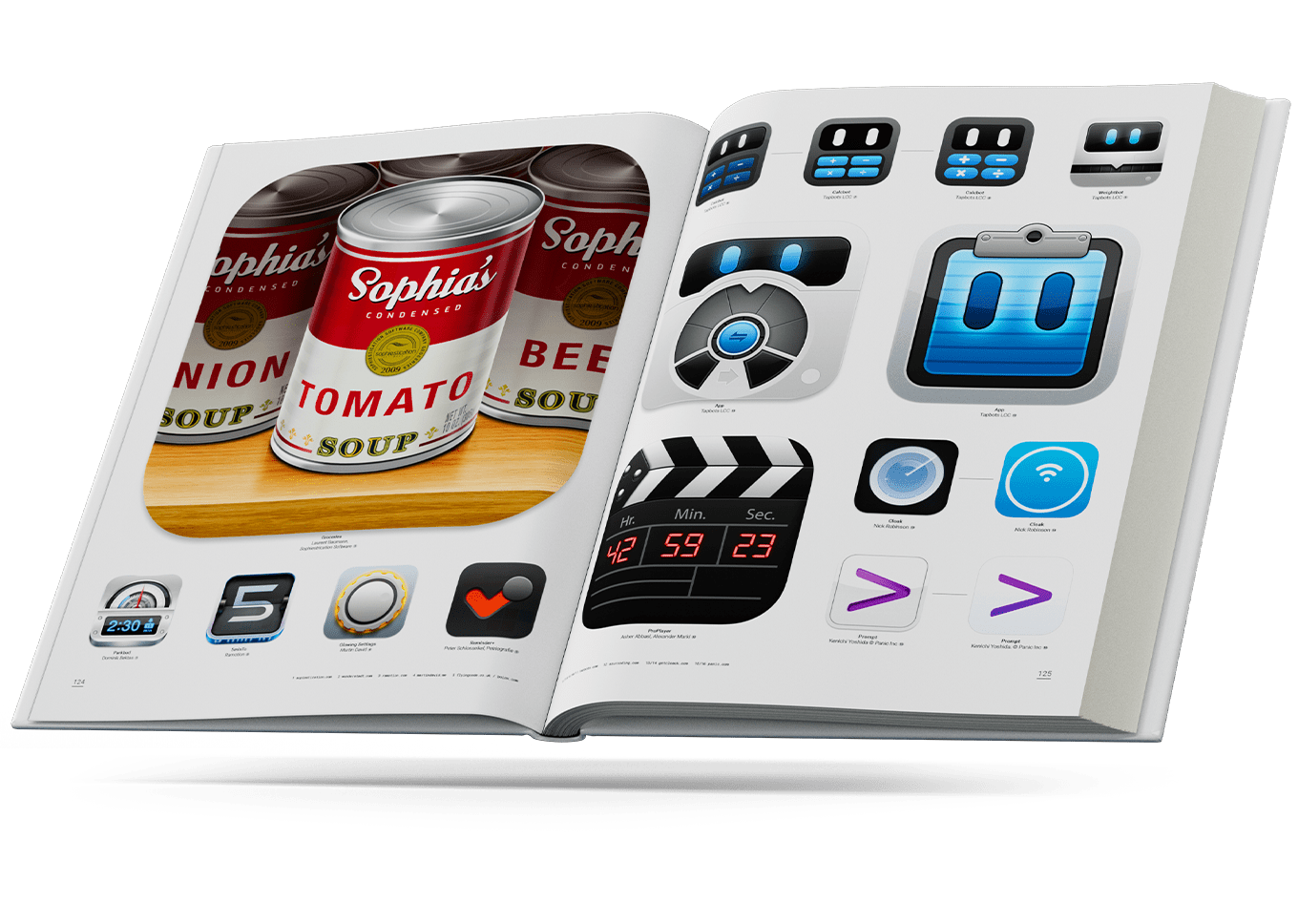
Of course, the stars of The iOS App Icon Book are the icons themselves. Each high-resolution image is reproduced in vivid colors on high-quality paper that makes browsing through the book’s pages a pleasure. As someone who writes about apps, I enjoyed flipping through the pages, rediscovering the icons of apps from the early days of the App Store alongside the icons of apps I use every day. It’s a careful mix of old and new that blends the context of early app iconography with current design trends.

As you flip through The iOS App Icon Book, you’ll find that the icons are arranged in a number of different ways. Some are grouped by color, while others are organized thematically, like the pages featuring food, games, and photography apps. My favorite part of The iOS App Icon Book, though, is the pages that trace the evolution of specific icons. Each version is dated and connected by horizontal lines to indicate its lineage. It’s fascinating to see the directions that designers have taken app icons over the years.

The one thing that The iOS App Icon Book doesn’t do that I would have liked to have seen is trace the evolution of the icons used for some of Apple’s system apps. That may not have been feasible given the need to get rights to the artwork for printing in a book. However, it would have been interesting to see the extent to which Apple’s design work has influenced third-party designers.


iOS app icons are the first thing that users encounter when they download an app and use it for the first time. Icons set the tone and personality of an app. It’s an important part of the app experience that has a rich history on iOS. The iOS App Icon Book brings that history to life in a way that immediately had me flipping back and forth through its pages, rediscovering old favorites and studying the details of icons I’d never run across before. I highly recommend it for anyone interested in apps and design.

The iOS App Icon Book is still available to pre-order for €60.00 from its website.


Last Week, on Club MacStories: Accessories, a Text to Files Shortcut, MacStories Unplugged, and Interviews with Shortcuts Contest Judges

Because Club MacStories now encompasses more than just newsletters, we’ve created a guide to the past week’s happenings along with a look at what’s coming up next:

MacStories Weekly: Issue 318

Monthly Log: April 2022

This month, we interviewed three of our Automation April Shortcuts Contest judges:

Each judge shared lessons they’ve learned from the hundreds of submissions we’ve received, and shared a recent automation that made a difference to their dailly lives.


Gaming on Apple Platforms

AppStories+ Deeper into the world of apps

AppStories Episode 272 - Gaming on Apple Platforms

0:00
53:41

AppStories+ Deeper into the world of apps

This week, Federico and John revisit the state of gaming on Apple’s platforms considering hardware, OS support, services, and the games themselves.

Read more


MacStories Unwind: VGC Guide and The Batman

AppStories+ Deeper into the world of apps
0:00
20:14

AppStories+ Deeper into the world of apps


This week on MacStories Unwind, Federico recommends VGC Guide for anyone interested in learning about competitive Pokémon, and John shares The Batman, the latest reboot of the caped crusader series.

Kolide – Endpoint security for teams that Slack. Try Kolide for 14 days free; no credit card required.

Federico’s Pick:

John’s Pick: