

 Federico
Vince Gilligan discusses his return to sci-fi with Apple TV’s upcoming Pluribus, explaining how he tailored the lead role for Rhea Seehorn. I honestly can’t wait to be confused by this TV show and read theories about it on Reddit. (Link) Google has upgraded NotebookLM’s chat capabilities, expanding the context window 8x to 1...
 Kicking the Tires of Notion
I’ll admit, I’m a little self-conscious about using Notion. I’ve always recognized that it’s a good tool for a lot of tasks, but it never clicked with me – partially because I found it very hard to adapt to a block-based system after years of plain text and partially because I love the customizability of...
Ads in Maps: Are We on the Precipice of Ads Across All Apple Services?
Last weekend, Mark Gurman reported that Apple is going to put advertising in its Maps app. Like many people, my reaction to the news was pretty negative. That’s not an unusual response, but on balance, I’m forgiving of ads in many contexts. As the person who sells the ads at MacStories, I understand the economics...
Apple Reports Q4 2025 Revenue of $102.5 Billion
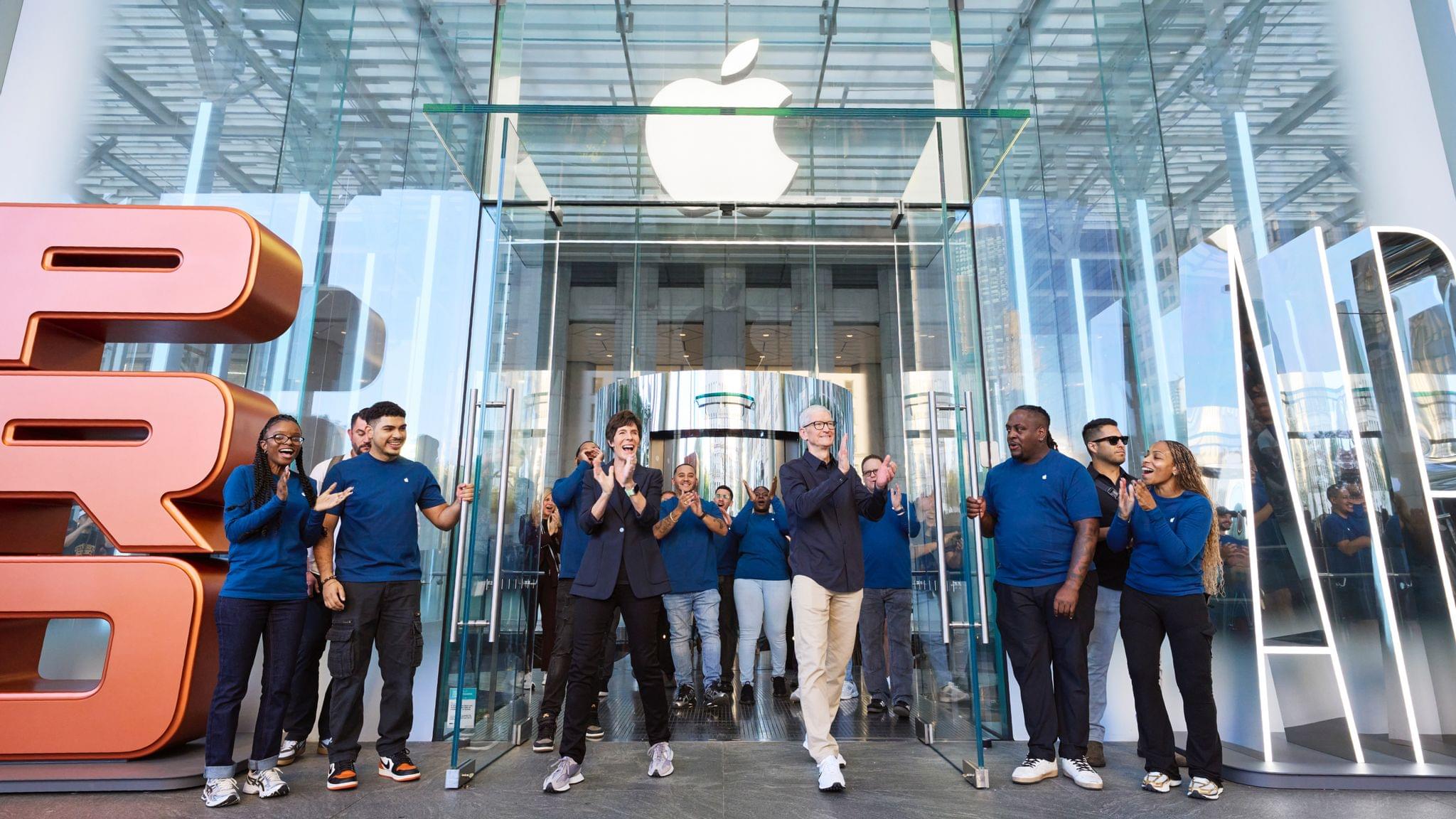
Today, Apple announced its 2025 Q4 earnings, posting quarterly revenue of $102.5 billion, an 8% increase over the same quarter last year.
Apple CEO Tim Cook had this to say of the results:
Today, Apple is very proud to report a September quarter revenue record of $102.5 billion, including a September quarter revenue record for iPhone and an all-time revenue record for Services. In September, we were thrilled to launch our best iPhone lineup ever, including iPhone 17, iPhone 17 Pro and Pro Max, and iPhone Air. In addition, we launched the fantastic AirPods Pro 3 and the all-new Apple Watch lineup. When combined with the recently announced MacBook Pro and iPad Pro with the powerhouse M5 chip, we are excited to be sharing our most extraordinary lineup of products as we head into the holiday season.
As CFO Kevan Parekh noted in Apple’s press release, fiscal 2025 was a record year for revenue, coming in at $416 billion, which also represented a double-digit increase in earnings per share. Apple’s board of directors also approved a $0.26/share dividend for shareholders of record as of November 10, 2025, which will be paid on November 13.
The results beat analyst expectations, and the outlook for the company looks good with Cook telling CNBC that earnings in the next quarter should grow 10-12% over the same quarter the year prior. Cook attributed the growth outlook to the iPhone 17 line of mobile phones.
Here’s the breakdown of earnings by category versus estimates, according to CNBC:
- iPhone revenue: $49.03 billion vs. $50.19 billion estimated
- Mac revenue: $8.73 billion vs. $8.59 billion estimated
- iPad revenue: $6.95 billion vs. $6.98 billion estimated
- Other Products revenue: $9.01 billion vs. $8.49 billion estimated
- Services revenue: $28.75 billion vs. $28.17 billion estimated
According to CNBC, Apple’s gross margin exceeded expectations at 47.2%, too.
Despite multiple challenges from tariffs to antitrust suits to regulation, the continued popularity of the iPhone continues to drive Apple’s success. With the iPhone 17 line only available for a short part of the end of Q4 2025, it will be interesting to see if it continues to drive Q1 2026 earnings and whether Apple releases any new products that add to its earnings momentum.
Access Extra Content and Perks
Founded in 2015, Club MacStories has delivered exclusive content every week for nearly a decade.
What started with weekly and monthly email newsletters has blossomed into a family of memberships designed for every MacStories fan.
Club MacStories: Weekly and monthly newsletters via email and the web that are brimming with apps, tips, automation workflows, longform writing, early access to the MacStories Unwind podcast, periodic giveaways, and more;
Club MacStories+: Everything that Club MacStories offers, plus an active Discord community, advanced search and custom RSS features for exploring the Club’s entire back catalog, bonus columns, and dozens of app discounts;
Club Premier: All of the above and AppStories+, an extended version of our flagship podcast that’s delivered early, ad-free, and in high-bitrate audio.
Coming Soon: What’s Next on Apple TV in November

There is a variety of new content coming to Apple TV+ this month, and this is your handy guide to all of it, including trailers and calendar links you can use to be sure you don’t miss their premieres.
Pluribus (November 7)
Vince Gilligan, creator of Breaking Bad and Better Call Saul, is back with a highly anticipated series set in the future. The nine-episode premiere season stars Rhea Seehorn as Carol Sturka, an author who seems to be immune to a virus that causes everyone else to be endlessly optimistic.
Two episodes will drop on day one, with the remaining seven coming weekly on Thursdays. By all appearances, Apple seems confident that the show will be a success because it has already ordered as second season.
Add to your Calendar:
Palm Royale, Season 2 (November 12)
Emmy award-winning comedy Palm Royale returns for a second season set in 1969 Palm Beach. Kristen Wiig stars as Maxine Dellacorte who strives to climb the social ladder of the local country club after a fall from grace. Along the way, Maxine discovers secrets, lies, and crimes in this star-packed comedy that also includes Laura Dern, Allison Janney, Ricky Martin, Carol Burnett, Josh Lucas, and Leslie Bibb.
Add to your Calendar:
Come See Me in the Good Light (November 14)
Come See Me in the Good Light is a documentary that tells the story of poets Andrea Gibson and Megan Falley following Gibson’s diagnosis of terminal cancer. The film premiered at the Sundance Film Festival this year where it reviewed well and won the event’s Festival Favorite Award.
Add to your Calendar:
The Family Plan 2 (November 21)
Mark Wahlberg is back as Dan, a retired assassin living the dad life. In this holiday season sequel, Dan takes his family to London, where his best-laid plans collide with a mysterious stranger. The action-packed movie spins into a wild chase across Europe, thwarting what was supposed to be a relaxing family vacation.
Add to your Calendar:
WondLa (November 26)
The animated series WondLa kicks off its third and final season with war breaking out between humans and aliens on the planet Orbona. Eva’s mission is to retrieve the Heart of the Forest, which has been stolen, by forming alliances to protect her world.
Add to your Calendar:
Prehistoric Planet: Ice Age (November 26)

The latest installment of Prehistoric Planet, which is executive produced by Jon Favreau and Mike Gunton. Narrated by Tom Hiddleston and scored by Hans Zimmer, Anže Rozman, and Kara Talve for BBC Studios’ Natural History Unit, the third season of the docu-series includes five episodes that explore the ice age.
Add to your Calendar:
That’s up for now. Also, if you’re not listening to MacStories Unwind, please give it a try. I’m sure you’ll hear more about some of these shows and movies from me and Federico in the coming weeks as they debut.
Access Extra Content and Perks
Founded in 2015, Club MacStories has delivered exclusive content every week for nearly a decade.
What started with weekly and monthly email newsletters has blossomed into a family of memberships designed for every MacStories fan.
Club MacStories: Weekly and monthly newsletters via email and the web that are brimming with apps, tips, automation workflows, longform writing, early access to the MacStories Unwind podcast, periodic giveaways, and more;
Club MacStories+: Everything that Club MacStories offers, plus an active Discord community, advanced search and custom RSS features for exploring the Club’s entire back catalog, bonus columns, and dozens of app discounts;
Club Premier: All of the above and AppStories+, an extended version of our flagship podcast that’s delivered early, ad-free, and in high-bitrate audio.
More Than Just a Camera Grip: Belkin’s Stage PowerGrip for iPhone

For the past week, I’ve been testing the Belkin Stage PowerGrip. It’s an iPhone accessory that adds a DSLR-like grip to your iPhone while simultaneously charging it. Belkin isn’t the first company to make an accessory like this, but the Stage PowerGrip delivers a bigger battery at a more affordable price than its competitors. That’s why it initially caught my eye. However, what I didn’t expect was for the device to make a compelling case to become part of my everyday on-the-go setup, which it absolutely has. Here’s why.
Access Extra Content and Perks
Founded in 2015, Club MacStories has delivered exclusive content every week for nearly a decade.
What started with weekly and monthly email newsletters has blossomed into a family of memberships designed for every MacStories fan.
Club MacStories: Weekly and monthly newsletters via email and the web that are brimming with apps, tips, automation workflows, longform writing, early access to the MacStories Unwind podcast, periodic giveaways, and more;
Club MacStories+: Everything that Club MacStories offers, plus an active Discord community, advanced search and custom RSS features for exploring the Club’s entire back catalog, bonus columns, and dozens of app discounts;
Club Premier: All of the above and AppStories+, an extended version of our flagship podcast that’s delivered early, ad-free, and in high-bitrate audio.
 The Potential and Limits of the M5 iPad Pro
This week, Federico and John consider whether Apple made the case for running local LLMs and gaming on the M5 iPad Pro and discusss who should consider buying it.
On AppStories+, we explain how Claude Skills work and why they are one of Anthropic’s most exciting features in a while.
Also available on YouTube here.
We deliver AppStories+ to subscribers with bonus content, ad-free, and at a high bitrate early every week.
To learn more about an AppStories+ subscription, visit our Plans page, or read the AppStories+ FAQ.

AppStories Episode 458 - The Potential and Limits of the M5 iPad Pro
0:00
33:32
33:32
Interesting Links
This week’s AWS outage was a headache for a lot of people, including me, and revealed a fundamental weakness in the structure of the Internet, as Lily Hay Newman explains in this story for Wired. (Link) Writing for 9to5Mac, Benjamin Mayo explains how Apple One subscribers can get in on the Apple TV/Peacock bundle...
The Sky’s the Limit: Apple’s Loss Is OpenAI’s Gain
Earlier this week, OpenAI acquired Software Applications Incorporated, the makers of Sky, an AI-powered automation tool for the Mac that Federico previewed in May. I’m still running Sky on my Mac and using it daily, although I expect that will come to an end sooner rather than later, given OpenAI’s promise of “more updates as...