John Voorhees

5413 posts on MacStories since November 2015

John is MacStories' Managing Editor, has been writing about Apple and apps since joining the team in 2015, and today, runs the site alongside Federico. John also co-hosts four MacStories podcasts: AppStories, which covers the world of apps, MacStories Unwind, which explores the fun differences between American and Italian culture and recommends media to listeners, Ruminate, a show about the weird web and unusual snacks, and NPC: Next Portable Console, a show about the games we take with us.

Apple Announces WWDC 2023: June 5-9 with Special Event at Apple Park

Apple has announced that WWDC will be an online-only event this year, running from June 5-9, 2023, but with a corresponding limited in-person event for developers, students, and press like last year. The company also opened submissions for the Swift Student Challenge from now through April 19.

In a press release issued by today, Susan Prescott, Apple’s Vice President of Worldwide Developer Relations and Enterprise and Education Marketing, said:

“WWDC is one of our favorite times of the year at Apple because it’s an opportunity to connect with the talented developers from around the globe who make this community so extraordinary. WWDC23 is going to be our biggest and most exciting yet, and we can’t wait to see many of you online and in person at this very special event!”

Apple also had this to say about events that will be held at Apple Park during the conference:

Along with announcements shared from the keynote and State of the Union presentations, this year’s online program will include sessions, one-on-one labs, and opportunities to engage with Apple engineers and other developers. Developers and students will also have the opportunity to attend a special day at Apple Park on June 5 to watch the keynote and State of the Union, alongside the global online community. Space for this in-person event will be limited, and details on how to apply to attend can be found on the Apple Developer site and app.

I’m glad to see Apple is evolving the format that debuted last year because everyone I spoke to thought it was a big success. The vibe was different because people were more spread out, but I know that the developers I talked to were grateful for the opportunity to get together for the first time since 2019, as was I. I’m looking forward to returning this year, but this time with Federico and Alex along for the fun.

Of course, MacStories readers can expect the same kind of comprehensive WWDC coverage we do every year. We’ll have extensive coverage on MacStories and AppStories, which will extend to Club MacStories too.
CleanMyMac X Adds Device Charging and Storage Monitoring and Management

CleanMyMac X has been updated, expanding its utility beyond the borders of your Mac by tracking the battery status of connected devices and adding management of outboard storage.

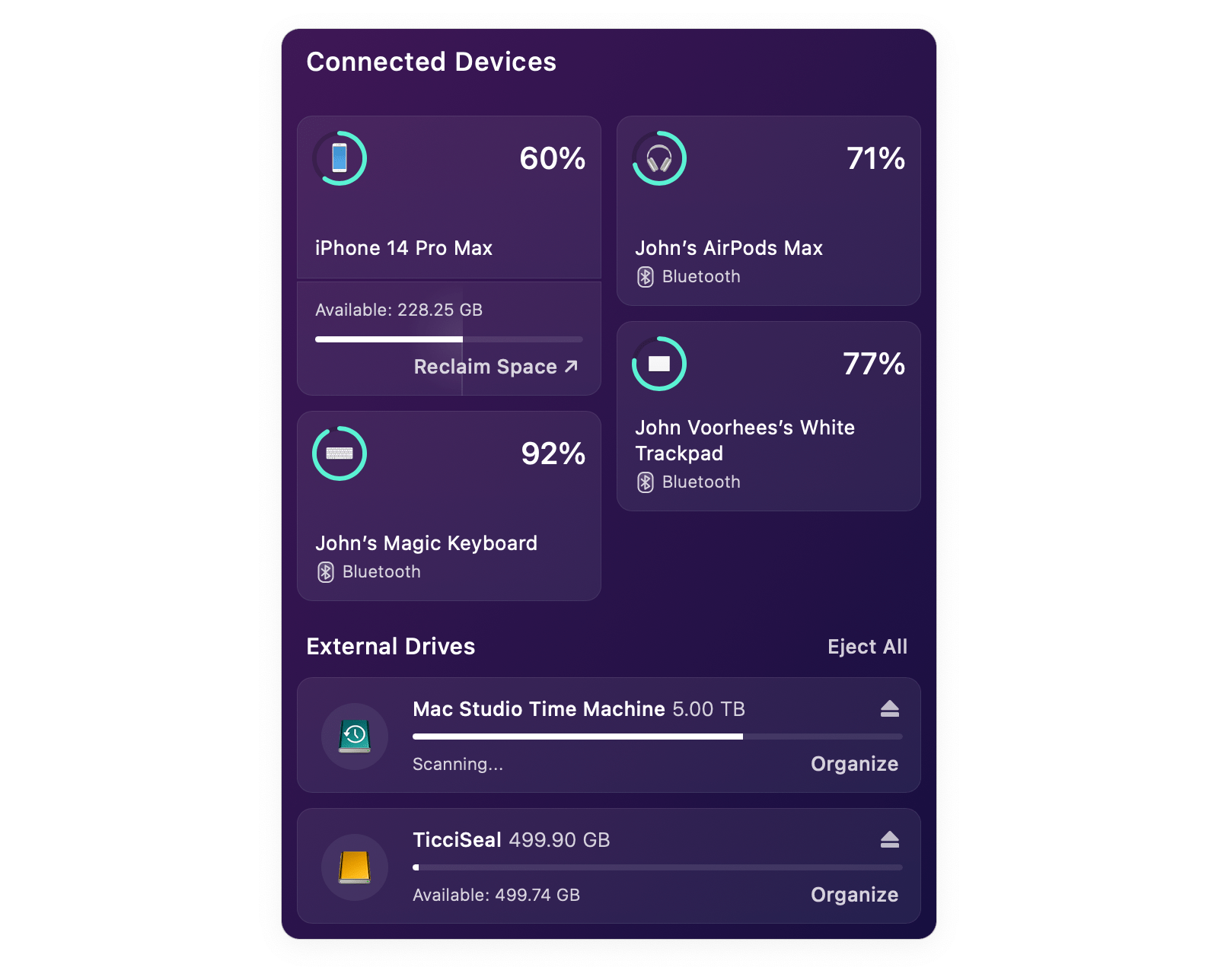
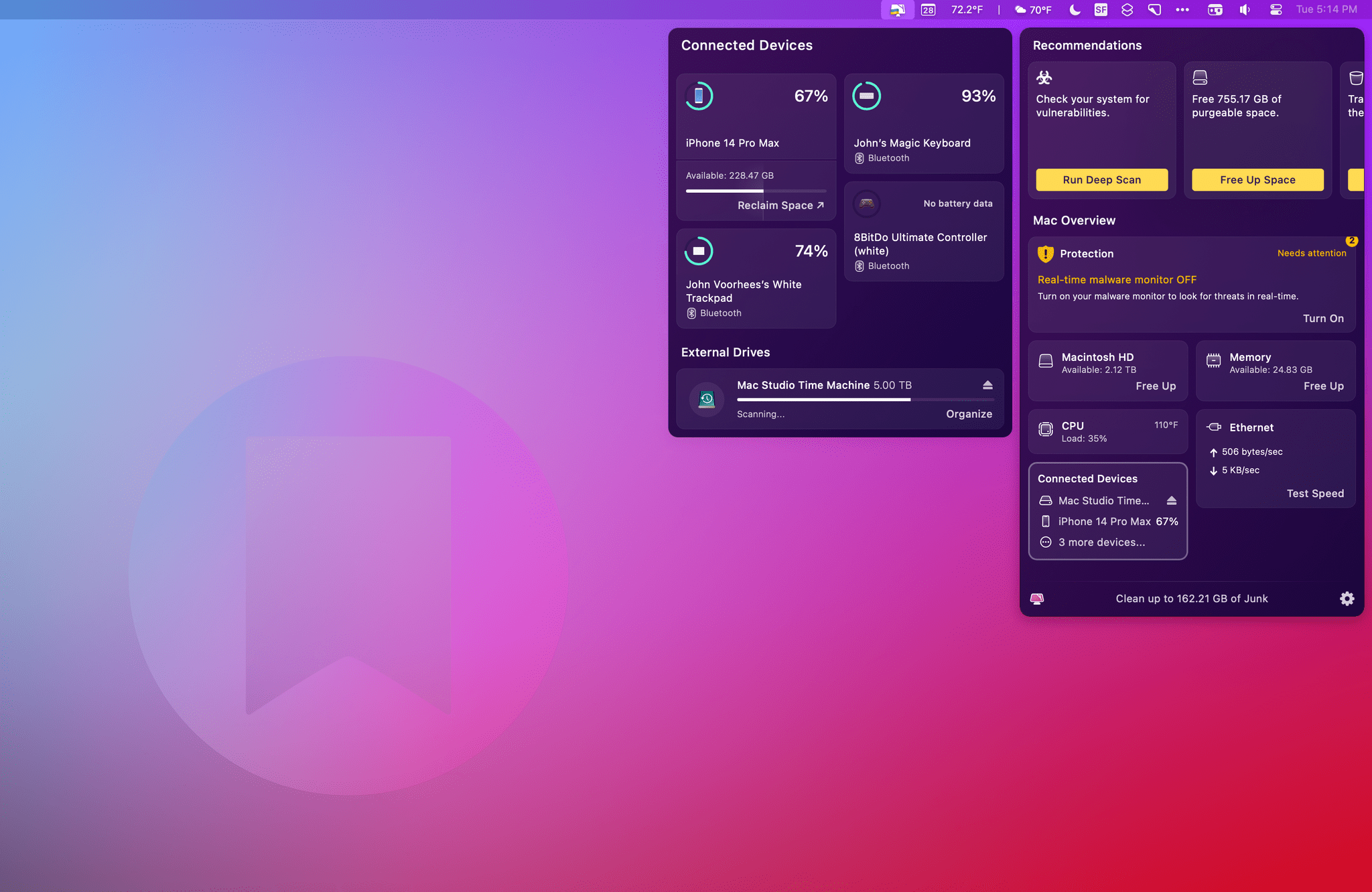
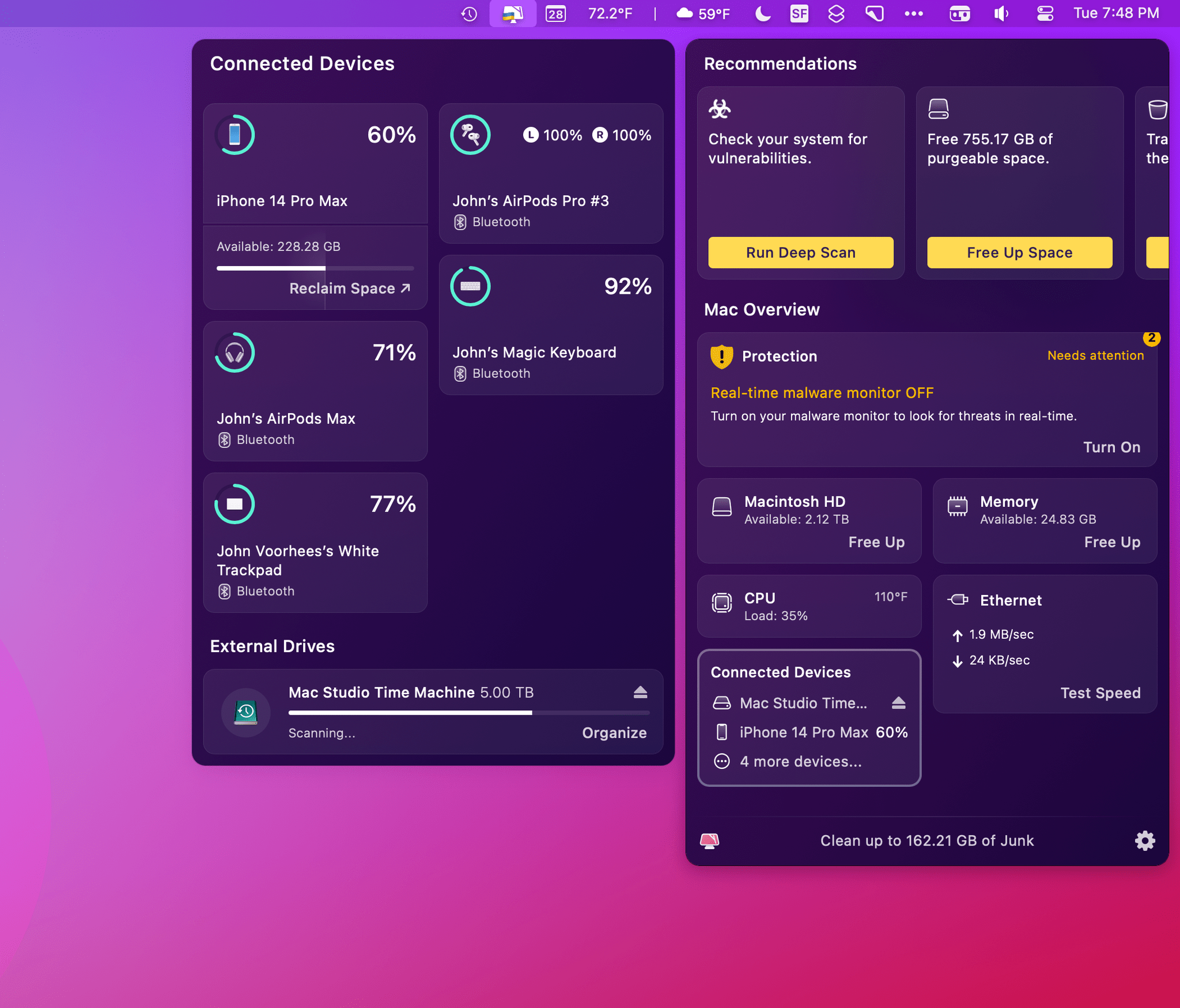
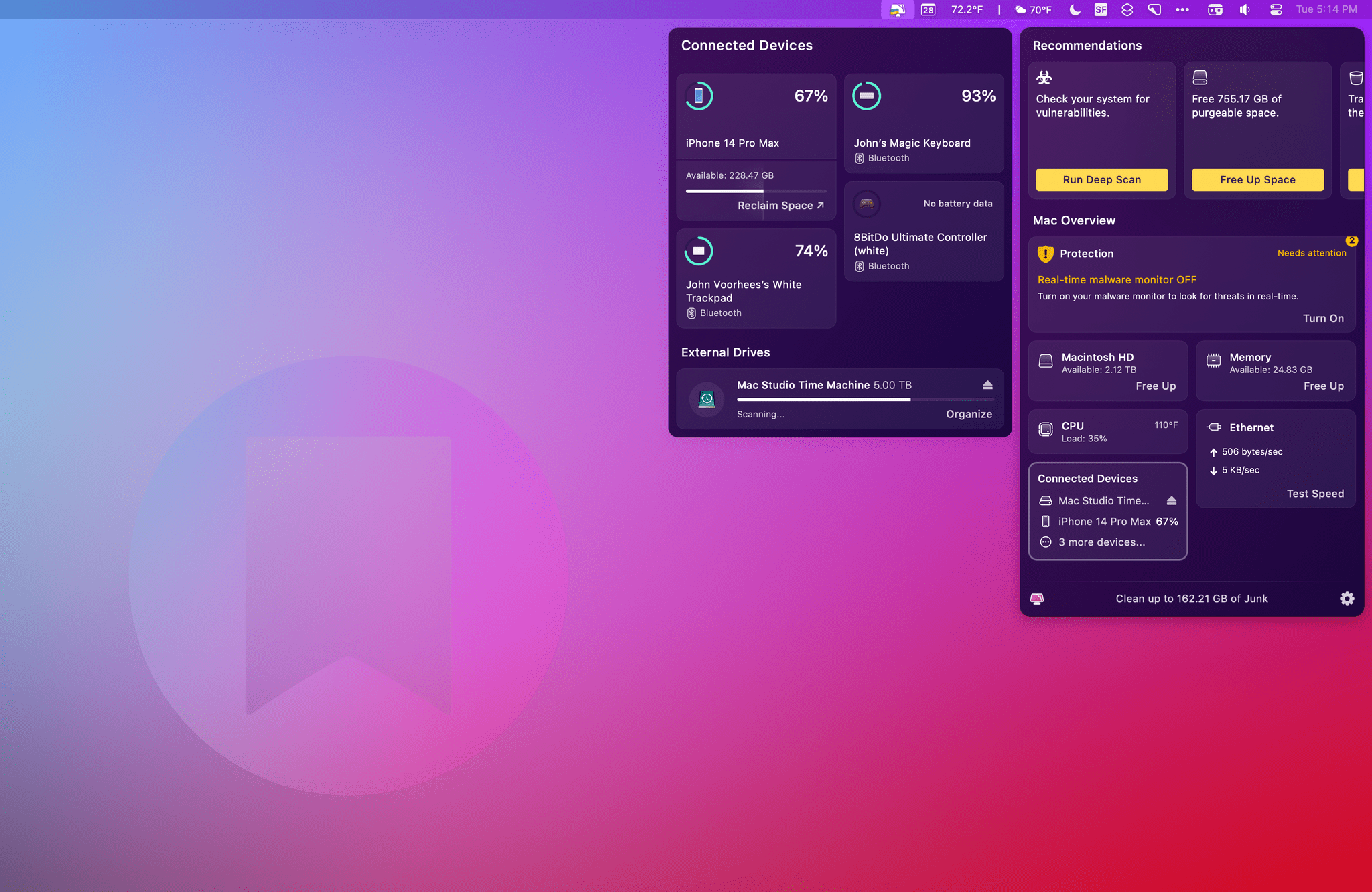
The new features, collectively called Connected Devices, are part of CleanMyMac X’s menu bar app. Click the app’s icon in the menu bar, and you’ll find a new summary tile that includes information about the charging status of Bluetooth devices, as well as information about connected drives, memory cards, and flash drives. Click on the tile, and it expands to the side of the menu bar app’s main window to display additional details.

Devices like iPhones and iPads don’t need to be connected to your Mac with a wire to show up in CleanMyMac X’s menu bar app. As long as they’ve been connected once and confirmed as trusted devices, they’ll show up in the app and display the remaining charge (but not whether they are currently charging) and available storage. It can sometimes take a while for a device to show up in CleanMyMac X’s menu bar app, but if you’re impatient, you can always grab a cable, plug your device into your Mac, and it will show up immediately. Beneath the storage information for each device, there’s also a ‘Reclaim Space’ link that opens a ‘How to free up iPhone storage’ page on MacPaw’s website.

CleanMyMac X works with wireless headphones like the AirPods Pro and some wireless game controllers.

CleanMyMac X works with wireless headphones like the AirPods Pro and some wireless game controllers.

CleanMyMac X supports other Bluetooth devices like the Magic Trackpad, Magic Keyboard, and at least some game controllers. I tried the app with 8BitDo’s Bluetooth Ultimate Controller and an Xbox controller, but only the 8BitDo model showed up in the app. CleanMyMacX’s menu bar app displayed my left and right AirPods Pro buds but not their case. Also, it’s worth noting that the app doesn’t seem to support Apple Watches.

For anyone who’s using CleanMyMac’s menu bar app, its new ability to monitor the charge status of devices is a nice addition. It has some limitations, but for my core devices, I’ve found that it gets the job done, just not quite as well as a dedicated Bluetooth device utility like AirBuddy.

CleanMyMac X's menu bar app works with external drives like this 500GB Samsung T3 drive too.

CleanMyMac X’s menu bar app works with external drives like this 500GB Samsung T3 drive too.

The other feature of Connected Devices is external storage monitoring and management. CleanMyMac X displays any external drives, memory cards, and flash drives and their storage capacity. The app also shows how much space is available, and if it determines after a scan that some of the data is junk, the app will list the amount of junk too. There’s an Organize button beneath each drive that opens the full CleanMyMac X app to the app’s Space Lens tab, which lets you drill through the drive’s folder structure, eliminating any junk or other unnecessary files. Drives can be ejected individually or all at once with the app too.

CleanMyMac X has come a long way from the days when it was primarily a tool for freeing up space on your Mac’s built-in drive. It’s still that and does an excellent job, but with tools like its menu bar app, CleanMyMac X is a far more robust way to monitor your Mac’s performance and fine-tune it for maximum speed and efficiency. With its new suite of Connected Devices functionality, CleanMyMac X has taken an important step towards extending beyond your Mac to the other devices and peripherals that you use with it.

CleanMyMac X is available directly from MacPaw as a $39.95 annual subscription or a $89.95 one-time payment. The app is also included as part of a Setapp subscription.


How About a Passwords App, Apple?

Cabel Sasser thinks Apple should build a standalone password management app, and he’s right. Here’s what Cabel suggests:

In my dumble opinion, Apple should:

  • Break Passwords out into a standalone app, with an actual fully resizable window (!!), and full, proper UI for most of its features
  • Make Passwords a toolbar item in Safari for easy access and to be top-of-mind for the user
  • Stick to a basic feature set, but do that well

I’m not the first to link to Cabel’s post, which isn’t surprising because Apple’s password management tools are excellent from a technical standpoint and sufficiently extensive to justify a dedicated app.

The problem is that Apple’s password tools are too hard to find and use, sprinkled across Settings, Safari, and app login APIs. As a result, you have features that are perfectly aligned with Apple’s privacy mission but a UI that isn’t. That’s too bad because, regardless of their technical excellence, Apple’s password tools are ultimately only as good as they are discoverable, and a separate app would go a long way toward encouraging more users to follow better password practices.

Permalink

AppStories, Episode 322 – A Classic Pick 2

This week on AppStories, we each pick two apps we’ve been enjoying recently and explain why.

Sponsored by:

  • Squarespace – Make your next move. Enter offer code APPSTORIES at checkout to get 10% off your first purchase.
  • Setapp – More than 230 powerful apps. Try it free for 7 days.

On AppStories+, I dive into VR and explore whether AI can convincingly replace me or Federico as hosts of the show.

We deliver AppStories+ to subscribers with bonus content, ad-free, and at a high bitrate early every week.

To learn more about the benefits included with an AppStories+ subscription, visit our Plans page, or read the AppStories+ FAQ.

Permalink

Mac Photo Organizer Peakto Adds Pixelmator Pro Support

Source: CMYE.

Source: CMYE.

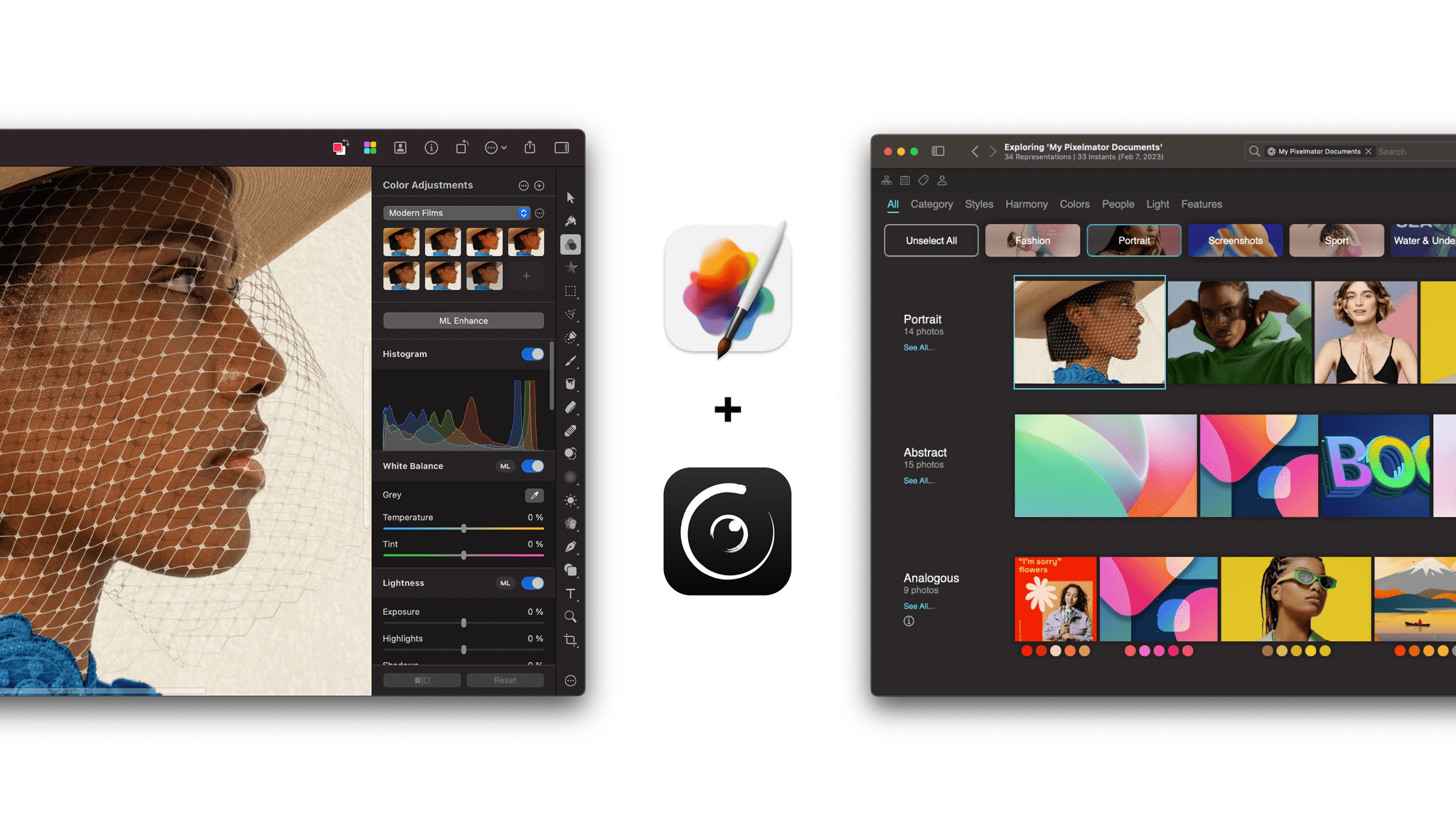
CYME announced today that its app Peakto has added Pixelmator Pro integration. Peakto is a Mac app that uses AI to organize your photos from numerous sources, including Apple Photos, Lightroom Classic, Luminar, Capture One, and more. The app handles multiple file types and offers navigation by keywords, location, and other metadata too.

Today’s announcement adds Pixelmator Pro documents to the mix. As with other image sources, Pixelmator Pro files will be organized and viewable in Peakto. For Pixelmator Pro users, the announcement today means new ways to explore their image collection alongside images from other apps. The integration with Peakto also allows Peakto users to access Pixelmator Pro as an editing destination with one click.

I haven’t had a chance to try Peakto’s new Pixelmator Pro integration yet, but it looks like a good combination for users of both apps. Peakto gains another source of photos to organize, and Pixelmator Pro users have a new way to manage their images.

Both Pixelmator Pro and Peakto are available on the Mac App Store. Peakto is also available directly from CYME.


Last Week, on Club MacStories: New Discounts, Mac Utilities, Time Tracking Tips, Automation April, and Slow Horses

Because Club MacStories now encompasses more than just newsletters, we’ve created a guide to the past week’s happenings:

MacStories Weekly: Issue 322

A cube is always the answer.

A cube is always the answer.

Club MacStories+ AV Club Town Hall, Slow Horses

This month, we were joined by Club member David to break down Seasons 1 and 2 of the Apple TV+ Britsh spy drama Slow Horses and compare it with the novels by Mick Herron.


Remembering Alex Hay, the Maker of Toolbox Pro, During Automation April

I have some sad news to share with the MacStories community. Recently, Alex Hay, the developer of Toolbox Pro and other apps, passed away after a battle with cancer.

I can’t tell you how hard it is to write those words, and I can only imagine what those closest to Alex are going through. However, it’s also important to us here at MacStories to take a moment to reflect on Alex’s impact on our community and honor his memory.

One of the greatest privileges of running MacStories has been getting to know the developers behind the apps we love. Over the years, Federico and I have gotten to know hundreds of developers. They are the artists of our time, and their imagination, creativity, and passion are what inspire us.

In any creative field, though, there are always some people who stand apart from the pack. You don’t notice them because they’re especially good at self-promotion. No, they stand out because their raw talent is simply impossible to ignore. That was Alex Hay.

I don’t recall how Alex first appeared on my radar, but it was undoubtedly a text from Federico along the lines of “Hey, you gotta check out the crazy stuff this guy in the UK is doing with Shortcuts. You’re going to love this.” Nobody has an instinct for up-and-coming developers and apps like Ticci, but honestly, anyone could see Alex’s immense talent after just a few minutes with his apps. They are that good.

Toolbox Pro.

Toolbox Pro.

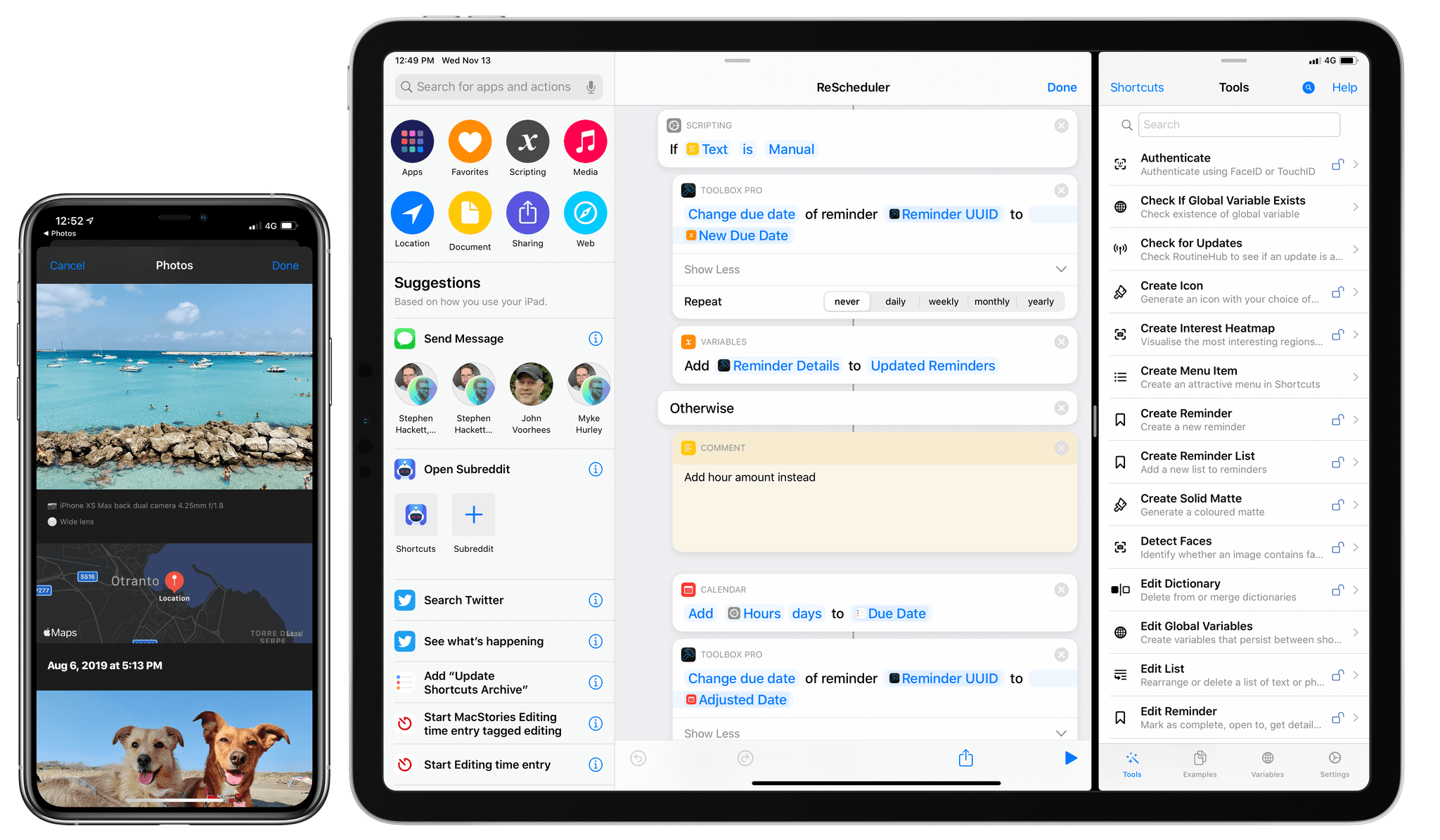
No app exemplifies Alex’s talent as much as Toolbox Pro, an app that simplifies complex APIs by making them accessible through Shortcuts. Toolbox Pro provides access to features of apps like Apple Music that even Apple hasn’t built by translating MusicKit APIs into Shortcuts actions. For Shortcuts power users, Toolbox Pro became the bridge between the worlds of iOS development and Shortcuts creation, allowing Shortcuts to be extended further than ever before.

Toolbox Pro was just one of Alex’s apps. He built a logger for Shortcuts that made debugging complex shortcuts infinitely easier. He also released Nauromate, an app that translated Notion’s APIs into Shortcuts actions making that app immensely more accessible to Shortcuts users.

What all of Alex’s apps have in common is that they opened new doors for Shortcuts users to take control of their iPhones, iPads, and Macs in new and exciting ways. Instead of building apps that fulfilled a specific need, Alex’s talent was building apps that let users tap into their own creativity to make what they wanted for themselves with Shortcuts.

The news of Alex’s passing reached us just as Federico and I were finalizing our plans for Automation April, leaving us shaken. Our reactions were the same: to use Automation April, an event that brings all corners of the Apple automation community together to remember and honor Alex’s memory.

So, with his family’s blessing, we’re dedicating Automation April 2023 in memory of Alex Hay, a brilliant and beloved member of the automation community who was taken from us far too early at the age of 36. MacStories is also making donations to the American Cancer Society and Cancer Research UK in Alex’s name, and we’d love it if you would join us in making a donation using the links above too.

The Apple automation community is a close-knit group of talented, creative people, and no one exemplified that more than Alex Hay. We’re grateful for the chance we had to get to know Alex and the apps he built that opened up so many new possibilities for Shortcuts users around the world. Our hearts go out to his family and friends, and we hope you’ll join us in thinking of him and his loved ones throughout Automation April.


A Classic Pick 2

AppStories+ Deeper into the world of apps

AppStories Episode 322 - A Classic Pick 2

0:00
44:21

AppStories+ Deeper into the world of apps

This week, Federico and John each pick two apps they’ve been enjoying recently and explain why.

Read more


Interesting Links

OpenAI added early alpha ChatGPT plugins this week that allow users to incorporate it into their own apps simply by describing to the AI what they want the plugin to do as opposed to writing actual code. (Link) Belkin’s withdrawal from developing smart home devices based on Matter this week is a threat to...