John Voorhees

5782 posts on MacStories since November 2015

John is MacStories' Managing Editor, has been writing about Apple and apps since joining the team in 2015, and today, runs the site alongside Federico. John also co-hosts four MacStories podcasts: AppStories, which covers the world of apps, MacStories Unwind, which explores the fun differences between American and Italian culture and recommends media to listeners, Ruminate, a show about the weird web and unusual snacks, and NPC: Next Portable Console, a show about the games we take with us.

Automation Academy: Leveraging Reminders to Make Saving Tasks to Things More Reliable On-the-Go→

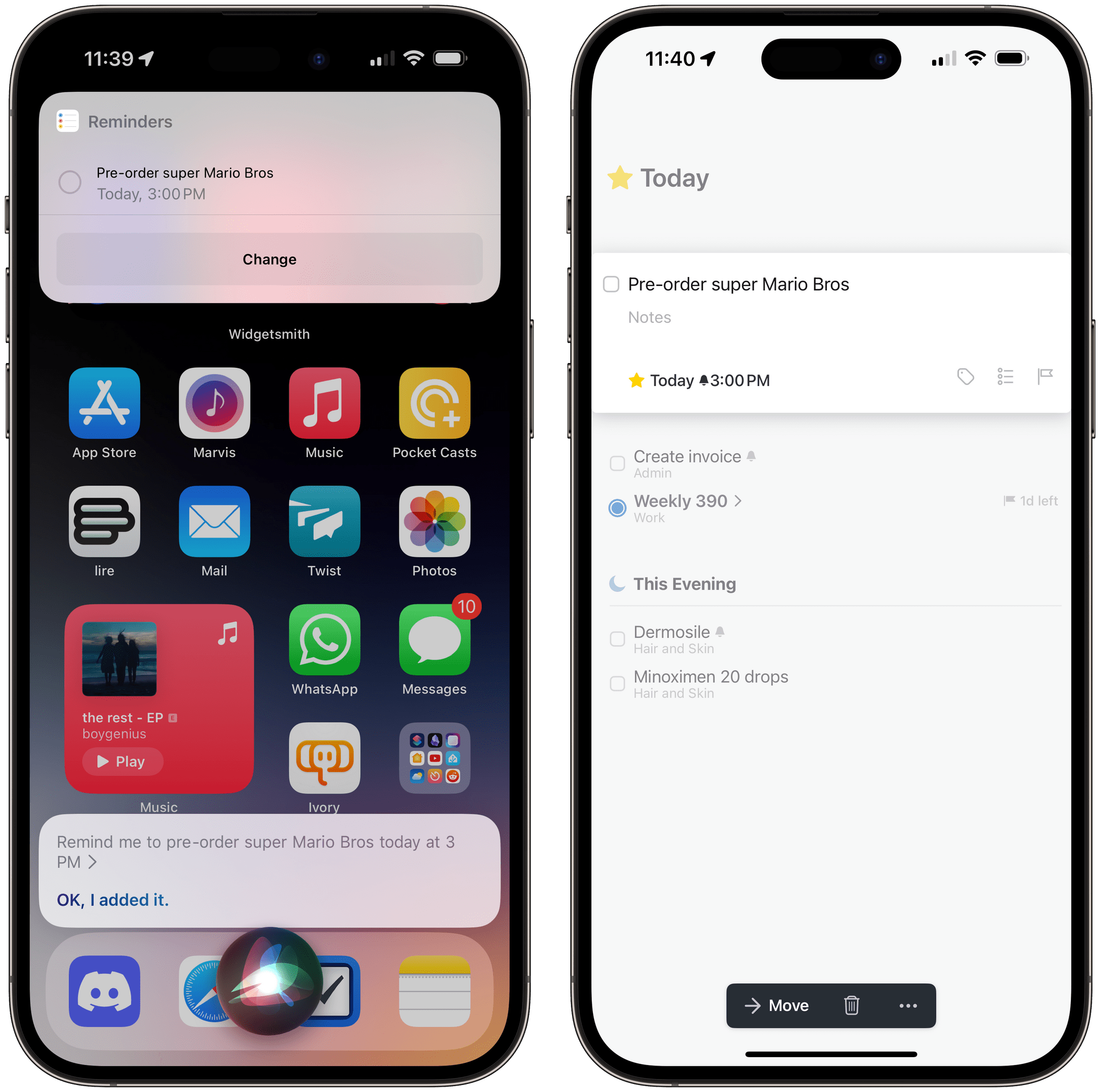
One of the perks of a Club MacStories+ and Club Premier membership are special columns published periodically by Federico and John. In today’s Automation Academy, which debuted a refreshed format, Federico explains how he leveraged the tight integration of Reminders and Siri with Things by Cultured Code to improve the experience of saving tasks to Things on the go.

As Federico explains:

One of the features I missed from Reminders was its deep integration with Siri and background sync privileges. Whether you’re using Siri on the iPhone or Apple Watch, you can quickly dictate a new task with natural language and rest assured you’ll find it a few seconds later on any other device signed into your iCloud account. For instance, I can’t tell you how many times I added a reminder (with dates and times) using Siri while driving via my Apple Watch and immediately found it on my iPad once I got home. You just don’t have to worry about sync if you’re using iCloud and Reminders, which is one of the most important advantages of the app.

Among other techniques, the post explains how to use ‘Repeat for Each’ blocks with magic variables and an always-on Mac running Lingon X, which is available for 20% off on the Club MacStories Discount page, to create a rock-solid way of creating new tasks from an Apple Watch or other device using Siri.

Automation Academy is one of the many perks of a Club MacStories+ and Club Premier membership and an excellent way to learn advanced Shortcuts techniques that are explained in the context of solutions to everyday problems.

Join Club MacStories+:

Join Club Premier:

Permalink

Home+ 6.2 Adds a Battery Smart Section and Widget

Matthias Hochgatterer’s Home+ 6 for the iPhone, iPad, and Apple Watch is one of the most powerful HomeKit apps around, offering automation based on functionality exposed by Apple’s HomeKit framework that its own Home app doesn’t even use. The app also does a terrific job of surfacing sensor data that is buried deep in the Home app, like details about the air quality in your home if you have a sensor that monitors that.

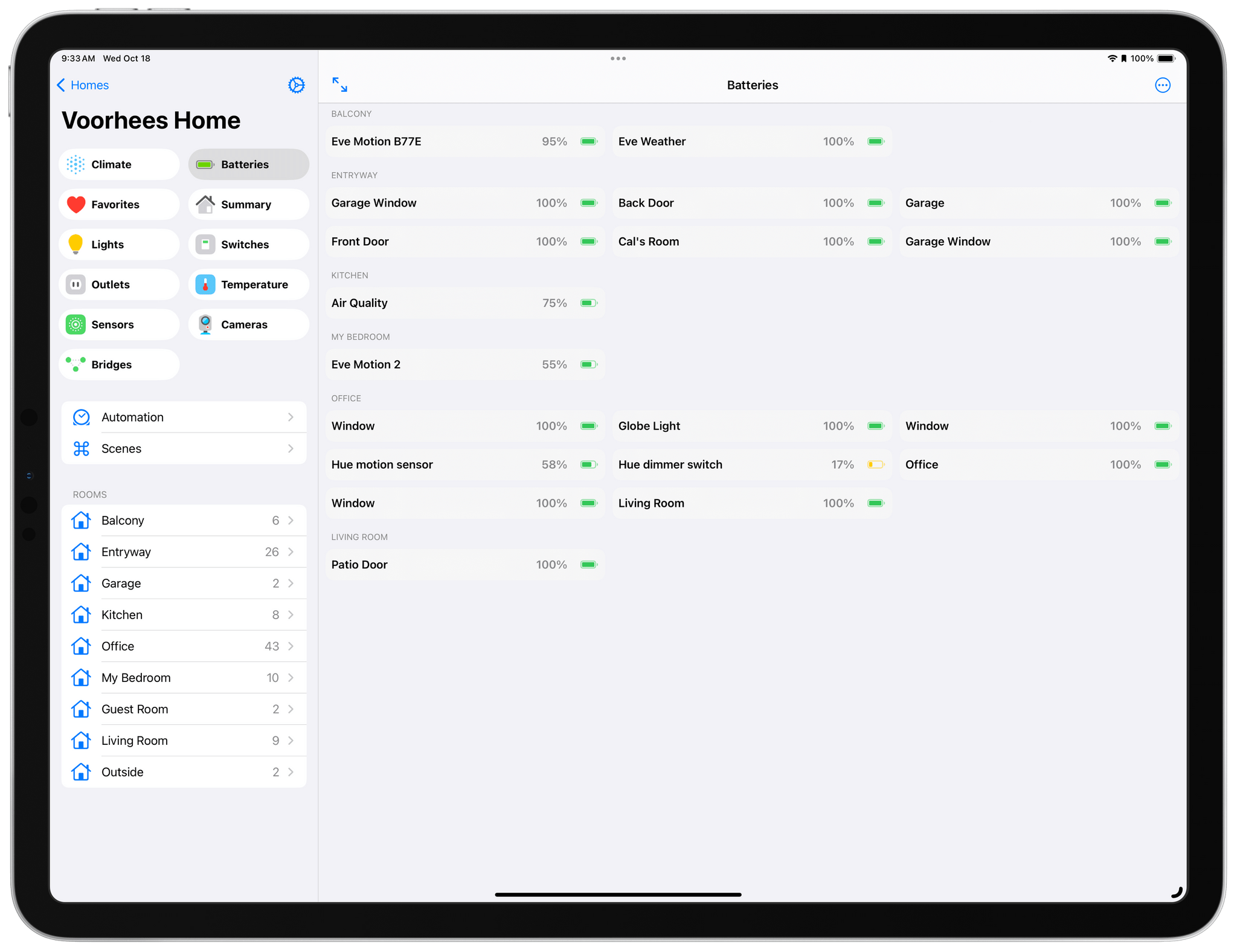
Home+ 6.2 includes a new Smart Group dedicated to battery health.

Home+ 6.2 includes a new Smart Group dedicated to battery health.

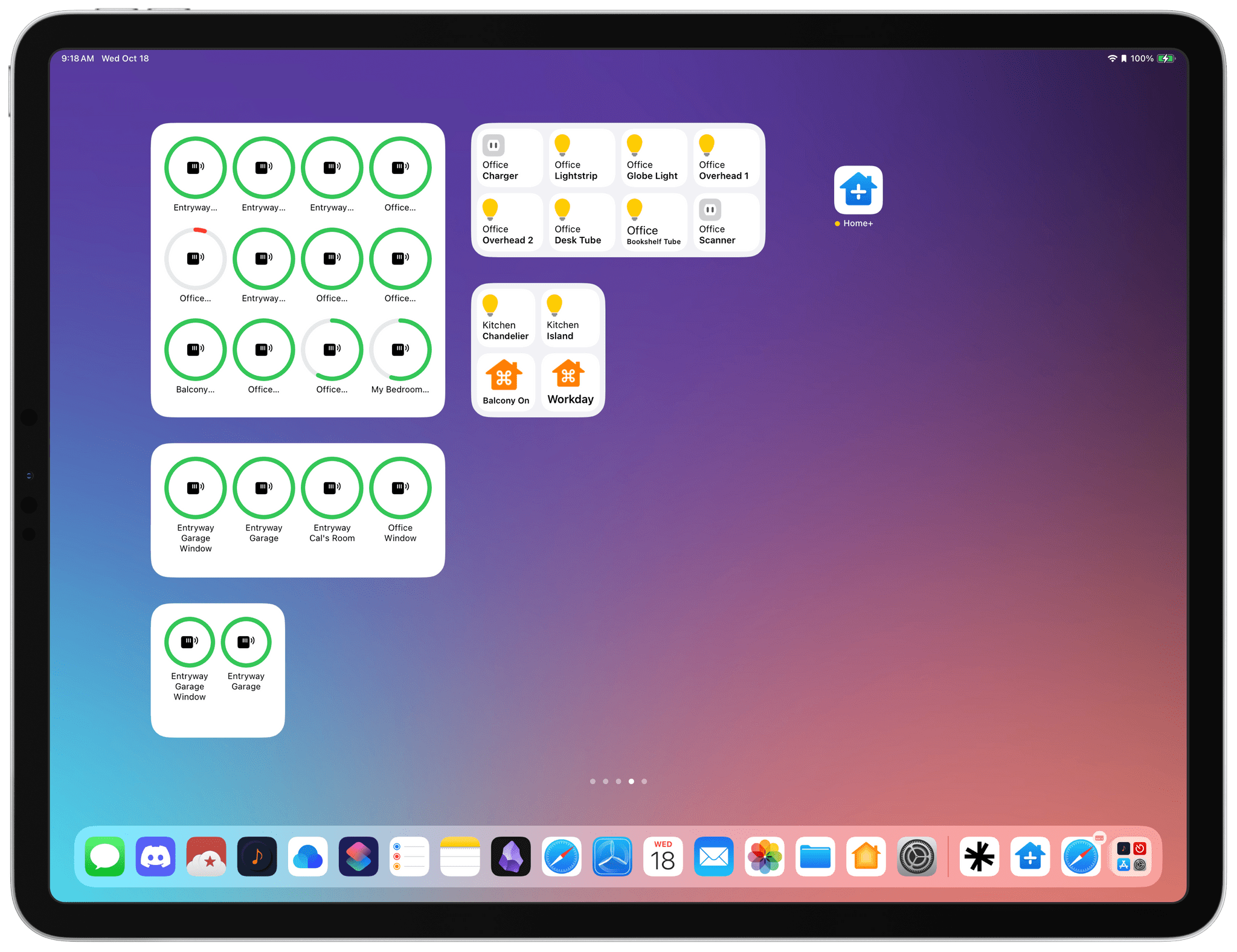
With version 6.2 of Home+, Hochgatterer has added a new section to the app that reports the remaining charge for any battery-operated HomeKit accessories, such as window and door sensors. The new section, which color codes its battery icons according to the remaining charge, is accompanied by a new set of small, medium, and large-sized widgets that can be customized to show all of your battery-operated devices or a subset picked by you. Like the smart section in the main app, the rings around each device icon are color-coded, making it easy to pick out any with low batteries.

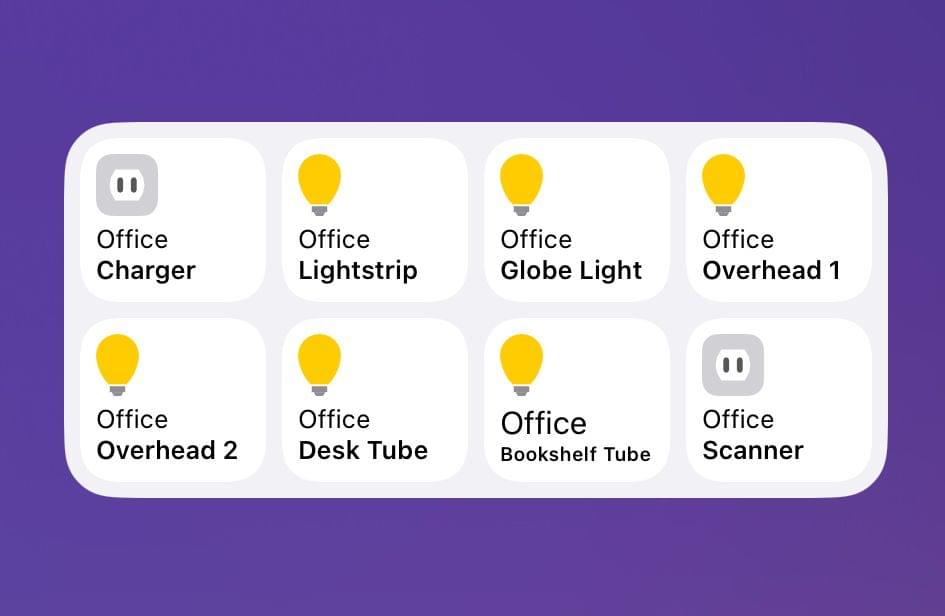
The accessories and scenes widget has added room identifiers.

The accessories and scenes widget has added room identifiers.

Home+ also offers device widgets that have added the name of the room to which they’re assigned, making it simple to tell accessories apart in the widget. However, the accessory and scene widgets are not compatible with iOS and iPadOS 17’s new interactivity. Tapping an accessory or scene will trigger it, but the Home+ app opens in the process. Having gotten used to iOS and iPadOS 17’s interactivity, I hope Home+ adds support for it in the future.

Version 6.2 is a small update for Home+, but one I appreciate all the same. Battery data is too buried in the Home app, and with Home+’s new widget and smart section, I now know I have a Hue dimmer switch that needs my attention. Plus, if you haven’t checked out Home+ in a while, it’s worth exploring its automation tools, which are some of the best available in any HomeKit-based app.

Home+ 6.2 is available on the App Store for $9.99, which is a 30% discount from its usual price.


Apple Announces a New, More Affordable Apple Pencil That’s Coming in November

Source: Apple.

Source: Apple.

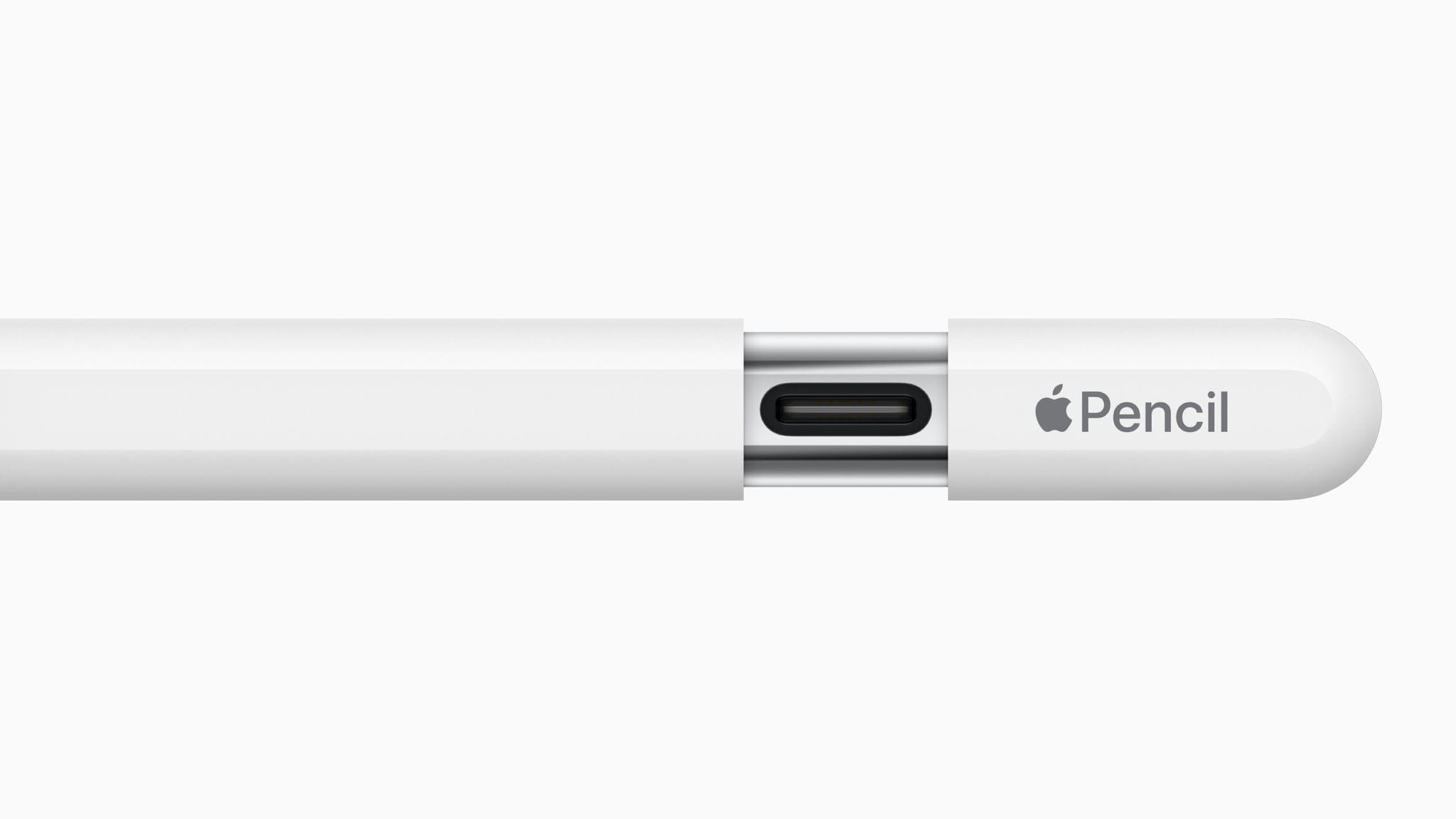
Today, Apple unveiled a new, more affordable Apple Pencil that charges via USB-C and supports many of the features of the two previous-generation Apple Pencils, but not all of them.

The new USB-C model looks a lot like the second-generation model, except it doesn’t charge wirelessly. Instead, the end of the Pencil can be pulled back to reveal a USB-C port for charging. However, like the second-generation Pencil, the new model attaches magnetically to the side of compatible iPads, which puts the Pencil into sleep mode to preserve battery power.

The latest Pencil also supports tilt sensitivity and hover, which was introduced with the latest iPad Pro models, but pressure sensitivity and double-tap to switch tools are not supported. Apple isn’t offering free engraving, either.

The new Apple Pencil is $79 ($69 for education) and will be available beginning in early November. According to Apple’s press release, the accessory is compatible with all iPad models that have a USB-C port, including iPad (10th generation), iPad Air (4th and 5th generations), iPad Pro 11-inch (1st, 2nd, 3rd, and 4th generations), iPad Pro 12.9-inch (3rd, 4th, 5th, and 6th generations), and iPad mini (6th generation).


AppStories, Episode 355 – Building a Link Gathering Machine→

This week on AppStories, I surprise Federico with a link gathering machine I designed for processing and reading the web.

Sponsored by:

  • CleanMyMac X – Your Mac. As good as new. Get 5% off today.

On AppStories+, Federico tests more AR glasses and reports back on his experience with the XREAL Air after a week, plus I joins in on the fun.

We deliver AppStories+ to subscribers with bonus content, ad-free, and at a high bitrate early every week.

To learn more about the benefits included with an AppStories+ subscription, visit our Plans page, or read the AppStories+ FAQ.

Permalink

Announcing the Club MacStories Fall Membership Event and Discount

Today, we’re announcing our first-ever Club MacStories Membership Event and Discount. I’ve got more details below, but the highlights include 20% off on all annual Club MacStories plans plus special columns, a live Discord event, giveaways, deals, downloadable content, and more every day through October 31st. There’s a lot going on, so let’s look at the details.

To take advantage of the discounted plans, please use the coupon code CLUB2023 at checkout or click on one of the buttons below.

Join Club MacStories:

Join Club MacStories+:

Join Club Premier:

Visit our [Plans page](https://www.macstories.net/club/plans) for more details on each Club option.

Visit our Plans page for more details on each Club option.

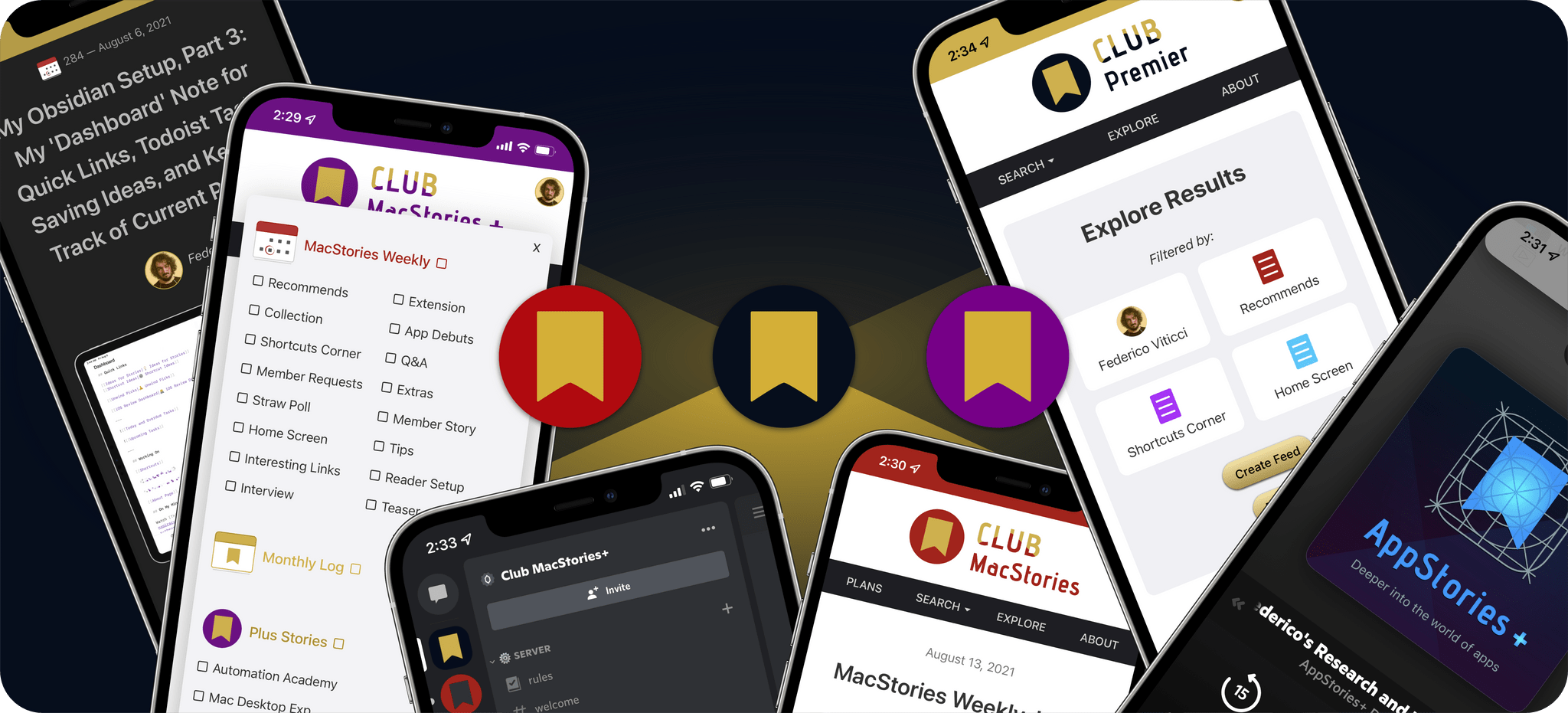
Club MacStories has become a big part of MacStories. The Club has grown steadily every year since it was started in 2015, and every plan is packed with more of what you love about MacStories. With this month’s event, we want to accomplish two things:

  • Thank our current members with two weeks packed with what makes the Club special
  • Offer a special 20% off on annual plans to grow the Club further and make switching to a higher-tier membership more affordable for existing members.

The support of Club MacStories members is the foundation of MacStories. It’s given us the freedom to expand, focus on our in-depth stories and reviews, and build a closer relationship with readers. And most recently, while websites are shutting down and laying off staff due to plummeting ad revenue, we’re growing and have plans to do even more in the coming year. That wouldn’t have been possible without the Club.

What’s unique about Club MacStories is that it’s the perfect complement to MacStories.net. If you’re a fan of the site, you’ll find that the Club is a natural extension of what you already love, with more of everything.

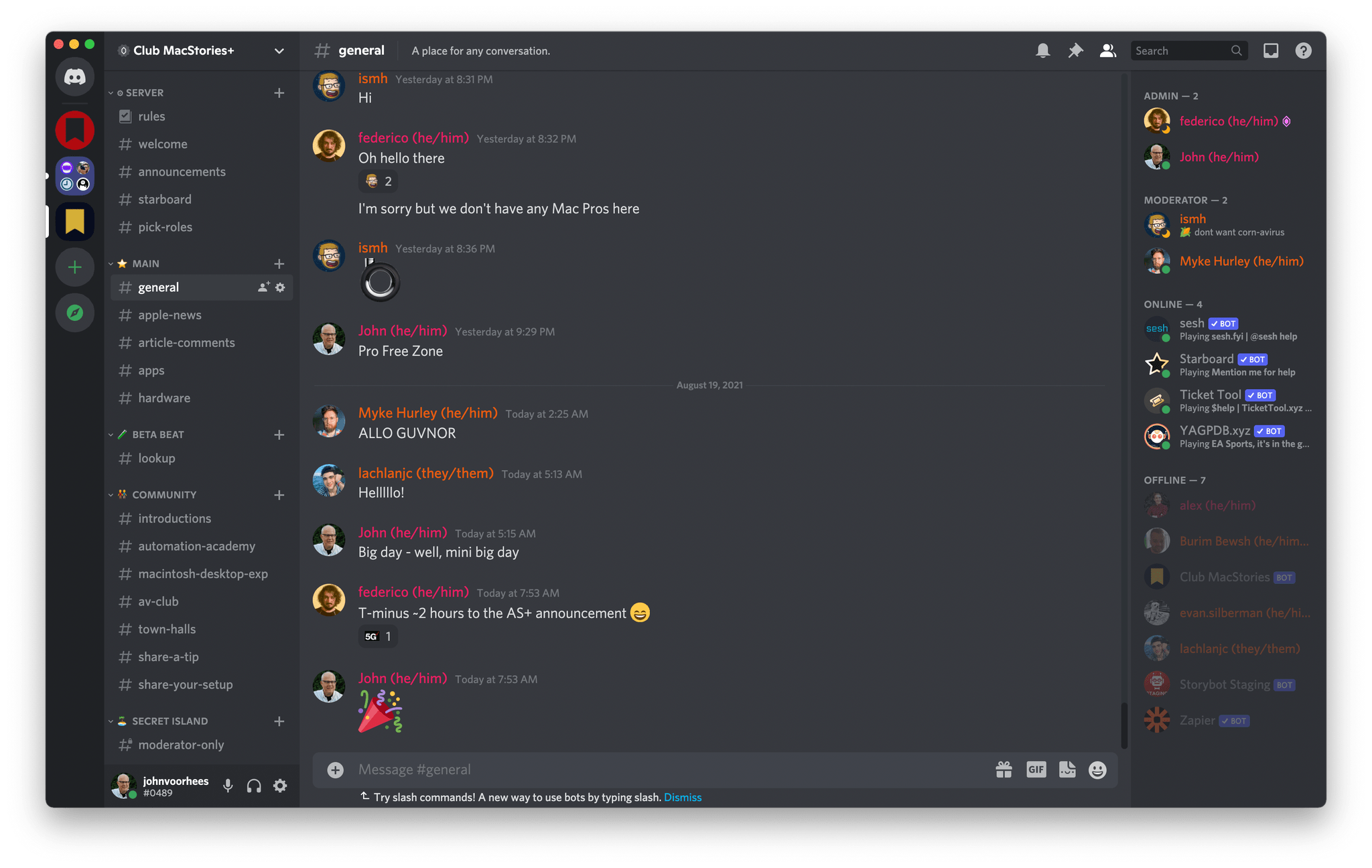
Our Club Discord community has become a fantastic resource for Club MacStories+ and Premier members.

Our Club Discord community has become a fantastic resource for Club MacStories+ and Premier members.

That’s been the case since the Club launched over eight years ago. We didn’t hide MacStories content behind a paywall when the Club was started. Instead, the Club has always been designed to supplement MacStories with more app coverage and complex automations, longer podcast episodes, and more. Then, with the introduction of Club MacStories+ and Club Premier, we built on that model further with a vibrant, respectful Discord community of app and automation fans who help each other get the most out of their technology.

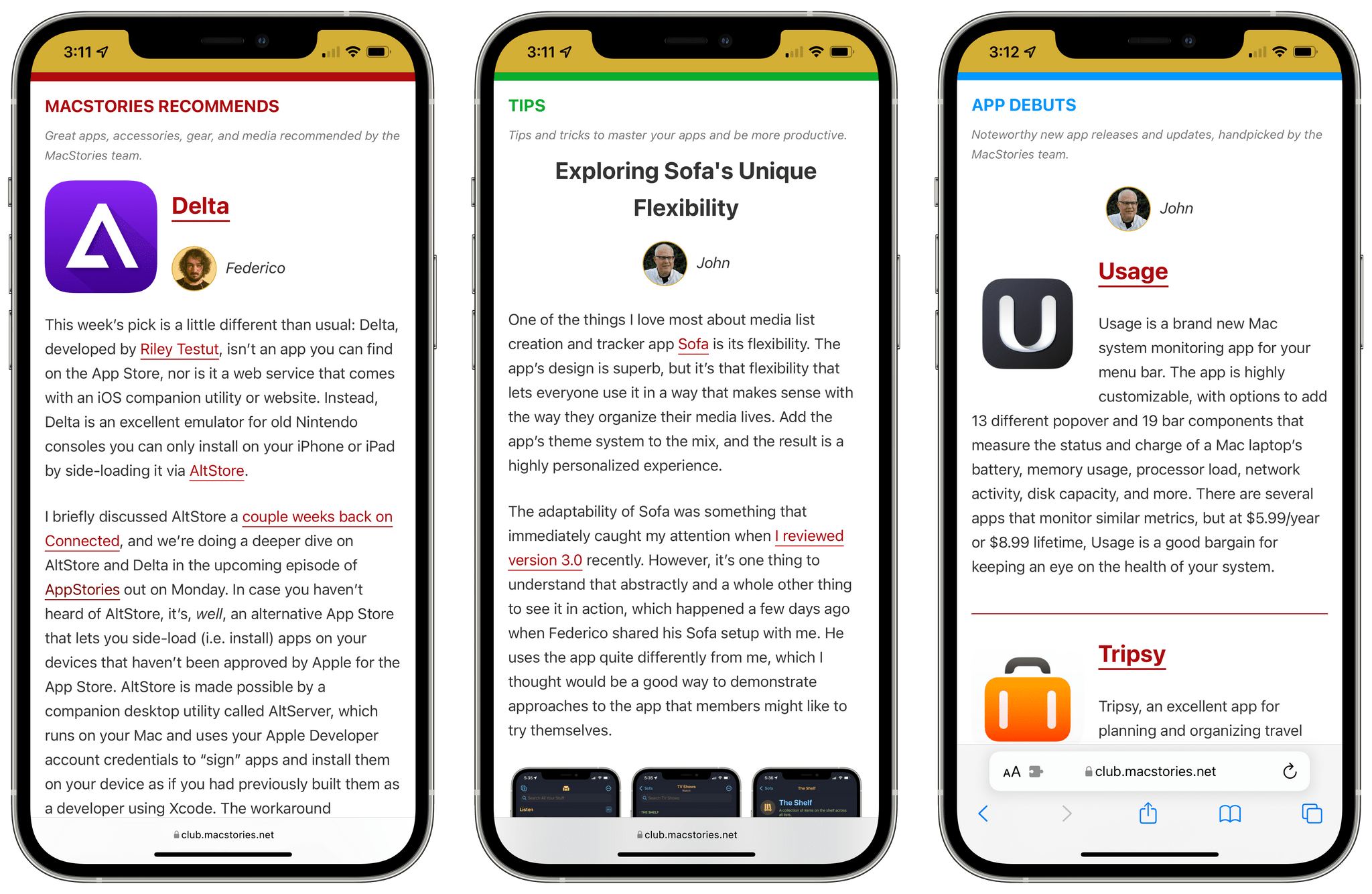
Club newsletters are available in our fully-searchable web app for Club MacStories+ and Premier members.

Club newsletters are available in our fully-searchable web app for Club MacStories+ and Premier members.

We know that folks are inundated with subscriptions these days, which is why we work hard to offer what we think is a great value at every tier of the Club. Our eight-year track record of consistency and content, which includes nearly 500 issues of our newsletters, speaks for itself, but we also realize that committing to an annual plan is still a lot. So that is why we’re excited to offer the biggest discount on Club MacStories plans we’ve ever done. Here’s a breakdown of each tier and the discounts we’re offering through October 31, 2023:

Normally Through Oct. 31
Club MacStories $50/year $40
Club MacStories+ $100/year $80
Club Premier $120/year $96

If you’re not familiar with the Club, you can learn more and compare plans side-by-side here and read our FAQ page.

These discounts are available to anyone signing up for one annual Club membership for the first time, reactivating an expired plan, or upgrading a current plan.

To take advantage of the discounted plans, please use the coupon code CLUB2023 at checkout or click on one of the buttons below.

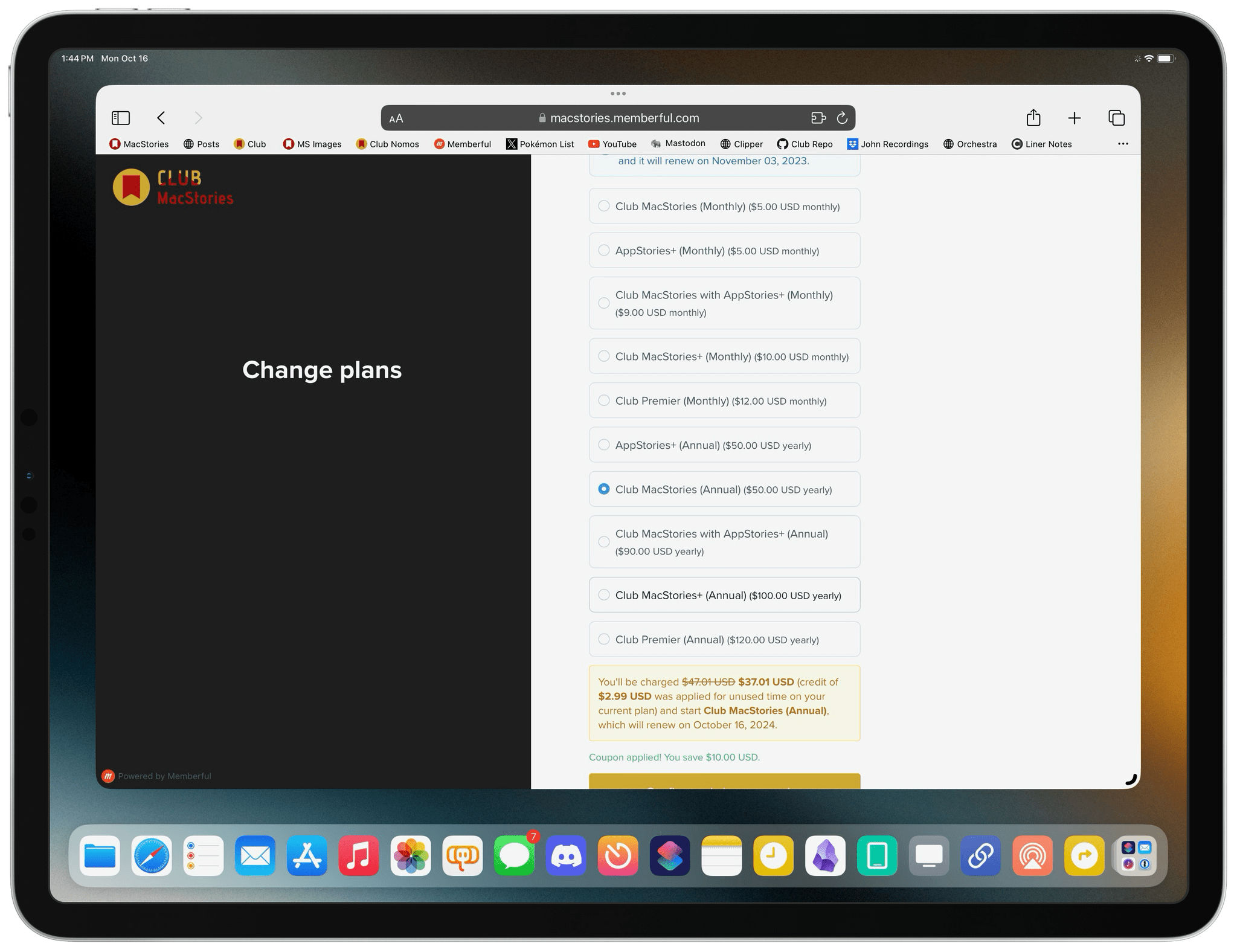
When you change a monthly plan to an annual one, you'll get credit for the remainder of your current month's subscription.

When you change a monthly plan to an annual one, you’ll get credit for the remainder of your current month’s subscription.

Join Club MacStories:

Join Club MacStories+:

Join Club Premier:

As a thank you to members, we’re also rolling out daily content, giveaways, deals, and more over the next two weeks, starting with a new addition to our Club MacStories+ and Club Premier app discounts page, which we’ll reveal tomorrow on Mastodon and Threads. Then on each day for the next two weeks, we’ll have columns, giveaways, a special Discord audio event, eBooks, and more, so keep an eye on the MacStories and Club MacStories Mastodon accounts and the MacStories Threads account every day to hear what’s coming next. We’ll be sure to keep any giveaway entries open throughout the fall Membership Event, too, so no matter when you join, they’ll be available.

Thanks again to our many loyal Club MacStories members, and welcome to everyone joining for the first time. You’ve all helped us grow MacStories, launch new projects, and build MacStories on a strong foundation while staying independent and true to our editorial values. We look forward to bringing you even more of what makes MacStories special for a long time to come.


Building a Link Gathering Machine

AppStories+ Deeper into the world of apps
0:00
38:56

↓

AppStories+ Deeper into the world of apps

This week, John surprises Federico with a link gathering machine he designed for processing and reading the web.

Read more


Obsidian’s Popularity Explained→

It’s been nearly three years since I first started using Obsidian. The app has come a long way since then. The app’s core functionality has expanded, its vibrant plug-in developer community continues to go strong, and more and more users have been captivated by its flexibility. According to Jared Newman, writing for Fast Company,

Obsidian estimates that it has one million users, and its Discord channel has more than 110,000 members, who use the app for everything from task management and bookmarking to organizing their daily thoughts.

That’s remarkable growth for an app originally developed by just two people and with a team that still stands at under a dozen members.

Newman’s story, The cult of Obsidian: Why people are obsessed with the note-taking app, does an excellent job capturing what makes Obsidian special and even attracts fans of native apps like Federico and me:

John Voorhees, the managing editor at MacStories, started using Obsidian a couple of years ago after being drawn to its local file structure, and both he and MacStories founder Federico Viticci have written extensively about their Obsidian setups since then.

Obsidian is on [sic] some ways the opposite of a quintessential MacStories app—the site often spotlights apps that are tailored exclusively for Apple platforms, whereas Obsidian is built on a web-based technology called Electron—but Voorhees says it’s his favorite writing tool regardless. He and Viticci have even commissioned some bespoke plug-ins for their Macstories [sic] workflows.

“No matter what your writing needs are, there’s probably a plug-in to satisfy them,” he says.

There are a lot of other reasons I use Obsidian, including its use of local, plain text files formatted in Markdown, but it’s the plug-in system that has made it indispensable to my work. The app simultaneously serves as my text editor, note-taking app, and database all at once, allowing me to move effortlessly among projects and tasks, thanks to the portability of plain text.

Permalink

Tips Grab Bag

I’ve been experimenting with a bunch of different things lately that will eventually become articles here and on MacStories. Along the way, I’ve been reminded of several tips and tricks I use regularly. Many of them are small things that don’t warrant a separate tip post, so I thought I’d share some of my favorites...