John Voorhees

5404 posts on MacStories since November 2015

John is MacStories' Managing Editor, has been writing about Apple and apps since joining the team in 2015, and today, runs the site alongside Federico. John also co-hosts four MacStories podcasts: AppStories, which covers the world of apps, MacStories Unwind, which explores the fun differences between American and Italian culture and recommends media to listeners, Ruminate, a show about the weird web and unusual snacks, and NPC: Next Portable Console, a show about the games we take with us.

This Week's Sponsor:

Dropzone 5

Improve your Drag-and-Drop Workflow


Automation Academy: My Collection of Advanced Shortcuts for Things

Earlier today, Federico released a series of seven advanced shortcuts for the task manager Things as part of his Automation Academy column, an exclusive perk of Club MacStories+ and Club Premier.

Federico explains in the introduction of the story why he returned to Things a few months ago and has been happy with the decision:

not only does the design of the Things app create a more relaxed environment for me to manage my responsibilities, but Cultured Code’s embrace of Shortcuts automation has allowed me to create dozens of custom enhancements for Things.

It’s the flexibility that Things’ Shortcuts actions offer that allows for such deep customization. The shortcuts shared today include automations to:

  • Automatically move tasks scheduled for a certain time to Things’ Evening section
  • Postponing evening tasks
  • Rescheduling tasks to the next evening
  • Tag selected tasks as active
  • Pin tasks
  • Select from a menu of Things shortcuts
  • Create tasks, an updated version of a previously-shared shortcut

All of the shortcuts are ready to be used immediately and are accompanied by a detailed walk-through of the techniques used to build them and an explanation of how Federico is using them.

Discounts are just one of the many Club MacStories perks.

Discounts are just one of the many Club MacStories perks.

Automation Academy is just one of many perks that Club MacStories+ and Club Premier members enjoy including:

  • Weekly and monthly newsletters 
  • A sophisticated web app with search and filtering tools to navigate eight years of content
  • Customizable RSS feeds
  • Bonus columns
  • An early and ad-free version of our Internet culture and media podcast, MacStories Unwind
  • A vibrant Discord community of smart app and automation fans who trade a wealth of tips and discoveries every day
  • Live Discord audio events after Apple events and at other times of the year

On top of that, Club Premier members get AppStories+, an extended, ad-free version of our flagship podcast that we deliver early every week in high-bitrate audio.

Use the buttons below to learn more and sign up for Club MacStories+ or Club Premier.

Join Club MacStories+:

Join Club Premier:
Permalink

The Fastest Way to Save RSS Articles to A Read-Later App

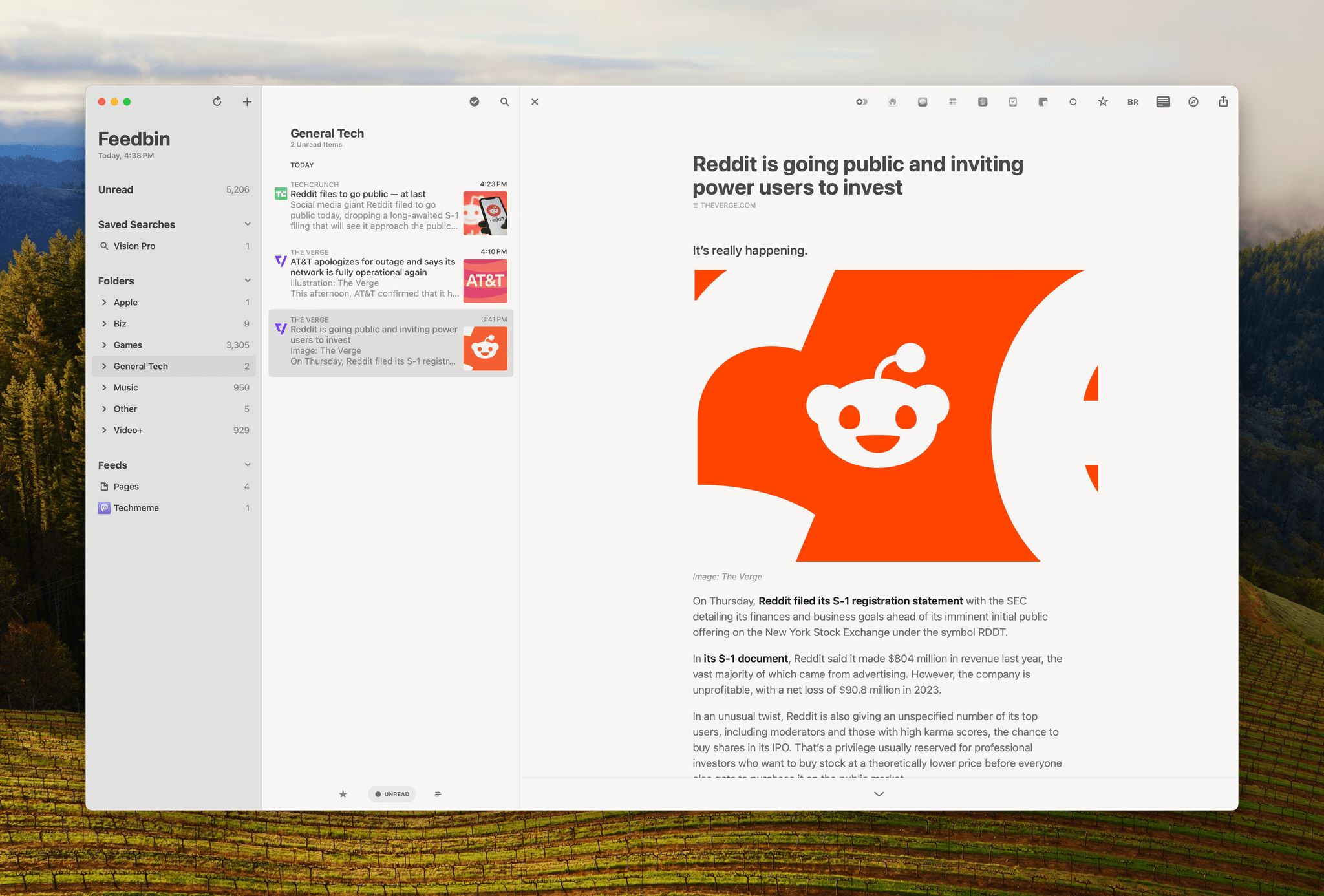
Skimming through the day's tech headlines in Reeder.

Skimming through the day’s tech headlines in Reeder.

I follow about 180 RSS feeds, and I skim through all of my tech feeds every day, looking for interesting news, angles, opinions, and inspiration. A lot of what I see is repetitive, but I’ve gotten very good over the years at speed-reading snippets of stories and homing in on the interesting ones. Some stories get read right away because they’re time-sensitive in some way. However, I have other things to do besides read the web, so I rely heavily on read-later apps to save many of my finds.

That context is important because although some of what I save is what I’d classify as ‘leisure reading,’ most of it isn’t. It’s information processing, and given my other obligations, speed is important. As a result, what I value most are:

  • The design of my RSS reader
  • The speed with which I can save stories for later
  • Access to my saved articles for anywhere
  • The tools available in my read-later app for organizing everything

Read more


Vision Pro App Spotlight: Longplay Adds Immersive Album Listening

The music experience on the Apple Vision Pro is excellent. It starts with the device’s built-in headphones and spatial audio, which work hand-in-hand with the visual components of spatial computing. Apple has already shown off the potential for immersive experiences like Alicia Keys: Rehearsal Room, but the music experience goes deeper than that, thanks to third-party developers.

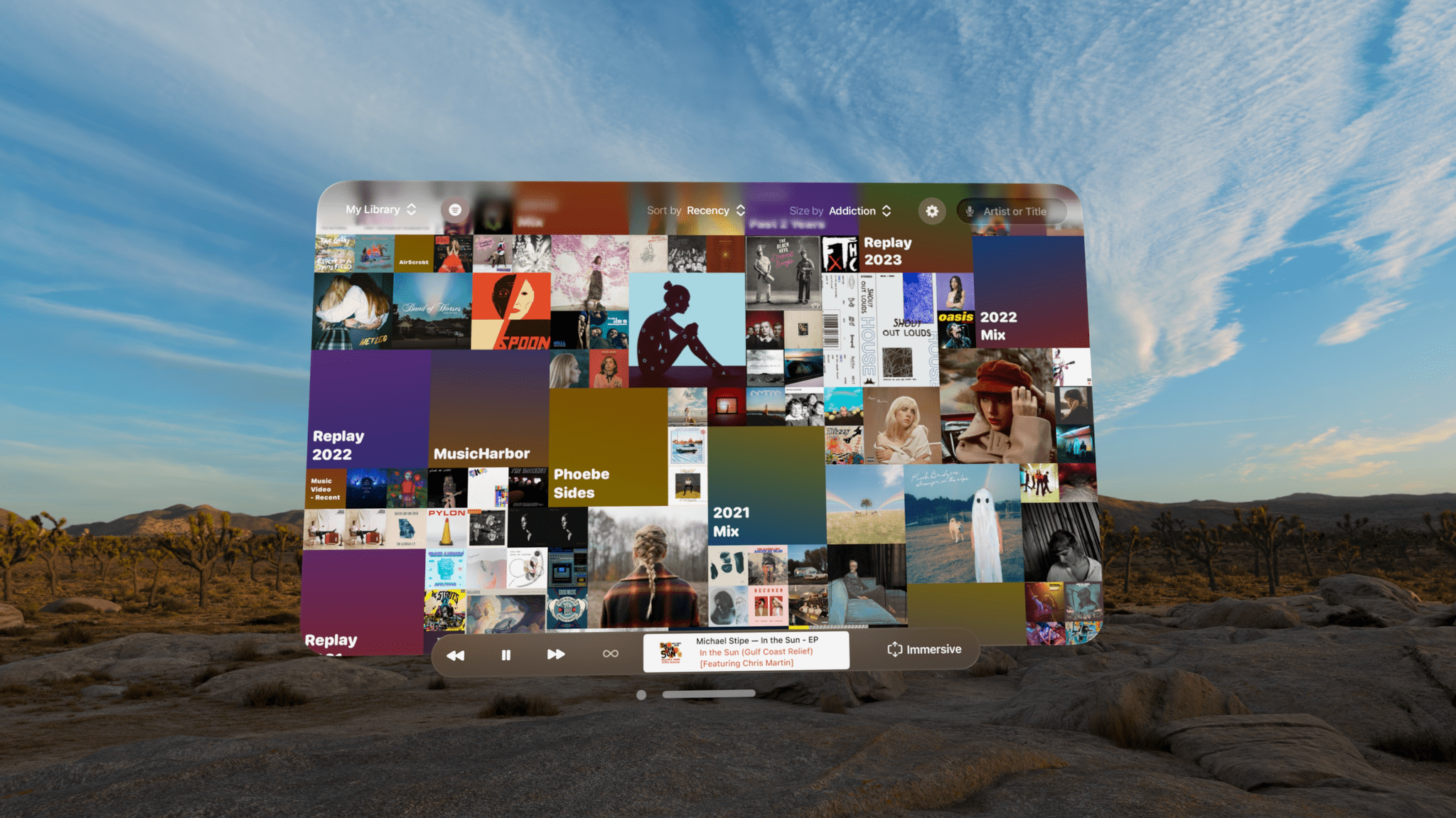
I’ve already covered Juno, Christian Selig’s YouTube player app, which is great for watching music videos and other content, and NowPlaying, which supplements Apple Music with editorial content, lyrics, and more. Today, though, I want to focus on Longplay, Adrian Schönig’s album-oriented playback app for Apple Music.

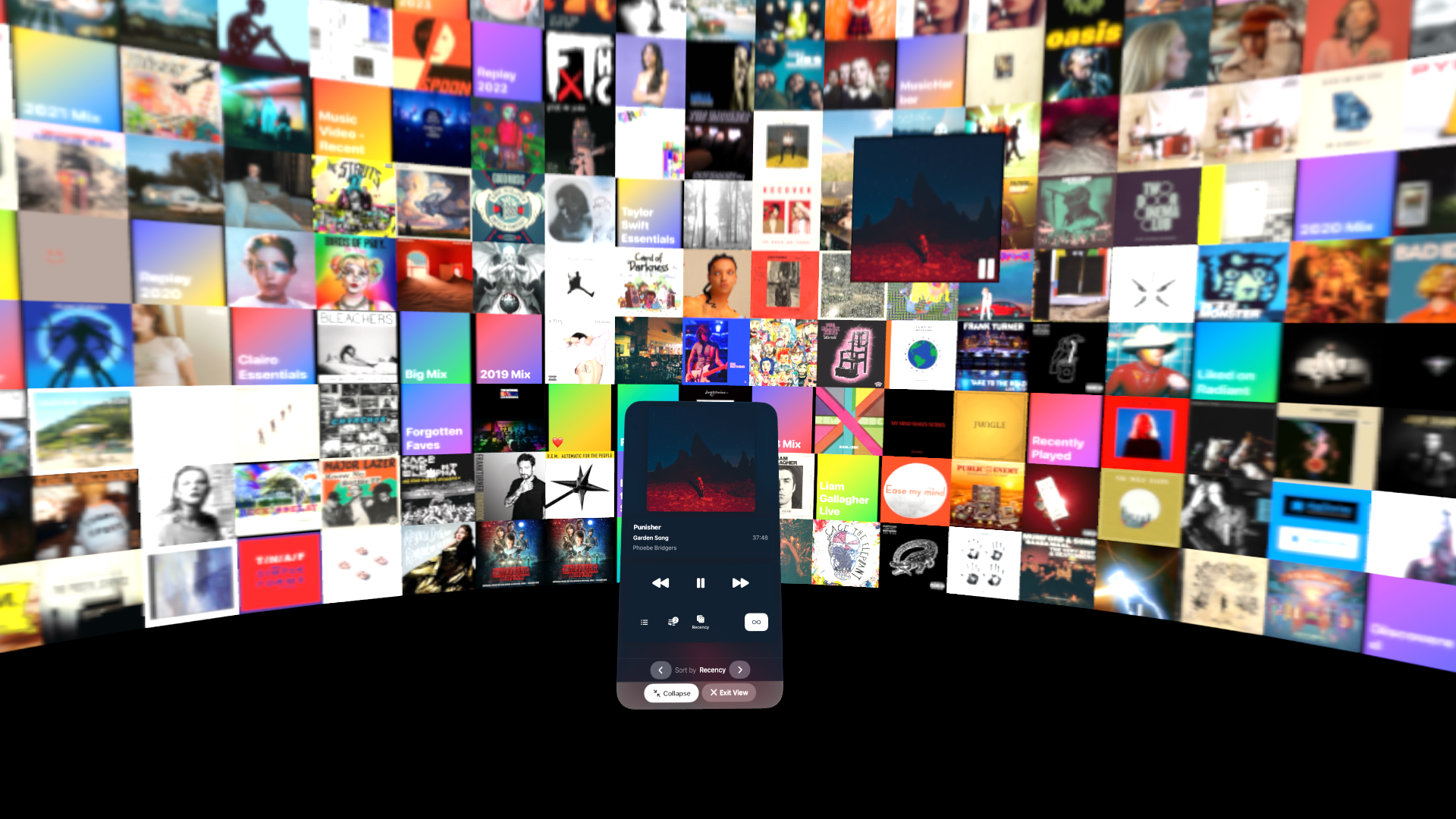
Longplay 2.0 was released last August. It was a big update that I reviewed at the time and have been enjoying ever since. The app is available on the Vision Pro now too, complete with an immersive mode that I love.

Read more


iMessage Is Preparing for a Post-Quantum Computing World

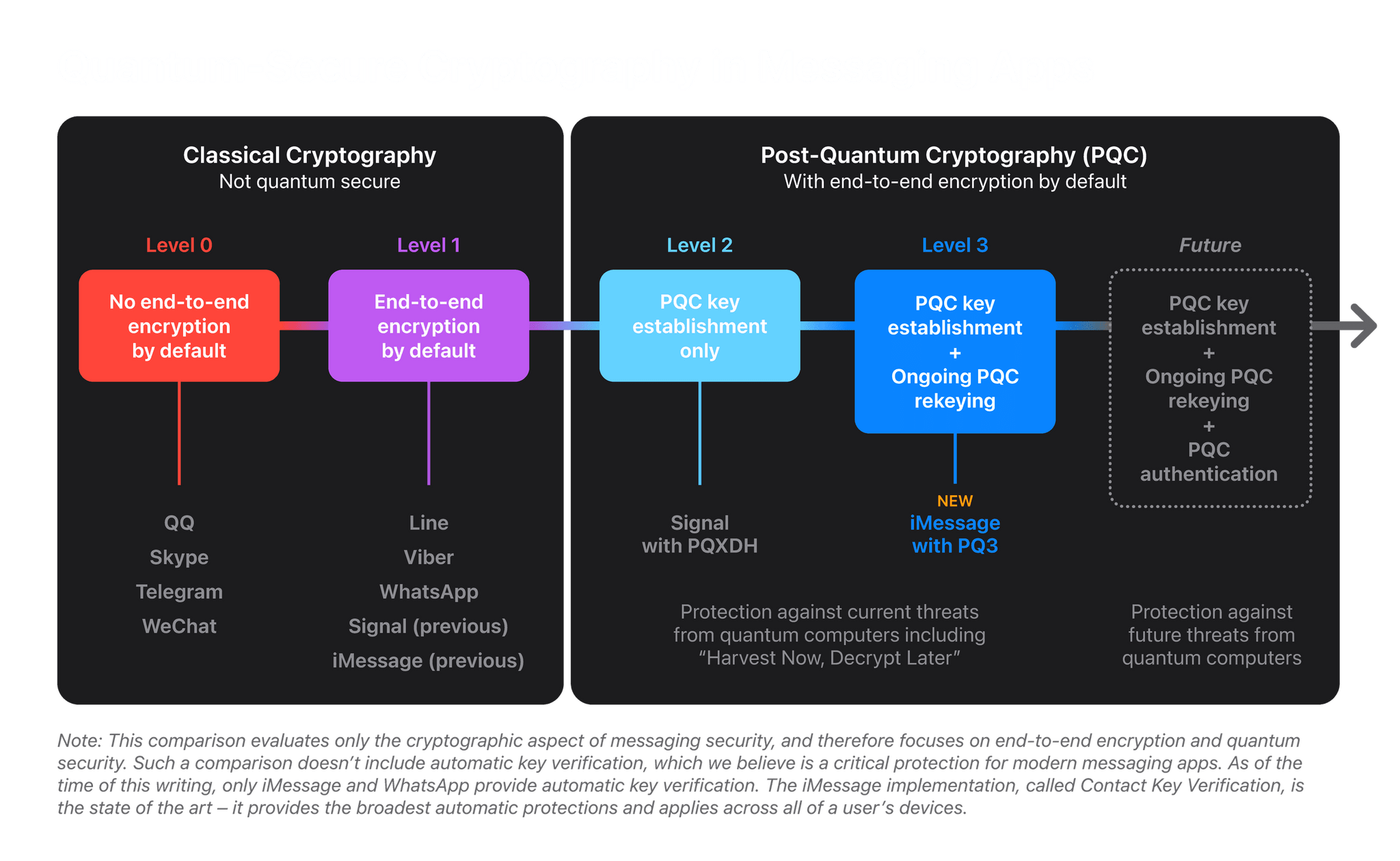
Yesterday, Apple’s Security Research website published a report on a cryptographic security upgrade coming to iMessage with the release of iOS 17.4, iPadOS 17.4, macOS 14.4, and watchOS 10.4 called PQ3. It’s a forward-looking, preemptive upgrade that anticipates a future where quantum computers will be able to defeat today’s cryptographic security with ease. That day isn’t here yet, but PQ3 is rolling out with the next series of Apple’s OS updates to protect against a scenario known as Harvest Now, Decrypt Later where bad actors collect vast amounts of encrypted data today, anticipating a future where it can be decrypted by quantum computers.

Source: Apple.

Source: Apple.

If you’ve heard the term quantum computing thrown around in the past and don’t know what it is, I highly recommend a couple of explainer articles by the MIT Technology Review that cover both quantum computers and post-quantum cryptography.1 But if the details don’t interest you, the bottom line is that PQ3 is being added to iMessage today in anticipation of a day in the future where today’s end-to-end encryption techniques don’t work anymore. Here’s how Apple’s paper explains it:

Historically, messaging platforms have used classical public key cryptography, such as RSA, Elliptic Curve signatures, and Diffie-Hellman key exchange, to establish secure end-to-end encrypted connections between devices. All these algorithms are based on difficult mathematical problems that have long been considered too computationally intensive for computers to solve, even when accounting for Moore’s law. However, the rise of quantum computing threatens to change the equation. A sufficiently powerful quantum computer could solve these classical mathematical problems in fundamentally different ways, and therefore — in theory — do so fast enough to threaten the security of end-to-end encrypted communications.

Although quantum computers with this capability don’t exist yet, extremely well-resourced attackers can already prepare for their possible arrival by taking advantage of the steep decrease in modern data storage costs. The premise is simple: such attackers can collect large amounts of today’s encrypted data and file it all away for future reference. Even though they can’t decrypt any of this data today, they can retain it until they acquire a quantum computer that can decrypt it in the future, an attack scenario known as Harvest Now, Decrypt Later.

PQ3 protects against a post-quantum world by setting up an iMessage conversation with a new post-quantum public key system and then periodically updating the keys so that if the keys are compromised, it won’t compromise the entire conversation. The system also uses existing cryptographic algorithms for portions of the encryption process that aren’t vulnerable to a Harvest Now, Decrypt Later scenario.

There is a lot of additional detail in Apple’s report, as you can imagine, including information about the review process that the new system has undergone and the way it is applied to iMessage in particular, which explains the design considerations that were necessary to apply these cryptographic techniques at the scale of iMessage in a way that doesn’t compromise users’ experience.

There’s more to be done to ramp up iMessage’s security even further as we approach a world where quantum computers are a threat to traditional cryptography. However, as Apple’s report concludes, with the imminent OS updates, iMessage will be “the global state of the art for protecting messages against Harvest Now, Decrypt Later attacks and future quantum computers.”

I’ve heard iMessage security get thrown under the bus a lot lately as an excuse Apple uses to protect its market dominance. There’s no reason that protecting customer communications and market-share can’t both be true. However, I think you’d be hard-pressed to read a report like this one and not come away believing that customer privacy and security are also a sincere goals at Apple.


  1. Yes, these are the sorts of articles I save in my read-later app. It’s a fascinating topic that also helps me fall asleep at night, so it’s a win all around. 
Permalink

Apple Says a 2023 MLS Cup Playoffs Film is ‘Coming Soon’ to the Vision Pro

Source: Apple.

Source: Apple.

This morning, I was listening to the latest episode of Dithering, when John Gruber wondered something I’d noticed too. At WWDC and subsequent press demos of the Vision Pro, Apple showed off sports footage, including a sequence from a Boston Red Sox game, but none of that shipped with the device.

However, over the weekend, there was news that the NBA All-Star Game’s slam dunk contest had been filmed in spatial video. John speculated that perhaps Apple would do something similar with other sports but focused on highlights instead of live footage. It looks like that was a good call because today, Apple announced that:

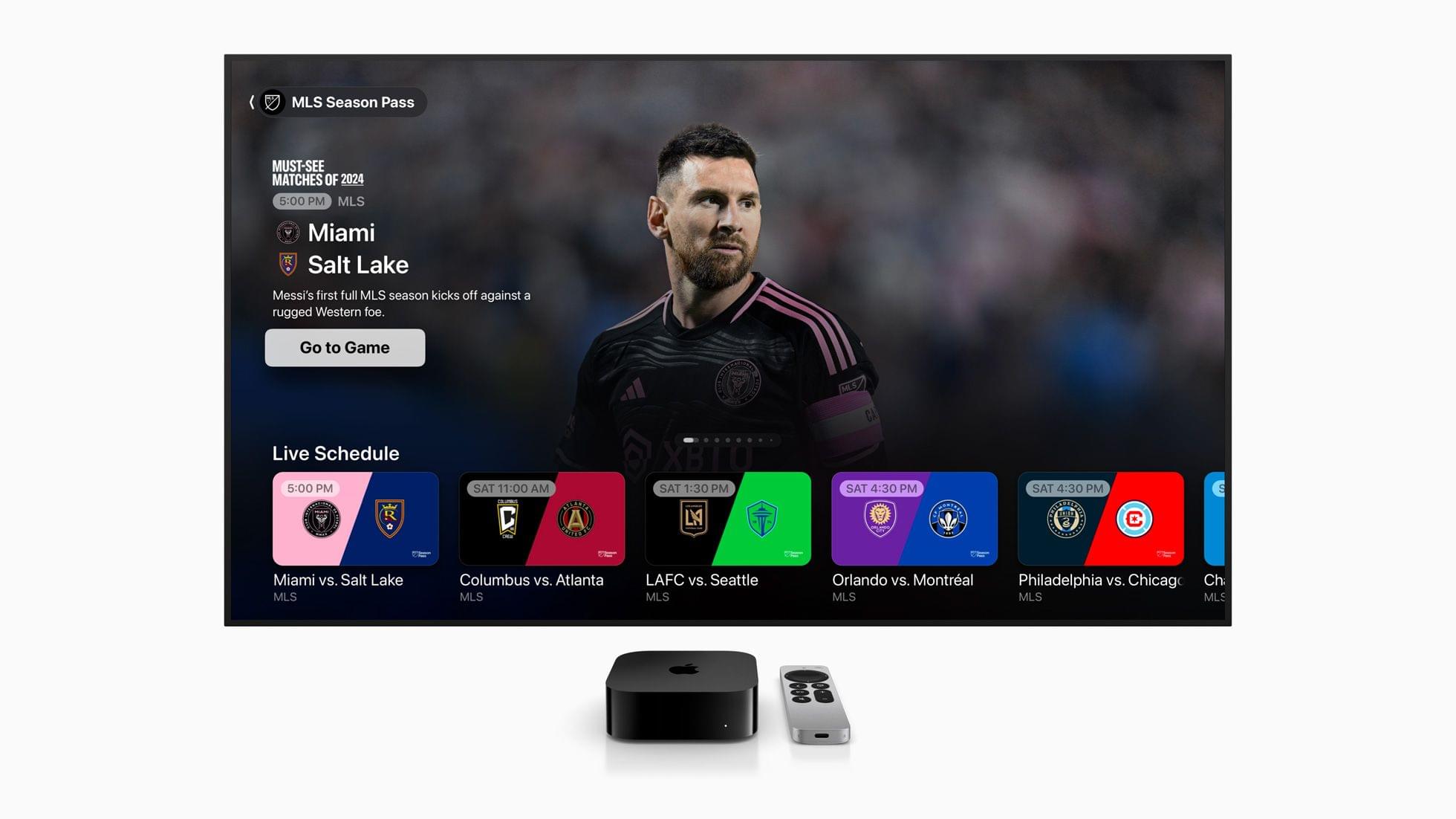
…soon, all Apple Vision Pro users can experience the best of the 2023 MLS Cup Playoffs with the first-ever sports film captured in Apple Immersive Video. Viewers will feel every heart-pounding moment in 8K 3D with a 180-degree field of view and Spatial Audio that transports them to each match.

No other details about the upcoming film have been released, but it sounds a lot like what John imagined and the sort of thing that could show off the Vision Pro’s capabilities well. I’m not an MLS fan, but I’ll be checking it out just to get a better sense of what the Vision Pro could offer sports fans.


Apple Launches Free Sports App in the US, UK, and Canada

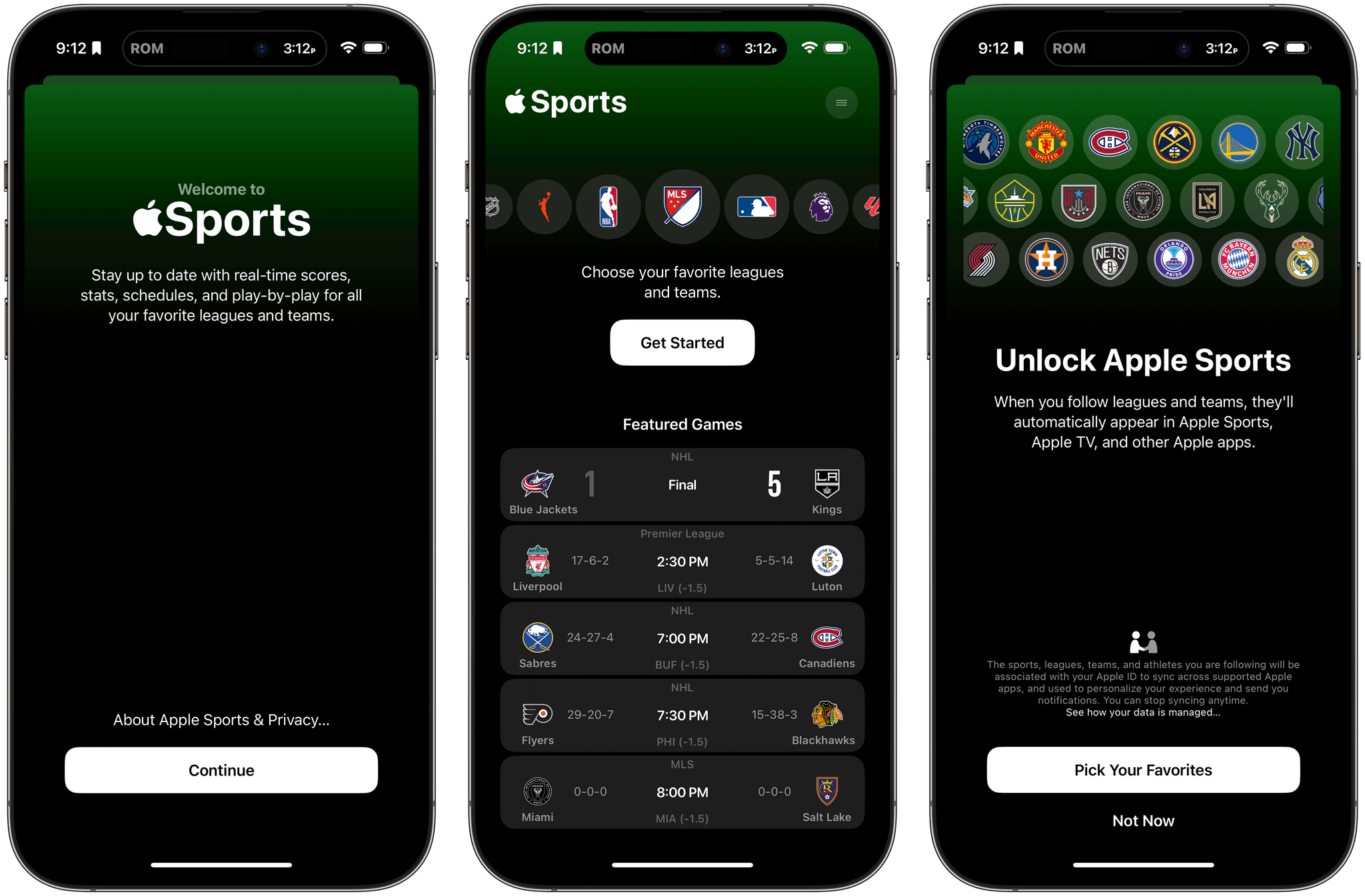
Today, Apple introduced a new iPhone-only app called Apple Sports. The free app is available to download from the App Store in the US, UK, and Canada, and, as Apple describes it in its press release:

gives sports fans access to real-time scores, stats, and more. Designed for speed and simplicity, the app’s personalized experience puts users’ favorite leagues and teams front and center, featuring an easy-to-use interface designed by Apple.

Apple’s senior vice president of Services, Eddy Cue said:

We created Apple Sports to give sports fans what they want — an app that delivers incredibly fast access to scores and stats. Apple Sports is available for free in the App Store, and makes it easy for users to stay up to date with their favorite teams and leagues.

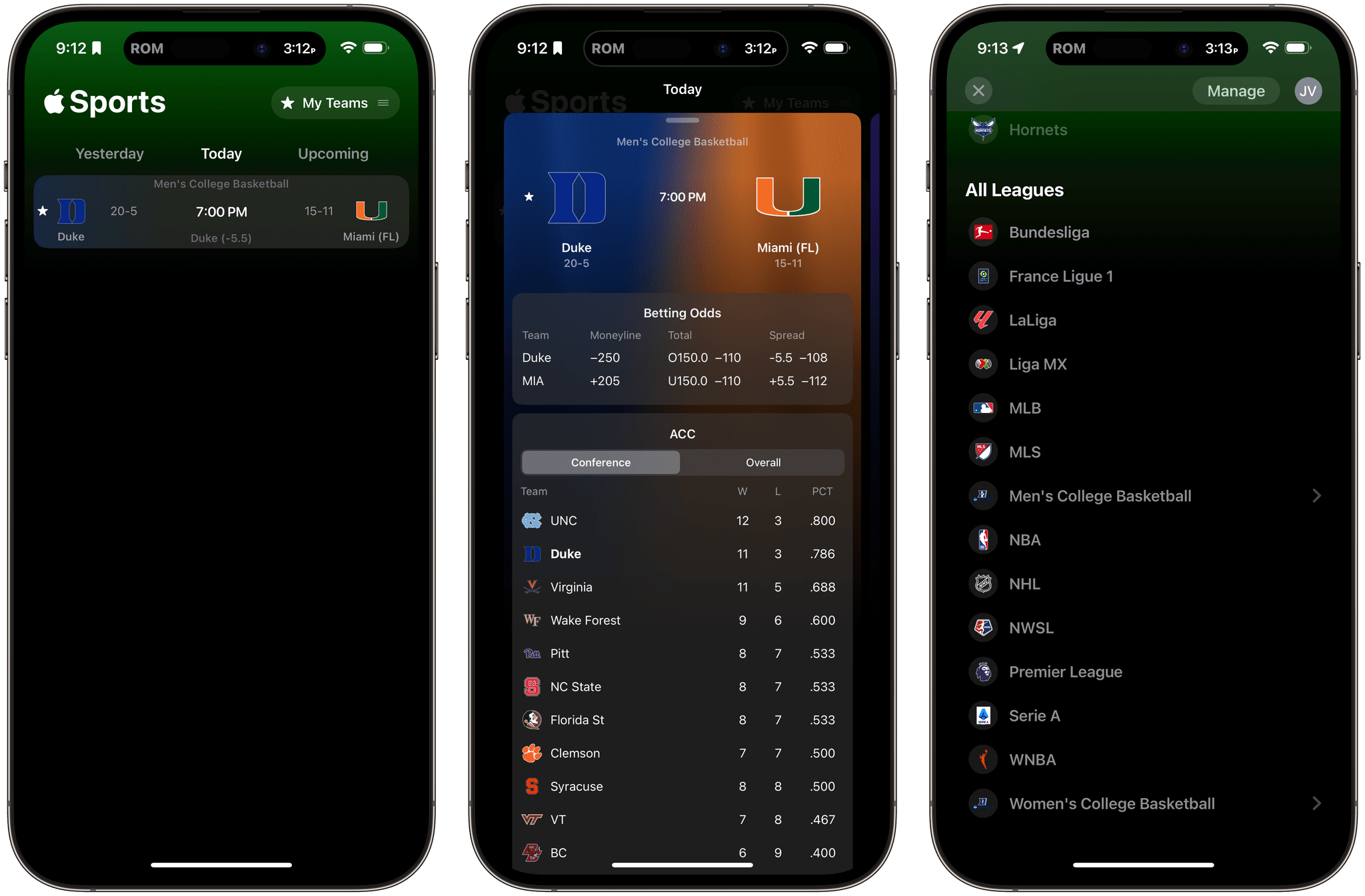
Go Devils!

Go Devils!

The app includes a long list of leagues that can be tracked by sports fans:

  • MLS
  • NBA
  • NCAA basketball (men’s and women’s)
  • NHL
  • Bundesliga
  • LaLiga
  • Liga MX
  • Ligue 1
  • Premier League
  • Serie A

Apple says others will be added over time as their seasons begin, including MLB, NFL, NCAAF, NWSL, and WNBA.

I’ve taken a quick look at Apple Sports, and the design is great. There’s a lot of information but it’s all easily accessible and laid out in an easy-to-understand way. The app also syncs with the My Teams feature of Apple News and Apple TV, pulling my Duke Blue Devils directly from those apps into the Sports app without me having to do anything, which is nice.


Is Apple Collaborating with SongShift on Migrating Users to Apple Music?

Speaking of Apple Music, Apple appears to be testing ways to migrate your music library and playlists from other streaming services to its own.

Chance Miller, writing for 9to5Mac, reports on the discovery made by users of the Apple Music for Android beta on Reddit:

Now, Apple appears to be testing native integration with SongShift. According to users on Reddit, there is a new prompt in Apple Music for Android that asks users if they want to “add saved music and playlists you made in other music services to your Apple Music library.” There’s also a new option for doing this through Apple Music’s settings on Android.

SongShift is an excellent third-party app that we’ve covered over the years at MacStories. However, I’d be surprised if Apple winds up partnering with a third-party developer for this sort of new user onboarding experience instead of building a similar tool itself. Regardless of the direction Apple decides to take, a migration tool makes a lot of sense for anyone who is deeply invested in another service but is interested in trying Apple Music.

Permalink

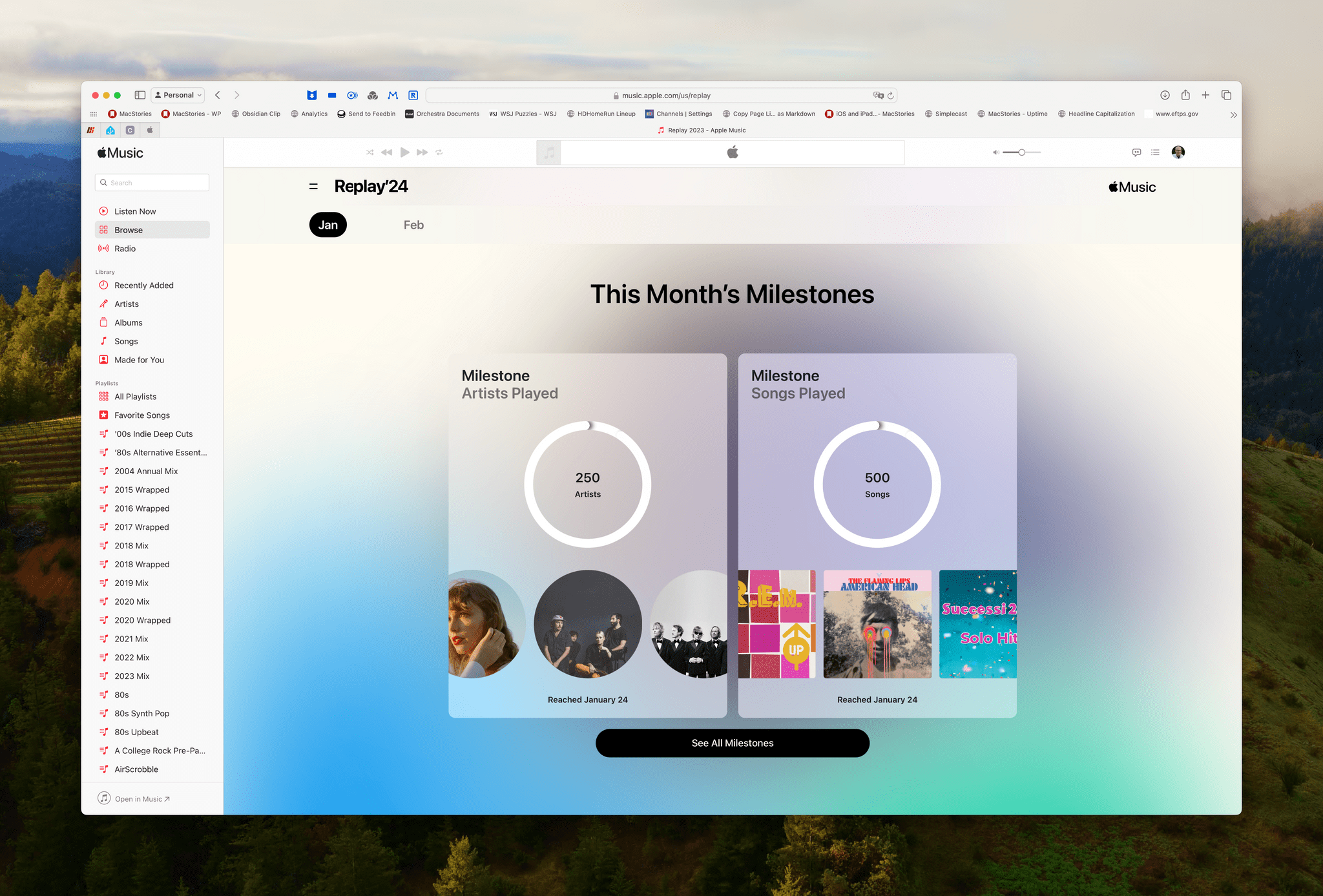
Apple Music Replay Updated with Monthly Listening Statistics

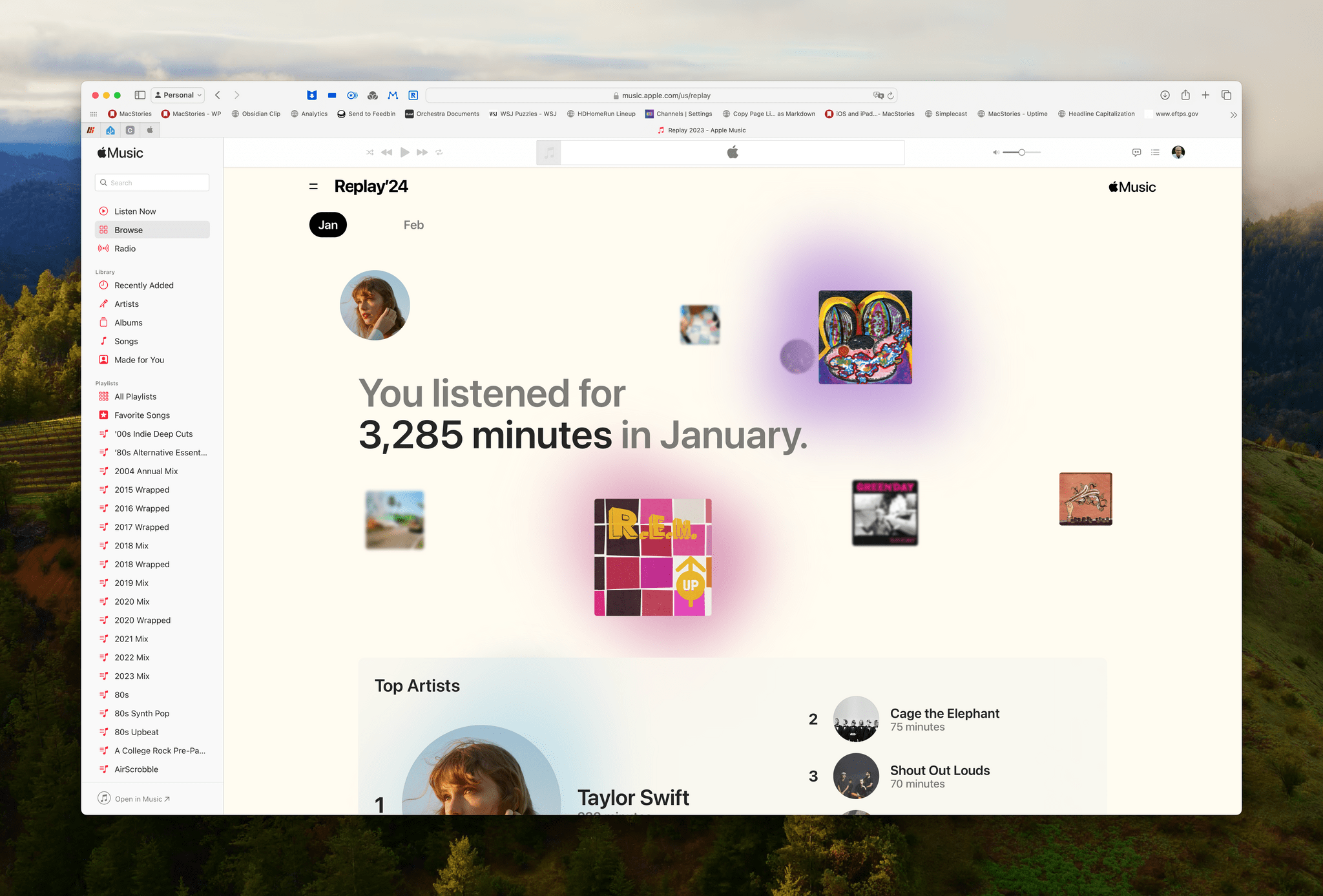
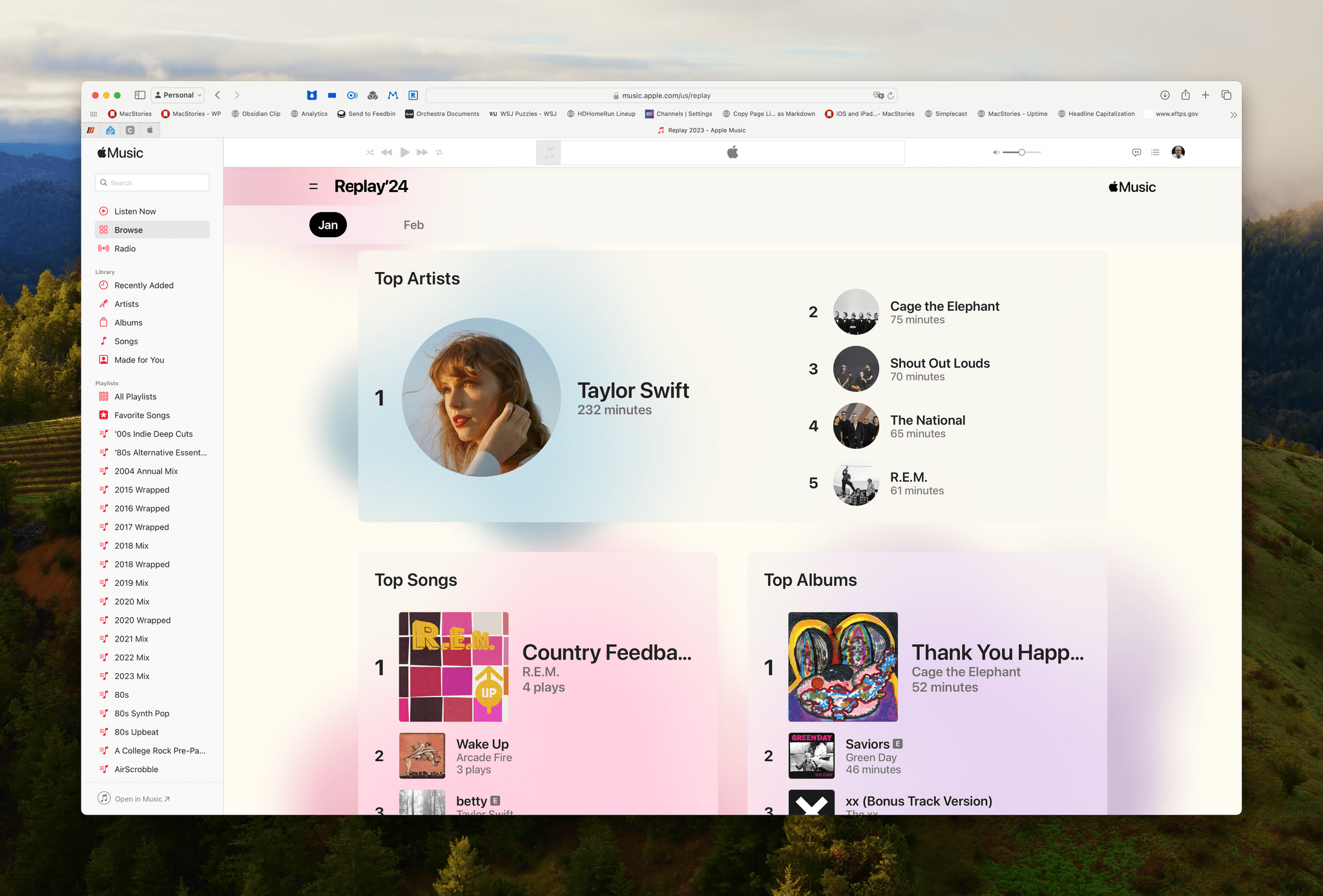
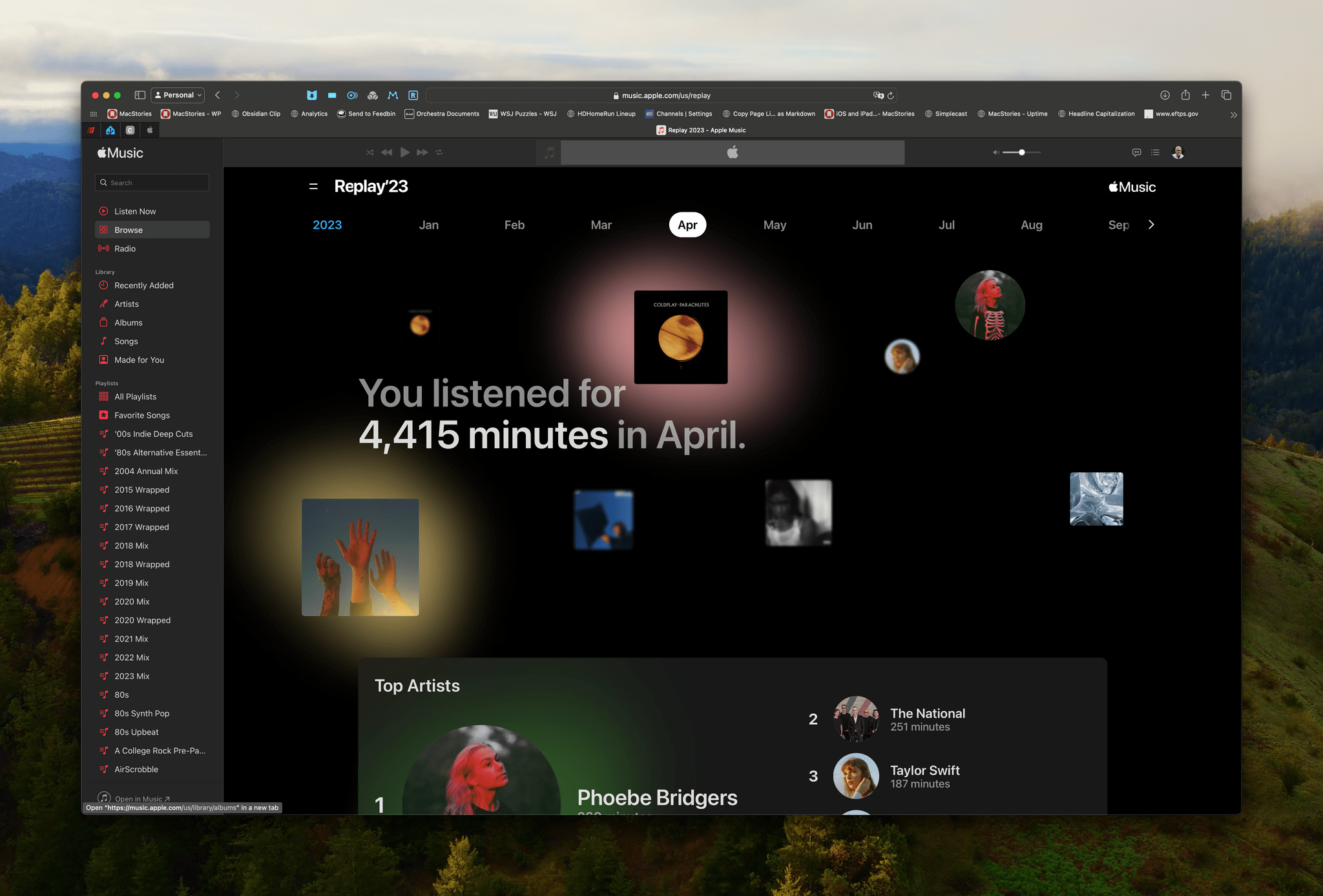
Apple has updated its Replay website with monthly totals for top artists, albums, songs, and milestones, giving Apple Music listeners a reason to visit the site more than once a year. The update bears some similarities to the sort of monthly statistics available from sites like Last.fm, although less detailed.

Here’s what Apple had to say about the new features:

Once logged in [to Apple Music], users can check out their top songs, top albums, top artists, and milestones of the month, every month. They can also listen to their personal top songs chart of the year with their Replay Mix, which updates weekly.

The update extends the existing Replay site’s beautiful, interactive design. Selecting milestones provides additional details about the music you were listening to when you reach each one.

Currently, only January’s statistics are available. The site says February statistics will appear in early March. However, the monthly stats have been added for 2023, too, so you can browse last year’s musical obsessions as you wait for February’s. The deeper year-round statistics are a welcome addition to Replay. I still wish I could access all of this inside the Music app itself, but I love the new level of detail about my listening habits.


A Comprehensive Guide to Gaming on the Apple Vision Pro

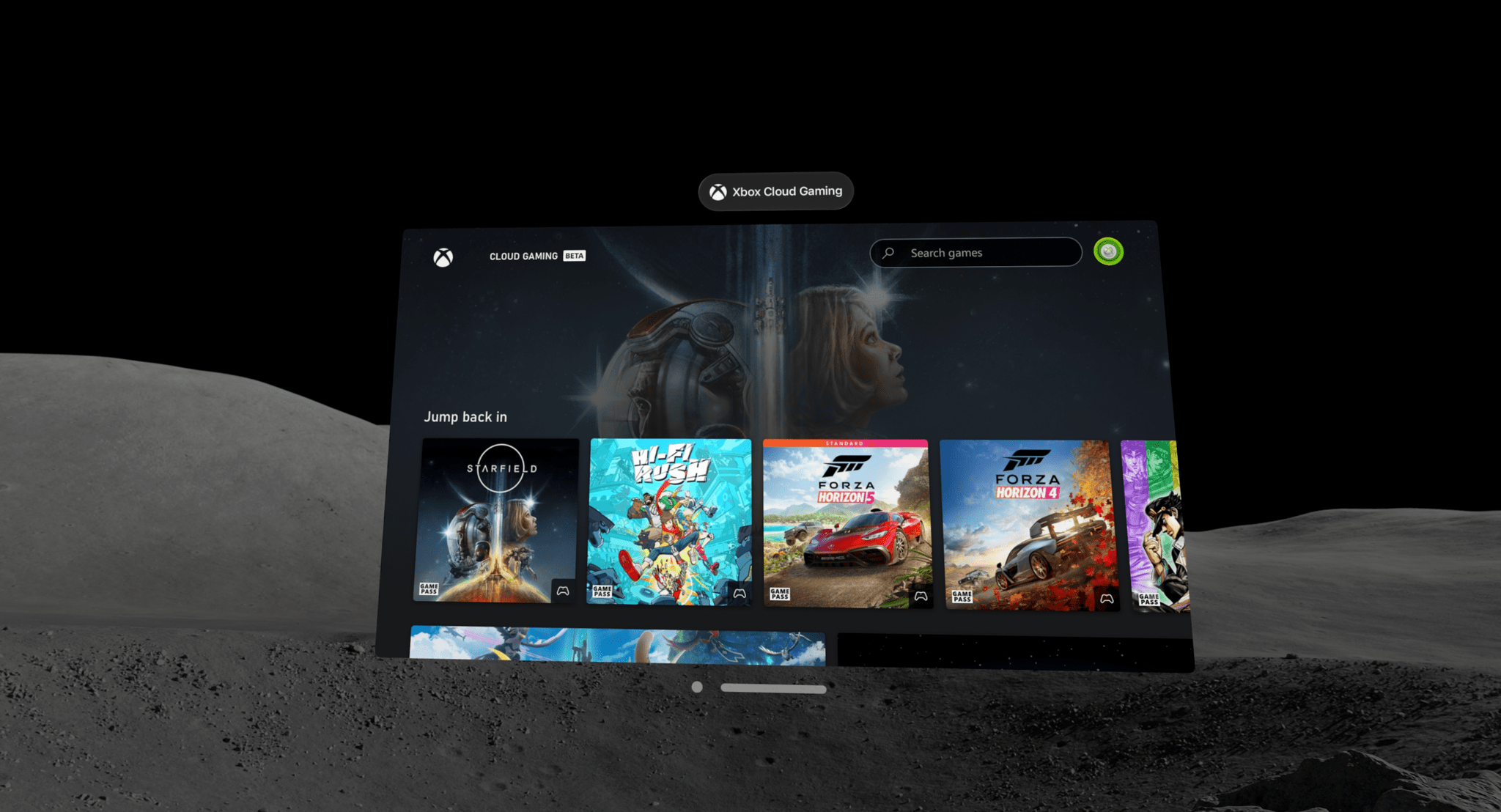
The lack of any kind of port significantly limits the type of gaming you can do in the Apple Vision Pro – or does it? Sure, even one USB-C port would make a big difference to gamers looking to play titles outside the App Store, but there is a surprisingly wide array of ways to play almost any game on the Vision Pro with the help of a combination of apps and hardware. The solutions run the gamut from simple to complex and span a range of price points. I’ve tried them all and have pointers on how to get started.

Read more