Jake Underwood

128 posts on MacStories since December 2015

Former MacStories contributor.

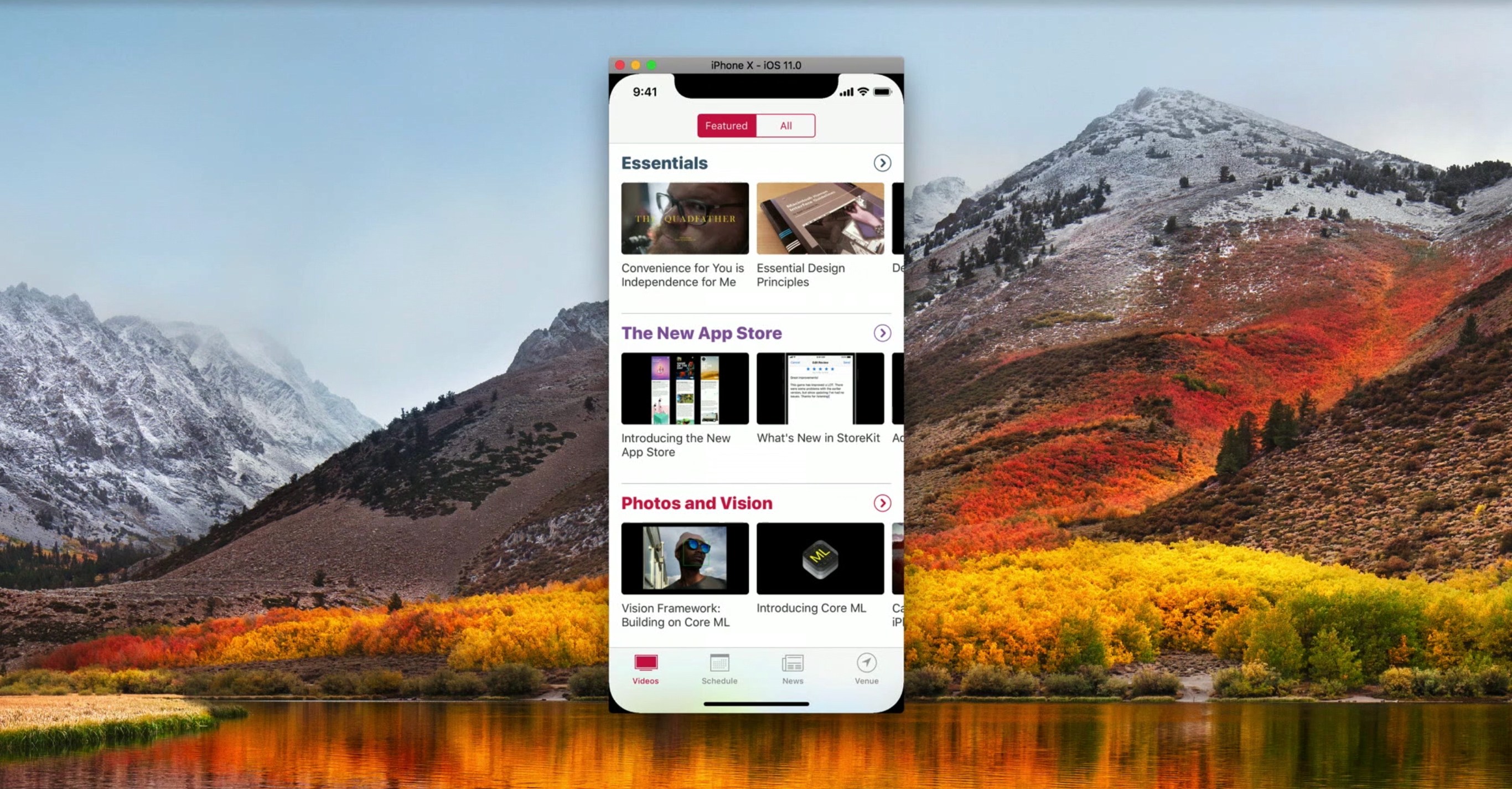
Apple Adds Videos to Developer Portal on Optimizing for New Devices

To help developers take advantages of the latest technologies introduced during today’s event, Apple has posted fourteen videos to its developer portal. The list features multiple videos on the iPhone’s A11 chip, as well as how to design apps for the iPhone X’s unique shape and updating apps to support the new Apple TV 4K.

Covering app frameworks, graphics and games, design, and media, these videos give insight into how to maximize apps for Apple’s newest devices. While some are on the shorter side – like “An Introduction to HDR Video” and “Authoring 4K and HDR HLS Streams” – many are well over ten minutes, diving deep into things like Metal 2 and how it integrates with the A11 chip.


You can also follow all of our Apple event coverage through our September 12 hub, or subscribe to the dedicated September 12 RSS feed.

Permalink


Whink Review: Taking Beautiful Notes

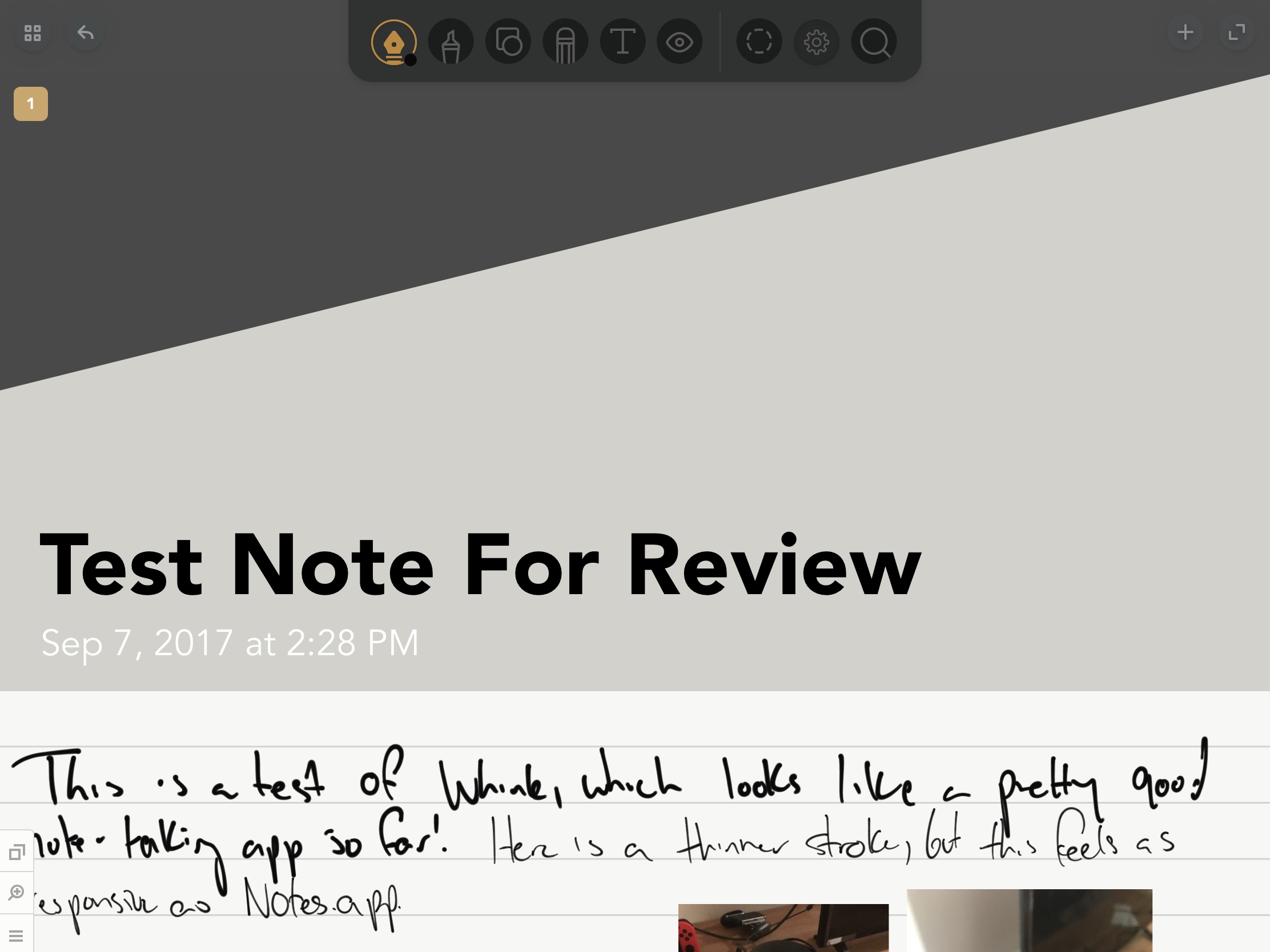
I take extraordinarily ugly notes, a combination of terrible handwriting and the inability to organize my notes properly. Even as I’ve moved primarily to digital notes, I still struggle putting attractive and useful documents together.

Whink is almost everything we’ve come to expect from a modern note-taking app – Apple Pencil support, multimedia integration, document exporting, and more – assembled in one of the most aesthetically pleasing packages I’ve seen in its genre. By adding minor design flourishes around content, Whink transforms your notes into beautiful resources.

Read more


Console and PC Games Ported to iOS, Vol. 2

Bastion Before making its way to iOS in 2012, Bastion first debuted on Xbox 360 and Windows almost a year before. Set in a post-apocalyptic world, you’ll navigate The Kid, who works his way through a regenerative world in hopes of resetting his environment to its prior, unharmed state. By taking out enemies...


Square Cash

Cash, like its well-known competitors Venmo and PayPal, is a peer-to-peer money transferring app. After spending significant time using all three apps, I’ve settled with Cash, which I think is the easiest way to send money to the people in your life. When you sign up for Cash, you’ll go through the typical steps:...


Self-Checkout at the Apple Store

This past weekend, I made a trip to the Apple Store to pick up a 3.5 mm adapter for my iPhone 7 so I could play podcasts in the car. My local store is the only one in the lower 80% of Indiana, so it often gets really busy – and when all I...


Taps Review: A Game of Numbers

Lately, I’ve been on a puzzle kick, and I recently found my next game to play too much: Taps.

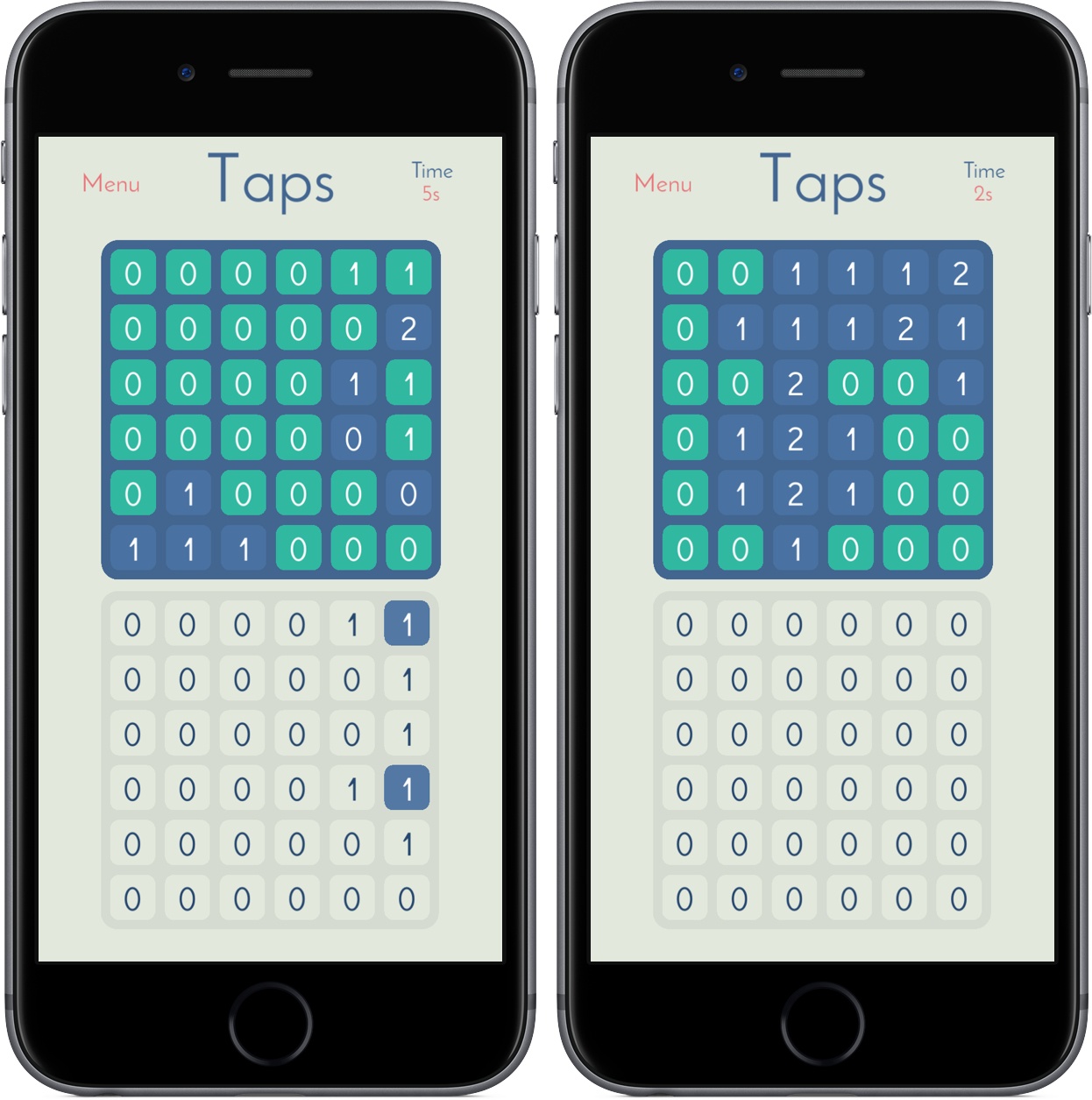
In Taps you’re tasked with transforming a grid of 0s into 1s, 2s, 3s, and so on. Of course, you’ll do so through taps, changing tiles in your 6x6 grid to match the one placed above you. Every tile you tap increases its value by one while also increasing the number of the tiles adjacent to it – if you tap a tile in the bottom right corner, it’ll change from 0 to 1, as will the ones above and to the left of it. Below is a demonstration of what this looks like in practice:

Early in the game, you’ll be matching 0s and 1s, but Taps gets tougher as you work your way through its 200 levels. I’ve found that the longer I play, the more time I’ve needed to build out a meaningful strategy before I start attacking my board; too often during the levels, I’ve had to walk back almost all my decisions to make sure I get a 2 in the right place.

Taps is reminiscent of a modern-day Minesweeper, and it’s just as addicting – watching the top board change color as you match its patterns is so satisfying, and the gameplay makes it easy to work through a couple of levels in no time. With standard, advanced, and custom levels to explore, Taps won’t feel completed for many, many hours. And with a timer tracking how long it takes you to complete levels, you can always race yourself to find a faster solution.

Taps came out just a month ago, but I’m surprised it slipped by me for this long. I’ve had a lot of fun playing it in the couple days I’ve had it on both iPad and iPhone, and I’m looking forward to investing more hours over the long weekend.

You can pick up Taps in the App Store for iPad and iPhone for $1.99.


Working in the Apple and Google Ecosystems

Between the words of this article are physical pauses – ones to check my phone, take a sip of water, and check Twitter. Every so often, I’ll pause for a different reason, if only for a second: “Hey Google! Next song.” For the past couple of months, I’ve been diving ever deeper into Google’s...