Apple Watch Nike+ Ads Starring Kevin Hart Debut

The Apple Watch Nike+, with its special band, watch faces, and fitness features was released on October 28, 2016. Today, Nike released a series of ads titled The Man Who Kept Running starring actor-comedian Kevin Hart to show off the new watch.

The ads follow Hart as he leaves to try his new Apple Watch Nike+. The premise is that Hart disappears, but is found months later by a film crew as he runs through the desert 700 miles from home.

Each of the seven ads plays off of the question posed by the scheduling feature of the Nike+ Run Club watch app: ‘Are we running today?’ For Hart, the answer is always ‘yes.’ Each spot also highlights a unique feature of the Nike+ version of the Apple Watch that sets it apart from the regular Series 2 version.

Here is the ad that sets up the storyline for the series. The other videos can be viewed after the break.

Read more


Gboard Incorporated into Google’s iOS Search App

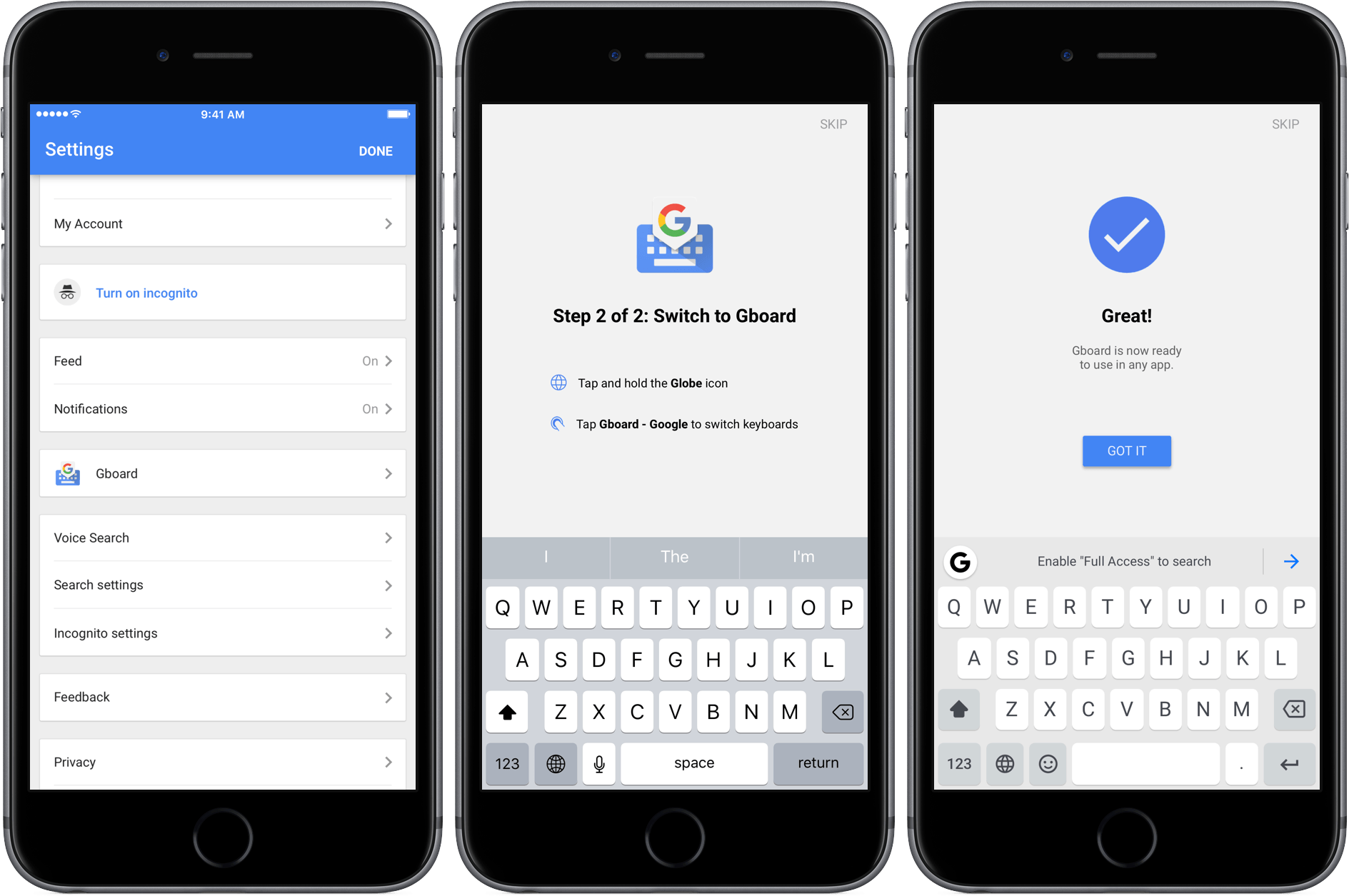
Google released an update to its iOS search app today that includes Gboard integration. Gboard is Google’s alternative to the iOS system keyboard and one of the better third-party keyboards available on iOS. The keyboard supports web, image, and GIF searches, instant-answer search results, multiple languages, 3D Touch cursor movement, contacts, and other features.

Gboard must still be installed by navigating to the Keyboard settings in Apple’s Settings app, but after you do that, Gboard’s settings can be adjusted in the Google app instead of the separate Gboard app. The downside of the new approach is that if you already have Gboard installed, it is now possible to have two Gboard keyboards installed at once – one from the standalone Gboard app, which is still available on the App Store, and the other from the Google app. If you’re a Google app user and already have Gboard installed as I did, I suggest deleting the Gboard app because there is no reason to have two instances of the Gboard keyboard installed.

Permalink

AirPods, Siri, and Voice-Only Interfaces

Ben Bajarin makes a strong point on using Siri with the AirPods:

There is, however, an important distinction to be made where I believe the Amazon Echo shows us a bit more of the voice-only interface and where I’d like to see Apple take Siri when it is embedded in devices without a screen, like the AirPods. You very quickly realize, the more you use Siri with the AirPods, how much the experience today assumes you have a screen in front of you. For example, if I use the AirPods to activate Siri and say, “What’s the latest news?” Siri will fetch the news then say, “Here is some news — take a look.” The experience assumes I want to use my screen (or it at least assumes I have a screen near me to look at) to read the news. Whereas, the Amazon Echo and Google Home just start reading the latest news headlines and tidbits. Similarly, when I activate Siri on the AirPods and say, “Play Christmas music”, the query processes and then plays. Where with the Echo, the same request yields Alexa to say, “OK, playing Christmas music from top 50 Christmas songs.” When you aren’t looking at a screen, the feedback is important. If I was to ask that same request while I was looking at my iPhone, you realize, as Siri processes the request, it says, “OK” on the screen but not in my ear. In voice-only interfaces, we need and want feedback that the request is happening or has been acknowledged.

Siri already adapts to the way it’s activated – it talks more when invoked via “Hey Siri” as it assumes you’re not looking at the screen, and it uses UI elements when triggered from the Home button.

Currently, activating Siri from AirPods yields the same feedback of the “Hey Siri” method. I wonder if future Siri will talk even more when it detects AirPods in your ear as it means only you will be able to hear its responses.

Permalink


Developers Report Serious PDF Bugs in macOS Sierra

After macOS Sierra was released, reports of problems with PDFs created with Fujitsu’s ScanSnap scanner surfaced. Apple resolved those problems with the release of macOS 10.12.1, but it turns out the problems with PDFs on Sierra run deeper.

Adam Engst of TidBITS has a rundown of several issues that plague Preview, Apple’s PDF app, and many third-party PDF apps. The source of the problems seems to be PDFKit, a developer framework for handling PDFs in macOS. According to developers who spoke to Engst, Apple rewrote parts of PDFKit to unify the macOS and iOS PDF code bases. In the process, developers say that Apple introduced a series of significant bugs and deprecated PDFKit features that broke third-party apps that use PDFKit.

Most recently, the macOS 10.12.2 release seems to have introduced a Preview bug that deletes any OCR layer embedded in a PDF that is edited in Preview. Meanwhile, third-party developers have run into new bugs that affect the handling of PDF annotations.

Engst, the co-author of Take Control of Preview, concludes that:

… I have to recommend that Sierra users avoid using Preview to edit PDF documents until Apple fixes these bugs. If editing a PDF in Preview in unavoidable, be sure to work only on a copy of the file and retain the original in case editing introduces corruption of any sort. Smile’s PDFpen [which doesn’t use PDFKit] is the obvious alternative for PDF manipulation of all sorts (and for documentation, we have “Take Control of PDFpen 8” too), although Adobe’s Acrobat DC is also an option, albeit an expensive one.

Permalink

Manton Reece Launches Campaign for Microblogging Service and Book

Today, Manton Reece launched a Kickstarter campaign to raise money for Micro.blog, a platform for independent microblogging and a related book on the subject. Micro.blog has a lot in common with social networks like Twitter, such as replies and favorites, but with an important difference. Instead of locking users into a proprietary system owned by someone else, the content created by individuals is owned and controlled by them. As part of the Micro.blog service, Reece is also building publishing tools with Markdown support, including a native iPhone app, to help people get started with microblogging.

At the core of Micro.blog is an critical design decision – the separation of publishing from social networks. That choice ensures that the microblog content you create remains yours to publish at [your-name].micro.blog or anywhere else you can host a website. At the same time, Micro.blog doesn’t ignore existing social networks. Microblog posts can be cross-posted to other services, which has the potential to give users the best of both worlds – control over their content and access to the broad audiences of services like Twitter.

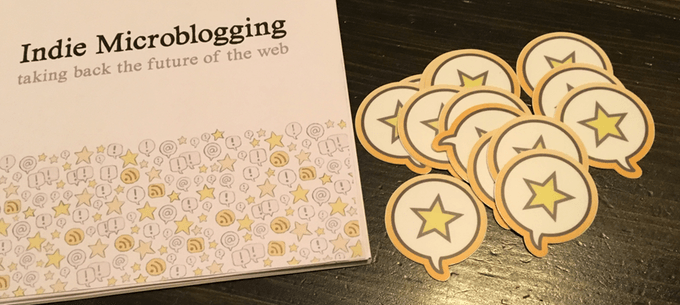
In addition to Micro.blog, Reece is writing a book on independent microblogging that makes the case for the format and provides practical advice on how to start a microblog. Backers of Reece’s campaign can choose from a variety of rewards that include Reece’s book, early access to the Micro.blog service, free months of the Micro.blog service, and stickers.

New social networks have come and gone over the years, but Reece’s focus on decentralizing microblog publishing from social networks is unique. I had a chance to speak with Manton about Micro.blog at WWDC and know how much time and thought has gone into this project. The campaign is off to a great start and I’m excited to try it soon.

Permalink


iPhone City

David Barboza of The New York Times has an in-depth look at Zhengzhou, a Chinese city of six million residents with a Foxconn factory that can build 500,000 iPhones a day. Apple’s presence in Zhengzhou is so large that it’s called ‘iPhone City.’

The scale of Foxconn’s factory is immense:

[Workers] file steadily into dozens of factory sites, spread out across 2.2 square miles. At the peak, some 350,000 workers assemble, test and package iPhones — up to 350 a minute.

Based on extensive research that included over 100 interviews and the review of confidential Chinese government records regarding incentives received by Foxconn, The New York Times breaks down iPhone City’s stakeholders concluding that:

As China and the United States both brandish a new form of economic nationalism, they risk disrupting the system, without necessarily achieving their goals.

iPhone City is a complex system that developed over several years and involves economic incentives provided to Foxconn by local and national Chinese governments, intricate tax strategies that lower Apple’s costs, and a state recruited and trained labor force. We’ve had peeks at the enormity of Foxconn’s iPhone factory in the past, but Barboza goes further, with an excellent explanation of how interconnected each piece is.

Permalink