

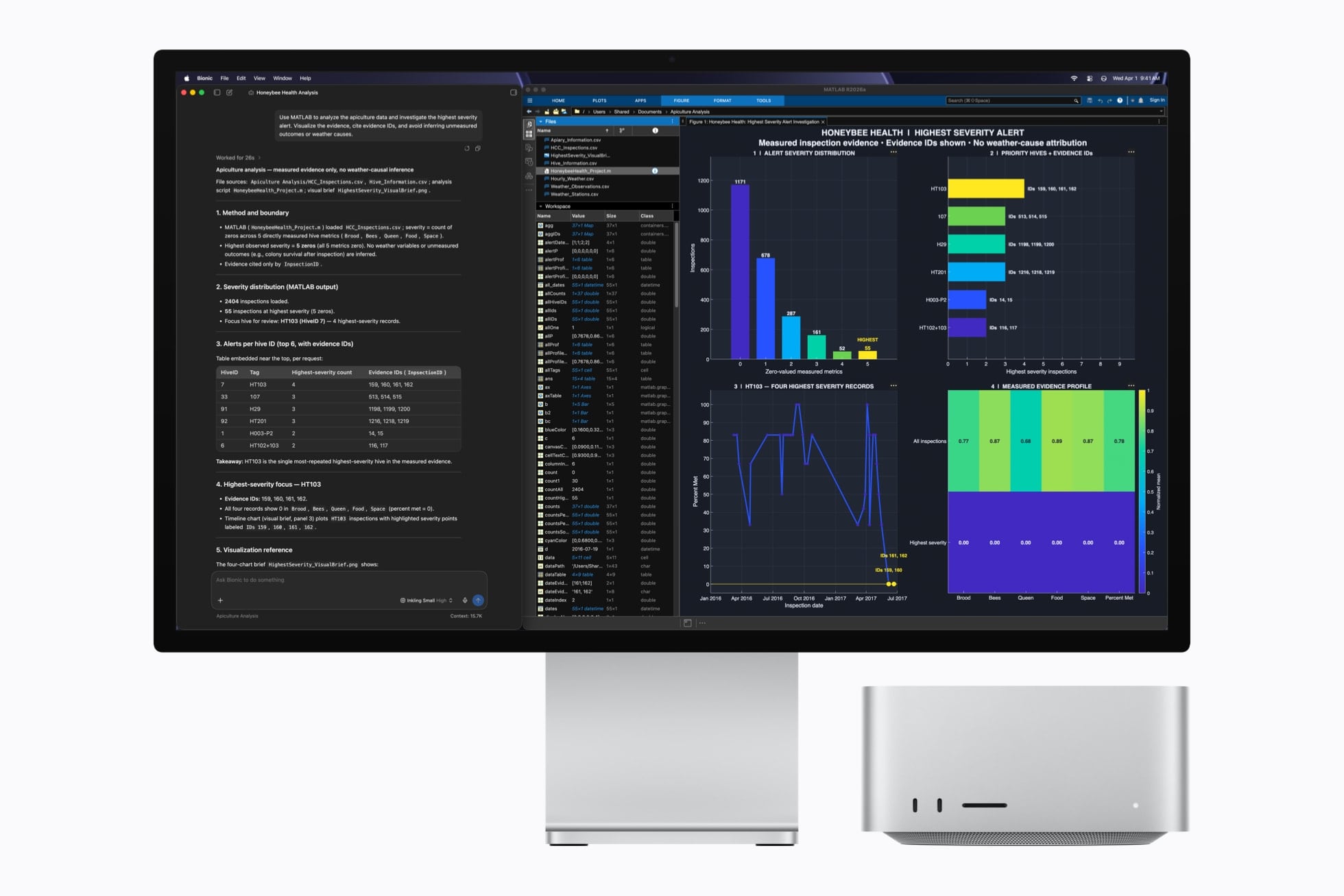
Earlier today, Apple unveiled the new generation of Mac mini and Mac Studio, featuring the latest entries in the Apple silicon family of chips: the M6, available in the Mac mini, and the M5 Ultra, exclusive to the Mac Studio. You can read more details about the announcement and related specs in John’s overview.
As someone who’s been working with an M3 Ultra Mac Studio (on loan from Apple) with 512 GB of RAM for the past year (plus two separate M4 Mac minis) with a particular focus on local AI models and performance gains enabled by Apple’s MLX framework, I obviously am very interested in these new machines. To give you some context: my current workspace for my upcoming iOS and iPadOS 27 review, which lives in Notion, is entirely managed by a series of local agents running the latest DeepSeek-V4-Flash via MLX on the Mac Studio, which continuously scan the project for new notes, sources, and research material that is automatically categorized and linked in the chapters that I’m writing. So, yes, I’m sure I’ll have more thoughts on the new Mac minis and Mac Studios soon. In the meantime, I thought it’d be fun to break down the local AI-related details from Apple.
First, the M6. While it may not be the powerhouse that the M5 Ultra is, it’s an interesting new chip because of its new 2 nm process and dual Neural Engine system:
M6 is built using cutting-edge 2 nm process technology, packing greater transistor density into a smaller die for a major leap in performance and power efficiency. M6 also introduces a Dual 16-core Neural Engine, providing up to 2x the peak compute over previous generations to make on-device AI workflows run even faster. System frameworks can automatically utilize both engines simultaneously, enabling applications to see faster model execution.
But that’s not all: the new 12-core GPU (which has two more cores than the M4’s old GPU) now features Neural Accelerators in each core for the first time on the Mac mini. The result, according to Apple, is “4x faster AI performance and 2x faster graphics than Mac mini with M4”. If these numbers hold up and scale linearly, a local Mixture-of-Experts model such as Qwen 3.5-35B-A3B, which would run at ~17 tokens/sec on average on a base M4 Mac mini with 16 GB of RAM, could realistically generate output at over 60 tokens/second with the base model M6 Mac mini.
Based on what we’ve seen so far, the one downside of the M6 Mac mini is that it does not have Thunderbolt 5 ports; those are exclusive to the M5 Pro model, also announced today. As Apple also notes, Thunderbolt 5 allows multiple M5 Pro Mac minis to run local AI models as a single cluster (for example, using something like exo). Alas, that won’t be possible with the M6 Mac mini and its Thunderbolt 4 bandwidth bottleneck. Nonetheless, I’d be intrigued to compare the performance of the widely regarded Qwen3.8-27B and DeepSeek-V4-Flash models on the new M6 Mac mini.
Moving on to the flagship M5 Ultra Mac Studio, let’s start here:
With M5 Ultra, Mac Studio achieves up to 4.3x the peak AI compute performance of M3 Ultra and a staggering 9.8x more than M1 Ultra. Combined with up to 512GB of unified memory and 1.2TB/s of memory bandwidth, 50 percent higher than before, Mac Studio lets users run massive models entirely on device with complete privacy — without counting tokens or worrying about rising cloud costs.
As seen on the Mac Studio’s product page, the 512 GB RAM version of the M5 Ultra Mac Studio will only be available in “late October”. Unlike the M6, the M5 Ultra supports Thunderbolt 5, which will allow customers to run multiple Mac Studios in a cluster with shared memory to distribute inference across machines. And, according to Apple, a cluster of four Mac Studios yields three times the performance of a single Mac Studio.
Speaking from personal experience, I know that my M3 Ultra Mac Studio using oMLX can run DeepSeek-V4-Flash locally with generation averaging 35 tokens/second. Assuming a linear 4x increase, that would put the same model at over 120 tokens/second on an M5 Ultra Mac Studio. To put things in perspective, that kind of performance would be faster than any AI chatbot website, it’d be faster than many providers who offer a “fast” mode for their models, and it’d only be second to either dedicated NVIDIA PC clusters at home or specialized inference providers such as Cerebras or Groq…which are running in full-blown data centers. Sure, you would need a computer that is likely going to cost more than $20,000 to make it happen, but it’d still be possible on a single machine that is small, quiet, and that – in theory – any consumer can buy off the shelf.
It’s also interesting to consider the implications of M5 Ultra for running much larger models that would have typically required aggressive quantization to even stay in memory and produce any useful output. For example, Z.ai’s GLM-5.2 (a 744B MoE model) could run at up to 17 tokens/second on an M3 Ultra Mac Studio with 512 GB of RAM; the same person was even able to get the massive Kimi K3 model to run on a single machine…with decoding performance up to 3 tokens/second. You see where this is going: by continuing to push the envelope of what is possible with M-series chips, Apple is gradually making it possible to run frontier open-weight models on local hardware that takes up as much space as four Mac minis stacked together.
Obviously, for now, this is all theoretical: we’re going to need actual benchmarks to objectively measure the improvements and performance gains of the new chips. But if Apple’s claims hold up – and I have no reason to believe they won’t – I believe both the M6 and M5 Ultra will meaningfully shake up the landscape of local AI models on macOS, reinforcing, once again, that Apple continues making the best computers for AI in the industry.
