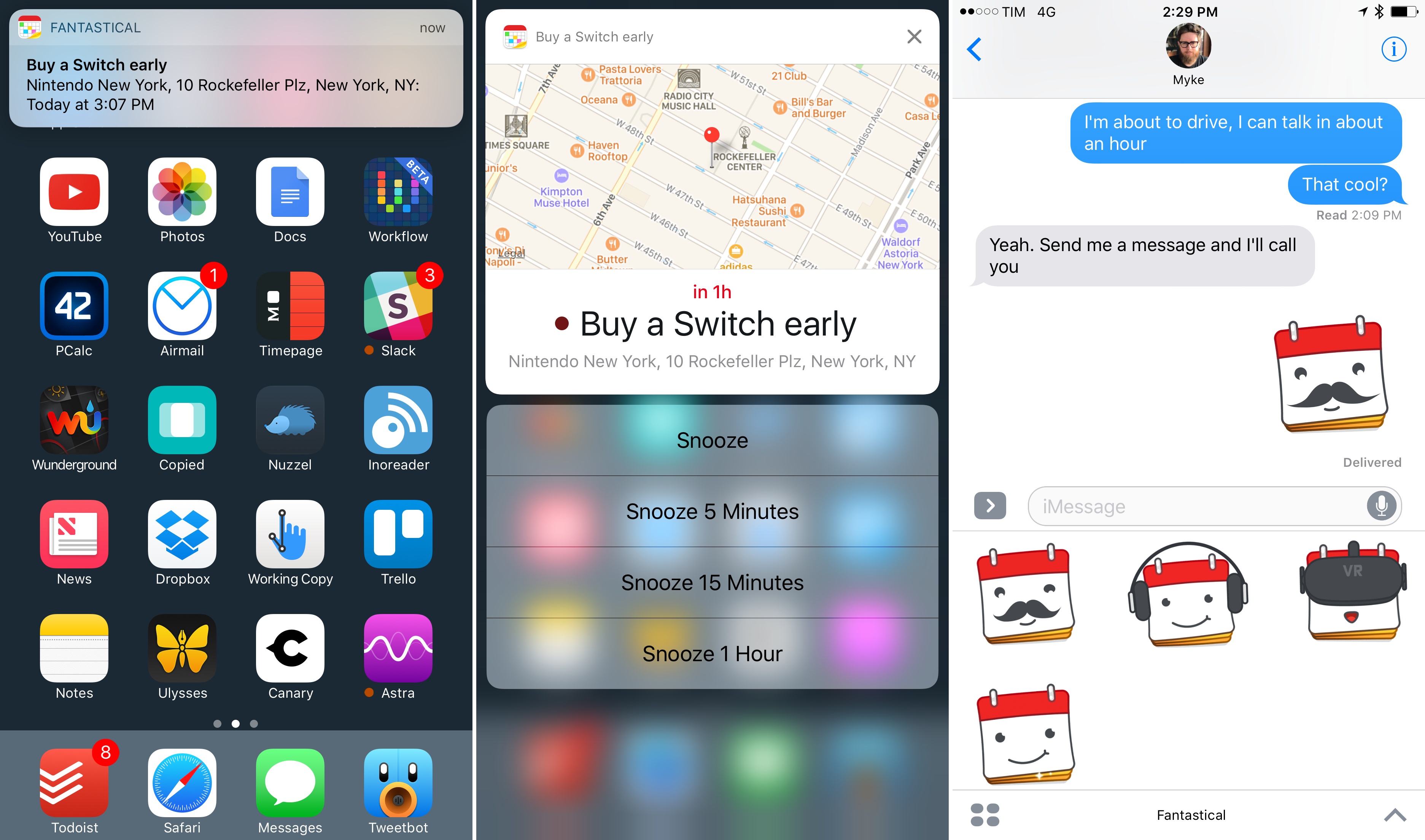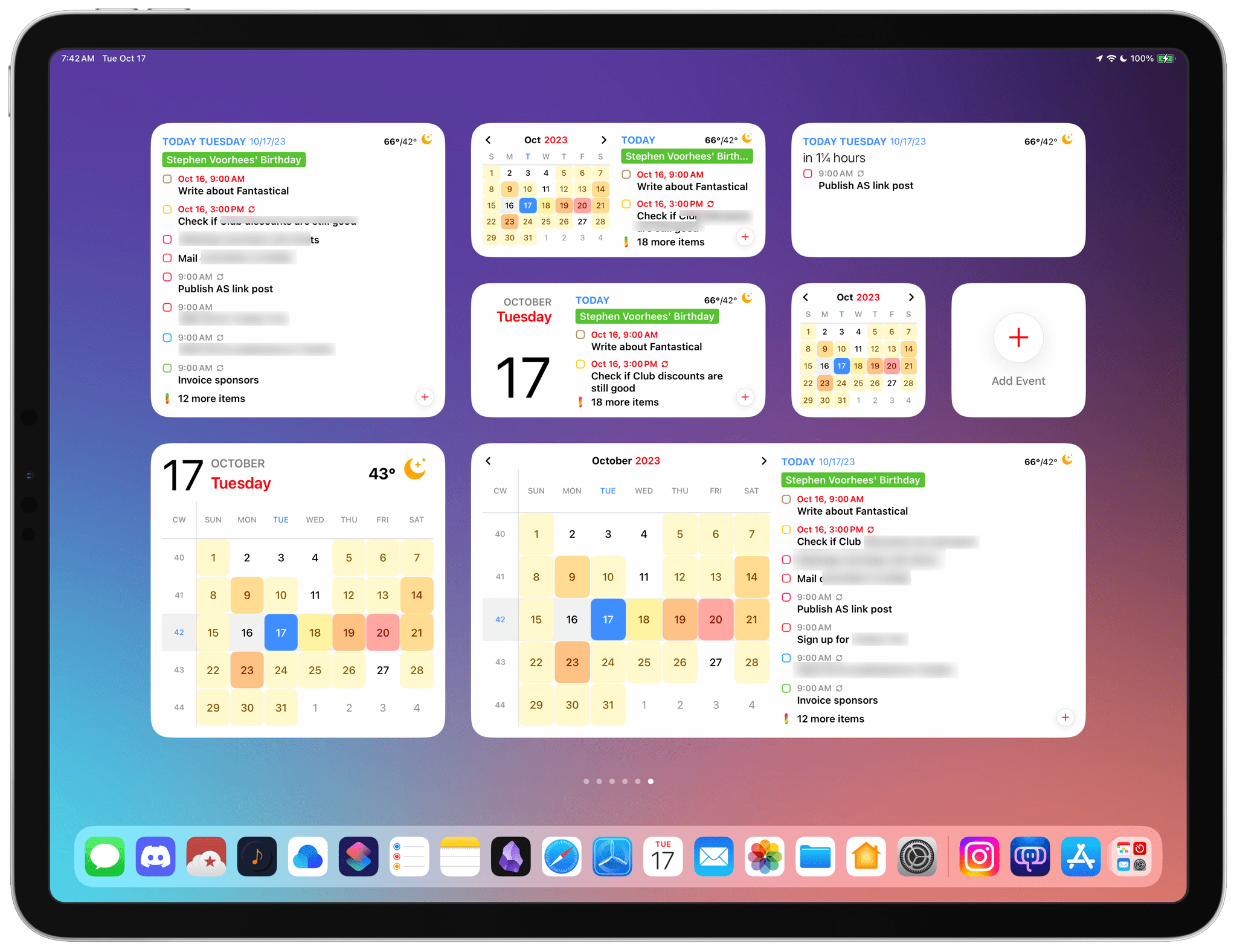
Calendar apps are ones that most people check more than they use. More often than not, all I need from my calendar app is to know what’s happening today. Many people go a step further, combining their tasks with their schedules to plan their days, making quick checks of their calendars even more crucial to their work day. Fantastical has both kinds of users covered with its latest update.
Posts tagged with "fantastical"
Fantastical’s Widgets Pair Interactivity with Superior Design
Fantastical 3.6 Adds In-App Scheduling and Quarter View
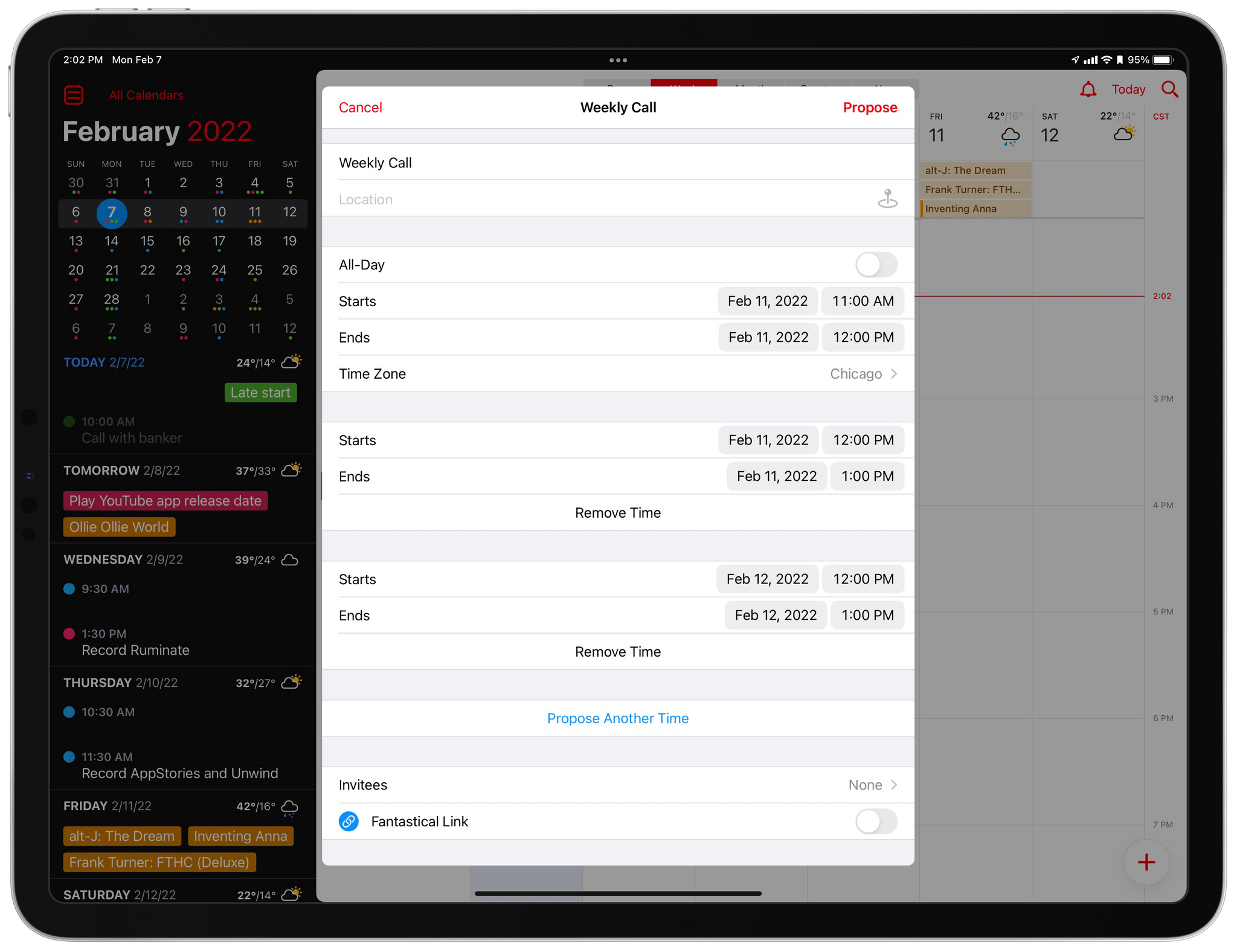
Calendar app Fantastical has added new and redesigned scheduling features that should improve short-term and long-term event planning for many of its users. Openings is a brand new feature for letting others know when they can schedule time on your calendar. Fantastical’s Calendly-like meeting organizing system has been refined too, and the app now includes a new quarter view for long-term planning.
Fantastical Debuts Powerful, Versatile Widgets Alongside Scribble for iPad
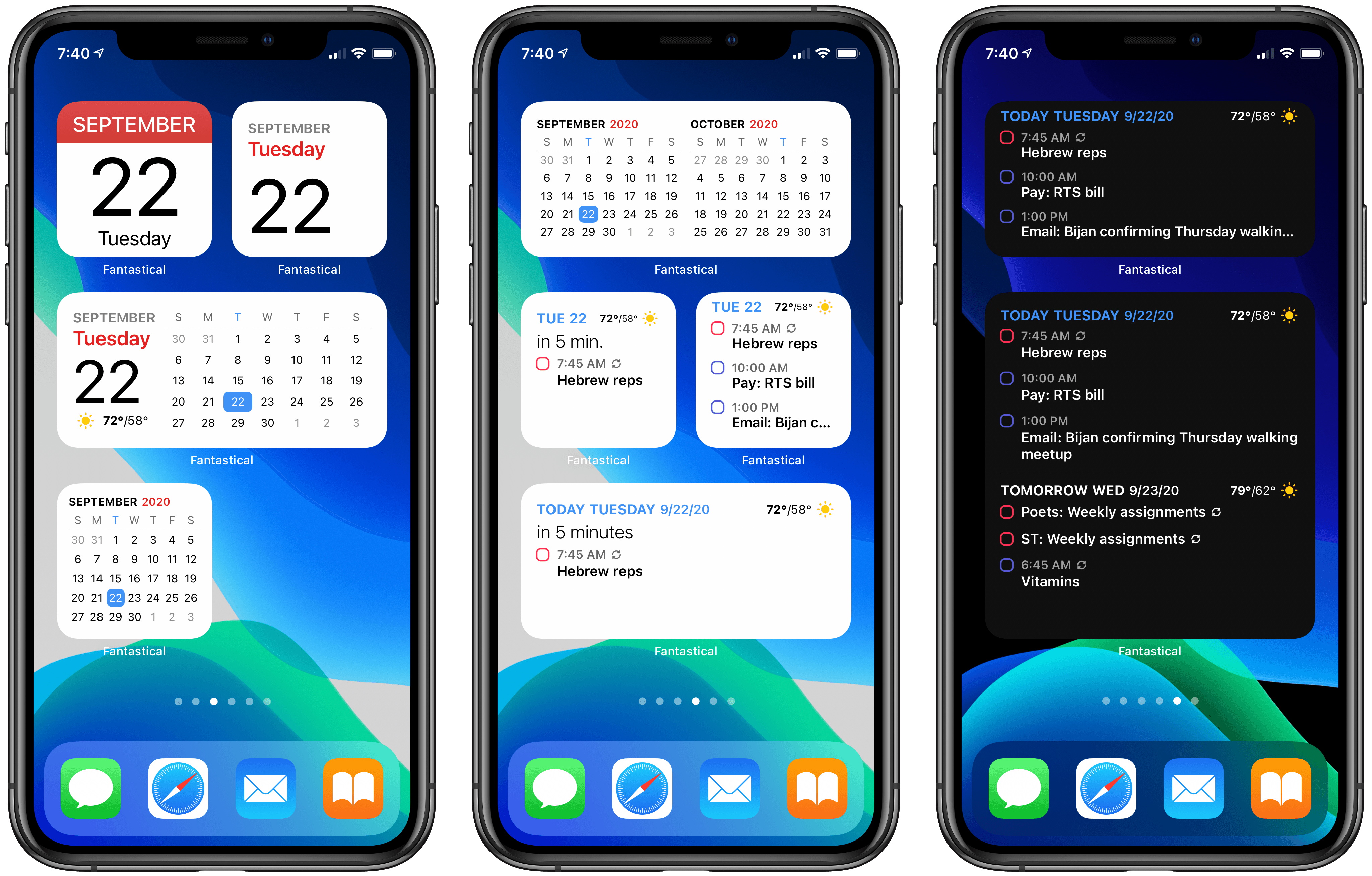
Time itself has been under attack in this year of infamy. In some ways 2020 has felt like an eternity, but somehow, simultaneously, it’s shocking that we’re nearing the end of it. Our days have lost so much of the structure and the rhythms we’re used to, resulting for some people in days that are long and void of much activity, while others are overwhelmed in a different way as they juggle work with caring for their children, facilitating virtual school, and of course hopping on too many Zoom calls per day. Whatever your situation may be, your concept of time has likely been thrown off-kilter this year.
Yet time marches on. And for many of us, the assaults on our normal patterns of life have required building new patterns, new structures for our weeks and days so we can find a new sense of normal. Rather than abandon our calendars, we perhaps need to be more judicious with them than ever. Which is where Fantastical with its new iOS 14 widgets and Scribble support comes in.
Fantastical 3.1 Arrives as a Valuable Aid for Work-from-Home Users
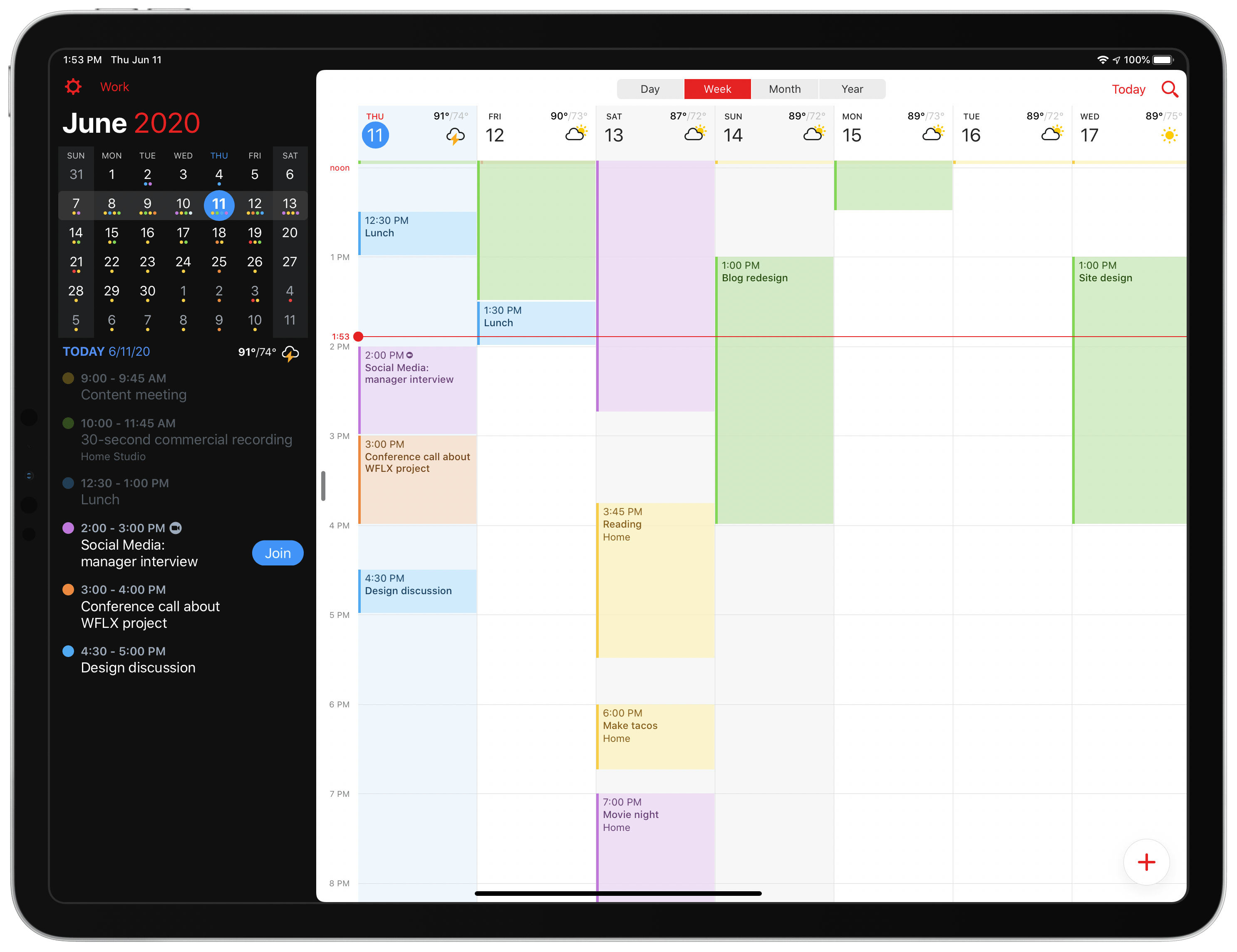
Today Fantastical is releasing an update geared toward users who are in work-from-home mode, with conference calls all throughout each day and unique needs that they’ve never had before. Enhancements to the app include link detection and a new Join button for conference calls, the ability to schedule calendar sets for different times of day, and more.
The New Fantastical Review
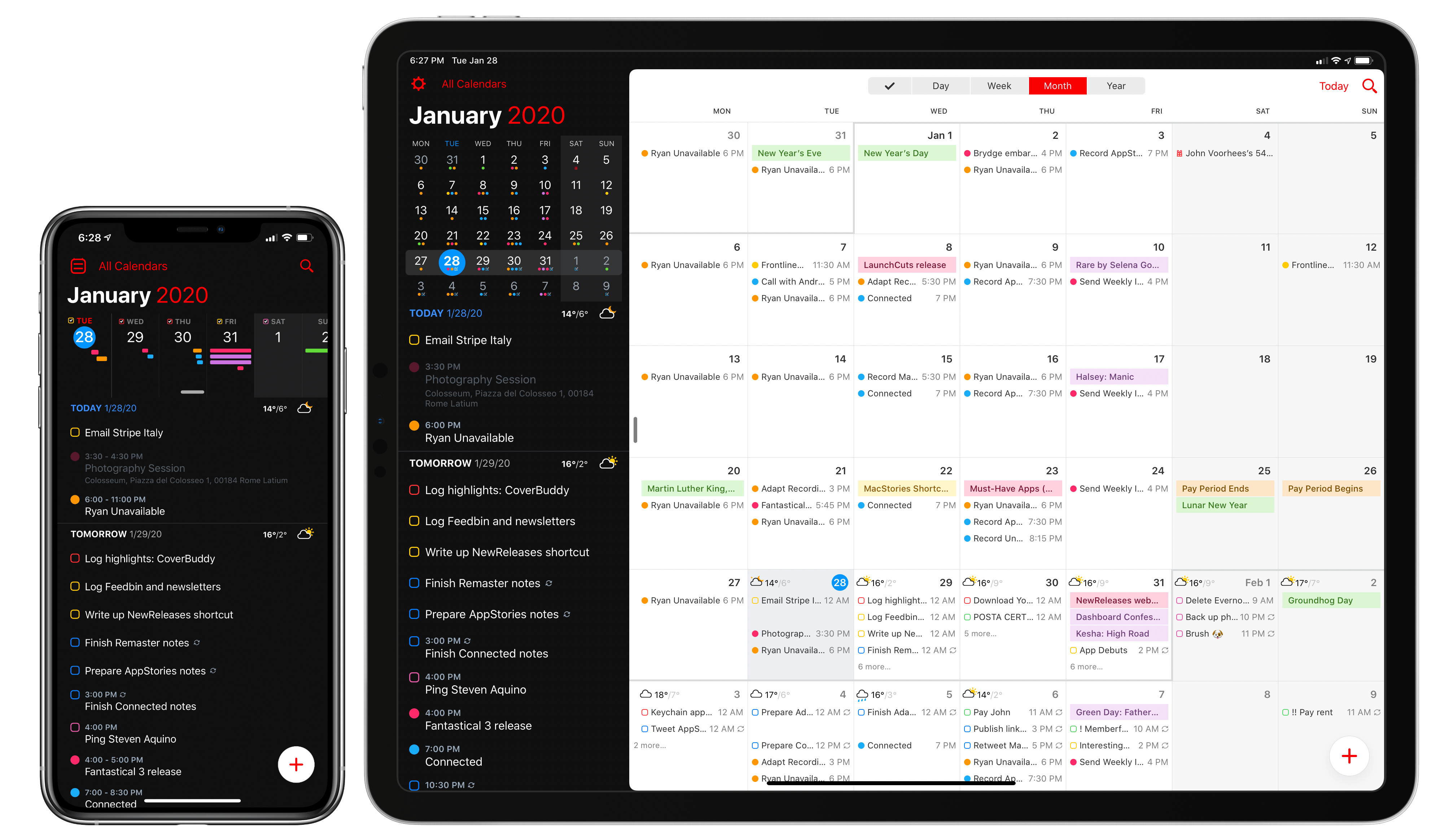
Over six years after the debut of the second major iteration of Fantastical – version 2.0 for iPhone, which I reviewed in October 2013 – Flexibits is introducing a new version of their popular hybrid calendar client/task manager today. The new Fantastical1, available today on the App Store, is a single app that runs on iPhone, iPad, Mac, and Apple Watch.
In many ways, the new Fantastical is a distillation of themes typically found in the modern productivity app scene: the app is free, and the developers have switched to a subscription model to unlock a variety of premium features. Fantastical Premium – the name of the new service – costs $4.99/month or $39.99/year and brings a collection of brand new functionalities, integrations, as well as enhancements to existing features. Users of Fantastical 2, regardless of the platform they were using, get to carry all existing features into the new app for free, and can try the Premium service at no cost for 14 days.
I’ll cut right to the chase: I’ve been using the new Fantastical for the past few months (hence the inclusion in my Must-Have Apps story), and it’s become the only calendar app I need, offering more power and flexibility than any alternative from Apple or the App Store. The free version of the new Fantastical – effectively, Fantastical 2 with a fresh coat of paint and some smaller bonuses – is a capable alternative to Apple’s Calendar app, but the Premium version is where Flexibits’ latest creation truly shines. At $40/year, Fantastical Premium may be a big ask for some users, but as a busy individual who deals with teammates all over the globe and likes Fantastical’s new features, I plan to subscribe.
In addition to the unification of the app across all platforms, design changes, and new premium features, which I will detail below, Flexibits has devised one of the most reasonable, generous upgrade flows from the old, paid-upfront app to the new, subscription-based one I’ve seen to date. There will be backlash from folks who are against subscriptions on principle – a discussion that is beyond the scope of this review – but I believe Flexibits has done a commendable job granting existing users access to all features they’ve already paid for, while replacing Fantastical 2 (the new app is an update over the old version) with something that is faster, visually more attractive, and potentially more useful.
With the new Fantastical, I’ve replaced a series of apps I was using for calendars, calendar sets, and time zones, and integrated everything into a single dashboard, kicking Apple’s Calendar app off my Home screen in the process. Even with a few shortcomings and system limitations, the new Fantastical is, at least for me, the non plus ultra of calendar apps at the moment.
Let’s dig in.
Fantastical’s New Shortcuts, Complications, and Notification Actions
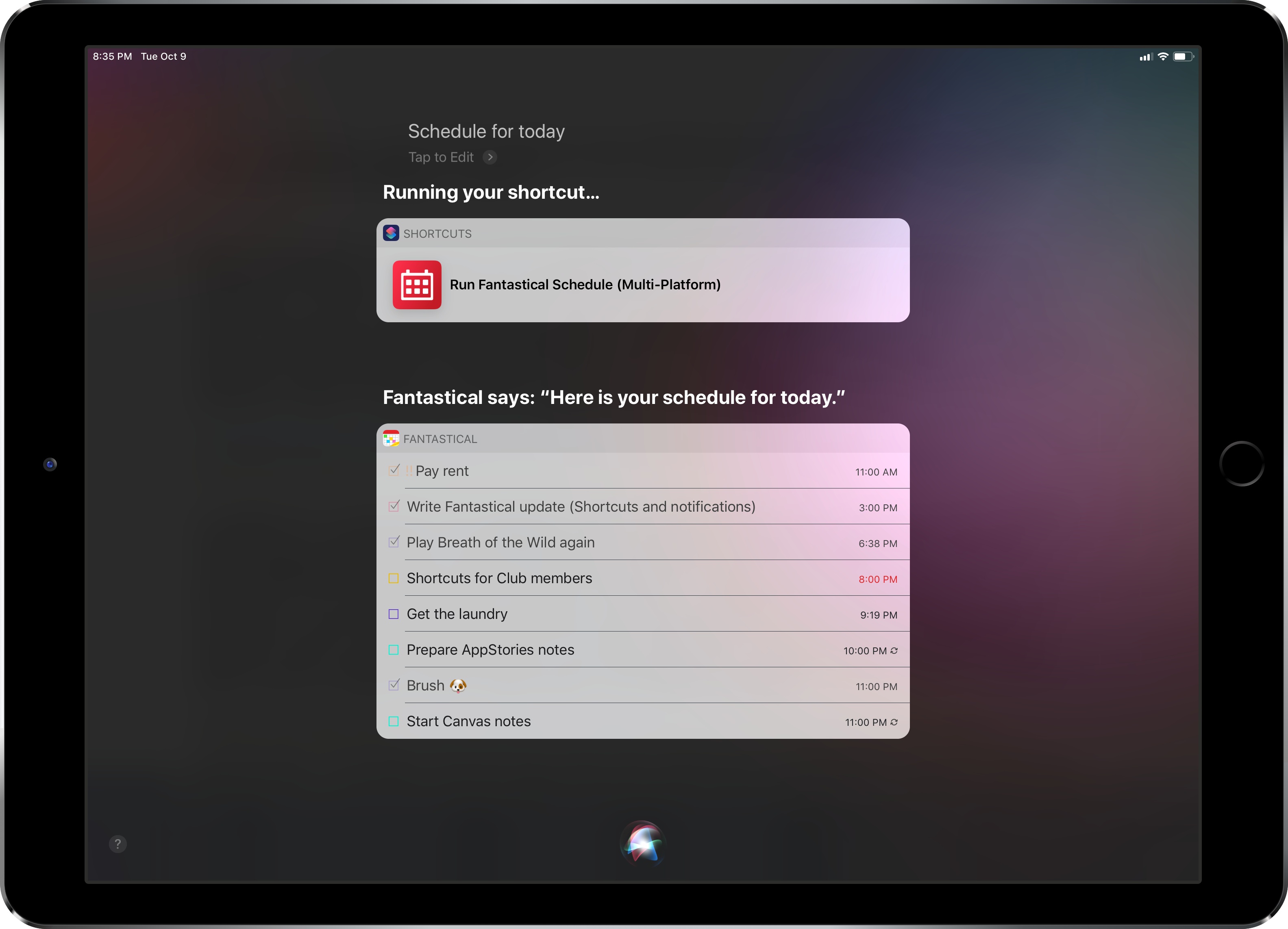
Fantastical was updated last week to version 2.10, which brought support for some of the key features of iOS 12 and watchOS 5 – namely Siri shortcuts and complications for the Infograph watch faces. I want to highlight some of the changes in this release and how they fit my usage of Reminders as my main task management system.
Fantastical 2.5 for Mac Adds Time Change Proposals, Meetup.com Support, and More
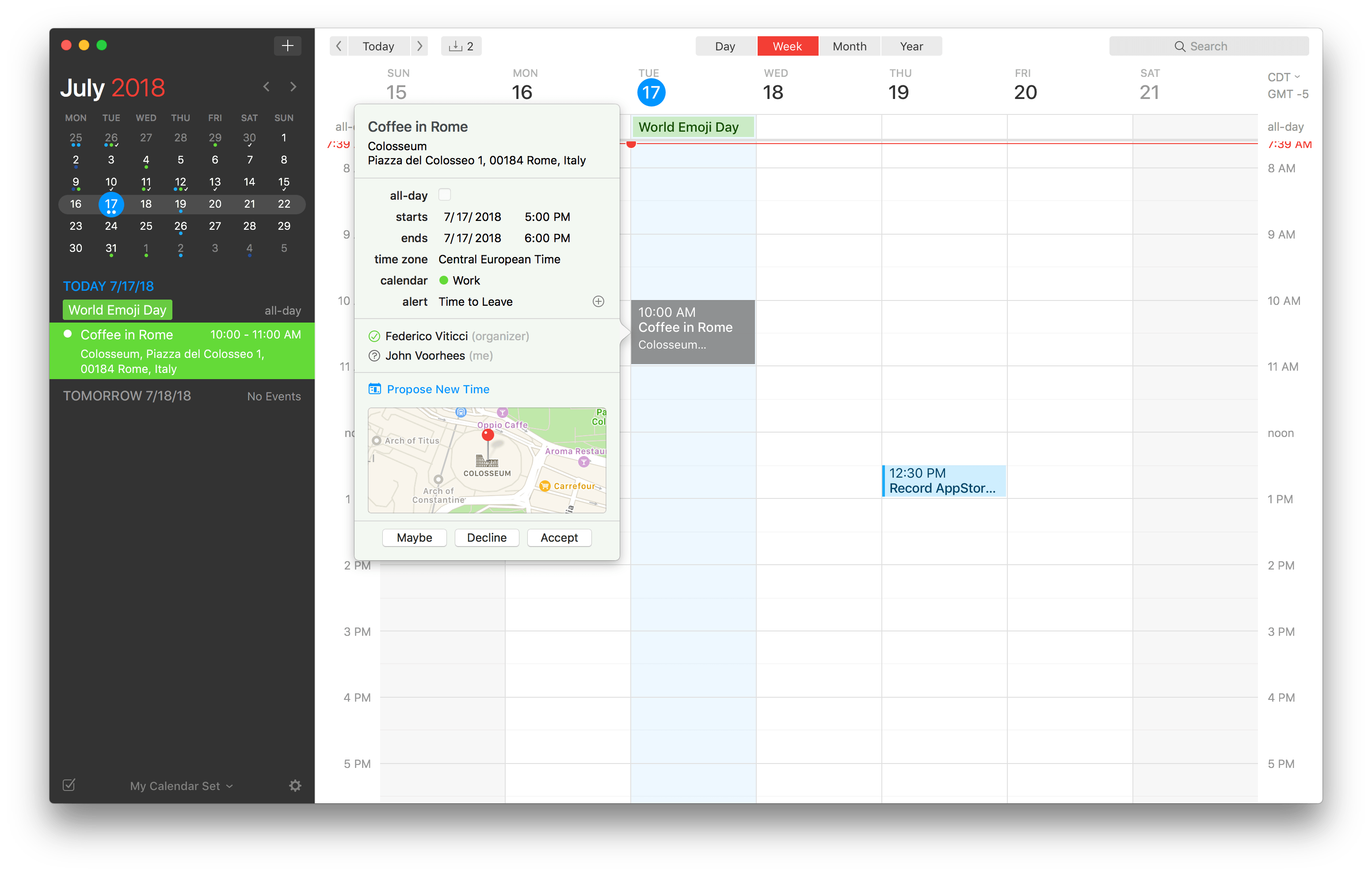
Flexibits has released an update to the Mac version of its popular calendar app Fantastical. The feature that should be useful to most users immediately is the ability to send and receive new time proposals for events. Fantastical already could send meeting invitations and acceptances, but with version 2.5, recipients of an invitation can propose a new time. The feature works with iCloud, Google, Exchange and CalDAV calendaring services, which should cover most use cases.
Fantastical 2.4 for Mac Brings Travel Time, Attachment Support, and More
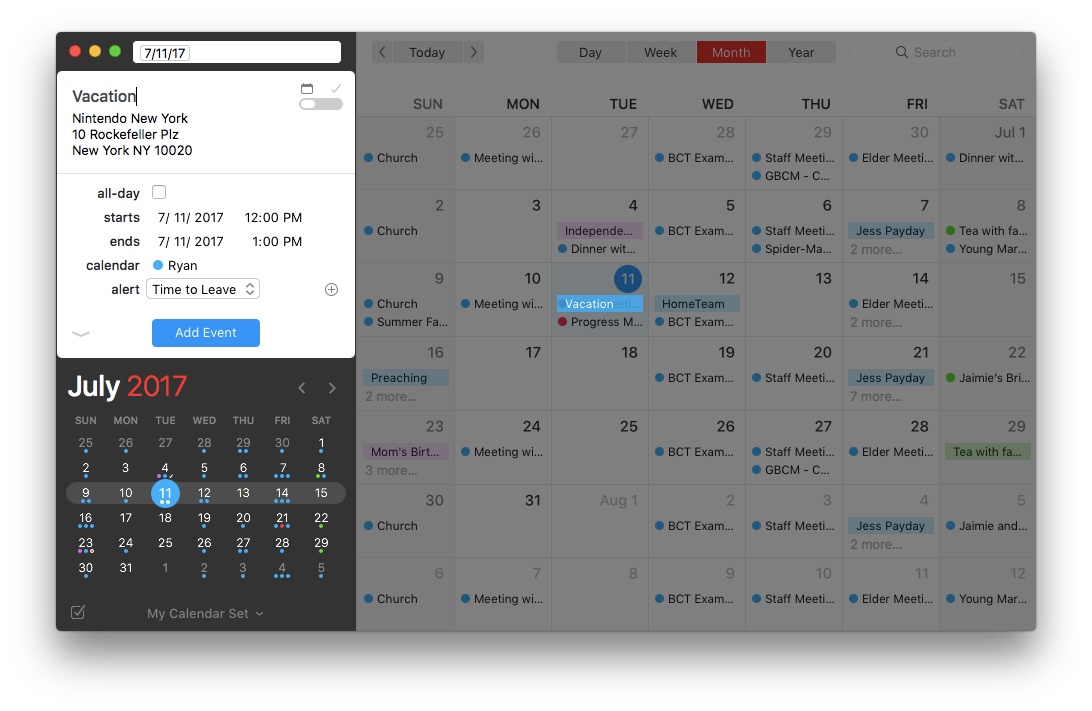
Today the team at Flexibits launched Fantastical 2.4 for Mac, and it is a release packed full of improvements. There’s nothing revolutionary here, but the changes make an already excellent calendar app even better.
Travel Time
A long-requested feature, Fantastical now includes travel time as an option when setting event alerts. No longer do you need to provide a fixed alert time for each event – though that option still remains – because the travel time option will select an alert time that’s tailored to each event and the distance you’ll have to travel to get there, plus a few minutes of cushion.
Attachments
File attachments are now supported for events in Fantastical, with some stipulations. If you have an iCloud, Exchange, or other supported CalDAV-powered calendar, the full range of attachment powers will be at your disposal. With events on those types of calendars you can add, remove, and view attachments. If your calendar is Google-based, you still won’t be able to add or remove attachments directly from Fantastical, but you can view any attachments already present.
Month View
The popular month view in Fantastical has received two significant improvements. One is that if a day contains so many events that they won’t all fit, you can now click the ‘more’ button at the bottom of that day and the hidden events will pop out. When they pop out, they temporarily cover a portion of the day underneath so you can view all the day’s events in the same view. The second improvement is that you can now customize the number of weeks that are displayed at once, ranging from two on the low end to eight on the high end. This is a much-appreciated feature for tailoring the calendar to your personal needs – if you like plenty of breathing room for your events, you can display a smaller number of weeks, whereas if you want to pack a ton of information onscreen, now you can do that too.
Miscellany
Combined Duplicate Events: When you manage a variety of different calendars, including some that may be shared with family members or coworkers, your calendar app can quickly get clogged up with duplicate listings for the same event across those shared calendars. For example, if my wife and I are attending a wedding, which of us puts that on our calendar? Probably both of us, because we’ll both be attending. But Fantastical now condenses those duplicate events so they’re displayed as a single event only, reducing the visual clutter of your calendar while ensuring everyone keeps events on their own calendars as needed. For those who may not like this approach to duplicate events, you can turn it off in the app’s preferences.
Invitation Improvements: Google calendars have received three improvements in the area of invitations. Now you can add a customized message with your invitation response, and you can also view other people’s messages by hovering over their names on the invitation. Lastly, if an invitee is bringing guests with them, you can now see that information as a +1 to their response (or whatever the correct number is). With Exchange calendars there are two small updates to invitations: you can now forward invitations to other Exchange users, and you can respond to invitations without notifying the sender.
Undo and Redo: If you add, remove, or edit an event or reminder and wish to take that action back, now you can thanks to built-in support for undo and redo.
Push Updates for Facebook Events: Whenever a Facebook event has its information updated, or you first confirm that you’ll be attending a Facebook event, those changes are now pushed immediately to Fantastical.
Fantastical was already one of the most powerful, customizable calendar apps on the market, but the improvements in today’s update offer even more in the areas of power and flexibility.
Fantastical 2.4 is available on the Mac App Store and a trial version is available directly from Flexibits.