Posts tagged with "Swift"

Submissions Open for the 2026 Swift Student Challenge

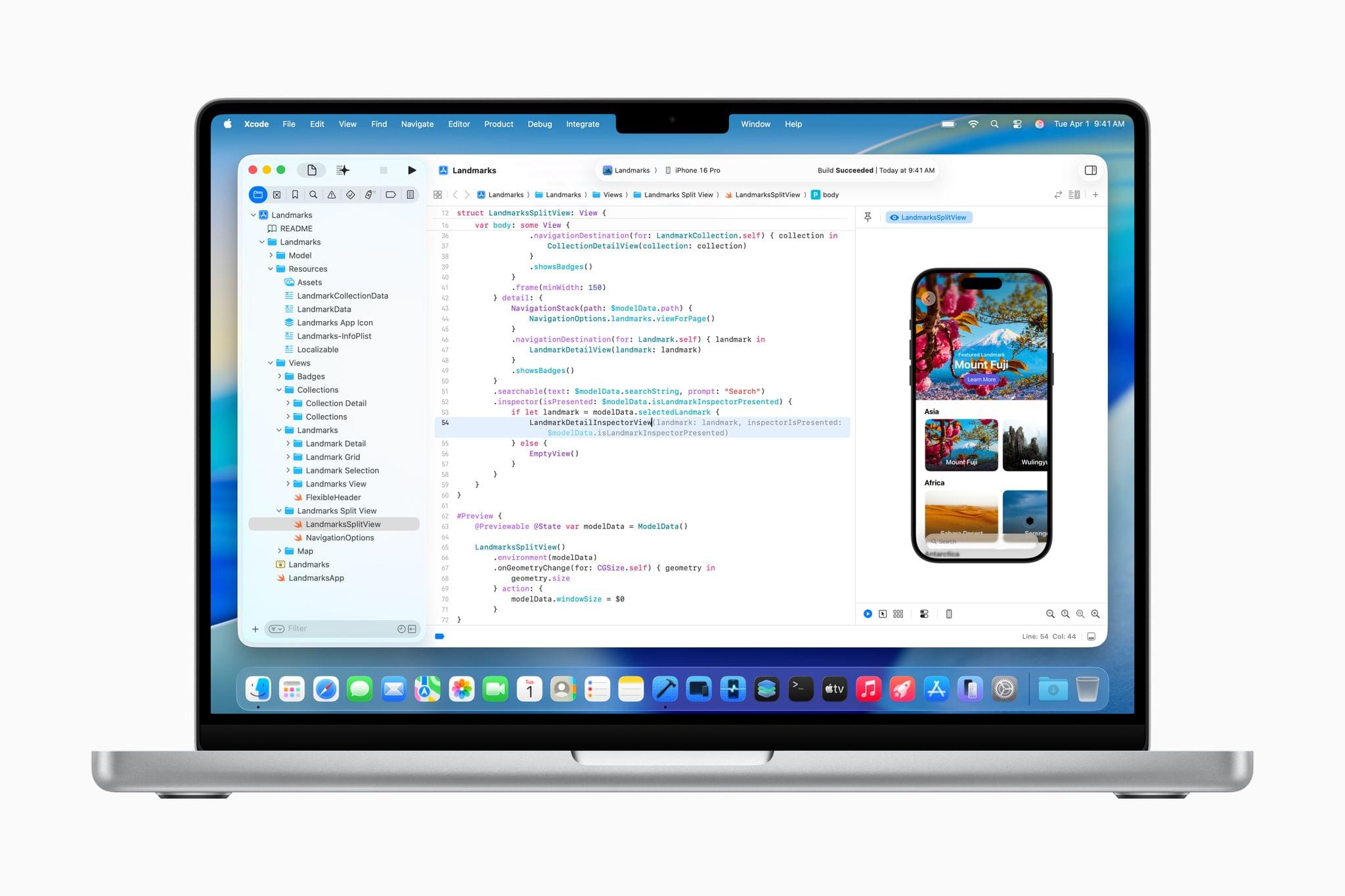
Today, Apple opened up applications for the Swift Student Challenge. Students have until the end of February to submit an app playground built with Xcode or Swift Playground. According to Apple’s developer website:

  • No prior experience is needed. The Challenge is open to students of all levels who meet the eligibility requirements.
  • The Challenge is free to enter — all you need is access to a Mac or iPad with Xcode or Swift Playground.
  • Your app playground can be on any topic of your choice. The best app ideas come from subjects or experiences that you’re passionate about. 
  • Your app playground should be experienced within 3 minutes or less.
  • The Swift Student Challenge is a great opportunity for students to build their skills and create something great.

Apple also released a video explaining the Challenge, and additional resources are available for both students and educators.

After the submission period closes, Apple will pick 350 winners, who will receive a one-year membership in the Apple Developer Program and a gift. Of those winners, 50 will be selected as Distinguished Winners who will be invited to visit Apple Park in Cupertino for a three-day visit, which in past years was held during WWDC.

for me, the kickoff of the Swift Student Challenge is the beginning of the build-up to WWDC, which is likely just four months away. It’s a great program that I know has inspired a lot of students to become the developers whose apps we cover at MacStories. Federico and I have also had the pleasure of interviewing many of the winners in the past and have always come away impressed and inspired what they create as part of the Challenge. I’m sure this year will be no different.
Access Extra Content and Perks

Founded in 2015, Club MacStories has delivered exclusive content every week for nearly a decade.

What started with weekly and monthly email newsletters has blossomed into a family of memberships designed for every MacStories fan.

Learn more here and from our Club FAQs.

Club MacStories: Weekly and monthly newsletters via email and the web that are brimming with apps, tips, automation workflows, longform writing, early access to the MacStories Unwind podcast, periodic giveaways, and more;

Club MacStories+: Everything that Club MacStories offers, plus an active Discord community, advanced search and custom RSS features for exploring the Club’s entire back catalog, bonus columns, and dozens of app discounts;

Club Premier: All of the above and AppStories+, an extended version of our flagship podcast that’s delivered early, ad-free, and in high-bitrate audio.

Learn more here and from our Club FAQs.


Swift Assist, Part Deux

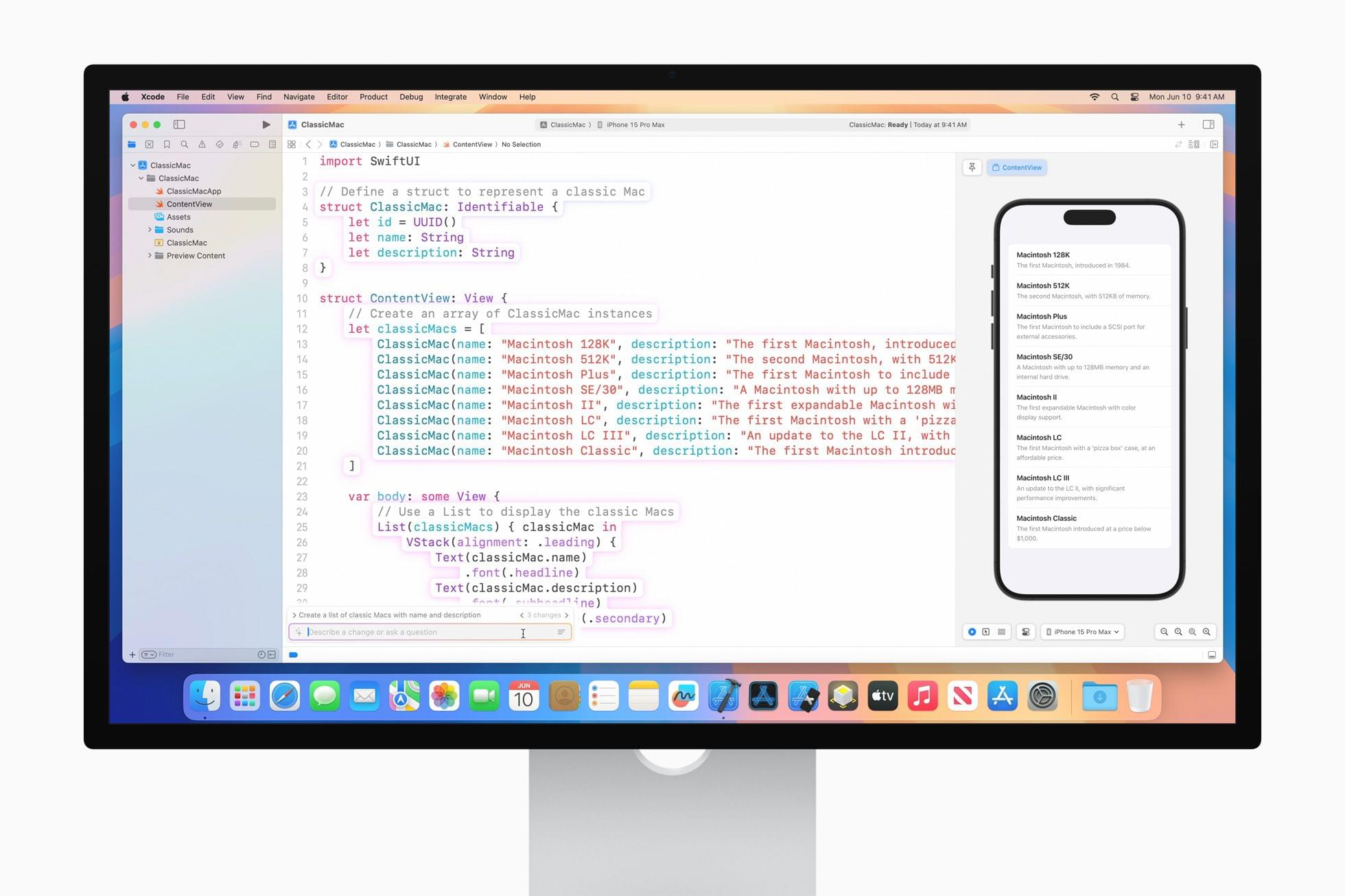
At WWDC 2024, I attended a developer tools briefing with Jason Snell, Dan Moren, and John Gruber. Later, I wrote about Swift Assist, an AI-based code generation tool that Apple was working on for Xcode.

That first iteration of Swift Assist caught my eye as promising, but I remember asking at the time whether it could modify multiple files in a project at once and being told it couldn’t. What I saw was rudimentary by 2025’s standards with things like Cursor, but I was glad to see that Apple was working on a generative tool for Xcode users.

In the months that followed, I all but forgot that briefing and story, until a wave of posts asking, “Whatever happened to Swift Assist?” started appearing on social media and blogs. John Gruber and Nick Heer picked up on the thread and came across my story, citing it as evidence that the MIA feature was real but curiously absent from any of 2024’s Xcode betas.

This year, Jason Snell and I had a mini reunion of sorts during another developer tools briefing. This time, it was just the two of us. Among the Xcode features we saw was a much more robust version of Swift Assist that, unlike in 2024, is already part of the Xcode 26 betas. Having been the only one who wrote about the feature last year, I couldn’t let the chance to document what I saw this year slip by.

Read more

Access Extra Content and Perks

Founded in 2015, Club MacStories has delivered exclusive content every week for nearly a decade.

What started with weekly and monthly email newsletters has blossomed into a family of memberships designed for every MacStories fan.

Learn more here and from our Club FAQs.

Club MacStories: Weekly and monthly newsletters via email and the web that are brimming with apps, tips, automation workflows, longform writing, early access to the MacStories Unwind podcast, periodic giveaways, and more;

Club MacStories+: Everything that Club MacStories offers, plus an active Discord community, advanced search and custom RSS features for exploring the Club’s entire back catalog, bonus columns, and dozens of app discounts;

Club Premier: All of the above and AppStories+, an extended version of our flagship podcast that’s delivered early, ad-free, and in high-bitrate audio.

Learn more here and from our Club FAQs.


Apple Spotlights Four of the Distinguished Swift Student Challenge Winners

Image: Apple.

Image: Apple.

Earlier this year, Apple selected 350 students from around the world as winners of its annual Swift Student Challenge. From that talented pool, Apple picks 50 Distinguished Winners whose projects stand out from the others. Today, Apple highlighted the work of four of them: Taiki Hamamoto, Marina Lee, Luciana Ortiz Nolasco, and Nahom Worku.

Taiki Hamamoto. Image: Apple.

Taiki Hamamoto. Image: Apple.

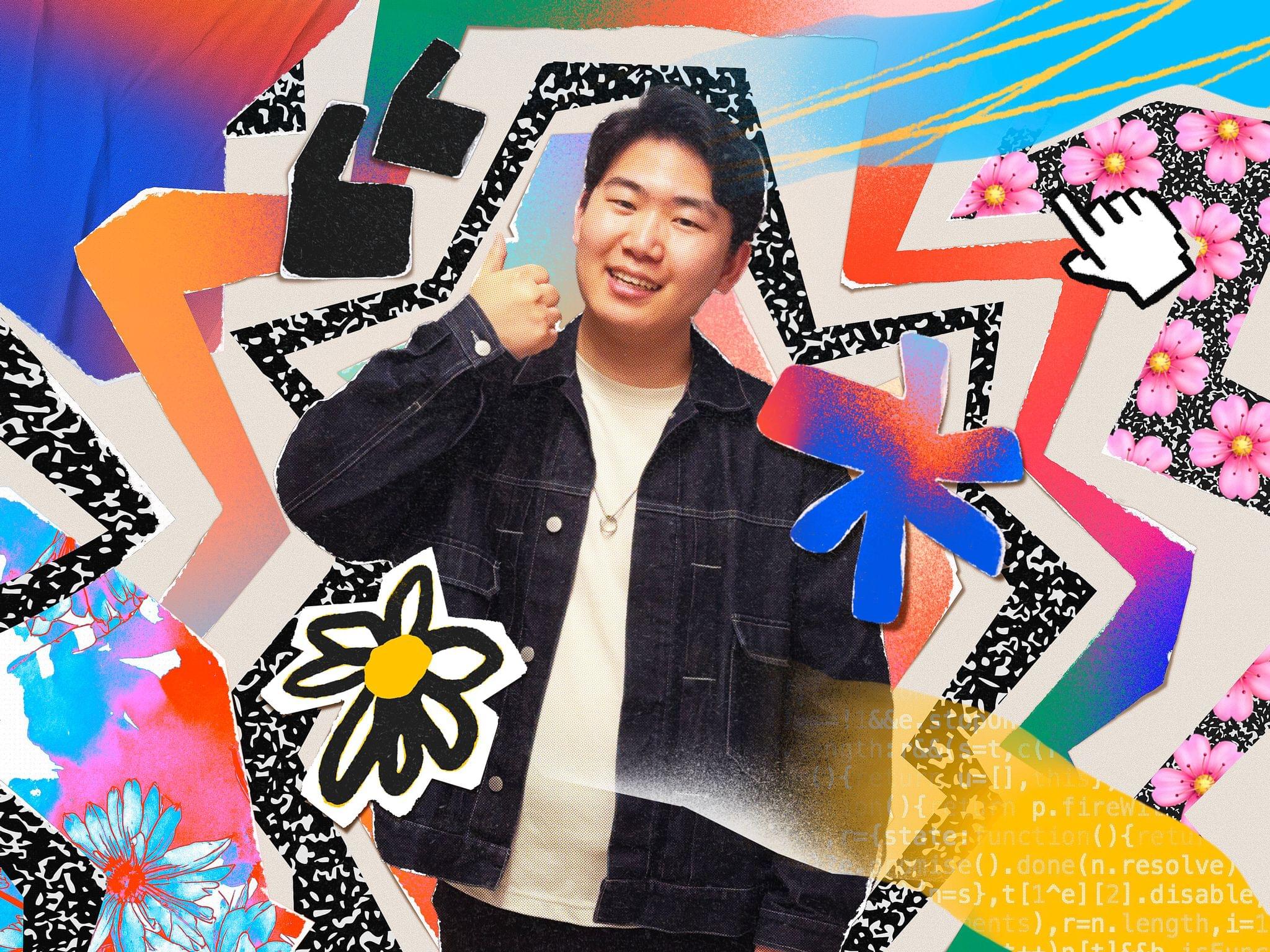
Taiki Hamamoto built an app playground to teach people about the Hanafuda, a Japanese card game that he discovered many of his friends didn’t know. According to Apple’s press release:

While Hamamoto stayed true to the game’s classic floral iconography, he also added a modern touch to the gameplay experience, incorporating video game concepts like hit points (HP) that resonate with younger generations. SwiftUI’s DragGesture helped him implement dynamic, highly responsive effects like cards tilting and glowing during movement, making the gameplay feel natural and engaging. He’s also experimenting with making Hanafuda Tactics playable on Apple Vision Pro.

Marina Lee. Image: Apple.

Marina Lee. Image: Apple.

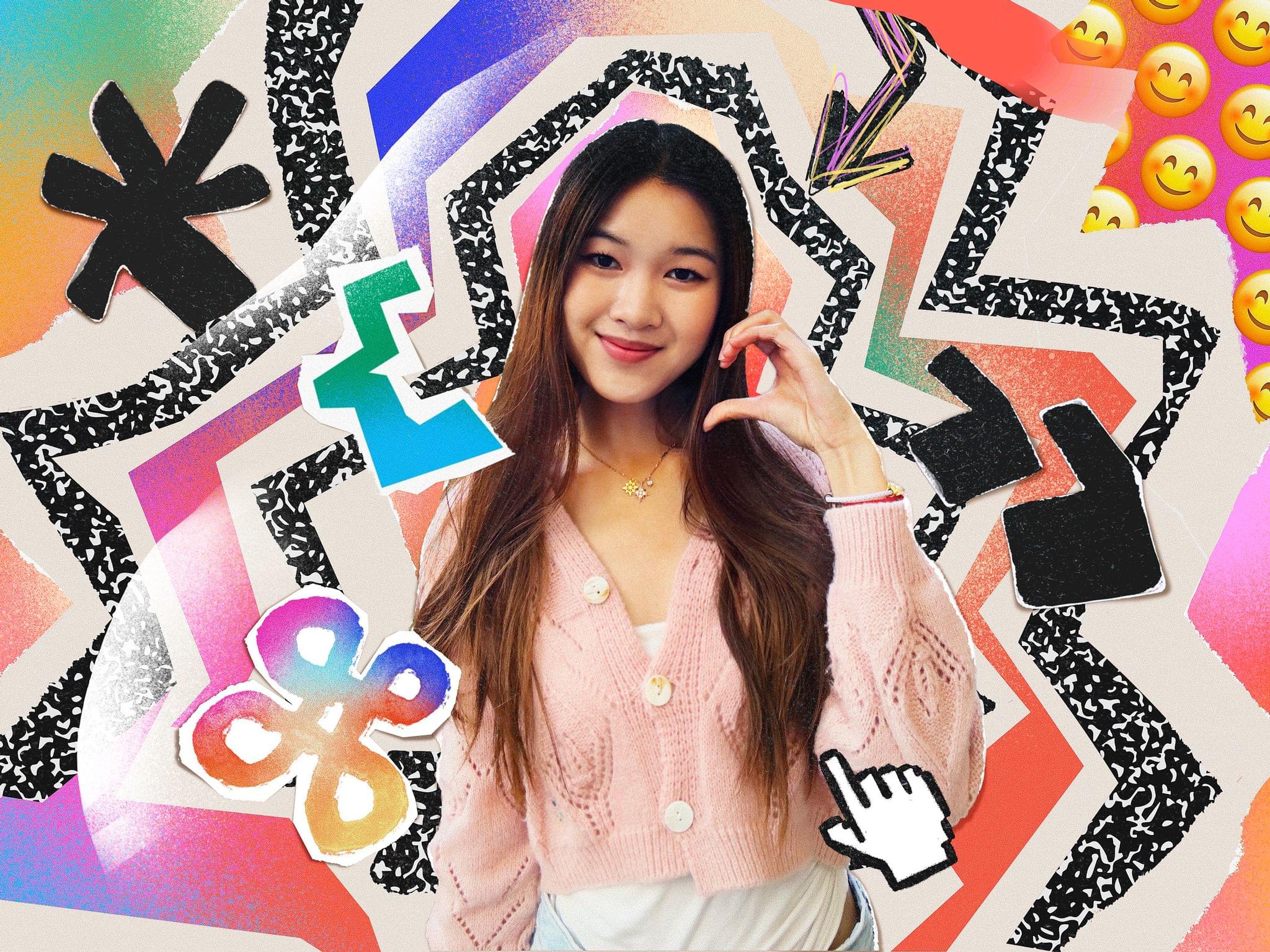
Marina Lee, is a computer science student at the University of Southern California. A call from her grandmother who was alerted to evacuate her home because of wildfires in the L.A. area inspired Lee to create EvacuMate to help users prepare an emergency checklist in case of evacuations like her grandmother’s. In addition:

Lee integrated the iPhone camera roll into the app so users can upload copies of important documents, and added the ability to import emergency contacts through their iPhone contacts list. She also included resources on topics like checking air quality levels and assembling a first-aid kit.

Luciana Ortiz Nolasco. Image: Apple.

Luciana Ortiz Nolasco. Image: Apple.

Luciana Ortiz Nolasco built BreakDownCosmic:

a virtual gathering place where users can add upcoming astronomical events around the world to their calendars, earn medals for accomplishing “missions,” and chat with fellow astronomers about what they see.

Ortiz Nolasco who is 15 and from Nuevo León, Mexico will attend WWDC with the other Distinguished Student Winners and plans to continue work on BreakDownCosmic when she returns home with the goal of releasing it on the App Store.

Nahom Worku. Image: Apple.

Nahom Worku. Image: Apple.

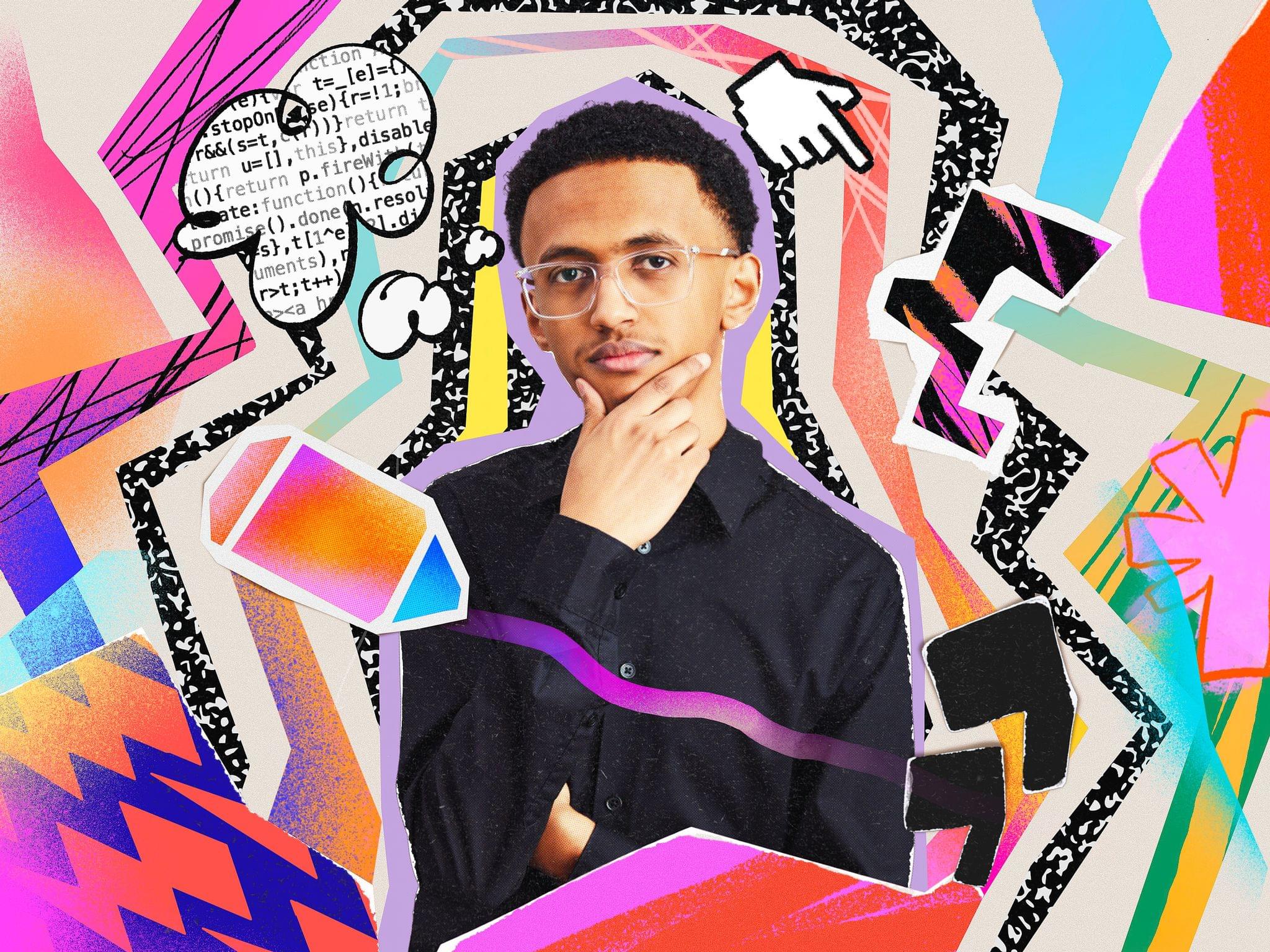
Nahom Worku grew up in Ethiopia and Canada and learned to code during the pandemic. Worku’s submission for the Swift Student Challenge app playground, AccessEd, is designed to offer educational resources in places where Internet connectivity doesn’t exist or is spotty.

Built using Apple’s machine learning and AI tools, such as Core ML and the Natural Language framework, the app recommends courses based on a student’s background, creating a truly personalized experience.

Congratulations to all of this year’s Swift Student Challenge winners. I’m always impressed with the projects we’ve learned about through Apple’s press releases and past interviews we’ve done on AppStories. It’s always a pleasure to watch a new generation of kids learn to code and become the developers whose apps I know we’ll cover in coming years on MacStories.

Access Extra Content and Perks

Founded in 2015, Club MacStories has delivered exclusive content every week for nearly a decade.

What started with weekly and monthly email newsletters has blossomed into a family of memberships designed for every MacStories fan.

Learn more here and from our Club FAQs.

Club MacStories: Weekly and monthly newsletters via email and the web that are brimming with apps, tips, automation workflows, longform writing, early access to the MacStories Unwind podcast, periodic giveaways, and more;

Club MacStories+: Everything that Club MacStories offers, plus an active Discord community, advanced search and custom RSS features for exploring the Club’s entire back catalog, bonus columns, and dozens of app discounts;

Club Premier: All of the above and AppStories+, an extended version of our flagship podcast that’s delivered early, ad-free, and in high-bitrate audio.

Learn more here and from our Club FAQs.


Where’s Swift Assist?

Last June at WWDC, Apple announced Swift Assist, a way to generate Swift code using natural language prompts. However, as Tim Hardwick writes for MacRumors, Swift Assist hasn’t been heard from since then:

Unlike Apple Intelligence, Swift Assist never appeared in beta. Apple hasn’t announced that it’s been delayed or cancelled. The company has since released Xcode 16.3 beta 2, and as Michael Tsai points out, it’s not even mentioned in the release notes.

Meanwhile, developers have moved on, adopting services like Cursor, which does much of what was promised with Swift Assist, if not more. A similar tool built specifically for Swift projects and Apple’s APIs would be a great addition to Xcode, but it’s been nine months, and developers haven’t heard anything more about Swift Assist. Apple owes them an update.

Permalink

Apple Announces Swift Student Challenge Timeline for 2025

Apple has announced that the 2025 Swift Student Challenge will be held for three weeks in February 2025. According to Apple’s press release:

Students, educators, and their advocates can find out how to prepare for the challenge and sign up to be notified when applications open at developer.apple.com. Apple will recognize a total of 350 Swift Student Challenge winners whose submissions demonstrate excellence in innovation, creativity, social impact, or inclusivity. From this esteemed group, 50 Distinguished Winners will receive additional recognition and be invited to Apple’s headquarters in Cupertino next summer.

The company has also updated its Swift Coding Club, a website with resources for students preparing for the annual Challenge, and added new Develop in Swift Tutorials.

I’m sure we’ll hear more about the Swift Student Challenge in February when it kicks off and then again closer to WWDC as we did this year. I’m glad Apple has extended the timeline for publicizing the Swift Student Challenge, which I’m sure will give students and educators more time to prepare for the event and submit their best work.

Permalink

A Look at Code Completion and Swift Assist Coming in Xcode 16

Source: Apple.

Source: Apple.

Earlier today, I got the very first live demo of Swift Assist, one of the many developer tools introduced today by Apple. I also saw code completion in action. It was an impressive demo, and although the tools seem like magic and will undoubtedly be valuable to developers, they do have their limitations, which are worth exploring.

Code Completion in Action. Source: Apple.Replay

First, from what I could tell, code completion works extremely well. The demo I saw was of a simple restaurant app that displayed a menu. As an Apple representative typed variables and other items into Xcode, code completion named things in ways that made sense for a restaurant menu, such as Name, Price, and Calories. The feature also filled in types like strings, integers, and bools, along with the appropriate surrounding syntax.

In most cases, after typing just a handful of characters, the correct suggestion appeared and with a quick tap of the Tab key, the rest of the line of code was filled in. When the suggestion wasn’t what was wanted, a little additional typing steered the AI that backs code completion to the correct solution.

The model that drives code completion is trained specifically for the Swift programming language and Apple’s APIs. It runs locally on a developer’s Mac, enhancing privacy and ensuring that it’s available regardless of Internet connectivity. Although Apple was vague about the code on which the model was trained, it was clear from my briefing that it wasn’t on Apple’s own internal code, but Apple said it is code that it is authorized to use. I was also told that the model isn’t trained on the code of the developers that use the feature. Also worth noting is that Apple’s code completion model is continually updated independent of the update release cycle of Xcode itself.

Read more

Access Extra Content and Perks

Founded in 2015, Club MacStories has delivered exclusive content every week for nearly a decade.

What started with weekly and monthly email newsletters has blossomed into a family of memberships designed for every MacStories fan.

Learn more here and from our Club FAQs.

Club MacStories: Weekly and monthly newsletters via email and the web that are brimming with apps, tips, automation workflows, longform writing, early access to the MacStories Unwind podcast, periodic giveaways, and more;

Club MacStories+: Everything that Club MacStories offers, plus an active Discord community, advanced search and custom RSS features for exploring the Club’s entire back catalog, bonus columns, and dozens of app discounts;

Club Premier: All of the above and AppStories+, an extended version of our flagship podcast that’s delivered early, ad-free, and in high-bitrate audio.

Learn more here and from our Club FAQs.


Apple Introduces Three of the Distinguished Swift Student Challenge Winners

Earlier this week, Federico and I interviewed two of the Swift Student Challenge winners on AppStories, which was a lot of fun. A new feature of the 2024 competition was the addition of Distinguished Winners. As Apple explains it in a press release published today:

Out of 350 winning submissions, 50 students have been named Distinguished Winners for building app playgrounds that stand out for their innovation, creativity, social impact, or inclusivity. These 50 students have been invited to a three-day in-person experience at Apple Park that includes tailored programming and the special event at this year’s Worldwide Developers Conference (WWDC), where they’ll join like-minded creators from all over the world.

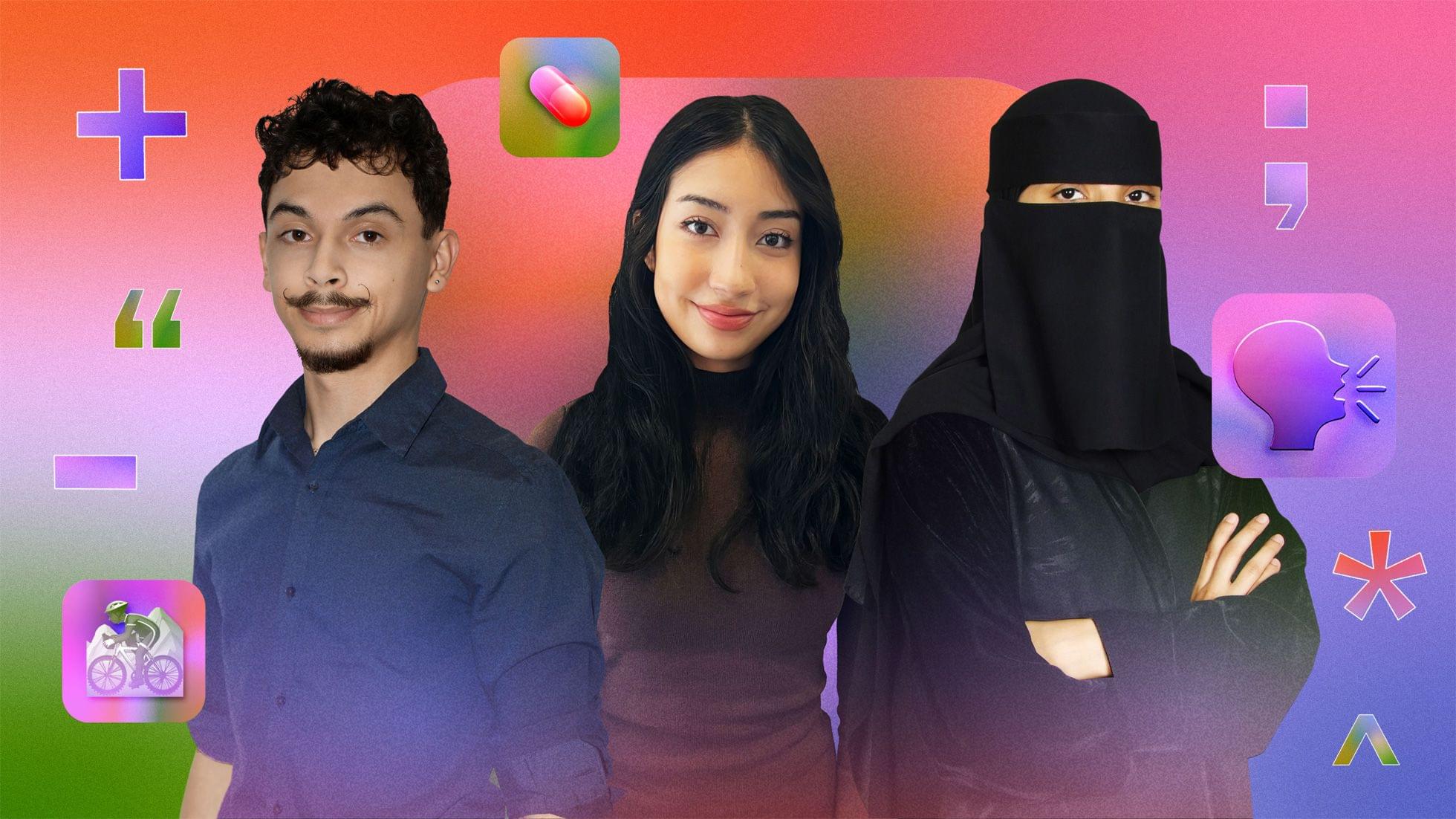
Apple’s press release includes profiles of three of the Distinguished Winners: Elena Galluzzo, a college student from Canada, Dezmond Blair, from Canton, Michigan, and Jawaher Shaman, who is studying at the Apple Developer Academy in Riyadh, Saudi Arabia.

Elena Galluzzo’s winning app is an assistant for seniors:

Galluzzo designed Care Capsule to be an all-in-one assistant for elderly people. She used Apple’s machine learning framework Create ML to build a chatbot that analyzes interactions with the user to deduce whether they are experiencing loneliness or depression. The app also lets users track their medications, connect with community resources, and keep a record of positive memories.

Dezmond Blair, who attended the Apple Developer Academy in Detroit, built MTB XTREME, an app that

…puts users behind the handlebars of a mountain bike, offering a 360-degree view of the trails around them.”

Finally, Jawaher Shaman created an app called My Child to help people with speech conditions:

My Child tells Shaman’s story through the eyes of a child who stutters, and features characters inspired by her father and grandfather. The app guides users through exercises that help slow down their breathing and prepare them for real-life experiences like reading a story in class. Shaman used AVFAudio to add sounds that mimic the way her father would break sentences into small, more manageable parts.

Every year, I’m impressed with the projects students come up with for the Swift Student Challenge, and this year is no exception. Harshitha Rajesh and Roscoe Rubin-Rottenberg, whom Federico and I spoke to Monday, as well as the Distinguished Swift Student Challenge winners whose projects Apple featured today, are great examples of the sort of impactful projects that students from 35 countries and regions have created for the Challenge. It’s great to hear that 50 of the students will be at WWDC this year. Hopefully, Federico and I will have the chance to meet a few of them.

Access Extra Content and Perks

Founded in 2015, Club MacStories has delivered exclusive content every week for nearly a decade.

What started with weekly and monthly email newsletters has blossomed into a family of memberships designed for every MacStories fan.

Learn more here and from our Club FAQs.

Club MacStories: Weekly and monthly newsletters via email and the web that are brimming with apps, tips, automation workflows, longform writing, early access to the MacStories Unwind podcast, periodic giveaways, and more;

Club MacStories+: Everything that Club MacStories offers, plus an active Discord community, advanced search and custom RSS features for exploring the Club’s entire back catalog, bonus columns, and dozens of app discounts;

Club Premier: All of the above and AppStories+, an extended version of our flagship podcast that’s delivered early, ad-free, and in high-bitrate audio.

Learn more here and from our Club FAQs.


Building Games for Playdate in Swift

Panic’s Playdate has been in the news again recently. The company has caught up with pre-orders, so anyone can order one, and it will ship within 2-3 days. Also, Lucas Pope, the creator of beloved games like Papers, Please and Return of the Obra Dinn just released Mars After Midnight, a game I plan to dig into this weekend. The Playdate catalog is also running its first-ever sale, but there’s just one day left, so check it out today.

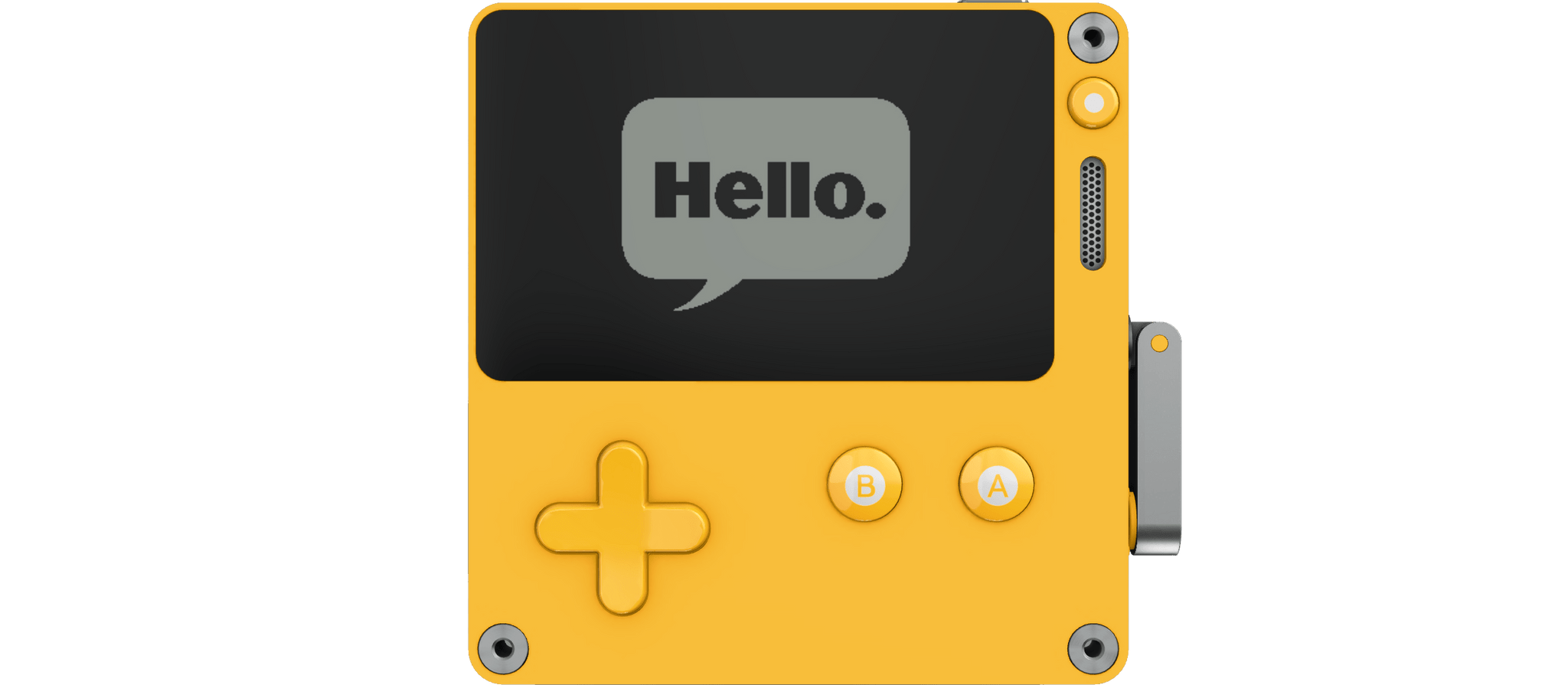
Most recently, I saw Panic’s Cabel Sasser link on Threads to a post by Rauhul Varma on the Swift.org blog. The Playdate’s developer SDK supports Lua and C, and as Varma explains, “the typical Swift application and runtime exceed the device’s tight resource constraints.”

However, Varma, who is an engineer in Apple’s Advanced Prototyping in the Platform Architecture group, had an idea for building Playdate games that would fit on the device:

Recently, the Swift project began developing a new embedded language mode to support highly constrained platforms. This mode utilizes generic specialization, inlining, and dead code stripping to produce tiny binaries, while retaining the core features of Swift…

These defining characteristics make the embedded language mode a great solution for shrinking Swift to fit the Playdate’s constraints.

To demonstrate the approach, Varma shares two games built in Swift: Conway’s Game of Life, which is a sample included in the Playdate SDK, and a Breakout-like game called Swift-Break. For developers who are interested in building games for the Playdate using Swift, Varma’s post includes a detailed explanation of the process, and the code and documentation are available on GitHub.

I love this project because it lowers the barrier to getting started for Swift developers who may not be as comfortable or familiar with Lua or C. I hope this leads to even more great releases for Panic’s awesome little handheld game platform.

Permalink

Apple Opens the 2024 Swift Student Challenge to Submissions

Source: Apple.

Source: Apple.

Apple has opened up submissions for the 2024 Swift Student Challenge. As we reported last November, the format of this year’s format is a little different than in the past. Eligible students have from today through February 25, 2024, to submit their app playgrounds on a topic of their choosing.

Apple will choose 350 winners from the entries submitted and name 50 of those Distinguished Winners who will be invited by Apple to visit its Cupertino headquarters. All winners will receive a one-year membership in the Apple Developer Program, a voucher to take an App Development with Swift certification exam, and a special gift.

Two of my kids participated in the Swift Student Challenge in the past. If you know a student who’s interested in learning to code, I know from experience that this is a great way to get them started and excited about the subject.

Permalink