This Week's Sponsor:

Copilot Money

The Apple Editor’s Choice App for Managing Your Money


Posts tagged with "python"

Quickly Email A Picture On iOS Using Pythonista
Quickly Email A Picture On iOS Using Pythonista

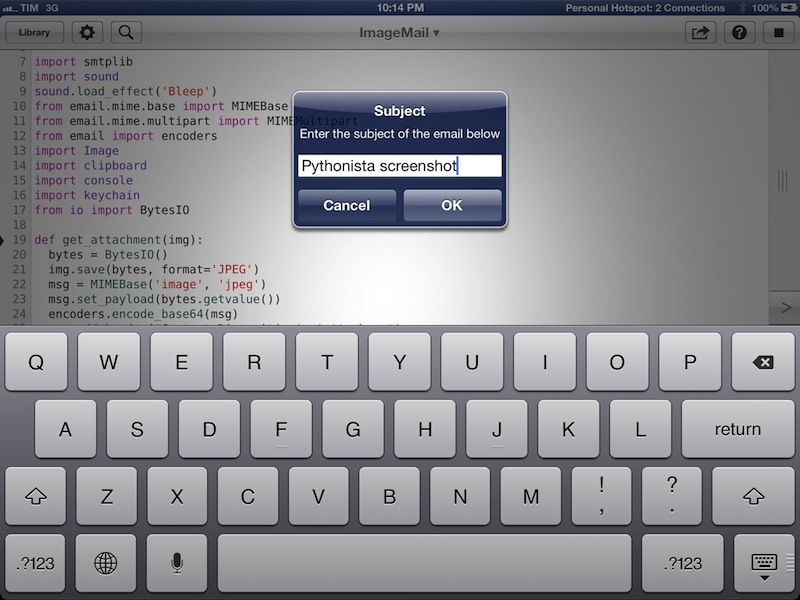
In my review of Pythonista yesterday, I didn’t include any scripts to send email messages. Email is, however, a huge part of my iOS workflow, as I often send screenshots back and forth with my teammates about upcoming site features or new apps I’m testing. Fortunately, Pythonista developer Ole Zorn shared today a script that uses smtplib to quickly send an image via email. His script is available on GitHub Gists here.

I have modified it slightly to import my login data using keychain and send an image that’s been previously copied to the clipboard. In this way, I can take a screenshot/photo, open the Photos app, copy it, and send it via email in seconds, at full-size. You can save the script as shortcut on your Home screen and have one-tap access to it, or, even better, you can copy images from Safari without saving them first to the Camera Roll (though, in my tests, this hasn’t always worked reliably). My modification also uses console.input_alert to let you enter a different email address and Subject every time, and it plays a sound effect when an email is sent. Right now, the ImageMail script works with Gmail, but it could be easily modified to work for other email services.

In a future version of Pythonista, I think it’d be neat to have a dedicated Address Book module to return contact fields such as email addresses or Twitter usernames; Ole suggests Reminders and Calendar integration might be handy as well. I think Pythonista has a very bright future, so we’ll see. In the meantime, you can download my modified version of the ImageMail script here.

Pythonista is available at $4.99 on the App Store.
Permalink

Automating iOS: How Pythonista Changed My Workflow

A couple of months ago, I decided to start learning Python.

I say “start” because, as a hobby to fit in between my personal schedule and work for the site, learning the language is still very much a work in progress. I hope I’ll get to an acceptable level of knowledge someday. Coming from AppleScript, another language I started researching and playing with earlier this year, the great thing about Python is that it’s surprisingly easy to pick up and understand. As someone whose job primarily consists of writing, I set out to find how Python could improve my workflow based on text and Markdown; I found out – and I’m still finding out – that Python allows for more flexible and intelligent string manipulation[1] and that some very smart folks have created excellent formatting tools for Markdown writers.

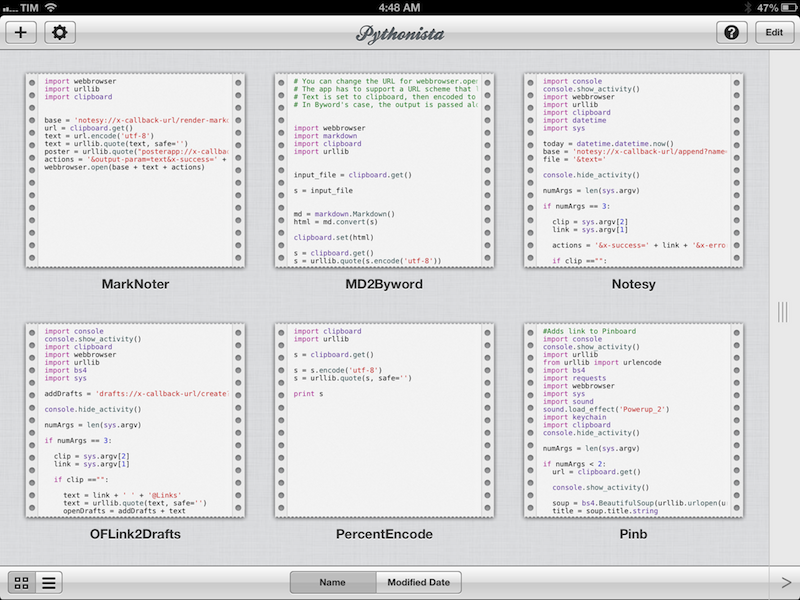
But this article isn’t strictly about Python. Soon after I took my decision to (slowly) learn my way around it, I asked my friend Gabe Weatherhead about possible options to write and execute Python scripts on iOS. Thanks to Gabe’s recommendation I installed Pythonista, and this app has completely changed my iOS workflow. Read more


Convert Twitter.com URLs to Tweetbot Links

I communicate with my team through iMessage. We’ve tried many “communication services” over the years, yet, since last Fall, we’ve always come back to Apple’s solution. It’s not perfect for us, its reliability is far from 100%, but it works.

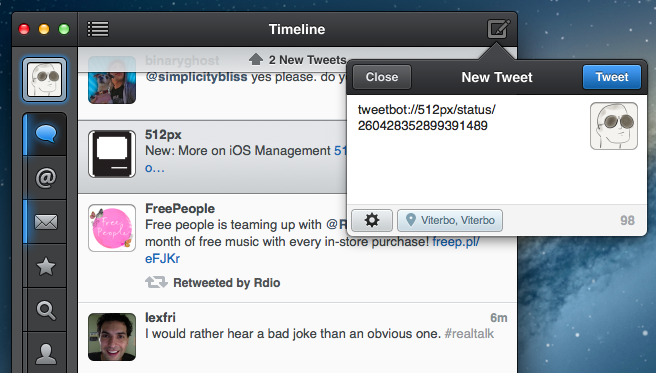
As we keep using iMessage every day, there’s one category of “media” we’re constantly sharing: Twitter URLs. We find some cool piece of information or news on Twitter, we share it with the team. Linking back to tweets has, in a way, become our favorite type of commentary for fun, news-hunting, and everything in between.

Twitter.com URLs, though, aren’t the best way to jump back to a tweet, especially when you’re on a mobile device. When you’re on a Mac, clicking on a Twitter link will open a new browser tab, which doesn’t really bother us as we’re used to opening background tabs on our computers. But on the iPhone and iPad, it can become annoying: there’s a limit of 8 Safari tabs on the iPhone, you get yanked out of Messages, and, most of the time, mobile.twitter.com URLs just don’t work. In our team chat, we’ve speculated the “Not Found” errors we’ve seen may be related to how Tweetbot generates Twitter URLs when you hit “Copy Link to Tweet”: instead of using status in the URL slug, it uses statuses, which seems to be the reason behind erroneous redirecting on mobile devices.

We’ve come to the conclusion that we want to be able to easily copy twitter.com URLs and turn them into links based on Tweetbot’s URL scheme. Using a simple tweetbot:// URL, you can use Twitter’s status ID – the same you receive when you copy a link – to open a single tweet directly in Tweetbot. And the best part is, the same URL scheme works consistently across Tweetbot for iOS and Tweetbot for Mac. As everyone on the MacStories team is already using Tweetbot, the solution seemed obvious – plus: no more browser tabs.

The problem was finding a way to convert twitter.com URLs easily, without having to remember complex combinations of keystrokes and commands. Furthermore, as I promised my team I’d come up with a way, I had to figure out a solution to do text conversion directly on iOS.

As a result, I’ve come up with an AppleScript, a Keyboard Maestro macro, and a simple Python script to transform Twitter URLs into their Tweetbot counterparts. Read more


Automatically Send Articles From Reading List to Instapaper

Two days ago, Ben Brooks asked on App.net if anyone had come up with a way to share Safari Reading List items to Instapaper. His question made me realize that it would be a fun project to find out, so in my free time I put together a workflow that runs automatically and in the background on my Mac mini.

Please note, what follows is a raw experiment. I have tested it, and it works, but it’s far from stable. It uses GUI scripting in AppleScript to mark Reading List items as read, and it heavily depends on iCloud, which, unfortunately, is far from reliable when it comes to bookmark syncing. Nothing should happen to your bookmarks (the script simply “reads” them), but backups are recommended, as usual. Read more


Visualize OmniFocus As iThoughts Map, OPML, Or Plain Text

iThoughts for OmniFocus

iThoughts for OmniFocus

A few weeks ago, Michael Schechter found a way to export an OmniFocus for Mac database to OPML to visualize it in mind-mapping apps like iThoughts and MindNode. In the post, he wrote that, however, he was reaching to the Mac community to see if anyone would be able to build a more powerful and reliable solution with filters, color options, and more control on the exported data. RobTrew picked up the task and, on the OmniGroup Forums, released an initial script to export from OmniFocus to OPML.

Then, yesterday, Rob released a new version of the script which adds native iThoughts support and plain text exporting options, as well as settings for colors, templates, and filters.

I tested Rob’s script with my OmniFocus database, and after several improvements he made to the script, I feel comfortable enough with linking to it here. Unlike other solutions, Rob’s script looks directly into the SQL OmniFocus database cache to get its data – quite a feat on its own. But there’s so much more the script can do if you start customizing it. Read more