

Here are today’s @MacStoriesDeals on iOS, Mac, and Mac App Store apps that are on sale for a limited time, so get them before they end!
Posts tagged with "iPhone"
#MacStoriesDeals - Friday
NYT Labs Create Tool To Donate Your iPhone Location Data

Apple may have fixed the iPhone’s location tracking issues with the recent iOS 4.3.3 update, but The New York Times’ Research and Development Lab thinks this location data is still valuable in the way it provides users and researchers an historical archive of devices’ cellular triangulation points and WiFi hotspot databases. The NYT Labs, the same folks behind innovative iPad news reader News.me, have developed and released a web application called OpenPaths that allows iPhone users to register and anonymously share their location database. The web tool, available here, is touted as a way to ”securely store, explore, and donate your iOS location data”, Nick Bilton at The New York Times Bits blog reports. While it’s unclear how the web app works with the latest iOS software update (which stops iOS devices from backing up the location database to a computer, but still keeps an unencrypted copy stored on device), OpenPaths apparently finds a way to obtain this location data and reorganize it in a beautiful interface that also enables you to navigate maps, set specific times of a day, and browse by date.
People who participate in the project are asked to upload location information from their phone, which is then made anonymous and added to a database with the data from every other upload. People can then browse their own location data on an interactive map. At a later date researchers will be able request access to the collection of location uploads.
As for privacy concerns in regards to OpenPaths, the website’s homepage explains how the system works:
Our upload system is completely anonymous. We store your location data separately from your user profile. It is only with your express permission, combined with a unique passcode that only you know and that openpaths does not store, that we release your data to whom you approve. You will always have control over how much of your information is shared.
The main focus of OpenPaths is that of enabling you to donate your data to researchers around the world working on problems like “disaster preparedness, traffic flow, urban planning, and disease transmission.” You can choose to grant researchers access to portions of your data, or skip the process entirely and keep everything for yourself for personal purposes. It’ll be interesting to see whether this NYT Labs project will gain traction in the next weeks, and if future iOS updates will break its functionality with further location database encryption. In the meantime, you can sign up for OpenPaths here.
#MacStoriesDeals - Thursday

Here are today’s @MacStoriesDeals on iOS, Mac, and Mac App Store apps that are on sale for a limited time, so get them before they end!
Apple Reportedly In Talks With New Light Sensor Supplier For Next-Gen iPhone
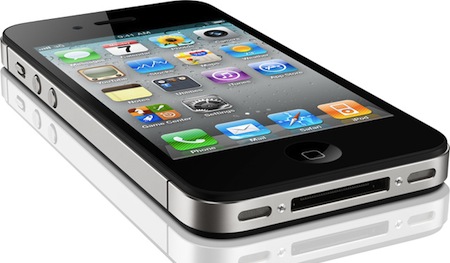
A new report from Digitimes claims Apple has received a series of verification units for new ambient light sensors to (allegedly) implement in the next-generation iPhone, set to be announced in September according to speculation surfaced in the past weeks. The new supplier, Taiwanese-based company Capella, currently ships ambient light sensors to HTC, and may receive orders from Apple before the end of the year “at the earliest”, the publication says.
Capella, which ships over one million ambient-light sensors to HTC a month currently, has reportedly delivered its products to Apple for verification as the ambient-light sensors currently used by iPhone 4 have been criticized for some problems, said the sources, noting that Capella may received Apple’s orders before the end of the year at the earliest.
Capella shares, which are listed on Taiwan’s OTC market, suffered a major setback recently as sentiment for the stock was blunted by its decreased first-quarter gross margin.
The ambient light sensor is used in mobile devices, in conjunction with software, to determine the automatic screen brightness and optimal settings depending on external light conditions. The iPhone, for instance, has a panel in the system Settings application that allows users to turn auto-brightness on and off, as well as a slider to manually adjust brightness. The iPhone 4 and other Android devices were highly criticized last year for their hardware and software implementation of auto-brightness which, in most cases, doesn’t take in account light conditions at the sides of a device (the ambient light sensor is placed on iPhone’s front panel) and, due to a series of bugs, automatically locks brightness settings to the highest level, thus consuming large amounts of battery life.
The iPhone 5 is rumored to skip a WWDC announcement for a Fall 2011 release, but rumors surfaced online so far haven’t mentioned a new or improved usage of ambient light sensors in the new device.
iOS 5 To Feature Over The Air OS Updates?
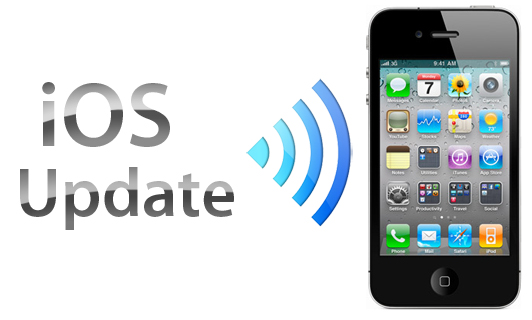
According to 9to5 Mac, Apple is preparing to implement the capability for users to get over-the-air OS updates for the iPhone from iOS 5. Android and HP/Palm’s webOS users have long had the convenience of having OS updates pushed to their phone as soon as an update is available. Whereas users of iOS devices have had to resort to manually connecting the device to their computer with iTunes where it is downloaded and then installed.
9to5 Mac claims that multiple sources have said to them that the new feature will debut in iOS 5, allowing any subsequent updates to be pushed to the device. According to their sources, Apple has been discussing the feature with Verizon since early this year and are hoping to reach an agreement with them. Although it isn’t known whether other carriers internationally, or even AT&T in the US, have been approached by Apple over the feature.
Apple clearly has the fundamental technology for over-the-air updates working because the Apple TV (iOS version from late last year) is able to update itself without any computer connection. However there are two fundamental stumbling blocks before over-the-air updates could be seen to be feasible. Current updates are over 600MB, which is a substantial size to be downloading over any 3G connections. To get carriers to be happy with allowing the updates, let alone achieving an agreement with them to exclude them from any download caps, Apple would have to substantially trim that size down. The second issue is that of backups, currently before an update is installed, iTunes will create a back-up in case of a failed update. A cloud based back-up system is the obvious, but perhaps complex, solution to this issue.
Following the article, several people in the jailbreaking scene made some comments about the feasibility of over-the-air updates. In particular, @chronic and @chpwn make comments that a lot of the code required for over-the-air updates have already made their way into iOS4. For example, the MobileSoftwareUpdate.framework is in all iOS4 devices but has only been “fleshed out” on the Apple TV.
[Via 9to5 Mac]
Cydia Tweak Lets You Cycle Through Apps With The Volume Keys

If you own a jailbroken iPhone, you don’t mind trying new tweaks and you’ve been looking for yet another way to modify the look of Apple’s iOS multitasking UI, there’s a new app called PhySwitch available in the Cydia Store that I’ve been positively impressed with over the past week and decided to keep installed on my device. Just like Multifl0w, PhySwitch presents running apps as windows, rather than icons. But unlike the aforementioned hack, PhySwitch doesn’t scroll through windows horizontally, like you would do on a computer or larger screen: considering the nature of the iPhone’s display, developer Pedro Franceschi opted for a vertical solution that makes much more sense on the iPhone, and uses the volume keys to let you cycle through apps. You can bring PhySwitch’s fast app switcher in the foreground with an Activator command you, and after that you’ll be able to quickly browse apps with the volume keys, or a vertical swipe. It’s really simple and, for some reason, I’ve come to use it on a daily basis.
The tweak’s not perfect (apps don’t come in the foreground immediately, as PhySwitch goes back to the homescreen for a second and re-launches the app you selected) and could use some speed improvements, especially for the opening animation. However, I think it’s a very clever hack that’s very easy to use and accessible. Get it in the Cydia Store, and check out the demo video below.
Read more
#MacStoriesDeals - Wednesday

Here are today’s @MacStoriesDeals on iOS, Mac, and Mac App Store apps that are on sale for a limited time, so get them before they end!
“New and Innovative Features” Coming to iOS Maps App, According to Job Posting
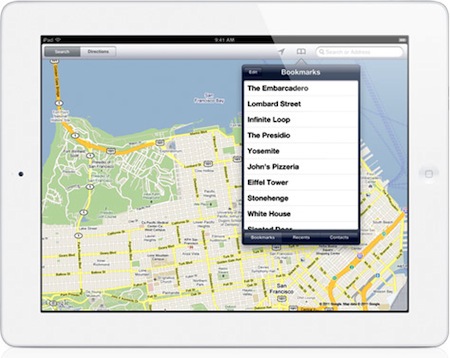
It’s no secret Apple is working on new functionalities for its iPhone and iPad Maps application to introduce in iOS 5, but a new job posting on Apple’s website seems to confirm that the focus for the next major version of Maps will a completely new user interface, and a series of “innovative features” that, supposedly, will dramatically change the look and feel of the app. Apple already emphasized in the past through other job postings that they were looking for engineers to bring Maps “to the next level” with deeper integration with navigation software, so it doesn’t come as a surprise that the team is still looking for new designers and developers to enhance the Maps experience.
Come work for the team that revolutionized the mobile technology industry as it continues to define what computing looks like in a post-PC era. The Maps team is looking for a proactive and hardworking software engineer to join our team. Along with excellent skills in object-oriented software design and programming, the successful candidate will have real-world experience developing sophisticated user interfaces. Excellent communication skills are also a must, as you will be collaborating closely with Apple’s peerless human interface team to add new and innovative features.
Whether the new version of Maps will be bundled with iOS 5 is still unknown at this point; Apple confirmed last week that they are currently working on an improved traffic service to launch in the next years, but several reports in the past indicated iOS 5 – coming out later this year, with a preview at the WWDC in June – would be heavily based on location, Maps, and other cloud-oriented features. Many even speculated Apple could leverage its own version of mapping software, thus ditching Google Maps, to build a new social location service to include in the new MobileMe / iCloud. Speculation about the new iOS Maps application is running wild lately, and the job postings from Apple do nothing but increase the amount of guesses and rumors we’re hearing on the subject. Seeing an improved Maps app in June wouldn’t surprise anyone, but it’s unclear how many of the new functionalities Apple is working on will be rolled out this year with iOS 5. [via 9to5mac]
#MacStoriesDeals - Tuesday

Here are today’s @MacStoriesDeals on iOS, Mac, and Mac App Store apps that are on sale for a limited time, so get them before they end!