Posts tagged with "iOS"

iOS X

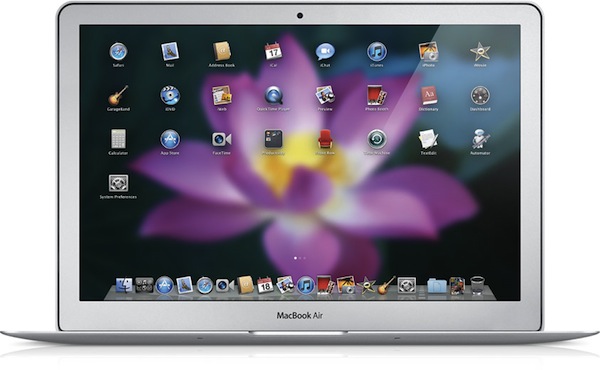
Like it or not, Apple is going back to the Mac. The regular Mac user, fan, fanboy – whatever you’d like to call someone who showed a deep affection to Apple’s desktop operating system for the past decade – should like the fact that Steve Jobs confirmed Apple is still committed to making the best personal computers, based on OS X. The same regular Mac user, though, is immensely scared by the concept underlying Jobs’ statements: Apple is going back to the Mac, taking the good things learned in 3 years of iOS development with them. OS X turned into iPhone OS. iPhone OS became iOS for iPhone and iPad. Now, everything’s going back to where it all started: the Mac.

We have heard this story before. In fact, we all commented on Apple’s October 20th event by saying that, with the right approach, the Mac App Store and some iOS elements coming to the Mac might be the best thing that ever happened to the platform in years. Read more


Untethered iOS 4.2.1 Jailbreak Coming Before Christmas, Will Support New Apple TV

Great news for jailbreakers this morning: the Dev-Team has been busy working on an untethered solution for the current iOS 4.2.1 jailbreak (which requires to boot the device using Redsn0w) and it should be released before Christmas. Last night, @musclenerd tweeted a video showing the untethered method running on a jailbroken iPod Touch 4th gen which relies on the kernel from iOS 4.2 beta 3.

According to @musclenerd, the current implementation doesn’t use any new exploit, but @comex is working on a better system that will perhaps be implemented in the final release. Read more


Move Your Browser Tabs Across Mac and iOS Devices

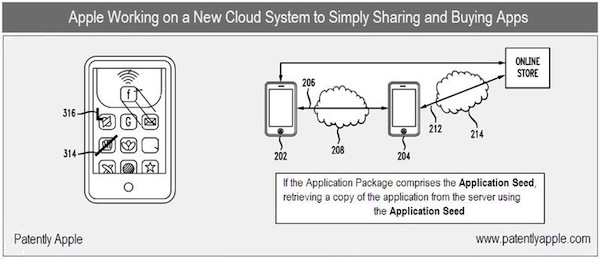
In a perfect world, we wouldn’t have to worry to manually trigger any sync process. Everything would happen in the background, in your local wireless network or over-the-air, and manual sync would be an option to customize contents and options. In today’s world, and especially if we happen to have multiple iOS devices, we’re stuck with cables and fragmented databases.

Several developers are trying to put an end to this by supporting online sync services such as Dropbox in their mobile apps, some devs are even trying to do this on the desktop. Apple, on the other hand, still forces you to sync music, apps and movies with the cable, in iTunes, on your computer. Read more


Turn Your iDevice into a Monitor with WiFi Baby

I remember when our 2 kids were infants, we monitored them with audio-only monitors, and that wasn’t too long ago. I remember seeing some units that let you install a video monitor but they seemed very expensive at the time. Now Y-Cam has released the WiFi Baby 3G, a Wi-Fi enabled baby monitor that displays HD quality video and audio for daytime and even uses night-vision technology for night-time monitoring.

Read more


Steve Jobs is a Ninja!

UPDATE: Ninja Steve was approved and is live in the App Store for $.99 -> LINK

The gameplay is very simple, Ninja Steve is all about fast reflexes and accuracy. The ‘Smartbots’ fly around until they get close enough to zap you. Touch an enemy to fire a shuriken. After a while you will build up a RDF, which is like an electromagnetic shock, shake your iDevice to activate it. There are three different stages and four different ‘Smartbots’. There are 15 main levels, plus 2 extra levels.

It’s a really simple game with a few Apple-like references but it gets a little stale and repetitive after a while but for $.99, Apple fanboys can kick ‘Smartbot’ ass ninja-style!


Remember when Steve Jobs couldn’t take his ninja stars aboard his private plane back in September? Maybe he should have used a smoke bomb to get them aboard.

Anyway, Woltz Media is developing an iOS game called Ninja Steve. It’s about a CEO named ‘Steve’ (no official affiliation with Jobs or Apple) that is also a trained ninja assassin.

Read more


Official Google Books iOS App Goes Live

Google launched its official eBook store earlier today, and promised an official iOS app for iPhone and iPad would follow in a few hours. The app is now available for free in iTunes here.

Google Books allows you to check on Google’s 2 million book catalogue and download ebooks to read them on your iPhone and iPad. The app comes with the same page turning animations of Apple’s iBooks, but the overall interface is quite different and similar to Google’s standard color schemes. Google Books features an offline reading mode to read books when you don’t have an active internet connection (useful on WiFi iPads when on the go), possibility to search within a book and adjust a font’s size, a night reading mode.

Surprisingly enough, the app doesn’t seem to support landscape mode on the iPad. I found the scrubber at the bottom to be particularly useful to jump between chapters of a book. Last, the app lets you download 3 books for free: “Pride and Prejudice”, “Frankeinstein, or, The Modern Prometeus” and “Wonderful Stories for Children”.

Check out the full changelog and more screenshots below.

Read more