This Week's Sponsor:

Copilot Money

The Apple Editors’ Choice money tracker, now has an AI Money Assistant.


Posts tagged with "Home app"

Apple Unveils HomeView: A Smart Home Display Powered by Siri AI

Source: Apple.

Source: Apple.

Today, Apple announced the highly anticipated HomeView, a Siri AI-powered device for controlling your HomeKit devices and accessing other apps and services like Apple Music, your calendar, Reminders, Apple Podcasts, and more.
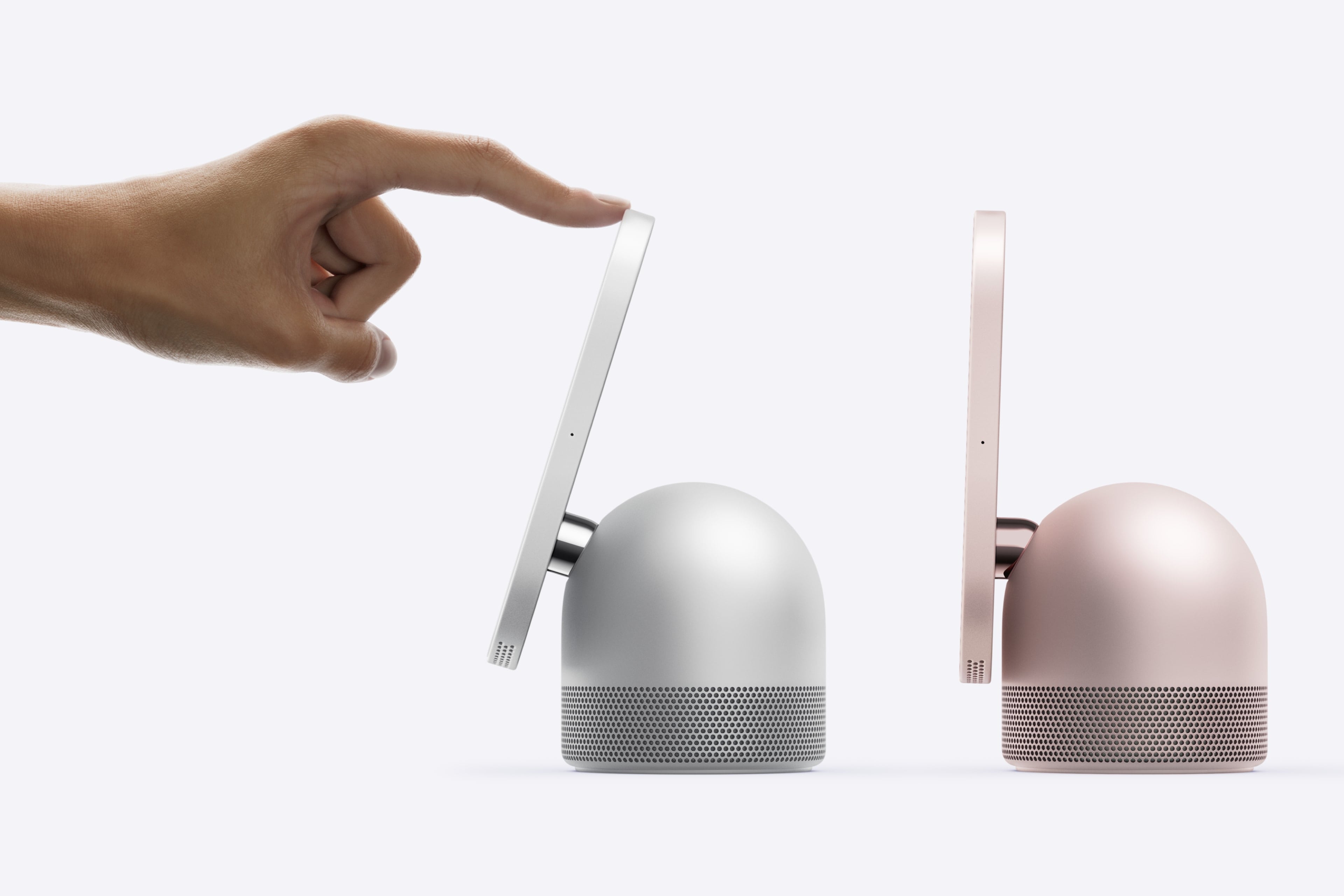
The table top HomeView's screen tilts. Source: Apple.

The table top HomeView’s screen tilts. Source: Apple.

HomeView comes in two configurations, each of which is $299 and will launch on November 13 and can be preordered today. The first sits on a flat surface and has a domed aluminum base and a 7-inch Liquid Retina True Tone display that tilts. The base houses a downward-firing woofer and two force-cancelling passive radiators and the display has two drivers that support Spatial Audio.
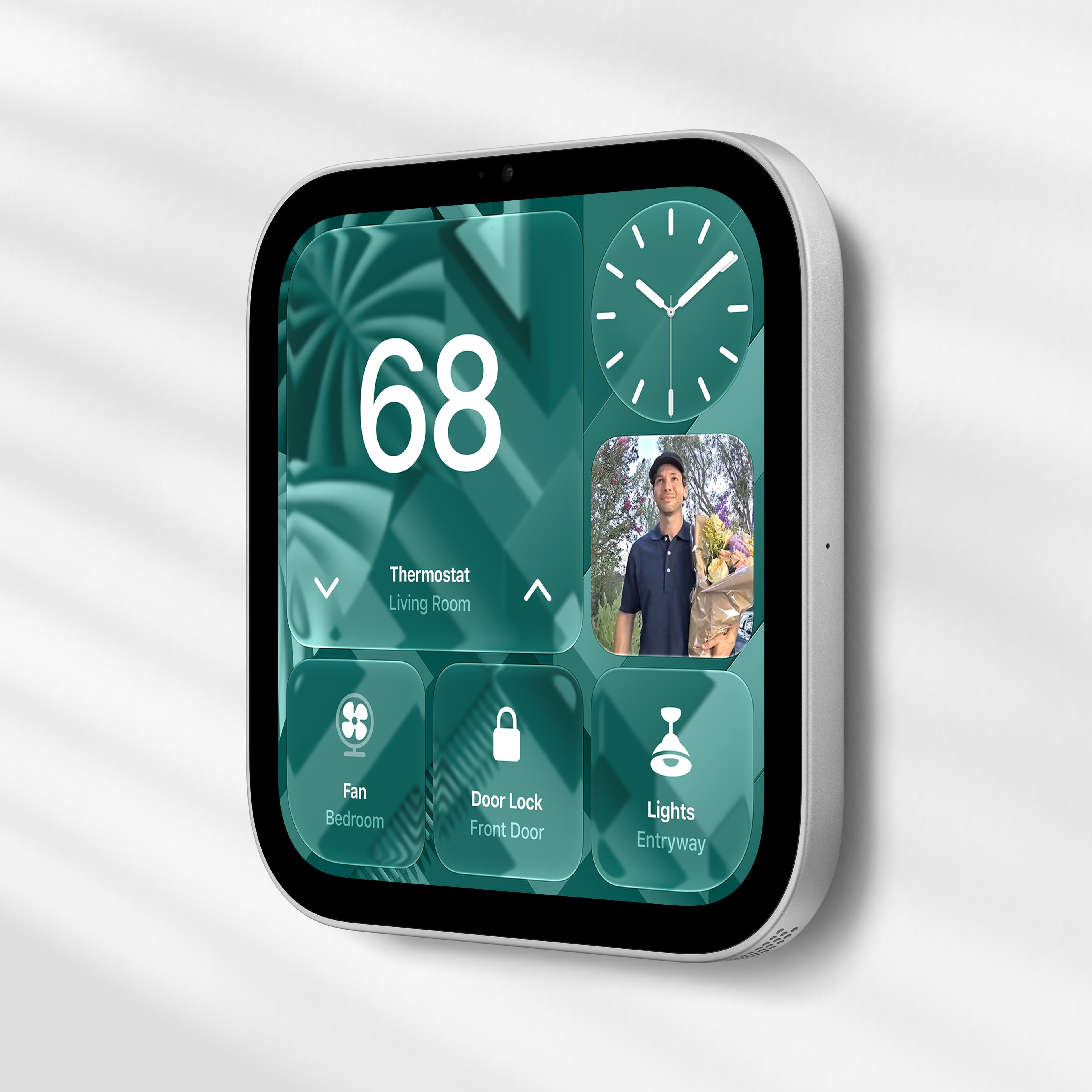
The Wall Mounted HomeView. Source: Apple.

The Wall Mounted HomeView. Source: Apple.

The second HomeView model is meant to be hung on a wall, but the functionality of both is roughly the same. The main difference being that the wall-mounted version lacks the other model’s base and its woofer.
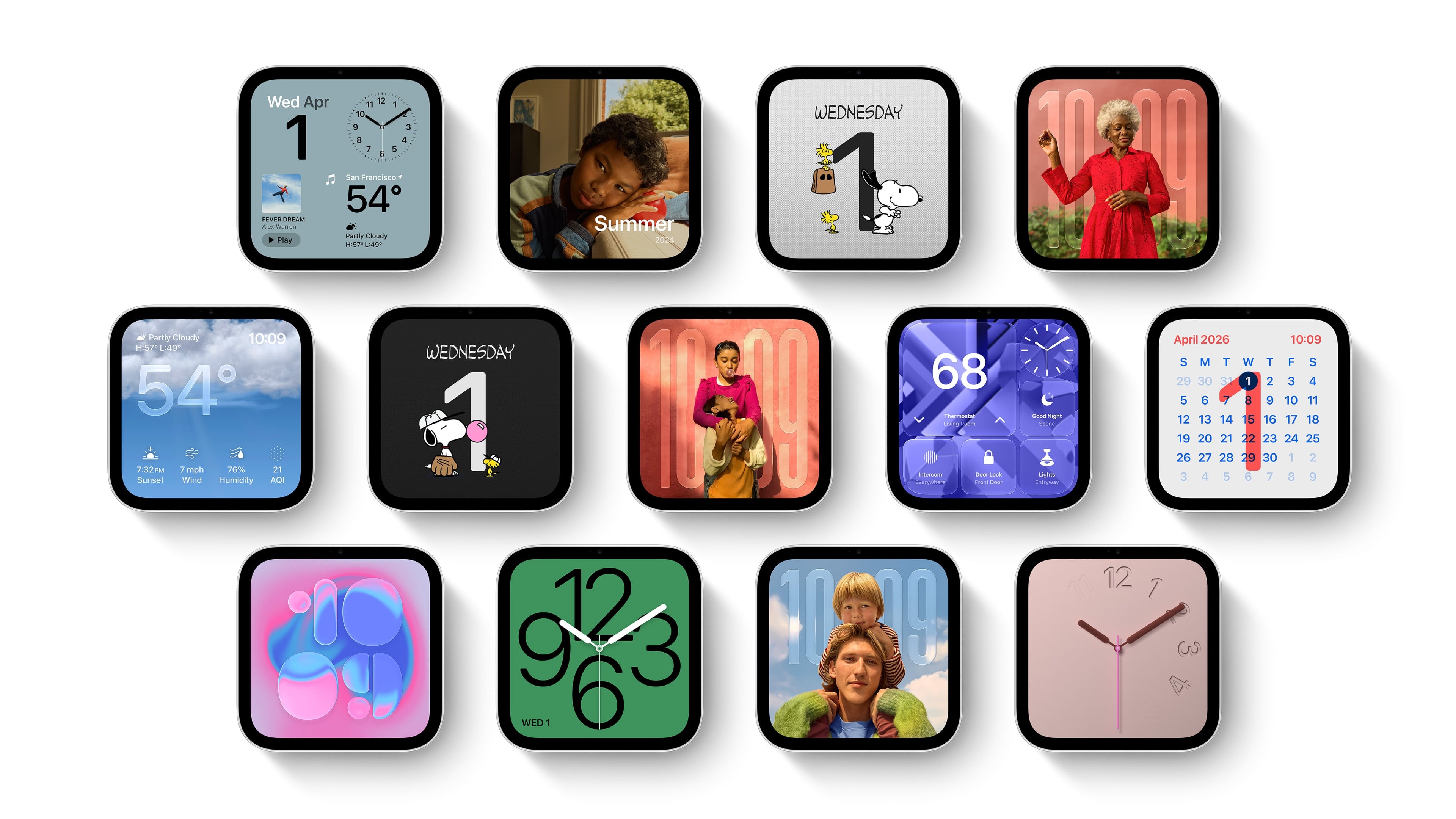
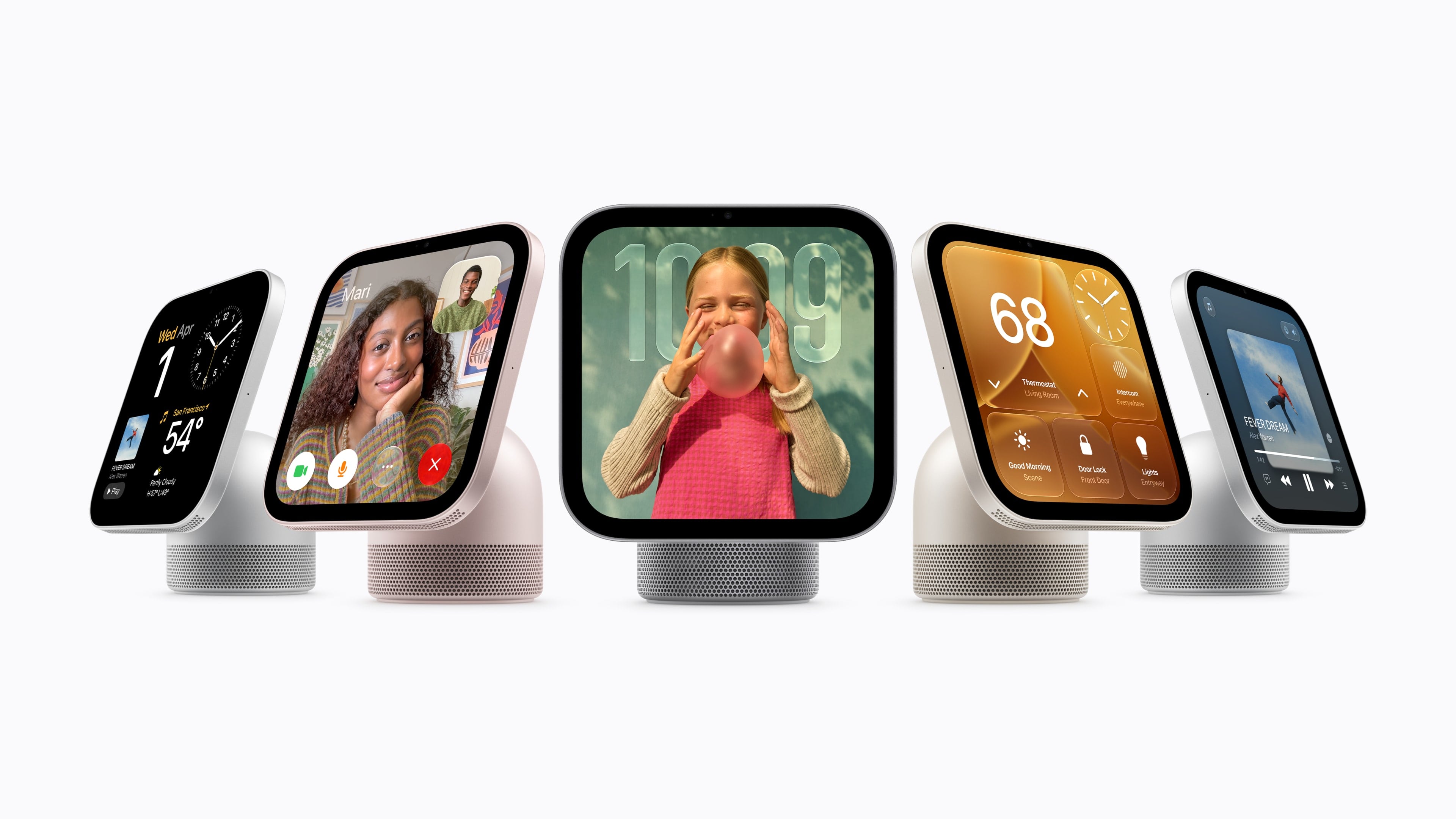
HomeView faces. Source: Apple.

HomeView faces. Source: Apple.

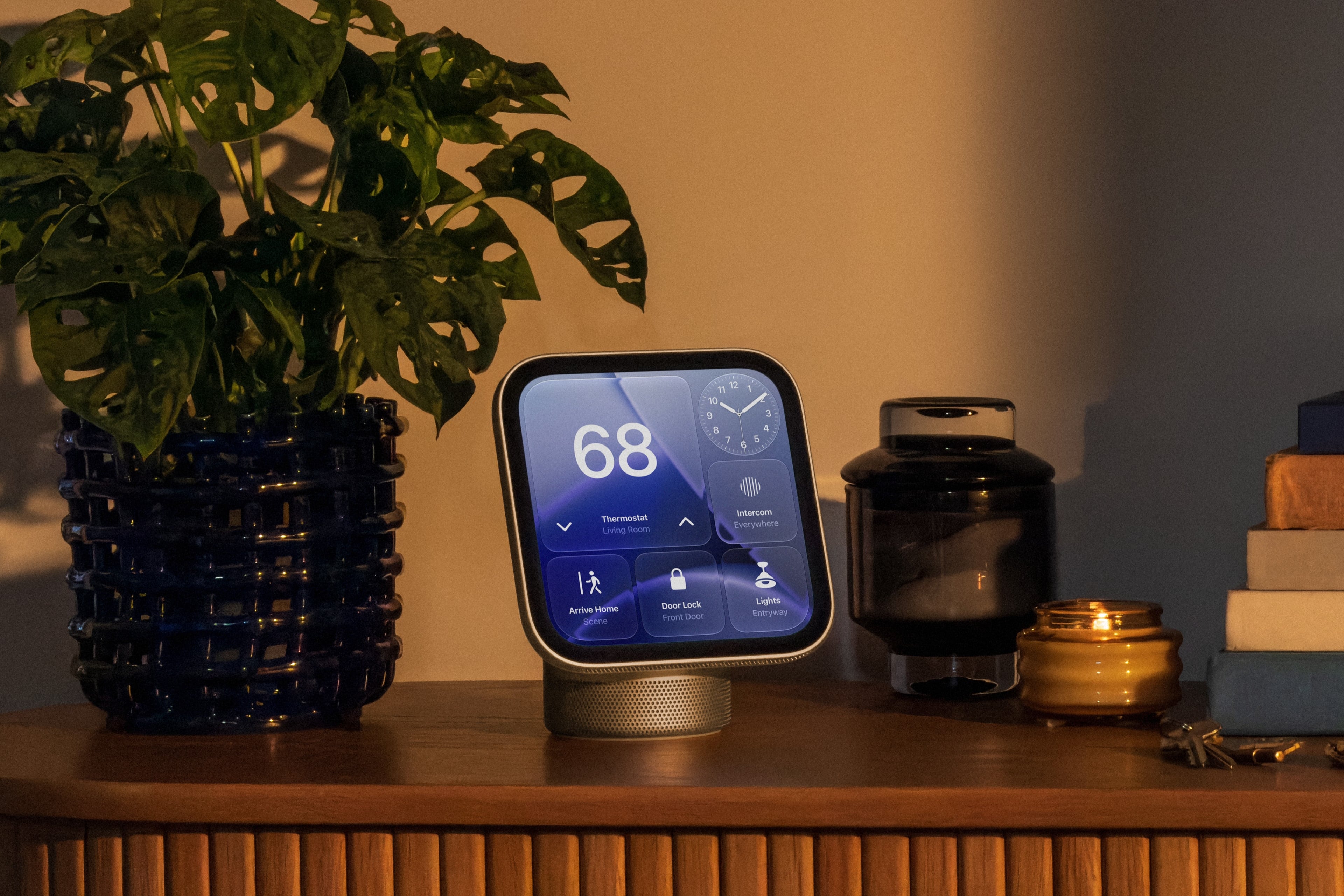
The HomeView features a series of customizable faces that are navigated by swipe gestures. There are faces for photos, weather, a clock, for example, which are reminiscent of Apple Watch faces. There are also tiles for controlling HomeKit devices and widgets for things like the weather and your calendar, which are similar to the iPhone’s StandBy Mode widgets.
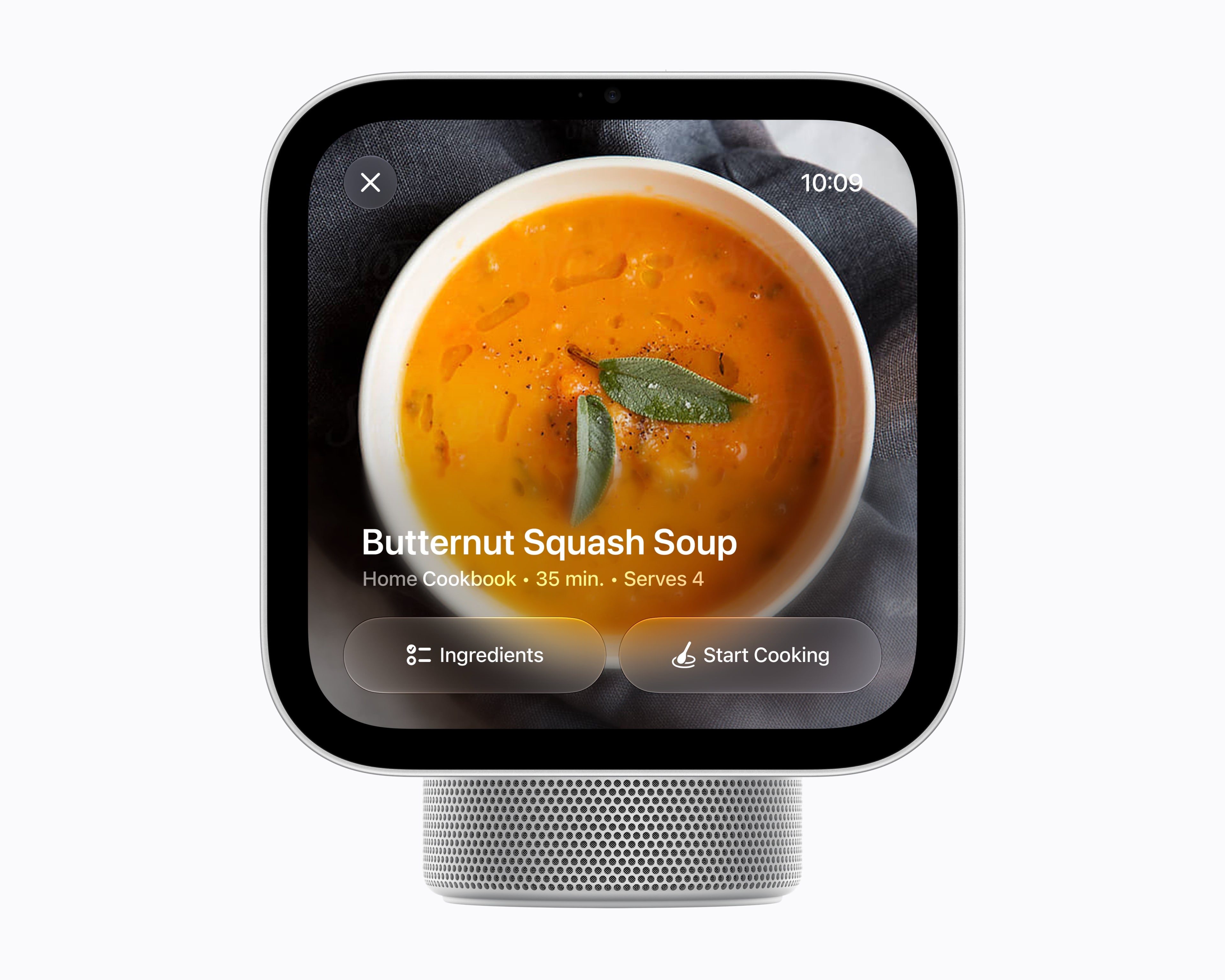
As for apps, Apple includes a selection of their own apps like FaceTime, Music, Podcasts, TV, News, and Messages along with select video and audio apps from third parties. As a smart home hub, HomeView allows users to watch HomeKit camera feeds and control locks, thermostats, lights, blinds, and other compatible devices. Of course, Siri AI is a big part of the HomeView story, too, serving as a means for navigating the device’s UI, interacting with apps, and requesting information conversationally.
Source: Apple.

Source: Apple.

Under the hood, the HomeView is powered by an A18 chip with Secure Exclaves for processing audio and video data. According to Apple, Messages and Calendar content are only available when a user is recognized and their paired iPhone or iPad is present and recently unlocked.

Overall, I love the look of the HomeView and have been thinking about where I’d place it in my home as I write this. I also like the blend of concepts that draw from the Apple Watch, StandBy Mode, and widgets. My hope, though, is that the third-party developer story expands beyond the limited audio and video apps mentioned in Apple’s press release.

Preorders are live now in Australia, Canada, India, New Zealand, the UK, and the U.S. and will begin on Thursday, October 15, at 9 a.m. SGT in Singapore. The HomeView is not available in the EU because Siri AI is not available there.

For the wall-mounted version, Apple is offering a $59.95 USB-C Wall Connector and a $79.95 AC Wired option, both of which are available for preorder now in the U.S. A Power Mount PoE option will be available in early 2027 for $129.95 in the U.S., too.
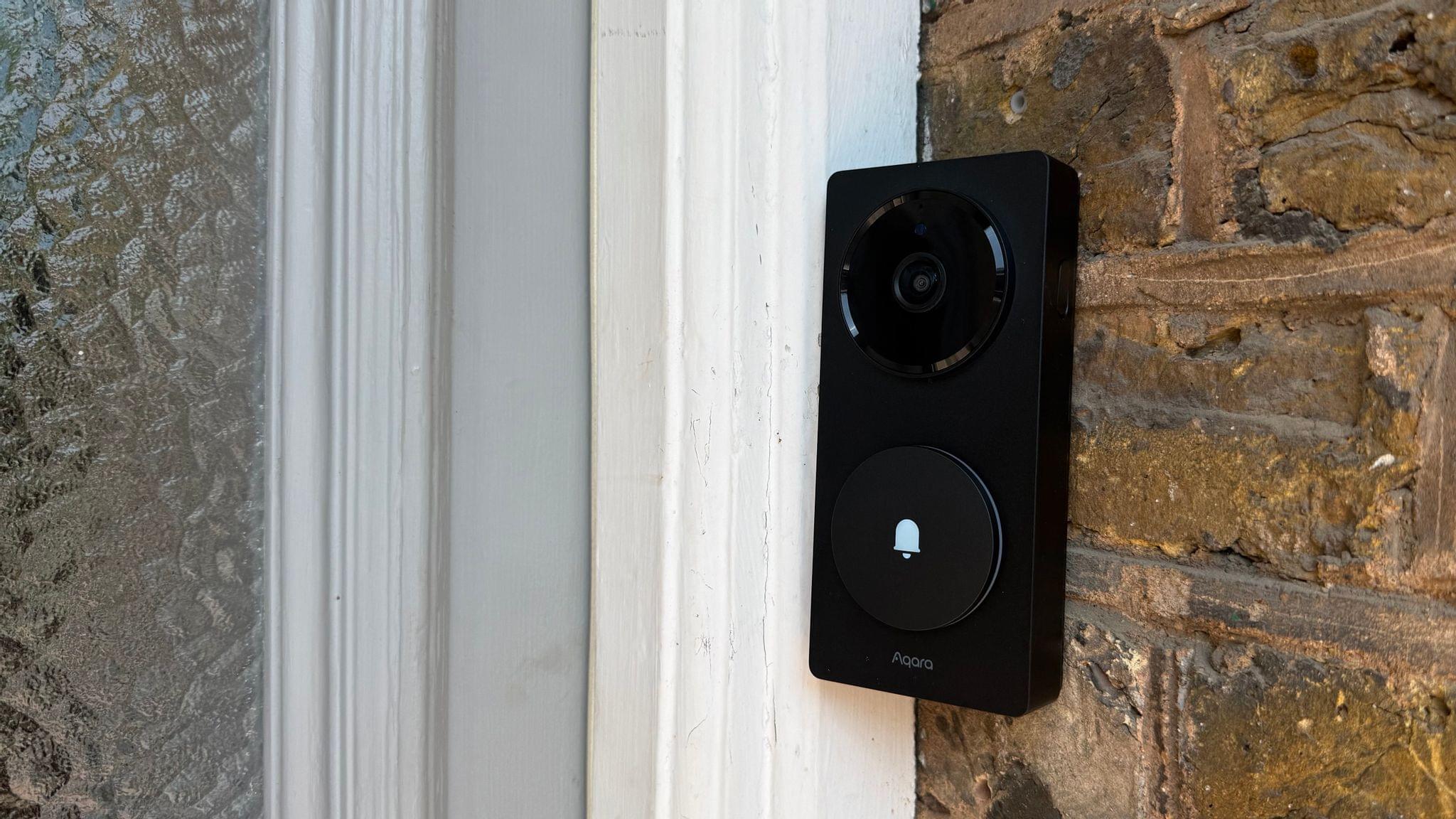
One Month with the Aqara G410 Video Doorbell

Last month, after an advanced preview at CES back in January, Aqara released an update to its G4 smart video doorbell dubbed the Doorbell Camera Hub G410 Select. I had been keeping my eye out for this release ever since its announcement, and it just so happened to coincide with the passing of my existing smart doorbell from Netatmo. That was more than enough reason to purchase the G410, and over a month of daily usage, I’ve been enjoying several of the camera’s excellent new features while also wishing for some improvements in other areas.

Read more


Philips Hue Adds Flexibility to the Play Line with New Wall Washer Lights

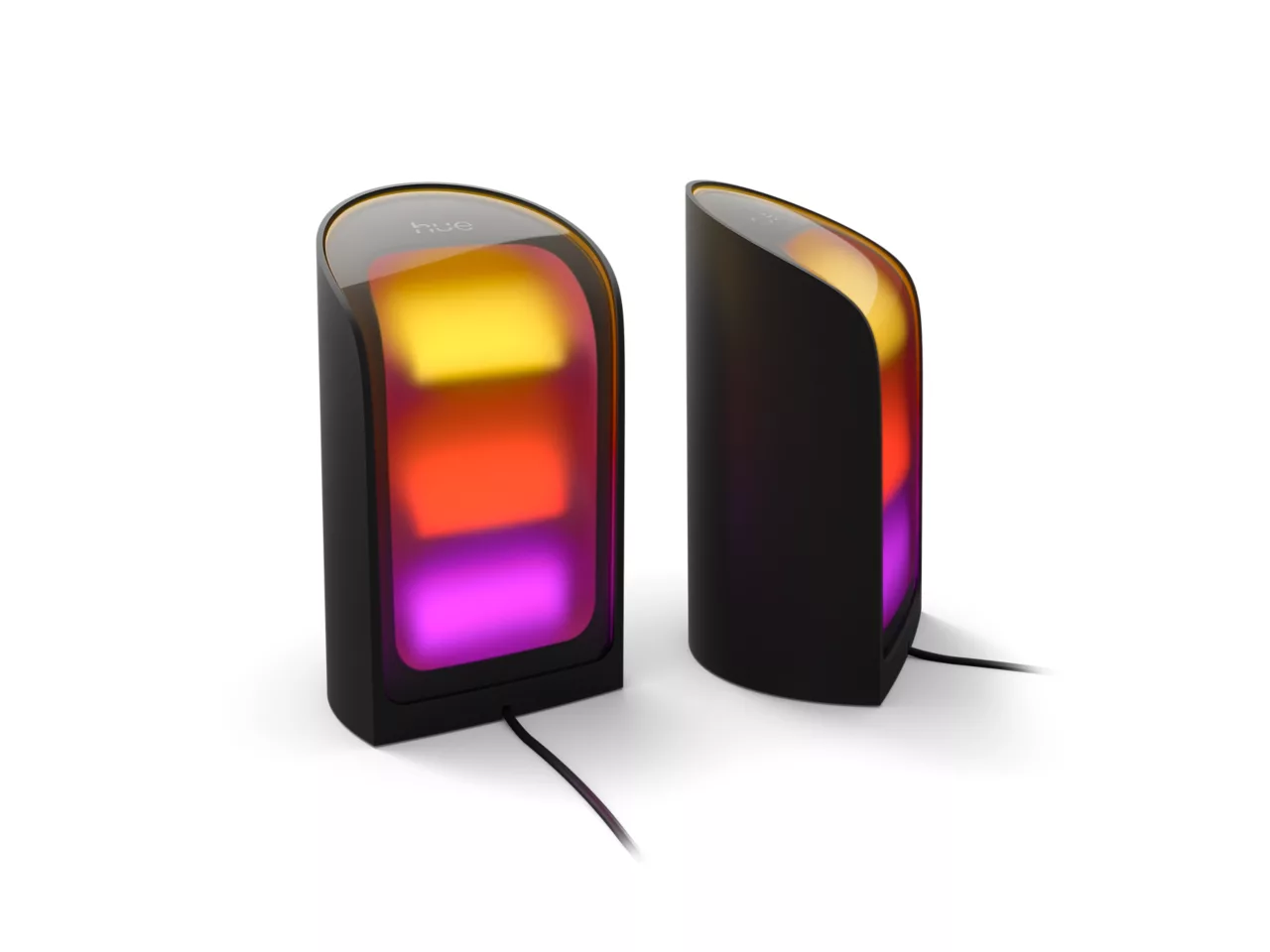
For the past couple of weeks, I’ve been testing a pair of Philips Hue Play wall washer lights along with a Play HDMI sync box 8K that the company sent me to test. The wall washer lights are a new and interesting approach to accent lighting for the Hue Play line that I like a lot, but they also come with a premium price tag, so it’s worth taking a close look at what they offer.

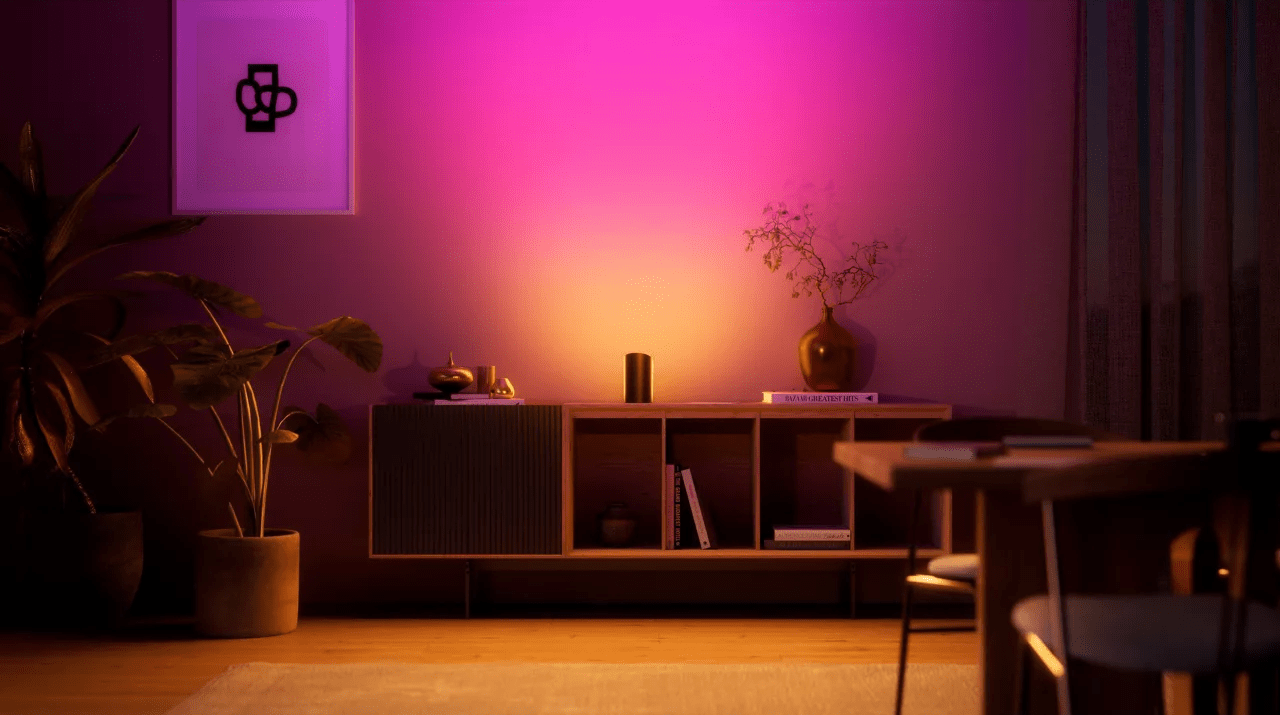
Philips Hue's Play wall washer lights. Source: Philips Hue.

Philips Hue’s Play wall washer lights. Source: Philips Hue.

I’ve been using Philips Hue Play lights for a while. I have two Play gradient light tubes in my office; one sits behind a shelf on my desk, providing a backlight to my work environment, while the other is on the top of a tall bookshelf, illuminating what would otherwise be a dark corner of the room. I typically set them to a natural light color using Adaptive Lighting in Apple’s Home app, but they can do fancy gradient colors, too, which can be a fun way to mix things up.

A more traditional Play wall washer setup than mine. Source: Philips Hue.

A more traditional Play wall washer setup than mine. Source: Philips Hue.

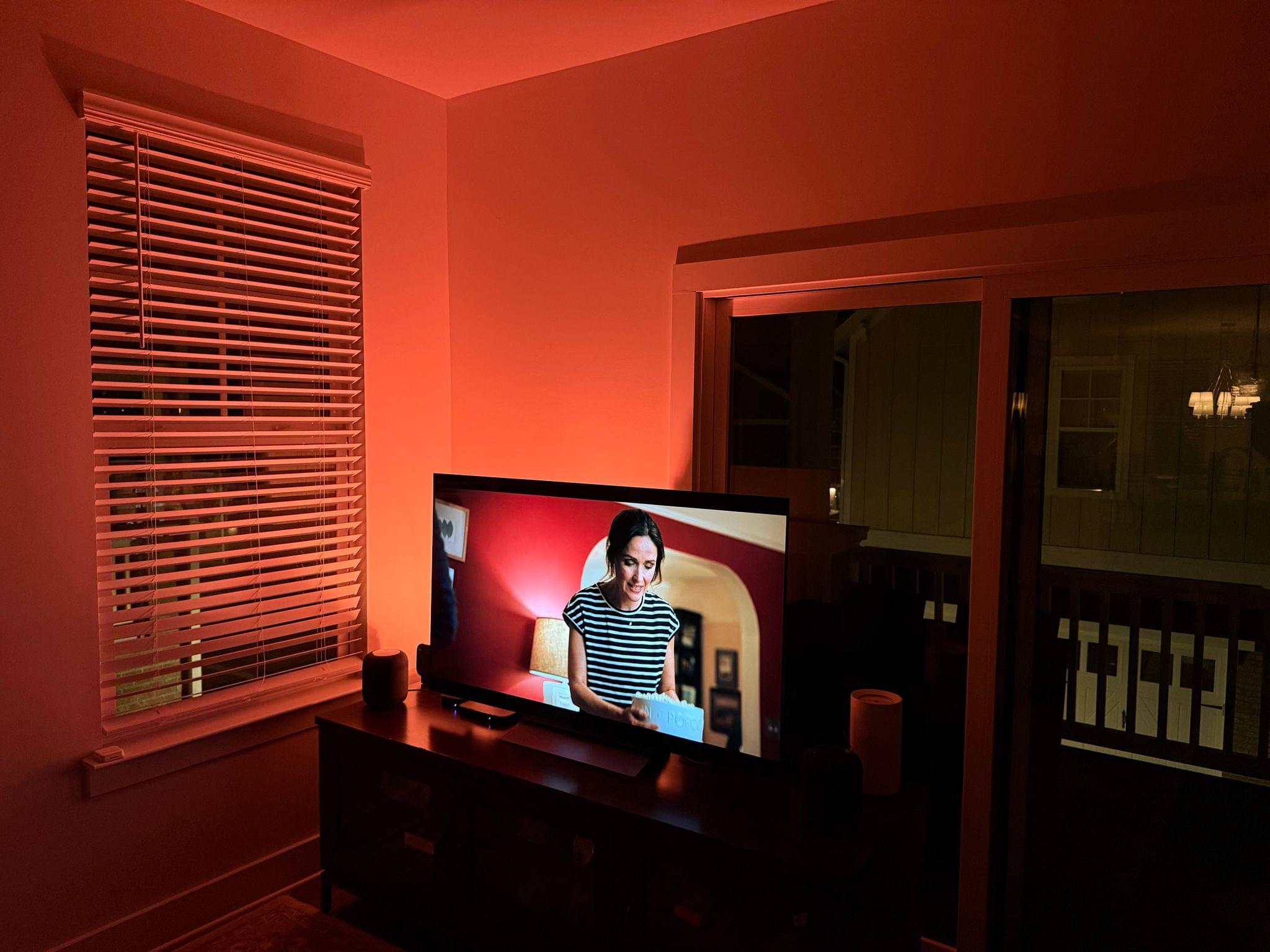
But the downside of tube lights is that they take up a lot of horizontal space. That’s where the new wall washer lights come in. They’re cylindrical with a vertical and angled slice taken out of one side, which is where the LEDs are located. Most notably, though, at around six inches tall by a little more than three inches wide, the wall washers work in a much wider variety of places than tube lights. That compact footprint has been perfect for fitting behind my TV, where I’ve already crammed gaming consoles, a Wi-Fi router, and other gear.

Other highlights of the Hue Play wall washers include:

  • ColorCast, Philips Hue’s term for the way the wall washers generate highly saturated multi-colored gradients,
  • 1035 lumens of light, which is impressive for such a small device, and
  • the ability to display white light in a wide 2000–6500 Kelvin range.

The Play wall washers require a Hue Bridge and are compatible with HomeKit, allowing you to use either the Hue app or the Home app to turn them on and off, dim them, and change their colors.

Read more