This Week's Sponsor:

SoundSource

New Year, New Audio Setup: SoundSource 6 from Rogue Amoeba


Posts tagged with "audio"

Our Final 2025 MacStories Setups Update

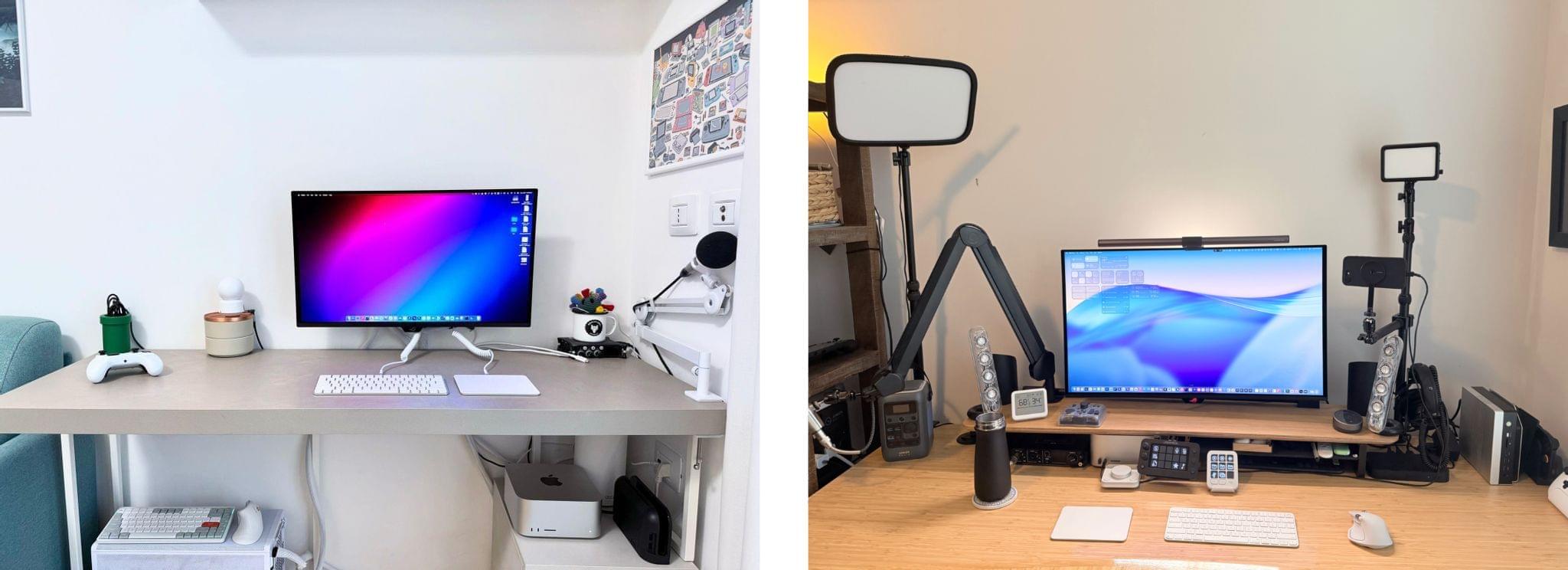
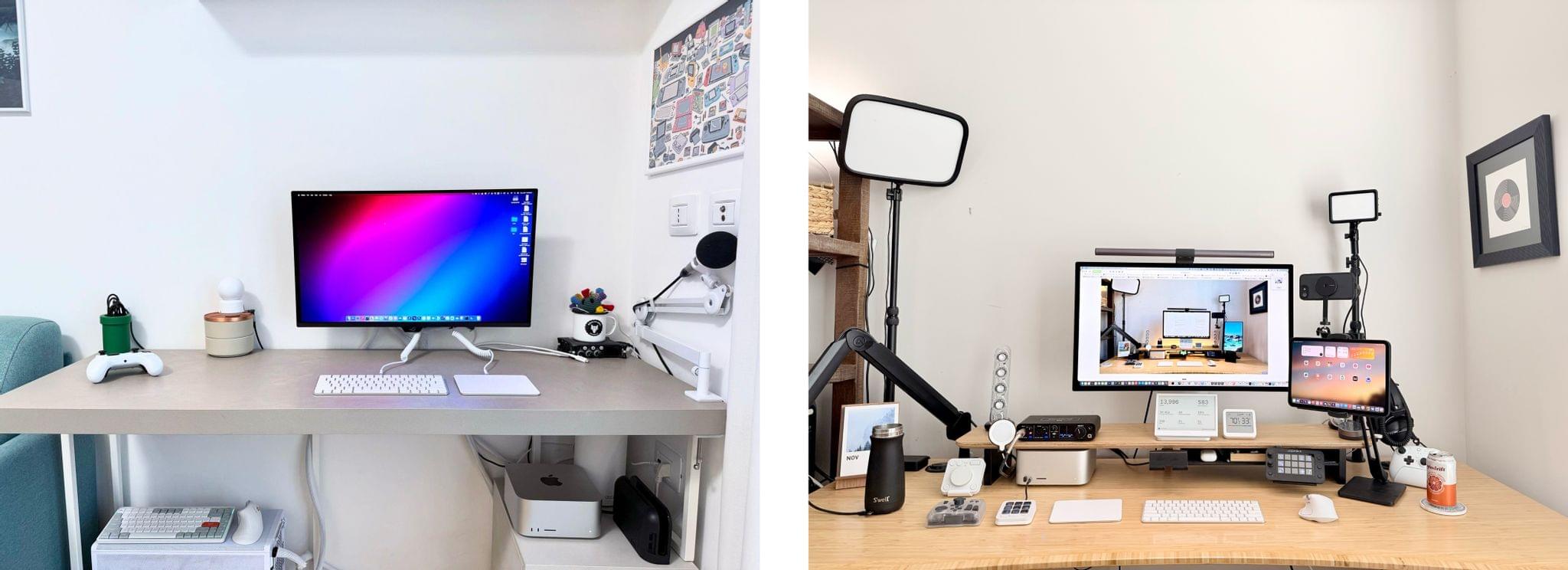
Our desk setups. Federico (left) and John (right).

Our desk setups. Federico (left) and John (right).

John: As 2025 comes to an end, Federico and I thought we’d cap off the year with a final update on our setups. We just went through this in November, but both Federico and I decided to take advantage of Black Friday sales to improve our setups in very different ways. Let’s take a look.

My changes were primarily to my office setup. I’ve wanted a gaming PC for a long time, but I never had a good place to set one up. The solution was to go with a high-end mini PC, the GMKtec EVO-X2, which features a Strix Halo processor, 64GB of RAM, and a 2TB SSD. It came with Windows installed, but after a few days, I installed Bazzite, an open-source version of SteamOS, which makes it dead simple to access my Steam videogame library.

Two things kept me from getting a PC earlier. The first was space, which the EVO-X2 takes care of nicely because it’s roughly the size of the Mac mini before its recent redesign.

The second and bigger issue, though, was my Studio Display. It’s an excellent screen, but it’s showing its age with its 60Hz refresh rate and 600 nits of brightness. Plus, with one Thunderbolt port for connecting to your Mac and three USB-C ports, the Studio Display is limiting. Without HDMI or DisplayPort, connecting it to other video sources like a PC or game console is nearly impossible.
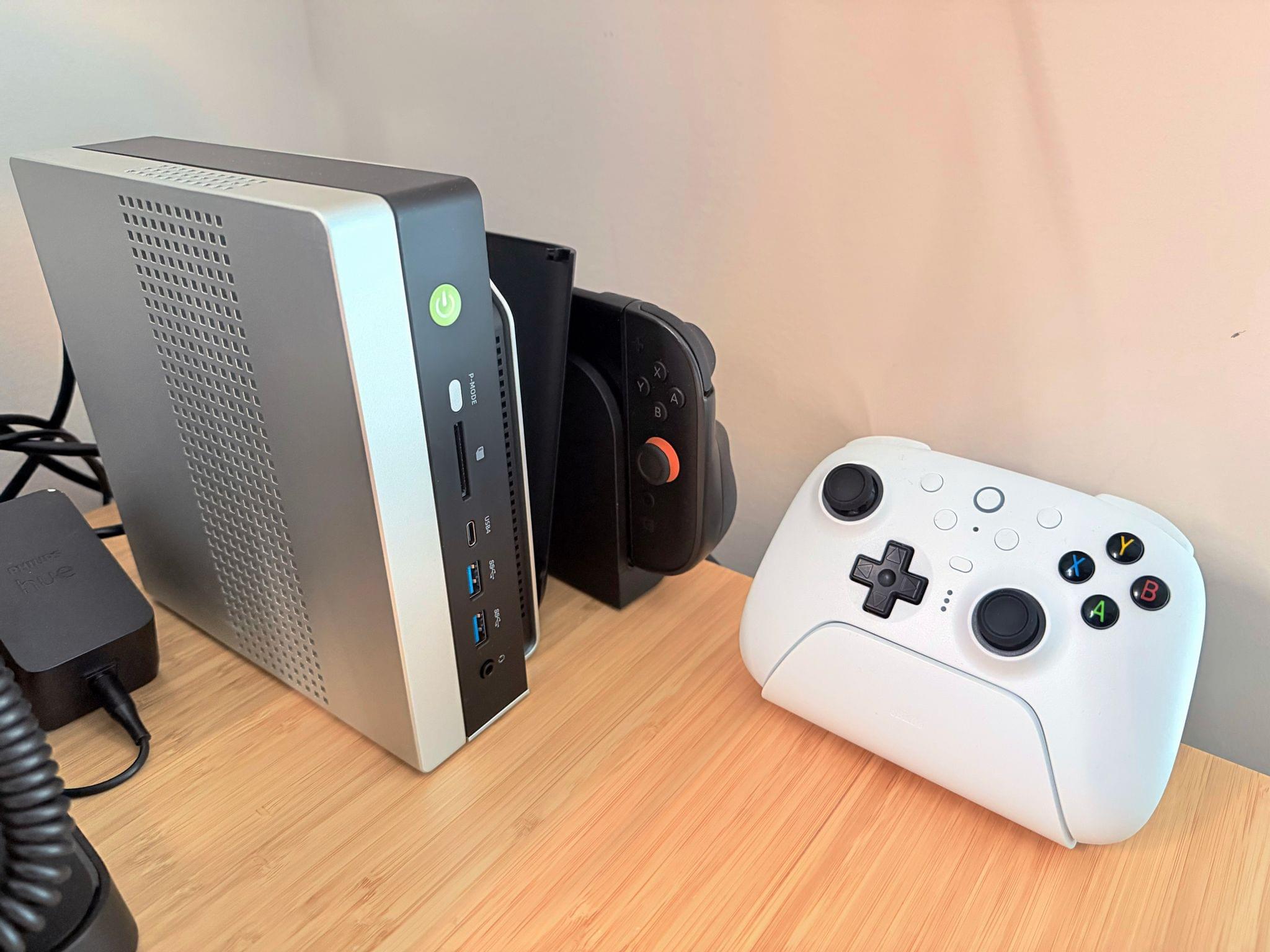
The GMKtec EVO-X2 mini PC, Switch 2, and 8BitDo Ultimate 2 controller

The GMKtec EVO-X2 mini PC, Switch 2, and 8BitDo Ultimate 2 controller

So I also bought a deeply discounted ASUS ROG Swift 32” 4K OLED Gaming Monitor, which is attached to my desk using a VIVO VESA desk mount. I’d wanted a bigger screen for work anyway, and with its 240Hz refresh rate and bright OLED panel, the ASUS has been excellent. However, the ASUS display really shines when connected to my GMKtec and Nintendo Switch 2. As I covered on NPC: Next Portable Console recently, the mini PC combined with a great monitor, which also allows me to stream games to my handhelds over my local network, was the missing link in my setup, delivering a flexibility I just didn’t have before.

Along with the gaming part of my desktop setup, I updated my desktop lighting with two Philips Hue Play Wall Washer lights and a Hue Play HDMI Sync Box 8K, which casts light against the wall behind my desk that’s synced with what’s onscreen. In fact, the Sync Box 8K works with all the Hue lights in my office, allowing me to create a more immersive environment when I’m gaming.

I’ve been using a handful of other accessories lately, too, including:

That’s it from me for 2025, folks. Enjoy the holidays! Things will be a little quieter at MacStories over the next couple of weeks as we unwind and spend the time with family and friends over the holidays, but we’ll be back with lots more before long.

Federico: For this final update to my setup before the end of the year, I focused on two key areas: audio and my living room TV setup.

The biggest – literally – upgrade for me this month has been switching from my previous LG 65” TV to a flagship LG G5 77” model. I’d been keeping an eye on this TV for a while: it’s LG’s first model to use Tandem OLED technology, and it boasts higher brightness in both SDR and HDR with reduced reflections thanks to the new panel. I took advantage of an incredible Black Friday deal in Italy to buy it at 50% off, and we love it. The TV rests almost flush against the wall thanks to its compact design, but since it’s not completely flush, it allowed us to re-install our Philips Hue Gradient Light Strip behind it. Since I was in a renovation mood and I also wanted to future-proof my setup for the Steam Machine in 2026, I also upgraded to a Hue Bridge Pro and replaced my previous Hue Sync Box with the latest 8K edition that is certified for HDMI 2.1 connections. Speaking of gaming: as I discussed this week on NPC, I got a Beelink SER9 Pro mini PC and installed Bazzite on it to get a taste for SteamOS in the living room; this one will eventually be replaced by a more powerful Steam Machine.

The other area of improvement was audio. I recently realized that I wanted to fully take advantage of Apple Music and Spotify’s support for lossless playback with wireless headphones, which is something that, alas, Apple’s AirPods Max do not support. So after much research, I decided to treat myself to a pair of Bowers & Wilkins Px8 S2, which are widely considered some of the best Bluetooth headphones that you can buy right now. But you may be wondering: how do you even connect these headphones to Apple devices that do not support Qualcomm’s aptX Lossless or Adaptive codecs? That’s where the BT-W6 Bluetooth dongle comes in. In researching this field, I came across this relatively new category of small Bluetooth adapters that plug into an iPhone’s USB-C port (they work on a Mac or iPad, too) and essentially override the device’s built-in Bluetooth chip. Once headphones are paired with the dongle rather than the phone, wireless streaming from Apple Music or Spotify will use aptX Lossless instead of Apple’s legacy SBC protocol. The difference in audio quality is outstanding, and it makes me appreciate the Px8 S2 for all they have to offer.

While I was at it, I also took advantage of another deal for a Sonos Move 2 portable speaker; we’ll have to decide whether this one will be permanently docked on my desk or next to a record player that Silvia is getting me for Christmas. (We don’t like surprises for each other, especially when it comes to furniture-adjacent shopping.)

So that’s my update before we go on break for a couple of weeks. I can already feel that, when I’m back, I’ll have some changes to cover on the software front. But we’ll talk about those in 2026.
Permalink

MacStories Setups Update: An Apple Gear Refresh, Dual-Screen Gaming, and HomeKit

Our desk setups. Federico (left) and John (right).

Our desk setups. Federico (left) and John (right).

As we head into the final weeks of 2025, Federico and I figured it would be a good time to update the MacStories Setups page. There’s an ebb and flow to the gear and apps we test each year, and as the fall OS update season fades into the past, it’s not unusual for one or both of us to take stock of our setup and make changes. That’s been very true for both of us this year, but in different ways.

Federico has been focused on simplifying his hardware setup and testing a long list of apps and services. In contrast, I’ve made fewer gear cuts, focusing more on strategic changes to the gadgets I use and settling on a core set of work apps.

The result is that Federico’s hardware setup changes have primarily been updates to his Apple and portable gaming gear. He made the transition from the iPhone 16 Pro Max to the iPhone Air, and couldn’t be happier with the result. He also replaced the M4 iPad Pro with the latest M5 model and moved from the AirPods 4 to the AirPods Pro 3.

Both of us ditched our previous Apple Vision Pro head strap solutions for the Apple Dual Knit Band, which has been a big upgrade. It’s comfortable, and having one dial to adjust both bands is both clever and far simpler than other solutions I’ve tried.

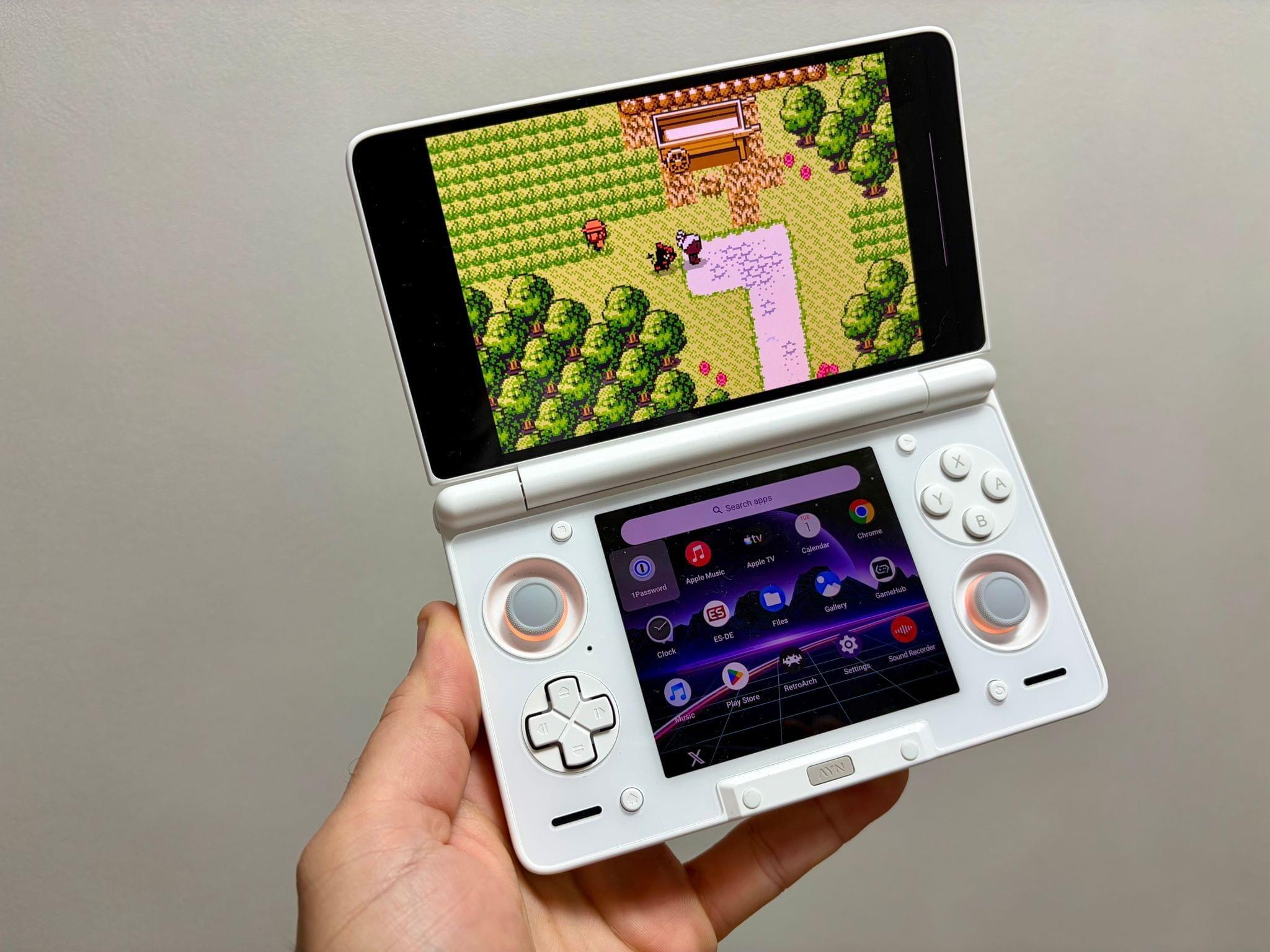
Ayn Thor.

Ayn Thor.

Federico also added the Ayn Thor to his handheld gaming lineup. The Thor, which I also bought this fall, is a dual-screen OLED gaming handheld that runs Android. It’s perfect for emulating dual-screen systems like the Nintendo DS and 3DS, but it has also been excellent for game streaming and testing the emerging world of emulating SteamOS on Android. If game tinkering is your thing and this sounds intriguing, we have two episodes of NPC: Next Portable Console that go in-depth on the Ayn Thor.

Read more


Quick Subtitles Shows Off the A19 Pro’s Remarkable Transcription Speed

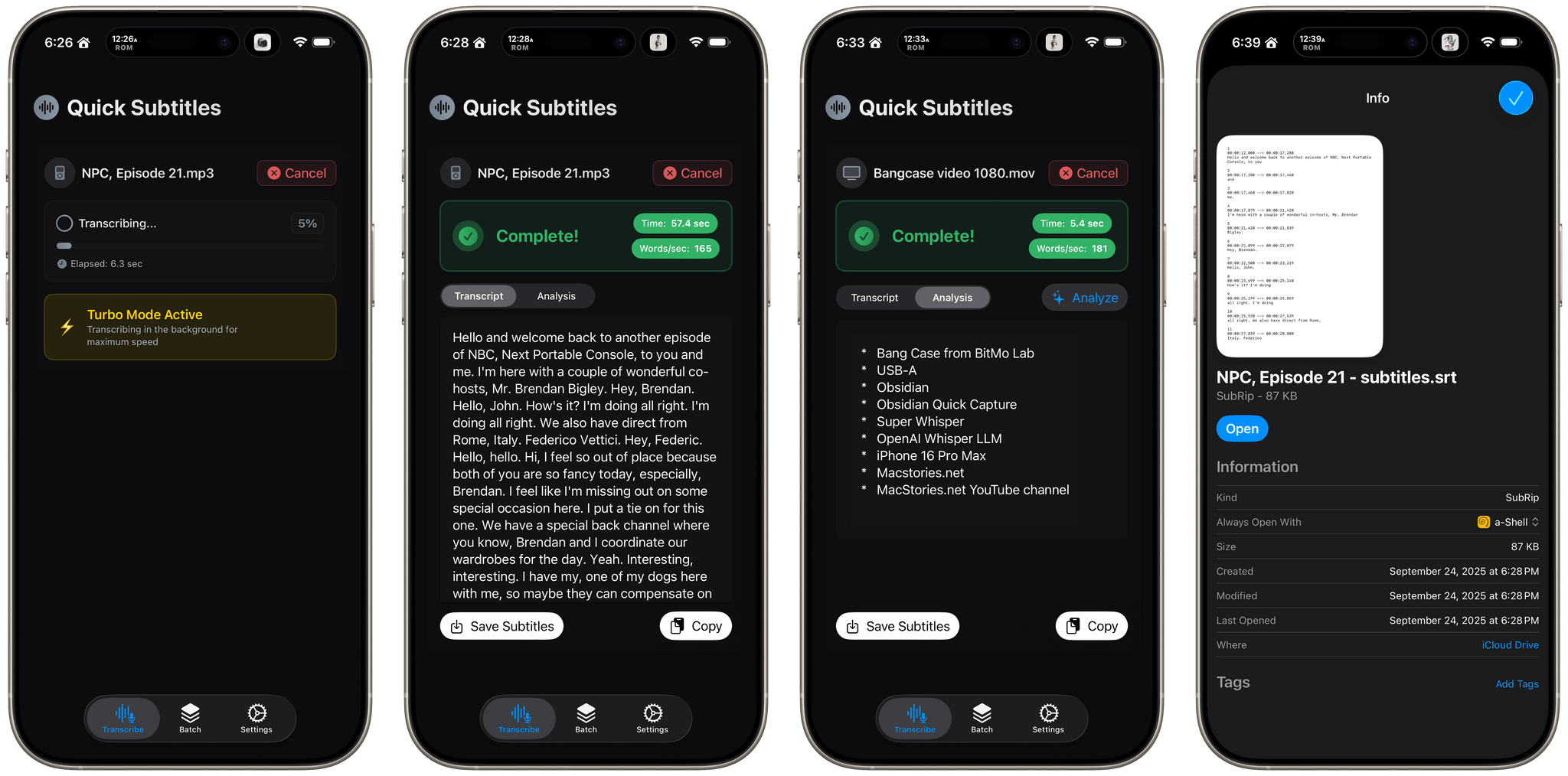
Matt Birchler makes a great utility for the iPhone and iPad called Quick Subtitles that generates transcripts from a wide variety of audio and video files, something I do a lot. Sometimes it’s for adding subtitles to a podcast’s YouTube video and other times, I just want to recall a bit of information from a long video without scrubbing through it. In either case, I want the process to be fast.

As Matt prepared Quick Subtitles for release, he tested it on a MacBook Pro with an M4 Pro chip, an iPhone 17 Pro with the new A19 Pro, an iPhone 16 Pro Max with the A18 Pro, and an iPhone 16e with the A18. The results were remarkable, with the iPhone 17 Pro nearly matching the performance of Matt’s M4 Pro MacBook Pro and 60% faster than the A18 Pro.

I got a preview of this sort of performance over the summer when I ran an episode of NPC: Next Portable Console through Yap, an open-source project my son Finn built to test Apple’s Speech framework, which Quick Subtitles also uses. The difference is that with the release of the speedy A19 Pro, the kind of performance I was seeing in June on a MacBook Pro is essentially now possible on an iPhone, meaning you don’t have to sacrifice speed to do this sort of task if all you have with you is an iPhone 17 Pro, which I love.

If you produce podcasts or video, or simply want transcripts that you can analyze with AI, check out Quick Subtitles. In addition to generating timestamped SRT files ready for YouTube and other video projects, the app can batch-transcribe files, and use a Google Gemini or OpenAI API key that you supply to analyze the transcripts it generates. Transcription happens on-device and your API keys don’t leave your device either, which makes it more private than transcription apps that rely on cloud servers.

Quick Subtitles is available on the App Store as a free download and comes with 10 free transcriptions. A one-time In-App Purchase of $19.99 unlocks unlimited transcription and batch processing. The In-App Purchase is currently stuck in app review, but should be available soon, when I’ll be grabbing it immediately.

Permalink

Twenty Thousand Hertz Explores Apple’s Accessibility History

Source: Twenty Thousand Hertz.

Source: Twenty Thousand Hertz.

The Twenty Thousand Hertz podcast’s latest episode celebrates the 40th anniversary of Apple’s accessibility efforts. Through a series of interviews with Apple’s Sarah Herrlinger, Ron Huang, Deidre Caldbeck, and Erick Treski, host Dallas Taylor explores the history of accessibility features in Apple products. It’s an excellent oral history that weaves historical insights and present-day technological advancements in a fascinating way.

Beyond the tech of it all, though, what really comes through is the importance of the accessibly work that goes into Apple’s hardware and the impact it has on so many lives:

[Dallas Taylor, Show Host:] For years now, I’ve been talking about how hearable technology was eventually gonna combine headphones, earplugs, hearing aids, virtual assistants, and more into one earbud-like device that we can theoretically leave in all day. This is the kind of technology that I’m most passionate about because it goes so far beyond just convenience or entertainment. It’s the stuff that literally changes people’s lives and helps people connect with each other through sound.

[Deidre Caldbeck, Apple’s senior director of product marketing for Apple Watch and Health] For me, when I started to work on Apple Watch and then soon after Health, to be able to hear some of these stories we’ve been sharing today, I just felt very fortunate that this was my actual job. This is my profession, that I get to work with these brilliant people that come up with these features that anyone can use and anyone has the potential of having their lives changed.

[Dallas Taylor, Show Host:] Now, designing for accessibility comes with a lot of challenges, but when you approach those challenges with empathy and creativity, the result is often a better product for everyone.

[Sara Herrlinger, Apple’s senior director of global accessibility policy and initiatives:]: We’re all unique in the world, and accessibility features may be life hacks to one person and they may be necessities to another, but we’re always just trying to make sure that we have features that work for everyone.

You can listen to the full episode on Apple Podcasts, Spotify, and the Twenty Thousand Hertz website.


AirPods Max to Gain Lossless and Low Latency Audio Support Over USB-C Next Month

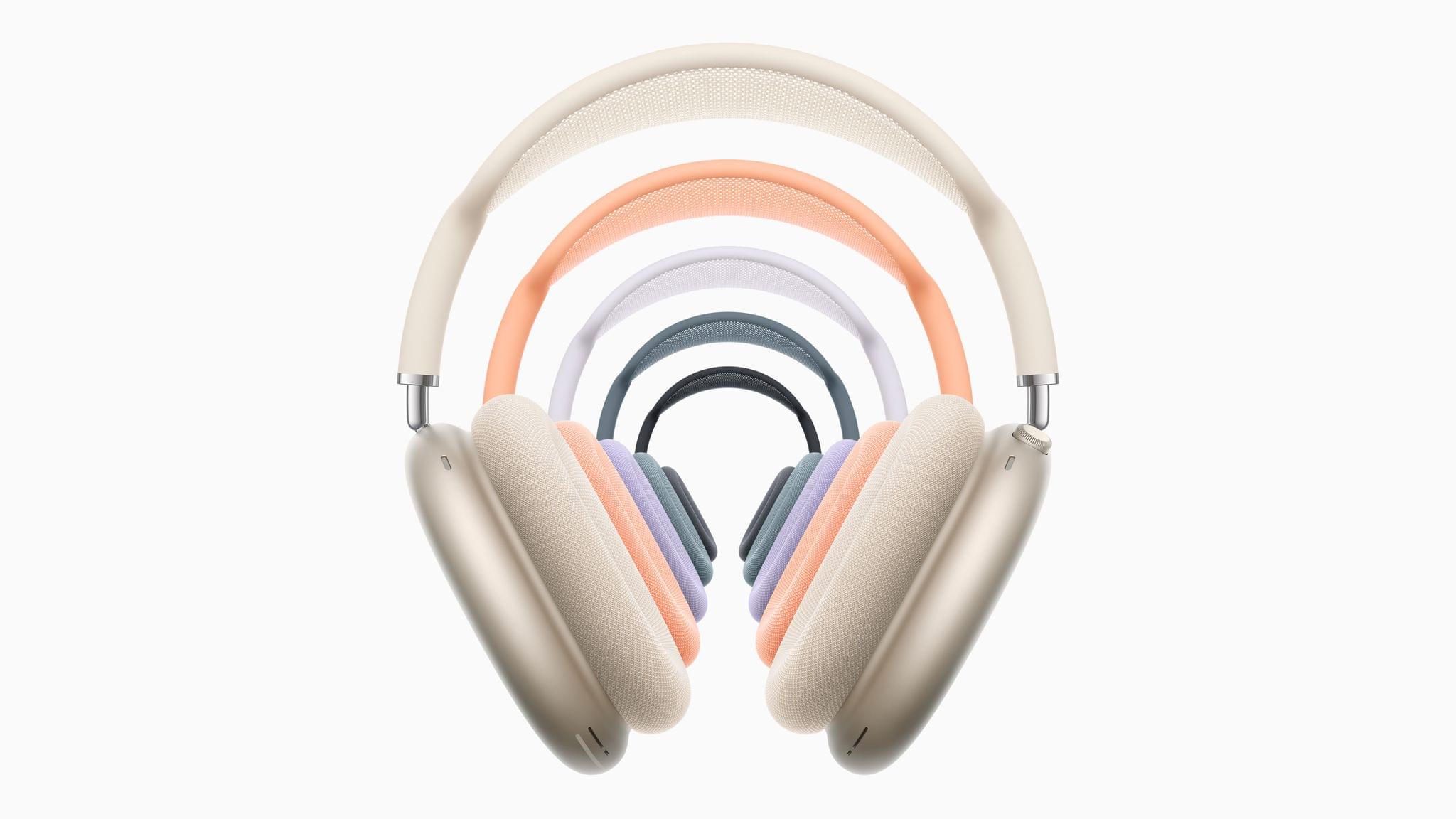
In a surprise announcement this morning, Apple announced that the AirPods Max with USB-C will be getting an update next month that adds support for lossless and ultra‑low latency audio over the cable. According to the press release:

With the included USB-C cable, users can enjoy the highest-quality audio across music, movies, and games, while music creators can experience significant enhancements to songwriting, beat making, production, and mixing.

The update will enable 24-bit, 48 kHz lossless audio, which Apple says is supported by over 100 million songs on Apple Music. Using the headphones’ USB-C cable, musicians will enjoy ultra-low latency and lossless audio in their Logic Pro workflows. The USB-C cable will allow them to produce Personalized Spatial Audio, too.

Apple also explains that the reduced latency is “on par with the native built-in speakers on Mac, iPad, and iPhone,” enhancing videogame play and streaming.

In addition to the software update, Apple is releasing a $39 3.5mm to USB-C cable that can be purchased today. This is a nice update that, judging from the timing, will likely roll out alongside Apple’s next set of OS releases. Although I’d love to see Apple adapt its AirPlay technology to support low-latency, lossless audio, too, doing so via the USB-C cable that comes with the latest version of the headphones is a good start.