This Week's Sponsor:

SoundSource

New Year, New Audio Setup: SoundSource 6 from Rogue Amoeba


Posts tagged with "apps"

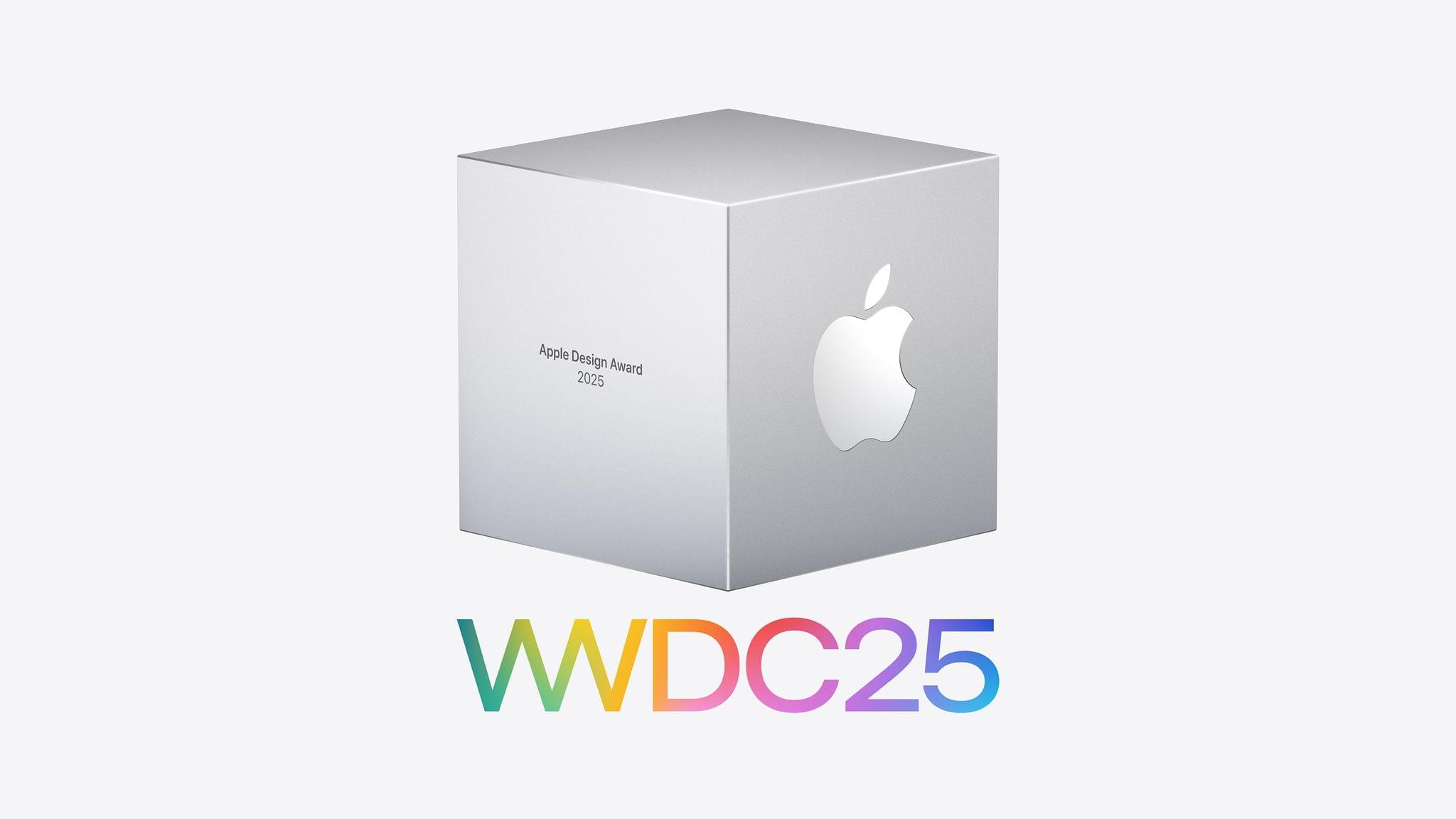
2025 Apple Design Awards Winners and Finalists Announced

As WWDC approaches, Apple has announced the finalists for its annual Apple Design Awards, and in a departure from recent years, the winners too.

This year, there are six categories, and each category has a winning app and game, along with four finalists. Unlike last year, there is no Spatial Computing category this year. The 2025 ADA winners and finalists are:

Delight and Fun

Winners:

Finalists:

Innovation

Winners:

Finalists:

Interaction

Winner:

  • App
    • Taobao by Zhejiang Taobao Network
  • Game

Finalists:

Inclusivity

Winner:

Finalists:

Social Impact

Winners:

  • App
  • Game
    • Neva by Developer Digital

Finalists:

Visuals and Graphics

Winners:

Finalists:

The winners and finalists include a broad range of games and apps, including some from smaller developers including Lumy, Denim Art of Fauna, Skate City: New York, as well as titles from bigger publishers.

I’m glad that Apple has announced the finalists for the last few years. Winning an ADA is a big achievement for any developer, but it’s also nice to know who the finalists are because it’s quite an honor among the many apps that could have been chosen, too. Plus as a fan of apps, Apple’s longer finalist list always reminds me of an app or two that I haven’t tried yet. Congratulations to all of this year’s Apple Design Award winners and finalists.
Mozilla Is Shutting Down Pocket

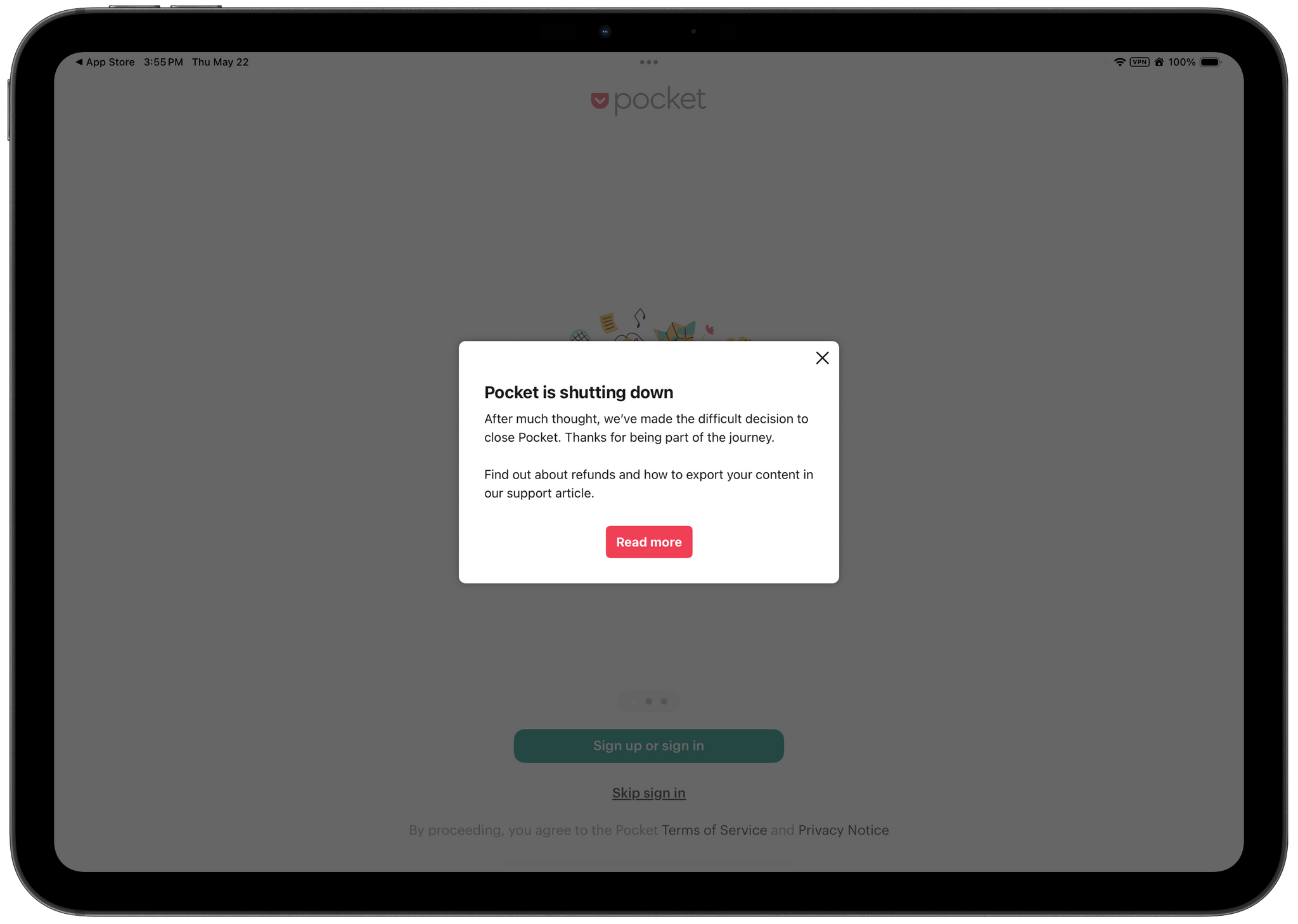
Today, Mozilla announced in a support document that it will soon end development of Pocket, its read-later app that’s been around since the early days of the App Store:

We’ve made the difficult decision to shut down Pocket on July 8, 2025. Thank you for being part of our journey over the years—we’re proud of the impact Pocket has had for our users and communities.

I never like to see an app that people rely on go, but I’m not surprised that Mozilla has pulled its support for Pocket either. The app evolved rapidly in the early days when it was called Read It Later and competing fiercely with Instapaper. But that rivalry burned itself out years ago, and after Mozilla purchased Pocket, it seemed adrift.

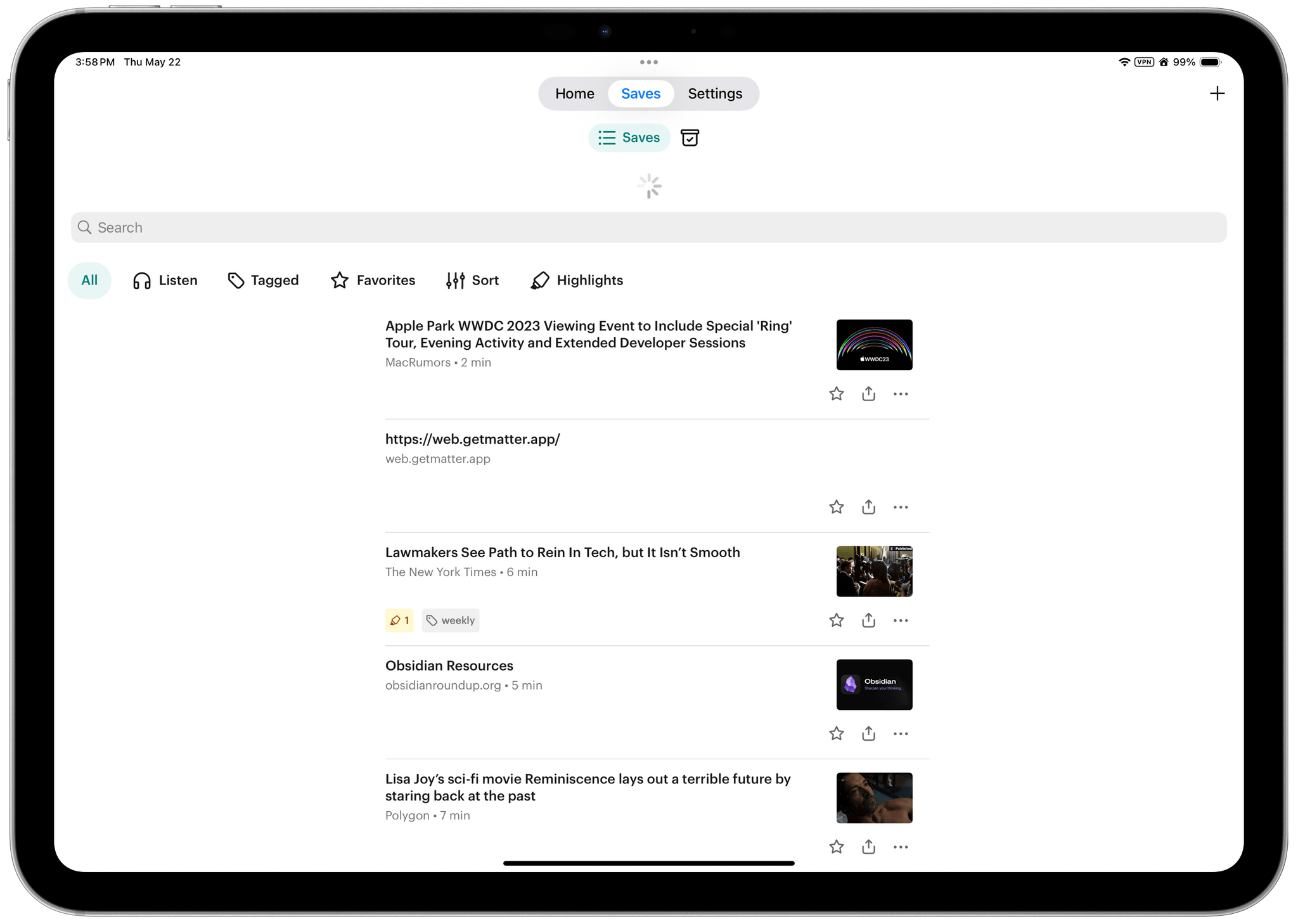
My Pocket queue is a read-later time capsule.

My Pocket queue is a read-later time capsule.

Recently, Mozilla laid off 30% of its workforce and Pocket faced new competition from the likes of Matter and Readwise Reader, which entered the fray with new ideas about what a read-later app could be. As I wrote in my first review of Matter:

Apps like Instapaper and Read It Later, which became Pocket, pioneered saving web articles for later. The original iPhone ran on AT&T’s EDGE mobile network in the U.S. and coverage was spotty. Read-later apps saved stripped-down versions of articles from the web that could be downloaded quickly and read offline when EDGE was unavailable. The need to save content offline because of slow and unreliable mobile networks is far less pressing today, but collecting links and time-shifting reading remains popular.

Today, read-later apps like Readwise are more focused on research, integrating with note-taking systems, and leveraging AI. There’s still a place for simpler solutions such as GoodLinks, which is one of my personal favorites, but given the existential threat Mozilla currently faces, ending Pocket was probably the right choice.


Google Brings Its NotebookLM Research Tool to iPhone and iPad

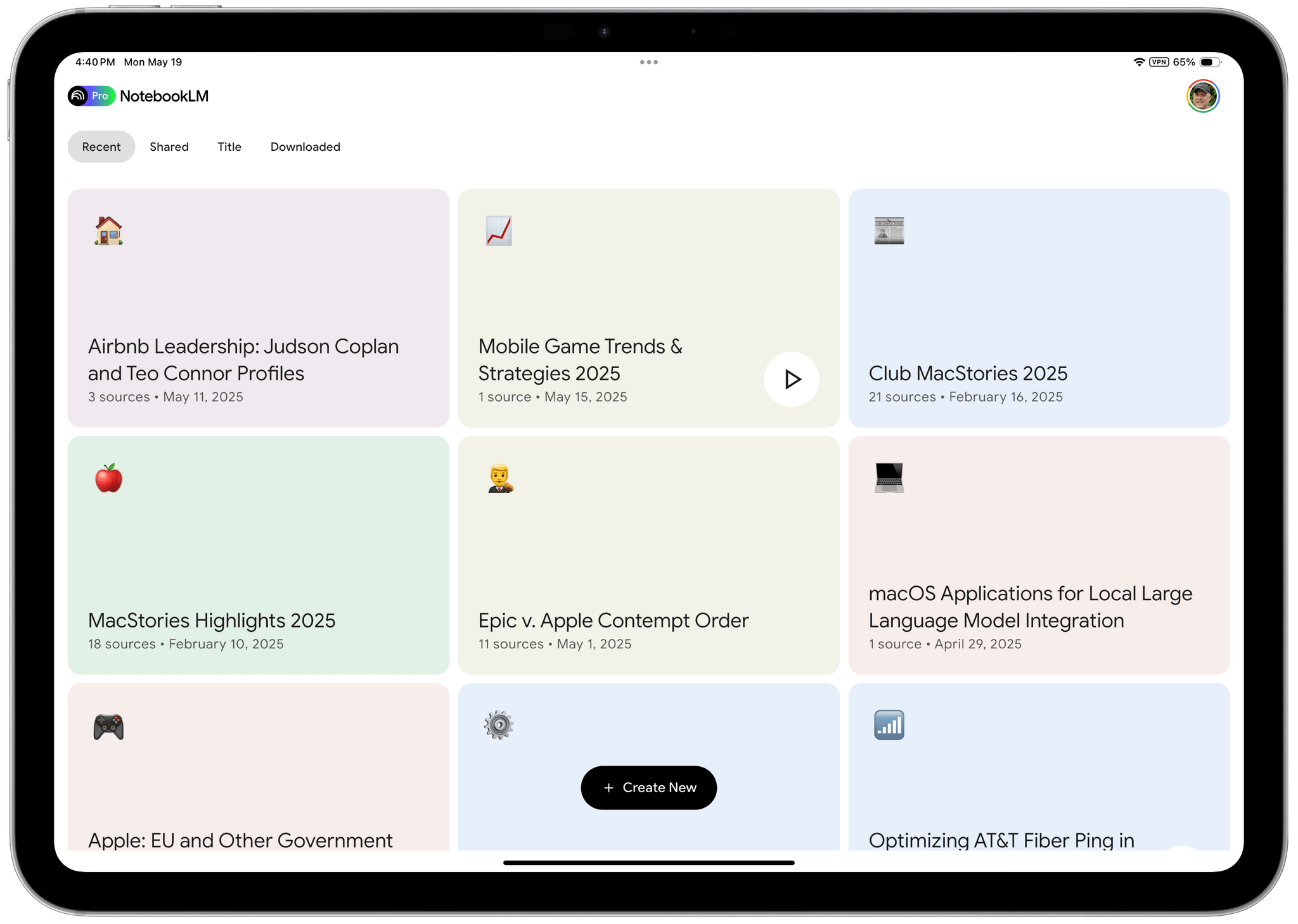
Google’s AI research tool NotebookLM dropped on the App Store for iOS and iPadOS a day earlier than expected. If you haven’t used NotebookLM before, it’s Google’s AI research tool. You feed it source materials like PDFs, text files, MP3s, and more. Once your sources are uploaded, you can use Google’s AI to query the sources, asking questions and creating materials that draw on your sources.

Of all the AI tools I’ve tried, NotebookLM’s web app is one of the best I’ve used, which is why I was excited to try it on the iPhone and iPad. I’ve only played with it for a short time, but so far, I like it a lot.

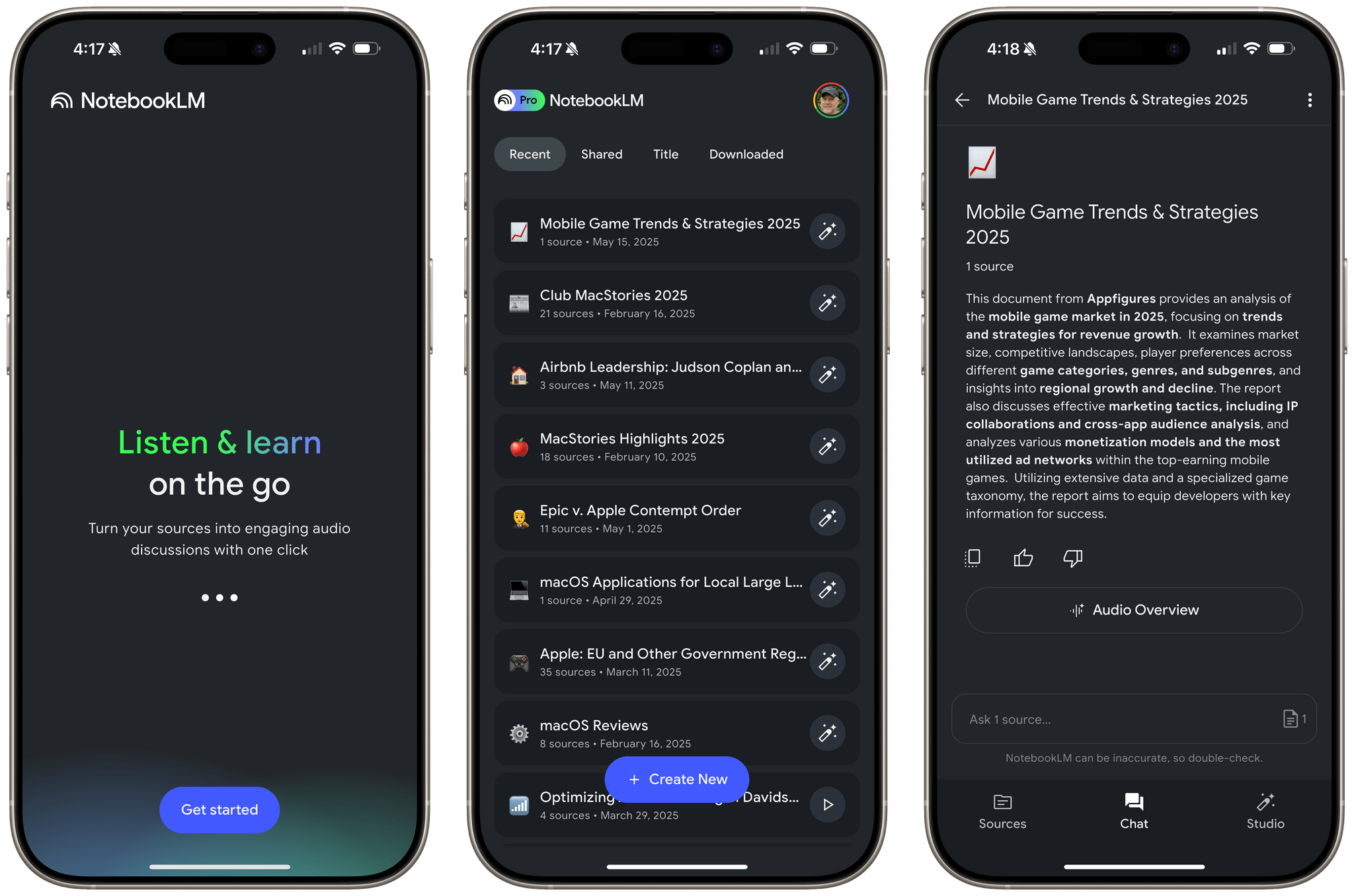
Just like the web app, you can create, edit and delete notebooks, add new sources using the native file picker, view existing sources, chat with your sources, create summaries, timelines, and use the Studio tab to generate a faux podcast of the materials you’ve added to the app. Notebooks can also be filtered and sorted by Recent, Shared, Title, and Downloaded. Unlike the web app, you won’t see predefined prompts for things like a study guide, a briefing document, or FAQs, but you can still generate those materials by asking for them from the Chat tab.

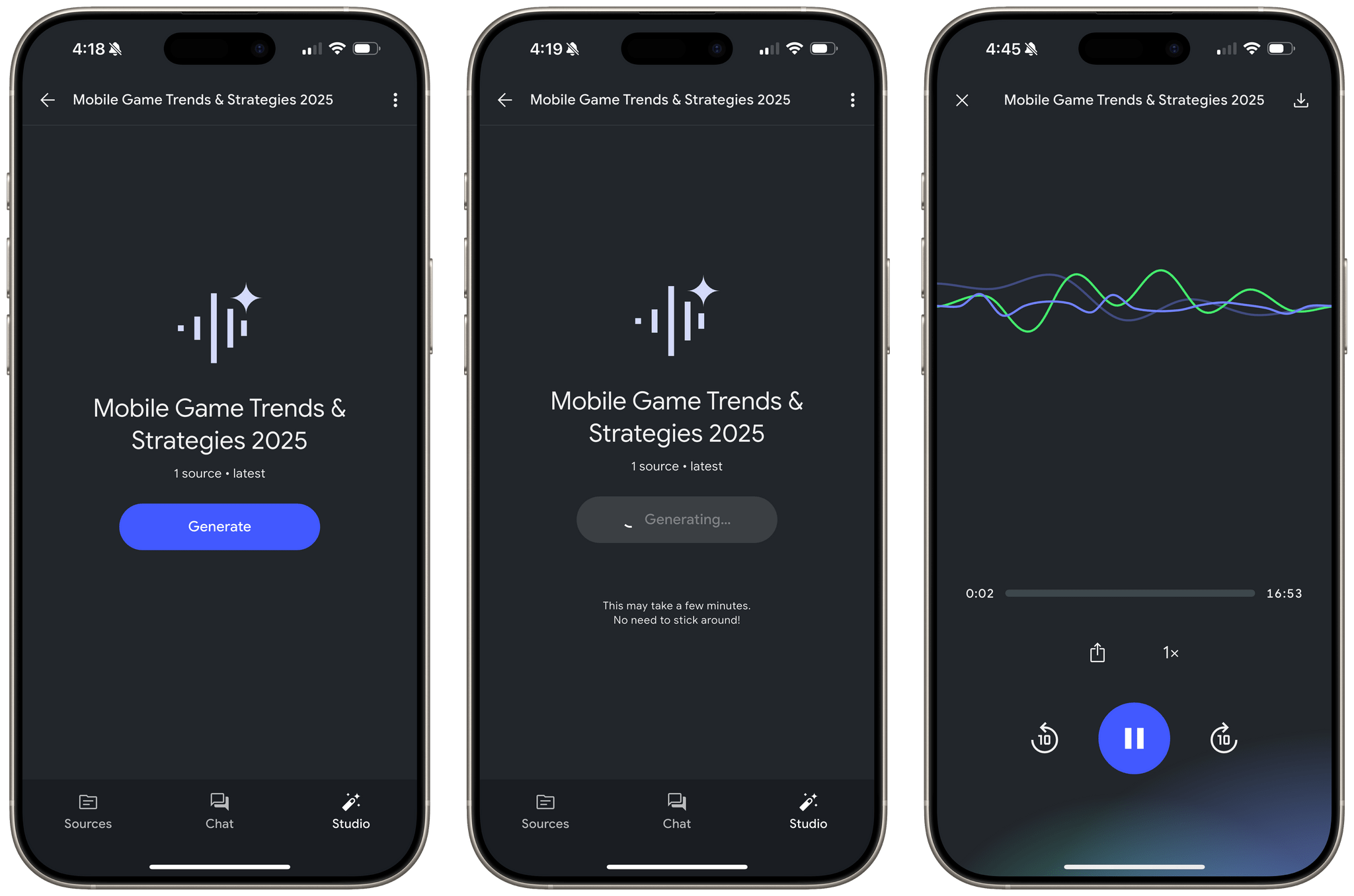
NotebookLM’s native iOS and iPadOS app is primarily focused on audio. The app lets you generate audio overviews from the Chats tab and ‘deep dive’ podcast-style conversations that draw from your sources. Also, the audio generated can be downloaded locally, allowing you to listen later whether or not you have an Internet connection. Playback controls are basic and include buttons to play and pause, skip forward and back by 10 seconds at a time, control playback speed, and share the audio with others.

Generating an audio overview of sources.

Generating an audio overview of sources.

What you won’t find is any integration with features tied to App Intents. That means notebooks don’t show up in Spotlight Search, and there are no widgets, Control Center controls, or Shortcuts actions. Still, for a 1.0, NotebookLM is an excellent addition to Google’s AI tools for the iPhone and iPad.

NotebookLM is available to download from the App Store for free. Some NotebookLM features are free, while others require a subscription that can be purchased as an In-App Purchase in the App Store or from Google directly. You can learn more about the differences between the free and paid versions of NotebookLM on Google’s blog.


My Latest Mac Hacks Column: Using Google Gemini with Read-Later and Listen-Later Services for Research

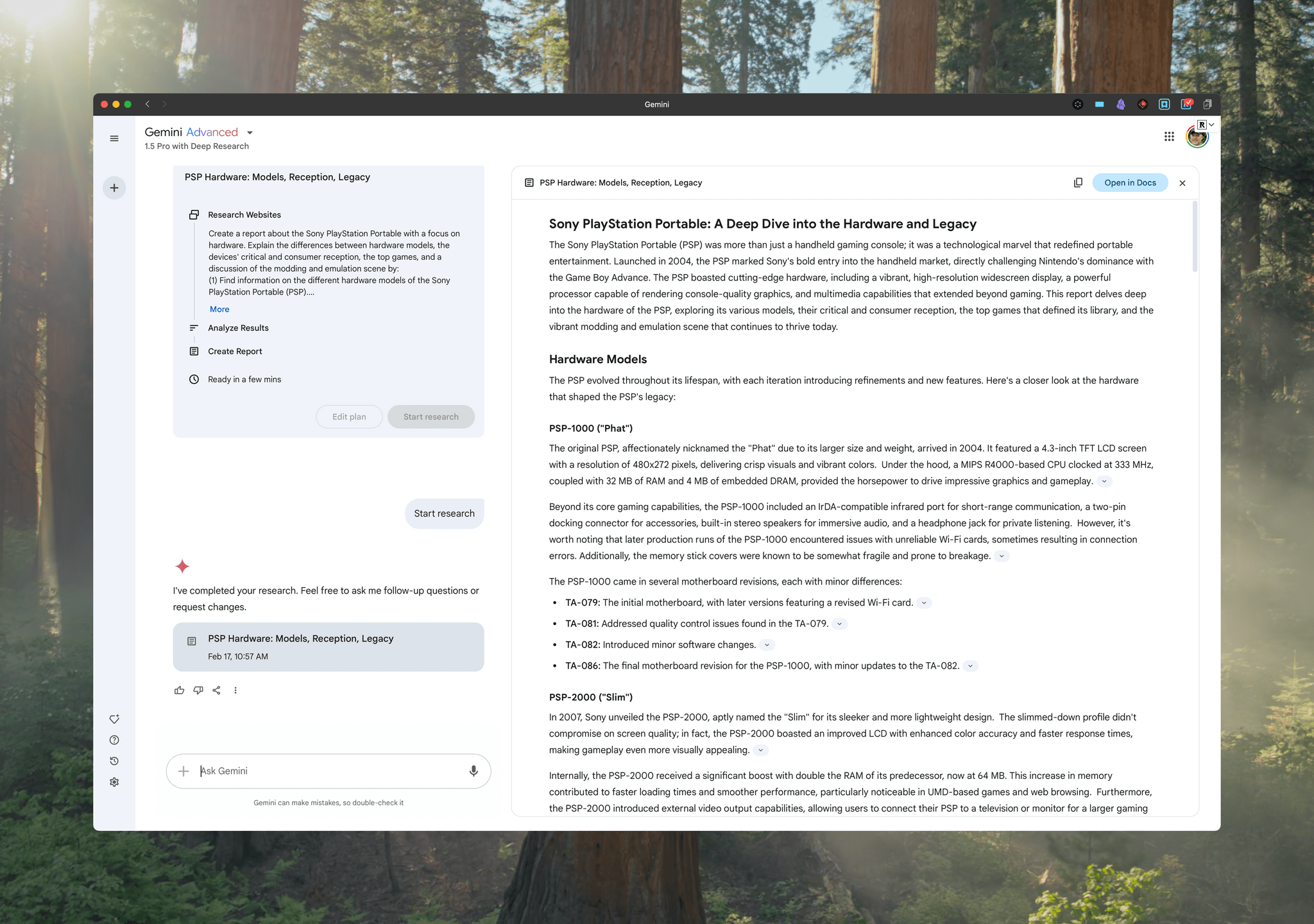
A Google Gemini report on the Sony PlayStation Portable.

A Google Gemini report on the Sony PlayStation Portable.

Yesterday, I published the latest installment of my Mac Hacks column, an exclusive perk of Club MacStories+ and Club Premier, covering how I use Google Gemini combined with read- and listen-later services to do preliminary research for projects.

What started as a way to reduce distractions when doing research with the help of Google Gemini quickly evolved into something more. As I explain in the conclusion:

The result of this workflow is that I can generate a Gemini report for an ongoing project and then read it at my leisure somewhere other than at my desk, whether I’m using my laptop, an iPad, or an e-ink device. I also have the option of heading out to my local coffee shop for a change of scenery and listening to a report as I walk. On a busy day, it’s a nice way to get some exercise and knock out some research at the same time. That flexibility, combined with fewer up-front distractions, has proven to be a great productivity boost.

Research is a universal task that touches every sort of project. It’s also a place where it’s easy to get bogged down. If you’re interested in streamlining the process, don’t miss the latest Mac Hacks.

Discounts are just one of the many Club MacStories perks.

Discounts are just one of the many Club MacStories perks.

Mac Hacks is just one of many perks that Club MacStories+ and Club Premier members enjoy, which also include:

  • weekly and monthly newsletters,
  • a sophisticated web app with search and filtering tools to navigate eight years of content,
  • customizable RSS feeds,
  • bonus columns,
  • an early and ad-free version of MacStories Unwind, our Internet culture and media podcast,
  • a vibrant Discord community of smart app and automation fans who trade a wealth of tips and discoveries every day, and
  • live Discord audio events after Apple events and at other times of the year.

On top of that, Club Premier members get AppStories+, an extended, ad-free version of our flagship podcast that we deliver early every week in high-bitrate audio.

Use the buttons below to learn more and sign up for Club MacStories+ or Club Premier.

Join Club MacStories+:

Join Club Premier:

Permalink

Netflix Appears to Be Rolling Out Apple TV App Integration in the U.S.

Source: [FlatpanelsHD](https://www.flatpanelshd.com/news.php?subaction=showfull&id=1739529080).

Source: FlatpanelsHD.

Update: A spokesperson for Netflix has told The Verge that the integration with the Apple TV app’s Watchlist and Continue Watching features was a mistake and is being reversed. Perhaps the reaction to the change will cause Netflix to reconsider its refusal to participate in the TV app, but I wouldn’t hold your breath waiting for that to happen.


FlatpanelsHD has discovered that Netflix, long a holdout that was unavailable in Apple’s TV app, is beginning to prompt users to add the service to the TV app:

Today, FlatpanelsHD received a prompt on Apple TV 4K to integrate Netflix into the Apple TV app, as shown at the bottom. After accepting, Netflix content appeared in the Continue Watching queue and Watchlist within the Apple TV app, as seen below.

FlatpanelsHD says the feature is currently limited to Netflix Originals programming and users who are also U.S. account holders.

I’ve looked for this myself and haven’t seen it yet, but it may just be that the rollout is happening gradually. As of publication, I haven’t seen an update to the Netflix app (though the update may be a server-side change) and as 9to5Mac points out, Apple’s list of apps that support Watchlist hasn’t been updated in almost one year. So, it’s possible that after more people have the new feature, we’ll see an official announcement from Apple and/or Netflix.

This is great news, although my enthusiasm is tempered by the reported limitations. I hope the feature extends beyond Netflix Originals and to other countries. Still, for a lot of people I’m sure the only service they use that isn’t in the TV app is Netflix, so any integration after all these years is better than none. I know I’ll be checking my Apple TV throughout the day to try this myself.

Permalink

Our MacStories Setups: Updates Covering Video Production, Gaming, and More

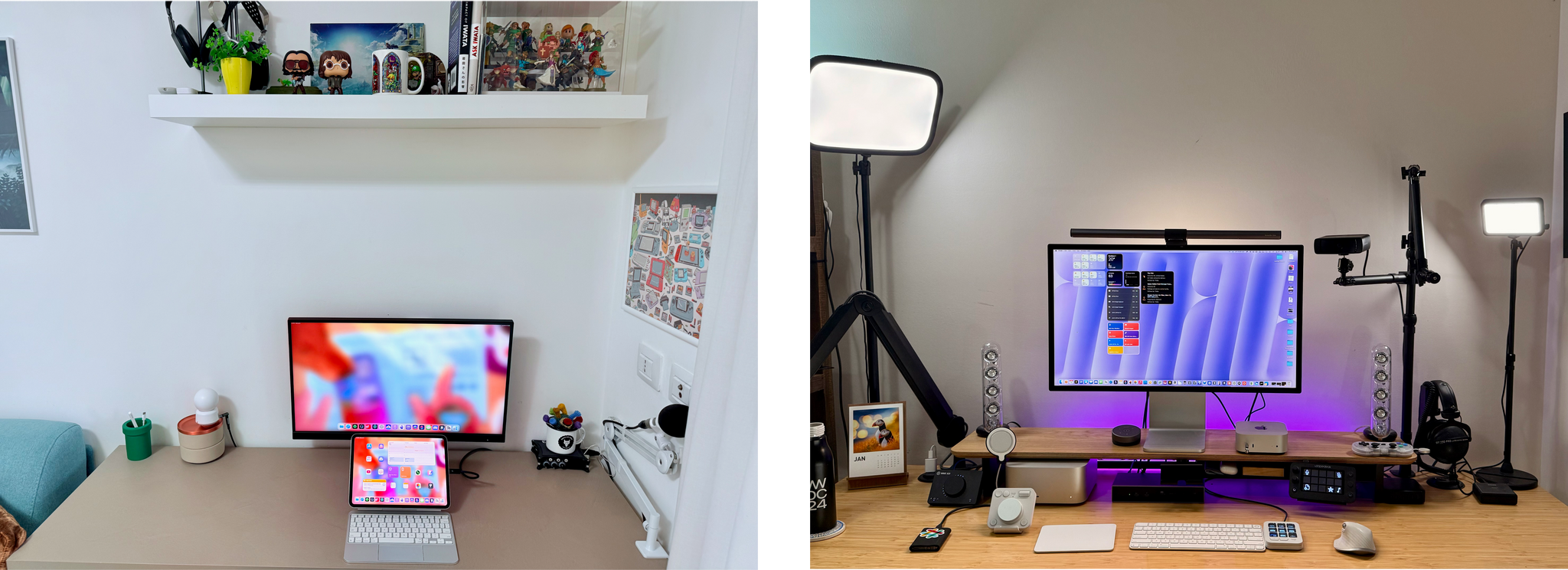
The second half of 2024 saw a lot of change to my setup and Federico’s. We launched the MacStories YouTube channel, expanded our family of podcasts, and spent time chasing the ultimate portable gaming setup for NPC: Next Portable Console. The result was that our setups have evolved rapidly. So, today, we thought we’d catch folks up on what’s changed.

Our Setups page has all the details, but you’ll notice a couple of trends from the changes we’ve made recently. As Federico recounted in iPad Pro for Everything: How I Rethought My Entire Workflow Around the New 11” iPad Pro, the linchpin to ditching his Mac altogether was recording audio and video to SD cards. He already had a solution for audio in place, but video required additional hardware, including the Sony ZV-E10 II camera.

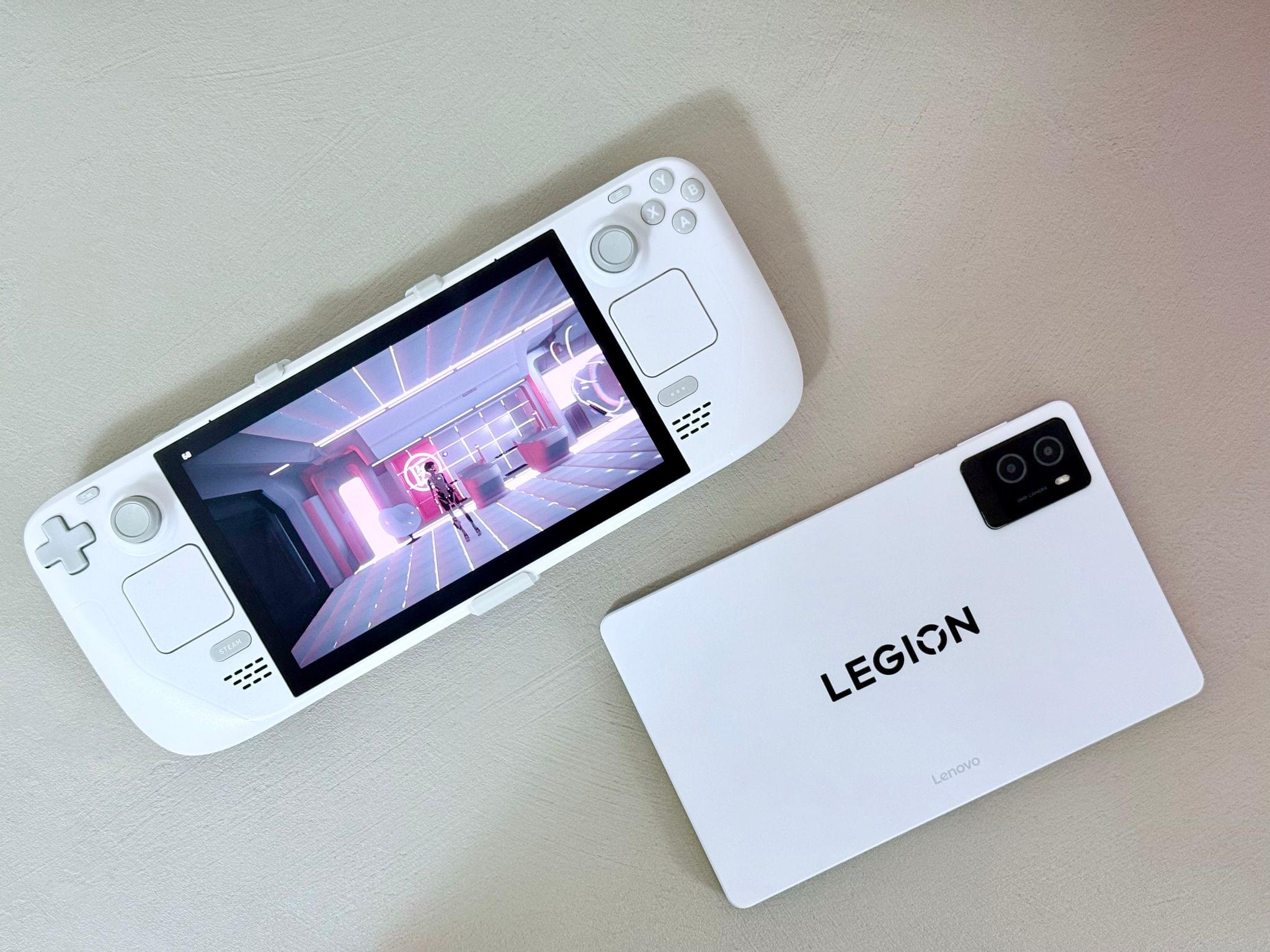
Federico's White OLED Steam Deck and Lenovo Legion y700 tablet.

Federico’s White OLED Steam Deck and Lenovo Legion y700 tablet.

Federico’s gaming setup has evolved, too. The Sony PS5 Pro replaced the original PS5, and he swapped the limited edition white Steam Deck in for the standard OLED version. He also revealed on NPC: Next Portable Console this week that he’s using a Lenovo y700 2024 gaming tablet imported from China to emulate Nintendo DS and 3DS games, which will be available worldwide later this year as the Lenovo Legion Tab Gen 3. Other upgrades to existing hardware Federico uses include a move from the iPhone 16 Plus to the iPhone 16 Pro Max and an upgrade of the XREAL Airs to the XREAL One glasses.

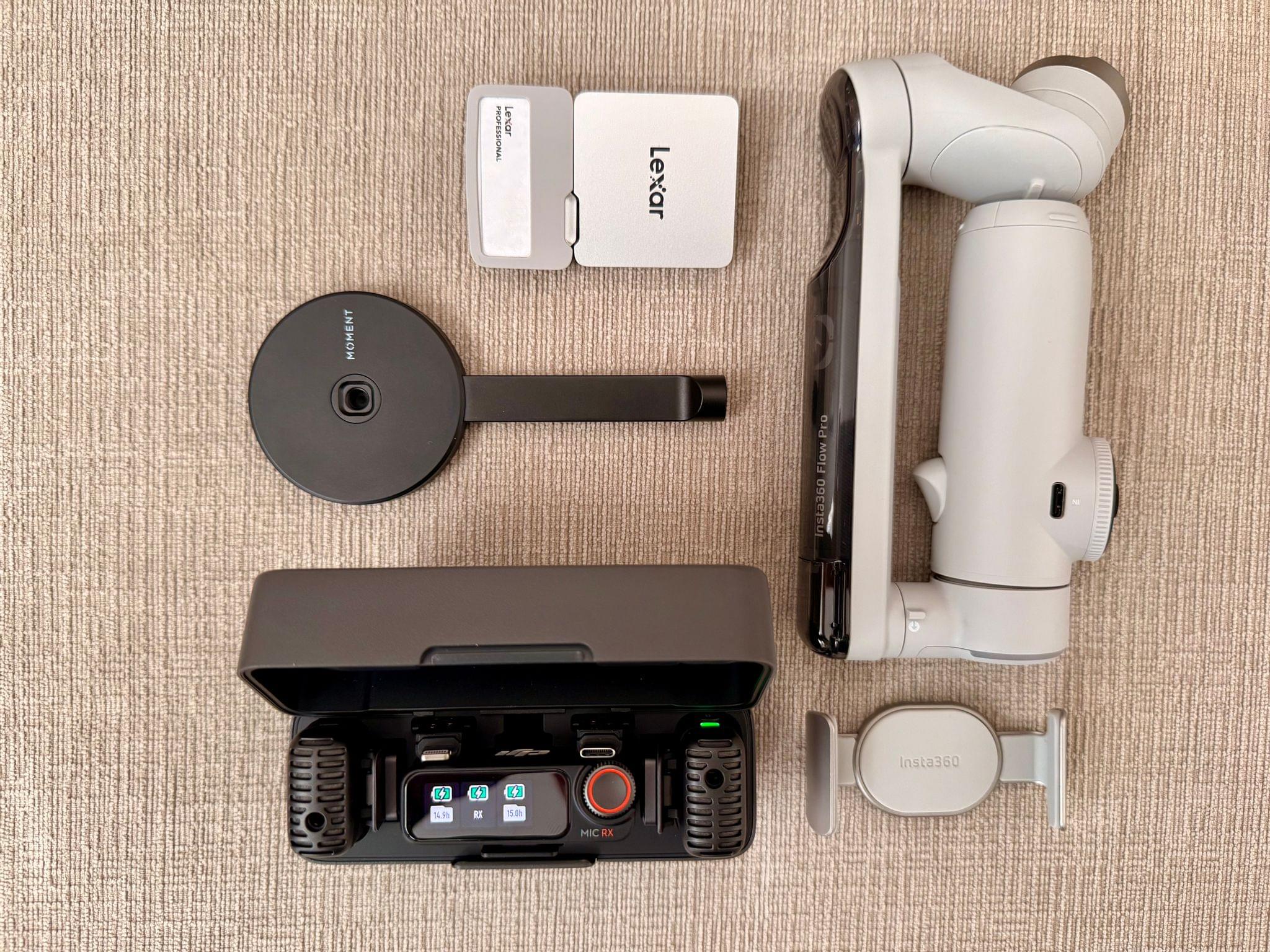
My portable video recording setup

My portable video recording setup

As for myself, CES and its bag size limitations pushed me to rethink my portable video and audio recording setups. For recording when I’m away from home I added several items to my kit that I detailed in What’s in My CES Bag?, including:

On the gaming side of things I added a white TrimUI Brick and GameCube-inspired Retroid Pocket 5.

2024 was a big year for setup updates for both of us. We already have new hardware incoming for testing, so keep an eye on the Setups page. I expect we’ll update it several times in 2025 too.

Permalink

A Bluesky-Based Photo-Sharing App Is Coming

Sebastian Vogelsang, the Berlin-based developer of Skeets, an alternative to Bluesky’s official client, is working on a new photo-sharing app called Flashes that is built on the same codebase as Skeets. As reported by Sarah Perez at TechCrunch:

When launched, Flashes could tap into growing consumer demand for alternatives to Big Tech’s social media monopoly. This trend has led to the adoption of open source, decentralized apps like Mastodon and Bluesky, among others, including the recently launched Pixelfed mobile apps, built on Mastodon’s ActivityPub protocol. It’s also, in part, what’s fueling TikTok users’ shift to the Chinese app RedNote ahead of the U.S. TikTok ban — that is, U.S. users are signaling that they would rather use a foreign adversary’s app than return to Meta at this point.

The idea behind Flashes is fundamentally different from Instagram. Whereas Instagram is a standalone product that allows users to cross-post to Threads automatically, Flashes is being built on top of the same social graph as Bluesky. That means Flashes will act as a Bluesky filter focused on photo and video content instead of your entire Bluesky feed. It’s an interesting approach that sidesteps the messiness of cross-posting entirely and allows Vogelsang to focus Flashes’ feature set on photos and video.

I’m looking forward to giving Flashes a try. Instagram is more deeply embedded in many people’s lives than Threads, which makes it harder to replace. However, I’m glad to see Vogelsang and Pixelfed trying. There are enough people like us who are fed up with Meta’s policies that these sorts of alternatives may have a shot at gaining traction with users.

Permalink

Razer Launches PC Remote Play for Streaming PC Games to the iPhone, iPad, and Other Devices

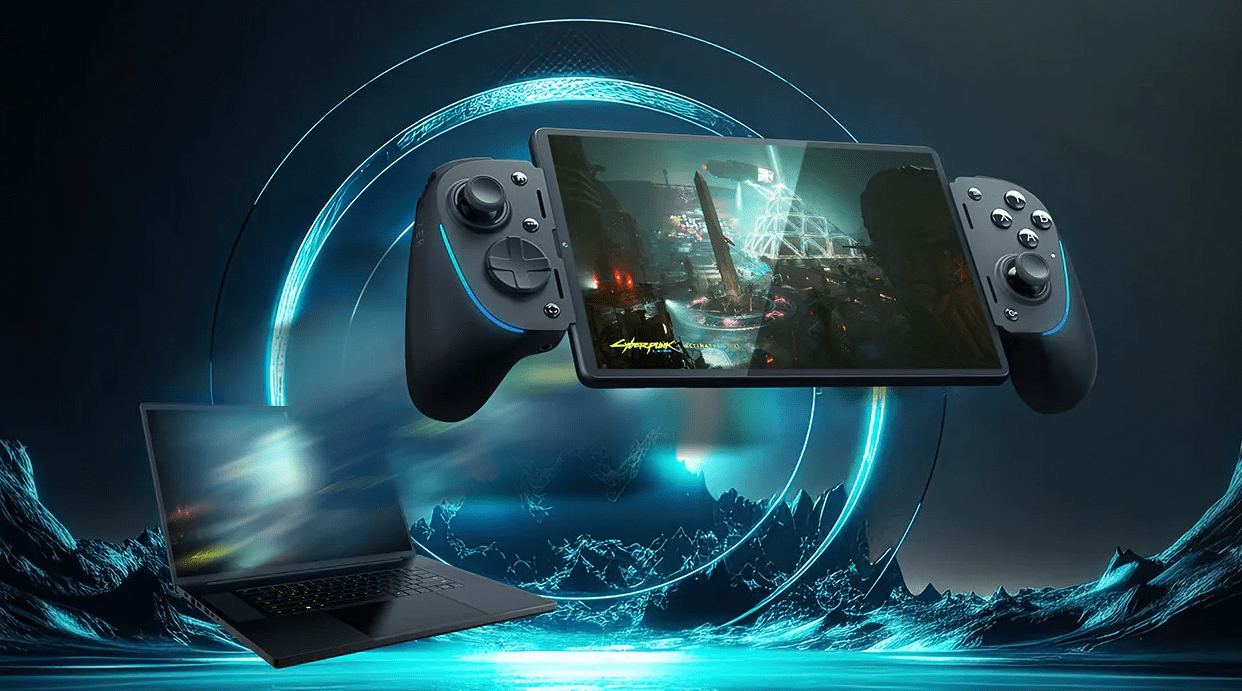
Source: Razer.

Source: Razer.

Yesterday, Brendon and I wandered into a ballroom where Razer was showing off its latest hardware. We weren’t expecting much beyond super-powerful gaming laptops (✅) and lots of RGB lights (also ✅). However, just as our guided booth tour was ending, we asked about an iPhone, iPad mini, and Windows PC setup on a nearby table, which it turns out was a demo of Razer’s new PC Remote Play app.

There are a lot of ways to stream games from a Windows PC to iPhones, iPads, and other devices, but Razer PC Remote Play looks like it could be one of the easiest and nicest of the bunch. What was impressive about the demo was that Razer’s app automatically adjusts to the device to which you’re streaming, matching its screen’s refresh rate and aspect ratio. That ensures you’ll get the most out of the device to which you’re streaming, and you won’t see letterboxing or pillarboxing, which is caused by a mismatch between the aspect ratio of your PC remote device. According to a Reddit user who says they are a Product Developer for Razer PC Remote Play, the app is built on the open source Moonlight/Sunshine projects, with the goal of simplifying setup and configuration.

Razer PC Remote Play is currently in beta and requires that you run Razer Cortex on your Windows PC and install the Razer PC Remote Play and Razer Nexus apps on your iPhone, iPad, or other devices. I haven’t had a chance to set this up yet because I don’t have a PC with me at CES, but judging from the iOS app I set up it looks as simple as opening Razer PC Remote Play, which detects if there is a PC on your network running Razer Cortex. Once paired, Razer says your PC games will show up in its Nexus game launcher app alongside your other games.

I’m excited to try Razer PC Remote Play myself. The Moonlight/Sunshine project is a great way to stream PC games, but it can take some fiddling to work well with any given setup. What Razer is promising is a simplified version that just works out of the box. We’ll see how well it works in practice, but the demo I saw was promising.


Lux Reveals Plans for Halide Mark III

Yesterday, the team at Lux announced that they are working on the next major release of their pro camera app, Halide, which will be dubbed Halide Mark III. The next iteration of Halide, which Lux hopes to release in 2025 will focus on three areas:

  • Color Grades: Like Kino, their App Store iPhone App of the Year for shooting video, Lux plans to add custom color grading to Halide.
  • HDR: Lux is developing its own implementation of High Dynamic Range that will give Halide’s photos “a thoughtful and nuanced HDR look.”
  • Redesign: Although Lux has not revealed any details, Halide will be redesigned, which should include a focus on color grading.

In addition to upcoming features, Lux announced a new community Discord for Halide and Kino, to collect feedback from customers and to allow them to share their interest in photography. The Discord and social media will also be where users can participate in the Halide and Kino 52-Week Challenge:

Every week you’ll get a photography challenge on our Discord. We’ll also include resources to help with the challenge — like app-specific tips. The challenge will be shared there and on our social media. Once you’ve got your shot, you can share your shots and see what the rest of the community came up with.

I love both Halide and Kino, and I’m intrigued by Lux’s new approach to development. Running a community can be challenging, but I expect the feedback Lux gets from users will be invaluable, as they work on the next big update to one of the App Store’s best camera apps.

Permalink