Posts tagged with "app"

Terminology 5: Rebuilt and Better than Ever

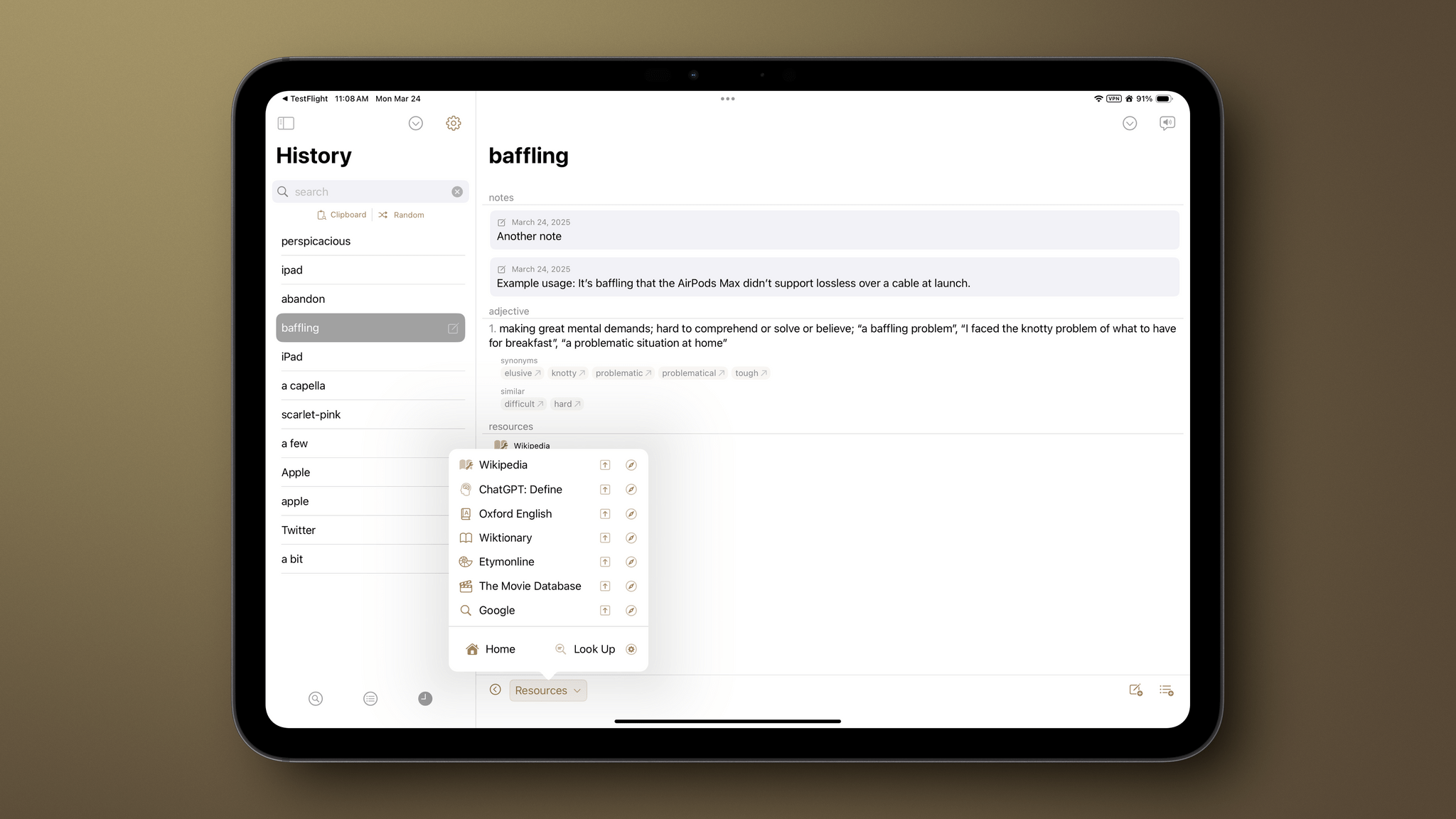
It’s been quite a while since I did a full review of Agile Tortoise’s Terminology, an extensible dictionary and reference tool for the iPhone and iPad. It’s hard to believe the app has been around for 15 years now, but with today’s release of version 5.0, Greg Pierce has introduced a thoroughly modern ground-up rewrite of the app that is richer and more extensible than ever, making it one of my favorite research tools.

Let’s take a look at what’s new.

Read more


Scratchpad: The Cross-Device Text Utility That Pairs Perfectly with Your Clipboard Manager

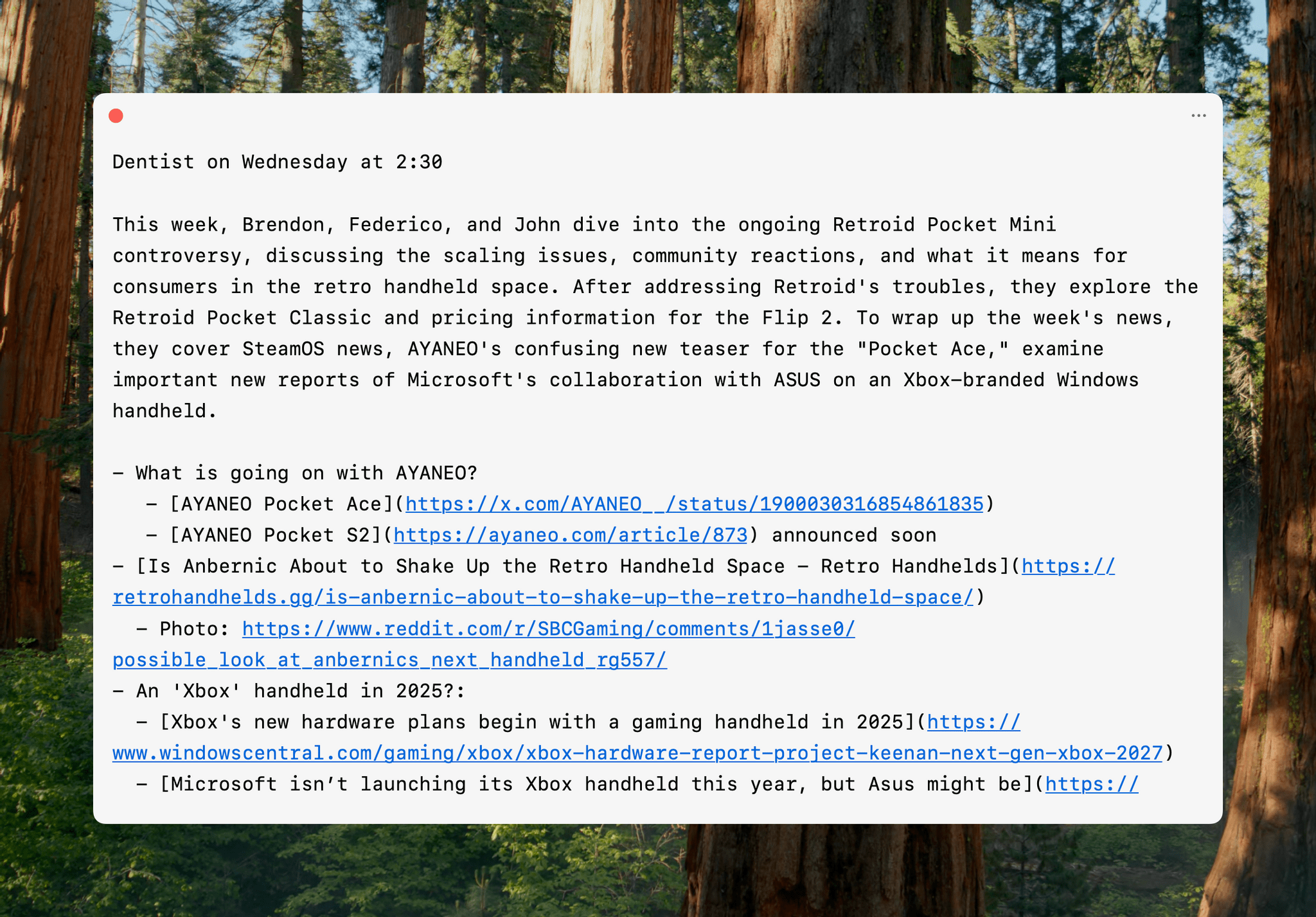
One of the best indicators of how sticky a cross-device utility will be in my setup is how quickly I install it everywhere. For Sindre SorhusScratchpad, the answer was “very sticky.” The simple text utility works on the iPhone, iPad, Mac, Apple Watch, and Vision Pro (via iPad compatibility mode), and as soon as I tried it on my desktop Mac, I grabbed all of my other devices and installed it on them, too.

At its core, Scratchpad is a single view for typing or pasting plain text that syncs everywhere. What sets it apart from similar apps is its many small touches that demonstrate a deep understanding of the way people use a scratchpad app.

Read more


PicoChat or PictoChat: Can You Tell the Difference?

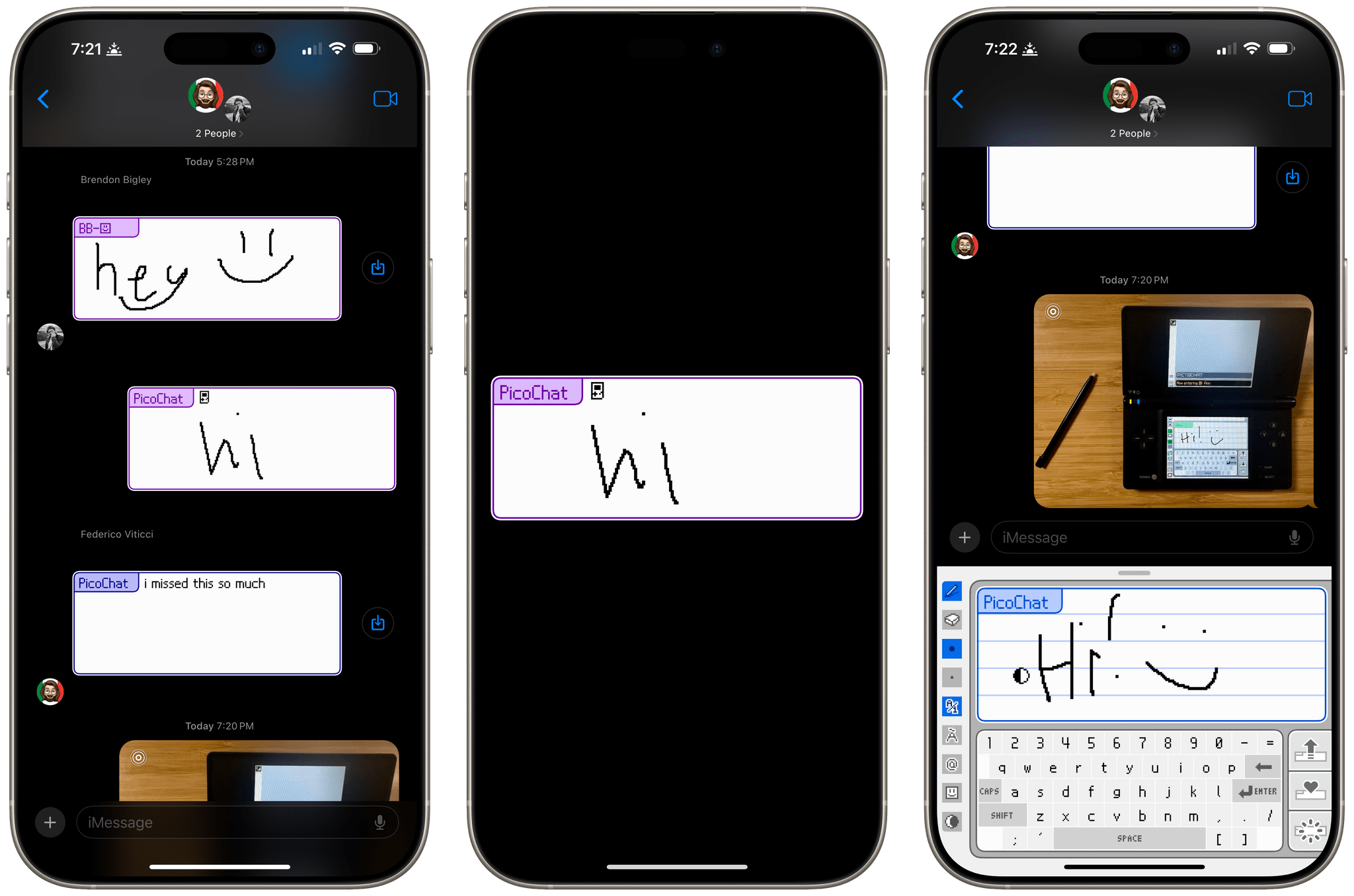
It’s been a very long time since I reviewed an iMessage app, but past issues of MacStories Weekly and this site chronicle the hundreds of iMessage apps Federico and I tried and wrote about. Today, though, I was reminded that there’s still fun to be had in what has to be Apple’s most obscure corner of the App Store because this afternoon, Brendon Bigley sent me a link to PicoChat for iMessage, a nostalgia-filled delight from developer Idrees Hassan.

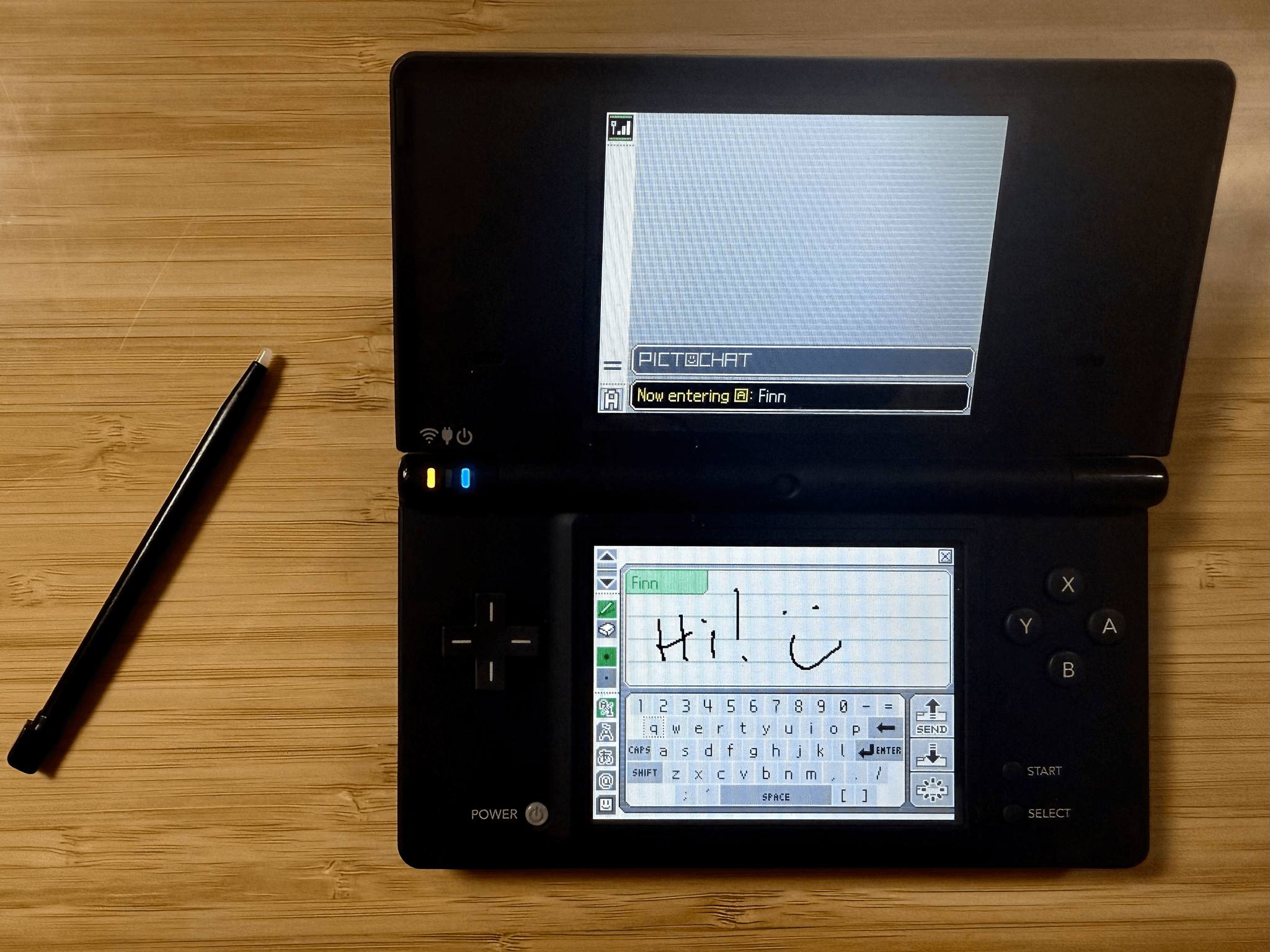
PicoChat lovingly recreates the look and feel of PictoChat, a local messaging app that shipped with the Nintendo DS beginning in 2004 and later with the DS Lite and DSi. PictoChat used a short-range proprietary wireless protocol that could only extend about 65 feet, which ultimately led to its demise as smartphones with cellular connections and Wi-Fi became popular. However, for several years, it served as a short-range communications and creative outlet for a generation of kids.

For context, here’s PictoChat running on my matte black Nintendo DSi, a model that is one of Brendon’s ‘dream devices,’ as he recently shared on NPC: Next Portable Console:

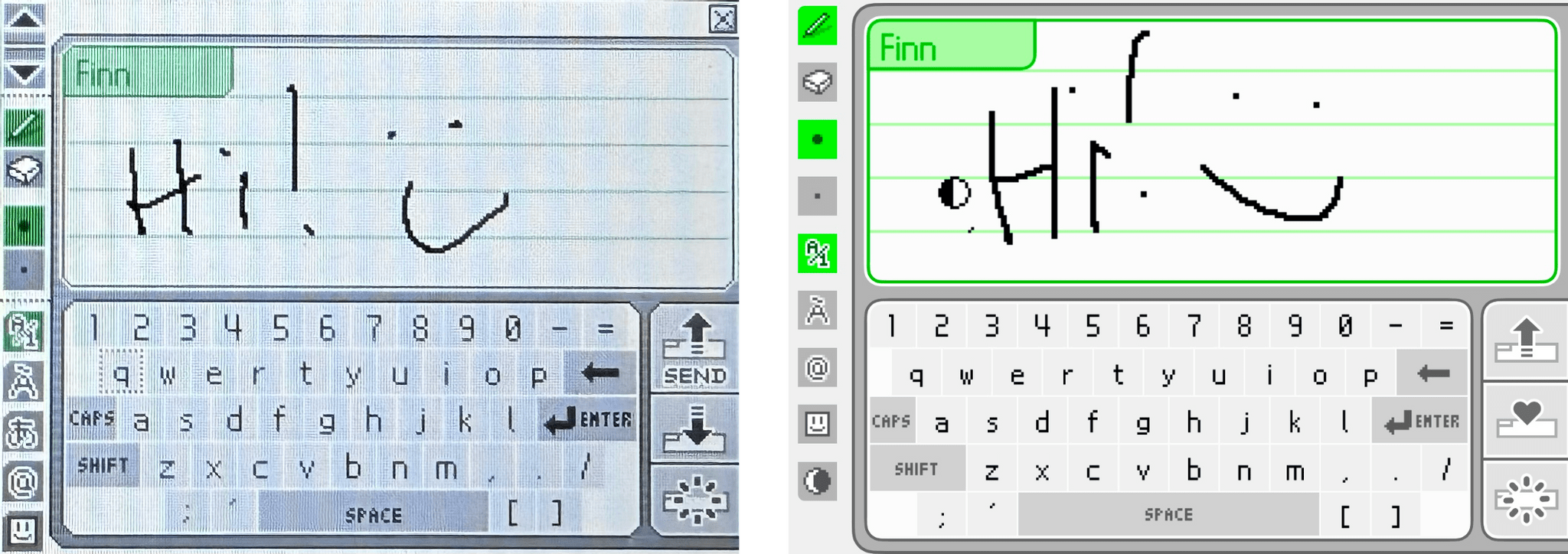
Now, here’s a close-up of the original PictoChat interface and the iMessage app side-by-side.

PictoChat on a DS (left) and the PicoChat for iMessage app (right).

PictoChat on a DS (left) and the PicoChat for iMessage app (right).

Just like the DS, the iMessage version has a teeny tiny keyboard with space above it for doodles. If it weren’t for the lower resolution of the DS’s screen, I bet most people would have a hard time telling them apart.

Getting back to Hassan’s app, it’s accessed like other iMessage apps from the Plus button in a Messages thread. Once you’re finished composing your masterpiece, the app converts it into an image and sends it like any other image is sent in Messages.

That’s it, but it’s more than enough to have sent a whole lot of Nintendo DS fans down a nostalgia-filled rabbit hole today, which was cool. Even if the DS wasn’t your thing, check out PicoChat and send some doodles to your friends and family. It’s a lot of fun.

PicoChat is available as a free download on the App Store.


Hyperspace: Quickly Recover Mac Storage Without Deleting Files

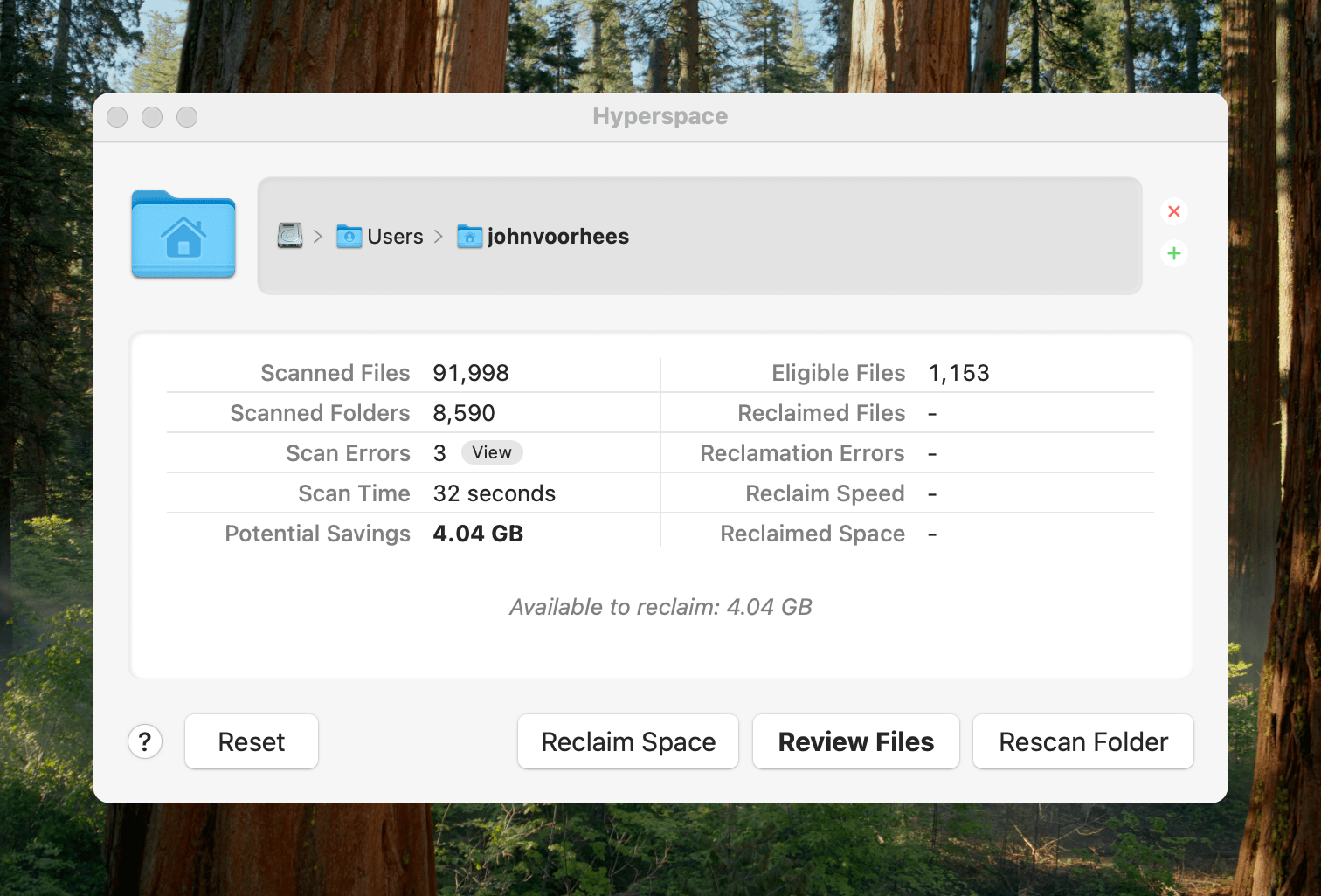
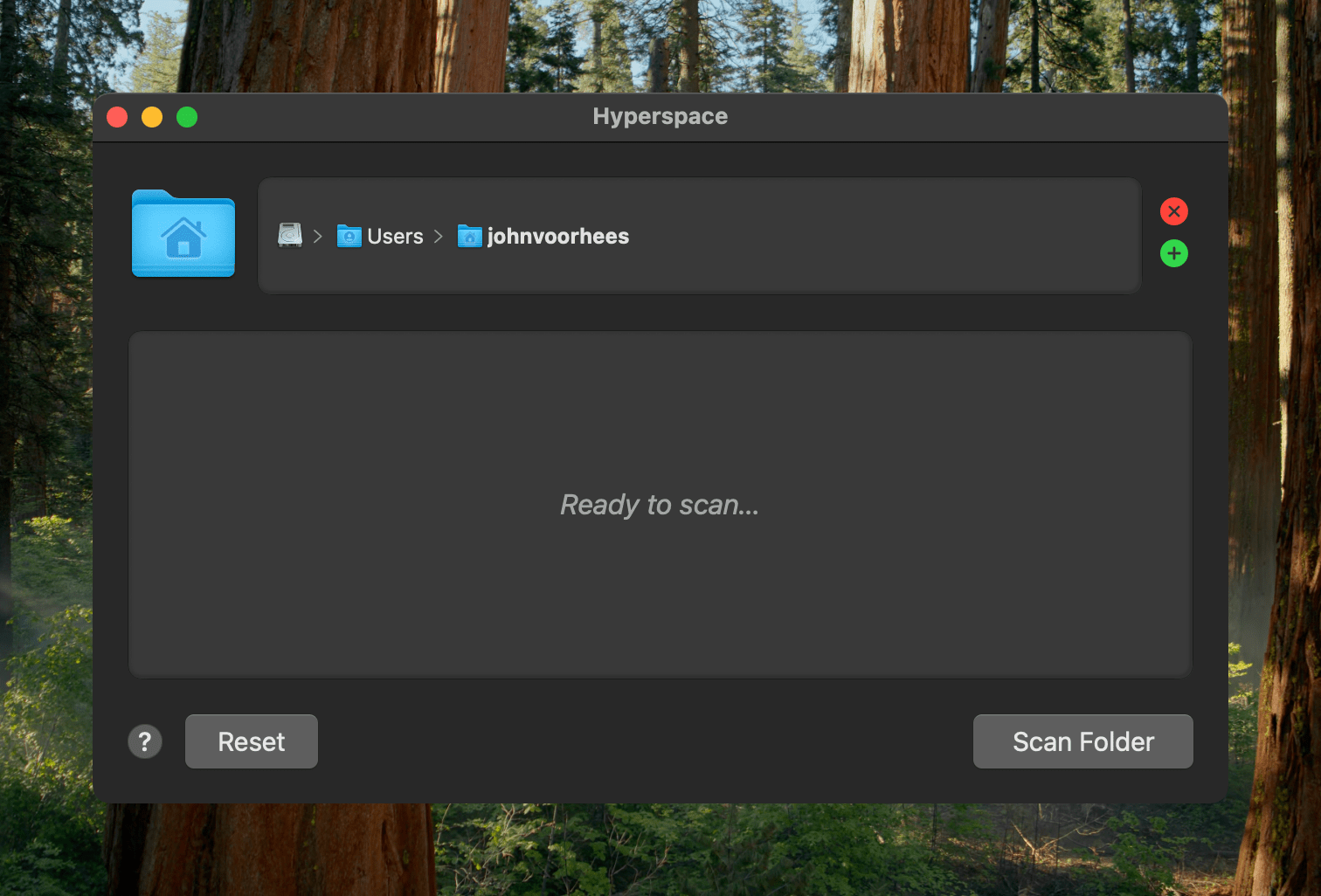
Earlier today, John Siracusa released a Mac app called Hyperspace. The app scans any folder on your Mac, identifying duplicates. When the scan is finished, you can review the results and choose whether to reclaim the unnecessary space taken up by the duplicates.

Ready to scan.

Ready to scan.

Because of the way Apple’s APFS file system works on the Mac, Hyperspace’s deduplication of files doesn’t delete or move anything. How APFS does this is complicated and explained on the app’s website if you want to learn more, but to over-simplify a bit, APFS allows Hyperspace to eliminate duplicative data without changing the location of the files or their metadata. That means it’s a non-destructive operation, allowing you to reclaim drive space at no cost to your data’s integrity.

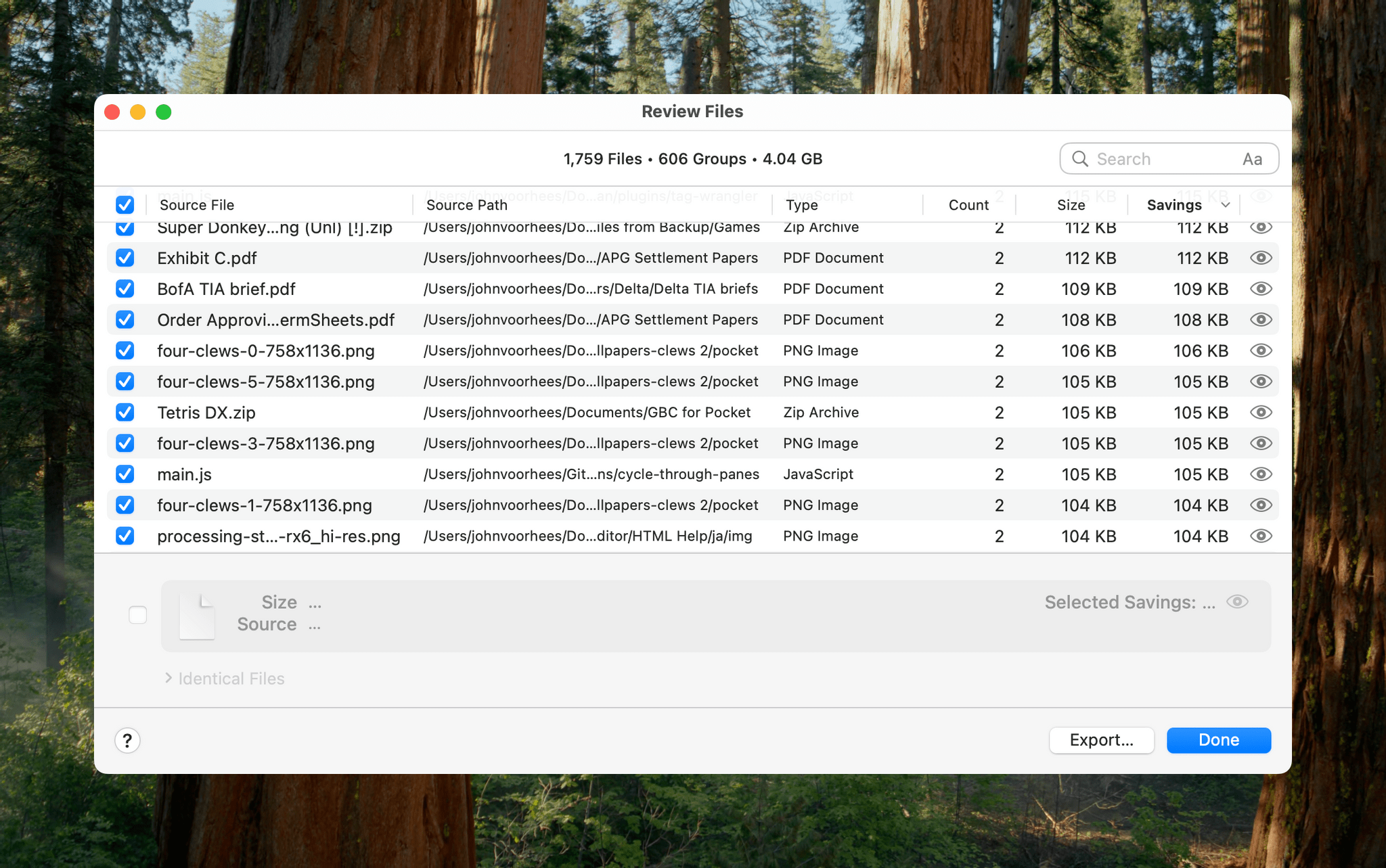
Hyperspace gives you a chance to review the files it has identified as duplicates.

Hyperspace gives you a chance to review the files it has identified as duplicates.

The app has safety measures in place so system files aren’t affected, and users can label certain folders as ‘Source’ folders that will never be altered. You also have an opportunity to review the results of Hyperspace’s scan before the app does anything to your files.

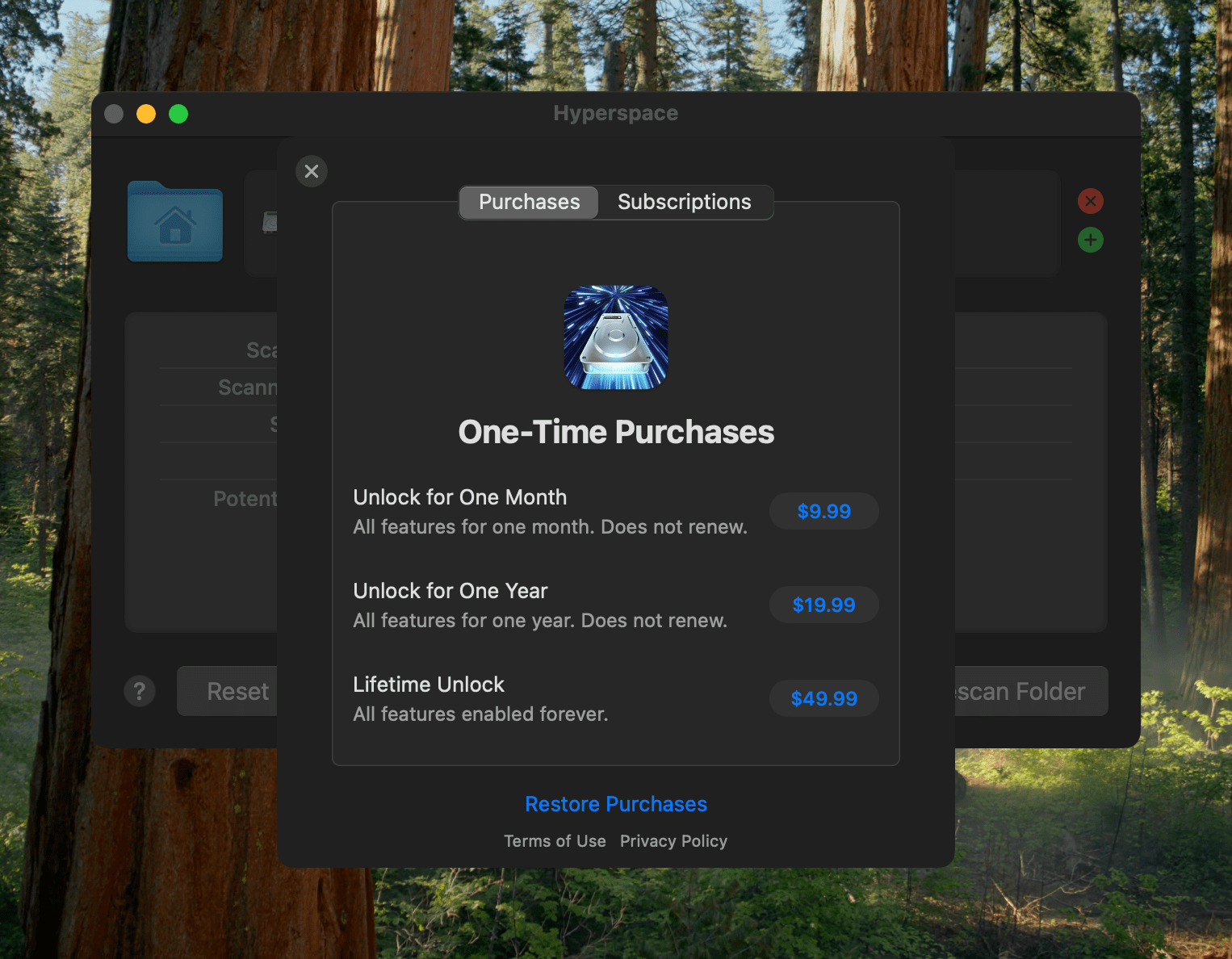
Hyperspace requires a subscription or one-time purchase to reclaim space.

Hyperspace requires a subscription or one-time purchase to reclaim space.

I took Hyperspace for a spin to see what it could find on my Mac Studio, which stores about 2.5 TB of data. The scan was impressively fast at around 30 seconds, identifying 4.04 GB of data that it could free up. That’s not a lot in the grand scheme of things, but it was also nice to know that I don’t generate a lot of duplicate files with my workflows.

Hyperspace is free to download from the Mac App Store. The free version allows you to scan the folders on your system. However, to recover space, you need to subscribe for $9.99 per month or $19.99 per year, or purchase a lifetime license for $49.99. There are also options to purchase a single month license for $9.99 or a single year for $19.99.


Mela 2.5 Adds Web Search Engine and Recipe Import from YouTube, Instagram, and TikTok Videos

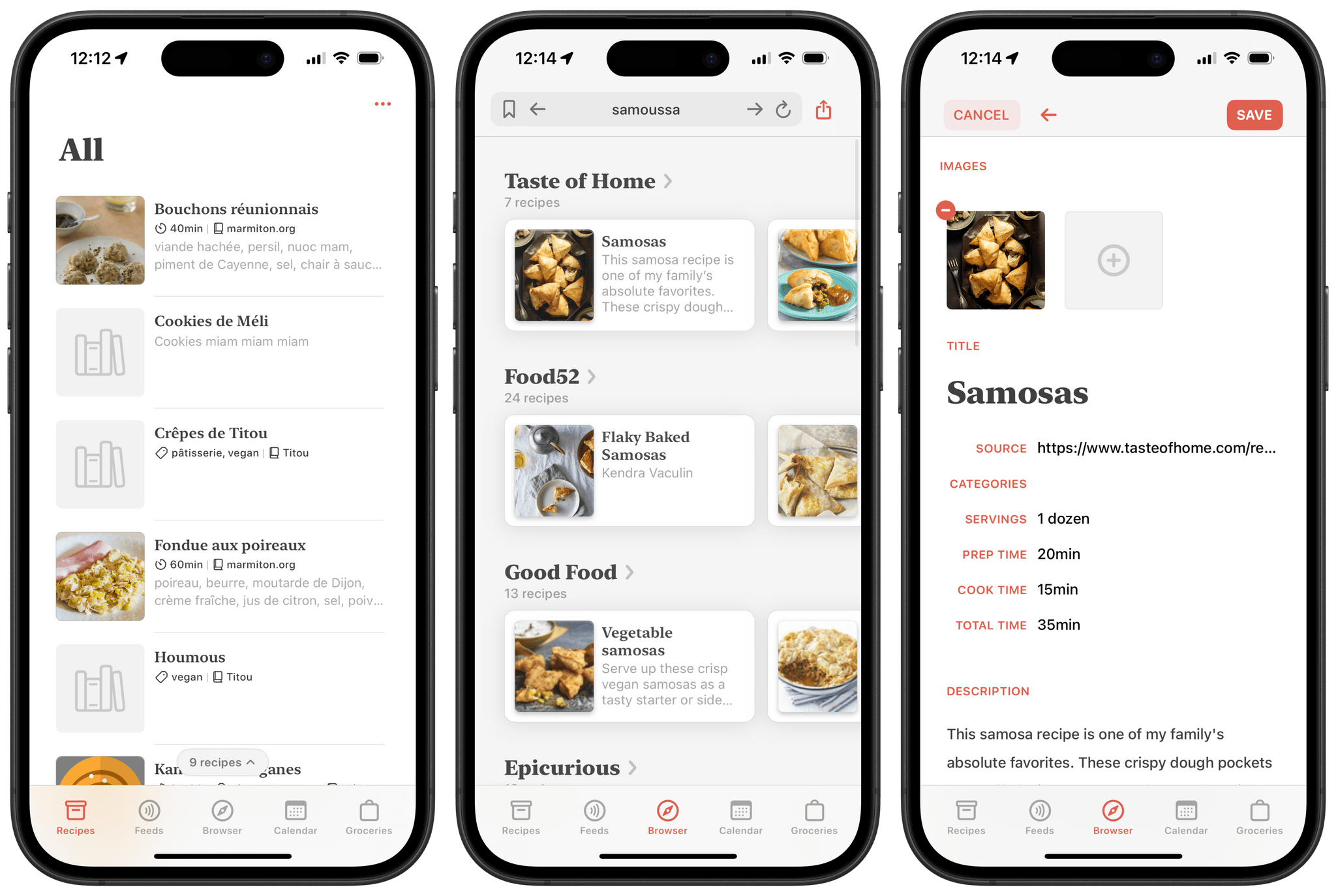
Back in 2021, Silvio Rizzi, developer of the all-time great RSS client Reeder , released Mela, an app for importing, collecting, and sharing recipes. Right from the start, Mela stood out as a delightful take on the recipe app genre. Just like Reeder, it features a beautiful design and is a joy to browse and use. The app originally shipped with the ability to import recipes directly from the web, subscribe to RSS feeds, and even scan recipes found in physical cookbooks and magazines. Combining those features with its built-in tools for converting measurements and dynamically adjusting meal sizes, Mela truly cooked up the perfect recipe (pun intended) for becoming your one and only cooking app companion. You can check out John’s original review of the app on MacStories to learn more.

This month, Mela was updated to version 2.5 with several improvements, including an option to search for recipes on the web using a new native recipe search engine and the ability to import recipes from video descriptions on YouTube, Instagram, and TikTok, all of which have become popular platforms for discovering and sharing cooking ideas. This new version takes the app’s web scraping capabilities even further than before, and I was curious to see how it fared.

Let’s check it out.

Read more


Game Tracker: A Powerful App to Track, Organize, and Customize Your Videogame Library

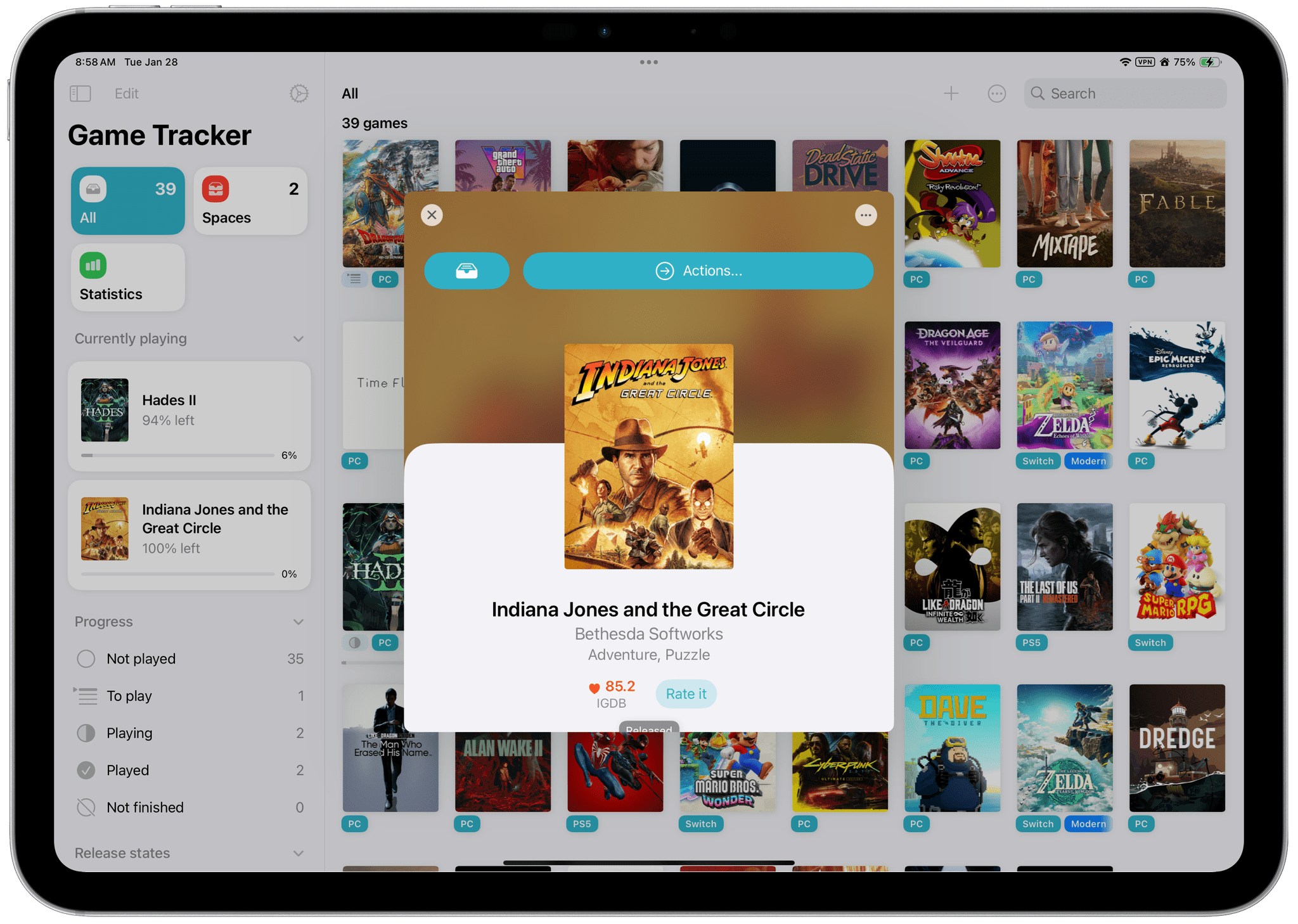
Game Tracker is a new videogame tracking app for iPhone, iPad, and Mac from Simone Montalto, who is probably best known to MacStories readers for developing the excellent Book Tracker. In fact, Montalto has created an entire suite of tracking apps that also includes Movie Tracker, Music Tracker, and Habit Tracker. That experience with various tracking apps shows with Game Tracker, which does a fantastic job of tailoring to the particularities of videogames and leveraging metadata to allow users to make the app their own.

Let’s take a closer look.

Read more


Bookshop.org Now Supports Local Booksellers with eBook Sales

Bookshop.org launched in 2020 as a way to sell books online while still supporting local bookstores, which have become a rarity in the U.S. The company has seen success selling physical books online. As Boone Ashworth explains at Wired:

For physical books, Bookshop lets buyers direct 30 percent of the proceeds of a sale to their favorite participating bookstore. An additional 10 percent of those sales, plus the sales of books that are not earmarked for a specific store, gets split up and distributed to every store on Bookshop’s platform.

Now, Bookshop has added eBooks that can be purchased online and read in the company’s new Bookshop.org app, available for iPhone, iPad, and Android devices. Ashworth breaks down how these sales work:

Ebook sales through Bookshop, however, will see 100 percent of the proceeds going to the store that sells them through the platform. If a user buys an ebook directly from Bookshop without naming a bookstore they want to support, then a third of that profit will go into the pool of funds that gets divided between stores. The rest will go to pay for Bookshop.org’s engineers and server costs.

Giving local bookstores the ability to sell eBooks fills a big hole for those businesses. Bookshop CEO Andy Hunter shared the company’s motivation for offering eBooks with Wired:

“It’s crazy that bookstores can’t sell ebooks to their customers right now,” Hunter says. He says he wants this program to continue his company’s mission of propping up local bookstores, but he also hopes this move will help take Amazon down a peg as well.

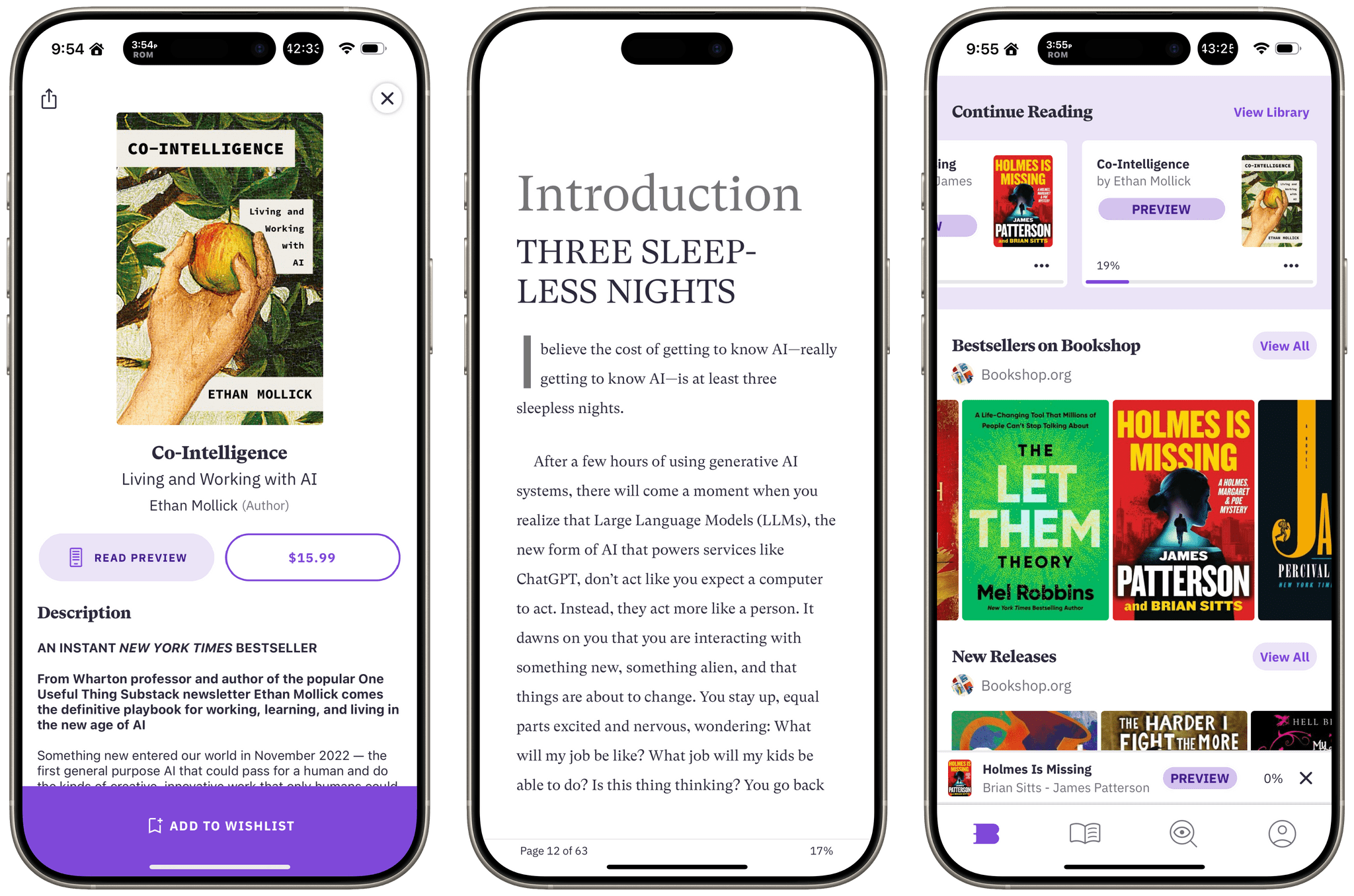
I’ve tried Bookshop’s app briefly with some book previews, and it works well. The settings options aren’t as extensive as in other eBook readers, but the basics – like text size, pagination versus scrolling, a couple of font options, and light, dark, and paper themes – are all there. The design makes browsing your library of books or finding something new to read easy, too. It may not be enough for some readers, but this is a 1.0 release, so I’m optimistic additional options will be offered with time.

It’s great to see Bookshop offering eBooks. We have an excellent bookstore here in Davidson that I love to browse, but more often than not, I prefer an eBook over the paper version, so it’s nice to have that as an option now.

The Bookshop.org app is available on the App Store as a free download. eBooks must be purchased online and synced with the app.

Permalink

Transit Can Now Track Underground Trains without GPS

Source: Transit

Source: Transit

Earlier this month, Transit, one of my favorite apps of all time, gained an impressive new feature: the app is now able to track your train and warn you when you are about to reach your destination even when your train is underground. Previously, Transit had to rely on GPS and cellular service to precisely locate your train on its route, which meant it couldn’t reliably function as soon as you entered a subway tunnel.

The way they have been able to achieve this is fascinating. Transit now utilizes the iPhone’s built-in accelerometer and analyzes its patterns to identify when the vehicle you boarded is in motion, and every time it reaches a station. The company’s account of the whole process is nothing short of impressive. The team spent a week riding buses and trains to collect data and proceeded to create an entirely new prediction model that is able to count down the underground stations that you will need to ride through to reach your destination. Transit says the model works completely offline and on-device.

I know I’m going to give this new feature a try as soon as I get a chance to ride the Paris Métro next week.

Permalink

Raycast Overhauls Its Notes Feature

Raycast has always been more than an app launcher. From the start, it has included a multitude of other handy utilities, including Floating Notes. I’ve used Floating Notes now and then to park a bit of text where I knew I’d be able to find it later. Because the note floated above other windows, it was easy to access, but Floating Notes always felt a little too rudimentary to use for much more than that.

Today, Raycast released an extensive update to the feature and renamed it Raycast Notes. Your notes still occupy a floating window, but now, the window auto-resizes to fit the content by default. The window’s width is fixed, but you can always resize its height to adjust how much space it occupies on your screen.

Read more