Inside Apple’s MFi Game Controller Program

Great piece by Jordan Kahn on iOS 7 game controllers:

The launch for the first few controllers to hit the market was rushed, developers are disappointed and still trying to catch up, and manufacturers are limited in pricing, features, and quality due to Apple’s MFi program requirements. What does Apple have to do to overcome a rocky start to its game controller program which is supposed to control quality? And how are manufacturers limited by Apple in building better controllers at a fair price? We’ve dug into Apple’s MFi program and talked to developers and companies building the controllers to find out.

According to Kahn’s story, Apple rushed game controllers to market with dev kits that were made available to developers a month before public availability. There are several other issues of device fragmentation (why couldn’t Apple pick one controller spec instead of two?) and supplier requirements that suggest game controllers have been an afterthought for Apple thus far.

I had moderate hope for game controllers, but the launch has been disappointing. As I wrote in June:

Will Apple ever develop a culture and appreciation for gaming as a medium, not just an App Store category? While others (namely Microsoft) are trying to add more media and entertainment layers on top of existing game infrastructures, Apple is in the opposite situation — running the largest media store and selling devices that are increasingly used as gaming machines, but that still lack the catalog and support of dedicated home consoles.

Does Apple understand gaming? As a platform provider, do they need to?

Read the details in Kahn’s piece, and compare it to the development of a controller from a company that knows gaming – Valve. Apple sees iOS 7 game controllers as accessories and not an integral part of the experience, which, in a way, may be for the best after all.

Permalink

Sunlit

Manton Reece’s new iPhone app, Sunlit, is out today and available for free on the App Store (with an In-App Purchase to unlock the full version). I think it’s a nice idea: Sunlit is Manton’s take on iPhoto web journals, but built for App.net file storage and sharing.

You choose some photos that “tell a story” – could be a trip, a family gathering, anything you want to remember – and the app pulls in their metadata for date and location. You can add text comments to jot down memories, import photos from Dropbox if you don’t keep them in the Camera Roll, and even add check-ins manually, from Foursquare, or from Steve Streza’s Ohai app. When you’re done, you end up with a story that has full-res photos, text, GPS and time metadata, check-ins, and possibility to invite other App.net users to collaborate (here’s my sample story).

I don’t think that I’ll use Sunlit regularly because I’m not sure I could get my parents (essentially, the only people I share personal photos with) to sign up and use App.net. But I think that Sunlit is a good idea that shows how the App.net API can be used for more than social updates (Broadcasts being another good example). Manton knows the importance of preserving digital memories and I’m looking forward to future updates to Sunlit (there’s no iPad version or video support for now). Sunlit is available on the App Store.

Permalink

Horizon Captures Landscape Videos, No Matter the Orientation

Here’s an app that fixes a common problem in recording videos: recording horizontal, widescreen videos no matter how you’re holding your iPhone. As you rotate the phone from landscape to portrait, or vice versa, Horizon uses the iPhone’s sensors to keep the aspect ratio the same. The phone rotates around a virtual frame, rather than being the actual frame. The transitions aren’t perfect yet, but it works pretty well and I imagine camera shake can be ironed out in future updates. Horizon lets you capture video in other aspect ratios as well, has few different filters to choose from, and lets you share your videos to social networks like Twitter and Facebook. Download it from the App Store for a dollar during their launch sale.

Permalink

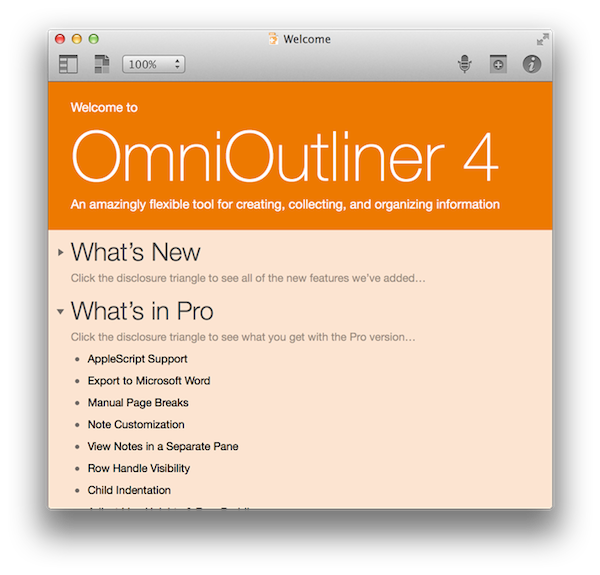
An Overview of OmniOutliner 4

Finally.

It was just over a year ago that CEO Ken Case of The Omni Group outlined the company’s plans for 2013, following a successful “iPad or Bust!” campaign that allowed the company to bring all five (well okay… “four”) of their desktop productivity apps to the iPad. So it was back to the Mac as it were, with OmniFocus 2 being at the forefront of the company’s plans with OmniOutliner 4 due afterwards in the first quarter. As an app that was first released in January, 2005, OmniOutliner 3 was in need of an update. As Ken Case said himself, “… other than a few tweaks to the inspectors and toolbars, its design has mostly stayed the same: it’s starting to feel a bit long in the tooth.” 2013 came and went, and as they say, all good things take time.

OmniOutliner 4 is a big update. For posterity, we’ll call it Outliner for the rest of our overview. And honestly, I really don’t know where to start.

Read more


When Apple Reached Parity With Windows

Horace Dediu:

The decision making process for buying computers, which began with large companies IT departments making decisions with multi-year horizons, has changed to billions of individuals making decisions with no horizons. Companies have become the laggards and individuals the early adopters of technology.

The fundamental shift is therefore in the quantity of decision makers and the quality of those decisions. Those who buy are also those who use and their decisions will be perhaps whimsical, maybe impulsive and not calculated, but fundamentally, in the aggregate, wise.

Permalink

Thinking About An iPad Pro

iPad Pro

iPad Pro

I’ve been thinking about a rumor that I’ve seen showing up in tech headlines lately – that Apple is working on a larger version of the iPad (dubbed “iPad Pro”) that is allegedly on track to be released in Fall 2014. While I haven’t been paying particular attention to rumors (with the exception of Mark Gurman’s original reporting), the idea of a larger iPad reported by the tech press thus far strikes me as an odd proposition. As someone who uses the iPad as his primary computer, I wanted to recollect past instances of this rumor and reflect upon the consequences that such device (and way of thinking) could have on the iPad line, iOS, and consumers. Read more


CleanMyMac 2

Our thanks to MacPaw for sponsoring MacStories this week with CleanMyMac 2. CleanMyMac is the simplest, fastest way to clean your Mac and remove unnecessary junk that your computer doesn’t need or has accumulated over time.

CleanMyMac can scan your Mac and find – besides unnecessary system files – files that you haven’t opened in a long time and that you likely don’t need anymore. CleanMyMac’s algorithms will find cache files, system and user logs, broken login items and preferences, old iOS software updates, hidden iPhoto files, and other large files that only waste space on your Mac; with an intuitive interface, the app will allow you to safely remove them and regain space without causing any issue with OS X (the app is ready for Mavericks).

In order to ensure that CleanMyMac would always remove the right files from OS X, MacPaw built a Safety Database for the app – a set of rules and exceptions that CleanMyMac uses to properly clean up junk files without doing any harm to the user’s system. The developers published a blog post on this feature, which you can read here.

CleanMyMac 2 is available at $39.95. A free trial is available at MacPaw’s website.

Permalink

Second Gear Launches First Glassboard Update for iOS 7

When I was beta testing Editorial in 2012, I used Glassboard every day to report feedback, send screenshots, and discuss the app’s feature set. Glassboard is a private chat for groups and small businesses that has threaded conversations, attachments, notifications for new messages on mobile devices, and other cool features such as location sharing and possibility to bookmark messages. Aside from the Editorial beta, I used Glassboard to communicate with friends in private boards, send feedback for other betas, and discuss features of MacStories. I was worried about the future of Glassboard when it was put up for sale and relived when Second Gear announced that they acquired it. I’ve always believed in the idea behind Glassboard and I wanted to see it thrive.

Glassboard’s future under Second Gear management begins today with the launch of a long overdue update to the iPhone app, which is ready for iOS 7. The app still isn’t available on the iPad, but this new version provides a solid new foundation to build upon and I’m confident that Second Gear will consider an iPad counterpart.

For those not familiar with Glassboard, the service lets you create discussion boards where you invite people. Nothing is ever shared publicly and everything is kept private with an invite-based system. People can post new messages and add comments to them, which will be grouped in a conversation. What’s unique about Glassboard is that, in the age of social networks that demand constant public activity with opt-out systems for privacy controls, Glassboard is a modern, elegant, and private forum board for groups of friends or teams. My use of Glassboard may have been limited to work-related communication, but I know of several people who rely on it to organize meet-ups or get together at conferences thanks to the service’s location sharing feature.

The new iOS app is simple and nice. There’s a sidebar where you can switch between boards and access your personal Settings; next to each board, you’ll find a gear icon to control your notification preferences and see every member of a board. The All Boards view at the top of the sidebar offers a unified view of all conversations from all boards, but you can of course open a specific board and view messages pertaining to it.

The entire app has been polished for iOS 7 but there are no major feature additions for this relaunch. I like the cleaner look and I’m a fan of the Views at the bottom of the sidebar to view all Photos and Videos and Notifications from all boards at once.

Glassboard is supported by its users. There are no ads; instead, you can pay $24.99/Year to become a Premium user, which will give you access to extras such as export options, up to 1 GB of attachments per board, and more features that Second Gear will roll out in the future. The Premium subscription is available as an In-App Purchase in today’s iOS update, or it can be unlocked on the web.

Even without new feature additions, I’m glad that Glassboard is back on iOS with a refreshed app and plans for the future. As I mentioned above, I’m looking forward to an iPad version and a redesign of the web app, which still carries the original Glassboard design.

Glassboard 3.0 is available on the App Store. I’ve had the chance to ask a few questions about Glassboard to Second Gear’s Justin Williams, and you can find the interview below. Read more


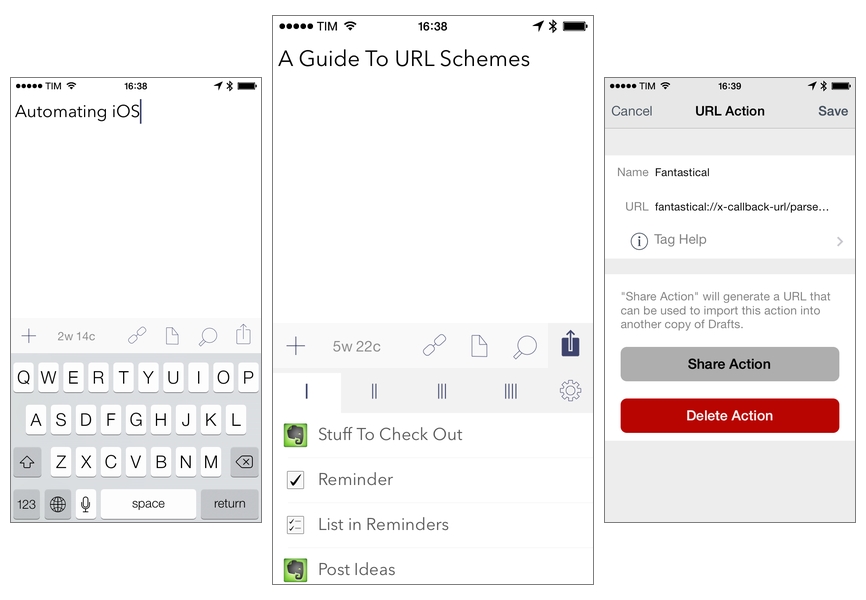
Automating iOS: A Comprehensive Guide to URL Schemes and Drafts Actions

I started teaching myself how to build and run URL actions with Drafts in early 2013, when I decided to attempt to satisfy Federico Viticci’s Challenge to chain more iOS apps together than he had. I spent a few days feverishly searching for information on URL schemes, learning how to build actions and run them through the Drafts URL action engine, and figuring out the best way to create a chain which connected more than Federico’s record of three apps. When I triumphantly sat back and watched my iPad run an action sequence automatically chaining five apps together (Drafts, Dropbox, Due, Instapaper and Chrome), I had no idea that it would lead to an article being written about me here, starting a blog to have a place to write about the actions I was building, an opportunity to beta test Drafts, and the chance to connect with all kinds of interesting, like-minded people from all over the world.

Since that time, less than a year ago, iOS automation has exploded in power and popularity. It feels like a new app adds support for x-callback-url almost every week. Drafts still stands tall as one of the front runners in the field, having added awesome new features to make far more powerful workflows possible since last February, but other apps compete as well. Launch Center Pro and Pythonista are notable, and the latest challenger, Editorial for iPad, rode in on a blaze of Viticci-inspired glory. So much has changed since the beginning of last year, but there’s one important aspect which, surprisingly, has not. While the field of iOS automation has paraded forward, the gateway into the fun, learning the skills to understand and build the URL actions that make inter-app communication possible, has remained almost unchanged. Information is more readily available from the introduction of many new sources, but it remains scattered and decentralized. The inner workings of URL schemes are not incredibly complex, but when interested individuals must spend hours searching for the right sources all across the internet, the process becomes confusing, boring, and far more time consuming than necessary.

Since I first started The Axx (and created The Action Page as a place to make my actions available to anyone who wanted them), I have been asked again and again if I knew of a place to go to quickly and easily learn how to understand and build these actions. I have grown tired of having no good answer to this question. As a result, I have decided to take my best shot at creating a source for that answer. This article will attempt to centralize all of the necessary information for a complete beginner to quickly and easily go from little to no prior knowledge of the subject to being able to understand and build their own complex workflows with Drafts and URL actions. I will only be focusing on Drafts here, but the skills learned throughout this guide should be easily transferable to other apps, like Launch Center Pro and Editorial. For intermediate, and perhaps even expert action-builders, I will hopefully have some tips that will interest you as well in the last few sections of the article.

Before we begin, be sure to enable the “Allow URLs to trigger actions” setting (found almost all the way to the bottom of the settings pane in Drafts under “URL Security”), which is disabled by default. This setting will allow you to trigger actions externally via URL, a key component to chaining apps together with Drafts, or using apps like Launch Center Pro or Bookmarklets in Safari to run Drafts actions automatically.

So here it is, my Comprehensive Guide to URL Schemes and Drafts Actions. Read more