
Apple Watch App Store Going Live Today

Apple has begun opening the doors to the Apple Watch App Store, featuring iPhone apps that have been updated with Watch compatibility. According to BuzzFeed, more than 3000 Watch apps have been approved by Apple, and all of them will be available in the App Store section of the Apple Watch app for iPhone today.

In a screenshot shared by Buzzfeed, it appears that the App Store for Apple Watch will feature curated sections for categories such as Healthy Living, Games, and more. However, at the moment the Apple Watch app is only displaying a list of recommended apps by Apple, which include Twitter, Things, Wunderlist, Uber, Evernote, and Instagram. Apple is also promoting two games – Rules and Trivia Crack, both updated with Apple Watch support. A full refresh of the App Store for Apple Watch with more sections and lists is expected to go live later today.

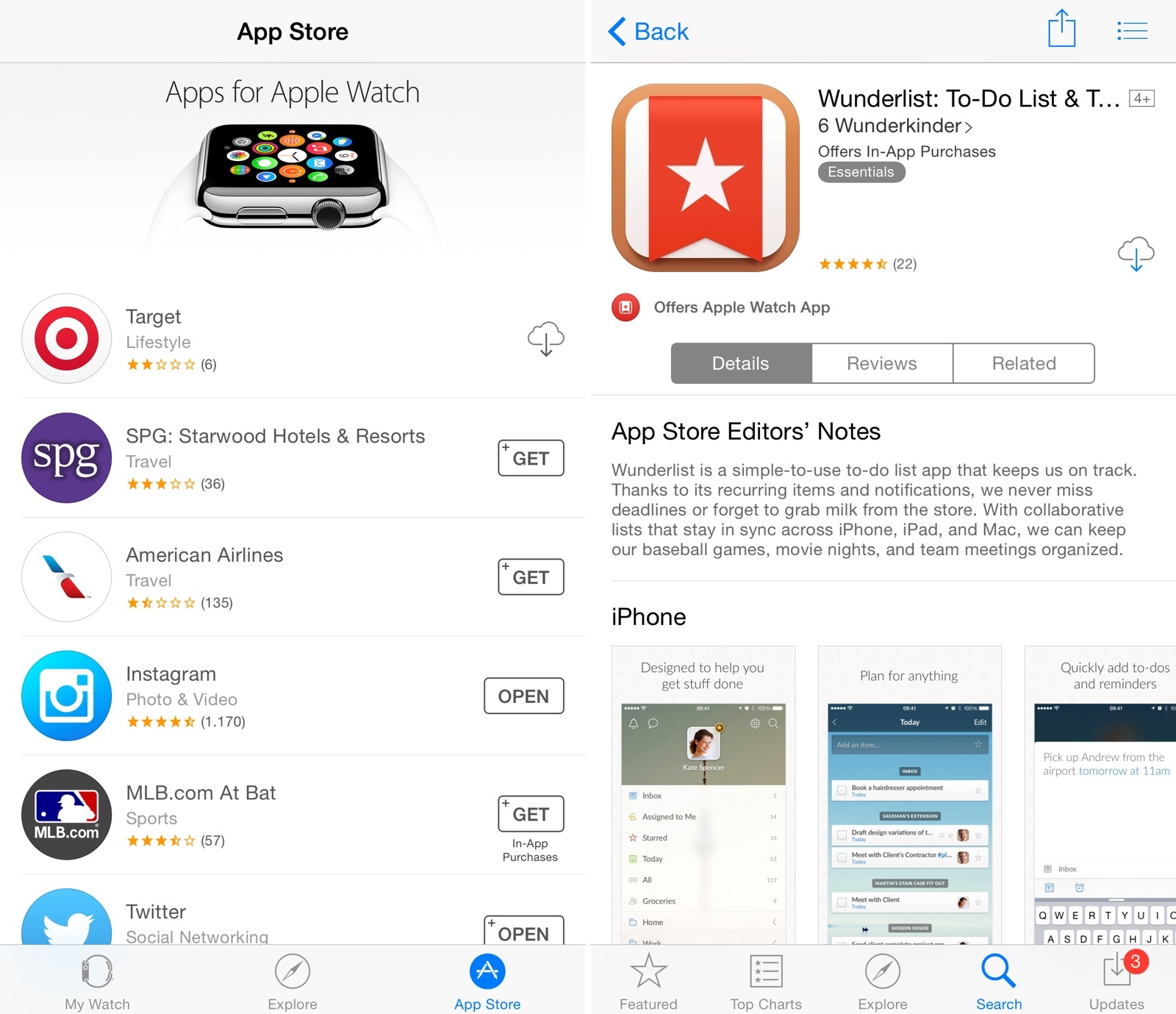
In the meantime, Apple has also updated the App Store for iPhone with new badges to indicate whether an app offers Apple Watch compatibility. In search results and app descriptions, you’ll now see a badge with the app’s Apple Watch icon, as well as screenshots of the Apple Watch version underneath regular iPhone screenshots.

The new badge is also available on the App Store for iPad, with a label that says “Offers Apple Watch App for iPhone”. Currently, screenshots of Apple Watch apps are not available on the iPad App Store.
djay Comes to Apple Watch, Mac App Gains Video Mixing

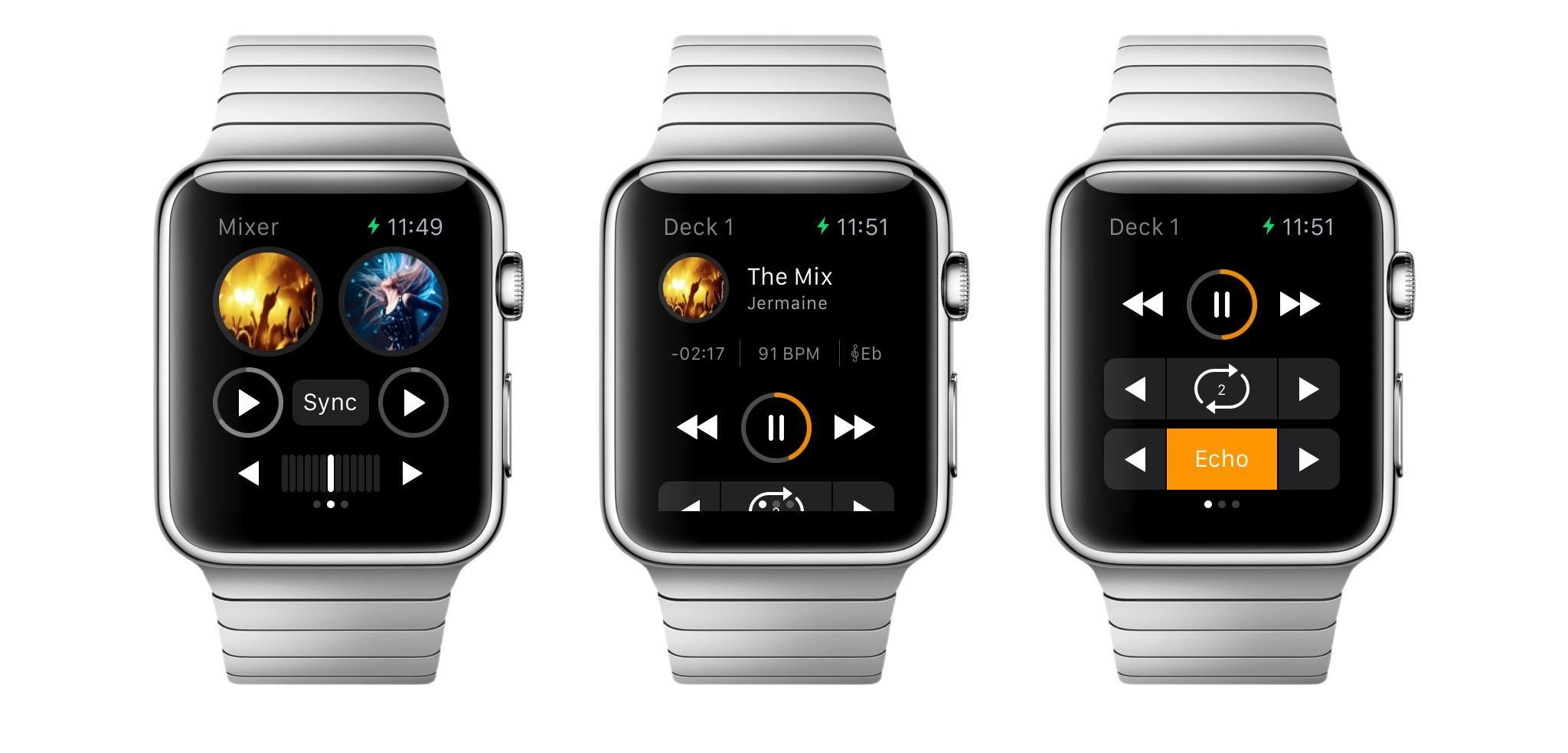
Popular DJ app djay (which I covered numerous times on MacStories in the past) has announced today an Apple Watch counterpart that will bring a slimmed down interface with controls and music selection to the wrist.

On Apple Watch, djay will allow users to import tracks stored in the iPhone’s Music app, automix songs from a connected Spotify account, and even apply effects and loops with a simplified UI and a subset of the controls available in the iPhone app.

Read more


Jony Ive on Apple Watch, Working with Marc Newson

Vogue’s Scarlett Kilcooley-O’Halloran, quoting Jony Ive from today’s Condé Nast International Luxury Conference in Florence, Italy:

“I think that we’re on a path that Apple was determined to be on since the Seventies, which was to try and make technology relevant and personal. If people struggle to use the technology then we have failed,” said Ive. “The consequences of that path? I don’t know. Sadly so much of our manufactured environment testifies to carelessness - something that was built to a price point or a schedule. The products that we have developed describe who made them. I hope that people will like the watch and find it a beautiful item.”

Permalink


Connected: My Technique, but in France

This week, Federico, Stephen and Myke discuss Apple Watch shipments, search on Android, Chrome on iOS and music on the go.

A good episode of Connected this week, covering some of Google’s latest initiatives on mobile and what we’d like to see in a music streaming service from Apple based on Beats Music. You can listen to the episode here.

Sponsored by:

  • Hover: Simplified Domain Management. Use code ‘MYKEWASRIGHT’ for 10% off your first purchase.
  • Igloo: An intranet you’ll actually like, free for up to 10 people.
  • Wealthfront: The automated investment service that makes it easy to invest your money the right way.
Permalink

MileWiz: Automatic Mileage Tracker [Sponsor]

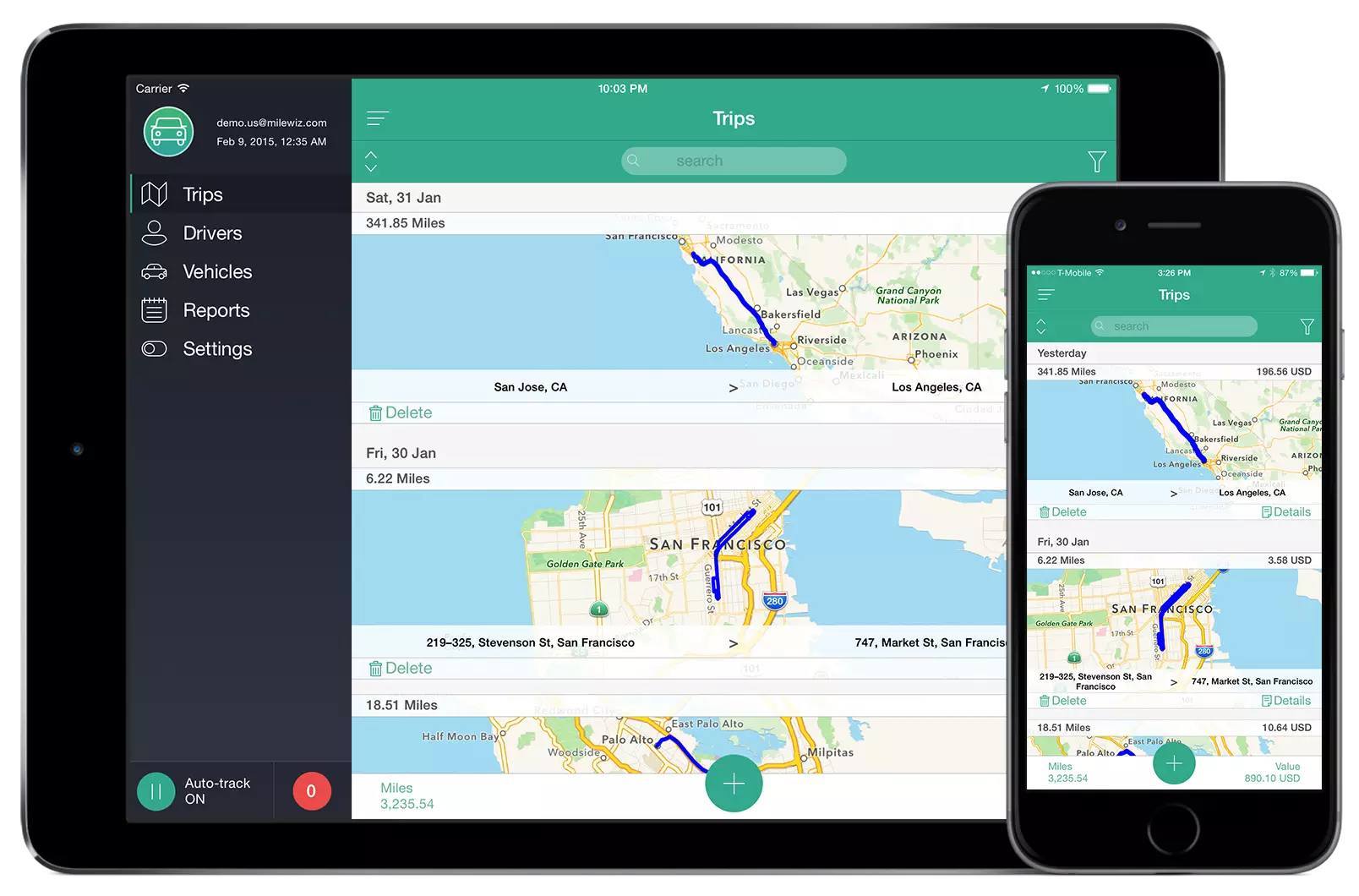
MileWiz is an automatic mileage tracker that logs every drive you make using sophisticated algorithms.

If you drive a personal car for business then you can get tax deductions for your miles. Or, if you drive a company car you can get driver reimbursements. MileWiz makes that easy by recording all your trips automatically and allowing you to easily classify them by swiping left or right, with an intuitive interface that’s easy to use on both the iPhone and iPad. MileWiz lets you categorize drives with gestures, supports multiple drivers/cars and working hours, and it even lets you assign clients and tags for your trips.

MileWiz features SmartDrive – a technology for auto-detection of drives that’s superior to anything on the market. The way most mileage trackers work is that they only record your start and end points and route between them. That often results in wrong route data and you may face penalties if challenged by the IRS or your employer. MileWiz detects your entire route and does this in a way that won’t drain your battery. MileWiz monitors multiple sensors on your device to determine speed and acceleration, and it also automatically adjusts its precision based on your speed and the area you’re driving in, giving you the most accurate trip route with the least battery usage.

Furthermore, MileWiz will soon be available for Apple Watch, with a glanceable UI meant to check the app’s status and categorize trips.

MileWiz is supported in six countries (you can find the full list here) and is free for 20 drives a month; you can upgrade to unlimited drives for $4.99/month or $49.99/year. You can download MileWiz for free from the App Store.

Our thanks to MileWiz for sponsoring MacStories this week.


WhatsApp Adds iOS 8 Share Extension

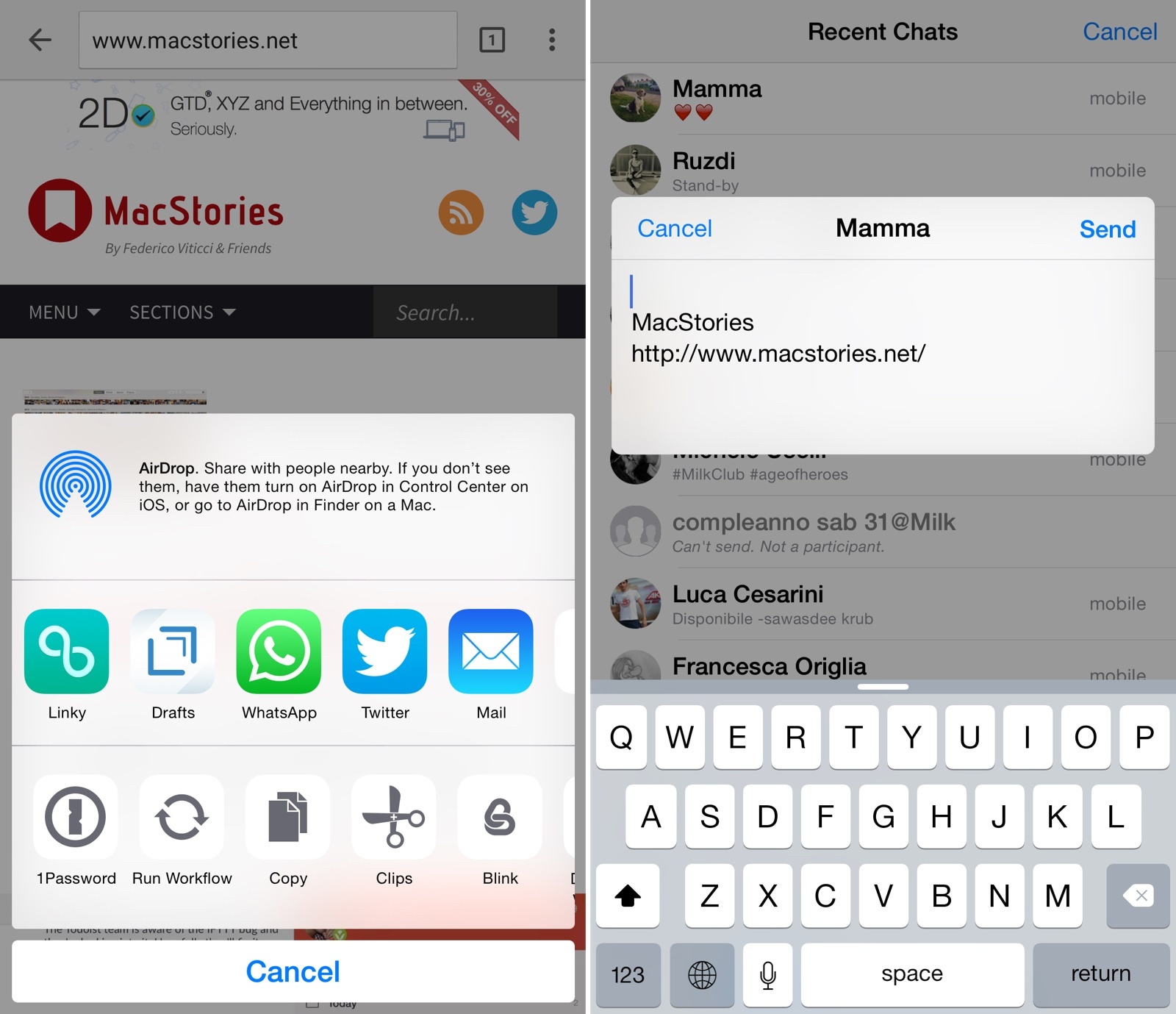
With an update released today, WhatsApp has introduced free audio calling on iOS (previously launched on Android), improvements to how photos can be attached to conversations, and a new iOS 8 share extension to send content from other apps.

VoIP calling is still rolling out to users worldwide and I’m not a heavy user of media sharing through WhatsApp (I prefer iMessage’s higher quality settings), but I often share links and images downloaded from the web with WhatsApp, and I was curious to try the new extension.

Read more


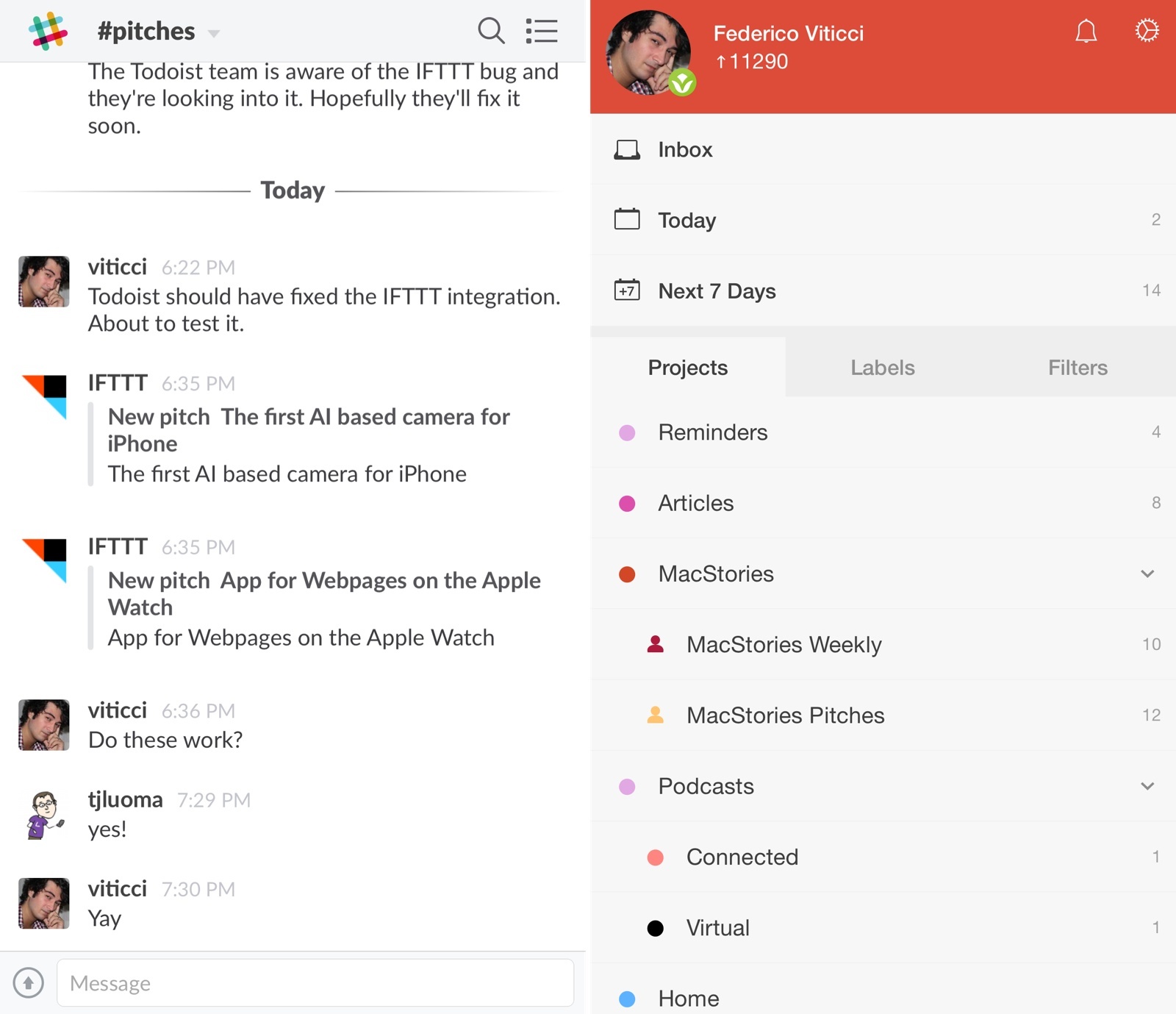
Managing Team Tasks with IFTTT, Slack, and Todoist

I recently decided that I wanted to overhaul the way I deal with email pitches (new apps, hardware accessories, web services, etc.) and I set out to find a solution that would allow me to broadcast an email to my team without having to forward more emails.

The problem:

  • Most email pitches are sent to my personal email address, which teammates can’t access;
  • I can’t stop developers and PR people from sending messages to my personal address;
  • I go through email every day, and I carefully handpick what I would like to see covered on MacStories;
  • I used to forward every email to individual members of our team, duplicating attachments and using conversations as a tracking system to remember who’s interested in covering what;
  • Inboxes got overcrowded, I couldn’t easily keep track of pitches assigned to someone else, and everybody was unhappy.

For years, I envisioned a system that, with one tap, would allow me to put an email message in a folder and forget about it, while it would still be broadcasted to my team so that others could take it into consideration. After weeks of experiments, I chose to leverage web automation and two tools I already use for todo management and team communication: Todoist and Slack.

The solution I landed on is remarkably simple, but it took a while to get it just right and work around a few unexpected bugs.

Read more