This Week's Sponsor:

BetterTouchTool

Now with a Powerful Launcher for Your Mac


1Password 6.0 for iOS 9 Adds iPad Multitasking, Spotlight Search

Terrific update to 1Password for iOS released today: version 6.0 adds iPad multitasking support so you can manage your 1Password in other apps, plus a refreshed design, a new Diceware password generator, and Spotlight search.

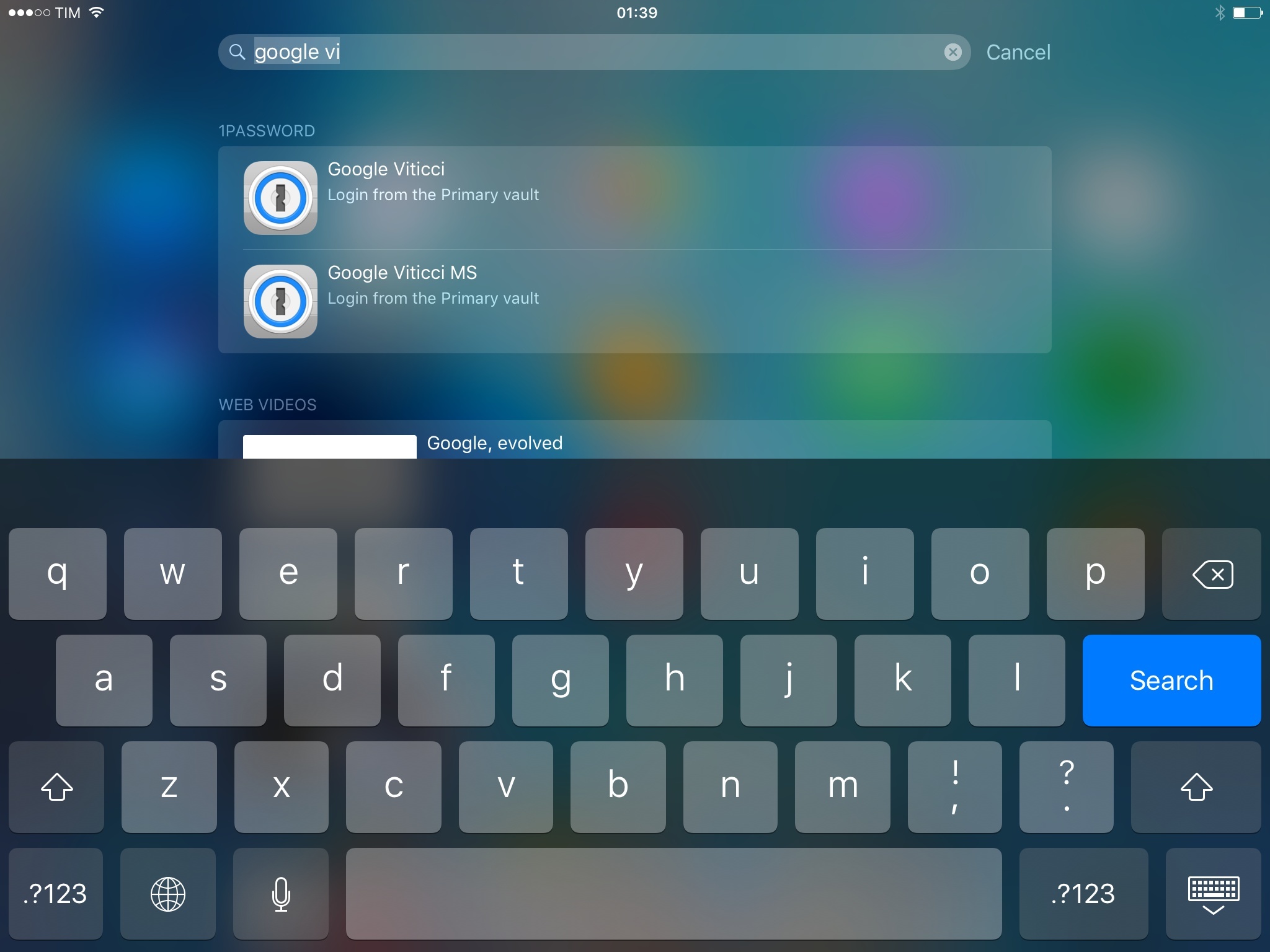
Besides Slide Over and Split View, I’m excited about the ability to find 1Password items directly from iOS search thanks to CoreSpotlight indexing. Once enabled in Settings > General, 1Password search will let you look up logins, notes, and other items by searching for their title. iOS search will show a 1Password icon for these results, vault information, and it’ll let you tap an item to open it in 1Password.

I search for logins and secure notes in 1Password every day. The ‘Favorites’ shortcut and last year’s action extension helped in getting to often-used items more quickly, but I still do quite a bit of manual search in my vault on a daily basis. Being able to easily search for 1Password content shows why local app search in iOS 9 will change how we navigate and launch apps, and it’s a clever addition by AgileBits.

1Password 6.0 is available on the App Store.


iOS 9: The MacStories Review, Created on iPad

Five Years On

In some ways, iOS 9 feels like the third and final installment of the iOS 7 saga.

With San Francisco, a revised keyboard, and an interface that’s been polished across the OS, Apple’s new design language has moved past its awkward (and problematic) teenage years to accept its own style and voice. Interfaces aren’t diamonds: they’re not forever, and iOS will change again. For now, iOS 9 is, visually speaking, a culmination of the work started two years ago, ready for what comes next.

Changes to default apps and new system features also are iterative improvements that complete Apple’s post-iOS 7 vision and get rid of problems accumulated so far. Podcasts, Mail, iCloud Drive, and new features in Safari don’t revolutionize those apps, but they make them substantially better for everyone. Deep links and Universal Links show that Apple has long been thinking about doing more than URL schemes to simplify opening and linking to apps. Safari View Controller extends Safari to web views in any app. User activities and app indexing for Search prove that Apple often plays the long game, showing their hand only when every technology is in place for an arguably basic utility (Spotlight) to become something new.

iOS 9 isn’t Apple’s new Snow Leopard. Just because some additions and changes may not be as massively popular or be instantly recognizable as a new design and custom keyboards were, it doesn’t mean they don’t exist. The company has put more resources into optimizing iOS, and early results are encouraging. Low Power Mode makes a difference when battery is running low, and developers will be able to support it in their apps; the entire OS feels snappier and more stable in daily usage.

This isn’t the year of No New Features: under-the-hood optimizations and app enhancements walk together in iOS 9, with Notes being a prime example of it. Apple isn’t taking the foot off the pedal: they’re just being more careful behind the wheel.

Along the way, there are some missteps and disappointments that will have to be taken care of in the future. Mail is lagging behind the innovation we’re seeing in email apps from large companies and indie studios. iCloud Drive is far from the functionality offered by Apple’s OS X Finder and other companies’ iOS apps. The intelligence of Apple News and proactive suggestions leaves a lot to be desired, casting doubts on whether it can dramatically improve. And as others are reimagining mobile messaging with integrations and services that were unimaginable a few years ago, major changes are suspiciously absent from Apple’s Messages app this year.

As a result, iOS 9 for iPhone is a more efficient version of iOS that many will appreciate with time as they discover what’s new. Its improvements aren’t as easily marketable as iOS 7 and iOS 8, but they’re not any less important. What Apple hasn’t done this year doesn’t make iOS 9 worse: it just adds to a list of low-hanging fruit for next year.

If you’re an iPhone user and you’re skeptical on whether to upgrade or not, my recommendation couldn’t be easier this time around: iOS 9 is better than iOS 8 in every way and you should upgrade.

And then there’s the iPad.

This year, the iPad is getting the first version of iOS truly made for it. After too many unimaginative releases, Apple has understood the capabilities of the iPad’s display and its nature of modern portable computer. Free of dogmas and preconceptions of what an iPad ought to be, iOS 9 fundamentally reinvents what an iPad can become going forward.

Picture in Picture rethinks watching video on the device. Slide Over cuts down the time required to jump between apps. New shortcuts make working with Bluetooth keyboards on the iPad a joy. And by using two apps at once, Split View reimagines the role of the iPad in the iOS ecosystem, positioning it between an iPhone and a Mac for people like me who need exactly that.

I’ve been working on the iPad for the past three years, and the changes in this year’s iOS release have done more to make me work faster than iOS 6, 7, and 8 combined. Apple has created a new beginning for the iPad’s software, and while it’s not perfect and the experience will have to be refined in places, the impact of iOS 9 for iPad users – especially iPad Air 2 users – will be felt in the following years.

It’s not easy to blend tradition with a fresh start, but that’s what iOS 9 does to the iPad. The iPad is still the device where you can immerse yourself in one app at a time. But now you can also do more, using the large screen to switch between multiple apps and tasks with multitouch. And in doing so, you’ll discover that iOS 9 multitasking for iPad doesn’t carry over the complexities and rules that applied to traditional desktop OSes.

Apple has leveraged years of design and interaction constraints to give more freedom to iPad users, creating an experience that can be more complex but still intuitive. The iPad is not a Mac, but the same argument works in reverse, too: a Mac is not an iPad – it can’t have its portability, it doesn’t have its app ecosystem, and it’s not a screen you can hold in your hands. With iOS 9, there are even more reasons to consider an iPad as a new kind of computer: capable of true multitasking, and built with the strengths of iOS in mind.

With iOS 9, Apple is ready to admit that the iPad is a computer without the baggage of the PC. I know that I’m not going back to a Mac, and this review wants to be a tangible proof of it. Writing this wouldn’t have been possible without iOS 9, and I’ve never felt more focused.

iOS 9 shows where the future of iPad is. The leap has been taken.

Five years later, it’s just like starting over.



    Automatic: Your Smart Driving Assistant on Your Smartphone [Sponsor]

    There’s a mountain of data inside your car waiting to be unleashed, and all you have to do is plug in a quick little connector and download a mobile application.

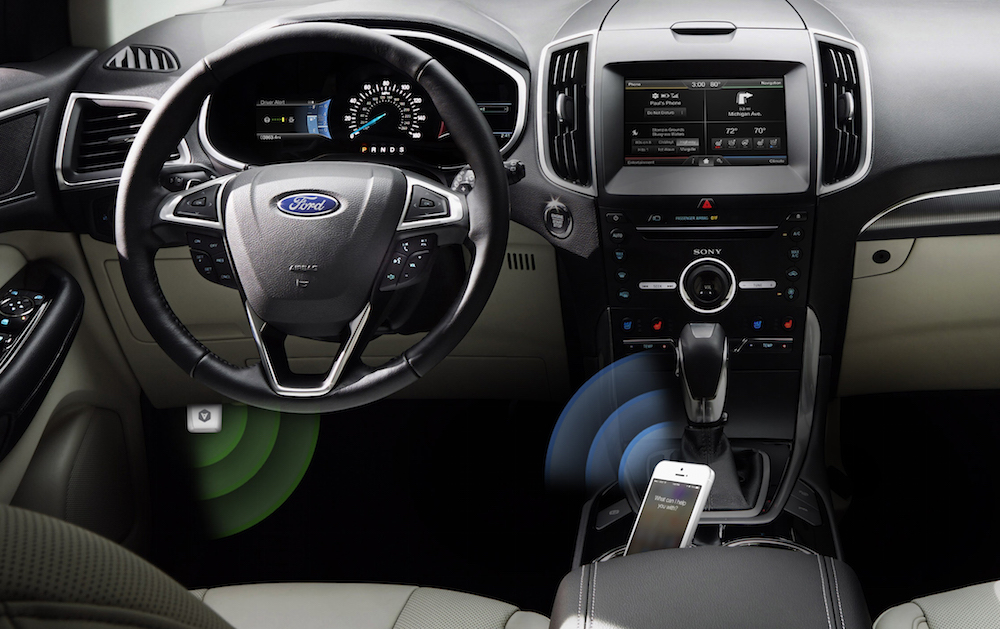
    Automatic is a smart driving assistant that plugs into your car’s data port and lets you connect your smartphone (either iPhone or Android) with your car. By  talking to your car’s onboard computer and using your smartphone’s GPS and data plan to upgrade your car’s capabilities, Automatic will allow you to easily diagnose your engine light, never forget where you parked your car, and save hundreds of dollars on gas.

    Automatic learns your driving habits and gives you suggestions through subtle audio cues to drive smarter and stop wasting gas. Thanks to a map view available on your phone, Automatic can display a trip timeline after every driving session, showing you how you’re doing with a Drive Score; the app can even track local gas prices and tell you how much you’re spending.

    In case of engine problems, Automatic can decipher what the “check engine” light means and show you a description of the issue with a possible solution. And thanks to a feature called Crash Alert, Automatic can detect many types of serious crashes and automatically alert local authorities as well as your loved ones when you can’t.

    Automatic is currently available in the US for iPhone and Android devices, with a 45-day return policy and free shipping in 2 business days.

    MacStories readers can go to automatic.com/macstories to get $20 off and buy Automatic at just $79.99. For more information, check out Automatic’s website.

    Our thanks to Automatic for sponsoring MacStories this week.


    Sofa: Discover New Movies from Curated Collections

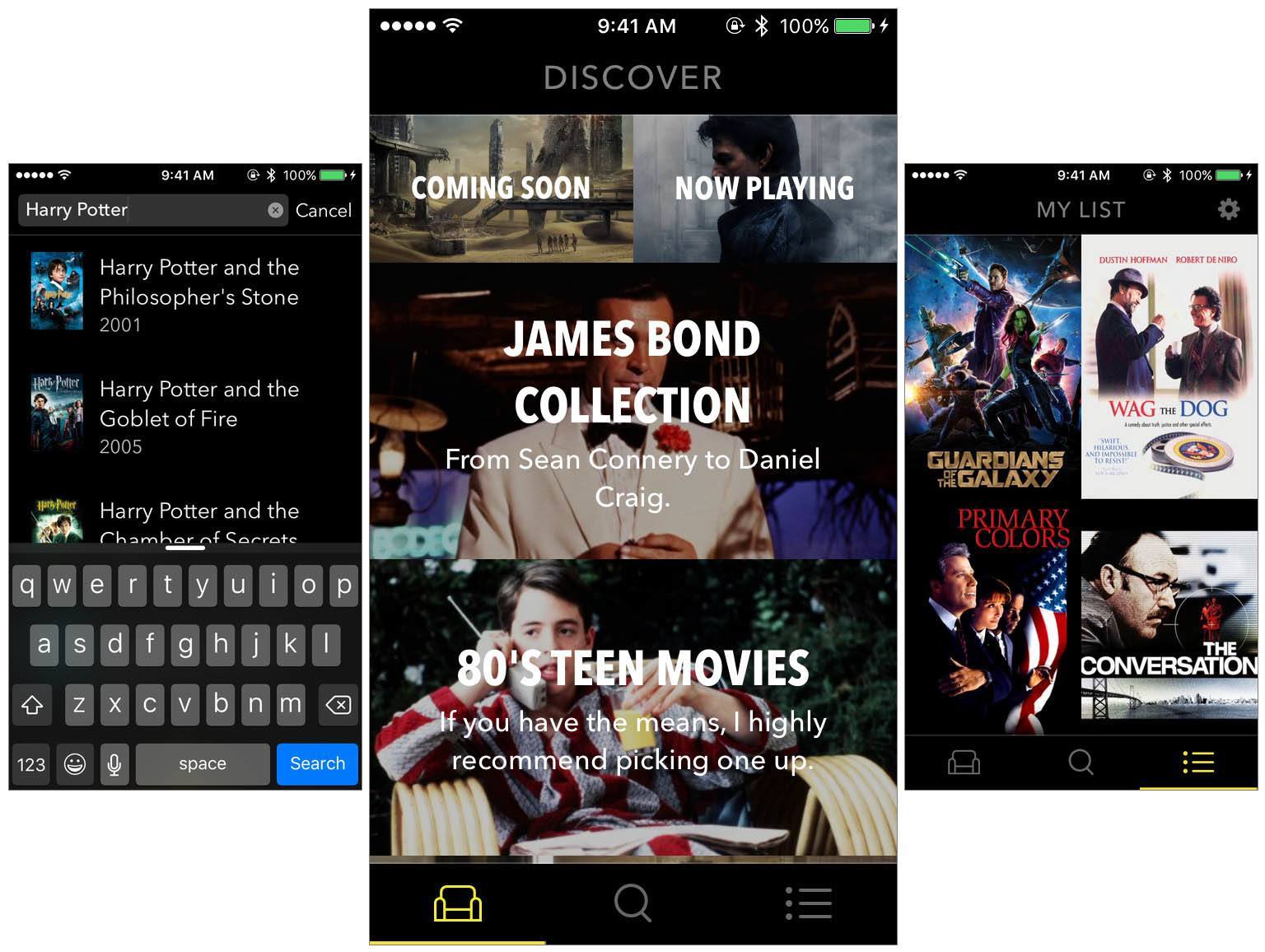
    Sofa is a new app that launched just last Friday. Sofa does two things: it helps you discover new movies to watch, and it lets you keep a list of movies you want to watch. Despite its rather sparse feature list, Sofa is well worth your time. One of the reasons why is because Sofa’s discover section is populated by hand-curated collections of movies. But Sofa also looks great and, because it isn’t burdened with dozens of features, the app is simple and delightful to use.

    Read more


    Introducing Club MacStories

    Since 2009, MacStories has delivered quality articles for the Apple community with a focus on depth, accuracy, and personal stories. We’ve written thousands of detailed app reviews. We’ve covered news with facts and opinions. We’ve shared stories on how technology is changing our lives.

    Now, we’re ready for the next step. Today, I’m thrilled to introduce Club MacStories.

    Read more


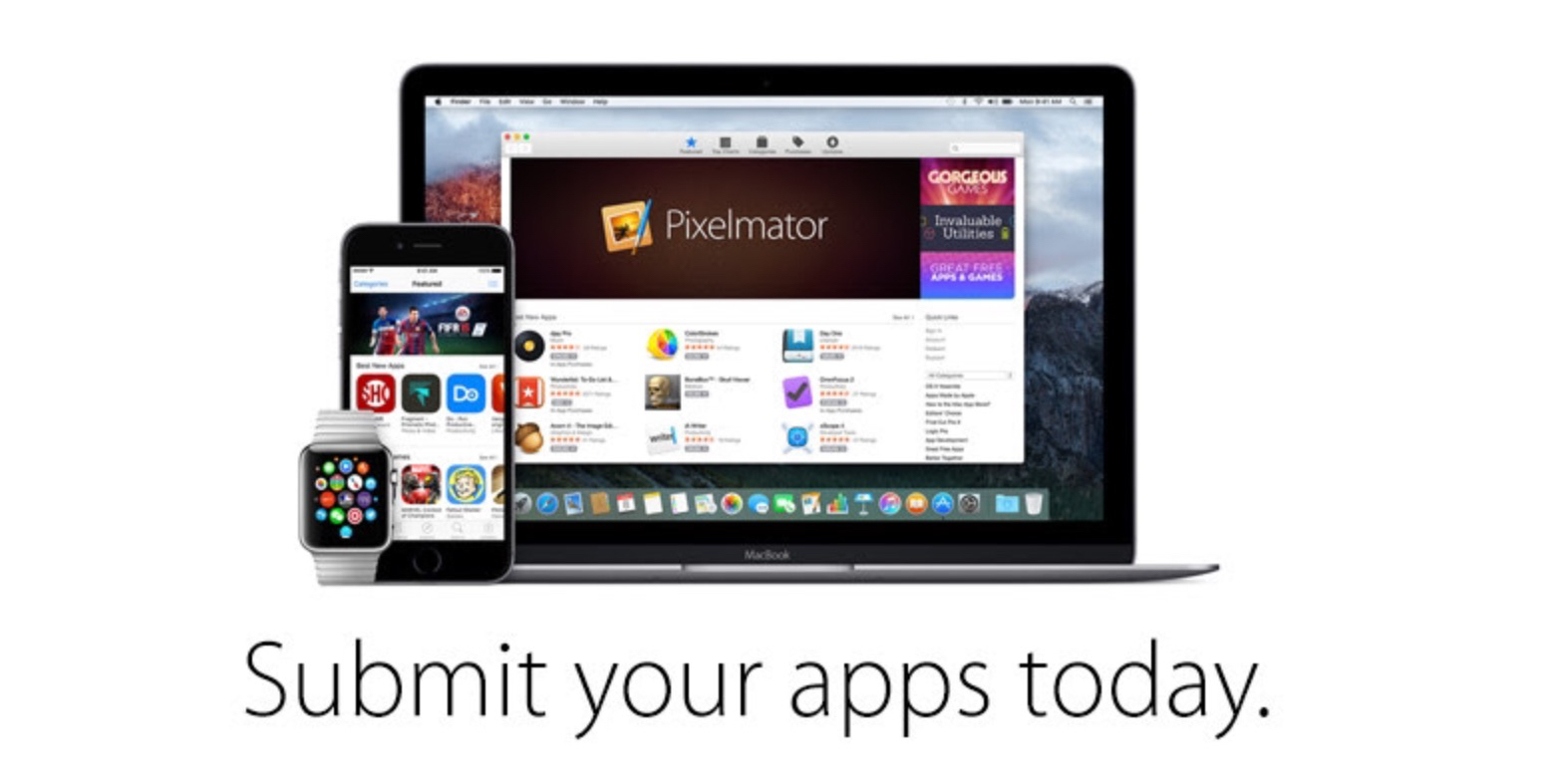
    Apple Asks Developers to Start Submitting iOS 9, El Capitan, watchOS 2 Apps

    Ahead of the upcoming release of iOS 9 and watchOS 2 on September 16, Apple has now begun notifying registered developers that App Store submissions are open for iOS 9 apps.

    In an email shared today with the developer community, Apple has confirmed submissions are also open for OS X El Capitan apps built using the OS’ Golden Master seed.

    From Apple’s email:

    The next release of watchOS, iOS, and OS X will soon be in the hands of hundreds of millions of customers around the world. Make sure your apps are optimized for the exciting new features now available for these platforms.

    To prepare, build your apps using Xcode 7 GM seed, and test with the GM seeds of iOS 9, OS X El Capitan, and watchOS 2. Read the App Review Guidelines and use TestFlight to get feedback before submitting to the App Store.

    Starting today, developers will also be able to set up iOS 9 apps with external testers via TestFlight, Apple’s beta testing service.

    iOS 9 adds hundreds of new features that developers can leverage to improve their apps, including multitasking on iPad, new gaming APIs, expanded search capabilities and deeper support for CloudKit, HomeKit, HealthKit, and MapKit. iOS 9 will be released next week on Wednesday, September 16.


    Interesting Apple TV Tidbits: App Size Limits, Parallax Icons & More

    If you haven’t already read our overview of the new Apple TV, I’d recommend reading that first. But since then we’ve also learnt a few more details about the Apple TV that were interesting enough to share. They include details about Apple TV app size limits, parallax icons (and how you can test them today), the Remote Loop and the Nimbus Steelseries (third-party) controller.

    Apple TV Apps Limited to 200MB

    As noted by 9to5Mac, Apple is restricting the size of Apple TV apps to 200MB. Apps can of course download additional content at any time, but this additional data will only be kept temporarily. This might not be too much of a problem for apps, but this may prove to be a big hurdle for some of the more ambitious Apple TV games.

    Along with the lack of local storage, the maximum size of an Apple TV app is limited to 200MB. Anything beyond this size needs to be packaged and loaded using on-demand resources. Knowing how and when to load new assets while keeping your users engaged is critical to creating a successful app. For information on on-demand resources, see On-Demand Resources Guide.

    Read more about this in Apple’s tvOS Developer Library.

    Read more