Breaking out from the Google Drive moniker, Google has launched a set of new cloud storage tiers under the branding Google One. The new name makes sense, since Google Drive storage formerly encompassed space allotted to a wide swath of Google products, such as Photos, Docs, and Gmail, as well as files actually stored in Drive. Now Google One fills the role of covering your storage needs across all Google products and services, which I think will be less confusing. It’s a pattern that follows Apple’s own iCloud branding, where iCloud storage covers a variety of Apple services like Photos and Mail, with iCloud Drive just one of those services.
Along with the organizational change, Google One introduces revised pricing and storage options:
15 GB: Free
100 GB: $1.99/month
200 GB: $2.99/month
2 TB: $9.99/month
As well as 10 TB, 20 TB, and 30 TB options for prices in the hundreds of dollars per month
Google’s pricing is comparable to Apple’s own iCloud storage, though with more options and a more generous free tier. Apple offers 5 GB for free, 50 GB for $0.99/month, 200 GB for $2.99/month, and for 2 TB for $9.99/month.
Google One’s rollout will be staged worldwide, but as of today it appears to be available in the U.S. at least.
The latest chapter in Twitter’s contentious relationship with third-party developers is coming to a close. In April 2017, Twitter announced plans to eventually deprecate certain parts of its API that third-party apps rely on.
Fast forward one year to April 2018, roughly 10 weeks before the scheduled API transition of mid-June. Twitter’s new API still hadn’t been made available to third-party developers. The Iconfactory, Tapbots, and other makers of Twitter clients created a website called Apps of a Feather…Stick Together to explain how the looming changes would affect customers. The ensuing uproar among users caused Twitter to delay the API transition until tomorrow, August 16, 2018. Although Twitter has not flipped the switch on the changes yet, apps like Twitterrific and Tweetbot have already taken steps to deal with the changes.
It’s not often that a game grabs me and won’t let go the way Holedown has. Once I started playing, I couldn’t stop. I have the iOS 12 Screen Time reports to prove it. Even when I’d burned through all of the game’s levels reaching the final endless one, I kept coming back for more. Holedown has very quickly earned a spot as one of my all-time favorite iOS games.
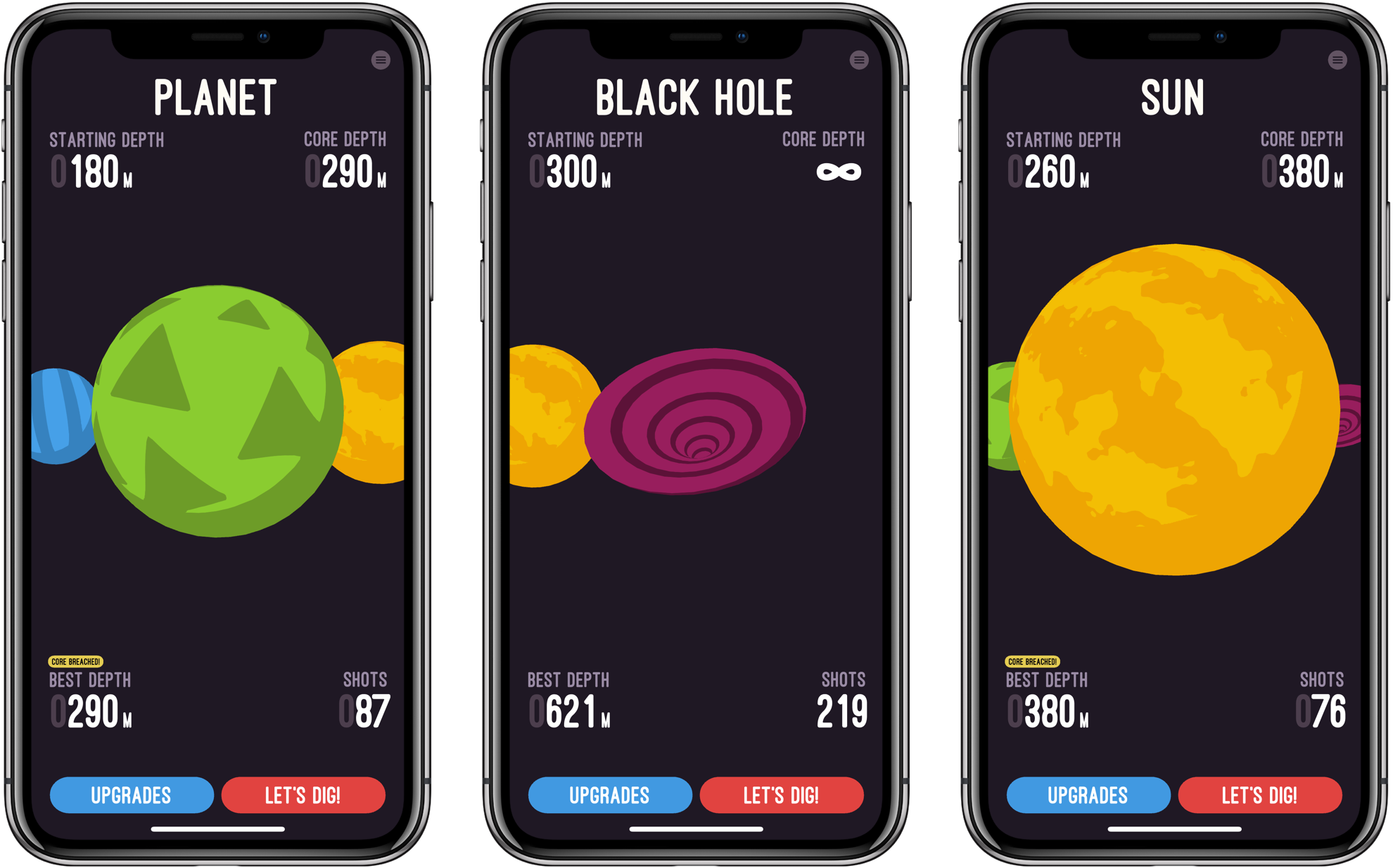
Like most great mobile games, Holedown is simple. The game is a little like Breakout turned upside-down with a dash of pinball added. Each level begins on the surface of a planet. The object is to bore a hole through to the planet’s core by launching balls that bounce off of obstacles that advance up the screen with each turn you take. If the obstacles reach the surface without being cleared, you have to start over and try again with a new procedurally-generated level.
The obstacles moving up the screen are reminiscent of Tetris blocks, but each has a hit count that shows how many more ball collisions are necessary to take it out. Some blocks fall if the blocks supporting them are eliminated, but others have to be cleared regardless of the surrounding blocks.
As you launch balls, they bounce off the blocks and sides of the screen. It doesn’t take long to get the hang of the precise aiming that is done by dragging your finger across the screen. When you’re ready to shoot, lift your finger and the balls go careening across the screen bouncing helter-skelter off everything in their way.
As you play, you collect crystals. Holedown is a one-time, paid-up-front game, so the only way to collect the crystals is to play the game over and over. There is no In-App Purchase. As you collect crystals, they can be exchanged for enhanced gameplay like the ability to fire more balls at the start of each turn, take more shots per level, and more.
As you play, Holedown tracks the depth of your mine, your progress towards the core of the planet, how many balls you can shoot at one time, and how many shots you have left. It’s information that serves the dual purpose of showing where you are in the level and helping you plan your next move.
When you get to the final level, called the Black Hole, there is no core and you can shoot an unlimited number of balls at the obstacles. The only goal left is to see how deep you can mine before the blocks crash to the surface. I finished the other levels of Holedown over the course of a Saturday afternoon, and though I’ve been playing the Black Hole level for over a week now, the challenge of seeing how deep I can dig and the perfectly balanced gameplay have keep me coming back over and over.
Holedown also benefits from a strong dose of quirky personality. There’s a little mascot that sits in the corner of the screen smiling and watching you play. If you tap it, the little creature responds with things like ‘eat your vegetables,’ ‘seize the means of production,’ and ‘work, work.’
The music plays a big role in Holedown’s feel too. The catchy electronic soundtrack pairs perfectly with the sound effects, both of which react to events in the game, which adds further life to the gameplay.
Holedown is a perfect example of a well-designed mobile game. Even if you’re deep into a long session, you can quit at any time and pick up where you left off later without losing any progress. Combined with the quirky, fun gameplay, it’s one of the hardest games to put down that I’ve ever played on iOS. If you haven’t tried it yet, Holedown should be at the top of your must-play-games list.
An Apple representative said at the meeting that paid apps represent 15% of total app sales and is on the decline, according to a person who was there who did not want to be identified to maintain their relationship with Apple.
[…]
The message was clear: successful apps now focus on getting regular engagement from their users, not one-time sales. For developers, that meant embracing the subscription model.
If you focus on paid apps, instead of subscriptions, Apple warned, your business will eventually hit a cap.
This report comes hot on the heels of Apple’s recent quarterly earnings report, during which Tim Cook shared, “Paid subscriptions from Apple and third parties have now surpassed 300 million, an increase of more than 60 percent in the past year alone.”
That increase is fairly staggering to consider. Two years ago when Apple opened up subscriptions to all app types, many users and developers feared the potential for subscription fatigue. It looks like that hasn’t prevented significant growth from happening – at least for now. I’ll be curious to see if growth like this, and a further shift toward subscriptions over paid apps, is sustainable in the long-term.
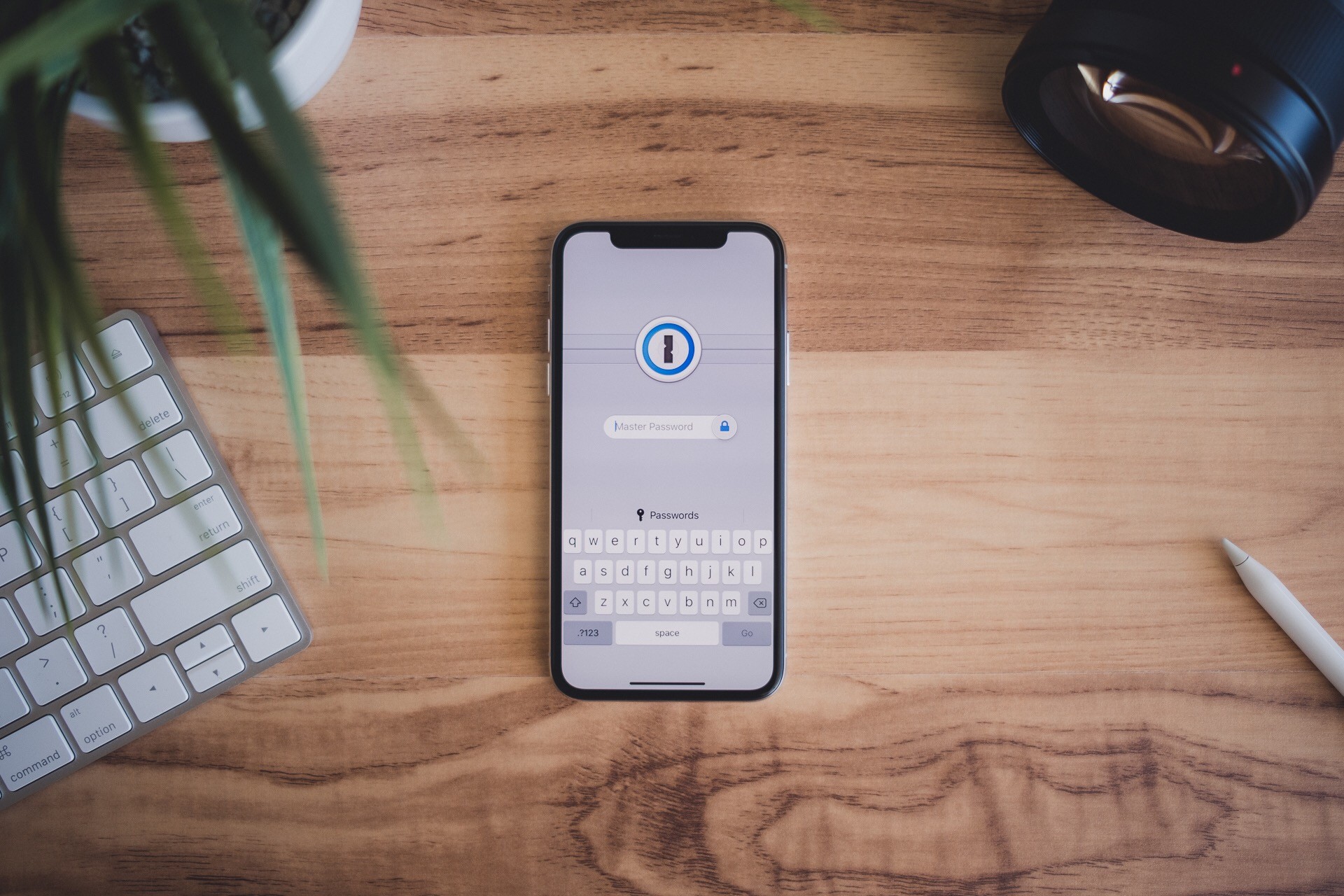
The Sweet Setup has been on a roll lately with developing video training courses for some of the best iOS and Mac apps the App Store has to offer. Following similar deep dives into Things, Day One, and Ulysses, today they’re launching a new course called ‘Unlock 1Password.’
1Password has long been considered the premier password management solution on Apple platforms, but many users may only scratch the surface of what it can do, or they’re simply hesitant to trust it with their most secure data. ‘Unlock 1Password’ takes users of varying experience levels into account, covering key features of the app, an overview of the product’s security levels, ways it can be used alongside iCloud’s own Keychain feature, and more.
In total, the course includes a whopping 14 videos, all of which can be downloaded for offline viewing if you’d like.
Overview of 1Password for Mac
Overview of 1Password for iOS
Why You Can Trust 1Password
Which Version is Right for You?
Installation and Setup
All the Things You Can Store in 1Password
Working with Vaults
Using the Browser Extension
How to Perform a Security Audit
Using 2-Factor Authentication
1Password for Families and/or Teams
Using 1Password Alongside iCloud Keychain
How to Sync 1Password Across All Your Devices
Understanding Backups
I’ve relied on 1Password for years, but there were still things I learned from the course, such as how family and team plans work, and the process for setting up 1Password as a two-factor authentication tool. This is one of the things I especially appreciate about The Sweet Setup’s courses: even when they cover apps that already have an important place in my life, I benefit from finding even more ways to put those apps to use.
As with the recent video courses from The Sweet Setup, ‘Unlock 1Password’ is launching at a special introductory price of $23, which will increase to $29 after a week. You can purchase the course here.
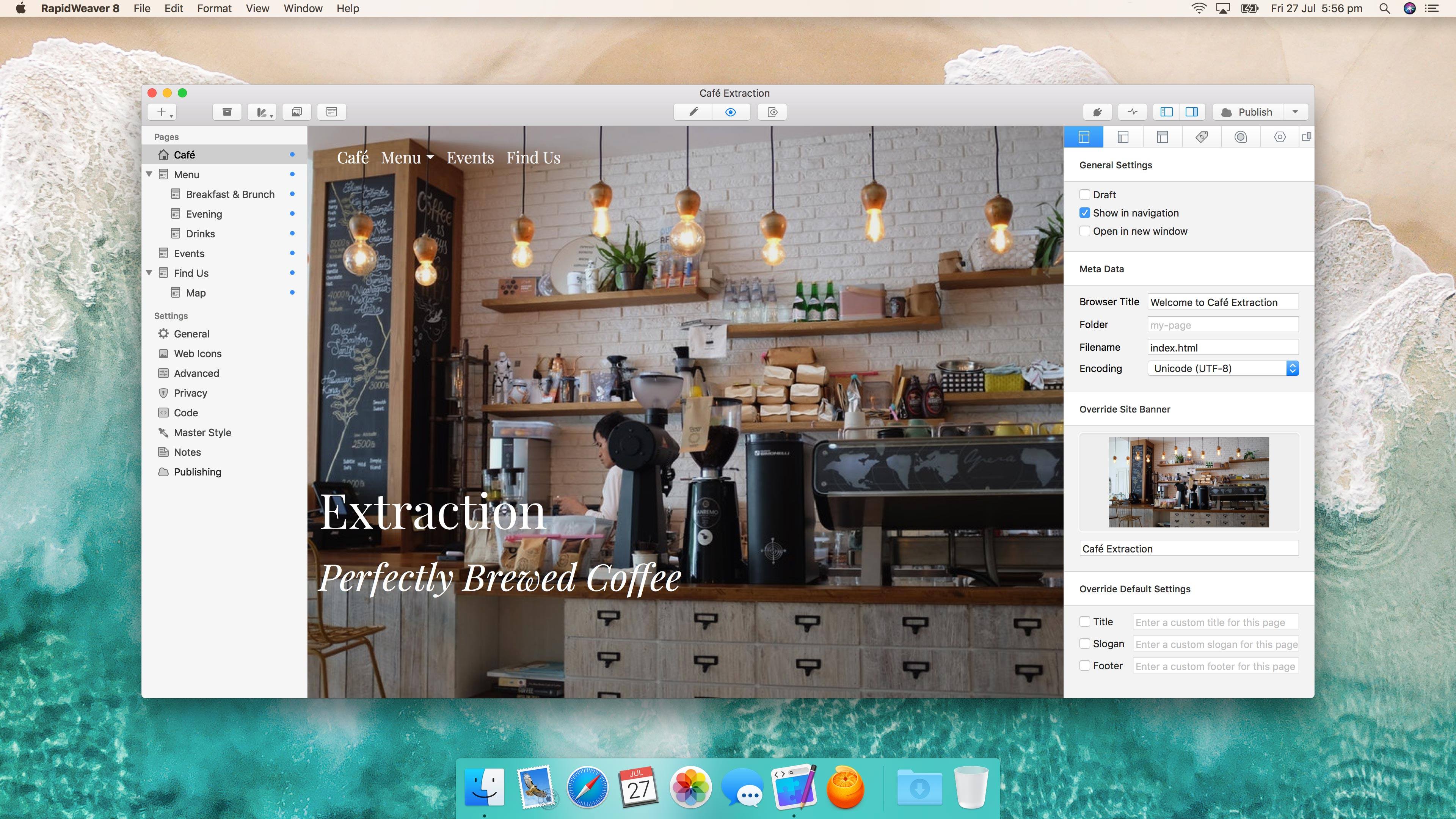
RapidWeaver by Realmac Software got a significant update today. Starting from scratch or with one of over 50 Themes, RapidWeaver allows users to create highly-customized websites by offering a wide array of tools and properties that can be tweaked. The app also supports third-party plug-ins and Themes that can be used to extend the app even further.
RapidWeaver may remind you a little of iWeb, but the similarities end with the drag and drop, template-driven approach. The depth of RapidWeaver goes well beyond what iWeb could do before Apple discontinued it.
Close on the heels of reports that Apple had pulled Group FaceTime from iOS 12 beta 7, complaints about the beta’s sluggish performance began to surface. One of the first was from Guilherme Rambo who posted a short video on Twitter demonstrating how slowly the App Store app launched under the beta:
The latest iOS 12 beta is no longer available as an over-the-air update via the Software Update section of the iOS Settings app. However, IPSW files for the beta, which can be installed via iTunes on a Mac, are still available from Apple’s developer portal. In light of the issues reported with the beta 7, if you haven’t already installed beta 7, it’s probably best to not download and install the IPSW files, until a more reliable version is released.
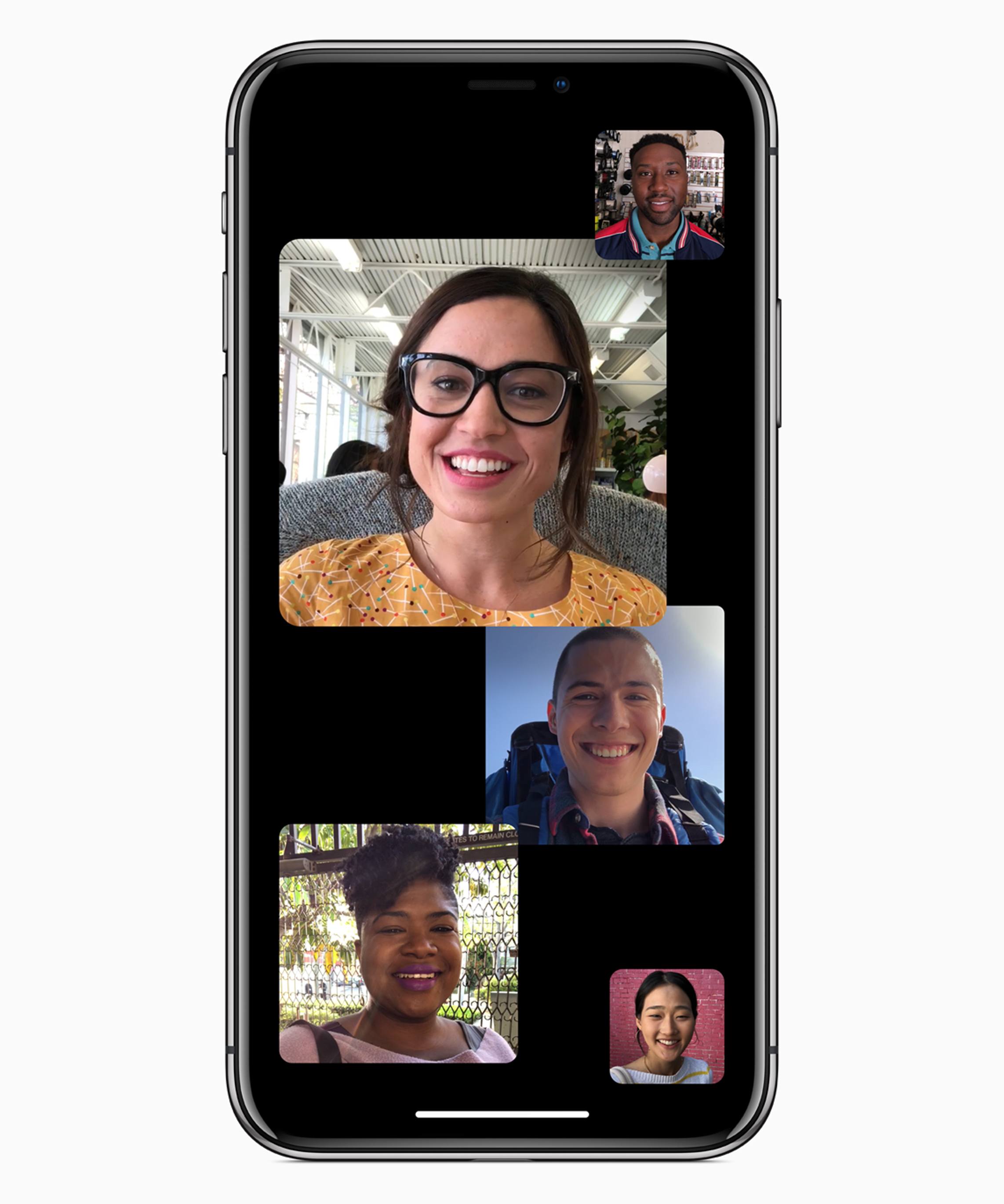
Apple has removed Group FaceTime chat from the latest iOS 12 developer beta. The feature, which was debuted at WWDC and described as being able to handle up to 32 simultaneous users will come later this fall according to Apple’s beta release notes:
Group FaceTime has been removed from the initial release of iOS 12 and will ship in a future software update later this fall.
This delay isn’t the first time that a feature announced at WWDC has been moved to a later point release of a major iOS update. Last year, AirPlay 2, Messages in iCloud, and Apple Pay Cash all missed the initial release of iOS 11.
I’m not surprised Group FaceTime needs more time. I haven’t used it extensively, but in a late July test with four participants, it was clear that it had a long way to go before it was ready for release.