Apple Announces Apps and In-App Purchases Will Be Removed from its Affiliate Program October 1st

Apple has announced that apps and In-App Purchases will no longer be part of the iTunes Affiliate Program effective October 1, 2018. The iTunes Affiliate Program pays a commission from Apple’s portion of the sale of apps and other media when a purchase is made with a link that contains the affiliate credentials of a member of the program. Anyone can join, but the Affiliate Program is used most heavily by websites that cover media sold by Apple and app developers.

This isn’t the first time Apple has had this part of its affiliate program in its crosshairs. In April 2017 Apple gave participants in the program 6-days notice that it was reducing commissions on apps from 7% to 2.5%. The angry fallout caused Apple to issue a face-saving ‘clarification’ that the change would only apply to In-App Purchases.

What I said then holds true today:

With ad revenue in decline, affiliate commissions are one way that many websites that write about apps generate revenue, MacStories included. Many developers also use affiliate links in their apps and on their websites to supplement their app income. This change will put additional financial pressure on both groups…

The fallout has already begun. In a post titled Apple Kills the App Store Affiliate Program, and I Have No Idea What We Are Going to Do., Eli Hodapp, the Editor-in-Chief of TouchArcade, concluded:

It’s hard to read this in any other way than “We went from seeing a microscopic amount of value in third party editorial to, we now see no value.” I genuinely have no idea what TouchArcade is going to do.

It will be a shame if Apple’s decision results in TouchArcade shutting down because it provides some of the best mobile game coverage available.

What bothers me the most though is the unnecessarily hostile tone of Apple’s announcement email:

With the launch of the new App Store on both iOS and macOS and their increased methods of app discovery, we will be removing apps from the affiliate program.

That sounds an awful lot like ‘Our new App Store is so great we don’t need you anymore, bye.’ If that’s the case, it’s short-sighted, but it’s certainly Apple prerogative to run its programs as it sees fit. Still, it’s not the right way to address the publications, developers, and others that have generated millions of dollars of referrals over the years in exchange for a modest 7% cut. Whatever the motivation, the change has been handled poorly, which is disappointing. Unlike last year, however, I don’t expect Apple will back down from this decision.

The Case for Low Power Mode on MacBooks

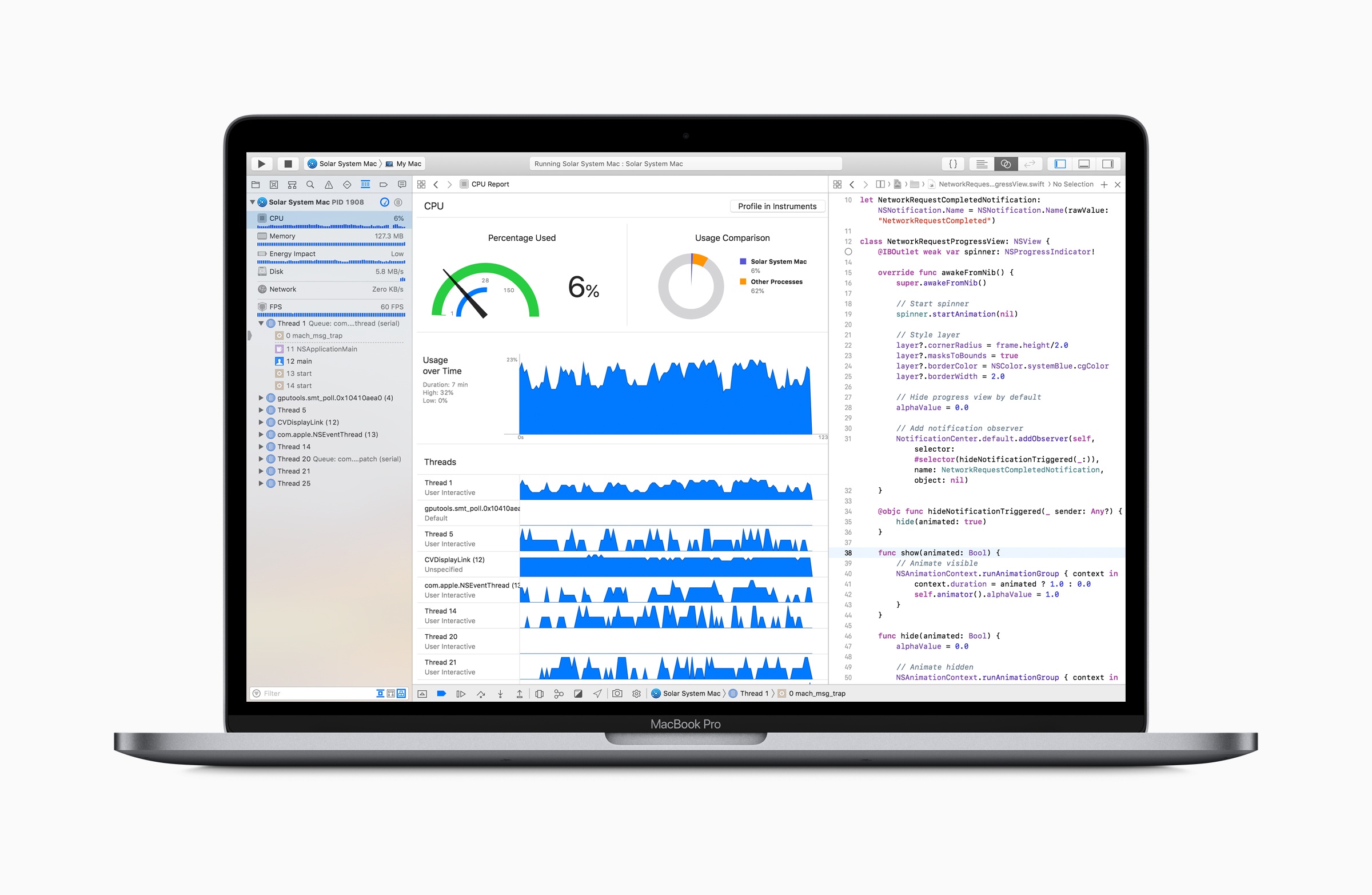
Marco Arment has revisited MacBook Pro battery life tests that he first ran in 2015 to see how his new 2018 13-inch MacBook Pro with a 2.7 GHz i7 processor and his 2015 2.2 GHz 15-inch MacBook Pro would fare under similar conditions. In 2015, Arment used an app called Turbo Boost Switcher to disable Turbo Boost on his laptop. This time around, he replicated disabling Turbo Boost on his 2015 MacBook, but on his 2018 model, he also limited the laptop’s power consumption using Volta.

Based on the results Arment concludes that:

the gain in battery life is about as large as the loss in heavy-workload performance. That’s a trade-off I’d gladly make when I need to maximize runtime.

The best bang-for-the-buck option is still to just disable Turbo Boost. Single-threaded performance hurts more than with wattage-limiting, but it’s able to maintain better multi-threaded performance and more consistent thermals, and gets a larger battery gain relative to its performance loss.

Running an app like Turbo Boost Switcher is worth considering when you have work to get done because it can mean the difference between your MacBook’s battery making it through a long flight or not. However, I’m with Arment – I’d prefer to run an iOS-like Low Power Mode for Macs that is implemented at the OS level and makes intelligent choices about what activities to stop or slow down. To get an idea of the sorts of things that might be throttled in a macOS Low Power Mode, check out the long list compiled by Arment.

Permalink

Apple Q3 2018 Results: $53.3 Billion Revenue, 41.3 Million iPhones, 11.6 Million iPads Sold

Apple has just published its financial results for Q3 2018. The company posted revenue of $53.3 billion. Apple sold 11.6 million iPads, 41.3 million iPhones, and 3.7 million Macs during the quarter.

“We’re thrilled to report Apple’s best June quarter ever, and our fourth consecutive quarter of double-digit revenue growth,” said Tim Cook, Apple’s CEO. “Our Q3 results were driven by continued strong sales of iPhone, Services and Wearables, and we are very excited about the products and services in our pipeline.”

Read more


Spect: Simple Image Management on the Mac

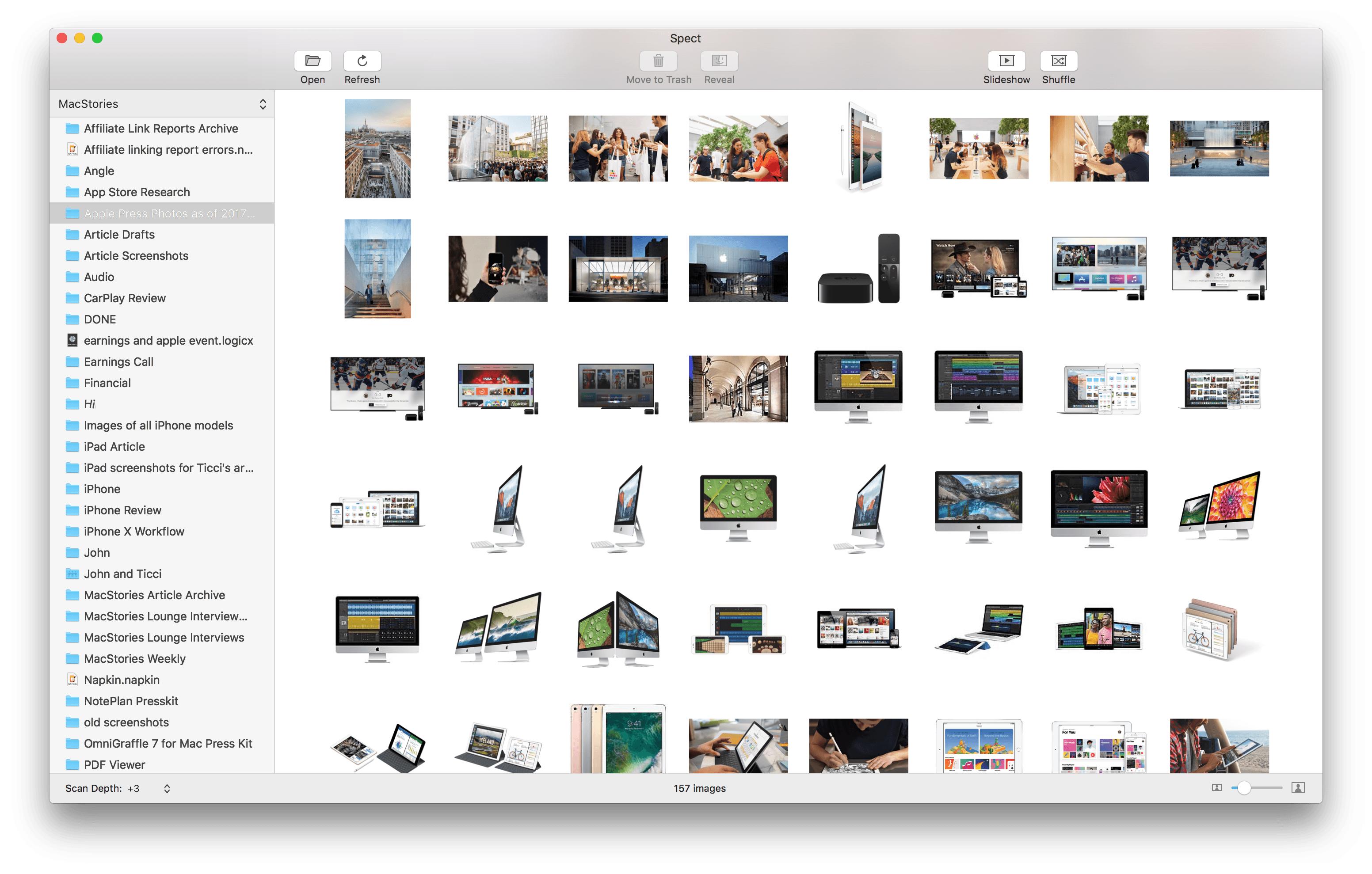
Spect from Steven Frank is based on a single, straightforward idea: separating image navigation from the Mac’s folder hierarchy. Point the app at a folder and tell it how deep to peer into subfolders and the app quickly generates thumbnails of the images to that depth of the folder structure. If you’ve ever found yourself drilling down into folders and subfolders only to have to back out and follow another path, you’ll understand the power of Spect immediately. The app saves users from a tremendous amount of clicking around.

Just like the Finder, your image thumbnails can be resized with a slider in the lower righthand corner of the window. In the bottom lefthand corner is where you specify how deep Spect should look into your folders.

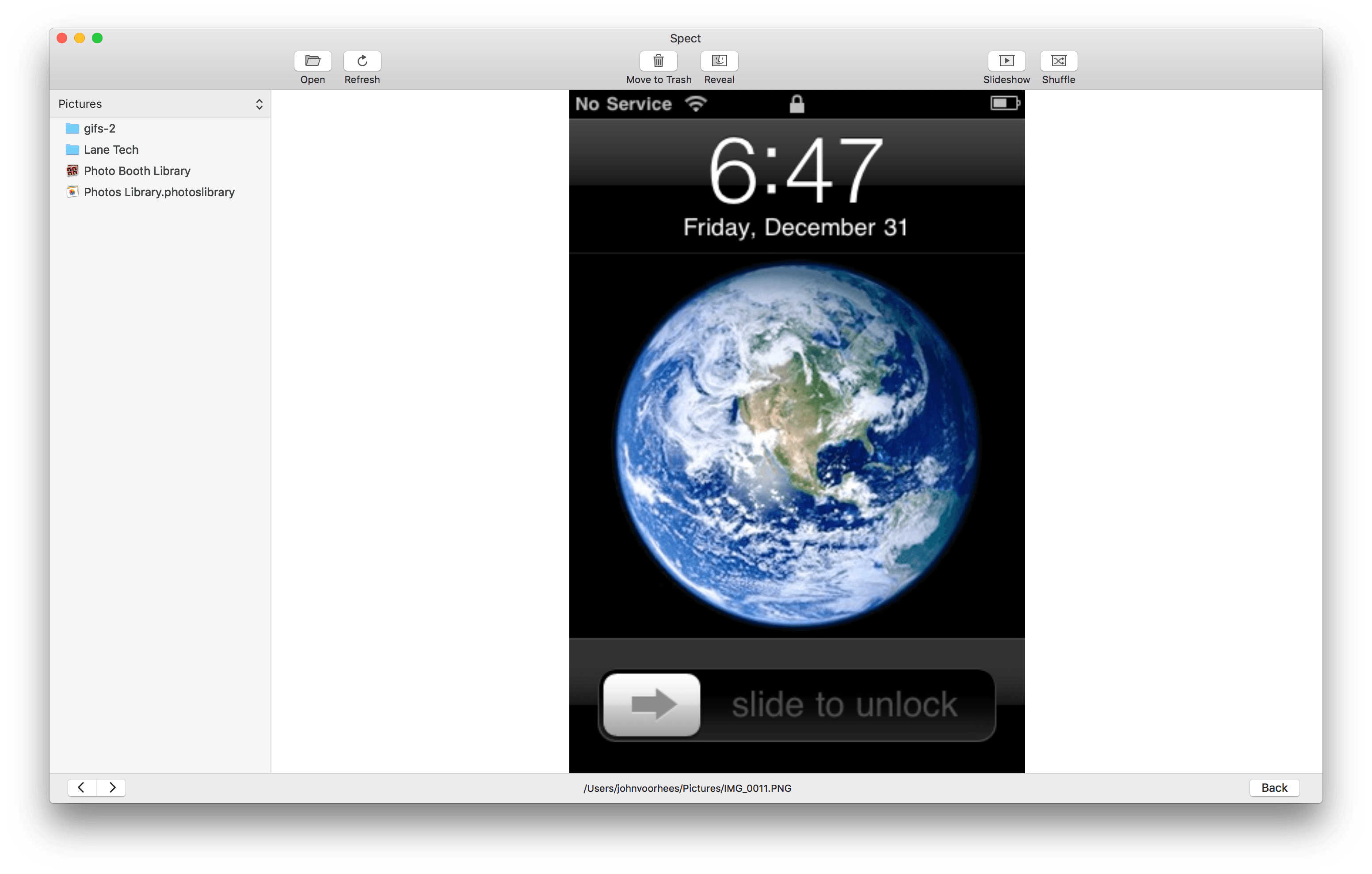
Highlight an image and hit the space bar to toggle preview mode, which fills the window with the selected image. In preview mode, there are navigation arrows in the lower lefthand corner of the window so you can advance through your images one at a time.

Previewing an image in Spect.

Previewing an image in Spect.

Spect can display a wide variety of image formats including JPG, PNG, HEIC, RAW, GIF, and PDF. It’s worth noting, however, that Spect is not a replacement for a PDF document viewer. The app is designed for images and can only display the first page of a document-based PDF.

The toolbar at the top of the window has buttons for moving images to the Trash and revealing them in the Finder that are excellent for basic organization. There are also Slideshow and Shuffle buttons in the toolbar, which are a handy way to create a quick slideshow of images from several folders at once. By default, images change every four seconds, but that can be adjusted in the app’s Preferences.

One preference I’d like to see added to Spect is a way to limit which types of image files are displayed in the app. For example, I’d like the option to exclude PDF files, which in my case, are usually documents that I don’t want to see when I’m browsing photos and screenshots. Spect includes drag and drop support for moving images from Spect to different Finder folders, but it would also be handy to be able to create new folders from inside Spect and move photos into them without switching to the Finder at all.

Spect isn’t designed to replace a photo management tool like Adobe Lightroom. Instead, its power lies in its simplicity and the speed with which you can triage a collection of images without getting lost in a complex folder structure. In the two days I’ve been using it, Spect has already helped me understand what images I have and organize them better. For example, I located Apple press photos scattered throughout multiple folders and consolidated them into one folder. I also quickly scanned and retrieved images I wanted to save from my Downloads folder and deleted the rest. If you work with images on a Mac, Spect is a utility you should definitely check out.

Spect is available on the Mac App Store for $4.99.


Logitech Purchases Blue Microphones to Better Serve Gamers, Podcasters, and More

Logitech is expanding its lineup of tools for content creators by acquiring the popular microphone company Blue. From Blue’s announcement post:

Logitech has announced plans to acquire Blue Microphones—and we are super excited about it! Blue’s mission is to help our users find and amplify their voice by making the coolest microphones on the planet, and we’re going to keep doing exactly that. With Logitech’s vast resources behind us, we can be supercharged. We can be better, stronger, faster…

The union of the companies makes a lot of sense, as each creates gear in overlapping domains like gaming, YouTube, and podcasting.

We both have strong brands in the gaming market. We make the most popular streaming mic, they make the most popular streaming cam. And we both want to put excellent, high-performance gear on every desktop.

Blue also makes professional-level microphones for musicians, but to most consumers the company may be best known for its Yeti and Snowball mics, which are favorite choices among podcasters. It will be interesting to see how Blue’s additional resources enable it to better serve the needs of its existing customer base.

Permalink


AppStories, Episode 72 – What Makes an App a Pro App?

On this week’s episode of AppStories, we consider the elements that make an app a pro app.

Sponsored by:

  • Linode – High performance SSD Linux servers for all of your infrastructure needs. Get a $20 credit with promo code ‘appstories2018’
  • Daylite – The Mac CRM that makes your business run smoother.
AppStories+ Deeper into the world of apps

AppStories Episode 72 - What Makes an App a Pro App?

0:00
34:40

AppStories+ Deeper into the world of apps

Permalink

Soulver: A Notepad Calculator for Doing Calculations and Figuring Stuff Out [Sponsor]

If you’ve ever sat down with a pen and piece of paper to work out calculations, you’ll understand the power of Soulver immediately. The Mac and the iOS apps are part text editor, part calculator and work the way you think by letting you combine text and numbers on the same page.

For anyone who spends more time in a text editor than a spreadsheet app, Soulver is perfect. By mixing text and figures, a Soulver document becomes a roadmap making it easy to retrace your steps when you revisit your work later. Instead of guessing what all the numbers on a page mean, you can give each a descriptive label and add other text providing context. Writing calculations in plain English is faster than using a spreadsheet too because you don’t have to stop to consider what formulas to apply to which cells.

Best of all, Soulver approximates how you’d solve the same problems with a pen and paper, making it intuitive, but also better because the calculator is built right into the page. As you type on the left side of a document, Soulver keeps track of the math on the right-hand side with syntax highlighting that makes the calculations simple to follow.

Soulver is smart too. It keeps a running total of all lines in a document, and it can look up currency conversion rates, stock prices, and commodity values for things like gold and oil. The app handles all sorts of conversion rates too from weights to cooking units and much more. Students and programmers will appreciate features like the built-in trigonometry functions as well as the ability to calculate values in binary and hex.

To learn more, check out Soulver’s website or download both versions today from the Mac App Store and iOS App Store.

Our thanks to Soulver for sponsoring MacStories this week.