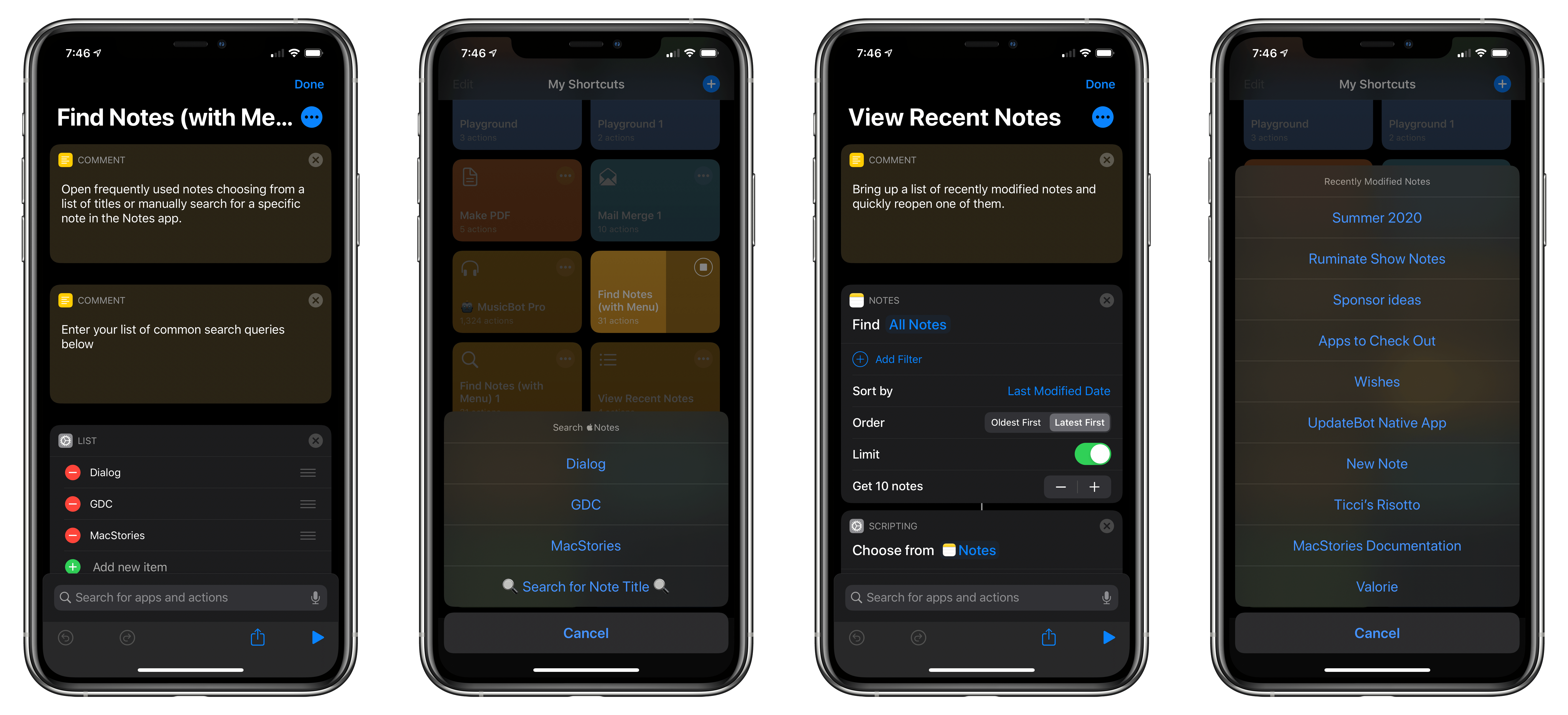
Whether you have hundreds of notes and are looking for a way to sift through them, or you want a quick way to create a note or add to an existing one, Shortcuts is a terrific solution. I have about 300 notes. That’s a lot, but I know people with many more. Between pinning and sorting by date modified, my notes are manageable, but often I find myself searching for a bit of information I stored away months ago. That’s why I want to kick off a pair of Shortcuts Rewind installments with two shortcuts to help you locate existing notes. In a future installment, I’ll tackle note creation.
Apple’s Notes app has built-in search, and its sorting is powerful, but with Find Notes (with Menu) and View Recent Notes, you can create a customized system that takes you to your most-used notes faster, regardless of whether you are working in the Notes app.
Aside from the utility of the shortcuts themselves, these two shortcuts are also an excellent way to dig into Shortcuts’ scripting actions. As I walk through each shortcut, you’ll see how picking from lists works and use a counting script action to tie a shortcut’s behavior to the number of items found. I’ll also briefly revisit If and Otherwise actions, a staple of many shortcuts.