This Week's Sponsor:

SoundSource

New Year, New Audio Setup: SoundSource 6 from Rogue Amoeba


Immersive Lakers Game Now Widely Available on Apple Vision Pro

Last Friday, basketball fans in the Los Angeles Lakers market got their first glimpse of an immersive live game when the Lakers faced the Milwaukee Bucks on Spectrum Front Row on Apple Vision Pro. While that experience was limited geographically and only available to Spectrum customers via the Spectrum SportsNet app, the game replay is now available widely and for free in the NBA app. Vision Pro users in eligible regions outside Lakers territory can download the app, sign up for an NBA ID, and stream the game replay and highlights today. The full schedule and availability of immersive Lakers games were announced last week.

Being from Arkansas and not California, I missed out on the live premiere, but I was able to check out the game replay on my Vision Pro yesterday, and the experience was fantastic. Most of the game was shown from a front-row courtside perspective, which meant I was literally turning my head from side to side as the teams moved up and down the court. It was very different from the bird‘s-eye view I’m used to watching televised sports from, and it really gave me the impression of being in the arena. At one point, when a member of the Lakers scored a point, I felt the urge to start clapping as if they could hear me, even though I was sitting in my bedroom, not at the Lakers game.

There were several other camera angles that the broadcast cut to from time to time. The behind-the-basket view was a fun way to take in the action when someone was about to score, and there was a roaming camera that brought you onto the court itself before the game and during halftime as well. The cuts were sparing, which made the whole experience feel less jarring than some of the immersive sports highlights we’ve seen on Vision Pro before, but the combination of immersive video and multiple angles offered the best of both worlds. It felt like I was actually there taking in the game, and no matter what was happening, I always got to see it from the best angle.

Even if you’re not a big fan of basketball or the Lakers, it’s worth checking out the replay to see what the experience is like. Right now, broadcasting a game in this way is a big undertaking, but I have a feeling it will only become more and more common with time. If this concept eventually expands to other sports and live experiences like concerts, theatrical performances, and more, it would make a really compelling case for the Vision Pro and the sorts of capabilities only visionOS can offer.


Apple Confirms AI Partnership with Google

Apple has confirmed to CNBC that it has entered into a multi-year partnership with Google to use the search giant’s models and cloud technology for its own AI efforts. According to an unnamed Apple spokesperson:

After careful evaluation, we determined that Google’s technology provides the most capable foundation for Apple Foundation Models and we’re excited about the innovative new experiences it will unlock for our users.

The report still leaves many questions unanswered, including how Gemini fits in with Apple’s own Foundation Models and whether and to what extent Apple will rely on Google hardware. However, after months of speculation and reports from Mark Gurman at Bloomberg that Apple and Google were negotiating, it looks like we’re on the cusp of Apple’s AI strategy coming into better focus.


UPDATE:

Subsequent to the statement made by Apple to CNBC, Apple and Google released a slightly more detailed joint statement that Google published on X:

Apple and Google have entered into a multi-year collaboration under which the next generation of Apple Foundation Models will be based on Google’s Gemini models and cloud technology. These models will help power future Apple Intelligence features, including a more personalized Siri coming this year.

After careful evaluation, Apple determined that Google’s Al technology provides the most capable foundation for Apple Foundation Models and is excited about the innovative new experiences it will unlock for Apple users. Apple Intelligence will continue to run on Apple devices and Private Cloud Compute, while maintaining Apple’s industry-leading privacy standards.

So, while the Apple Foundation Models that power Apple Intelligence will be based on Gemini and unspecified cloud technology, Apple Intelligence features themselves, including more personalized Siri, will continue to run locally on Apple devices and on Apple’s Private Cloud Compute to maintain user privacy.


Copilot Money: The Apple Editor’s Choice App for Managing Your Money [Sponsor]

Copilot Money, the only personal finance app to win an Apple Editor’s Choice award, now gives you a seamless, cross-device way to manage your money across iPhone, iPad, Mac, and Web.

With Copilot’s beautifully designed interface and powerful financial insights, you can see your spending, budgets, investments, and net worth all in one place. Everything syncs automatically across devices, so whether you’re at your desk or on the go, you always have an up-to-date picture of your finances.

Copilot is built to help you go deeper without feeling overwhelmed. Transactions are intelligently categorized, trends surface automatically, and insights are presented in a way that feels intuitive and confidence-building, not stressful.

Whether you’re tracking monthly spending, planning ahead, or working toward long-term goals, Copilot’s unified dashboard helps you feel clear, calm, and in control of your money.

Copilot Money is offering MacStories readers an extended two-month free trial with code MACSTORIES. Plus, for one more week, you can save 26% on your first year through the link below.

? Visit Copilot Money to explore the app and start your extended free trial today. Offer available to new users only, exclusively through this link.

Our thanks to Copilot Money for sponsoring MacStories this week.


A Very Nerdy Holiday Break

This week, Federico and John are back from their holiday break, included so many hardware and automation projects that this is part one of a two-part episode regarding Federico’s networked music automation setup and John’s new research tool.

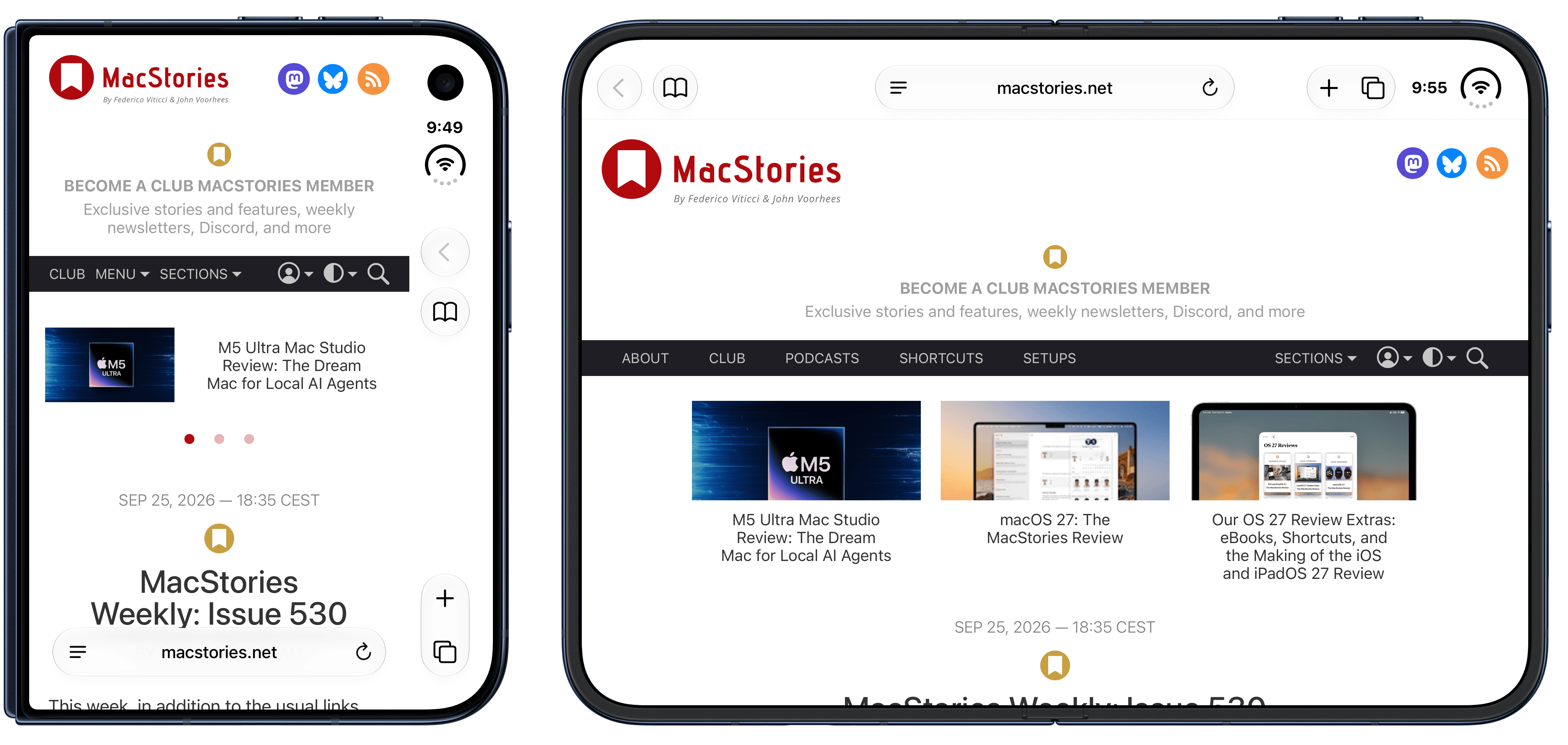
On AppStories+, Federico shares his foldable phone experiments.


We deliver AppStories+ to subscribers with bonus content, ad-free, and at a high bitrate early every week.

To learn more about an AppStories+ subscription, visit our Plans page, or read the AppStories+ FAQ.


AppStories+ Deeper into the world of apps

AppStories Episode 467 - A Very Nerdy Holiday Break

0:00
47:53

AppStories+ Deeper into the world of apps

This episode is sponsored by:

Read more


Podcast Rewind: Tech Predictions, A New Game Show, and Weird CES Returns

Enjoy the latest episodes from MacStories’ family of podcasts:

Comfort Zone

Last week was the annual predictions episode! The gang reflected on their predictions from 2025 and then made their Guaranteed To Be Correct Predictions for 2026. No boring predictions here; we started at Pro predictions and went all the way to Pro Max.

Last week’s Cozy Zone had everyone discussing the tricky business of streaming music and how we actually get artists paid.

And this week, Matt needs some help figuring out what browser to use, Niléane has a new game show, and Chris challenges the gang to clean up their desk area.

On this week’s Cozy Zone, the gang discusses their tech white whales. If they had unlimited funds, what would they buy? A nice camera? A beefy computer? A whole company?!

MacStories Unwind

This week, Federico and John share how they unwound during their holiday break, John has a report on CES 2026, Federico recommends Avatar: Fire and Ash, and John does a Parks and Rec rewatch and has a superhero movie deal for listeners.

Read more


My Favorite Gear From CES 2026 – and Some Weird and Wonderful Gadgets, Too

It’s CES time again, which means another edition of our annual roundup of the most eye-catching gadgets seasoned with a helping of weird and wonderful tech. I’m sure it will come as no surprise that robots, AI, and TVs are some of the most prominent themes at CES in 2026, but there’s a lot more, so buckle in for a tour of what to expect from the gadget world in the coming months.

AR Glasses

Viture encourages customers to both unleash and embrace The Beast. Source: Viture.

Viture encourages customers to both unleash and embrace The Beast. Source: Viture.

I first tried Xreal AR glasses shortly before the Vision Pro was released. The experience at the time wasn’t great, but you could see the potential for what has turned out to be one of the Vision Pro’s greatest strengths: working on a huge virtual display. There’s also a lot of potential for gaming.

It looks like the tech behind AR glasses is finally getting to a point where I may dip in again this year. Xreal updated and reduced the price of its entry-level 1S glasses, which will make the category accessible to more people.

The company also introduced the Neo dock, a 10,000 mAh battery that also serves as a hub for connecting a game console or other device to its AR glasses. Notably, the Neo is compatible with the Nintendo Switch 2, which caught my eye immediately.

Read more


Coming Soon: What’s Next on Apple TV and Apple Arcade in January 2026

To ring in the new year, Apple has a great lineup of returning Apple TV shows and brand-new Apple Arcade games on the way, with everything kicking off later this week. Here are the highlights.

Apple Arcade Games (January 8)

On January 8th, Apple will release four new games:

  • True Skate+: a skateboarding simulator with realistic physics that’s set in more than 20 real-world locations. The game has been available on the App Store for years, but now Arcade subscribers can play on their iPhone and iPad, or even stream a game via AirPlay to an Apple TV without the In-App Purchases.
  • Sago Mini Jinja’s Garden: a family game that lets preschool-aged kids explore gardens, cook, and harvest ingredients in three distinct 3D areas.
  • Cozy Caravan: another family-friendly game where kids can create and play as an animal character, make meals, and enjoy activities like fishing and games, all while preparing for the Whizz Bang Fair.

  • Potion Punch 2+: a restaurant management simulator where you manage a variety of shops like the Potion Café or Enchantment Shop. The app features a fantasy theme filled with magic and monsters with an amusing storyline.

Then starting this Friday, a host of new Apple TV shows will begin to appear:

Tehran, Season 3 (January 9)

The International Emmy Award-winning Israeli spy thriller returns for its third season with Hugh Laurie, who joins the cast as a South African nuclear inspector. Created by Moshe Zonder, Dana Eden, and Maor Kohn, the series follows Mossad agent Tamar Rabinyan (Niv Sultan) as she takes on dangerous missions deep inside Iran. After going rogue at the end of season two, Tamar fights to win back the Mossad’s support and survive, with the eight-episode season directed by Daniel Syrkin.

Add to your Calendar:

Hijack, Season 2 (January 14)

I loved season one of this series starring Idris Elba, who returns as corporate negotiator Sam Nelson in this real-time thriller. After saving a hijacked flight last season, Sam finds himself at the center of a new crisis on a Berlin underground train. The eight-episode season includes new cast members Toby Jones, Lisa Vicari, and Clare-Hope Ashitey, with returning stars Christine Adams, Max Beesley, and Archie Panjabi.

Add to your Calendar:

Read more


macOS Tahoe’s Messy Menus

Nikita Prokopov writing on tonsky.me about macOS Tahoe’s menu icons:

In my opinion, Apple took on an impossible task: to add an icon to every menu item. There are just not enough good metaphors to do something like that.

But even if there were, the premise itself is questionable: if everything has an icon, it doesn’t mean users will find what they are looking for faster.

And even if the premise was solid, I still wish I could say: they did the best they could, given the goal. But that’s not true either: they did a poor job consistently applying the metaphors and designing the icons themselves.

It’s a brutal assessment of the sprinkling of iconography throughout Tahoe’s menu system that had me nodding along in agreement as I read it.

There’s no denying the inconsistencies in icon choices, their lack of legibility, and the overall clutter added to menus. Yet at the same time, I can’t say I’ve been terribly bothered by them either. That’s probably because I use keyboard shortcuts and launchers so much, rarely relying on the Mac’s menu system. At the same time, though, part of me wonders whether those tiny icons are at least partially what drove me to buy a bigger monitor recently. I don’t think so, but maybe?

In any event, if you care about design, Prokopov’s detailed and well-illustrated analysis of Tahoe’s menu icons is well worth your time.

Permalink