Keep Track of Your Bills with Chronicle 3. Review and Giveaway!

I’ve never used financial apps that much. Maybe ‘cause I don’t have a good relationship with numbers at all, maybe because I just didn’t find the right app for me. The truth is, I never felt the need of having a financial manager anyway. Then I realized that keeping track of my expenses was actually an important thing, so I decided that I should start using some software to help me track my budget and some other stuff. I started using MoneyBook, and I’m still using it right now: awesome interface, easy to use, feature rich. It’s just perfect to me.

But what about the Mac? I heard that are a lot of different financial apps out there, some of them even support online banking, some have a stunning UI, but - seriously - none of them really suited to my needs. Guess I just wanted the perfect Mac version of MoneyBook, but don’t tell this to Silvio Rizzi or he’ll drop the iPhone development scene to create Mac apps. But finally - just like happened with MoneyBook - I found the app that works for me. It’s simple yet powerful, with all the features that I need and a very good interface.

It’s called Chronicle 3.
Read more


Apps for Fuels, Not Fools.

The simple, single-purpose app is the iPhone at its most handy: even better when there’s competition between apps to do “that one task I need”. What we’re looking for today is the app that can track how much petrol my car uses, how much it cost, and then how far I managed to drive on that fill up. I’m looking for something that’s quick and simple to use, looks and feels like an iPhone app should, and if it can draw me a graph, even better.

Regardless of whether you’re a hypermiling windows-up A/C off kind of driver or not, it’s good to keep track of your fuel use - is your awesome new route to work costing you more, or less; and IS your car running worse than 6 months ago? With 30 seconds of data collection each time you fill up, you’ll know.

Read more


Tweet What You’re Listening To With PodTweet

While it’s true that I daily discover new stuff like Mac and iPhone apps with Twitter, I can’t say the same for new music. If I want to listen to new bands or interesting albums I still have to read dozens of music blogs and magazines, because people don’t seem to share their music discoveries on Twitter. And that’s pretty weird actually, ‘cause we share almost everything that happens to us on Twitter. God knows. Anyway, if you have an iPhone / iPod Touch and you use it to both tweet and listen to your music - have you ever thought of combining these two things into one?

Here comes PodTweet.

Read more


Today 2.0 Is Out

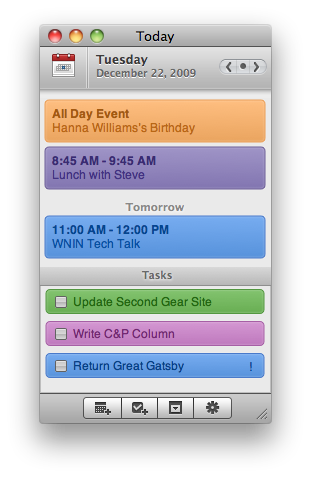
“With Today you can keep track of what’s on your plate for any given day without keeping iCal open all the time. Today syncs with iCal and your life’s agenda so daily events & tasks are always available via one, convenient little interface.”

Seems delicious. I’ll give it a try.


Notify Winners Announced

Thanks everyone for the support and the comments! Also, I’d like to thank the Vibealicious team for giving us these 5 licenses to give away.

Now, here are the winners:

Ned Falconer

iMaddin

Kévin

Rich Cousins

Jimi

You’ll receive the license straight in your inbox in a matter of a few hours.

Cheers!


Sneak Peek of Synotes, Syncode’s New Application

Seems like the Syncode guys are working really hard these days. After the release of Syncopy, the application that allows you to share your Mac clipboard on multiple Macs and iPhone which I reviewed here, they’ve just announced their new application called Synotes.

From the official page:

“Synotes is a simple yet powerful note taking and management solution for iPhone and iPod touch and the web. Synotes uniquely provides users with simple yet stylish user interface created to be unique yet intelligent.

Synotes consists of an iPhone application and a web application, both in sync through smart cloud technologies we call ‘Smart Sync’. Both applications feature beautiful interfaces that are sophisticated yet subtle, but also contain powerful features to create a user friendly experience.”

And here are two screenshots of the upcoming iPhone app (currently awaiting approval by Apple) and the web app I’m testing:

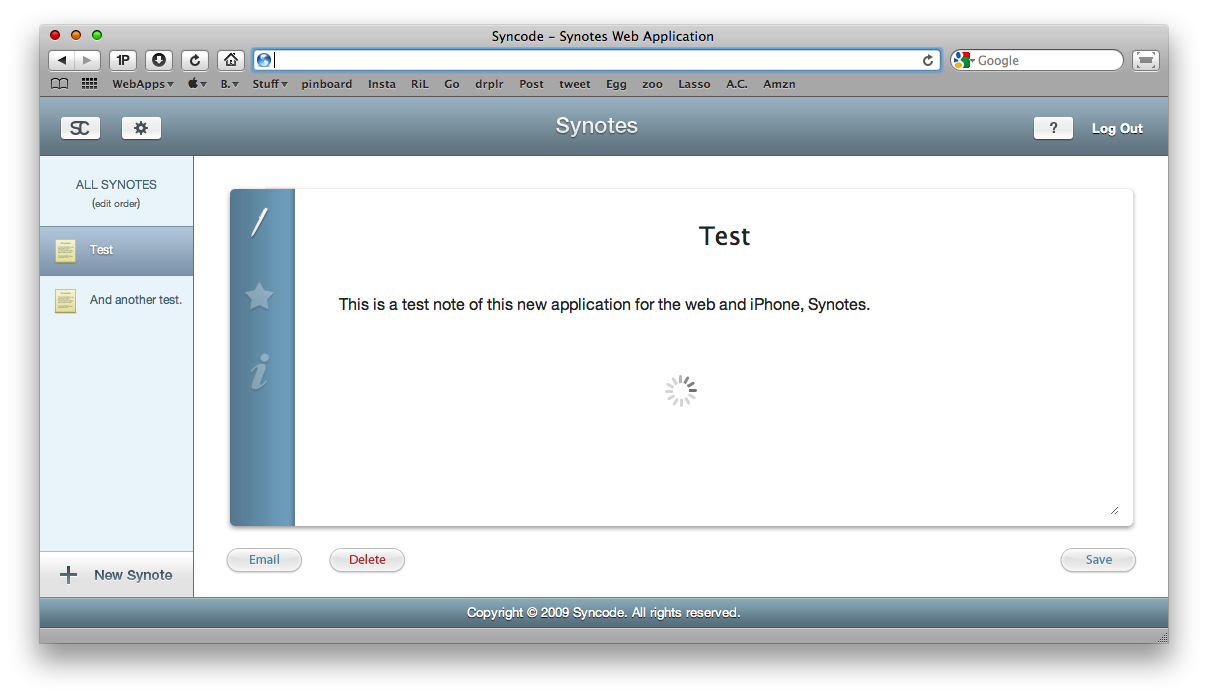
Synotes Web App

Synotes Web App

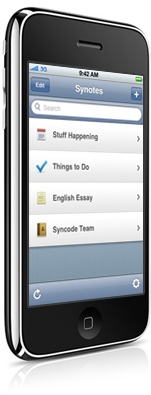
Synotes iPhone

Synotes iPhone

From what we can see now, the interface is cool and the iPhone application seems promising. The web app is smooth and powered by great animations.

I’ll be sure to check it out when it’s released.


3 Billion Apps.

“Three billion applications downloaded in less than 18 months—this is like nothing we’ve ever seen before,” said Steve Jobs, Apple’s CEO. “The revolutionary App Store offers iPhone and iPod touch users an experience unlike anything else available on other mobile devices, and we see no signs of the competition catching up anytime soon.”

…And still so many things to improve and fix. I hope the Tablet will help.


Keep Your Mac Healthy, Clean and Fast with CleanMyMac

Many people buy a Mac computer and think they would never have to do some maintenance, like they used to on Windows. This is partially wrong. Sure, there are no viruses / trojans / malwares but you have to clean up some stuff and free up some space from your hard drive as time goes by. Caches, log and language files, the infamous universal binaries: this stuff is using a lot of your drive’s space.

Today I’ll talk about what’s in my opinion one of the best (or maybe, the best) maintenance app for Mac OS X, CleanMyMac.

Read more