

Neven Morgan on 16:9→
Mailroom Winner Announced
Thanks everyone who entered the Mailroom giveaway. Also, I’d like to thank Dave Martorana for the license he gave to MacStories.
Here’s the winner:
Emory Dunn
Cheers!
More on Opera for iPhone
Mark Hattersley from MacWorld shares his thoughts about Opera for iPhone so far. Read the full entry here.
“Those familiar with Opera for Mobile will be aware that this is because of highly optimised code taking place away from the browser on Opera’s servers. Instead of contacting a server directly you are sending a request to the Opera server, which optimises the web site and pushes a compressed version to the iPhone.
[…]
t’s a fairly round specced browser as well. It has tabs (highly visual ones at the bottom of the screen) and passwords, bookmarks, and all the usual features. Like Safari on the iPhone you can zoom in automatically to text columns. But deep down it’s the speed that matters.
We note that the app we’re shown is marked Opera 5 Beta 2, and Opera has clearly been down this route before.”
The Complexities of the Filesystem
“The professional might need access to the filesystem and even need multitasking in order to debug or configure apps. That’s cool, you will have access to that, however it’s not going to be the default mode. It’s like a car, you don’t care about how the engine works, you just want to go from point A to B. If it breaks you can take it to a professional that has access to the engine (the filesystem) or become a hacker yourself and fix the engine.”
Inspirit Movist Mod
In case you missed it, Movist is a great alternative to VLC for Mac OS X that lets you perfectly play .mkv and many other file types in an elegant and minimal interface.
I’ve just found out this beautiful mod by dineinhell on Deviantart,which adds another bit of sexy to Movist’s original UI.
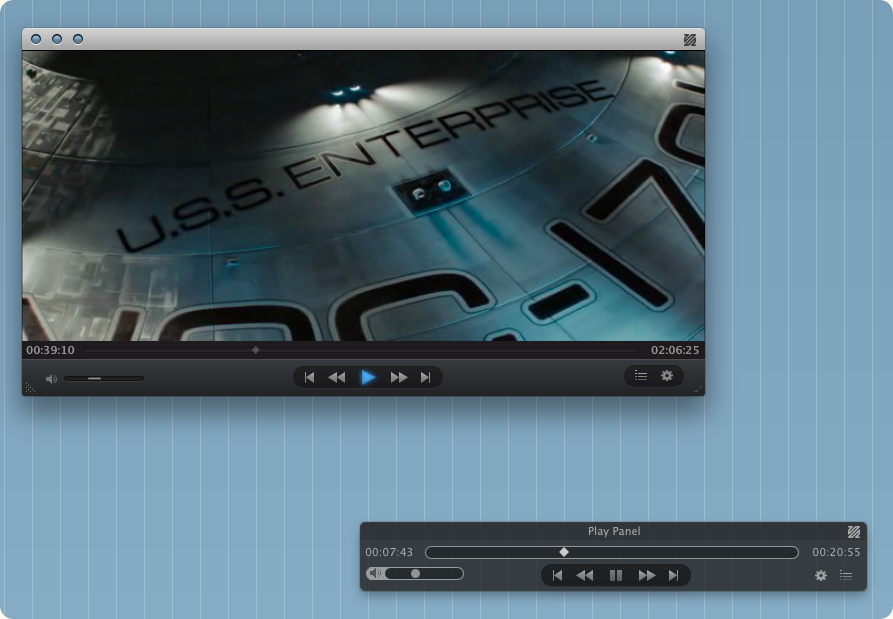
Go download it here.
iConvertX: Easy Video Conversion
I’ve always wanted a quick and easy way to convert movies to other formats. Ok, I know that there are tons of apps that allow you to convert videos to every format and such, but I’m not really that kind of user that requires God knows which bitrate customization. I just want it to work fine, in a simple and usable interface.
iConvertX (which has been updated to the 4.0 version) is a very straightforward application that does nothing but convert videos to other formats. You just have to drop a file onto the main window, choose a destination and the new format. Simple as that. It supports more than 20 file formats including .mov, .flc, .avi, .mp4, .divx and .mkv, but some of them require Perian to be installed. You can adjust some options before starting the conversion, like data and frame rate, key frames and “optimized for”. I didn’t do anything with this stuff, but you guys know what to do.
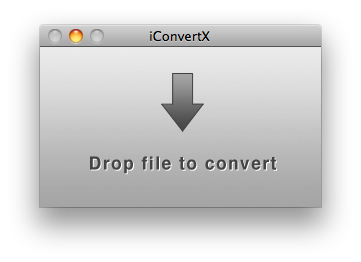
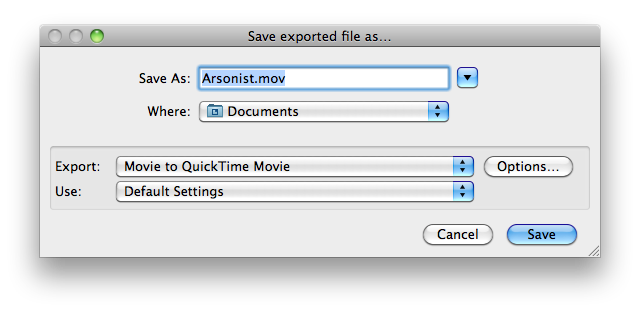
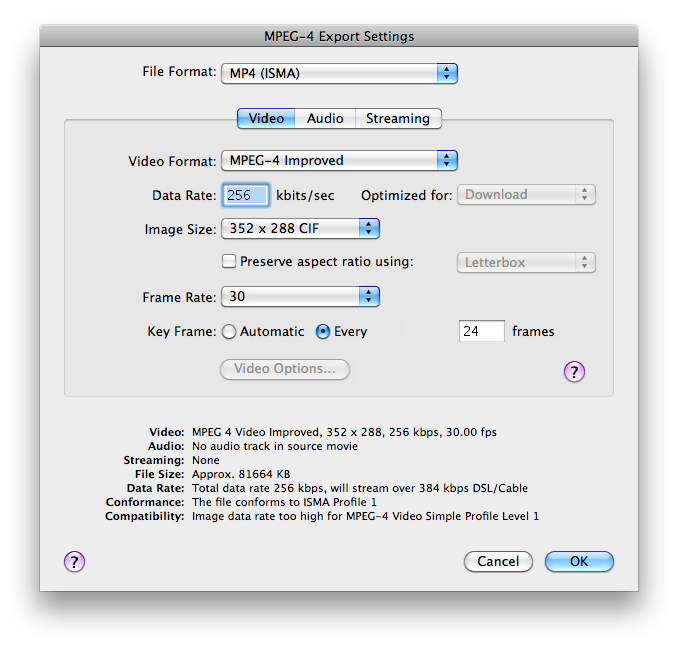
The app is built with simplicity in mind, and as far as I can tell - it works. You can purchase a license at $3.75 here, or either use it up to 5 times for free. Now, let’s hope the devs will ship an icon together with the app.
I’m sure that there are tons of apps like this out there. Have you got a suggestion? Feel free to share in the comments.
Mouse Path: It Knows Everything About You. And Your Mouse.
There are a lot of Mac apps that can track almost every little piece of your life: your finances, your tasks, your music, your dog, your girlfriend. Ok, maybe not the last one, though I’m sure someone’s thinking about it. But anyway, from today on you’ll be able to track what your fingers have done on your MacBook’s trackpad.
Anatoly Zenkov (art director and designer from Moscow) has developed MousePath, a simple .jar application that records your mouse / trackpad movements and displays them on a blank sheet as black lines and dots. Lines are the actual movements, dots are the moments of inactivity.
Isn’t this genius? Below there’s my path of 50 minutes of work today.
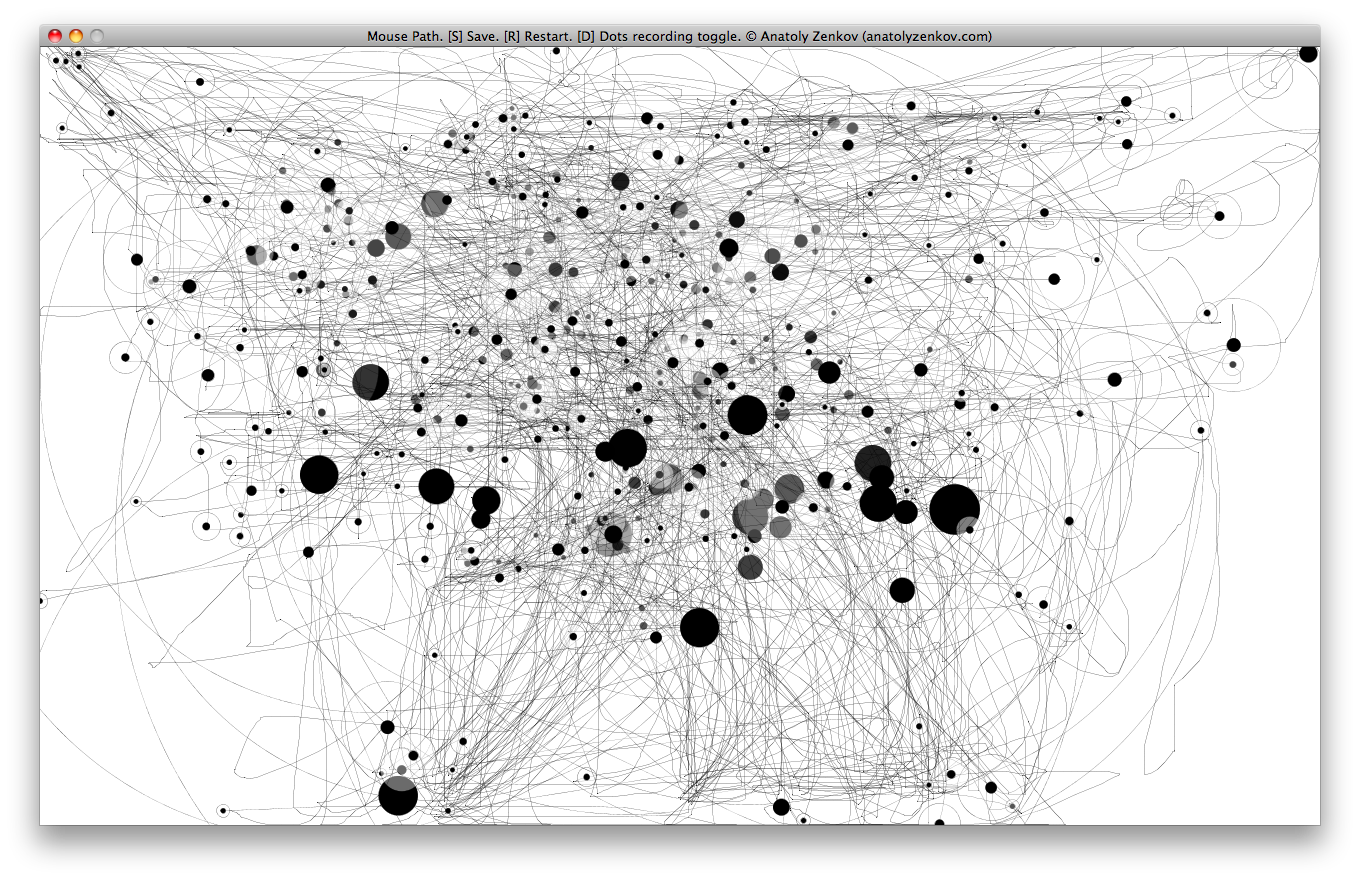
You can download the app here. Thanks to Door Sixteen for the heads up.
PositionApp: Keep Track of the Success of Your Apps
Have you ever wanted to know everything about all the App Stores out there? Which Twitter app sells the most in Italy, which note taking software is popular in Japan..that’s very likely if you’re a developer and you’d like to know how your app is going internationally, or if you’re a blogger and you’re always looking for new stuff. There are many applications for iPhone that let you discover new apps, like App Popular and App Saurus (I reviewed both of them here and here), but what about tracking existing applications? Wouldn’t it be great to see what kind of software sells well in Asia, or how a price change affected the charting position of an app?
Today I’ll talk about PositionApp, a new app for iPhone that lets you do this and so much more.
Instapaper Greystyled
Do you remember Instapaper Threestyled? It was that great userscript by @elasticthreads I once talked about here. Well, since Marco Arment updated Instapaper’s web interface some weeks ago, that update broke the userstyle.
Fortunately, elasticthreads has been working on a completely new style for Instapaper, which is perfect both for browsers (in my case, Safari) and a Fluid app. It’s called Instapaper Greystyled, and you can download it here. (Fluid version)

Be sure to have Greasekit installed or the userstyle won’t work.