Make your Grade with Grades. Exclusive Preview and Giveaway.

This afternoon was full of mystery and intrigue. Adventure and possibilities. Mexican and and iPhone-app’ness. Over fine Spanish cuisine, I met with iPhone developer Jeremy Olson (@jerols on Twitter – if you aren’t following him you should) who runs a great blog over at Tapity.

For a few hours, we discussed all things iPhone and iPad, covering everything from marketing, to design, to an app I’d like to share with you all today. Students rejoice, because the age old question of, “What do I need to make on my test to get an A?” has finally ben answered.

Meet Grades.

Read more


Easy Forecasts with The Weather for iPhone. Review and Giveaway.

It’s 9am in the morning here in Viterbo, Italy. It’s sunny outside, I’ve slept 5 good hours, girlfriend is still sleeping but the Espresso machine is already on ready to get rolling for some good black coffee. The day couldn’t have started better than this. Also, inbox is full and the phone doesn’t have too many missed calls. Hell, the world loves me today.

This is how I wake up pretty much everyday. I know, I have a damn good life around me. But you know, there’s something missing from the typical out-of-bed, ready-to-work workflow I described above: checking the actual weather for the day, and the upcoming days. I don’t know why, I’ve always been used to checking the forecast since I was kid; I remember that back then I watched the tv every morning before going to school, but being evolved into the perfect web 2.0 guy, the iPhone does the job quite perfectly now. And so before the making of the coffee (real espresso, not that Starbucks fake shit you americans drink) comes the “let’s check the weather” moment where I sit down, wake up the dog and fire up Outside to see what the temperature is like and what’s gonna happen during the week. Outside is a great and well designed app by Robocats, be sure to read our review if you missed it.

Today I’d like to talk about this new and simple application called “The Weather” which allows you to quickly see what the temperature’s like and get a basic forecast for the week. Also, we’ve got 9 promo codes to give away.

Read more


MacKeys Converts Keys to Unicode Characters In Seconds

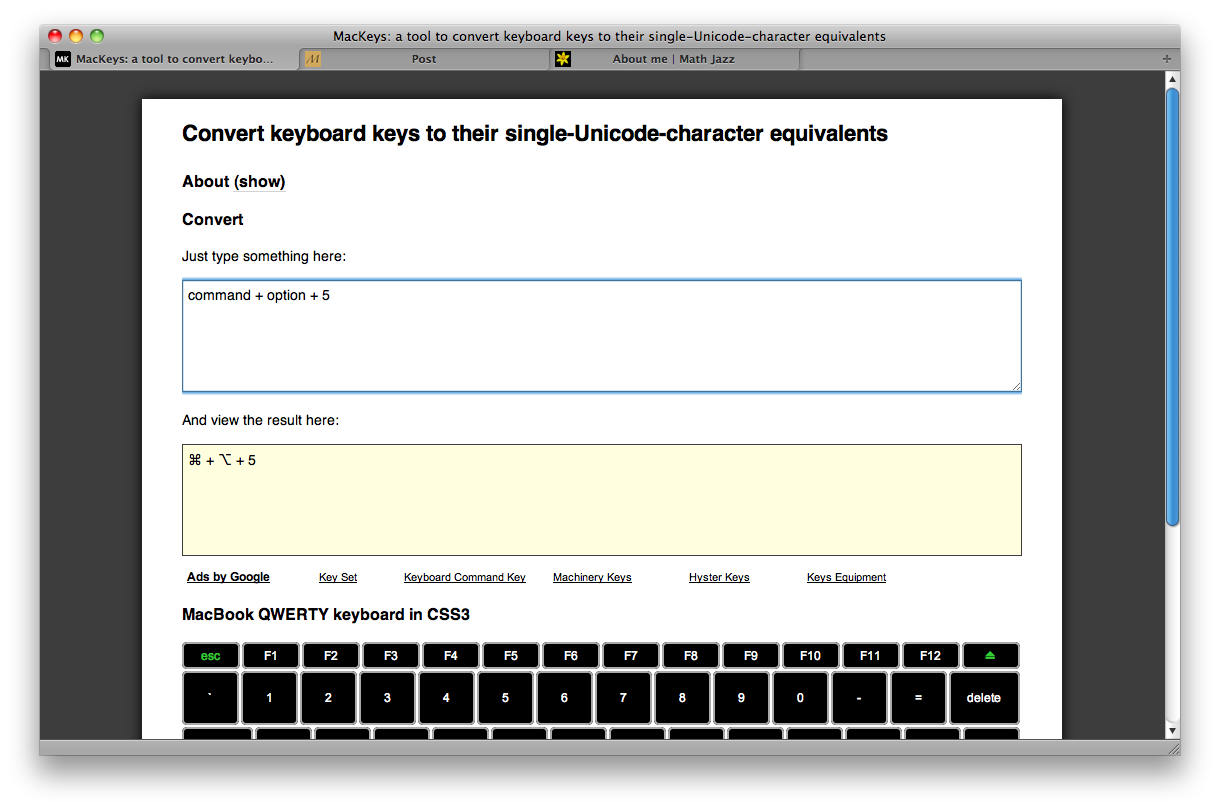
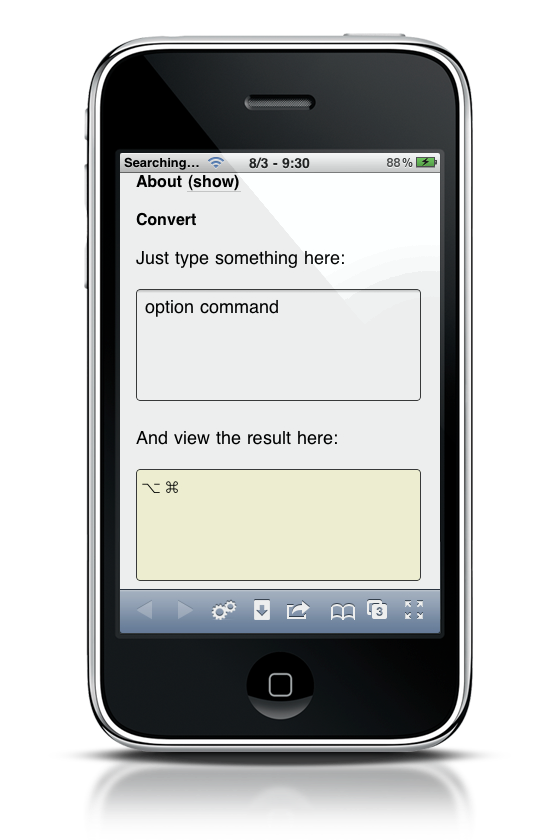
If you ever wished to have those neat Unicode characters (like these ⌘ ⇧) in a matter of a few seconds without having to previously save them in a text file, then MacKeys’ website is aimed at you. Created by Mathias Bynens, there are basically to text input fields, you write something like command + option + 5 in the top one and boom, here’s the Unicode version in the bottom one.

Also, you can press the keys on the CSS3-powered keyboard at the end of the page. Oh, and don’t forget that there’s the iPhone version of the website too.

Bookmarked.


Cinder, Previously Known as LittleSnapper for iPhone. Ember Client.

LittleSnapper is a very good application, so good that it’s basically always open on my Mac and sitting into the dock. But this is an old story, you can just read our huge review about it if you missed it. What’s important about LS, and thus the reason I had to mention it here, it’s that Realmac Software, the guys behind LittleSnapper, created a social network / image sharing service called Ember (and previously known as QuickSnapper) which integrates with LittleSnapper and lets you share pictures, screenshots and stuff that you find inspiring. You can create collections, fave images, follow and unfollow people to receive updates about what they do on Ember directly in your Dashboard. It’s awesome, and a pro Ember account gives you access to lifetime LittleSnapper upgrades. Be sure to follow me on Ember to stay updated with my pictures stream.

Anyway, we’re not going to talk about LittleSnapper again. Well, actually yes - let me explain the situation. LittleSnapper was available for the iPhone too, and it was a good app in my opinion. Sure it was deeply different from the Mac version (mainly thanks to Apple’s SDK limitations) but overall, it was a damn great utility to take photos / websnaps and upload them to Ember. Eventually Realmac quit the development of LittleSnapper to focus on Mac OS X development and sold the whole LS app to BitBQ, which started working on a full porting of the old application to make it work with Ember.

The app is now out in the AppStore, it’s called Cinder and it’s free for a limited time. I’ve been testing Cinder for a few weeks now, read on to find out if it’s a worth successor to LittleSnapper.

Read more


Save Your Notes in the Menubar with QuickNote

Whether you want to jot down a quick note for yourself or save some information from the web, Mac OS X doesn’t offer a default solution for this. Well, you could leave TextEdit running all the time and create a new document everytime but that’s a low process that is likely to end up with dozens of files on your hard drive. Or, you could use Yojimbo to capture anything you want and that sounds reasonably good. But you agree with me that there must be a better way to store quick notes.

QuickNote is a new app from Snarbsoft, designed by Laurent Baumann, which runs in the menubar and allows you to easily capture text notes.

Read more


Write in Markdown with TextMate, Sync Everything with Notational

I suppose you already know what Markdown* is. For those who don’t know, let’s quote a few paragraphs from John Gruber’s Daring Fireball:

Markdown is a text-to-HTML conversion tool for web writers. Markdown allows you to write using an easy-to-read, easy-to-write plain text format, then convert it to structurally valid XHTML (or HTML)

Thus, “Markdown” is two things: (1) a plain text formatting syntax; and (2) a software tool, written in Perl, that converts the plain text formatting to HTML. See the Syntax page for details pertaining to Markdown’s formatting syntax. You can try it out, right now, using the online Dingus.

The overriding design goal for Markdown’s formatting syntax is to make it as readable as possible. The idea is that a Markdown-formatted document should be publishable as-is, as plain text, without looking like it’s been marked up with tags or formatting instructions. While Markdown’s syntax has been influenced by several existing text-to-HTML filters, the single biggest source of inspiration for Markdown’s syntax is the format of plain text email.

For further information about Markdown, be sure to visit and read everything over DF’s project page. You’ll find some good stuff to get started there.

So, Markdown is a text syntax, geared towards readbility and “publishability” for the web. Writing in Markdown is simple and I would dare to say also “fun”, as it’s very easy to learn the basics and once you’ll get the hang of it, you’ll realize how useful it is.

I managed to define a pretty straightforward yet effective workflow for writing MacStories’ posts that includes using TextMate and Notational Velocity to keep everything formatted in Markdown and synchronized to the iPhone as well. Find out how.

Read more


CoGe, Quartz Composer Powered VJ Application

Link

“CoGe is a free, open-source, semi-modular Quartz Composer powered VJ Application for Mac OSX with a solid, minimalistic look and feel. It’s an unconventional application, because has not built-in media handle feauters or effects. With the excellent Quartz Composer support, you can build your own media handlers, effects, mixer and automatization modules.”