

I don’t need sleep timers or particular techniques to help me fall asleep. I usually hit the sack at 6am because I can’t work anymore or I just can’t have any more Instapaper. Coffee really has no effect on me, at least not anymore. Still, if you need a good sleep timer for your iPhone and really can’t stand Decrescendo, you can take a look at ZonkOut by Guerrilla Code. Read more
ZonkOut, Simple Sleep Timer for iPhone
Inkiness: Elegant Sketching for iPad
Here’s what happened with this post: I was going to write something like “here’s a neat little app for you to play with while Twitter is down”, then Twitter came back online. With a new CEO. Huge congrats to the Twitter team and good luck to Dick Costolo.
Anyway, I was going to talk about Inkiness for iPad. Inkiness is a very simple and elegant application to take notes on the tablet using your fingers. You can sketch and jot down your ideas, draw mockups (if you’re really good at it), share your creations via email, Twitter and (huge) Evernote. The greatest selling point of Inkiness is how simple it is: it’s just about sketching and sharing. There’s no fancy “import from” option, no PDF annotations, no additional features that would make it just like any other app out there. It’s about drawing with your fingers (it works great with my PogoSketch, too) inside an elegant and beautiful user interface. Read more
Reactable Brings Interactive Multitouch Music Making to iOS
The Reactable is a virtual modular synthesizer that allows you to create music by interacting with a touch-based tangible tabletop. You basically touch this surface and place block on it to create music. The instrument has been used by many musicians at many conferences and festival, and especially by Icelandic musician Björk, who used one during the 2007 Volta tour. You should really go check out some videos of the Reactable in action. Read more
The Glif: We Need This iPhone Stand & Tripod Mount
I’m not exactly an accessory guy: I’m not into cases and skins, I like my iPhone naked. I purchased a Just Mobile Xtand, though: it’s a great way to keep the iPhone at a good visible angle on my desk and, frankly, it looks great next to the iMac.
But the Glif could be a lot better: a stand/tripod mount hybrid that doesn’t suck, doesn’t look bad and, most of all, could finally help you get things done. It could be a great way to use your iPhone as a digital clock, a great camera tripod…just watch the video below. Why am I saying “could”? Because the guys behind the Glif need our help. They have created a prototype, but the manufacturing process will cost around $10.000 to be completed.
Here’s the official Kickstarter campaign for Glif. Go donate right now, we need this. [via DF] Read more
How To Easily Send Files From Your Mac to Gmail
As you may know, I moved my primary work mail to Gmail using the Google Apps engine. I’ve always been a huge fan of Gmail’s web UI, but when Google announced Priority Inbox and the new accounts for Google Apps users (they’re basically just like personal accounts now, but they run on Apps) I thought it was the right time to switch. I haven’t looked back: Gmail is powerful and the Priority Inbox makes navigating through hundreds of messages a day a better experience.
Gmail comes with free online storage space. You can basically store as many emails as you want and forget about deleting attachments because the email provider requires so. So I thought: wouldn’t be great to be able to store files on Gmail and easily retrieve them from any device? It’s still normal email, with my files in it. Follow the instructions below to see how you can upload files from your Mac’s Finder to Gmail with just one click. Read more
Uh Oh for Apple’s Cover Flow
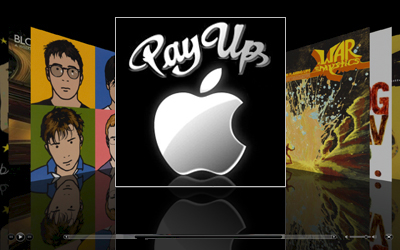
An Eastern Texas Federal Court has ruled that Apple’s Cover Flow UI infringes on patents owned by Mirror Worlds, and has ordered Apple Inc. to pay $208.5 million in damages, according to Bloomberg. Read more
Giveaway: Win A Copy of Droplr for iPhone
Last week the guys over at Droplr (a popular file sharing service that comes with a dedicated Mac app) released an official client, Droplr for iPhone. The app sports a custom, and beautiful, user interface design and allows you to upload files and notes on the go, shorten URLs and check on your previously uploaded files.
It’s a great app, and we’ve got 5 copies to giveaway. Read more
Using TextExpander for Markdown Reference Links→
Using TextExpander for Markdown Reference Links
I use Markdown’s reference links. The advantage of using referenced links is that the text is much easier to read. You can also use the same reference more than once. Reference links can be set anywhere in the document. Some folks do it at the end of the paragraph. I do them all at the bottom.
Excellent follow-up to Patrick Rhone’s screencast about Markdown and TextExpander.
You Are Not Your App
Last week I told you it was the right time to take a step back and reconsider the way we use our mobile devices. The right time to re-think our setups, and free us from the need of installing new apps every day while missing the real point of iOS: the “built-in factor”. See, Apple always provided a great set of tools to get things done on a new OS without the need of going out there searching for software. With Mac OS X, most users can do stuff without ever opening Safari and browse to some developer website. With iOS it’s just the same, but the App Store and its flowing stream of new applications made us forget about the built-in factor. We often don’t remember that we can enjoy an iPhone as it comes out of the box. Read more