Finally, TED Releases Official iPad App

Good news, TED aficionados: there’s an official TED iPad application (developed by Matt Drance,who also runs AppleOutsider) out in the App Store, and it’s free. The application allows you to watch videos in low and high res depending on your connection, organize playlists, explore what TED has to offer.

You can sort videos by recency and popularity, filter by tags or themes, discover new videos thanks to the related talks feature. I’ve just downloaded the app and it works really well. It’s also elegant, minimal and polished. It almost feels like TED videos were meant to be consumed on the iPad in the first place.

From the TED blog:

The iPad presents a thrilling new platform for delivering a TED experience,” said June Cohen, Executive Producer of TED Media. “We rethought the user experience to take advantage of the portability, the touchscreen and the focused media time people have when they travel or settle in for an evening. We think TED fans will particularly love the “Inspire me” button, which creates a custom playlist to fill the exact amount of time they have free.

TED for iPad is free and available here. Make sure to read the interview with the developer Matt Drance here, and check out the screenshots below. Read more
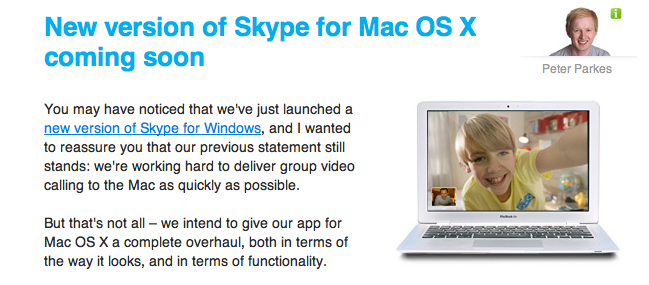

New Version of Skype for Mac Coming “Soon”

This morning Skype launched a brand new version of its official Windows client with direct Facebook integration. That’s a biggie. And what about Mac users? We’re still left behind with a clunky old version of Skype that doesn’t even support multi-video chat, nor does it have the new UI introduced in the Windows counterpart.

Still, Skype promises we only have to wait a little more before we can put our hands on a “complete overhaul, both in terms of the way it looks, and in terms of functionality”.

No problem, Skype: we’re used to wait for Mac updates. Just one thing: where’s the iPad app, again?


The Creepiest Thing You’ll See This Week: A Chinese Fake Steve Jobs

As if copying Apple products wasn’t enough, the good folks down in Hong Kong decided that setting up a keynote with a Chinese fake Steve Jobs might be a good idea. The Hong Kong Mass Transit Railway launched its official iPhone app, and they were joined by this guy to spice up the presentation a little bit.

Check out the video below. Then follow me along into thinking that this is kind of disturbing. [9to5 via WinAndMac] Read more


iPad in AT&T and Verizon Stores October 28th

Now that the iPad is being sold at Amazon, Target, Walmart and Sam’s Club, Verizon and AT&T are two more (and big ones at that!) to add to the list of the all-time fastest selling gadget. It makes sense that AT&T is going to sell the iPad in its retail stores since they already carry the iPhone line; Verizon could be making room in their showroom for the iPad because rumors are saying that a Verizon iPhone may be here very soon.

Read more


Licensing State of the Union

Licensing State of the Union

Interesting article over at Flyosity on the various techniques developers can use to prevent their apps from being cracked and shared. The last bit, though:

There are a number of ways to protect your application from piracy. However, when it comes down to it, piracy cannot be stopped. Whether you like it or not, if someone wants to steal your application, they will. On this note, pirated copies should not be considered lost sales. Most pirates had no intention of purchasing your application in the first place. Donʼt hurt your real customers. If your application is good enough, people will buy it. The best way to prevent piracy?

Make great apps.

I couldn’t agree more. The whole thing is a must-read, especially for developers.

Permalink

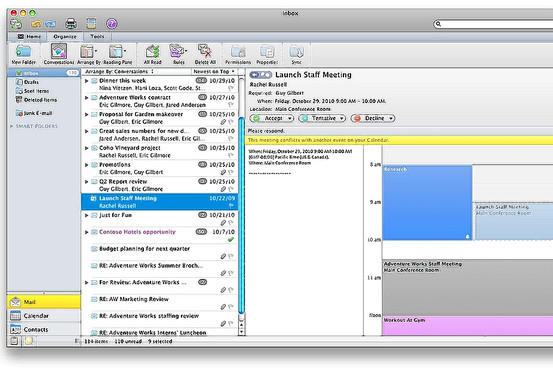
Walt Mossberg Loves The New Outlook for Mac

Our beloved Walt Mossberg is loving the new version of Office for Mac, dubbed “2011” and dropping on October 26th. Particularly, he seems to be liking the new Outlook a lot:

I was able to import a nearly 3-gigabyte Windows Outlook data file with no problems. And I was able to easily and perfectly import all my messages and settings from Apple’s own built-in Mail program and to sync with Apple’s (AAPL) built-in Mac address book. But Microsoft is still working on syncing with Apple’s iCal calendar program, and the Outlook calendar can’t sync with Google Calendar. Also, while the new Mac Outlook can import Windows Outlook data, it can’t export its data to Windows yet. Microsoft says it is also working on that.

In general, Outlook on the Mac proved fast and capable in my tests. It doesn’t work exactly like its Windows counterpart, but Windows users will find it very similar. And it has some Mac-specific features. For instance, its contents can be easily searched by the Mac’s built-in universal search feature, Spotlight, and can be backed up by the Mac’s Time Machine backup system.

Microsoft’s new Mac Office is by far the best Mac version of the suite I’ve used, and I can recommend it.

For as much as I understand the needs of companies willing to use Macs, but stuck on Office, there’s no way I’m giving up on Mail for when it comes to desktop email. I’ll give it a try, though.


Guess What, Apple’s “Back to the Mac” Event Is A Non-Event

What’s up, Gene Munster? You’ve always been a nice Apple-focused analyst. First you praise the iPad but you state Android tablets will eventually kill it and win the platform war; now you come out and say that next Wednesday’s event is, actually, a “non-event” for investors.

As Business Insider reports:

Munster tells us he expects some “speed bump” updates to the Mac line, a preview of the next OS, and maybe a new Macbook Air, but that’s about it.

“From an investor’s perspective, this is a non-event,” says Munster.

Basically, Munster argues that the company is now focused on iOS and the Mac doesn’t mean much anymore. He’s wrong: for as much as the Mac’s numbers might not be as jaw-dropping as iOS’ ones, investors should keep their Macs close. Where do iOS apps come from, again?

Update: Apple’s share of computer sales in the US surpassed 10 percent.


Mac OS 10.7 Dreams

Mac OS 10.7 Dreams

Ben Brooks shares some interesting points:

Updated Finder -  Any Mac power user will tell you, Finder is showing its age. Tabs are the biggest wish for most people. I would settle for better network drive support, for both WebDAV servers and network shares.

Yojimbo / DEVONthink type App - File folders are so 1999, today we just like to search or see things organized for us. This would be in addition to Finder, giving us a place to store and search all of our files, view and edit them – think iTunes for the rest of your crap.

Saving No More - I just feel greedy at this point, but one of my favorite features of Notational Velocity is that I don’t have to worry about hitting save. All that is done for me and backed up – saving needs to be a thing of the past. I can just imagine the commercials comparing saving on a Mac versus saving on a PC.

The Finder needs better WebDAV support (I’m forced to use Transmit for that, which is a great app anyway) and system-wide autosave would be great, even if ForeverSave has been doing that (kind of) for quite some time now.

The Yojimbo / DEVONthink app, though? I’m sold. I was a Yojimbo user until December of last year, then I switched to DEVONthink (Pro Office version) and never looked back. Even if DEVONthink’s approach is more “professional” (I feel bad for using this term, but that’s it) and complex than Yojimbo’s, I get Ben’s point here: a way for Mac users to throw anything to the Finder and see it properly organized, saved, tagged - whatever organization system you prefer - without any additional effort. That’s what these apps do: they can receive any kind of data easily and store stuff for as long as you need. It’s just a giant bucket where you throw items in, but it’s a well organized bucket.

Now imagine that app, with desktop sync capabilities, on iOS.

Permalink