This Week's Sponsor:

Cotypist

Smart Autocomplete for Your Whole Mac


Apple Discontinues Xserve, Mac Pro Server Goes Live

As MacGeneration notes, with a note on its website Apple announced Xserve will be discontinued and will only be available until January 31st. The note links to a PDF available here called “Xserve Transition Guide”.

Apple will not be developing a future version of Xserve. Xserve will be available for order through January 31, 2011. Apple will honor and support all Xserve system warranties and extended support programs. Apple intends to offer the current ship- ping 160GB, 1TB, and 2TB Apple Drive Modules for Xserve through the end of 2011 or while supplies last. Apple will continue to support Xserve customers with service parts for warranty and out-of-warranty service.

The Xserve was first introduced in 2002. Entire racks of Xserve systems are still used by many companies and universities in their networks. As Xserve gets discontinued, the Mac Pro Server goes live in the Apple Store. It can get configured up to 12 cores and ships in 2-4 weeks.

Apple Seeds Mac OS X 10.6.6 To Developers, 10.6.5 Coming Any Day Now

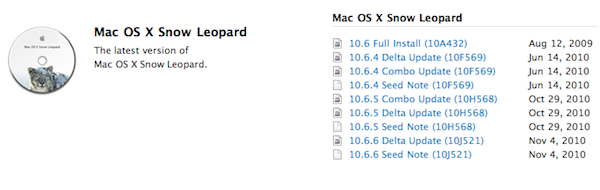
As noted by 9to5mac, Apple just seeded Mac OS X 10.6.6 (build 10J521) to registered Mac developers. 10.6.6, another version of Snow Leopard – we thought the upcoming 10.6.5 would be the last before Lion.

The only information provided in the changelog:

- Contains developer support for fetching and renewing App Store receipts. See “Validating App Store Receipts” for more details.

The release of a first 10.6.6 seed means the 10.6.5 version we’ve been talking about for months could be coming later today, tomorrow – any day. It’s ready, just waiting to be released publicly.


Simplepedia Is A Minimal Wikipedia Reader For Your iPad

I don’t know how I missed this in June. Maybe I was too busy shooting pictures with my iPhone 4. Remember when we first saw the Retina Display? Yeah, good times.

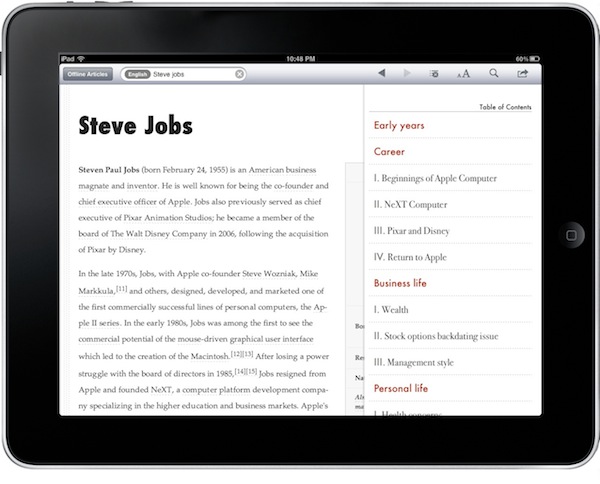
Simplepedia, developed by the same guy behind PDFMate, is a minimal and, well, simple Wikipedia reader for iPad. It comes with a standalone iPhone version, too, but I haven’t tried that one. On the iPad, the app can do two things: search for Wikipedia articles and save them for offline reading. That’s really it, folks. Read more


Note Hub: Notes, Drawings, Maps, Calculator, Tasks and a Browser…In A Single App

Some apps do one thing exceptionally well and some try too much just to miserably fail in the end. Either you’re a great note taking application or you’re a sketching software, but surely you can’t aim at doing both just fine. Note Hub wants to break this convention by being the app you come back to for anything related to…well, a pretty huge amount of things: notes, maps, browsing, drawings, tasks. It’s even got a calculator.

Note Hub wants to be the app you use for your note taking needs, but after some tests I have to say it’s more an app geared towards “visual” people who need to work with rich media on a daily basis and would like to organize content in a user-friendly interface. Read more


iPhoto 9.1 With Calendars Support Now Available

A few minutes ago Apple released an updated version of iPhoto, which reaches version 9.1 and adds support for Calendars, a feature that mysteriously went missing in the first iteration of iPhoto ‘11. Apple already announced an update with Calendars support was on its way.

Check out the official changelog below:

This update adds several new print product options to iPhoto ‘11. It also improves overall stability and addresses a number of other minor issues.

- Provides the ability to create and order calendars in iPhoto.
- Additional letterpress holiday greeting card themes are now available.
- Fixes an issue that prevented videos downloaded from MobileMe or Flickr from importing correctly into iPhoto events.
- The update is recommended for all users of iPhoto ‘11.

You can download the update in Software Update or at Apple’s support page for iPhoto 9.1.


Custom Styles for Skype 5.0 Beta for Mac

Custom Styles for Skype 5.0 Beta for Mac

A few hours back, a new Beta of Skype for Mac hit the interwebs. The twitter was going all crazy for it. This new Beta of Skype for Mac included some drastic UI changes. (read: 100% of the UI has changed)

One of the most noticeable visual changes was the amount of whitespace. Because the window looked like it was a Web View, and I saw something about Chat Styles in the settings, I decided to dig into the Skype.app package.

Also check out Panamerica Mini.

Permalink

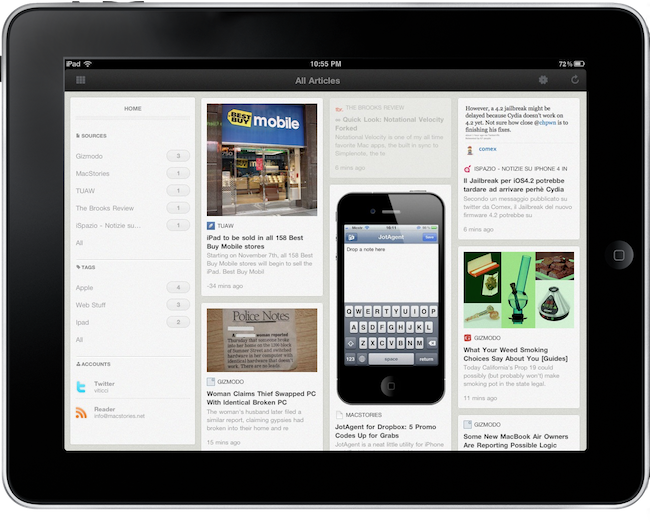
ReadSquare: RSS Reader with a Reeder-like UI, But I Don’t Get It

On the iPad, Reeder is my default app for RSS feeds reading. It’s so beautiful, fast, feature rich and, at the same time, elegant I don’t see myself switching to another application anytime soon. But our job is to try new apps and keep you in the loop, right? So when I stumbled upon the preview page of this new iPad app – ReadSquare – I was very excited to try the app and I started waiting for it to show up in iTunes.

Last week, the app was released as free for a limited time. It’s available here for download. But while I was looking forward to see the app in action and whether it could deliver on what the developers promised (what actually got me interested in the first place), I now have to admit the execution is, sadly, very poor.

Read more


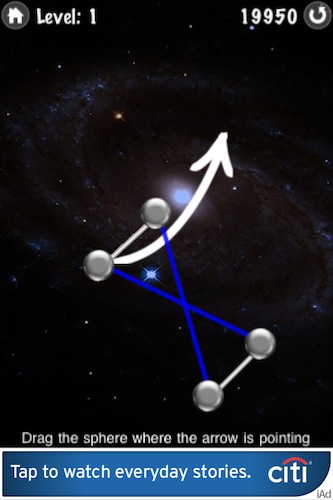
iAds Rolling Out Internationally [Screenshots]

It appears that Apple has flipped the switch on iAds, which are now showing up for iPhone users outside the United States and United Kingdom. I’ve personally downloaded a free iAd-supported iPhone app and I got to see two different campaigns: a CitiBank one and an AT&T one. Both the iAds are working fine in Italy.

With Apple getting ready to release iOS 4.2, a worldwide launch of iAds for iPad as well wouldn’t be much of a surprise. Read more


Google Rolling Out Instant Search for iPhone

Update: official blog post from Google.

In September we announced that we were working to bring Google Instant to mobile, and today we’re making a beta version available to most iPhone and Android devices in the U.S. To try it out, go to google.com in your phone’s browser and tap the Google Instant “Turn on” link beneath the search box (if you don’t see the “Turn on” link, try waiting a moment and then refresh the page).

Like the desktop version of Google Instant, when you type on your mobile device you’ll see predictions of what you might be searching for. If you type [anse], for example, you should see [ansel adams] along with other predictions.

We hope you’ll enjoy using Google Instant for mobile as much as we enjoyed making it. It’s currently available for Android 2.2 (“Froyo”) devices and iPhones and iPods running iOS 4 in the U.S. in English.

According to a screenshot posted by 9to5mac, Google has started rolling out the Instant search to iOS devices. In the screenshot, you can see it’s labelled as “beta” and you have the option to turn it off. Read more