
BulletTrain Express Keyboard: MacBook, Meet Desktop Mac

I bought an iMac about a month ago. It’s a great machine, it’s sexy and it’s powerful. Still, when I’m working on it I do miss one thing: they keyboard and trackpad configuration of the MacBook Pro. Having a full-size keyboard above the trackpad is undoubtedly more comfortable than having to constantly switch from the keyboard to a Magic Trackpad on its side. Placing the Magic Trackpad under the keyboard doesn’t help either as it’ll end up moving and sliding on your desk.

So what we have here is possibly the coolest gadget we’ve covered on MacStories in a while: the BulletTrain Express Keyboard is a solid aluminum platform that can embed a Magic Trackpad and an Apple keyboard, all in one single and ergonomic surface. Read more

The Importance Of AppleCare

The Importance Of AppleCare

Others will tell you they’ve owned several Macs, without AppleCare. This is the same lot who never purchases “extended warranties,” which they consider “scams.” To them I say that AppleCare is an exception, especially since Macs are increasingly difficult or impossible to get into. Still others will say that Apple ought to include 3 years’ worth of protection with every Mac they sell. Perhaps, but the world as it exists is often disappointing compared to the world as we wish it existed.

And Stephen Hackett’s reply, who worked as Lead Mac Genius at Memphis’ Apple Store:

I know all of this, and I buy AppleCare for my computers. Why? Because stuff breaks. And when Apple stuff breaks, it can be expensive. Unlike a PC that might use a separate board for everything, Apple’s all-in-one logic board approach makes for expensive out-of-warranty repairs.

Computers break. Like it or not, buying AppleCare would be a wise move.

Permalink

The Most Awesome Screensavers for Mac

The Most Awesome Screensavers for Mac

While the hype about screensavers has certainly died down, mostly due to iOS coolness, people still use them. I agree, they’re wasteful, but still nice to look at. Yesterday, internet superstar Steve Streza asked his followers for screensaver recommendations. I tuned in to his mentions, and then did some digging around on the interwebs, and here’s a few that will definitely keep your screen occupied.

The Polar Clock one is a thing of beauty. Check out Steve’s bundle here.

Permalink

Phone Disk: Mount & Browse Your iPhone In The Finder, No Jailbreak Required

They say one of the biggest advantages of jailbreaking your iPhone ( or iPad) is that you gain root access to the device. By root access they usually mean that the filesystem becomes visible to the end user, thus allowing people to play around with the device’s system files and modify stuff. From graphical modifications to file browsers available in Cydia to extra functionalities granted by access to hidden folders, root access is one of the most important aspects of jailbreak.

But it turns out, jailbreak isn’t required to access the iPhone’s internal files in the way most people would need: Phone Disk, a Mac (and Windows) app gone free until December 1st, lets you mount and browse your iDevice directly in the Finder without the need to jailbreak anything. Read more


WorldView+: Webcams Worldwide, With An Elegant Interface

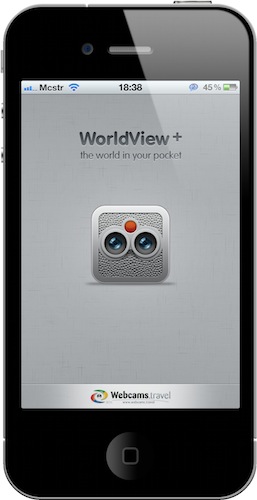
The iPhone 4 has got a great camera, but this app is about checking on images captured by other cameras around the globe. If you’ve ever wished to have access to more than 14,000 webcams from your pocket, WorldView+ might be just the app for you. With a nice icon and a redesigned UI by Marcelo Marfil, this app combines the functionality of checking on live webcams with additional data pulled from Wikipedia, weather stations and Google Maps.

Read more


AnandTech’s Epic MacBook Air Review

AnandTech’s Epic MacBook Air Review

While both models are extremely light, the 11-inch MacBook Air is portable perfection. It’s the closest thing to an iPad with a keyboard (short of an iPad with an actual keyboard). I’m afraid that’s where the comparison ends. Despite what Apple would have you feel, the new MacBook Air is no more an iPad than its predecessor.

If you need to read another review about the new Airs, make sure it’s this one. Insightful and unbiased. [tip: print the page as .PDF and read it on your iPad]

Permalink

AppleScriptObjC Explored by Shane Stanley

AppleScriptObjC Explored by Shane Stanley

AppleScriptObjC Explored by Shane Stanley is the most advanced, thorough, and in-depth documentation for the creation of AppleScript Objective-C applications. Utilizing a hands-on approach, the book guides you step-by-step through the process of integrating the power of Cocoa into your AppleScript applets and applications, demonstrating each concept and technique in fully editable and annotated example projects.

Recommended. [via DF]

Permalink

Friendly Gets Huge 3.0 Update, Aims At Becoming Best Facebook App for iPad

Well, at least until Facebook comes out with its official app for iPad. Until then, Friendly for Facebook, an app that’s been around for a few months now, is seriously aiming at being the ultimate solution to access Facebook from your tablet.

Criticized in the past for being nothing more than a custom stylesheet for Facebook sold at full price, Friendly was updated earlier today to version 3.0, which brings a lot of new features and a new login system. Friendly 3.0 now uses Facebook Connect to access your wall and friend lists, so I guess that means the app is an actual app now. Also, the developers added multi-account support to easily switch between accounts from a single dashboard screen with big profile pictures. If your iPad has become a “family device”, your kids and wife must be happy about this. Read more


Meet My New Gmail App for iPad

Every day I check on 7 different Gmail accounts. Both personal and work-related, I have to keep an eye on them. On the desktop I use Mailplane, which is a must-have application that wraps Google’s Gmail web UI around a Cocoa native interface for the Mac, and adds a lot of features to it. If you haven’t tried it yet, go get Mailplane right now.

On iOS we don’t have anything like Mailplane. There’s Mailroom, but it’s not as rich or powerful as Mailplane and it’s only for iPhone. I use Mailroom, but I’d like to be able to do more stuff with it and have a full-featured iPad version as well.

So I’m forced to either keep on switching between accounts on Google.com (not a chance in hell), or use different apps on the iPhone and iPad to enjoy this useful “easy multi-account” feature. Like I said, I use Mailroom on the iPhone; on the iPad I’ve been using MailWrangler and Mailboxes for months, but I think I’ve found something that’s faster, equally powerful and free.

MultiG is a simple app for iPad that lets you switch between regular Gmail accounts and Google Apps ones, it’s got a lightweight and fast integrated browser and it even comes with Instapaper support. Read more