Is Skype The Biggest Threat To Apple’s FaceTime?

Last night, Skype released a major new version of their iPhone and iPod touch client. Version 3.0 of the Skype app, released just in time for New Year’s Eve, adds video calling to all iOS devices with the possibility to run the app in compatibility mode on the iPad and receive video calls on screen. The iPhone app allows you to receive and initiate video calls both on WiFi and 3G, it’s compatible with iPhone 4 / iPhone 3GS and iPod touch 4th gen and, when on 3G, consumes around 3.4 MB of data per minute. Previous tests showed that Apple’s FaceTime technology also consume 3 MB per minute. Skype 3.0 also lets you call desktop users on Mac and PC and check on their computer screens (sounds useful for remote troubleshooting or networking), requires iOS 4 and supports both portrait and landscape modes.

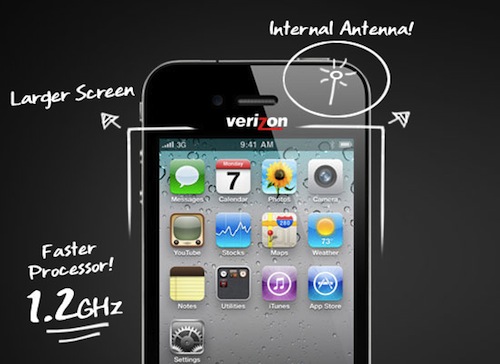
The latest Skype update is, put simply, a huge win for the millions of Skype users out there who have an iOS device always connected to the internet. We could argue on the 24/7 internet availability on devices like the iPod touch and the iPad WiFi, but there’s no doubt the new Skype for iOS is the closest thing Apple ever had to a FaceTime competitor. Forget the 3rd party apps in the App Store that allow video calls: this is Skype. Which leads me to consider Apple’s position in regards to this update: Skype lets you see your friends wherever you are, no matter what kind of connection you’re on. Apple, due to technology limitations or AT&T’s pressure, only lets you FaceTime on WiFi. But looking at the big picture, that’s not really what Apple should fear. Read more


Update: A Minimal App For Simple Sharing

On our iPhones and iPads, we run Twitter clients. Be it Twitter, Twitterrific, Osfoora or some beta app no one knows about, many of us rely on these standalone apps to share links, thoughts and comments on Twitter. We do the same for Facebook (even if there’s no official app for iPad, third party clients are well known in the App Store), LinkedIn and other social networks. The problem: some would like to have the possibility to forward some status updates to other social networks they’re subscribed to (and likely have some friends on) without having to copy the message every single time in a new app. A few people I know use hashtags on Twitter to beam a tweet to Facebook or Google Buzz, but I don’t like the option. Next time I want to share the same message on Twitter and Facebook, what should I use?

Update is a neat $0.99 utility for iPhone which lets you do one thing: write down a status update and choose the social networks you want to send it to. Everything happens in one screen. That’s it. Once you’ve authorized the supported services (Twitter, Facebook, Google Buzz, LinkedIn and Hyves) in the settings, you’ll get a simple on/off menu in the compose window to choose the active services. Type, and share. You can tell the app to grab your location data or shrink URLs contained in the message. You can’t attach pictures, but I guess this is one of the non-features that make Update a great app: it’s simple and focused on text messages. If you need more, go download a dedicated client.

I like the developers’ approach with Update. It’s available at $0.99 in the App Store, and even if it’s not the app for everyone I surely appreciate its simplicity. Recommended.


Going Back To Windows Has Taught Me I Could Live Off A Chrome Notebook

This is a bit of an off beat story for MacStories, but I’d like to talk about my experiences from moving to the Mac onto a PC desktop I’ve tossed together in the past week. It irks me that even going into 2011, you still see the age old arguments of software availability, familiarity, and often other non-issues when people partake in with the Mac vs. PC debate. I’d like to discuss software availability, because this is where I think PC advocates are highly mistaken in their perception of what we have available on OS X.

Read more


Discourse, The Beautiful Dictionary App

The iOS platform doesn’t lack great dictionary apps. From Terminology for iPhone and iPad (both of them reviewed on MacStories) to the dozens available for free on the App Store, users can stay assured there’s a way to check on word meanings, references and, at best, thesaurus with an app. After all, it would be strange otherwise.

Still, there’s always room for better. So developer Emilio Palàez (also known for his Notified app in Cydia) and designer Mathieu White set out to create the most beautiful and easy to use dictionary app for the iPhone. Discourse, which we previewed on MacStories a few weeks ago, is now available. As I expected when running the beta version, Discourse is pretty great. Read more


iPod touch and Arduino Create Remote Etch a Sketch

Engineer Saeki Yoshiyasu created a system that allows him to connect to a server with his iPod touch and draw a design on the web browser using nothing but a Graphics LCD, an Arduino, and a WebSocket server (that he wrote using Python / Tornado). The result: his movements on the iPod touch’s screen are recreated on the LCD. If you want to see his code, or try it yourself, visit his site link below. It’s very nerdy but at the same time very simple and cool!

Video after the break.

Read more


Not The iWork You’d Expect from Apple

Sometimes, some people have terrible ideas. When those ideas involve Apple, trademark infringement and ripped-off logos, the story can quickly become incredibly messed up. Here’s what’s going on: there’s an iWork available on Sears’ website, but it’s not Apple’s digital productivity suite. It’s an actual toolkit Sears is marketing as “PC Toolkit” and selling at $39.99. Here’s the listing on Sears’ website.

See what they did there? They took a fancy registered and trademarked name, they took Apple’s font and even bothered adding a reflection to it. Apple doesn’t even use reflection on iWork’s logo. Sears does. Why? Two iWork logos are better than one, maybe?

Seriously, Steve is not going to approve this. Or perhaps, there’s a remote possibility he will buy hundreds of these toolkits and send them over to the folks working at the data center in North Carolina. Although I doubt Steve Jobs is capable of such jokes. [via Macenstein]


iTunes 12 Days of Christmas: Day 4

Thanks to the iTunes 12 Days of Christmas promotion, every day from December 26th to January 6th users will be able to download a “fantastic selection of songs, music videos, apps, books, TV episodes and a film” completely for free on iTunes.

The free app for iPhone and iPad that lets you receive push notifications for daily offers is available here. Today, you can download Gameloft’s Fishing Kings for free on the App Store. Apple is giving away the regular version of the game to iPhone users, and the HD one for the iPad.

Stay tuned for promotions coming every day until January 6.


Unity Turns Your Living Room Into A Giant IR Blaster

It’s not that I hate IR blasters, but most of the time they’re ridiculously annoying. I’m somewhat of an iHome fan, but I swear I’ve never been more frustrated with a remote than with the one for their now outdated mid-2000 iHr5 model. The unit itself is very nice, but that remote? My god, if the stars didn’t align you could not change the volume with that thing. When IR blasters go giant (like on television remotes), they’re usually okay because I stand in the kitchen and change the channel, aiming it at the ceiling if I want.

So of course Unity seems pretty bad ass right? It sits presumably on your coffee table, firing off a plasma cannon of infrared rays in hopes of triggering some benign sensor in your home theater equipment. And the best part is that it connects to your iPhone over WiFi so you can control all of your devices with a single touchscreen interface. If you’ve an iPhone this seems like a great idea, but I don’t know how many of you would settle for the $99 Unity over a good Logitech Harmony.

[Unity via Wired]