 MacStories Weekly: Issue 518
The Bear Team Releases Public Beta of Lettera, a New Mac Markdown Editor
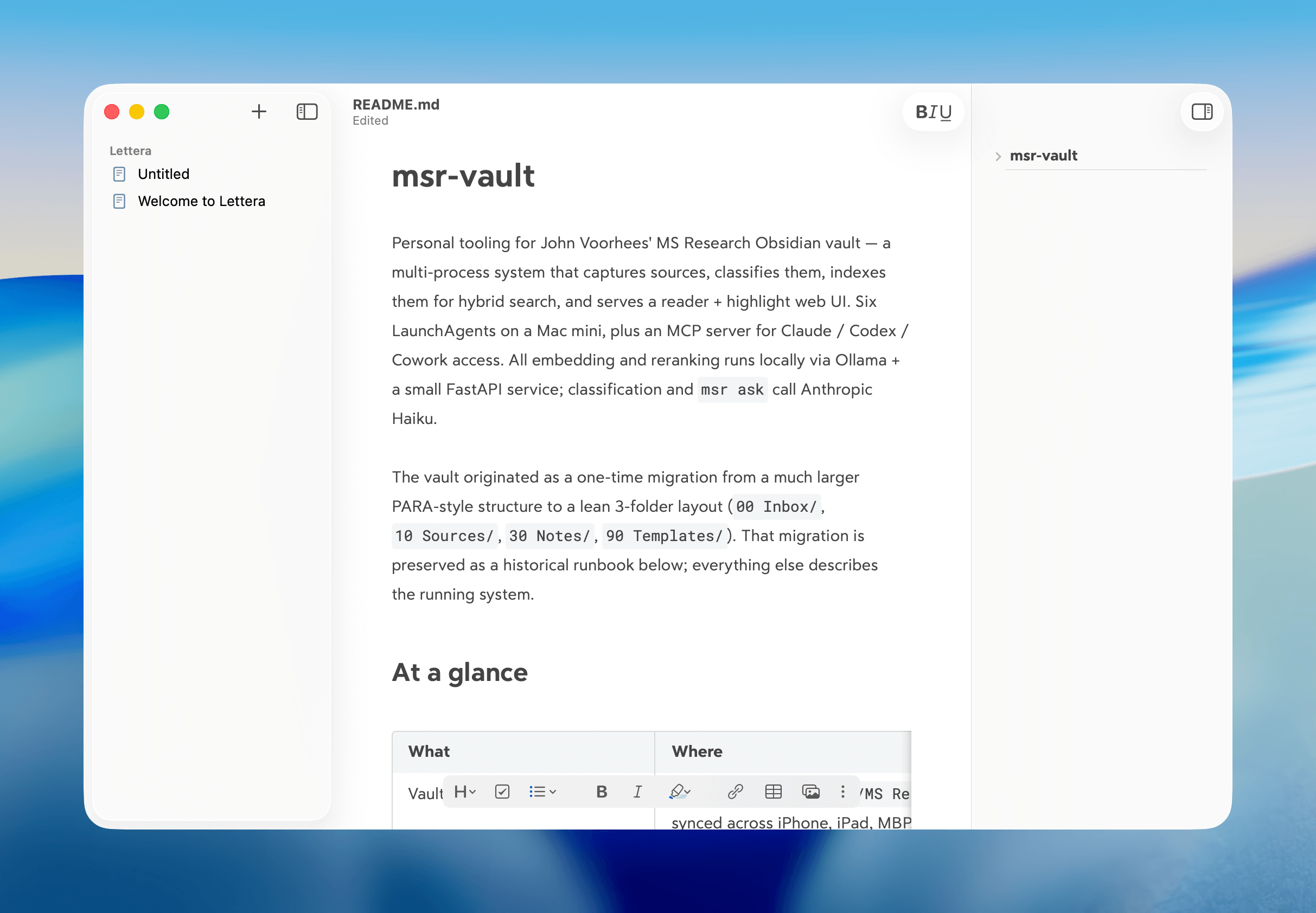
Today, the team behind note-taking app Bear announced the public beta of Lettera, a new Mac text editor, based on Panda, an earlier beta that was used to work out the Bear 2.0 text editing engine. That immediately caught my eye because I’ve been using Panda for months. In fact, it’s the default way I open Markdown files now.
What drew me to Panda was the automation work I’ve been doing with agents. I use the Superpowers plugin (which got an excellent 6.0 update this week) with both Codex and Claude Code, which generates plans, design documents, and specs as part of its process. Panda turned out to be a great way to read those documents because the Bear 2.0 UI is excellent, and with Panda, I could open any Markdown file as a standalone document that didn’t require importing it into Bear itself.
According to the Bear team’s post today, Lettera is designed to preserve Panda’s simple approach to Markdown files and extend it to the Mac’s file system:
Lettera works around your setup. Open a single file to read and edit it, or open a folder as your writing workspace…
That way, Lettera can be used as your default Markdown editor no matter where Markdown files are saved, which is how I’ve been using Panda, or as a text editor with a dedicated folder of working files in iCloud, which is a departure from Bear, which hides the file system from users. Other features will be familiar to anyone who has used Bear before, including its excellent Markdown rendering, versioning, a table of contents sidebar, and support for multiple export formats.
I’ve only just scratched the surface of Lettera, but I was already a fan of the more limited Panda, so I expect Lettera to quickly become the text editor I use for any writing that isn’t an article like this one, for which I’m still using Obsidian, thanks to its extensive plugin catalog.
You can download the beta of Lettera from the Bear post announcing the app.
MacStories Setups Update: Batteries, Chargers, E-Ink Note-Taking, and Videogames
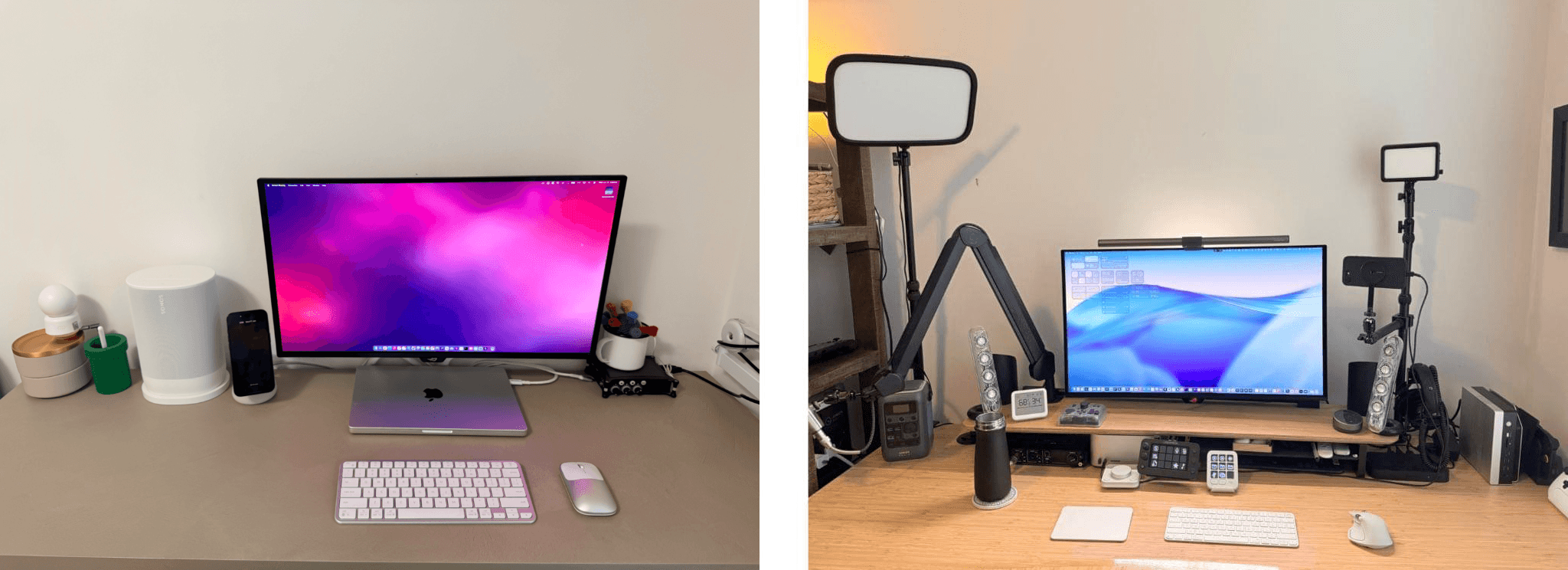
It’s beta season, which is as good an excuse as any to mix up our setups with new gadgets and apps. Between travel, preparing for our OS review research and writing sprint, and revisiting Apple system apps, the past few months have resulted in changes to our setups.
Summer travel means batteries to charge our gear and chargers to charge those batteries. It’s a trend that was clearly on our minds as Federico and I planned our trips to WWDC. Federico added a 20,100mAh Anker Prime Power Bank and an Anker Nano Power Bank, going both big and small for his long flight to California, while I added a beefy Belkin UltraCharge Pro battery with a 25,000mAh capacity and a Belkin USB-C 140W Y Cable. I also added a compact Belkin GaN 70W Charging Station for charging on my balcony over the summer and an Anker Nano Power Strip with Desk Clamp, which has been a great way to keep outlets and USB ports within reach but out of the way.
The remainder of our setups are an eclectic mix of gadgets. Federico fell in love with the Legion Go 2 all over again, swapped his iPhone Air for an iPhone 17 Pro, and added a pair of AirPods Max 2 to his gear.
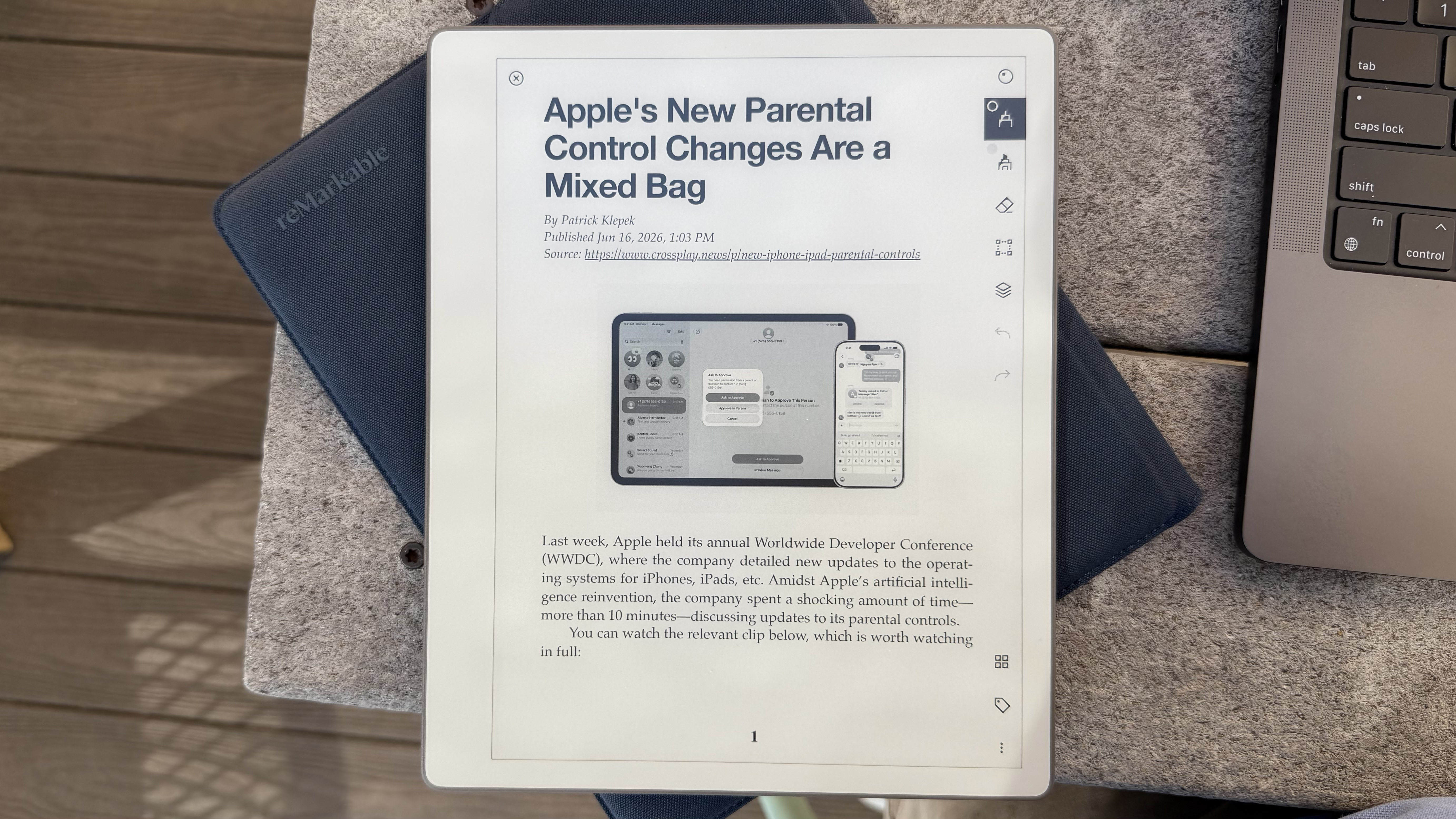
The biggest change to my setup is my most recent: the reMarkable Paper Pure, an e-ink note-taking and reading tablet that I plan to review soon. Preorders just started shipping, and reMarkable sent me a review unit that I plan to incorporate into my research setup through a series of scripts and native apps. The apps will allow me to send articles, PDFs, writing drafts, and more to the Paper Pure and extract handwritten notes as text back into my research setup. It’s been a lot of fun to build and will be the subject of an upcoming Mac Hacks story for Club MacStories members.
, which is also featured on [the Setups page](https://www.macstories.net/setups/).](https://cdn.macstories.net/images/uploads/2026/06/17/img-0827-1781724156846-4e232b7ef1.jpg)
The Anbernic RG Rotate and Logitech Mobi Fold mouse, which is also featured on the Setups page.
On the fun side of things, I’ve been enjoying the Anbernic RG Rotate Android handheld a lot. It has a screen that rotates around one corner to reveal gaming controls. The device, which we covered in a couple of recent NPC episodes, has been a lot of fun to take with me everywhere I go for a quick fix of my favorite retro games. I also added the Mobapad M12 HD to my extensive collection of controllers. I only received the M12 HD a couple of days ago, but it was immediately more comfortable to use than the Switch 2 Joy-Con it replaces.
That’s a wrap for this installment of the Setups update. Be sure to keep an eye on the MacStories Deals Bluesky and Mastodon accounts. Amazon Prime Day is next week, and there are already some great deals on our favorite gear linked on the Setups page, so browse around and get in touch on social media if you have any questions about our setups.
Apple Improves Screen Time for Parents, but There’s Room to Grow→
One of Apple’s tentpole features at WWDC was a ground-up makeover to Screen Time that’s designed to give parents more granular and reliable control over their kids’ device use. I got a demo of the changes while I was at Apple Park, and they’re extensive. That’s good because Screen Time has been broken in a variety of ways for a while and isn’t very flexible.
My first impressions of the changes have been positive, but it’s worth noting that I don’t use Screen Time myself and my kids are grown. Screen Time wasn’t even available when it would have been useful to my family.
However, I do remember well the days when my kids were little, and so I sympathize with Patrick Klepek who wants more. Klepek gives Apple credit for improvements in Screen Time’s UI, but wants more:
But to crystalize my requests to Apple for the future:
- A dedicated Screen Time app
- The ability to invoke Siri or other shortcut-like features to lock devices
- Granular control over extending screen time to accommodate specific requests
I’d add another request that one of the journalists made during our demo that made a lot of sense. Like me, he has three kids and wondered if he could set up a baseline set of Screen Time rules and then copy them to his other kids, making age-appropriate tweaks for each kid. Apple said that isn’t currently possible, but it’s the sort of practical, reality-based suggestion that the company should prioritize. Being a parent means a lot of things, but it shouldn’t mean being an IT manager too. For tools like Screen Time to be adopted, they need to be easy, flexible, and powerful. That’s a tough combination, but I hope it’s been made a priority internally at Apple that will result in ongoing improvements to Screen Time during this OS cycle and beyond.
iPadOS Lets You Automate Window Placement with Shortcuts
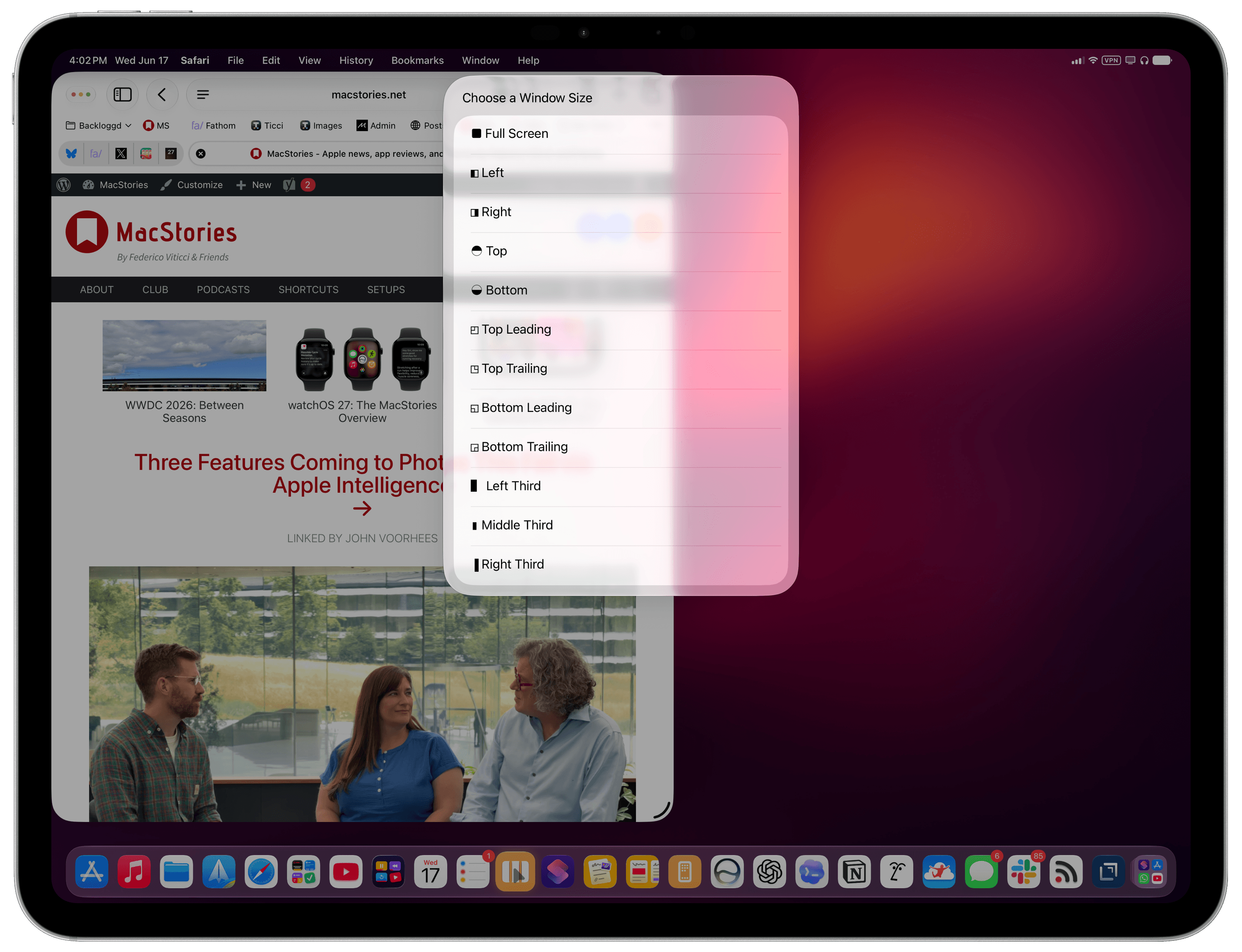
Update: An earlier version of this article referred to this feature as having been introduced in iPadOS 27, but it was actually introduced in the iPadOS 26 cycle. I missed it. My apologies.
In iPadOS’ Shortcuts app, the existing ‘Open App’ action was recently updated with the ability to launch an app with a specific window placement parameter. This means you can now automate window positions on iPad by opening a bunch of apps and programmatically selecting where their windows be placed.
Three Features Coming to Photos This Fall via Apple Intelligence→
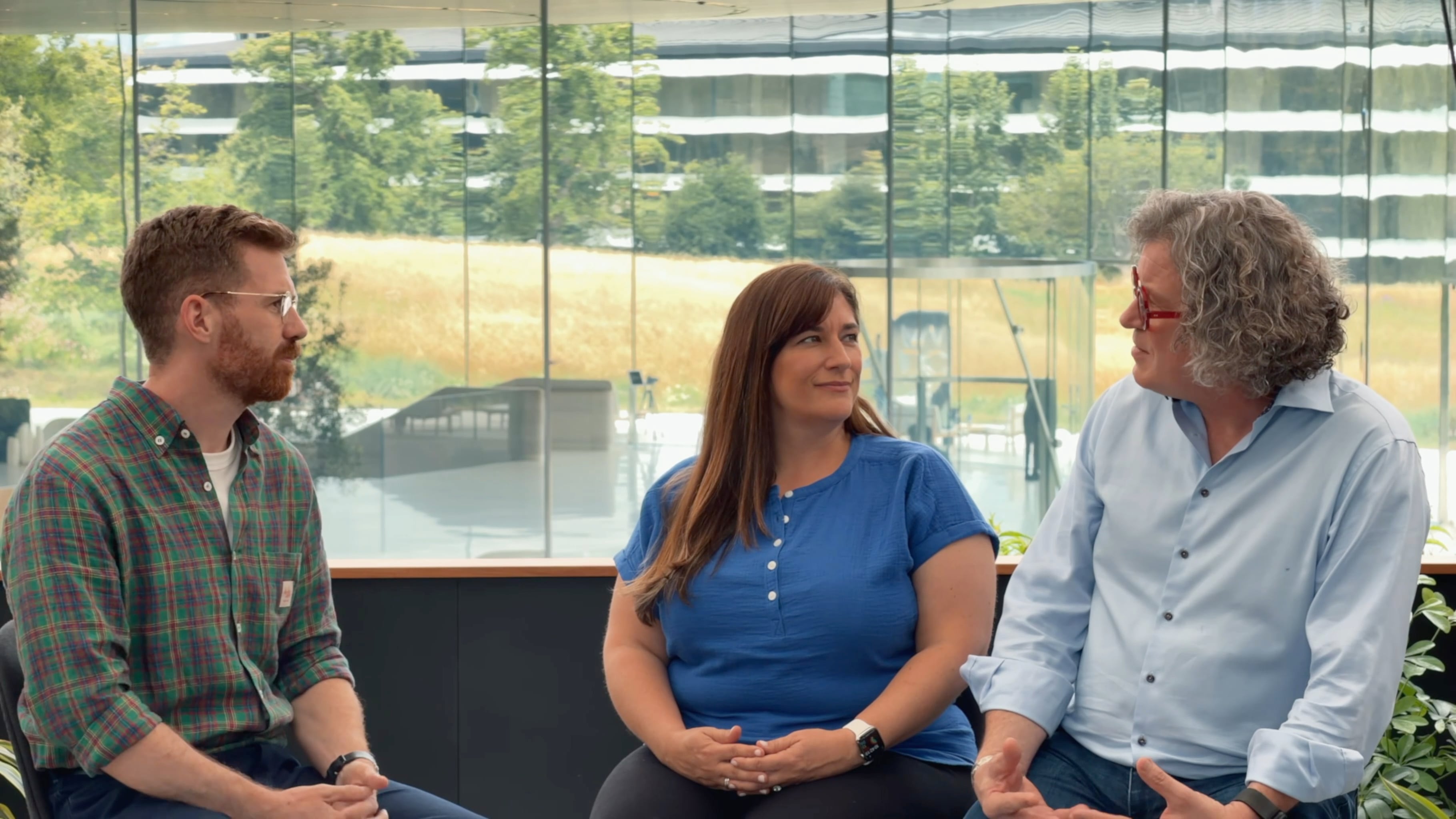
Photo editing is getting some of the most interesting Apple Intelligence features this fall. At WWDC, Tyler Stalman interviewed Jon McCormack, Apple’s Vice President of Camera and Photos Software Engineering, and Della Huff, the company’s Senior Manager of Camera and Photos Product Marketing, in a video that covers Spatial Reframing, Extend, and an improved Clean Up tool, along with demos of each:
The interview goes into depth on each feature and how they’re enhanced by the integration with Apple’s improved Private Cloud Compute models, sharing nuggets like the fact that Spatial Reframing of photos is possible even if an image is taken with a single-lens iPhone and the fact that Apple includes metadata in generatively edited photos identifying the use of AI and will add SynthID watermarking, a technology developed by Google, to AI-edited photos later this year.
I’m not a fan of wholesale image generation, which is why I appreciate the thoughtful approach Apple is taking with these photo editing features. The changes are at the margins of the photo and identified as edited using AI.
MacStories Weekly: Issue 517
Podcast Rewind: WWDC Reactions, Computex News, and Interviews with Apple Design Award Winners
Enjoy the latest episodes from MacStories’ family of podcasts:
AppStories
This week, Federico and John are joined by Myke Hurley and Chris Lawley to share their first impressions of the WWDC keynote and discoveries in the hours following the presentation.
And in a second special WWDC edition of AppStories, Federico and John interview Apple Design Award finalists and winners, including the developers of The Outsiders and Tide Guide and the publishers of Pine Hearts and BALL x PIT.
NPC: Next Portable Console
This week, Brendon and Federico have spent more time with the Anbernic RG Rotate and, along with John, have more thoughts about it and the handheld news coming out of Computex.
On NPC XL, Brendon, Federico, and John share their handheld travel setups.
Comfort Zone
It’s WWDC week, and we’re talking about it all episode this week. Chris is on location, calling in from his hotel room, while Niléane and Matt enjoy the comforts of home (and don’t feel a little left out…who told you we feel left out???).
On Cozy Zone, we roast and then tier list your old Home Screens – only the weird ones this time!
WWDC 2026: Between Seasons
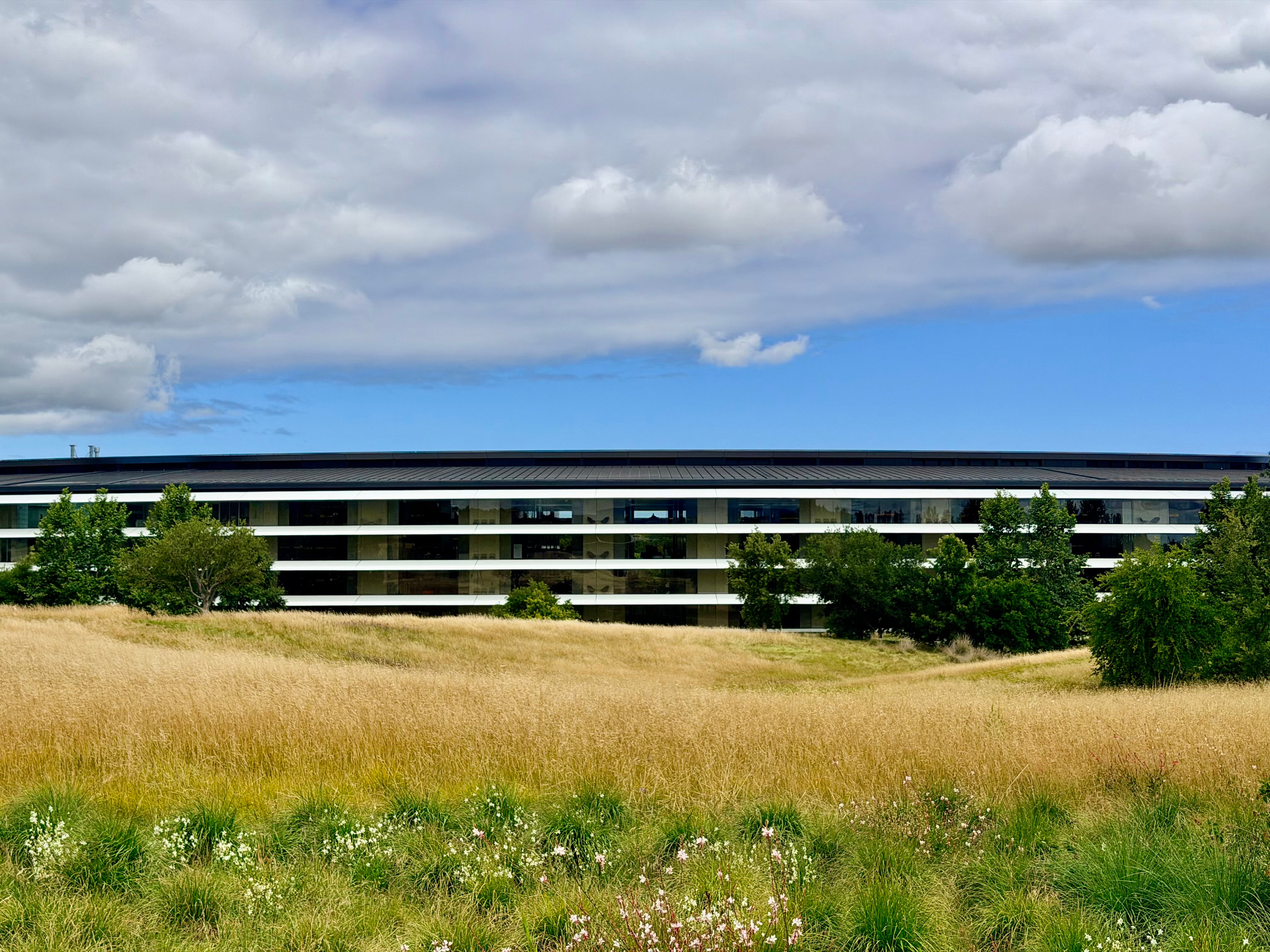
It’s my last day at Apple Park for my seventh in-person WWDC, and as I’m waiting for my final briefing just outside the Steve Jobs Theater – ever so magnificent in its polish, and yet always so strangely calm a place – I keep returning to a thought that’s been circling my head, begging for attention. I’ve never felt so “in between” phases of my career. Physically in this very moment, of course, as I’m literally sitting on an also-polished wooden bench overlooking one side of the ring, watching groups of people climb the hill to the theater and others leave. But more so mentally, insofar as I don’t recall another WWDC that’s made me feel so aware of how much things are changing around me.
At my first WWDC in San Francisco in 2016, I didn’t feel like I belonged. I was a 28-year-old blogger from Italy and somehow found my way to the most important event about the software I loved writing about. It was uncomfortable: what was I even doing there, taking notes on an iPad while folks from The New York Times or Wall Street Journal prepared articles that millions of people would read? But I didn’t mind it. I was in the middle of change; the discomfort fueled me.
10 years later, as an almost 38-year-old blogger from Italy who’s wondering just how, exactly, Apple managed to hide speakers playing music in the bushes outside the Steve Jobs Theater, I look at the content creators who are possibly experiencing their first WWDC, and realize: how am I still here, and still taking notes on an iPad, while these younger folks are shooting videos that millions of people will watch? I’m in between changes again, but I don’t mind it. The challenge still feeds me. I’m more comfortable now, but – miraculously – I don’t feel cynical or jaded. Some people are into that sort of attitude; I’ve always preferred to put in the work to be critical and enthusiastic about the things I like. In a world of complaints, optimism is a skill.
The music is still mysteriously coming from somewhere around the bushes. My friend Myke walks out the theater and tells me I’m going to love the session downstairs about AI on the Mac. “Who would have thought I’d be into that someday”, I think to myself.